2015 FORD FOCUS ELECTRIC steering
[x] Cancel search: steeringPage 71 of 369
Volume down
C
Seek down or previous
D
Seek, Next or Previous
Press the seek button to:
• tune the radio to the next or previous
stored preset
• play the next or the previous track.
Press and hold the seek button to:
• tune the radio to the next station up or
down the frequency band
• seek through a track.
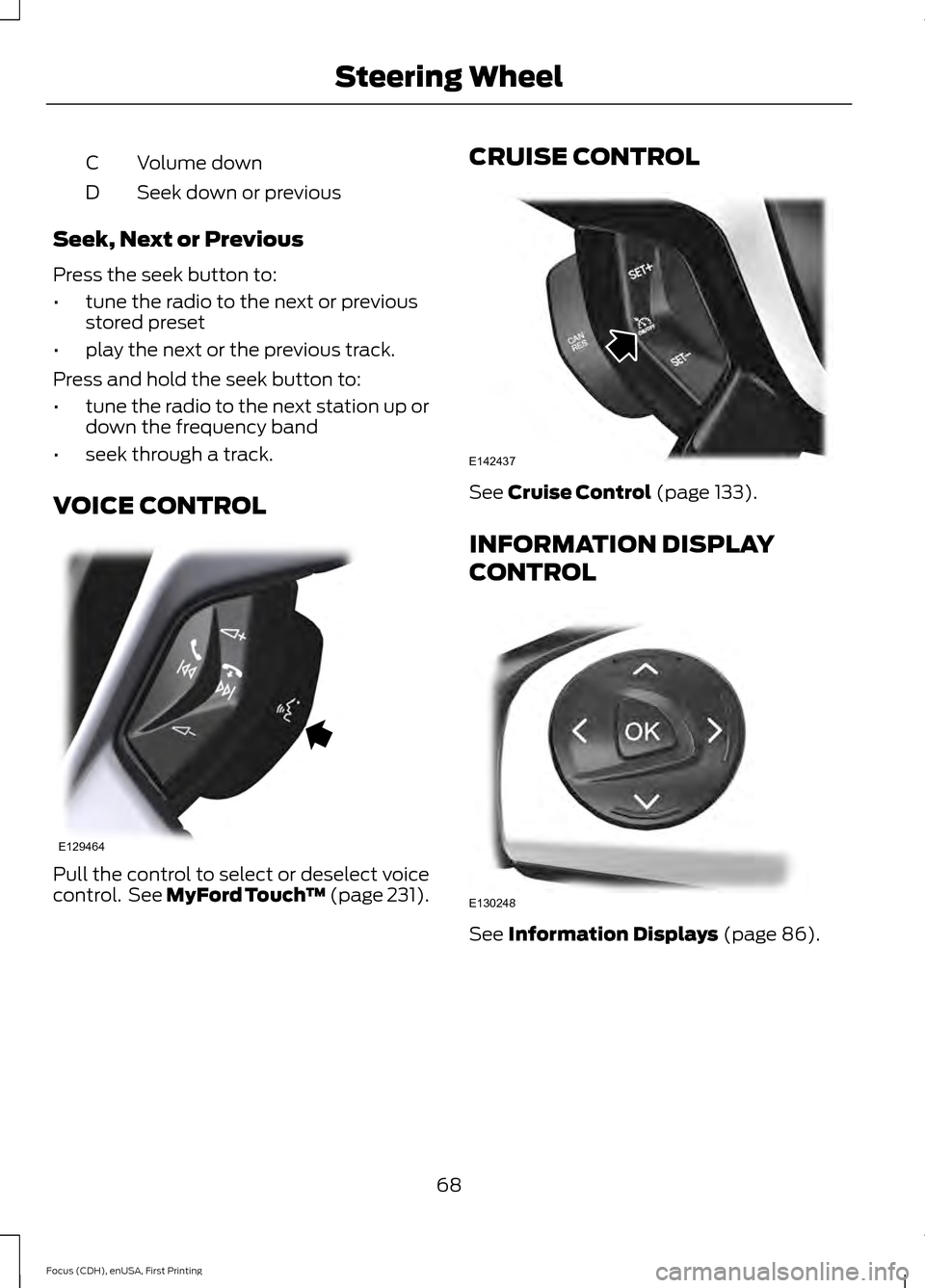
VOICE CONTROL Pull the control to select or deselect voice
control. See MyFord Touch
™ (page 231).CRUISE CONTROL See
Cruise Control (page 133).
INFORMATION DISPLAY
CONTROL See
Information Displays (page 86).
68
Focus (CDH), enUSA, First Printing Steering WheelE129464 E142437 E130248
Page 72 of 369
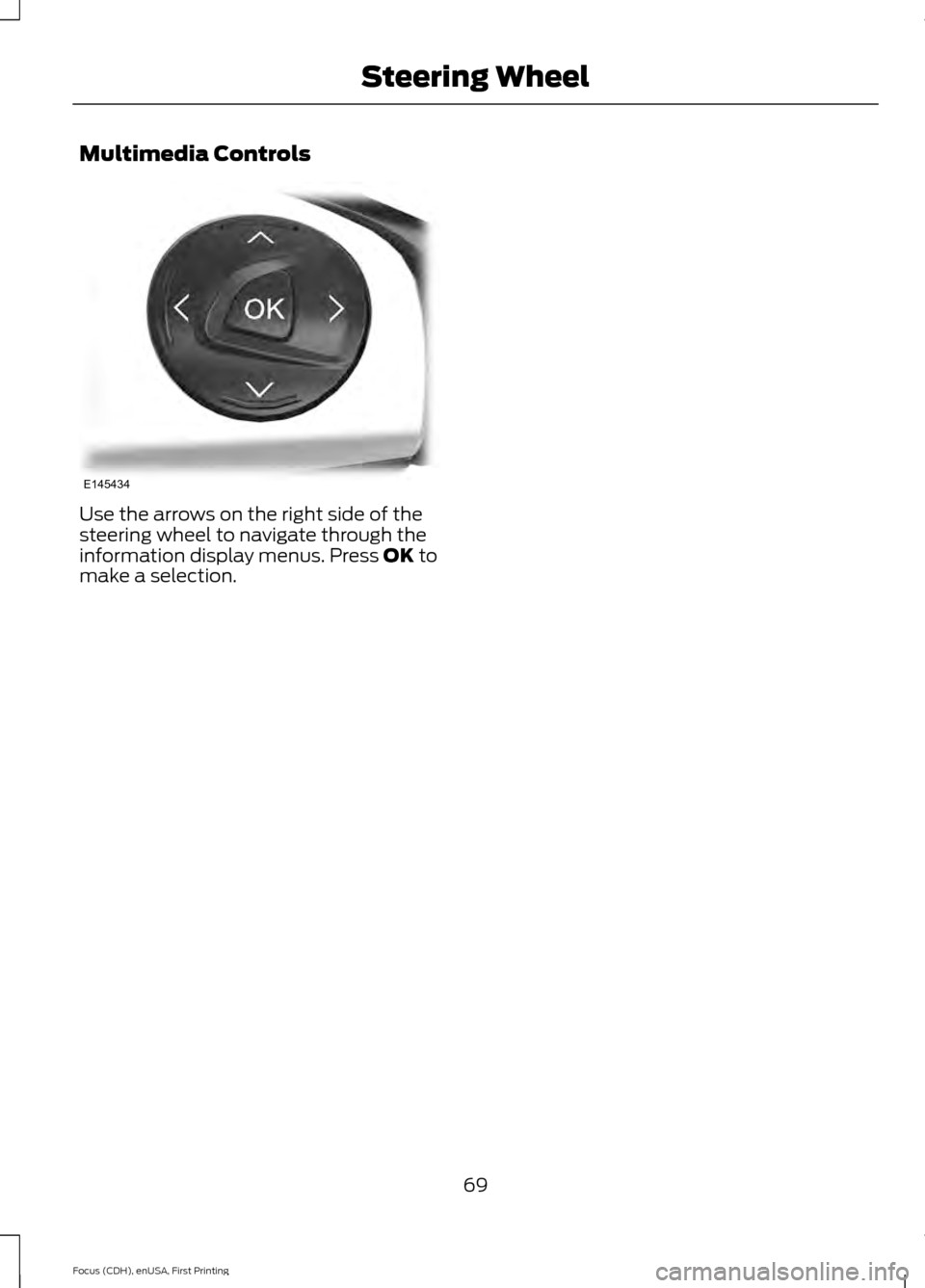
Multimedia Controls
Use the arrows on the right side of the
steering wheel to navigate through the
information display menus. Press OK to
make a selection.
69
Focus (CDH), enUSA, First Printing Steering WheelE145434
Page 85 of 369
•
State of Charge - The state of charge
for the high voltage battery is shown
as a colored fill. The fill color is
normally blue. When a low battery
condition is reached the fill turns
amber. When the battery is depleted
the fill turns red. See the Information
Messages section for details on
associated Low Battery and Depleted
Battery warnings.
• Distance to Empty - The Range
Estimate in the Battery Gauge is
personalized to your key. This is the
estimated distance your vehicle can
travel before needing a recharge. The
Range Estimate is based on your
typical energy usage while driving. This
includes your Drive Habits as well as
your use of accessories such as Climate
Control. Your Range Estimate may
change immediately when you change
your Climate Control settings.
• Regen Display - A circular arrow
symbol appears in the center of the
Battery Gauge when energy is being
recaptured through the regenerative
braking system.
Brake Coach Display
The Brake Coach appears after your
vehicle has come to a stop. It coaches you
to brake in a manner which maximizes the
amount of energy returned through the
regenerative braking system. The percent
displayed is an indication of the
regenerative braking efficiency with 100%
representing the maximum amount of
energy recovery. If desired, this feature can
be disabled in the Display section of the
Settings menu. Trip Summary and Lifetime Summary
These summaries display after switching
off your vehicle. The Trip Summary
appears first, followed by the Lifetime
Summary. You can toggle between these
displays using the up and down arrow keys
on the left hand steering wheel controls.
Trip Summary data is from the last power
cycle, while Lifetime Summary data is
cumulative from the last Lifetime
Summary reset done through the Settings
menu in the information display.
Trip Summary:
•
Distance - The total distance traveled,
and regen distance are displayed.
Regen distance is the estimated range
gained from energy recaptured through
regenerative braking.
• Energy Used - The total kilowatt hours
and average watt hours per unit of
distance are displayed. The average
watt hours per mi (km) will be shown
in blue if less than (better than) the
lifetime average watt hours per mi
(km).
• Brake Score - The percentage of
braking energy recaptured and returned
to the high voltage battery through
regenerative braking. The brake score
will be shown in blue if greater than
(better than) the lifetime brake score.
Lifetime Summary:
• Distance - The total regen distance,
which is the estimated range gained
from energy recaptured through
regenerative braking.
• Energy Used - The average watt hours
per mi (km).
• Brake Score - The average percentage
of braking energy recaptured and
returned to the high voltage battery
through regenerative braking.
82
Focus (CDH), enUSA, First Printing Instrument Cluster
Page 89 of 369
GENERAL INFORMATION
WARNING
Driving while distracted can result in
loss of vehicle control, crash and
injury. We strongly recommend that
you use extreme caution when using any
device that may take your focus off the
road. Your primary responsibility is the safe
operation of your vehicle. We recommend
against the use of any hand-held device
while driving and encourage the use of
voice-operated systems when possible.
Make sure you are aware of all applicable
local laws that may affect the use of
electronic devices while driving. You can control various systems on your
vehicle using the information display
controls on the steering wheel.
The information display shows the
corresponding information.
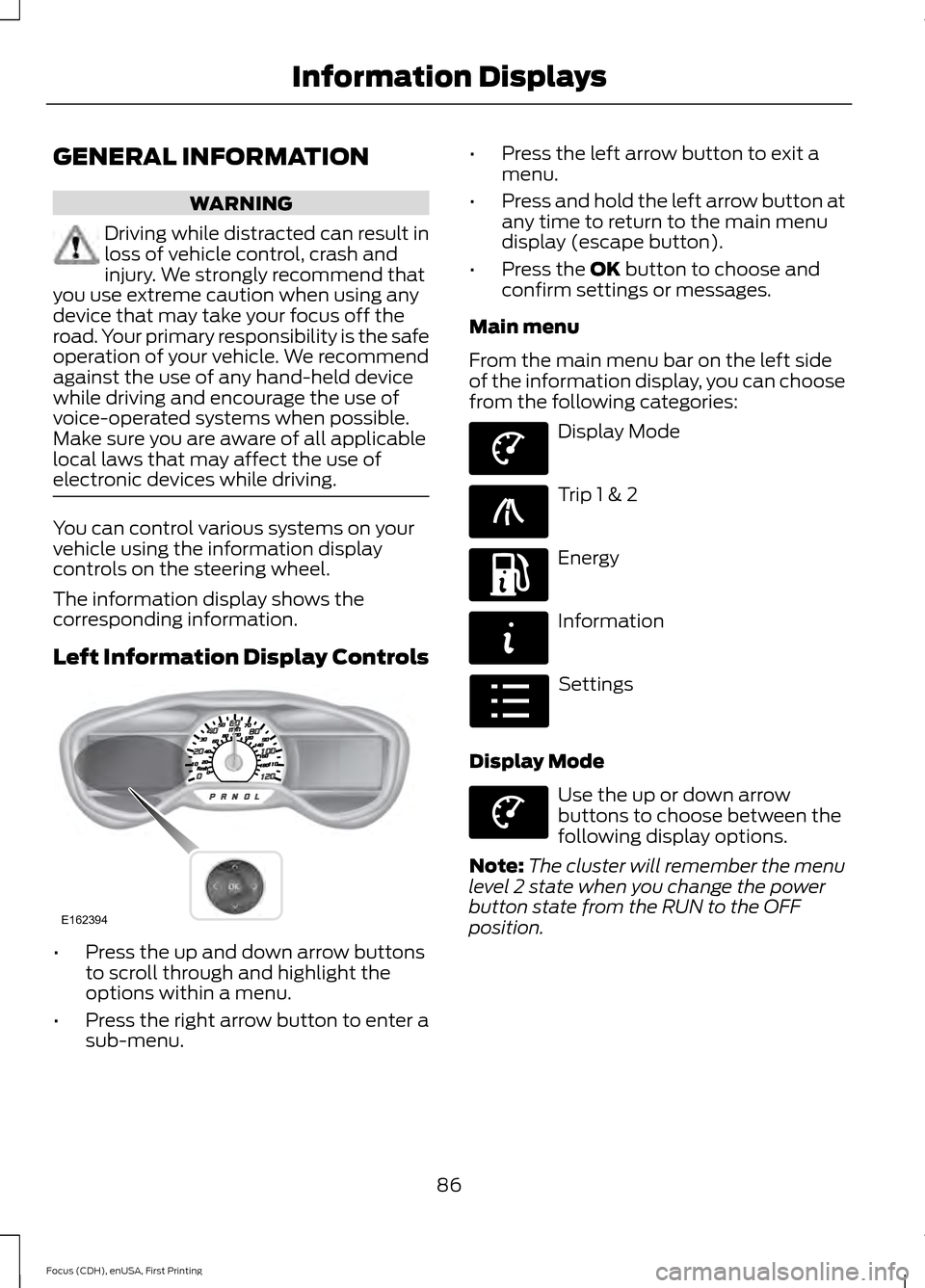
Left Information Display Controls
•
Press the up and down arrow buttons
to scroll through and highlight the
options within a menu.
• Press the right arrow button to enter a
sub-menu. •
Press the left arrow button to exit a
menu.
• Press and hold the left arrow button at
any time to return to the main menu
display (escape button).
• Press the OK button to choose and
confirm settings or messages.
Main menu
From the main menu bar on the left side
of the information display, you can choose
from the following categories: Display Mode
Trip 1 & 2
Energy
Information
Settings
Display Mode Use the up or down arrow
buttons to choose between the
following display options.
Note: The cluster will remember the menu
level 2 state when you change the power
button state from the RUN to the OFF
position.
86
Focus (CDH), enUSA, First Printing Information DisplaysE162394 E144639 E138660 E197200 E144642 E100023 E144639
Page 101 of 369
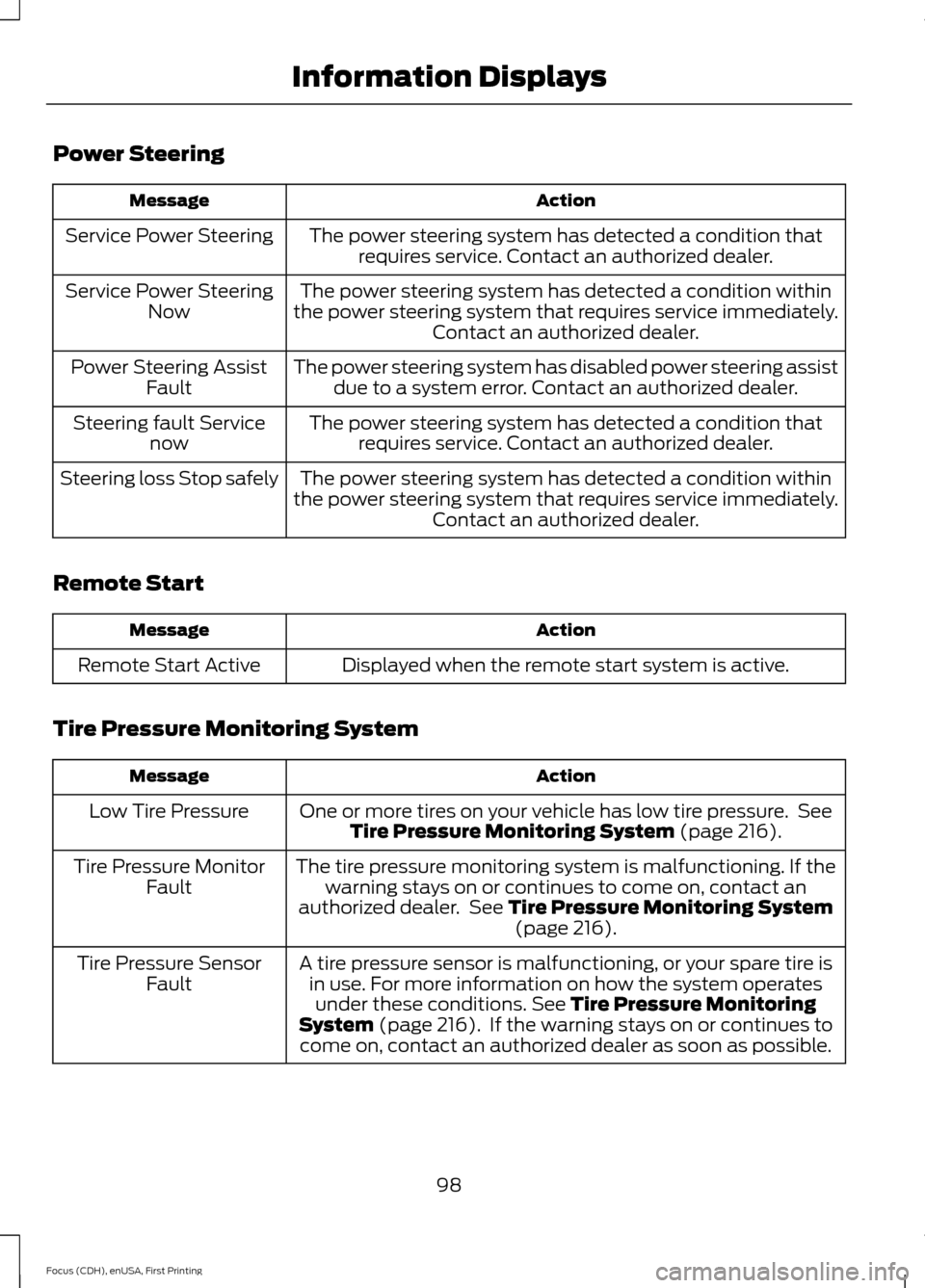
Power Steering
Action
Message
The power steering system has detected a condition thatrequires service. Contact an authorized dealer.
Service Power Steering
The power steering system has detected a condition within
the power steering system that requires service immediately. Contact an authorized dealer.
Service Power Steering
Now
The power steering system has disabled power steering assistdue to a system error. Contact an authorized dealer.
Power Steering Assist
Fault
The power steering system has detected a condition thatrequires service. Contact an authorized dealer.
Steering fault Service
now
The power steering system has detected a condition within
the power steering system that requires service immediately. Contact an authorized dealer.
Steering loss Stop safely
Remote Start Action
Message
Displayed when the remote start system is active.
Remote Start Active
Tire Pressure Monitoring System Action
Message
One or more tires on your vehicle has low tire pressure. SeeTire Pressure Monitoring System (page 216).
Low Tire Pressure
The tire pressure monitoring system is malfunctioning. If thewarning stays on or continues to come on, contact an
authorized dealer. See
Tire Pressure Monitoring System (page 216).
Tire Pressure Monitor
Fault
A tire pressure sensor is malfunctioning, or your spare tire isin use. For more information on how the system operatesunder these conditions.
See Tire Pressure Monitoring
System (page 216). If the warning stays on or continues to
come on, contact an authorized dealer as soon as possible.
Tire Pressure Sensor
Fault
98
Focus (CDH), enUSA, First Printing Information Displays
Page 107 of 369
SITTING IN THE CORRECT
POSITION
WARNINGS
Do not recline the seat backrest too
far as this can cause the occupant
to slide under the safety belt,
resulting in serious injury in the event of a
crash. Sitting improperly, out of position or
with the seat backrest reclined too
far, can result in serious injury or
death in the event of a crash. Always sit
upright against your seat backrest, with
your feet on the floor. Do not place objects higher than the
seat backrest to reduce the risk of
serious injury in the event of a crash
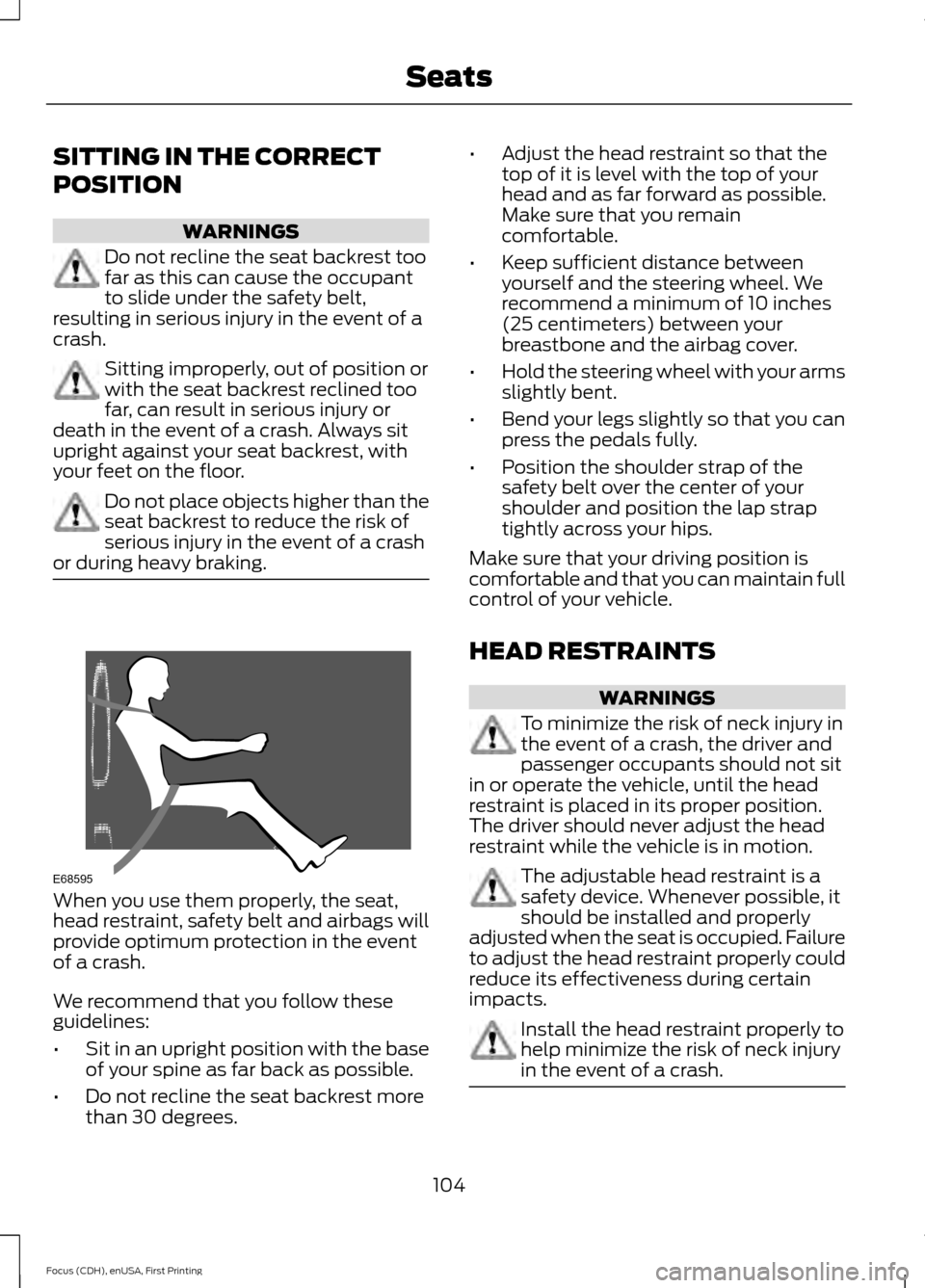
or during heavy braking. When you use them properly, the seat,
head restraint, safety belt and airbags will
provide optimum protection in the event
of a crash.
We recommend that you follow these
guidelines:
•
Sit in an upright position with the base
of your spine as far back as possible.
• Do not recline the seat backrest more
than 30 degrees. •
Adjust the head restraint so that the
top of it is level with the top of your
head and as far forward as possible.
Make sure that you remain
comfortable.
• Keep sufficient distance between
yourself and the steering wheel. We
recommend a minimum of 10 inches
(25 centimeters) between your
breastbone and the airbag cover.
• Hold the steering wheel with your arms
slightly bent.
• Bend your legs slightly so that you can
press the pedals fully.
• Position the shoulder strap of the
safety belt over the center of your
shoulder and position the lap strap
tightly across your hips.
Make sure that your driving position is
comfortable and that you can maintain full
control of your vehicle.
HEAD RESTRAINTS WARNINGS
To minimize the risk of neck injury in
the event of a crash, the driver and
passenger occupants should not sit
in or operate the vehicle, until the head
restraint is placed in its proper position.
The driver should never adjust the head
restraint while the vehicle is in motion. The adjustable head restraint is a
safety device. Whenever possible, it
should be installed and properly
adjusted when the seat is occupied. Failure
to adjust the head restraint properly could
reduce its effectiveness during certain
impacts. Install the head restraint properly to
help minimize the risk of neck injury
in the event of a crash.
104
Focus (CDH), enUSA, First Printing SeatsE68595
Page 116 of 369
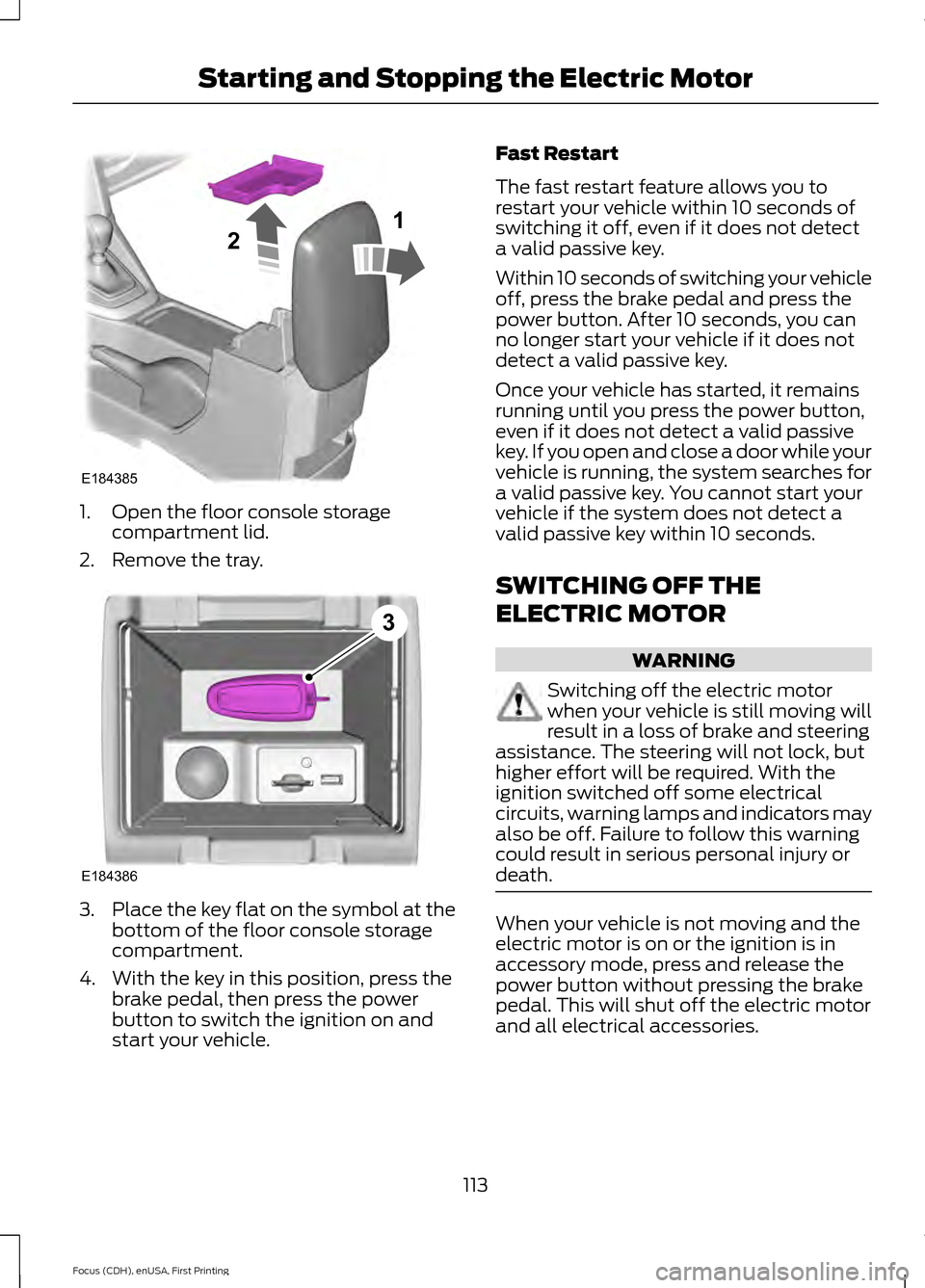
1. Open the floor console storage
compartment lid.
2. Remove the tray. 3.
Place the key flat on the symbol at the
bottom of the floor console storage
compartment.
4. With the key in this position, press the brake pedal, then press the power
button to switch the ignition on and
start your vehicle. Fast Restart
The fast restart feature allows you to
restart your vehicle within 10 seconds of
switching it off, even if it does not detect
a valid passive key.
Within 10 seconds of switching your vehicle
off, press the brake pedal and press the
power button. After 10 seconds, you can
no longer start your vehicle if it does not
detect a valid passive key.
Once your vehicle has started, it remains
running until you press the power button,
even if it does not detect a valid passive
key. If you open and close a door while your
vehicle is running, the system searches for
a valid passive key. You cannot start your
vehicle if the system does not detect a
valid passive key within 10 seconds.
SWITCHING OFF THE
ELECTRIC MOTOR
WARNING
Switching off the electric motor
when your vehicle is still moving will
result in a loss of brake and steering
assistance. The steering will not lock, but
higher effort will be required. With the
ignition switched off some electrical
circuits, warning lamps and indicators may
also be off. Failure to follow this warning
could result in serious personal injury or
death. When your vehicle is not moving and the
electric motor is on or the ignition is in
accessory mode, press and release the
power button without pressing the brake
pedal. This will shut off the electric motor
and all electrical accessories.
113
Focus (CDH), enUSA, First Printing Starting and Stopping the Electric MotorE184385
21 E184386
3
Page 127 of 369
GENERAL INFORMATION
Note:
Occasional brake noise is normal. If
a metal-to-metal, continuous grinding or
continuous squeal sound is present, the
brake linings may be worn-out. Have the
system checked by an authorized dealer. If
the vehicle has continuous vibration or
shudder in the steering wheel while braking,
have it checked by an authorized dealer.
Note: Brake dust may accumulate on the
wheels, even under normal driving
conditions. Some dust is inevitable as the
brakes wear and does not contribute to
brake noise. See Cleaning the Alloy
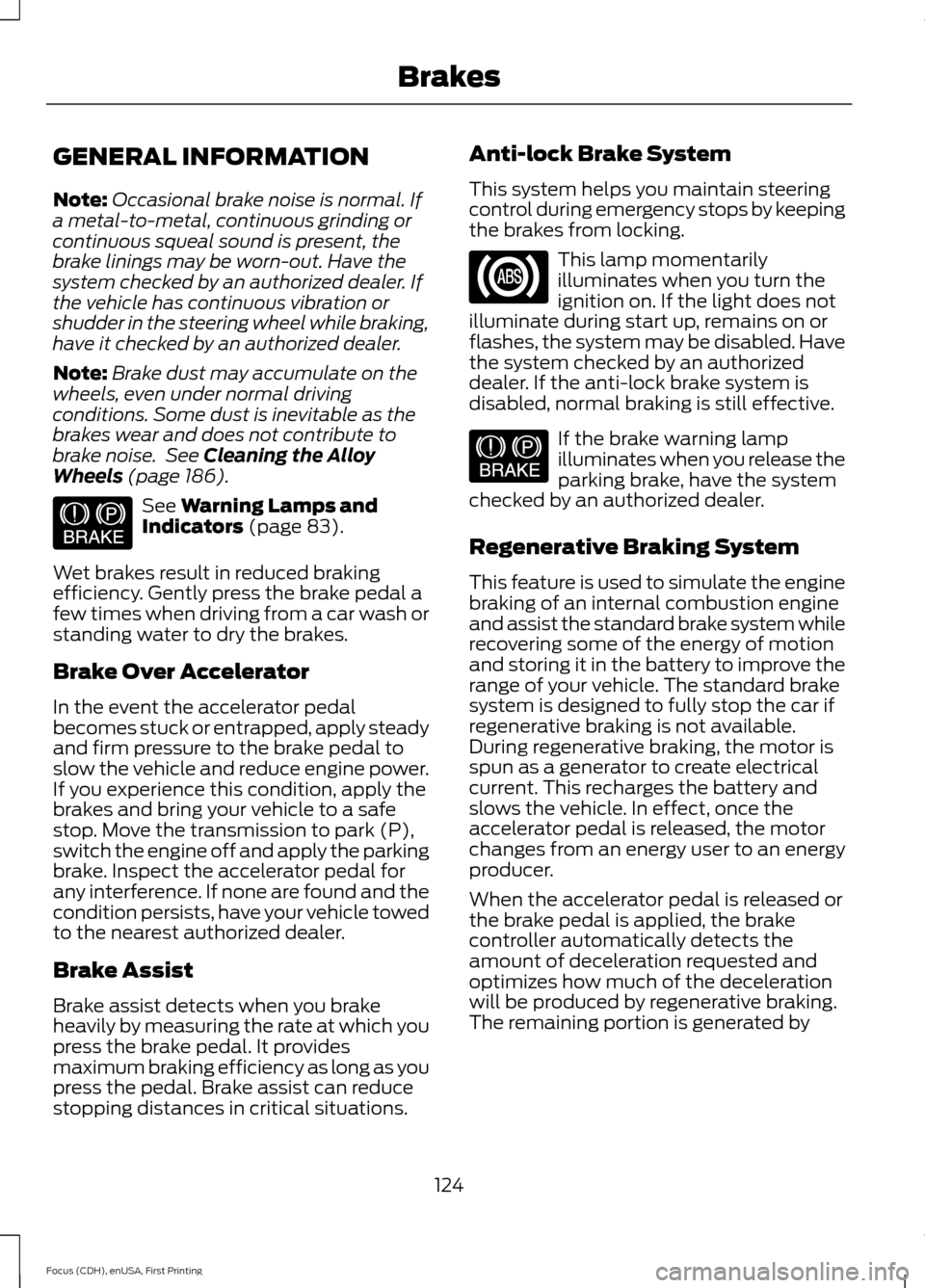
Wheels (page 186). See
Warning Lamps and
Indicators (page 83).
Wet brakes result in reduced braking
efficiency. Gently press the brake pedal a
few times when driving from a car wash or
standing water to dry the brakes.
Brake Over Accelerator
In the event the accelerator pedal
becomes stuck or entrapped, apply steady
and firm pressure to the brake pedal to
slow the vehicle and reduce engine power.
If you experience this condition, apply the
brakes and bring your vehicle to a safe
stop. Move the transmission to park (P),
switch the engine off and apply the parking
brake. Inspect the accelerator pedal for
any interference. If none are found and the
condition persists, have your vehicle towed
to the nearest authorized dealer.
Brake Assist
Brake assist detects when you brake
heavily by measuring the rate at which you
press the brake pedal. It provides
maximum braking efficiency as long as you
press the pedal. Brake assist can reduce
stopping distances in critical situations. Anti-lock Brake System
This system helps you maintain steering
control during emergency stops by keeping
the brakes from locking. This lamp momentarily
illuminates when you turn the
ignition on. If the light does not
illuminate during start up, remains on or
flashes, the system may be disabled. Have
the system checked by an authorized
dealer. If the anti-lock brake system is
disabled, normal braking is still effective. If the brake warning lamp
illuminates when you release the
parking brake, have the system
checked by an authorized dealer.
Regenerative Braking System
This feature is used to simulate the engine
braking of an internal combustion engine
and assist the standard brake system while
recovering some of the energy of motion
and storing it in the battery to improve the
range of your vehicle. The standard brake
system is designed to fully stop the car if
regenerative braking is not available.
During regenerative braking, the motor is
spun as a generator to create electrical
current. This recharges the battery and
slows the vehicle. In effect, once the
accelerator pedal is released, the motor
changes from an energy user to an energy
producer.
When the accelerator pedal is released or
the brake pedal is applied, the brake
controller automatically detects the
amount of deceleration requested and
optimizes how much of the deceleration
will be produced by regenerative braking.
The remaining portion is generated by
124
Focus (CDH), enUSA, First Printing BrakesE144522 E144522