2015 AUDI TT ROADSTER brakes
[x] Cancel search: brakesPage 17 of 244

Instrument s and warnin g/indic ator ligh ts 15
flashes together with the brake system warn
ing/indicator light¢.&,. .
(USA models):
If the warning light . and the
warn ing light
riJ ill umina te together, imme
diate ly contact your authorized Audi dea ler o r
qualified workshop to have all brake pads in
spected
¢ page 19.
When the light comes on, an audib le warn ing
signal is also given .
Parking brak e set
The parking brake warning light./. (Cana
da models) illuminates whe n the park ing
b rake is set. In addit ion, a warning tone will
sound after you have driven for longer than 3
seconds and faster than 3 mph (5 km/h).
Pa rking brak e set
The . warning/ind icator light illuminates
when the parking brake is set¢.&, .
_& WARNING
-Always observe the wa rni ngs in
¢ page 164, Working in the engine
compartment,
before opening the en
gine hood and check ing the brake fluid.
- Driving with low brake fluid is a safety
hazard! Stop the car an d get professiona l
assistance.
- USA models: If both, the. warning
light and the
Ill warning light come on
at the same time, the rear wheels could
lock up first under hard brak ing . Lock-up
of the rear whee l brakes can cause loss of
vehicle control and an accident. Have
yo ur vehicle repaired immed iately by
you r autho rized Aud i dealer o r a quali
fied workshop . D rive slowly and avo id
s u dden, hard brake application .
-Canada models: If both, the brake warn
ing light . and the ABS warning light
[iJ come on at the same t ime, the rear
wheels co uld lock up first unde r hard
braking . Lock -up of the rear wheel brakes
can cause loss o f vehicle control and an
acc ident. Have your vehicle repaired im
med iate ly by your authorized Aud i dealer or a qualified workshop
. Drive slowly and
avoid sudden, hard brake application .
- If the brake warning/indicator light does
not go out after a few seconds and the
parking brake is released, or lights up
while you are dr iving, the f lu id leve l in
the brake flu id reservo ir is too low . If you
be lieve that it is safe to do so, proceed
immed iate ly at low speed to the nearest
author ized Audi dealer or qualified work
shop and have the brake sys tem inspect
ed .
- Always keep in mind that after severa l
brake applications, you will need greater
pressu re on the brake pedal to stop you r
vehicle . Do not rely on strained brakes to
respond with maximum stopping power
in critical s ituations. You must allow for
increased braking distances. The extra
distance used up by fading brakes could lead to an accident.
tli1 ! .'!r Safety systems
The . (USA models) /. (Canada models)
indicato r light monitors the safety systems
e.g. (a irbags, pre tensioners) and ill uminates
f or a few se conds eac h time you swi tch the ig
nition on.
If the . (USA models)/ . (Canada models)
i ndicato r ligh t does no t go o ut, o r if it illum i
na tes while yo u are driving, or if it starts to
blink, then there is a mal function somewhe re
in the system. If the light does not i lluminate
when you switch on the ignition , th is also
means there is a malfunct ion.
_& WARNING
If yo u have a ma lfunction in the safety sys
tems, co ntact your authorized Aud i dea ler
immediately. Otherwise the safety sys
tems may not work properly in an acc i
dent.
Page 20 of 244
18 Instruments and warning/indicator lights
If the J.J.) indicator lamp illuminates, the sys
tem has switched the ESC
off. In this case, you
can switch the ignition
off and then on to
switch the ESC on again. The system is func
tioning completely when the indicator lamp
switches
off .
If the II indicator lamp illuminates, the ESC
was switched
off with the [!I button.
Stabilization program and ABS fault! See
owner 's manual
If the DJ indicator lamp and the riJ ABS indi
cator lamp illuminate and the driver message
appears, the ABS or e lectronic differential lock
is ma lfunctioning. This also interrupts the
ESC. The brakes st ill function with their nor
mal power, but ABS is not active.
Drive to your authorized Audi dea ler immedi
ately to have the malfunction corrected .
For more informat ion about the ESC
<=>page 141.
ABS/ (8 ) Anti-lock brake system
This warning/indicator light monitors the ABS
and the electronic differential lock (EDL).
The warning/indicator light 1111 (USA mod-
e ls)
;riJ (Canada models) will come on for a
few seconds when the ignition is switched on .
The light will go o ut after an automatic check
sequence is completed.
There is a malfunction in the ABS when:
-The warning/indicator light does not illumi
nate when you switch the ign ition on.
- The warning/indicator light does not go out
after a few seconds .
- The warning/indicator light illuminates
wh ile driving .
The ESC indicator light also illuminates if
there is a malfunction in the ABS . The mes
sage
Stabilization program and ABS: fault!
See owner's manual
also appears in the in
strument cluster display and a warning tone
sounds .
The brake system will still respond even
without the assistance of the ABS system.
See your authorized Audi dealer as soon as
possible to restore full braking performance.
For more information regarding the ABS
<=>page 141.
Malfunction in the brake system
If the brake warning light r=> page 14 and the
ABS warning illuminate
together there may be
a malfunction in the ABS, and there may also
be a malfunction in the brake system itself
r=> &.. The ABS will not work and you will no
tice a change in braking response and per
formance.
In the event of a malfunction in the brake
system
the warning/ind icator light . (USA
models)/ . (Canada models) in the instru
ment cluster flashes
r=> page 14 .
Malfunction in the electronic differential
lock (EDL)
The EDL works together w ith the ABS . The
ABS warning light wi ll come on if there is a
malfunction in the EDL system
r=> page 141.
See your authorized Audi dealer as soon as
possible .
_& WARNING
-If the Ill (USA models)/11] (Canada
models) warning light does not go out,
or if it comes on whi le driving, the ABS
system is not work ing properly. The vehi
cle can then be stopped only wit h the
standard brakes (without ABS). You w ill
not have the protect ion ABS provides.
Contact your Audi dea le r as soon as pos
sible.
- USA models: If the . warning light, the
G1 warning light and the 1111 warning
light come on together, the rear wheels
could lock up fi rst under hard braking .
Rear wheel lock -up can cause loss o f ve
hicle control and an accident. Have your
vehicle repaired immediately by your au
thorized Audi dealer or a qualified work
shop. Drive s low ly and avoid sudden,
hard brake applications. ..,.
Page 21 of 244

Instrument s and warnin g/indic ator ligh ts 19
- Canada models:
If the brake warn ing
light ., the
J;.J warning light and the
ABS warning light
riJ come on together,
the rear wheels could lock up first under
hard braking. Rear wheel lock-up can
cause loss of vehicle control and an acci
dent. Have you r vehicle repaired immed i
a tely by your au thorized A udi dealer or a
qualified workshop . Dr ive slowly and
avoid sudden, hard brake applications.
( 0 ) Worn brake pads
llJ Check brake pad s!
If the war ning light illum inates, immediately
contact your au thori zed A udi dealer or quali
fied workshop to have all brake pads inspect
ed . On USA models the warning light
llJ
comes on together with the warning light •.
Both sets of brake pads on an axle must al
ways be rep laced at the same time.
A WARNING
Dr iv ing with bad brakes can cause a coll i
sion and serious personal injury .
-If the warning light llJ and the warning
light
. ll with the message Brake pads!
comes on in the inst rument cluste r dis
play, immediately contact your author
ized Audi dea le r or q ualified wor kshop to
have all br ake pads checked or rep laced if
necessary.
EPC Electronic power control
This warning/indicator light monitors the
electronic power control .
The [m warning/ind icator lig ht ( Electronic
P owe r Control) illuminates when you switch
on the igni tion as a fu nction check .
@ Tips
If this wa rning/i ndicator light ill uminates
while you are dr iving, then the re is a mal
fu nction in the engine elec tron ics. Have
1) .: USA mode ls onl y
the malfunct ion corrected as soon as pos
sible by your authorized A udi dealer or
q ualified works hop.
~ Malfunction Indicator Lamp (MIL)
The Ma lfunction Indicator Lamp (MIL) is part
of the On-Board Diagnostic (OBD II) system .
The symbol
II lights up when the ignition is
turned on and will turn off after the eng ine
has started and has settled at constant id le
speed . This indi cates that the M IL is work ing
properly.
The wa rning lig ht illuminates when the re is a
malfu nction in the eng ine electron ic system .
Contact your a uthorized Audi dea le r and have
t h e mal func tion cor rected.
An improperly closed fuel filler cap may also
cause the MIL light to illuminate
~ page 162.
For more information ~ page 30 .
!?') Engine speed limitation
App lies to veh icles : w it h eng ine speed limitatio n
(II Do not e xceed ma x. engine speed of
XXXX rpm
The (Pl symbol illuminates when there is an
engine con trol malfunct io n. The indicator
li ght
[mi n the instrum ent cluster also illum i
nates. The engi ne speed is limited to the
speed displayed in the d river i nformat ion sys
tem. Keep in mind that the engine speed w ill
not exceed the val ue d isplayed in the driver in
format ion system, for example when down
shifting.
Please go to an authorized A udi dealer or oth
er qualified wo rkshop to have the malfunct ion
repaired .
~ .. Checking the engine oil level
II Please add max . 1 qt of engine oil!
Page 67 of 244
_& WARNING
The outlet plus any appliances plugged in
to it remain functional
even if the ignition
is switched off or the ignition key is re
moved. Never leave children inside the
ve
hicle without supervision.
(D Note
To avo id damag ing the socket, only use
plugs that fit properly.
@ Tips
When the engine is off and accessories are
still plugged in and are on, the vehicle bat
tery can still be dra ined.
Storage
General
_& WARNING
- Always remove objects from the instru
ment panel. Any items not put away
could slide around inside the vehicle
wh ile driving or when accelerating or
when applying the brakes or when driv
ing around a corner.
-
- When you are driving make sure that
anything you may have placed in the cen
ter console or other storage locations
cannot fall o ut into the footwells . In case
of sudden braking you would not be able
to brake or accelerate.
Seats and storage 65
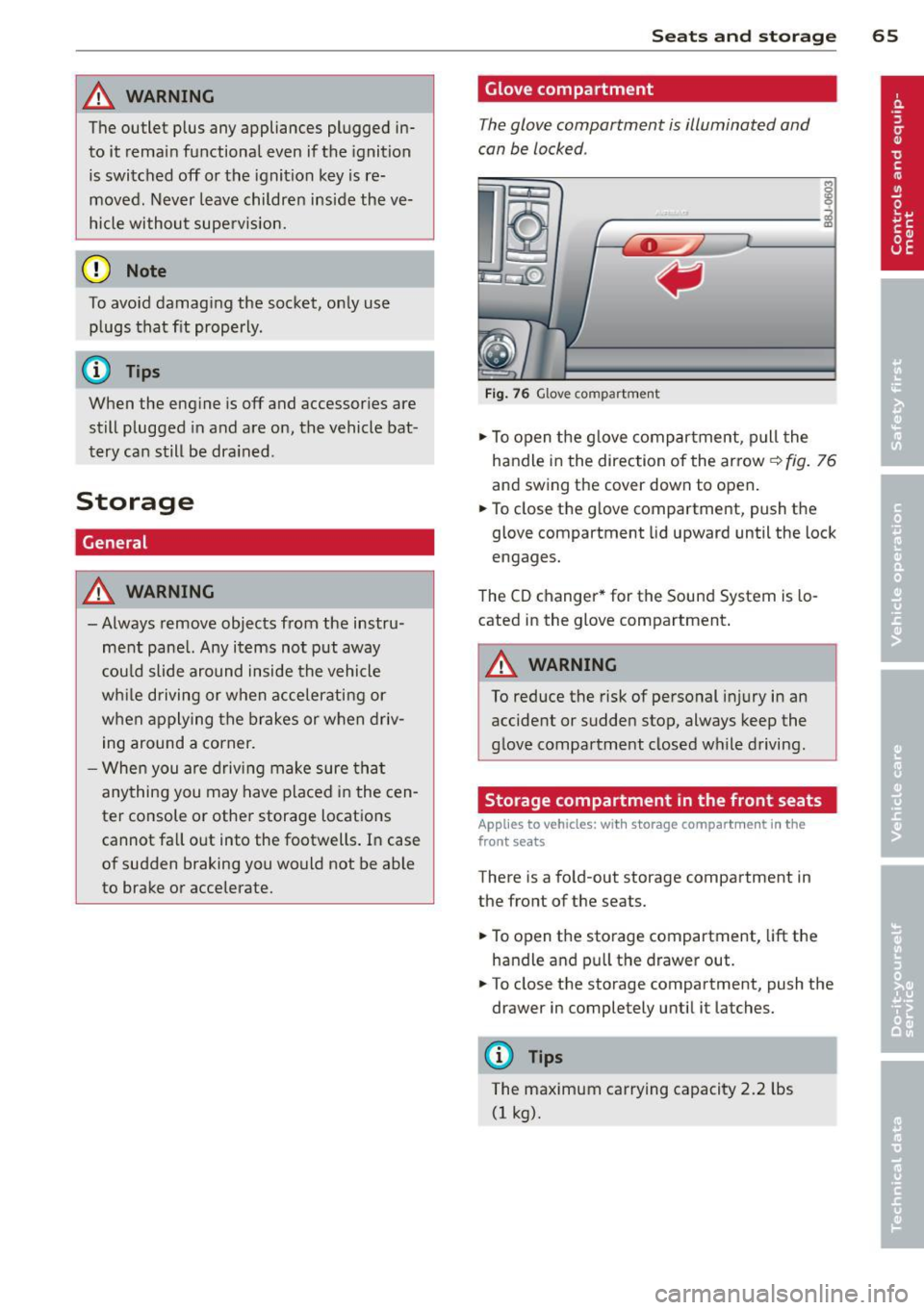
Glove compartment
The glove compartment is illuminated and
can be locked .
i
----------- i
•
Fig . 76 Glove compartme nt
.,.. To open the glove compartment, pull the
handle in the direction of the arrow~
fig. 76
and swing the cover down to open .
.. To close the glove compartment, push the
glove compartment lid upward until the lock
engages.
The CD changer * for the Sound System is lo
cated in the glove compartment .
A WARNING
To reduce the risk of personal i njury in an
accident or sudden stop, always keep the
glove compartment closed while driving.
Storage compartment in the front seats
Applies to vehicles: with storage compartment in the
front seats
There is a fold-out storage compartment in
the front of the seats .
.. To open the storage compartment,
lift the
handle and pull the drawer out .
-
.. To close the storage compartment, push the
drawer in completely until it latches.
('.I) Tips
The maximum carrying capacity 2.2 lbs
(1 kg).
Page 76 of 244
7 4 On the road
@ For the sake of the environment
To avoid unnecessary engine wear and to reduce exhaust emissions, do not let your
veh icle stand and warm up. Be ready to
drive off immediately after start ing your
veh icle. Maintain moderate speed until the
engine is comp letely warm. Remember,
the engine performs best at operating
temperature.
Stopping the engine
• Turn the ign ition key to position@
~ page 72, fig. 81.
&_ WARNING
-Never turn off the engine before the ve
hicle has come to a complete stop. The
full function of the brake booster and the
power steering is not guaranteed. You
must use more force to turn or brake if
necessary. Because you cannot steer and
brake as you usually would, this could
lead to crashes and serious injuries.
- The radiator fan can continue to run for
up to 10 minutes even after you have
turned off the engine and removed the
ignition key . The radiator fan can also
turn on again if the engine coolant heats up because of intense sunlight or heat
build-up in the engine compartment.
(D Note
Do not stop the engine immediate ly after
hard or extended driving. Keep the engine
running for approximately two minutes to
prevent excessive heat build-up.
Parking brake
Parking brake
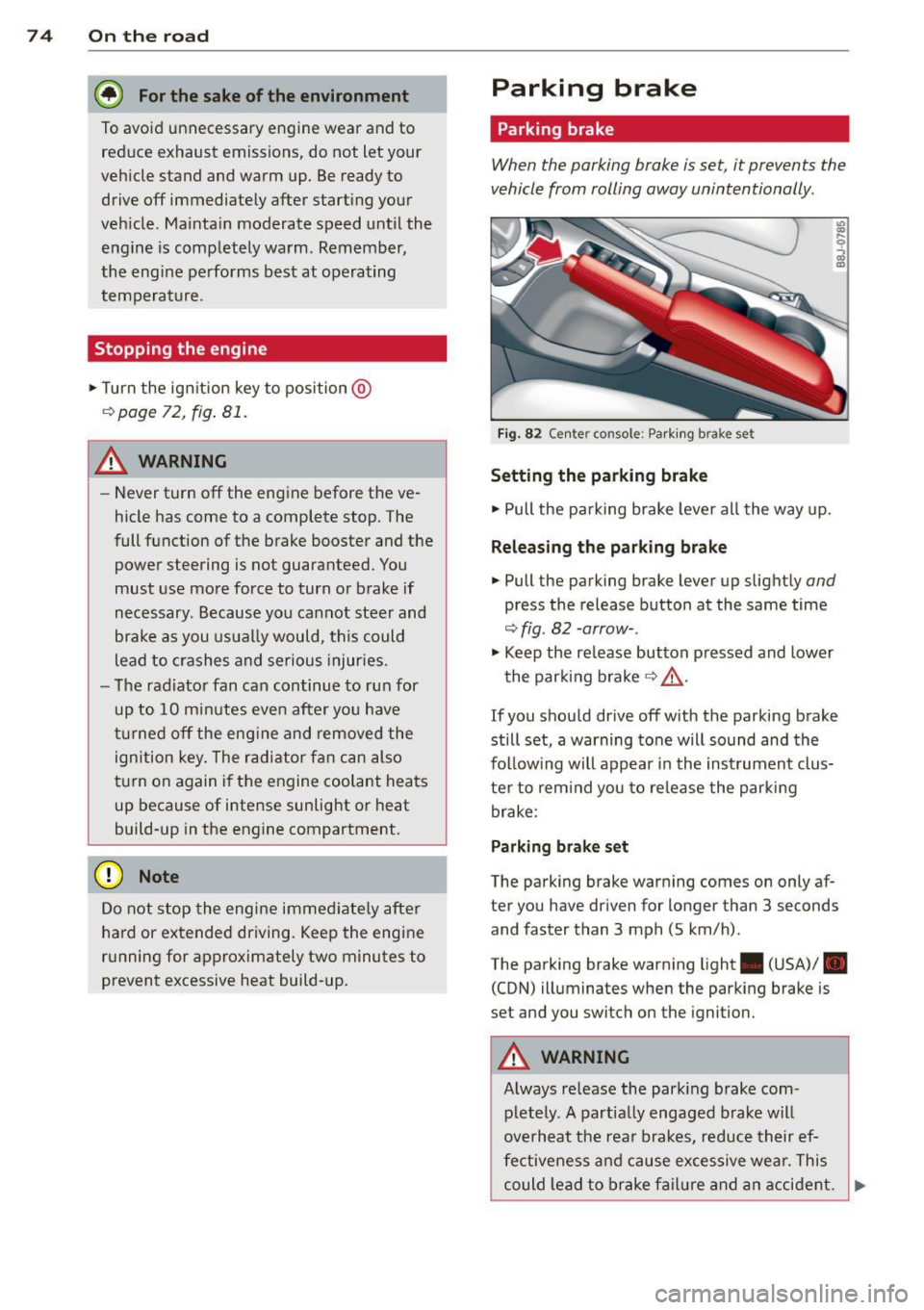
When the parking brake is set, it prevents the
vehicle from rolling away unintentionally.
Fi g. 82 Center console: Park ing brake set
Setting the parking brake
• Pull the pa rking brake lever all the way up.
Releasing the parking brake
• Pull the parking brake lever up slightly and
press the release button at the same time
~fig. 82 -arrow-.
• Keep the release button pressed and lower
the parking brake~.&,.
If you should drive off with the parking brake
still set, a warning tone will sound and the
fol low ing will appear in the instrument clus
ter to remind you to release the parking
brake:
Parking brake set
The parking brake warning comes on only af
ter you have driven for longer than 3 seconds
and faster than 3 mph (5 km/h).
The parking brake warning light . (USA)/ .
(CON) illuminates when the parking brake is
set and you switch on the ignition.
&_ WARNING
Always release the park ing brake com-
pletely. A partially engaged brake will
overheat the rear brakes, reduce their ef
fectiveness and cause excessive wear. This
could lead to brake failure and an accident. .,..
Page 80 of 244
78 On the road
the distance between your vehicle and
other vehicles.
- For safety reasons, the cruise control
should not be used in the city, in stop
and-go traff ic, on twist ing roads and
when road conditions are poor (such as
ice, fog, gravel, heavy rain and hydro
planing) -risk of accident .
- Turn off the cruise control temporarily
when entering turn lanes, highway exit
lanes or in construction zones.
- Please note that inadvertently "resting" your foot on the accelerator pedal causes
the cruise control not to brake. This is
because the cruise control is overridden
by the driver's acceleration.
({) Tips
The cruise control cannot maintain a con
stant speed when driving downhill. The ve
hicle will accelerate under its own weight. Downshift to a lower gear or use the
brakes to slow down .
Changing speed
.. Press leve r in the 0 or O direction
¢ page 77, fig. 85 to increase or decrease
your speed.
.. Release the lever to save that speed.
You can also press the accelerator pedal down
to increase your speed, e.g. if you want to
pass someone. The speed you saved earlier
will resume as soon as you release the acceler
ator pedal.
If, however, you exceed your saved speed by
5 mph (10 km/h) for longer than 5 minutes,
the cruise control will turn off temporarily .
The symbol will go out but the saved speed
will be retained .
Presetting your speed
You con preset your desired speed while the
vehicle is not moving .
.. Turn on the ignition . ..
Pull lever into position
(D ¢ page 77,
fig. 85.
.. Press the lever in the 0 or O direction to
increase or decrease your speed.
.. Release the lever to save that speed.
This function makes it possible, for example,
to save the speed you want before driving on
the highw ay. Once on the highway, activate
the cruise control by pulling the lever toward
(D.
· Switching the system off
Temporary deactivation
.. Press the brake pedal, or
.. Press the lever into position @(not clicked
into place)
¢ page 77, fig . 85 , or
.. Drive for longer than 5 minutes at more
than 5 mph (10 km/h) above the stored
speed.
Switching off completely
.. Press lever into position @ (clicked into
place), or
.. Switch the ignition
off.
The system retains the saved speed if you de
activate the cruise control temporarily. To re
sume the saved speed, release the brake ped
al and pull the leve r to position
(D .
Switching the ignition off erases the saved
speed.
_& WARNING
You should only return to the saved speed
if it is not too fast for the current traffic
conditions -risk of an accident!
Page 86 of 244
84 Transmi ssion
because if the veh icle starts to roll
backward, you could cause an accident. If
the clutch should start to slip, you will
feel the vehicle "jerk" and the selector lever disp lay will start b linki ng .
- Before driv ing down a steep slope, re
duce you r speed and shift into a lower
gear with "tiptronic" .
- Do not ride the brakes or app ly the brake
peda l too often or too lo ng . Constant
braking causes the b rakes to over heat
and substan tially red uces bra king pe r
fo rm ance, in cr ease s bra king dis tance or
c a uses comp lete failure o f th e b rake sys
tem.
Hill Descent Assist
Hill Descent Assist helps the driver when driv
ing down inclines .
Hill Descent Ass ist is activated by pressing the
b rake w hile desce nding w hen the selecto r lev
e r i s in D/S. The S tronic t ra nsm ission au to
mat ically shifts dow n to a gea r su itab le for
the incline. Hill Descent Assist at tempts to
maintain th e current vehicle spe ed whe n the
brak ing occu rs, as far as phys ica l and techni
cal lim its a llow. It may be necessary to adjust
the speed using the brakes.
Hill Descent Assist switches off when the in
cline levels out or when the gas pedal is press
ed.
On vehi cles with cruise contro l* ¢
page 77 ,
Hill Descent Assist is a lso activated when the
speed is set.
_& WARNING
H ill Descent Assist ca nnot overcome p hys i
cal limitations, so it may not be possib le to
ma intain a constant vehicle speed under
all circ ums tances . Always be ready to ap
ply t he bra kes .
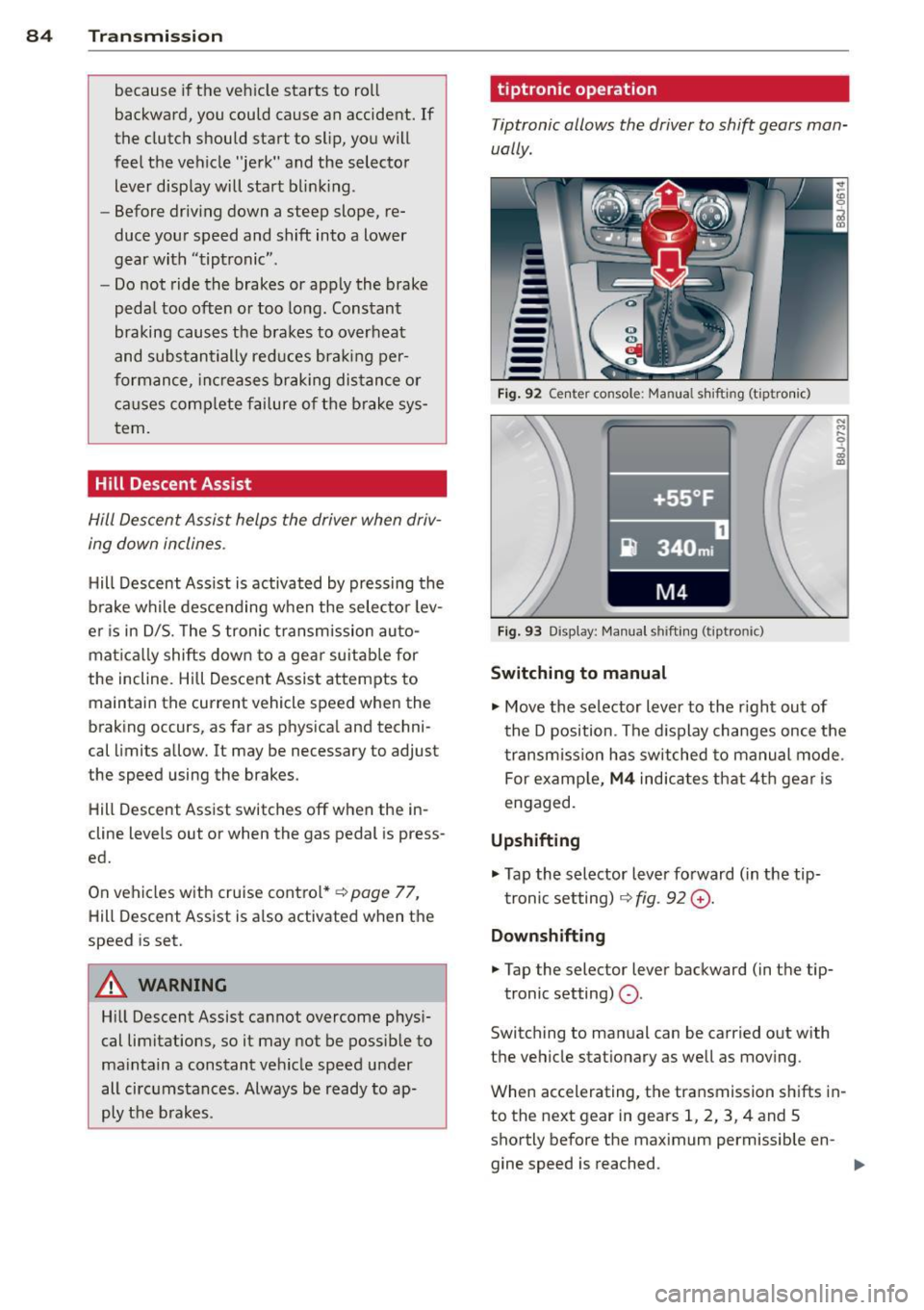
tiptronic operation
Tiptronic allows the driver to shift gears man
ually .
Fig . 92 Ce nte r co nso le: Ma nua l shiftin g (t iptro nic)
Fig . 9 3 D isp lay: Ma nua l shi fting (t ip tro nic )
Switching to manual
.... M .... 0
~
... Move the selector lever to the r ight out of
t he D position . The d isplay changes once the
t ra nsmiss io n has sw itched to ma nual mode .
For examp le,
M4 ind ica tes that 4t h gea r is
engaged.
Upshifting
.,. Tap the selector lever fo rward ( in the tip
t ronic setting) ¢
fig. 92 G) .
Downshifting
... Tap the selector lever backward (in t he tip-
tronic setting)
Q .
Switch ing to man ual can be carried out with
the vehicle stationary as we ll a s mov ing .
When accelerating, the transmission sh ifts in
to th e next gear in gears 1, 2, 3, 4 and S
shortly before the maximum permissible en -
gine speed is reached. ..,.
Page 144 of 244
142 Intelligent technology
switched on all the time. In certain situations
when you need less traction, you can switch
off ESC by pressing the button
l!l . Be sure to
switch ESC on again when you no longer need
less traction.
Anti -toc k brak ing system (ABS)
ABS prevents the wheels from lock ing up
when braking . The vehicle can still be steered
even during hard brak ing . Apply steady pres
sure to the brake pedal. Do not pump the ped
al. A puls ing in the brake pedal ind icates that
the system is he lp ing you to brake the vehicle .
Brake assist sy stem
The brake assist system can decrease braking
d istance. It increases braking power when the
driver presse s the brake pedal quickly in emer
gency si tuations. You must press and hold the
brake peda l until the situation is over .
Anti-slip regulation (ASR)
ASR reduces engine power when the drive
wheels begin to spin and adapts the force to the road conditions . This makes it easier to
start, accelerate and drive up hills.
E lectronic differential lock (EDL )
The ED L brakes wheels that are spinning and
transfers the drive power to the other drive
wheel or whee ls if the vehicle is equipped with
all-wheel drive*. This function is available up
to about 60 mph (100 km/h) .
In extreme cases, EDL a utomatica lly switches
off to help keep the brake on the braked whee l
from overheating. EDL will switch on aga in au
tomatically when conditions have returned to normal.
A WARNING
- ESC, ABS, ASR and ED L can not ove rcome
t h e laws of phy sics. This is espe cial ly im
por tant on slip pery or wet ro ads .
If th e
sys tems begin a ct in g to stab ilize your ve
hicle, you shou ld imme diately change
yo ur speed to match the road and traffic
condit ions. Do not let the inc reased safe
ty provided by these systems tempt you to take risks. Do
ing so w ill increase the
risk of a loss of veh icle control, co llision
and serious pe rsonal injuries .
- Always adapt your speed to road, traffic
and weather conditions. The risk of los
ing control of t he vehicle increases when
driving too fast, espec ially through
curves and on slippe ry or wet roads, and
wh en dr iv ing too clos e to vehicl es u p
ahead. ESC, A BS, the brake ass ist sys
tem, ED L and ASR cannot p reven t coll i
si ons .
- Always acceler ate wi th sp ecial c are on
even, smoo th s urfaces such as those th at
are wet or covered with ice and snow .
The drive wheels can spin even with
these assistance systems that cannot al ways he lp to reduce the risk of loss of ve
h icle co ntrol.
(D Tips
- ABS an d ASR only wo rk correct ly when
all four whee ls are equipped with identi
cal tires . D ifferent tire si zes can lead to a
reduction in engine powe r.
- Yo u may hear noises when the systems
descr ibed are working.
- If the ind icator light Ii) or II (USA
mode ls)/ Ei] (Canada models) appears,
there may be a malfunction
¢ page 18,
¢ page 17.
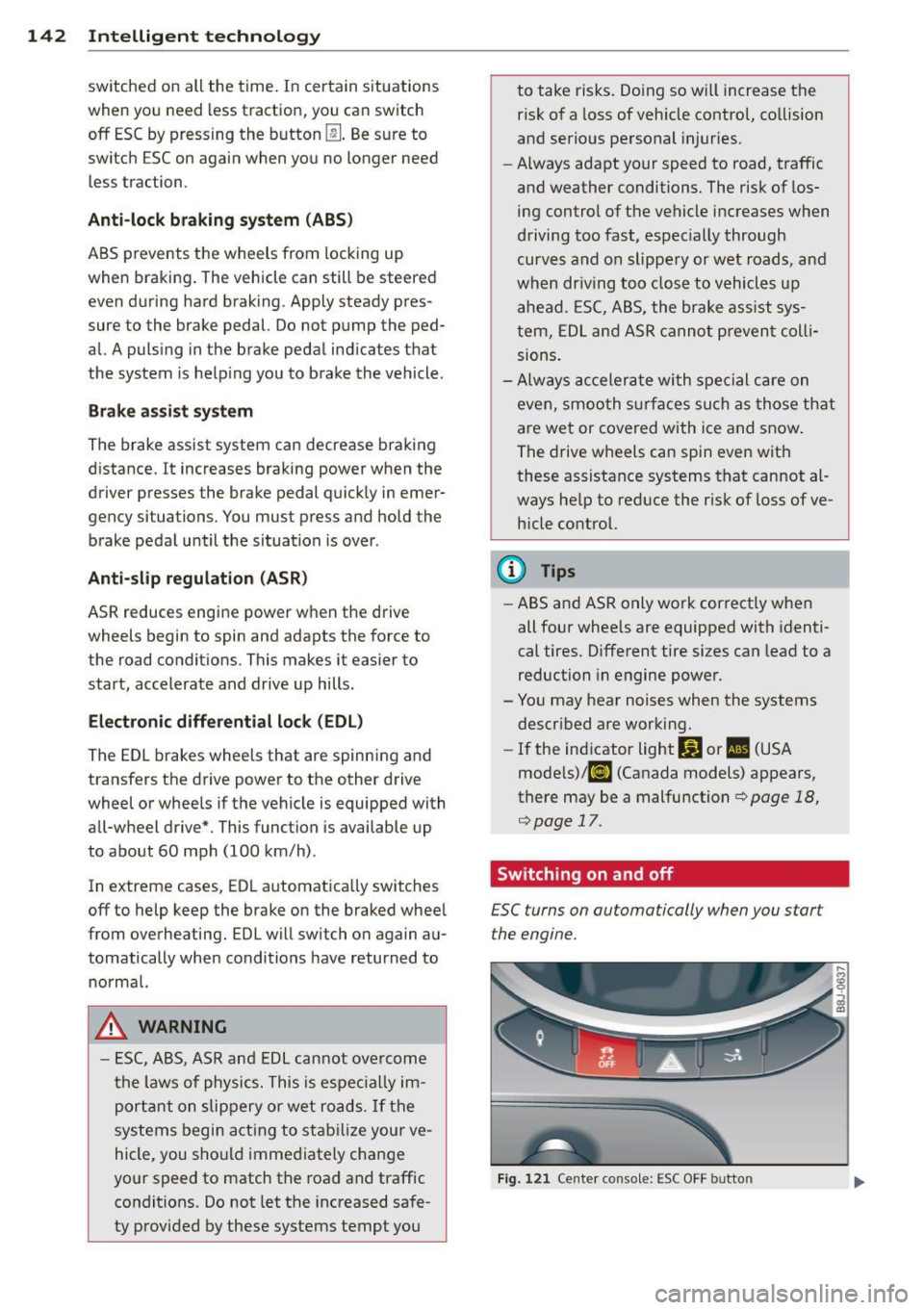
Switching on and off
£SC turns on automatically when you start
the engine.
Fig . 12 1 Ce nte r conso le: ESC OFF b utto n