2015 AUDI Q5 settings
[x] Cancel search: settingsPage 121 of 302

M N
co
a:
co
,...., \!) 1.1'1
N 1.1'1 ,....,
@ Tips
-Side assist is not active wh ile you are mak
i ng the ad justment .
- Your settings are automatically stored and
ass igned to the remote control key being
u sed.
Driver messages
App lies to vehicles: with Audi side assist
If s ide ass ist switches off by itse lf, the LED in the
button turns off and a message wi ll appea r in the
in str ument cluster d is pl ay:
Audi side assist unavailable: Sensors blocked
The radar sensors' vision is affected. Do not cover
the area in front of the senso rs with bike wheels,
sticke rs, dirt or other objects. Clean the area in
fro nt of t he sensors, if necessary
c:> page 117,
fig . 130 .
Audi side assist: Currently unavailable
Side assist cannot be switched o n tempo rari ly be
cause there i s a ma lf u nctio n (for examp le, the
battery c harge level may be too l ow) .
Audi side assist: System fault!
The system cannot guara ntee that it wi ll dete ct
ve hicles co rrectly an d it is switc hed off. The sen
sors have been disp laced or are fau lty. Have t he
system checked by an auth orized A udi dealer or
author ized Audi Serv ice Facility so on .
Audi side ass ist: Unavailable when towing
Side assist sw itches off automatically when a fac
tory- insta lled trailer hitch is connected to the
e lectrica l connector on the tra ile r. The re is n o
g ua rantee the system w ill switch off w hen using
a retr ofitted tra ile r hitch. Do not use s ide assist
wh en towing a tra ile r.
Aud i side assist
119
Page 122 of 302

Audi drive select
Audi drive select
Driving settings
Introduction
Applies to veh icles: w ith Audi drive select
Drive select provides the possibility to experience
d ifferent types of vehicle settings in one vehicle.
F or instance, using the three
Comfort, Auto and
Dynamic modes, the driver can switch from a
sporty to a comfortable driving mode with the press of a button.
Addit ionally, in vehicles with MM I*, the vehicle
setup for
Individual* mode can be customized by
you. This makes it possible to combine settings
such as a sporty engine tuning with comfortable
steering .
A WARNING
-
Improper use of the drive select can cause
collisions, other accidents and serious person
al injury.
Description
Applies to veh icles: w ith Audi dr ive select
The vehicle setup in each mode depends on the
veh icle's features . However, the engine, automat
ic transmission and steering are always involved.
Engine and automatic transmission
Depending on the mode, the engine and the au
tomatic transmission respond quicker or in a
more balanced manner to accelerator pedal
movements. In the sporty dynamic mode, the au
tomatic transmission shifts at higher RPMs.
Steering
The steering adapts in terms of steering effort and steering ratios. Indirect steer ing that moves
easily, like the steering in comfort mode, is best
suited to long drives on a highway. In contrast,
dynamic mode provides sporty, direct stee ring.
The follow ing applies to vehicles with dynam ic
steer ing*: the steering ratio changes based on ve
h icle speed in order to maintain optimum steer
ing effort for the dr iver at all times. This sets the
s teer ing to be less sensitive at higher speeds in
120
order to provide improved vehicle control. At re
duced speeds, however, steering is more direct in
order to keep the steer ing effort as m inima l as
possib le when the driver is maneuvering the vehi
cle. At low and average speeds, dynamic steering
additionally provides more responsive steering
performance.
Adaptive dampers*
The adaptive dampers* use sensors to record in
formation regarding steering movements, brak ing and acceleration operations by the driver,
road surface, driving speed, and load. This makes
i t possible to adapt damp ing to the driving situa
tion virtually in real t ime . Drive select also makes
i t possible to sat isfy the desire fo r sporty suspen
s ion (Dynamic) and comfortable suspension
(Comfo rt) without giving up ba lanced tuning (Au
to).
Engine sound*
T he sound of the engine is adapted to the select
ed mode and ranges from subtle to sporty.
Adaptive cruise control*
The behavior when accelerating can be adjusted
from comfortable to sporty, depending on the
drive select mode . Adaptive cruise control a lso
r esponds to the driving behavior of the vehicle
ahead in a more conse rvative or sporty manner.
@ Tips
- In some models, the maximum vehicle
speed can only be reached in the
Auto and
Dynamic modes.
- Selecting the
Dynamic mode resu lts in spor
ty shifting characteristics. The 5 gear pos i
tion engages automatical ly.
- In vehicl es that have dynamic stee ring*, op
erating noise is heard when starting or stop
ping the engine. This does not indicate a
problem .
Page 123 of 302

M N
co ~ co
rl I.O
"' N
"' rl
Selecting the driving mode
Applies to vehicles: with Audi drive select
You con choose between Comfort, Auto, Dynam
ic
and Individual* modes .
«>
~ 9
c:=====::::;: ~ a,
drive I I r.,. select _ - ~
Fig. 132 Center console: Contro l for drive select
Fig. 133 MMI": Audi drive select
.. To set the mode, press the r:i.r., button
c>fig. 132 multiple times until the desired
mode is displayed in the instrument cluster. Or
Adjusting the Individual mode
Applies to vehicles: with Audi drive select and M MI
Audi drive select
.. In the MMI*, select: ICARI function button>
Comfort , Auto, Dynamic or Individual* .
In veh ides without M MI*, the r~~, button is found
und ernea th the selector lever .
You can change the driving mode when the vehi cle is stationary or while driving . If traffic per
mits, after changing modes, briefly take your
foot off the accelerator pedal so that the recently
selected mode is also activated for th e engine
and transmission.
Comfort -provides a comfort-oriented vehicle
setup and is suited for long drives on highways.
Auto -provides an overall comfortable yet dy
namic driving feel and is suited for every day use.
Dynamic -gives the driver a sporty driving feel
and is suited to a spo rty driving style .
Individual* -c> page 121.
A WARNING
-Pay attention to traffic when operating drive
select to prevent potential risk of an accident.
You can personally specify the vehicle setup in the MMI" .
.. Select: I CARI function button > Set individual
control button. Once you select the menu, you
will automatically drive in the
individual mode.
The equipment in your vehicle will determine
which settings you can adjust . The following ta-
Systems Comfort
Engine/transmission
balanced
Steering comfortable
Dynamic steering * comfortable/indirect
Adaptive dampers* comfortable ble
provides an overview of the characteristics of
each driving mode.
Auto Dynamic
balanced sporty
balanced sporty
balanced/direct sporty/direct
balanced sporty
121
Page 136 of 302

Parkin g system
mirror or a corner of yo ur vehicle does not col
lide with any obstacles. This can damage to
your vehicle.
(D Tips
The left or right orientation lines and sur faces
wi ll be displayed, depending on the turn sig
nal being used .
Adjusting the display
and warning tones
A pp lies to veh icles: w ith Audi park ing system p lus w ith rear
view ca mera
The display and warning tones can be adjusted in
the MMI.
~ Select: I CARI function button > Pa rking system .
Or
~ Select: ICARI funct ion button > Car s ystem s*
control button> Driver ass ist > Par king aid .
D is pl ay
- Off -when the parking system is switched on,
only audib le signals are given .
-On -when the parking system is switched on,
either the visual disp lay or the picture from the
rearview camera is disp layed.
Warning tones
- Front volum e -
front sensor volume
- Front frequency -front sensor frequency
-Rea r volume -rear sensor volume
-Rear fre quenc y -rear sensor frequency
- In -ca r entertainment fader /M usic volume
w hile pa rking -
when the parking system is
switched on, the volume of the active audio
source is lowered.
The newly adjusted value is briefly heard from
the signal generator.
(D Tips
- The warning tones can also be adjusted d i
rectly by the visual display or the picture
from the rearview camera. Simply press the
S ett ing s control button.
- Changed settings are activated when park
i ng system is switched on again .
134
-The settings are automatica lly stored and
assigned to the remote contro l key .
Trailer hitch
App lies to vehicles : wi th Audi parking sys te m plus wi th rea r
v iew camera a nd t railer hitch
For vehicles with a factory installed trailer hitch,
o r a trai ler h itch installed accord ing to factory
spec ifications, the parking sys tem rear sensors
do not come on whenever you shift into reverse
gear or when you press the
P" 1A switch. Remem
ber, there is no warning for distances to the rear.
The front sensors remain activated . The visua l
display switches to the trailer towing mode. The
picture from the rearv iew camera w ill not show
the or ientat ion lines nor the blue surfaces.
If you insta ll a hitch yourse lf, this function may
not work.
Error messages
App lies to vehicles: wi th Audi parking sys te m plus with rea r·
v iew camera
There is an error in the system if the LED on the
PwA switch is b linking and you hear a continuous
a larm for a few seconds after switching on the
parking system or when the parking system is al
ready act ivated. Have your authori zed Audi dealer
correct the error.
(D Tips
If the error is not corrected before you switch
off the ignition, when you switch on the park i ng system again, the LED in the
Pw.o. sw itch
will blink.
Page 207 of 302

M N
co
a:
co
,...., \!) Ll"I
N Ll"I ,....,
Operating instructions
6"
~
a
2
. 1/2"
'
-{ I} 1-1/2"
-
Fig. 189 Pe rmi tted ba ll pos it ion of the trailer hitc h
Trailer towing weights
With a factory-installed or an aftermarket trailer
hitch, the maximum permissible trailer weight is
4,400 lbs (2,000 kg) . T he maximum permissible
unbraked trailer weight is 1,650 lbs (750 kg) .
These specifications apply when dr iv ing on roads
having an inclin e of less than 12%.
Permissible tongue load
For best vehicle handling under these changed
conditions, adjust the traile r load so that the
tongue load is at the maximum allowable or
slightly lower. You can get an approximat ion of
the tongue load w ith a bathroom scale or you can
measure the load at a trucking company or
weighing station.
With a
factory-installed or an aftermarket trailer
hitch, the maximum permissible load on the ball
hitch may not exceed 440 lbs (200 kg). It is rec
ommended to use the maximum permissible
l oad.
Trailer load distribution
Be sure the load in the tra iler is held securely in
place to prevent it from shifting forward, back
ward or sideways .
Never allow a passenger to ride in a trailer c::> .&.
in Driving instructions on page 206.
Ball mount
The trailer hitch may only be used with suitable
ball mount and ball
c::> fig. 189 . Installation of
the hitch ball must be carr ied out in accordance
with the manufacturer's instructions .
Trailer mode
Engine cooling system
Towing a trailer makes the engine work harder . It
is important that the cooling system's perform
ance is up to the additional load . Make s ure that
the cooling system has enough fluid .
Tire pressure
When towing a trailer, inflate the tires of your ve
hicle to the cold tire pressure listed under "Full
load" on the tire pressure label. The tire pressure
label is located on the driver's side B·pillar. In·
flate trailer tires to trailer and tire manufactur
ers' specifications.
Lights
T he headlight settings sho uld be checked with
the trai ler attached before driving off. Check to
make sure both vehicle and trailer lights are
working properly.
Safety chains
Be sure trailer safety chains are properly connect
ed from the trailer to the hitch on the vehicle.
Leave enough slack in the chains to permit turn
ing corners. When you install safety chains, make
sure they w ill not drag on the road when you are
driving.
The chains should cross under the trailer tongue
to prevent it from dropping in case of separation
from the hitch.
Driving instructions
Driving with o trailer always requires extra core
and consideration .
To obtain the best possible handling of vehicle
and trailer, please note the fo llowing :
.. Do not tow a loaded trailer when your car itse lf
is not loaded.
.. Be especially careful when passing other
vehicles .
.. Observe speed lim its .
.. Do not drive at the maximum permissible
speed.
.. Always apply brakes early .
.. Mon itor the temperature gauge .
205
Page 285 of 302

M N
co
a:
co
,...., \!) 1.1'1
N 1.1'1 ,....,
@ For the sake of the environment
-Changing the engine settings wi ll adversely
affect emission levels. This is detrimenta l to
the environment and increases fuel con
sumption.
-Always observe environmental regulations when disposing of old engine o il, used brake
flu id, dirty engine coolant, spent batteries
or worn out tires .
- Undeployed airbag modules and pretension
ers might be classified as Perchlorate Mate
rial -spec ial handling may apply, see
www .dtsc.ca .gov/hazardouswaste/perchlo
r ate. When the vehicle or pa rts of the re
stra int system incl uding airbag modules
safety be lts with pre tensioners are scrap
ped, all applicab le laws and regulations
must be observed . Your authorized Audi
dealer is familiar with these requirements
and we recommend that you have your deal
er perform this service for you.
Accessories and
technical changes
Additional accessories and parts
replacement
Always consult an authorized Audi dealer before
purchasing accessories.
Your vehicle incorporates the latest safety design
features ensuring a high standard of act ive and
passive safety.
This safety could be compromised by non -ap
proved changes to the ve hicle . For this reason, if
parts have to be replaced, please observe the fol
lowing po ints when insta lling addit ional accesso
ries:
Approved Audi accessories and genuine Audi parts are avai lable from authorized Aud i dea lers.
These dealers also have the necessary faci lities,
too ls and trained specialists to insta ll the parts
and accessories properly.
C o nsum er information
A WARNING
Using the wrong spare parts or using non-ap
proved accessories can cause damage to the
vehicle and serious personal injury .
- Use on ly accessories express ly approved by
Aud i and genuine Audi spare parts
- These parts and accessories have been spe
cially designed to be used on your vehicle .
- Never install accessor ies such as telephone
crad les or beverage ho lders on airbag covers
or w ith in the airbag deployment zones . Do
ing so will inc rease the r isk of injury if a ir
bags are triggered in an acc ident!
- Before you check anything in the engine
compa rtment, always read and heed a ll
WARNINGS
9 page 221.
(D Note
- If items other than genu ine Audi spare
parts, add-on equipment and accessory
items are used o r if repair work is not pe r
formed a ccording to specified methods, this
can result in severe d amage to yo ur vehicle's
eng ine and body (su ch as corrosion) and ad
verse ly affect your vehicle's warranty.
- If emergency repairs must be performed
elsewhere, have the veh icle examined by an
authorized A udi dealer as soon as possib le .
- T he manufac turer can not be held liable for
damage wh ich occu rs d ue to failure to com
ply with t hese stipulations .
Technical Modifications
Our guidelines must be complied with when tech
nical modifications are made .
Always consult an authorized Audi dealer before
sta rting wor k on any modifications.
This wi ll help ensur e that veh icle function , per
formance and safety are not impa ired
9 &. .
Attempt ing to work on e lectronic components
and the software used with them can cause mal
funct ions . Because of the way electronic compo
nents a re inte rconnected with each other, such
malfu nctions can a lso have an adverse affect on
othe r systems that are not direc tly invo lved. This ..,_
283
Page 288 of 302

Index
Automatic driv ing light contro l . . . . . . . . . . . 52
Automatic Sh ift Lock (ASL) . . . . . . . . . . . . . 124
Automatic transmission . . . . . . . . . . . . . . . . 123
Automatic Shift Lock (ASL) . . . . . . . . . . . . 124
Driving ...... .................. ... . 125
Emergency mode . . . . . . . . . . . . . . . . . . . . 127
Emergency release . . . . . . . . . . . . . . . . . . . 128
H ill descent control . . . . . . . . . . . . . . . . . . 126
Kick -down . . . . . . . . . . . . . . . . . . . . . . . . . . 127
Manual sh ift program . . . . . . . . . . . . . . . . 127
Remova l lock (ignition key) . . . . . . . . . . . . . 84
Selector lever . . . . . . . . . . . . . . . . . . . . . . . 123
Shift paddles . . . . . . . . . . . . . . . . . . . . . . . 127
Automatic wipe/wash system . . . . . . . . . . . . 57
Auto Safety Hotline . . . . . . . . . . . . . . . . . . . 142
AUTO (climate control) . . . . . . . . . . . . . . . . . . 81
Average speed . . . . . . . . . . . . . . . . . . . . . . . . . 22
Avoid damaging the vehicle . . . . . . . . . . . . . 199
B
Bass box . . . . . . . . . . . . . . . . . . . . . . . . . . . . 256
Battery . . . . . . . . . . . . . . . . . . . . . . . . . . . . . 230
Battery locat ion inside the luggage compa rt-
ment .............................. 231
Charge level . . . . . . . . . . . . . . . . . . . . . . . . 196
Charging . . . . . . . . . . . . . . . . . . . . . . . 105, 232
Energy management . . . . . . . . . . . . . . . . . 196
Important warnings when working on the
battery . . . . . . . . . . . . . . . . . . . . . . . . . . . . 231
Jump starting . . . . . . . . . . . . . . . . . . . . . . . 271
Replacing the battery . . . . . . . . . . . . . . . . 233
Voltage . . . . . . . . . . . . . . . . . . . . . . . . . . . . . 33
W inte r operation . . . . . . . . . . . . . . . . . . . . 230
Working on the battery . . . . . . . . . . . . . . . 231
Before driving . . . . . . . . . . . . . . . . . . . . . . . . 135
Belt tensioners . . . . . . . . . . . . . . . . . . . . . . . 150
B io-ethanol (Fue l) . . . . . . . . . . . . . . . . . . . . . 214
Blended gasoline . . . . . . . . . . . . . . . . . . . . . 213
Blower (climate control) . . . . . . . . . . . . . . . . . 81
Booster seats . . . . . . . . . . . . . . . . . . . . . . . . 180
Brake fl uid
Changing the brake flu id . . . . . . . . . . . . . . 230
Checking the brake fluid level . . . . . . . . . . 229
Brake system Anti-lock brake system . . . . . . . . . . . . . . . . 17
Brake booster . . . . . . . . . . . . . . . . . . . . . . . 193
286
Brake fluid . . . . . . . . . . . . . . . . . . . . . . . . . 229
Brake fluid specifications for refill and re
placement . . . . . . . . . . . . . . . . . . . . . . . . . 230
Brake light defective . . . . . . . . . . . . . . . . . . 32
Brakes . . . . . . . . . . . . . . . . . . . . . . . . . . . . . 193
E lectromechanical parking brake . . . . . . . . 89
Fluid reservo ir . . . . . . . . . . . . . . . . . . . . . . 229
Malfunction . . . . . . . . . . . . . . . . . . . . . . . . . 28
Wa rning/indicator lights . . . . . . . . . . . . . . . 18
Worn b ra ke pads symbo l . . . . . . . . . . . . . . . 32
Brak ing
Brake assist . . . . . . . . . . . . . . . . . . . . . . . . 191
Braking guard ..... .. .. ... . .... ... 107, 113
Messages . . . . . . . . . . . . . . . . . . . . . . . . . . 114
Settings . . . . . . . . . . . . . . . . . . . . . . . . . . . 114
Switching on and
off . . . . . . . . . . . . . . . . . 114
Break-in period Brake pads . . . . . . . . . . . . . . . . . . . . . . . . . 193
Tires . . . . . . . . . . . . . . . . . . . . . . . . . . . . . . 198
B reak ing in . . . . . . . . . . . . . . . . . . . . . . . . . . 198
New tires . . . . . . . . . . . . . . . . . . . . . . . . . . 242
B reakover angle . . . . . . . . . . . . . . . . . . . . . . 202
Bul bs . . . . . . . . . . . . . . . . . . . . . . . . . . . . . . . 269
C
Californ ia Proposition 65 Warning . . . . . . . 222
Battery specific . . . . . . . . . . . . . . . . . . . . . 232
Capacities . . . . . . . . . . . . . . . . . . . . . . . . . . . 278
AdBlue ... .. .... .. .. .. ........... .. 218
Engine oi l . . . . . . . . . . . . . . . . . . . . . . . . . . 223
Care . . . . . . . . . . . . . . . . . . . . . . . . . . . . . . . . 208
Cargo area
refer to Loading the l uggage compart-
ment..... .. .... .. .. .. ........... .. 140
Cargo floor . . . . . . . . . . . . . . . . . . . . . . . . . . . 71
Catalytic converter . . . . . . . . . . . . . . . . . . . . 198
Center armrest
Adjusting . . . . . . . . . . . . . . . . . . . . . . . . . . . 68
Storage compar tment . . . . . . . . . . . . . . . . . 68
Central locking . . . . . . . . . . . . . . . . . . . . . . . . 38
Certification . . . . . . . . . . . . . . . . . . . . . . . . . 284
Chang ing
Engine oil . . . . . . . . . . . . . . . . . . . . . . . . . . 226
Checking Engine coolant level . . . . . . . . . . . . . . . . . . 227
Page 294 of 302
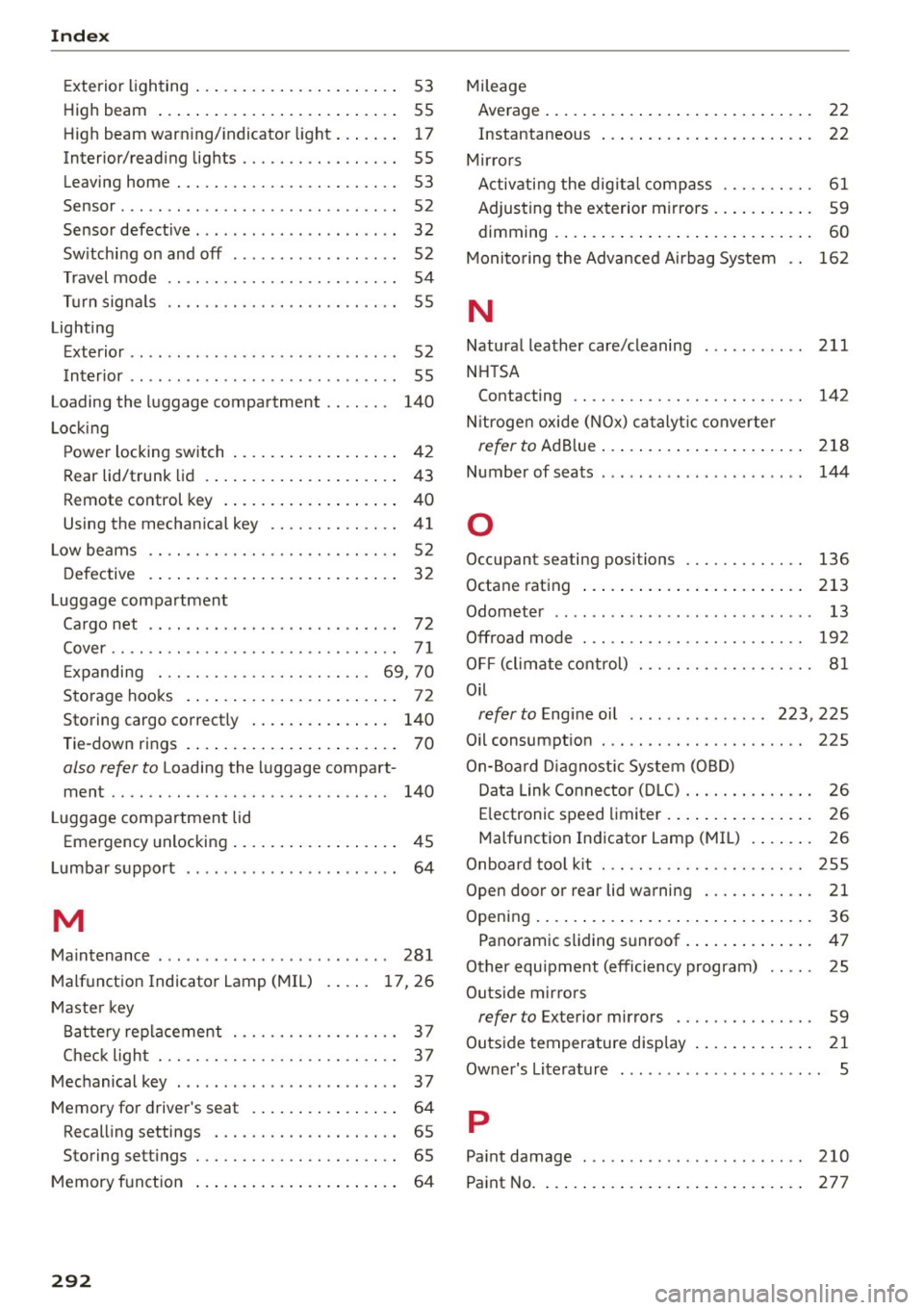
Index
Exterior lighting . . . . . . . . . . . . . . . . . . . . . . 53
High beam . . . . . . . . . . . . . . . . . . . . . . . . . . 55
High beam warn ing/ indicator light. . . . . . . 17
Interior/reading lights . . . . . . . . . . . . . . . . . 55
Leaving home . . . . . . . . . . . . . . . . . . . . . . . . 53
Sensor ....... .. ................ ... .. 52
Sensor defective . . . . . . . . . . . . . . . . . . . . . . 32
Switching on and off . . . . . . . . . . . . . . . . . . 52
Travel mode . . . . . . . . . . . . . . . . . . . . . . . . . 54
Turn signa ls . . . . . . . . . . . . . . . . . . . . . . . . . 55
Lighting
Exterior . . . . . . . . . . . . . . . . . . . . . . . . . . . . .
52
Interior . . . . . . . . . . . . . . . . . . . . . . . . . . . . . 55
Loading the luggage compartment . . . . . . . 140
Locking
Power locking switch . . . . . . . . . . . . . . . . . .
42
Rear lid/trunk lid . . . . . . . . . . . . . . . . . . . . . 43
Remote control key . . . . . . . . . . . . . . . . . . . 40
Using the mechanical key . . . . . . . . . . . . . . 41
Low beams . . . . . . . . . . . . . . . . . . . . . . . . . . . 52
Defective . . . . . . . . . . . . . . . . . . . . . . . . . . . 32
Luggage compartment
Cargo net . . . . . . . . . . . . . . . . . . . . . . . . . . .
72
Cover...... ......................... 71
Expanding . . . . . . . . . . . . . . . . . . . . . . . 69, 70
Storage hooks . . . . . . . . . . . . . . . . . . . . . . . 72
Storing cargo correct ly . . . . . . . . . . . . . . . 140
Tie-down rings . . . . . . . . . . . . . . . . . . . . . . .
70
also refer to Loading the luggage compart -
ment .. .. .. .. ............... .. .. ... 140
L uggage compartment lid
Emergency unlocking . . . . . . . . . . . . . . . . . .
45
Lumbar support . . . . . . . . . . . . . . . . . . . . . . . 64
M
Maintenance . . . . . . . . . . . . . . . . . . . . . . . . . 281
Malfunction Indicator Lamp (MIL)
Master key 17,26
Battery replacement . . . . . . . . . . . . . . . . . . 3 7
Check light . . . . . . . . . . . . . . . . . . . . . . . . . . 3 7
Mechanical key . . . . . . . . . . . . . . . . . . . . . . . .
37
Memory for driver's seat . . . . . . . . . . . . . . . . 64
Recall ing settings . . . . . . . . . . . . . . . . . . . . 65
Storing settings . . . . . . . . . . . . . . . . . . . . . . 65
Memory function . . . . . . . . . . . . . . . . . . . . . . 64
292
Mileage
Average...... ... .. .. ................ 22
Instantaneous ... .. .. .............. .. 22
Mirrors Activating the digital compass . . . . . . . . . .
61
Adjusting the exterior mirrors . . . . . . . . . . . 59
dimming ... ..... .. .. .............. .. 60
Monitoring the Advanced Airbag System . . 162
N
Natural leather care/cleaning
NHTSA 211
Contacting . . . . . . . . . . . . . . . . . . . . . . . . . 142
N itrogen oxide (NOx) catalyt ic converter
refer to Ad Blue. . . . . . . . . . . . . . . . . . . . . . 218
Number of seats . . . . . . . . . . . . . . . . . . . . . . 144
0
Occupant seating posi tions 136
Octane rating . . . . . . . . . . . . . . . . . . . . . . . . 213
Odometer . . . . . . . . . . . . . . . . . . . . . . . . . . . . 13
Offroad mode . . . . . . . . . . . . . . . . . . . . . . . . 192
OFF (climate control) . . . . . . . . . . . . . . . . . . . 81
Oil
refer to Engine oil . . . . . . . . . . . . . . . 223, 225
Oil consumption . . . . . . . . . . . . . . . . . . . . . . 225
On-Board Diagnostic System (OBD)
Data Link Connector (DLC) . . . . . . . . . . . . . .
26
Electronic speed limiter . . . . . . . . . . . . . . . . 26
Malfunction Indicator Lamp (MIL) . . . . . . . 26
Onboard tool kit . . . . . . . . . . . . . . . . . . . . . . 255
Open door or rear lid warning . . . . . . . . . . . . 21
Opening..... ..... .. .................. 36
Panoramic sliding sunroof . . . . . . . . . . . . . . 47
Other equipment (efficiency program) . . . . . 25
Outside mirrors
refer to Exterior mirrors . . . . . . . . . . . . . . . 59
Outside temperature display . . . . . . . . . . . . . 21
Owner's Literature 5
p
Paint damage 210
Paint No. . . . . . . . . . . . . . . . . . . . . . . . . . . . .
277