2015 AUDI Q5 tow
[x] Cancel search: towPage 58 of 302

Lights and Vision
@Interior lights
Press the switch¢ fig. 51 in the corresponding
position.
0 -Interior lights off
I -Interio r lights on
If the sw itch is in the center position, the interior
lighting is controlled automatically.
@ Front/rear reading lights
To turn a reading light on/off, press the button
@~ fig. 51 or ¢fig. 52.
The appearance and location of the rear reading
lights may differ depending on the model.
Instrument illumination
The basic brightness of the illumination for the
instruments, the center console and the display
can be adjusted.
Fig. 53 Instrume nt illumina tion
.. Press the knob to release it .
.. Turn the knob toward "-" or"+" to reduce or in
crease the brightness .
.. Press the knob again to return it to its original
position.
(D Tips
The instrument illumination (for dials and
needles) lights on when the ignition is switch
ed on and the vehicle lights are turned off. As
the daylight fades, the illumination of the di
als likewise dims automatically and will go
out completely when the outside light is very
low. This feature is meant to remind you to
switch on the headlights when outside light
conditions become poor.
56
Vision
Sun visors
Using the sun visors makes driving safer .
Fig. 54 Sun visor
The sun visors for the driver and passenger can
be pulled out of their brackets in the center of
the vehicle and turned towards the doors
~ fig. 54 @. After the sun visor has been turned
to the door, it can be extended* lengthwise .
Vanity mirror
The vanity mirrors on the sun visors are covered.
When the lid is opened @, the mirror light in the
headliner turns on automatically.
It turns off
when the lid is closed and the visor is folded up
again.
Sun shade
App lies to vehicles: wi th sun s had e
Fig. 55 Su n sha de pulled up on a rear win dow
.. Pull the shade out and hang it in the bracket on
the upper door frame ~
fig. 55.
Page 68 of 302
Seats and storag e
Rear seat
General information
Safe transportation of passengers on the rear
seats requires proper safety precautions .
All passengers on the rear seats must be seated
in compliance with the safety guidelines ex
plained in
¢ page 144 and ¢page 152. The cor
rect seat ing pos ition is crit ical for the safety of
front
and rear seat passengers alike ¢ page 138.
_& WARNING
-Occupants in the front and rear seats must
always be properly restrained.
- Do not let anyone ride in the vehicle without
the head restraints prov ided . Head re
strain ts he lp to red uce in juries.
- Loose item s inside the passenger compa rt
me nt, can fly forward in a crash or s udden
mane uver and injure occ upants . Always
store articles in the luggage compartment
and use the fasten ing eyes, especially when
the rear seatbacks have been fo lded down.
- Read and heed all WARNINGS
¢page 138,
Proper seating positions for passengers in
rear seats.
Adjusting seat
The fore-and-oft adjustment of the seat cushion
and the seotbock angle can be adjusted.
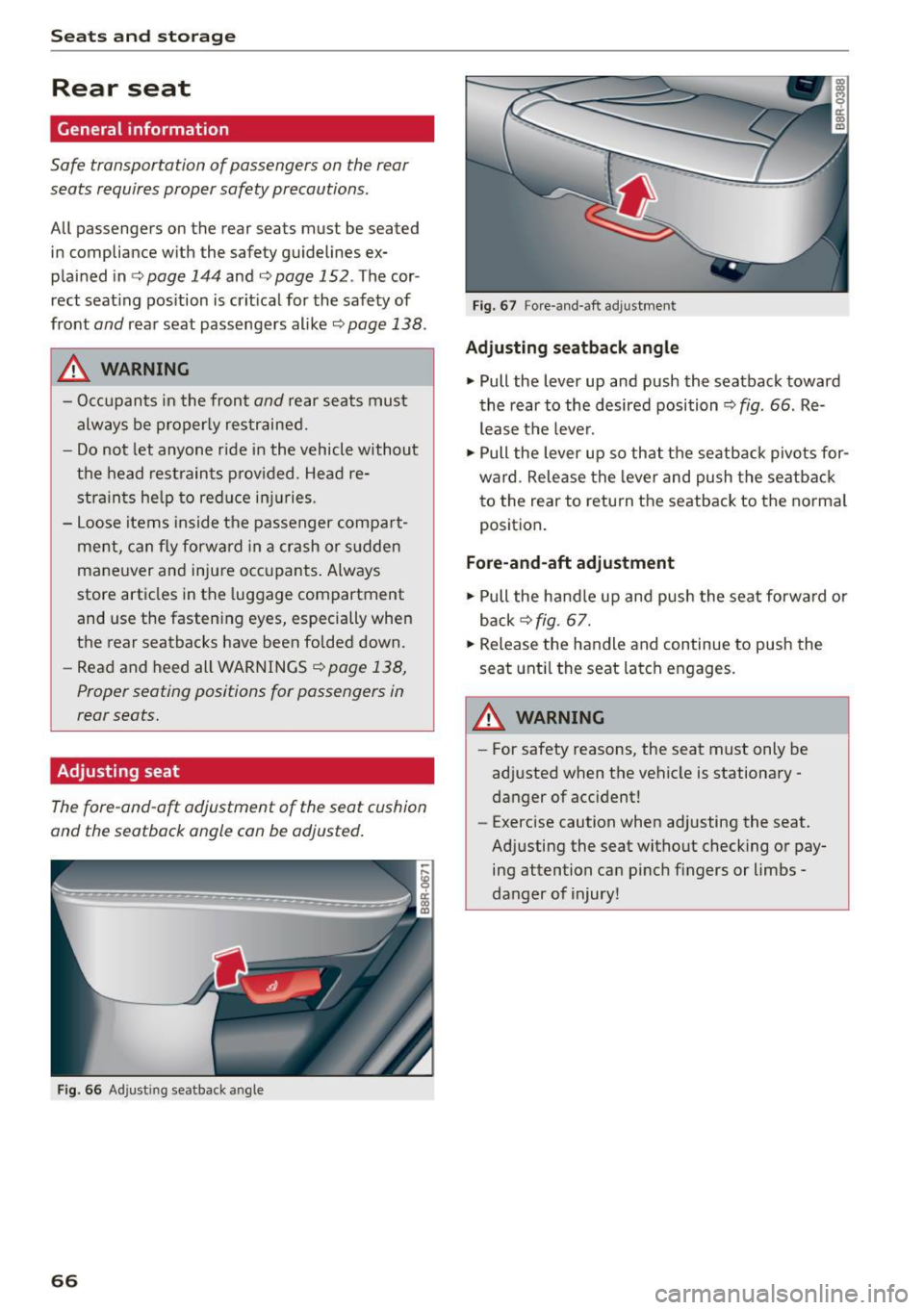
F ig. 66 Ad just ing seatba ck a ngle
66
Fig. 67 Fore -and -aft adj ustme nt
Adjustin g sea tback angle
~ Pull the Lever up and push the seatback toward
the rear to the desired position ¢
fig. 66 . Re
lease the lever.
~ Pull the lever up so that the seatback pivo ts for
ward . Release the lever and push the seatback
to the rear to retu rn the seatback to the norma l
position .
Fore-and-aft ad justment
~ Pull the ha ndle up and push the seat forwa rd o r
back ¢
fig. 67.
~ Release the handle and continue to push the
seat unt il the seat Latch engages.
_& WARNING
- For safety reasons, the seat must only be
ad justed when the vehicle is stationary -
danger of accident!
- Exercise caution when adjusting the seat.
Ad justing the seat witho ut checking or pay
ing attention can pinch fingers or limbs -
danger of injury!
-
Page 74 of 302
Seats and storage
Removing the cargo floor, installing
.. To remove, lift the cargo floor folded together
and pull it toward the rear lid.
.. To install, place the folded cargo floor into both
retainers and unfo ld it.
Grab the protective tray on the hand les and pull
it out. You can also install a divider to divide@
the storage area. Depending on the vehicle
equipment level, the protective tray can have dif
ferent si zes and shapes.
Cargo net and storage hooks
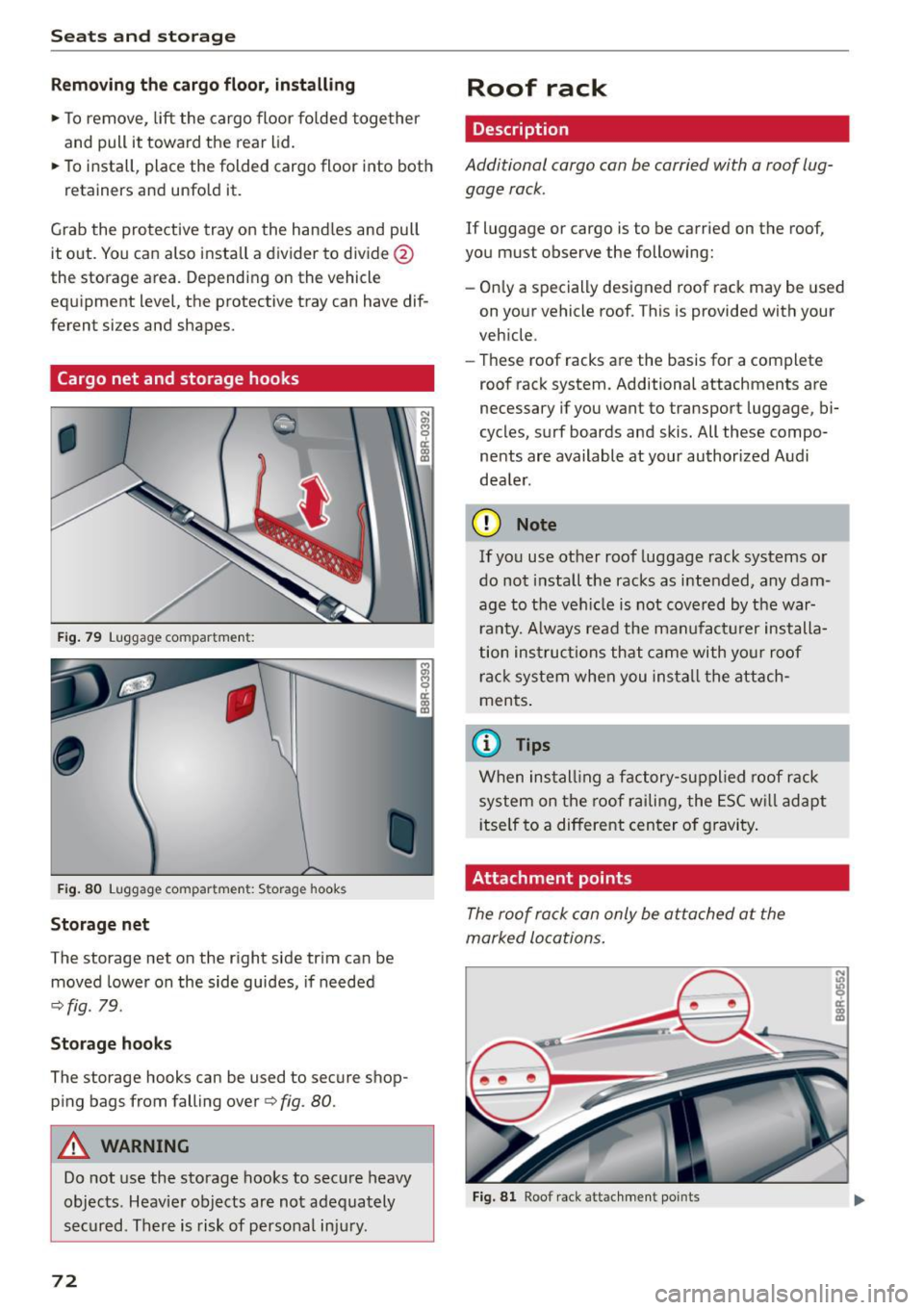
Fig. 79 Luggage co mpa rtm en t:
•
Fig. 80 Luggage co mpa rtment : S torag e hooks
Storage net
The storage net on the right side trim can be
moved lower on the side guides, if needed
-:;, fig . 79.
Storage hooks
The storage hooks can be used to secure shop
ping bags from falling over -:;,
fig. 80.
A WARNING
Do not use the storage hooks to secure heavy
objects . Heavier objects are not adequately
secured . There is risk of personal injury.
72
Roof rack
Description
Additional cargo can be carried with a roof lug
gage rack .
If luggage or cargo is to be carried on the roof,
you must observe the following:
- On ly a specially designed roof rack may be used
on your vehicle roof . This is provided with your
vehicle .
- These roof racks are the basis for a compl ete
roof rack system. Additional attachments are
necessary if you want to transport luggage, bi·
cycles, surf boards and skis. All these compo
nents are available at your authorized Audi
dea le r.
(D Note
If you use other roof luggage rack systems or
do not install the racks as intended, any dam
age to the veh icle is not covered by the war
r anty. Always read the manufacturer installa
tion instructions that came with your roof
rack system when you install the attach
ments.
(D Tips
When installin g a factory-supplied roof rack
system on the roof railing, the ESC will adapt
it self to a different center of gravity.
Attachment point s
The roof rack can only be attached at the
marked locations.
Fig. 81 Roof rack attachmen t po ints
Page 84 of 302
![AUDI Q5 2015 Owners Manual Warm and cold
[i] Adjusting seat heating*
Pressing the but ton switches the seat heating on
at the highest setting (level 3). The LEDs indicate
the temperat ure leve l. To red](/manual-img/6/57635/w960_57635-83.png "AUDI Q5 2015 Owners Manual Warm and cold
[i] Adjusting seat heating*
Pressing the but ton switches the seat heating on
at the highest setting (level 3). The LEDs indicate
the temperat ure leve l. To red")
Warm and cold
[i] Adjusting seat heating*
Pressing the but ton switches the seat heating on
at the highest setting (level 3). The LEDs indicate
the temperat ure leve l. To red uce the tempera
ture, press the button again. To switch the seat heating off, press the button repeatedly until the
LED turns off.
After
10 minutes, the seat heating automatica lly
switches from leve l
3 to leve l 2.
lil Adjusting seat ventilation*
Press ing the button switches the seat ventilation
on at the highest setting ( leve l
3). The LEDs ind i
cate the venti lation level. To reduce the venti la
tion level, press the button aga in. To switch the
seat ventilation off, press the button repeatedly
until the L ED turns off.
l(;I> FRONT I S w itch the d efroster on/off
The windshield and s ide windows are defrosted
or cleared of condensation as quickly as possible.
The maximum amo unt of air flows mainly from
the vents below the windshield. Recirculation
mode switches off. The temperature should be
set to 72 °F (22 °C) or higher. The temperature is
cont ro lled automatically .
The
IAUTOI button switches the defroster off.
I Qiil REAR I Switching rear window heater on /
o ff
The rear window heater only operates when the
engine is running. It switches off automatically
after a few m inutes, depending on the outs ide
temperature .
To prevent the rear window heater from switch
ing off automatically, press and hold the
!lliD REARI
button for more than 2 seconds. This rema ins
stored unt il the ignition is switched off.
Air vent s
You can open and close the center and rea r air
vents using the thumbwheels. The levers adjust
the direction of the airflow from the vents .
You can adjust the air temperatu re in the rear by
turning the thumbwheel toward the red side to
82
make it wa rmer or towa rd the blue side to make
it coo ler .
A WARNING
- Do not use the recircu lation for extended
periods of time. The windows could fog up
since no fresh air can enter the vehicle. If
the windows fog up, press the air rec ircula
tion button again immed iately to sw itch off
the air recircu lation function or se lect de
frost.
- Individuals w ith reduced sensitivity to pain
or temperatu re could develop burns when
using the seat heating* function . T o reduce
the r isk of in ju ry, these indiv iduals should
no t use seat hea ting.
(D Note
To avoid damage to the heat ing e lements* in
the seats, do not kneel on the sea ts or place
h eavy loads on a sma ll are a of the seat .
Setup
-
The basic climate control settings can be adjust
ed in the radio or MMI".
"'Select : !CAR I function button> A/C control but
ton. O r
"' Sele ct:
I CAR I function b utton > Car sy stem s*
cont ro l bu tton
> A /C.
Automatic recirculation
When switched on, automat ic recirculation con
trols the recirculation mode automatically . If the
windows fog up , p ress the!@
F RON T! butto n.
Synchronization
When synchronization is switched on, the same
settings are applied to both the driver and front passenger, except for the seat heating/ventila
t ion* . Synchron izat ion switches off when you ad
just the settings on the front passenge r's side.
You can also switch synchronization on by press -
i ng and holding the knob on t he d river 's side . ..,_
Page 98 of 302

Driving
"'Pull the lever to position @¢ fig. 108 to
switch the system on.
"'Drive at the speed to be controlled.
"' Press button @to set that speed.
The stored speed and the indicator light
[ij;jl)~i~ (US model)/BI (Canadian model) appear
in the instrument cluster display¢
fig. 109. The
display may va ry, depending on the type of dis
play in your vehicle .
The speed is kept constant by modifying engine
power or through an active brake intervention.
A WARNING
- Always pay attention to the traffic around
you when the cruise control is in operation .
You are always responsible for your speed
and the distance between your vehicle and
other vehicles.
- For reasons of safety, cruise control should
not be used in the city, in stop-and-go traf
fic, on twisting roads and when road condi
tions are poor (such as ice, fog, gravel,
heavy rain and hydroplaning) -you could
have an accident.
- Switch the cruise control off temporarily
when driving in turning lanes, highway exits
or in construction zones.
- Please note that unconsciously "resting"
your foot on the accelerator pedal causes
cruise control not to brake. This is due to the
control system being overridden by the driv
er's acceleration.
- Never use the cruise control when driving
off-road or on unpaved roads . The cruise
control is intended for use only when the ve
hicle is being operated on paved roads, and
is not suitable for use off-road or on un
paved roads.
- If a brake system malfunction such as over heating occurs when the cruise control sys
tem is switched on, the braking function in
the system may be switched off. The other
cruise control functions remain active as
long as the indicator
light[ij;11 )~1~ (US mod
el)/lil (Canadian model) is on.
96
(D Tips
The brake lights illuminate as soon as the
brakes apply automatically.
Changing speed
"'To increase/decrease the speed in increments,
tap the lever in the
010 direction ¢ page 95,
fig . 108.
"'To increase/decrease the speed quickly, hold
the lever in the
010 direction until the de
sired speed is displayed.
You can also press the accelerator pedal down to increase your speed, e .g . if you want to pass
someone . The speed you saved earlier will re
sume as soon as you let off of the accelerator
pedal.
If, however, you exceed your saved speed by
S mph (10 km/h) for longer than 5 minutes, the
cruise control will be turned off temporarily. The
green symbol in the display turns white, the
saved speed is retained.
Pre-selecting speed
You can pre-select your desired speed while the
vehicle is not moving.
"'Turn on the ignition.
"'Pull lever into position
(I) ¢page 95, fig. 108 .
"'Press the lever in the 0 or 0 direction to in-
crease or decrease your speed.
"' Let go of the lever to save that speed.
This function makes it possible, for example, to
save the speed you want before driving on the
highway. Once on the highway, activate the cruise
control by pulling the l ever toward @.
· Switching off
Temporary deactivation
"' Step on the brake pedal, or
"'Press the lever into position@(not clicked into
place) ¢
page 95, fig. 108, or
"'Drive for longer than S minutes at more than
S mph (10 km/h) above the stored speed.
Page 109 of 302

M N
co ~ co
rl I.O
"' N
"' rl
Audi adapt ive crui se cont rol and bra king gu ard
Audi adaptive cruise
control and braking
guard
Introduction
App lies to vehicles: with Audi adaptive cruise co ntrol
The adaptive cruise control system assists the
driver by regu lating vehi cle speed and helping to
maintain a set distance to the vehicle ahead,
within the limits of the system.
If the system de
tects a moving vehicle up ahead, adaptive cruise
control can brake and then accelerate your vehi
cle. This helps to make driving more comfortable
on long highway stretches.
The braking guard system can warn you about an impend ing collision and initiate braking maneu
vers
¢ page 113.
Adaptive cruise control and braking guard have
technical limitations that you must know, so
p lease read this section carefu lly, understand
how the system works and use them properly at
all times.
General information
General information
A pp lies to vehicles: with Audi adaptive cruise co ntrol
Fig. 116 Fro nt of the vehicle : Position of rada r sensor
The area that contains the radar sensor
¢ fig. 116 must never be covered by stickers or
other objects or obs tructed with dirt, insects,
snow or ice that w ill interfere with the adaptive
cru ise control system and braking guard. For in
formation on cleaning, refer to ¢
page 208. The
same applies for any modifications made in the
front area. T
he function of the adaptive cruise contro l sys
tem and braking guard is limited under some
condit ions:
- Ob jects can on ly be de tected when they are
within sensor range
¢ page 109, fig. 119.
-The system has a limi ted ability to de tect ob
jects that are a short d istance ahead, off to the
side of your vehicle or moving into your lane .
- Some kinds of veh icles are hard to detect; for
examp le motorcycles, vehicles with high
ground clearance or overhanging loads may be
detected when it is too late or they may not be
detected at all.
- When driving through curves
¢page 108 .
-Stationa ry objects ¢ page 108.
,&_ WARNING
-= -Always pay attention to traffic when adaptive
cruise control is switched on and braking
g uard is active. As the driver, you are sti ll re
sponsible for start ing and for maintaining
speed and distance to other objects. Braking
g uard is used to assist you . The drive r must
a lways take action to avo id a collision . Th e
d river is always responsible for bra kin g at the
correct t ime.
- I mproper use of adaptive cru ise control can
cau se collisions, o ther accidents and serious
pe rsonal injury.
- Neve r let the comfort and conve nience that
adap tive cr uise control and braking guard
o ff er distrac t you from the need to be alert
t o traffic con ditions and the need to remain
i n full control of your vehicle at all times,
- Always remember that the adaptive cruise
control and braking guard have limits -they
will not slow the vehicle down or maintain
the set distance when you dr ive towards an
obstacle or something on or near the road
that is not moving, such as vehicles stopped
in a traff ic jam , a sta lled or d isabled vehicle.
If registered by the radar sensor, vehicles or
obstacles that a re not moving can t rigger a
coll is io n warning and if confi rmed by the
video came ra, a n acute collision warning.
~
107
Page 111 of 302

M N
co ~ co
rl I.O
"' N
"' rl
Audi adaptive cruise control and braking guard
Audi adaptive cruise
control
Description
Applies to vehicles: with Audi adaptive cruise control
Fig. 119 Detect ion range
What can adaptive cruise control do?
The adaptive cruise control works in conjunction
with a radar sensor installed in the front of the
vehi cle
¢ page 107, fig. 116, which is subject to
designated system limits¢
page 109 . Stationary
objects are disregarded.
On open roads w ith no traff ic, adaptive cruise
control wo rks like a reg ular cruise control system.
The stored speed is maintained . When approach
ing a moving vehicle detected up ahead, the
adapt ive cruise control system automatically
slows down to match that vehicle's speed and
then maintains the distance that the driver previ
ously stored. As soon as the system does not de
tect a vehicle up ahead, adaptive cruise control
accelerates back up to the stored speed .
Which functions can be controlled?
When you switch adaptive cruise contro l on, you
can set the current speed as the "contro l speed"
¢ page 109, Switching on and off.
When driving , you can stop cruise control
¢
page 111 or change the speed ¢ page 110 at
any time.
You can also set the distance to the object ahead
and set the adaptive cruise control driving pro
gram
¢ page 111. Switching on and off
Applies
to vehicles: with A udi adapt ive cru ise contro l
Fig. 120 Selector lever: switc hing on/off
Fig . 121 Instrume nt cluste r: adapt ive c ruise co ntro l
You can set any speed between 20 mph and
95 mph (30 and 150 km/h) .
Indicator lamps and messages in the instrument
cluster display inform you about the current sys
tem status and settings .
Switching adaptive cruise control on
.,. Pull the lever toward you into position(!)
¢
fig. 120. ACC: Standby appears in the instru
ment cluster display .
Setting the speed and activating regulation
.,. To set the current speed, press the ISETI button
¢
fig. 120. Th e set speed is shown in the tach
ometer @and is also shown briefly in the dis
play @¢
fig. 121.
Switching adaptive cruise control off
.,. Push the lever away from you into posit ion @
until it clicks into place. The message
ACC: Off
appears. .,..
109
Page 118 of 302

Audi side assist
Audi side assist
Side assist
Description
Applies to vehicles: with Aud i side ass ist
Fig. 127 Sensor detec tion range
Fig . 128 Displa y on the exte rior mirro r
Side assis t helps you monitor your blind spot and
traffic behind your vehicle . Within the limits of
the system , it warns you about vehicles that are
coming closer or that are traveling with you with
in sensor range(!)
c:> fig. 12 7. If a lane change is
classified as critical, the display @ in the exterior
mirror
i=> fig. 128 turns on.
The display in the left exterior mirror provides as
sistance when mak ing a lane change to the left,
while the disp lay in the right exter ior mirror pro
vides assistance when mak ing a lane change to
the right .
Information stage
As long as you do not activate the turn signal,
side assist
informs you about veh icles that are
detected and classified as critica l. The display in
the respective mirror turns on, but is dim.
116 The display rema
ins dim intentionally in the in
formation stage so that your view toward the
front is not distu rbed .
Warning stage
If you activate the turn signal, s ide assist warns
you about vehicles that are detected and classi
fied as critical. The display in the respective mir ror blinks brightly . If this happens , check traffic
by g lancing in the rearview mi rror and over your
shoulder
c:> .&. in General informa tion on
page 117 .
{!) Tips
-You can adjust the brightness of the display
@ i=>page 118.
-Please refer to the instructions for towing a
trailer located in
c:> page 117.