2014 VOLVO V60 lights
[x] Cancel search: lightsPage 197 of 442

07 Driver support
07
}}
* Option/accessory, for more information, see Introduction.195
Adaptive Cruise Control* - Queue Assist
The adaptive cruise control (ACC – Adaptive Cruise Control) helps the driver to maintain aneven speed and a safe distance from the vehi-cle ahead. Queue Assist also provides theAdaptive Cruise Control with enhanced func-tionality at speeds below 30 km/h.. In cars with automatic gearbox the adaptive cruise control is supplemented with theQueue Assist function (also referred to as"Queue Assist"). Queue Assistant has the following functions:
• Extended speed range - also below 30 km/h and when stationary
• Change of target
• Automatic braking ceases when station-ary
• Automatic activation parking brake.
Note that the lowest programmable speed for the adaptive cruise control is 30 km/h - eventhough it is capable of following another vehi-cle down to a standstill, a lower speed can-
not be selected.
Extended speed range
NOTE
In order to activate the cruise control the driver's door must be closed and the drivermust be wearing the seatbelt.
With an automatic gearbox, the adaptive cruise control can follow another vehiclewithin the range 0-200 km/h.
NOTE
Activation of the cruise control below 30 km/h requires a vehicle in front within areasonable distance.
For shorter stops in connection with inching in slow traffic or at traffic lights driving isautomatically resumed if the stops do notexceed about 3 seconds - if it takes longerbefore the car in front starts moving againthen the Adaptive cruise control is set instandby mode with automatic braking. Thedriver must then reactivate it in one of the fol-lowing ways:
• Press the steering wheel button
.
or
• Depress the accelerator pedal.
> The cruise control will then resume fol- lowing the vehicle in front.
NOTE
Queue Assist can hold the car stationary for a maximum of 4 minutes - then theparking brake is applied and Cruise Con-trol is disengaged.
• The driver has to release the parking brake before the cruise control can bereactivated.
Change of target
If the target vehicle in front suddenly turns then there may be stationary traffic in front.
When the adaptive cruise control is following another vehicle at speeds below 30 km/h and
changes target from a moving to a stationaryvehicle, the cruise control will slow down forthe stationary vehicle.
ProCarManuals.co’
Page 208 of 442

||
07 Driver support
07
206
Laser sensor transmitter and receiver window13
.
If the speed difference is 4-15 km/h in relation to the vehicle in front then City Safety™ cancompletely prevent a collision. City Safety™ activates a short, sharp braking and stops the car in normal circumstances,just behind the vehicle in front. For most dri-vers this is well outside normal driving styleand may be experienced as being uncomfort-able. If the difference in speed between the vehi- cles is greater than 15 km/h then CitySafety™ may not prevent the collision on itsown. To obtain full brake force, the drivermust depress the brake pedal. This couldthen make it possible to prevent a collision,even at speed differences above 15 km/h. When the function is activated and brakes,the combined instrument panel shows a textmessage to the effect that the function is/hasbeen active.
NOTE
When City Safety™ brakes, the brake lights come on.
Related information
•
City Safety™ - limitations (p. 207)
• City Safety™ (p. 205)
• City Safety™ - operation (p. 206)
• City Safety™ - laser sensor (p. 209)
• City Safety™ - symbols and messages (p. 211)
City Safety™ - operation
City Safety™ is a function for helping the driver to avoid a collision when driving inqueues, amongst other things, when changesin the traffic ahead, combined with a lapse inattention, could lead to an incident.
On and Off
NOTE
The City Safety™ function is always switched on after the engine has beenstarted via key position
I and II (p. 70).
In certain situations, it may advisable to disa- ble City Safety™, e.g. where leafy branchescould sweep over the bonnet and/or wind-screen. After starting the engine City Safety™ can be deactivated as follows: The function can beactivated/deactivated in the menu system MY
CAR . For a description of the menu system,
see MY CAR (p. 103). However, the function will be enabled the next time the engine is started, regardless ofwhether the system was enabled or disabledwhen the engine was switched off.
13 NOTE: The illustration is schematic - details may vary depending on car model.
ProCarManuals.co’
Page 216 of 442

||
07 Driver support
07
214* Option/accessory, for more information, see Introduction.
WARNING
The collision warning system does not engage in all driving situations or traffic,weather or road conditions. The collisionwarning system does not react to vehiclesor cyclists driving in another direction tothe car or to animals. Warning only activated in the event of a high risk for collision. This section "Func-tion" and the section "Limitations" informabout limitations that the driver must beaware of before using the Collision Warn-ing system with Auto Brake. Warnings and brake interventions for pedestrians and cyclists are deactivated ata vehicle speed exceeding 80 km/h. Warnings and brake interventions for pedestrians and cyclists do not work indarkness and tunnels - not even whenstreetlights are lit. The auto-brake function can prevent a col- lision or reduce collision speed. To ensurefull brake performance, the driver shouldalways depress the brake pedal - evenwhen the car auto-brakes. Never wait for a collision warning. The driver is always responsible that the cor-rect distance and speed are maintained -even when the collision warning systemwith auto-brake is used.
Related information
• Collision warning system* (p. 212)
• Collision warning system* - detection of pedestrians (p. 216)
• Collision warning system* - cyclist detec-tion (p. 214)
• Collision warning system* - operation (p.217)
• Collision warning system* - general limita-tions (p. 218)
• Collision warning system* - camera sen-sor limitations (p. 220)
• Collision warning system* - symbols andmessages (p. 222)
Collision warning system* - cyclist detection
"Collision Warning with Auto Brake and Cyclist and Pedestrian Detection" is an aid toassist the driver when there is a risk of collid-ing with a pedestrian, bicycle or vehicle infront that are stationary or moving in the samedirection.
Optimum examples of what the system interprets as a cyclist - with clear body and bicycle con-tours, directly from behind and in the car's cen-tre line.
Optimal performance of the system requires that the system function that detects a cyclistreceives as unambiguous information as pos-sible about the body and bicycle contours -this implies the opportunity to identify thebicycle, head, arms, shoulders, legs, upperand lower body combined with a normalhuman pattern of movement.
ProCarManuals.co’
Page 217 of 442

07 Driver support
07
* Option/accessory, for more information, see Introduction.215
If large parts of the cyclist's body or bicycle are not visible to the function's camera thenthe system cannot detect a cyclist.
The function can only "see" cyclists from behind, who are travelling in the same direction.
• For the function to be able to detect a cyclist, he/she must be an adult and rid-ing a "senior bicycle".
• The bicycle must be equipped with a highly visible and approved 17
rearward-
facing red reflector, fitted at least 70 cm above the roadway.
• The function can only detect cyclistsdirectly from behind and who are travel-ling in the same direction - not at anangle from behind, not from the side.
• Cyclists travelling on the left or right-handedge of the car's imagined/extended sidelines may be detected late or not at all. •
The function's capacity to detect cyclistsat dusk and dawn is limited - just like thehuman eye.
• The function's capacity to detect cyclistsis deactivated when driving in darknessand tunnels - even when streetlights arelit.
• For optimum bicycle detection, the CitySafety™ function must be activated, CitySafety™ (p. 205).
WARNING
Collision Warning with Auto Brake & Cyclist Detection is a means of assistance. The function cannot detect: •all cyclists in all situations and does not see partially obscured cyclists, forexample.
• cyclists in clothing that obscures thecontours of the body or who areapproaching from the side.
• bicycles that have no rearward-facingred reflector.
• bicycles loaded with large objects.
The driver is always responsible that the vehicle is driven properly and with a safetydistance adapted to the speed.
Related information
• Collision warning system* - detection of pedestrians (p. 216)
• Collision warning system* (p. 212)
• Collision warning system* - function (p.213)
• Collision warning system* - operation (p.217)
• Collision warning system* - general limita-tions (p. 218)
• Collision warning system* - camera sen-sor limitations (p. 220)
• Collision warning system* - symbols andmessages (p. 222)
17
The reflector must fulfil the recommendations and conditions of the traffic authority in the market in question.
ProCarManuals.co’
Page 218 of 442

07 Driver support
07
216* Option/accessory, for more information, see Introduction.
Collision warning system* - detection of pedestrians
"Collision Warning with Auto Brake and Cyclist and Pedestrian Detection" is an aid toassist the driver when there is a risk of collid-ing with a pedestrian, bicycle or vehicle infront that are stationary or moving in the samedirection.
Optimal examples of what the system regards as pedestrians with clear body contours.
Optimal performance of the system requires that the system function that detects pedes-trians receives as unambiguous informationas possible about the contours of the body -this implies the opportunity to identify thehead, arms, shoulders, legs, upper and lowerbody combined with a normal human patternof movement. If large parts of the body are not visible to thecamera then the system cannot detect apedestrian.
• In order for a pedestrian to be detected he/she must appear full-length and havea height of at least 80 cm.
• The system cannot detect a pedestriancarrying larger items.
• The camera sensor's ability to see pedes-trians at dusk and dawn is limited - justlike the human eye.
• The camera sensor's capacity to detectpedestrians is deactivated when driving indarkness and tunnels - even when street-lights are lit.
WARNING
Collision Warning with Auto Brake & Pedestrian Detection is an assistance tool. This function cannot detect all pedestrians in all situations and it cannot see e.g. parti-ally obscured pedestrians, people in cloth-ing that hides the contours of the body orpedestrians shorter than 80 cm.
• The driver is always responsible that the vehicle is driven properly and witha safety distance adapted to thespeed.
Related information
•
Collision warning system* (p. 212)
• Collision warning system* - function (p. 213)
• Collision warning system* - operation (p.217)
• Collision warning system* - cyclist detec-tion (p. 214)
• Collision warning system* - general limita-tions (p. 218)
• Collision warning system* - camera sen-sor limitations (p. 220)
• Collision warning system* - symbols andmessages (p. 222)
ProCarManuals.co’
Page 236 of 442

07 Driver support
07
234* Option/accessory, for more information, see Introduction.
Lane Keeping Aid (LKA)*
Lane Keeping Aid is one of the functions in the Driver Alert System - sometimes alsoreferred to as LKA (Lane Keeping Aid). The function is intended for use on motor- ways and similar major roads in order toreduce the risk of the vehicle accidentallyleaving its own lane in certain situations.
Lane Departure Warning LDW or LKAVolvo has developed two different systemsfor lane keeping assistance:
• LDW -
Lane Departure Warning which
only warns the driver.
• LKA -
Lane Keeping Aid(Lane Keeping Aid) which, in addition to warning the driver, also actively steers thecar.
The Volvo V60 can be supplied with both vari- ants - market and engine alternatives deter-mine which of the systems the car is equip-ped with. In the event of uncertainty whether the car has LDW or LKA:
• Open the menu system
MY CAR and
locate
SettingsDriver support
system - which specifies Lane
Departure Warning whether the car has
LDW or Lane Keeping Aid for LKA.
Principle for LKA
(The figure is schematic - not model specific.) A camera detects the painted the side lines of the road/lane. If the car is about to cross aside line, the Lane Keeping Aid will activelysteer the car back into the lane with a slightsteering torque in the steering wheel. If the car reaches or crosses a side line, the Lane Keeping Aid will also alert the driver withpulsating vibration in the steering wheel.
WARNING
LKA is merely a driver's aid and does not engage in all driving situations or traffic,weather or road conditions. The driver always bears ultimate responsi- bility for ensuring that the vehicle is drivensafely and that applicable laws and roadtraffic regulations are followed.
Related information
• Driver Alert System* (p. 224)
• Lane Keeping Aid (LKA) - limitations (p. 237)
• Lane Keeping Aid (LKA) - function (p.235)
• Lane Departure Warning (LDW) - opera-tion (p. 230)
• Lane Keeping Aid (LKA) - operation (p.236)
• Lane Keeping Aid (LKA) - symbols andmessages (p. 238)
ProCarManuals.co’
Page 281 of 442
08 Starting and driving
08
* Option/accessory, for more information, see Introduction.279
Related information
• Automatic gearbox -- Geartronic* (p. 273)
• Automatic gearbox -- Powershift* (p. 276)Hill start assist (HSA)* 12
The foot brake can be released before setting off or reversing uphill - the HSA (Hill StartAssist) function means that the car does notroll backwards. The function means that the pedal pressure in the brake system remains for several secondswhile the driver's foot is moved from brakepedal to accelerator pedal. The temporary braking effect releases after several seconds or when the driver acceler-ates.
Related information
•
Starting the engine (p. 264)
Start/Stop*
Some engine and gearbox combinations come fitted with a Start and Stop functionwhich engages in the event of e.g. stationarytraffic or waiting at traffic lights - the engine isthen switched off temporarily and restartsautomatically when the journey is due to con-tinue. Environmental care is one of Volvo Car Cor- poration's core values which guides all ouractivities. This target orientation has resultedin several separate energy-saving functions ofwhich Start/Stop is one, all with the collectivetask of reducing fuel consumption, which inturn helps to reduce exhaust emissions.
General information about Start/Stop
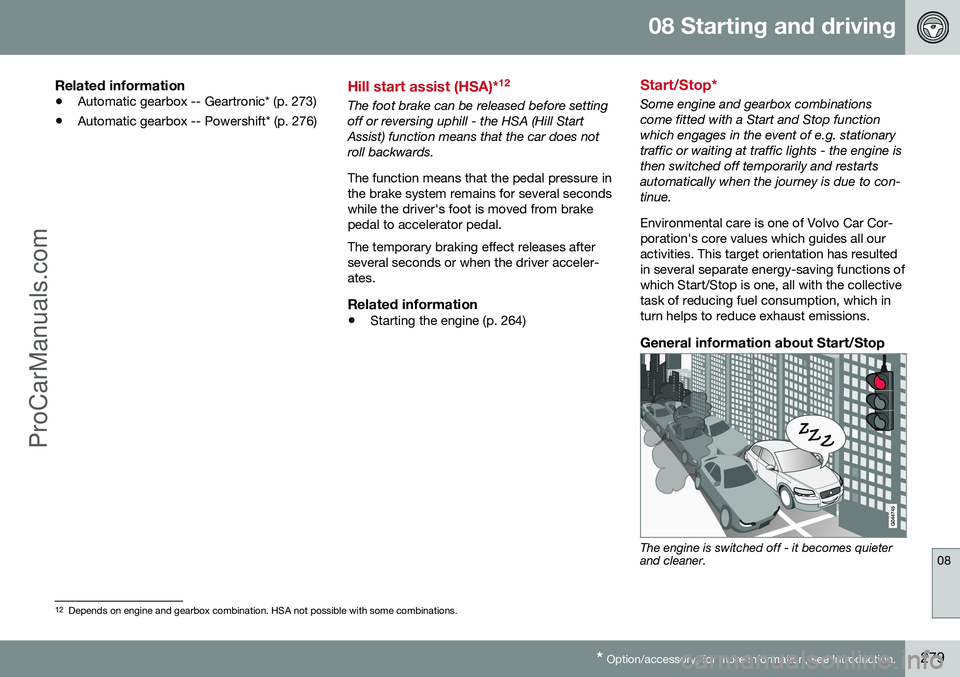
The engine is switched off - it becomes quieter and cleaner.
12
Depends on engine and gearbox combination. HSA not possible with some combinations.
ProCarManuals.co’
Page 282 of 442

||
08 Starting and driving
08
280* Option/accessory, for more information, see Introduction.
The Start/Stop function gives the driver the opportunity for a more active environmentallyconscious way of driving the car by means ofbeing able to allow the engine to stop auto-matically, whenever appropriate. Manual or Automatic Note that there are differences in the Start/Stop function depending on whether thegearbox is manual or automatic.
Related information
• Start/Stop* - function and operation (p. 280)
• Starting the engine (p. 264)
• Start/Stop* - settings (p. 285)
• Start/Stop* - the engine does not auto-start (p. 284)
• Start/Stop* - the engine auto-starts (p.283)
• Start/Stop* - the engine does not stop (p.282)
• Start/Stop* - involuntary engine stoppagemanual gearbox (p. 284)
• Start/Stop* - symbols and messages (p.286)
• Battery - Start/Stop (p. 365)
Start/Stop* - function and operation
Some engine and gearbox combinations are equipped with a Start/Stop function whichengages in the event of e.g. stationary trafficor waiting at traffic lights. The Start/Stopfunction is activated automatically when theengine is started with the key.
The Start/Stop function isactivated automatically whenthe engine is started with thekey. The driver is madeaware of this by the func-tion's symbol illuminating inthe combined instrumentpanel and the On/Off buttonlamp illuminating. All of the car's normal sys-
tems such as lighting, radio, etc. work as nor- mal even with an engine that has stoppedautomatically, except that some equipmentmay have the function temporarily reduced,e.g. the climate control system's fan speed orextremely high volume on the audio system.
Engine auto-stopThe following is required for the engine to auto-stop:
ConditionsM/A A
Declutch, set the gear lever in neu- tral position and release the clutchpedal - the engine stops automati-cally.M
Stop the car with the foot brake, and then keep your foot on thepedal - the engine auto-stops.A
AM = Manual gearbox, A = Automatic gearbox.
If the ECO function is acti- vated then the engine mayauto-stop before the car iscompletely stationary.
As verification and reminder that the engine is auto-stopped the com-bined instrument panel's symbol forthe Start/Stop function illuminates.
ProCarManuals.co’