Page 469 of 872
469
3-2. Using the audio system
3
Interior features
SIENNA_OM_OM45483U_(U)
■
USB memory functions
Depending on the USB memory that is connected to the system, certain
functions may not be available. Disconnecting the device and reconnecting it
once again may resolve some malfunctions.
■ Error messages
“USB ERROR”: This indicates a problem in the USB memory or its connec-
tion.
“NO SUPPORT”: This indicates that no MP3/WMA files are included in the USB memory player.
■ USB memory
●Compatible devices
USB memory that can be used for MP3 and WMA playback
Depending on the type of USB device, playback may not be possible.
● Compatible device formats
The following device formats can be used:
• USB communication formats: USB2.0 FS (12mbps)
• File formats: FAT16/32 (Windows)
• Correspondence class: Mass storage class
MP3 and WMA files written in any format other than those listed above
may not play correctly, and their file names and folder names may not be
displayed correctly.
Items related to standards and limitations are as follows:
• Maximum directory hierarchy: 8 levels
• Maximum number of folders in a device: 999 (including the root)
• Maximum number of files in a device: 65025
• Maximum number of files per folder: 255
Page 470 of 872

470 3-2. Using the audio system
SIENNA_OM_OM45483U_(U)
●MP3 and WMA files
MP3 (MPEG Audio LAYER 3) is a standard audio compression format.
Files can be compressed to approximately 1/10 of their original size usi\
ng
MP3 compression.
WMA (Windows Media Audio) is a Microsoft audio compression format.
This format compresses audio data to a size smaller than that of the MP3
format.
There is a limit to the MP3 and WMA file standards that can be used and
to the media/formats on which the files are recorded.
● MP3 file compatibility
• Compatible standards
MP3 (MPEG1 AUDIO LAYERII, III, MPEG2 AUDIO LAYERII, III,
MPEG2.5)
• Compatible sampling frequencies MPEG1 AUDIO LAYERII, III: 32, 44.1, 48 (kHz)
MPEG2 AUDIO LAYERII, III: 16, 22.05, 24 (kHz)
MPEG2.5: 8, 11.025, 12 (kHz)
• Compatible bit rates (compatible with VBR) MPEG1 AUDIO LAYERII, III: 32-320 (kbps)
MPEG2 AUDIO LAYERII, III: 32-160 (kbps)
MPEG2.5: 32-160 (kbps)
• Compatible channel modes: stereo, joint stereo, dual channel and monaural
● WMA file compatibility
• Compatible standards
WMA Ver. 9
• Compatible sampling frequencies HIGH PROFILE 32, 44.1, 48 (kHz)
• Compatible bit rates HIGH PROFILE 32-320 (kbps, VBR)
● File names
The only files that can be recogniz ed as MP3/WMA and played are those
with the extension .mp3 or .wma.
Page 471 of 872
471
3-2. Using the audio system
3
Interior features
SIENNA_OM_OM45483U_(U)
●
ID3 and WMA tags
ID3 tags can be added to MP3 files, making it possible to record the track
title, artist name, etc.
The system is compatible with ID3 Ver. 1.0, 1.1, and Ver. 2.2, 2.3, 2.4 ID3
tags. (The number of characters is based on ID3 Ver. 1.0 and 1.1.)
WMA tags can be added to WMA files, making it possible to record the
track title and artist name in the same way as with ID3 tags.
● MP3 and WMA playback
When a device containing MP3 or WMA files is connected, all files in the
USB memory device are checked. Once the file check is finished, the first
MP3 or WMA file is played. To make the file check finish more quickly, we
recommend that you do not include any files other than MP3 or WMA files
or create any unnecessary folders.
● Extensions
If the file extensions .mp3 and .wma are used for files other than MP3 and
WMA files, they will be mistakenly recognized and played as MP3 and
WMA files. This may result in large amounts of interference and damage
to the speakers.
● Playback
• To play MP3 files with steady sound quality, we recommend a fixed bit
rate of at least 128 kbps and a sampling frequency of 44.1 kHz.
• There is a wide variety of freeware and other encoding software for MP3 and WMA files on the market, and depending on the status of the encod-
ing and the file format, poor sound quality or noise at the start of playback
may result. In some cases, playback may not be possible at all.
• Microsoft, Windows, and Windows Media are registered trademarks of Microsoft Corporation in the U.S.A. and other countries.
Page 472 of 872
472 3-2. Using the audio system
SIENNA_OM_OM45483U_(U)
CAUTION
■While driving
Do not connect USB memory or operate the controls on the USB memory.
NOTICE
■To prevent damage to USB memory
●Do not leave USB memory in the vehicle. The temperature inside the vehi-
cle may become high, resulting in damage to the player.
● Do not push down on or apply unnecessary pressure to the USB memory
while it is connected as this may damage the USB memory or its terminal.
● Do not insert foreign objects into the port as this may damage the USB
memory or its terminal.
Page 473 of 872
473
3-2. Using the audio system
3
Interior features
SIENNA_OM_OM45483U_(U)
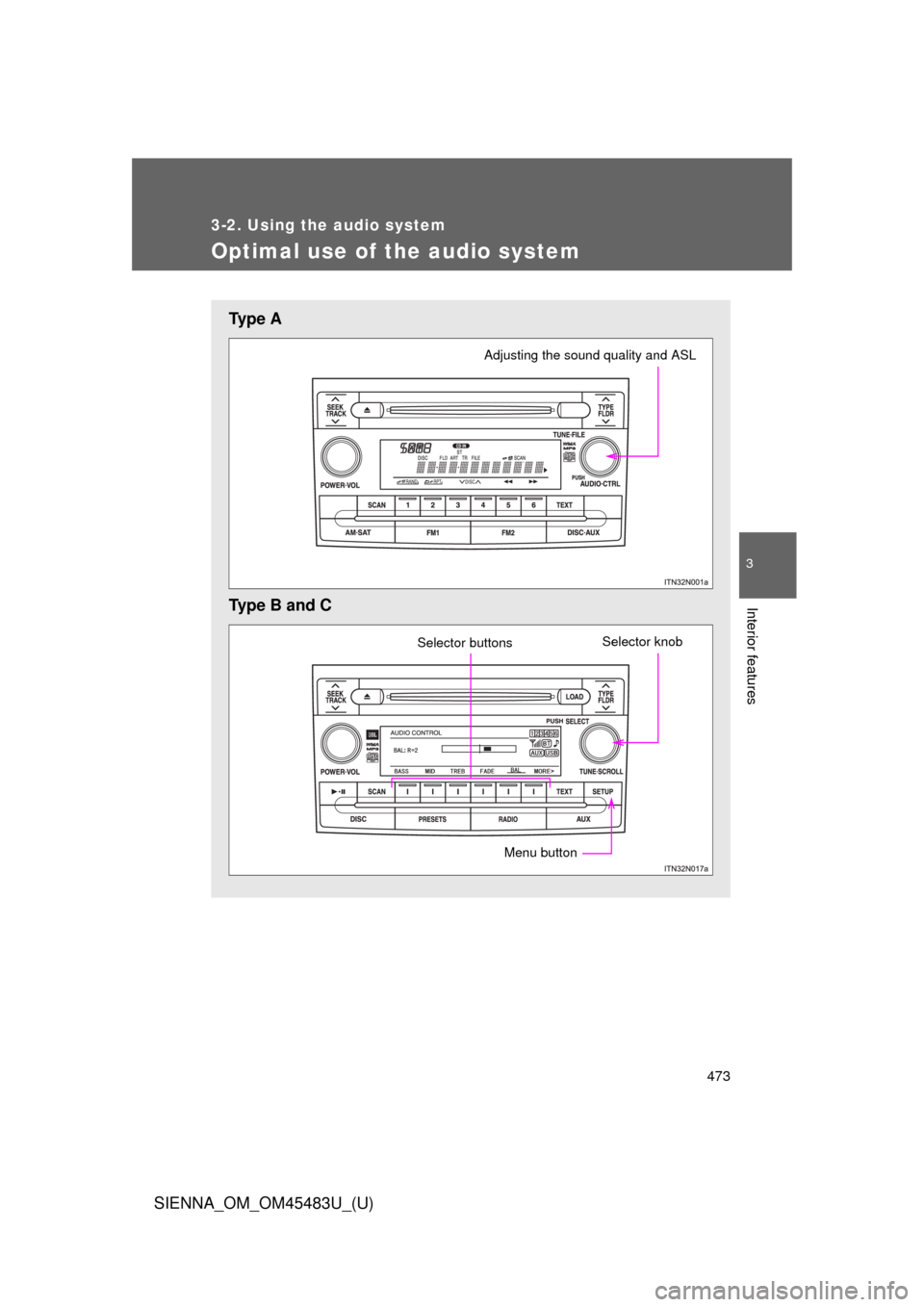
Optimal use of the audio system
Ty p e A
Type B and C
Adjusting the sound quality and ASL
Selector knobSelector buttons
Menu button
Page 474 of 872
474 3-2. Using the audio system
SIENNA_OM_OM45483U_(U)
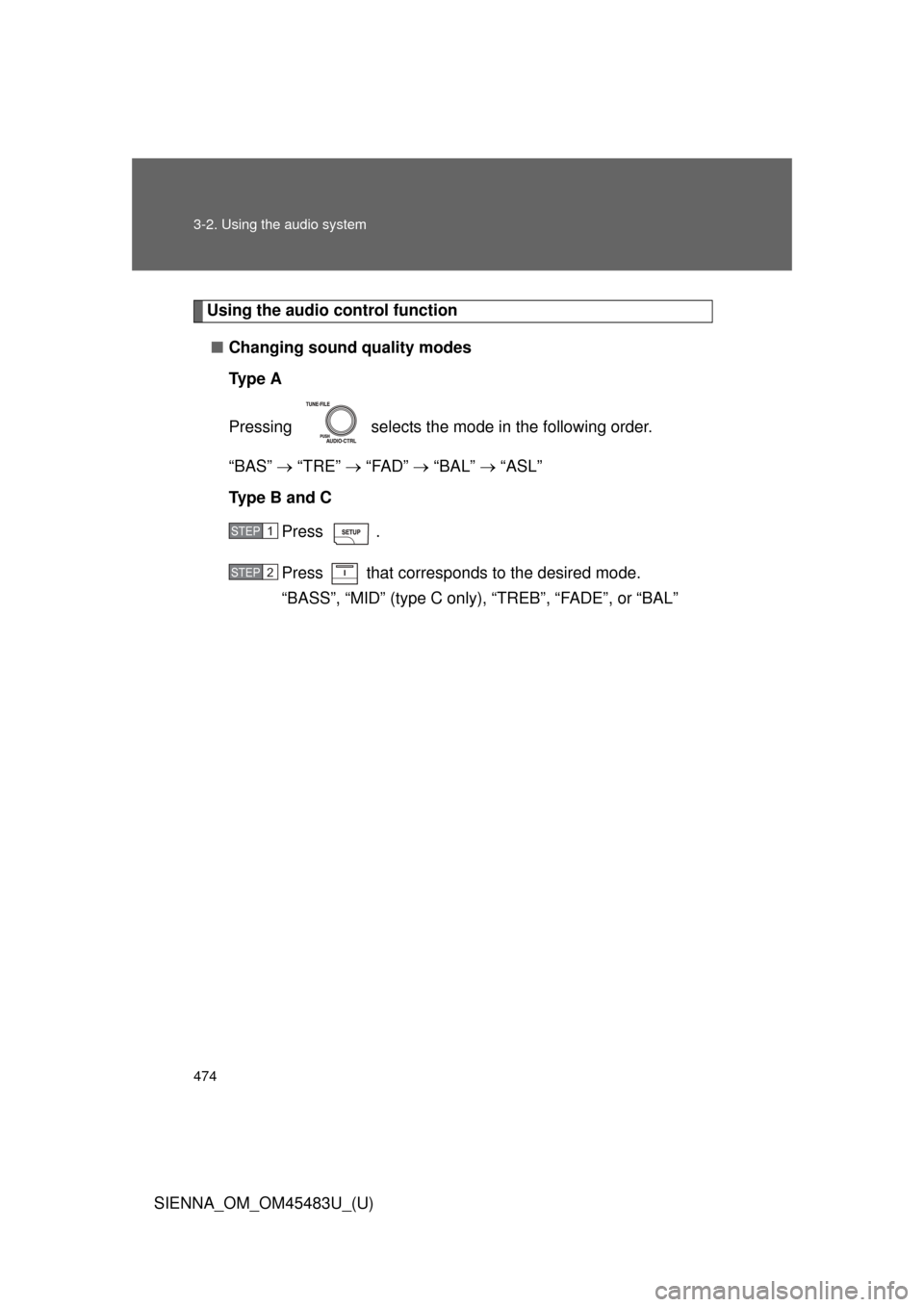
Using the audio control function■ Changing sound quality modes
Ty p e A
Pressing selects the mode in the following order.
“BAS” “TRE” “FAD” “BAL” “ASL”
Type B and C
Press .
Press that corresponds to the desired mode.
“BASS”, “MID” (type C only), “TREB”, “FADE”, or “BAL”
STEP1
STEP2
Page 475 of 872
475
3-2. Using the audio system
3
Interior features
SIENNA_OM_OM45483U_(U)
■
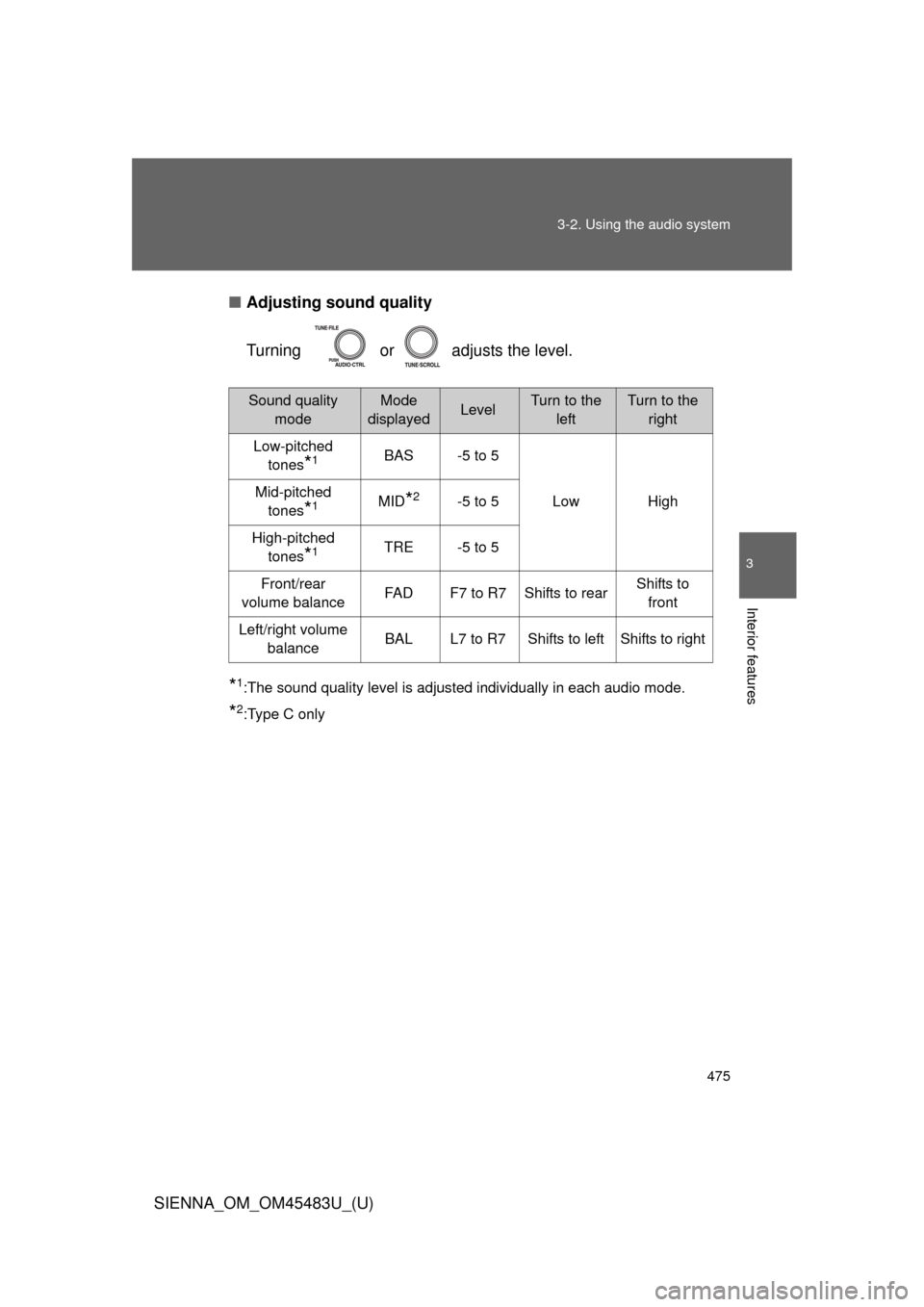
Adjusting sound quality
Turning or adjusts the level.
*1:The sound quality level is adjusted individually in each audio mode.
*2:Type C only
Sound quality
modeMode
displayedLevelTurn to the leftTurn to the right
Low-pitched tones
*1BAS -5 to 5
Low High
Mid-pitched
tones
*1MID*2-5 to 5
High-pitched tones
*1TRE -5 to 5
Front/rear
volume balance FAD F7 to R7 Shifts to rear Shifts to
front
Left/right volume balance BAL L7 to R7 Shifts to left Shifts to right
Page 476 of 872
476 3-2. Using the audio system
SIENNA_OM_OM45483U_(U)■
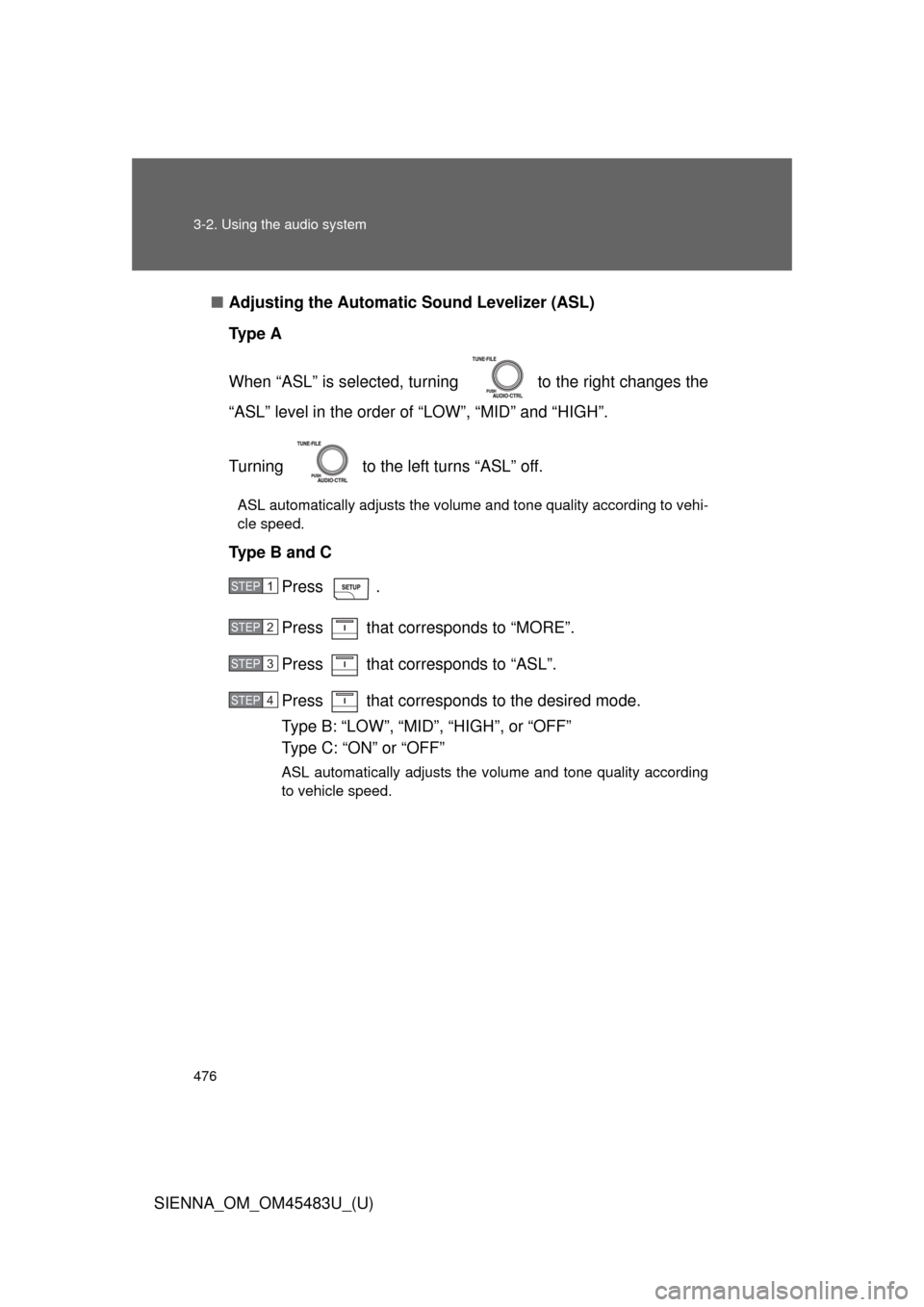
Adjusting the Automatic Sound Levelizer (ASL)
Ty p e A
When “ASL” is selected, turnin g to the right changes the
“ASL” level in the order of “LOW”, “MID” and “HIGH”.
Turning to the left turns “ASL” off.
ASL automatically adjusts the volume and tone quality according to vehi-
cle speed.
Type B and C
Press .
Press that corresponds to “MORE”.
Press that corresponds to “ASL”.
Press that corresponds to the desired mode.
Type B: “LOW”, “MID”, “HIGH”, or “OFF”
Type C: “ON” or “OFF”
ASL automatically adjusts the volume and tone quality according
to vehicle speed.
STEP1
STEP2
STEP3
STEP4