Page 485 of 872
485
3-2. Using the audio system
3
Interior features
SIENNA_OM_OM45483U_(U)
NOTICE
■
To avoid damaging the antenna
Remove the antenna in the following situations.
●When using an automatic carwash.
● When the antenna will touch the ceiling of a garage, etc.
● When covering the vehicle with a car cover.
■ Removing the antenna
●For normal driving, make sure the antenna is installed.
● When removing the antenna to use an automatic carwash, etc., be careful
not to lose the antenna. Also, make sure to reinstall the antenna before
driving the vehicle.
■ Using the wrench
●When installing or removing the antenna, use the included wrench.
● Be careful not to scratch or damage the vehicle body with the wrench.
● Do not over-tighten the antenna.
Over-tightening may damage the antenna.
● Do not use any tools other than the included wrench to install or remove
the antenna.
Otherwise damage may result on the antenna’s finish.
Page 486 of 872
486
SIENNA_OM_OM45483U_(U)
3-3. Using the Bluetooth® audio system
Bluetooth® audio system
: If equipped
The Bluetooth® audio system enables you to enjoy music played on
a portable digital audio player (portable player) from the vehicle
speakers via wireless communication.
This audio system supports Bluetooth
®, a wireless data system
capable of playing portable audio music without cables. If your por-
table player does not support Bluetooth
®, the Bluetooth® audio sys-
tem will not function.
Vehicles with a navigation system
Owners of models equipped with a navigation system should
refer to the “NAVIGATION SYSTEM OWNER’S MANUAL”.
Vehicles without a navigation system
TitlePage
Using the Bluetooth® audio systemP. 490
Operating a Bluetooth® enabled portable playerP. 496
Setting up a Bluetooth® enabled portable playerP. 498
Bluetooth® audio system setupP. 503
Page 487 of 872
487
3-3. Using the Bluetooth
® audio system
3
Interior features
SIENNA_OM_OM45483U_(U)
■
Conditions under which the system will not operate
●If using a portable player that does not support Bluetooth
®
●If the portable player is switched off
● If the portable player is not connected
● If the portable player’s battery is low
● If the portable player is behind the seat or in the glove box or console box
● If metal is covering or touching the portable player
■ When transferring ownership of the vehicle
Be sure to initialize the system to prevent personal data from being improp-
erly accessed. ( P. 573)
■ About Bluetooth
®
Bluetooth is a registered trademark of
Bluetooth SIG, Inc.
Page 488 of 872

488 3-3. Using the Bluetooth
® audio system
SIENNA_OM_OM45483U_(U)
■Compatible models
●Bluetooth
® specifications:
Ver. 1.2, or higher (Recommended: Ver. 2.0+EDR or higher)
● Following Profiles:
• A2DP (Advanced Audio Distribution Profile) Ver. 1.0 or higher
• AVRCP (Audio/Video Remote Control Profile) Ver. 1.0 or higher
(Ver. 1.3 or higher recommended)
Portable players must correspond to the above specifications in order to be
connected to the Bluetooth
® audio system. However, please note that some
functions may be limited depending on the type of portable player.
Please go to “http://www.toyota.com/bluetooth” to find approved Bluetooth
®
phones for this system.
■ Certification for the Bluetooth
® audio system
FCC ID: AJDK025
IC ID: 775E-K025
MADE IN THAILAND
This device complies with Part 15 of the FCC Rules and RSS-Gen of IC
Rules. Operation is subject to the following two conditions: (1) This device
may not cause harmful interference, and (2) This device must accept any
interference received, including interference that may cause undesired oper-
ation.
Page 489 of 872
489
3-3. Using the Bluetooth
® audio system
3
Interior features
SIENNA_OM_OM45483U_(U)
CAUTION
■
FCC WARNING
Changes or modifications not expressly approved by the party responsible
for compliance could void the user’s authority to operate the equipment.
Radio Frequency Radiation Exposure. This equipment complies with FCC/
IC radiation exposure limits set forth for uncontrolled equipment and meets
the FCC radio frequency (RF) Exposure Guidelines in Supplement C to
OET65 and RSS-102 of the IC radio frequency (RF) Exposure rules. This
equipment has very low levels of RF energy that it deemed to comply with-
out maximum permissive exposure evaluation (MPE). But it is desirable that
it should be installed and operated with at least 7.9 in. (20 cm) and more
between the radiator and person’s body (excluding extremities: hands,
wrists, feet and ankles).
This transmitter must not be co-located or operated in conjunction with any
other antenna or transmitter.
■ While driving
Do not connect portable players or operate the controls.
■ Caution regarding interference with electronic devices
●Your audio unit is fitted with Bluetooth
® antennas. People with implanted
pacemakers or cardiac defibrillators should maintain a reasonable dis-
tance between themselves and the Bluetooth
® antennas. The radio waves
may affect the operation of such devices.
● Before using Bluetooth
® devices, users of any electrical medical device
other than implanted pacemakers and implanted cardiac defibrillators
should consult the manufacturer of the device for information about its
operation under the influence of radio waves. Radio waves could have
unexpected effects on the operation of such medical devices.
NOTICE
■ To prevent damage to portable players
Do not leave portable players in the vehicle. The temperature inside the
vehicle may become high, resulting in damage to the player.
Page 490 of 872
490
3-3. Using the Bluetooth® audio system
SIENNA_OM_OM45483U_(U)
Using the Bluetooth® audio system
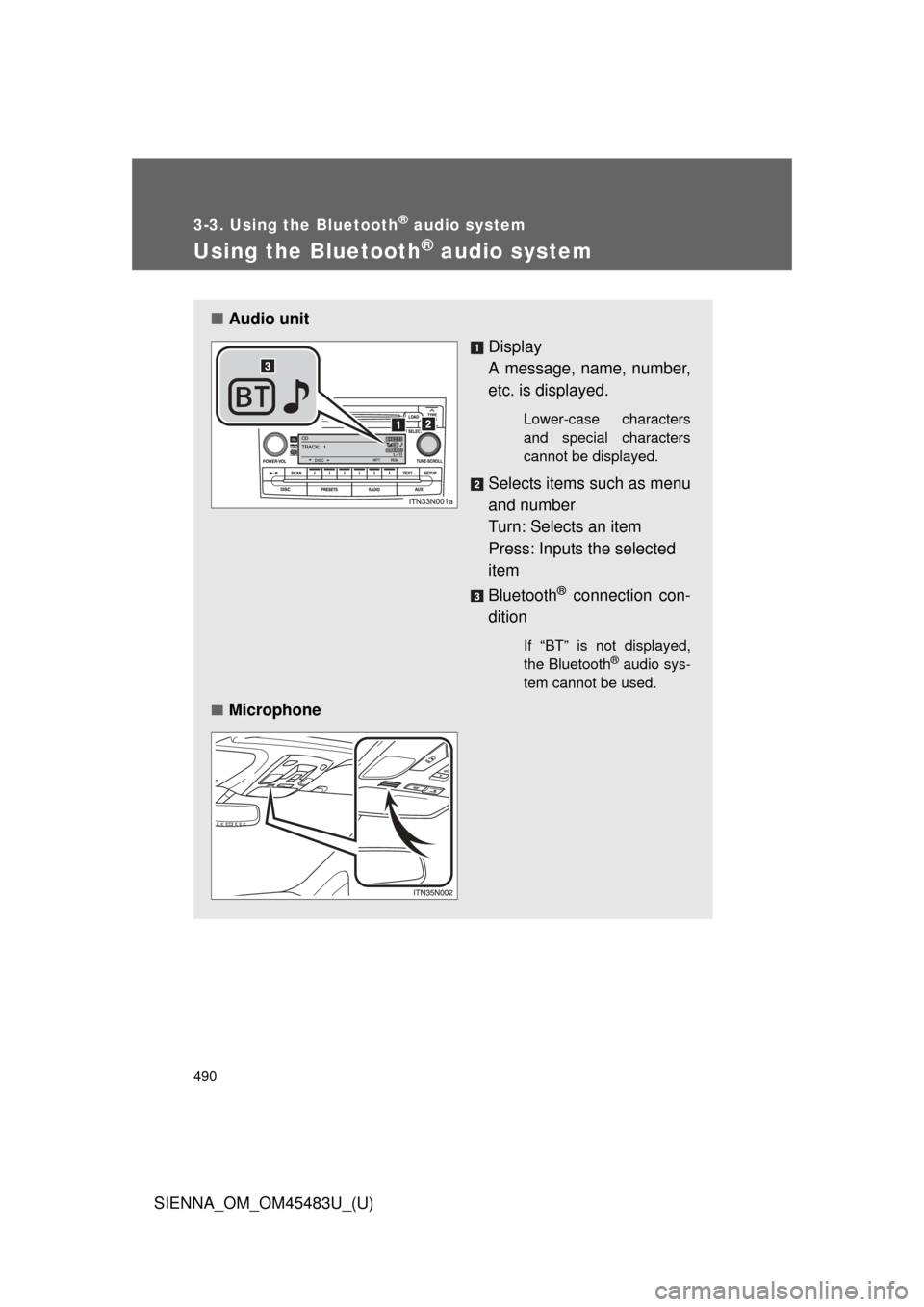
■Audio unit
Display
A message, name, number,
etc. is displayed.
Lower-case characters
and special characters
cannot be displayed.
Selects items such as menu
and number
Turn: Selects an item
Press: Inputs the selected
item
Bluetooth
® connection con-
dition
If “BT” is not displayed,
the Bluetooth® audio sys-
tem cannot be used.
■ Microphone
Page 491 of 872
491
3-3. Using the Bluetooth
® audio system
3
Interior features
SIENNA_OM_OM45483U_(U)
Operating the system using voice commands
By following voice guidance inst ructions output from the speaker,
voice commands enable to th e operation of the Bluetooth
® audio sys-
tem without the need to check the display or operate .
■ Operation procedure when using voice commands
Press the talk switch and follo w voice guidance instructions.
■ Auxiliary commands when using voice commands
The following auxiliary commands can be used when operating the
system using a voice command:
Cancel: Exits the Bluetooth
® audio system
Repeat: Repeats the previous voice guidance instruction
Go back: Returns to the previous procedure
Help: Reads aloud the function summary if a help comment is
registered for the selected function
Page 492 of 872
492 3-3. Using the Bluetooth
® audio system
SIENNA_OM_OM45483U_(U)
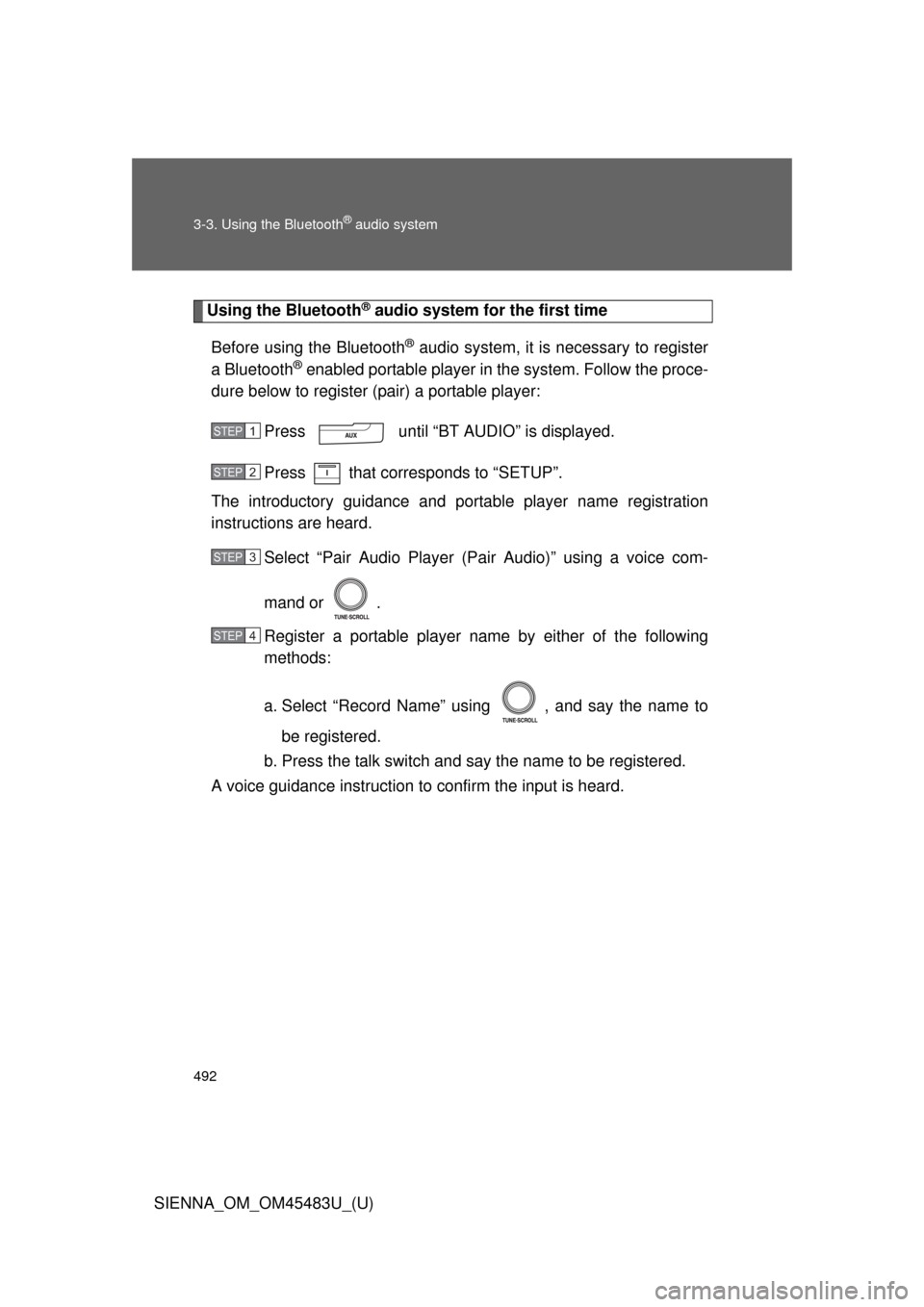
Using the Bluetooth® audio system for the first time
Before using the Bluetooth
® audio system, it is necessary to register
a Bluetooth
® enabled portable player in the system. Follow the proce-
dure below to register (pair) a portable player:
Press until “BT AUDIO” is displayed.
Press that corresponds to “SETUP”.
The introductory guidance and port able player name registration
instructions are heard.
Select “Pair Audio Player (P air Audio)” using a voice com-
mand or .
Register a portable player nam e by either of the following
methods:
a. Select “Record Name” using , and say the name to
be registered.
b. Press the talk switch and say the name to be registered.
A voice guidance instruction to confirm the input is heard.
STEP1
STEP2
STEP3
STEP4