Page 360 of 872
360
SIENNA_OM_OM45483U_(U)
2-5. Driving information
Cargo and luggage
Take notice of the following information about storage precau-
tions, cargo capacity and load:
●Stow cargo and luggage in the luggage compartment whenever
possible.
● Be sure all items are secured in place.
● To maintain vehicle balance while driving, position luggage
evenly within the luggage compartment.
● For better fuel economy, do no t carry unnecessary weight.
Page 363 of 872
363
2-5. Driving information
2
When driving
SIENNA_OM_OM45483U_(U)
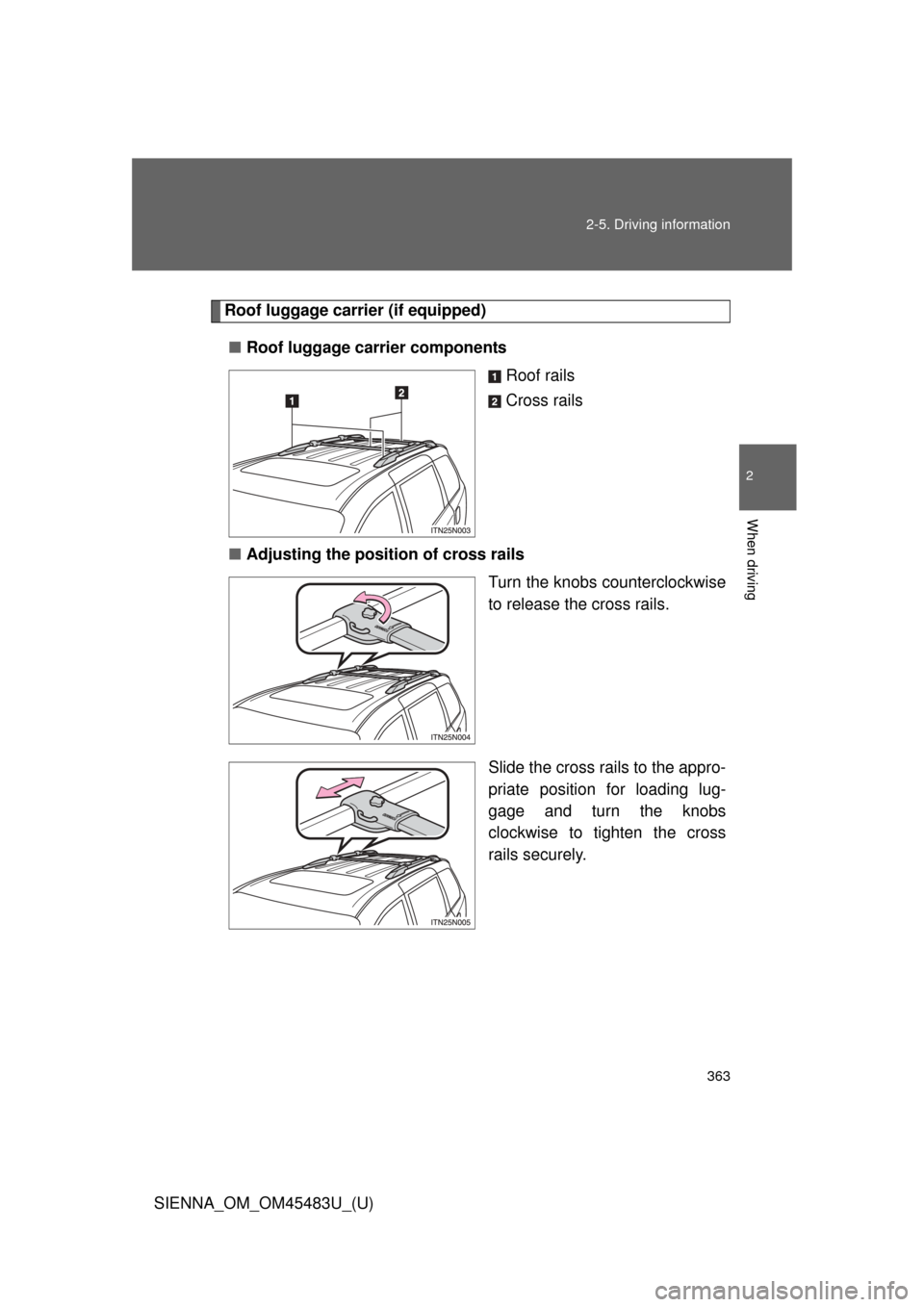
Roof luggage carri
er (if equipped)
■ Roof luggage carrier components
Roof rails
Cross rails
■ Adjusting the position of cross rails
Turn the knobs counterclockwise
to release the cross rails.
Slide the cross rails to the appro-
priate position for loading lug-
gage and turn the knobs
clockwise to tighten the cross
rails securely.
Page 366 of 872
366 2-5. Driving information
SIENNA_OM_OM45483U_(U)
CAUTION
■Storage precautions
●Secure all items in the occupant compartment, as they may shift and
injure someone during sudden braking, sudden swerving or an acci-
dent.
●When you fold down the rear seats, long items should not be placed
directly behind the front seats.
●Never allow anyone to ride in the luggage compartment. It is not
designed for passengers. They should ride in their seats with their seat
belts properly fastened. Otherwise, they are much more likely to suffer
death or serious bodily injury, in t he event of sudden braking, sudden
swerving or an accident.
■Capacity and distribution
●Do not exceed the maximum axle weight rating or the total vehicle
weight rating.
●Even if the total load of occupant’s weight and the cargo load is less
than the total load capacity, do not apply the load unevenly.
Improper loading may cause deterioration of steering or braking con-
trol which may cause death or serious injury.
■Cross rail adjustment
Make sure the cross rails are locked securely by pushing forward and
rearward them.
Failure to do so may cause an unexpected accident.
Page 367 of 872
367
2-5. Driving information
2
When driving
SIENNA_OM_OM45483U_(U)
CAUTION
■When loading cargo
Observe the following precautions:
●Place the cargo so that its weight is distributed evenly between the
front and rear axles.
●If loading long or wide cargo, never exceed the vehicle overall length
or width. (
P. 798)
●Before driving, make sure the cargo is securely fastened on the roof
luggage carrier.
●Loading cargo on the roof luggage carrier will make the center of grav-
ity of the vehicle higher. Avoid high speeds, sudden starts, sharp turns,
sudden braking or abrupt maneuvers, otherwise it may result in loss of
control or vehicle rollover due to failure to operate this vehicle correctly
and result in death or serious injury.
●If driving for a long distance, on rough roads, or at high speeds, stop
the vehicle now and then during the trip to make sure the cargo
remains in its place.
●Do not exceed 150 lb. (68 kg) cargo weight on the roof luggage carrier.
NOTICE
■When loading cargo (vehicles with moon roof)
Be careful not to scratch th e surface of the moon roof.
Page 387 of 872
387
2-5. Driving information
2
When driving
SIENNA_OM_OM45483U_(U)
■
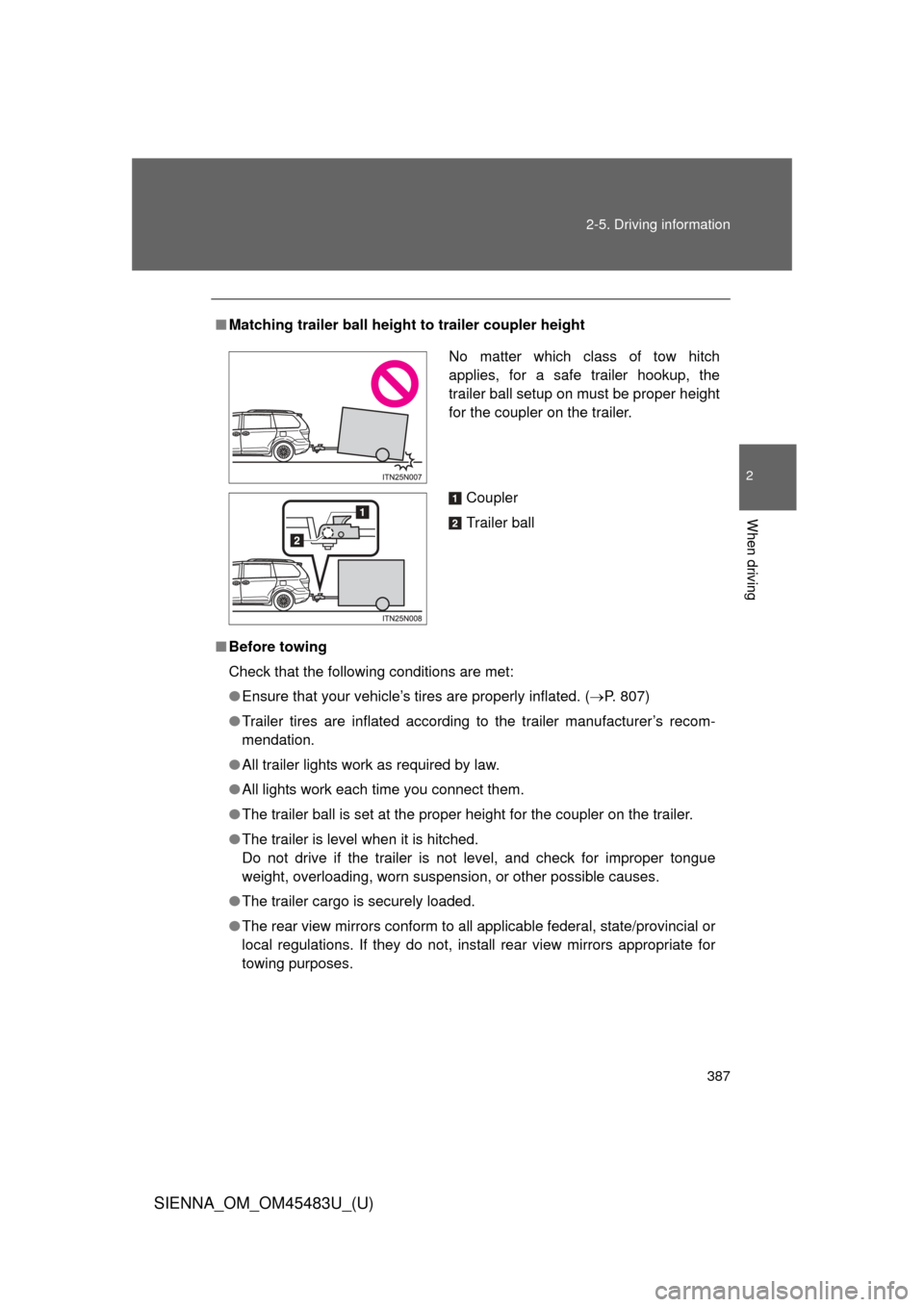
Matching trailer ball height to trailer coupler height
■ Before towing
Check that the following conditions are met:
●Ensure that your vehicle’s tires are properly inflated. ( P. 807)
● Trailer tires are inflated according to the trailer manufacturer’s recom-
mendation.
● All trailer lights work as required by law.
● All lights work each time you connect them.
● The trailer ball is set at the proper height for the coupler on the trai\
ler.
● The trailer is level when it is hitched.
Do not drive if the trailer is not level, and check for improper tongue
weight, overloading, worn suspension, or other possible causes.
● The trailer cargo is securely loaded.
● The rear view mirrors conform to all applicable federal, state/provincial or
local regulations. If they do not, instal l rear view mirrors appropriate for
towing purposes.
No matter which class of tow hitch
applies, for a safe trailer hookup, the
trailer ball setup on must be proper height
for the coupler on the trailer.
Coupler
Trailer ball
Page 392 of 872
392 2-5. Driving information
SIENNA_OM_OM45483U_(U)
CAUTION
■When towing a trailer
Toyota recommends trailers with brakes that conform to any applicable fed-
eral and state/provincial regulations.
●If the gross trailer weight exceeds unbraked TWR, trailer brakes are
required. Toyota recommends trailers with brakes that conform to all appli-
cable federal and state/provincial regulations.
● Never tap into your vehicle’s hydraulic system, as this will lower the vehi-
cle’s braking effectiveness.
● Never tow a trailer without using a safety chain securely attached to both
the trailer and the vehicle. If damage occurs to the coupling unit or hitch
ball, there is danger of the trailer wandering into another lane.
NOTICE
■When installing a trailer hitch
Use only the position recommended by your Toyota dealer. Do not install the
trailer hitch on the bumper; this may cause body damage.
■ Do not directly splice trailer lights
Do not directly splice trailer lights. Directly splicing trailer lights may damage
your vehicle’s electrical system and cause a malfunction.
Page 395 of 872
Interior features3
395
SIENNA_OM_OM45483U_(U)
3-5. Using the hands-free phone system (for cellular phone)
Hands-free phone system (for cellular phone)
features .......................... 545
Using the hands-free phone system (for cellular
phone)............................ 550
Making a phone call ......... 559
Setting a cellular phone ... 564
Security and system setup .............................. 569
Using the phone book ...... 574
3-6. Using the interior lights Interior lights list ............... 582
• Personal/interior light main switch ............................. 583
• Personal/interior lights ... 584
• Personal lights ............... 586
• Rear ceiling lights .......... 586 3-7. Using the storage features
List of storage features .... 588
• Glove boxes ................... 589
• Console box ................... 591
• Overhead console .......... 594
• Cup holders ................... 595
• Bottle holders ................. 598
• Door pockets .................. 600
• Auxiliary boxes ............... 601
3-8. Other interior features Sun visors ........................ 606
Vanity mirrors ................... 607
Clock ................................ 608
Conversation mirror ......... 609
Power outlets ................... 610
Seat heaters..................... 614
Armrests........................... 616
Assist grips....................... 618
Rear side sunshades ....... 619
Grocery bag hooks........... 620
Floor mat .......................... 622
Luggage compartment features .......................... 624
Garage door opener......... 626
Compass .......................... 634
Safety Connect ................ 639
Page 436 of 872
436 3-2. Using the audio system
SIENNA_OM_OM45483U_(U)
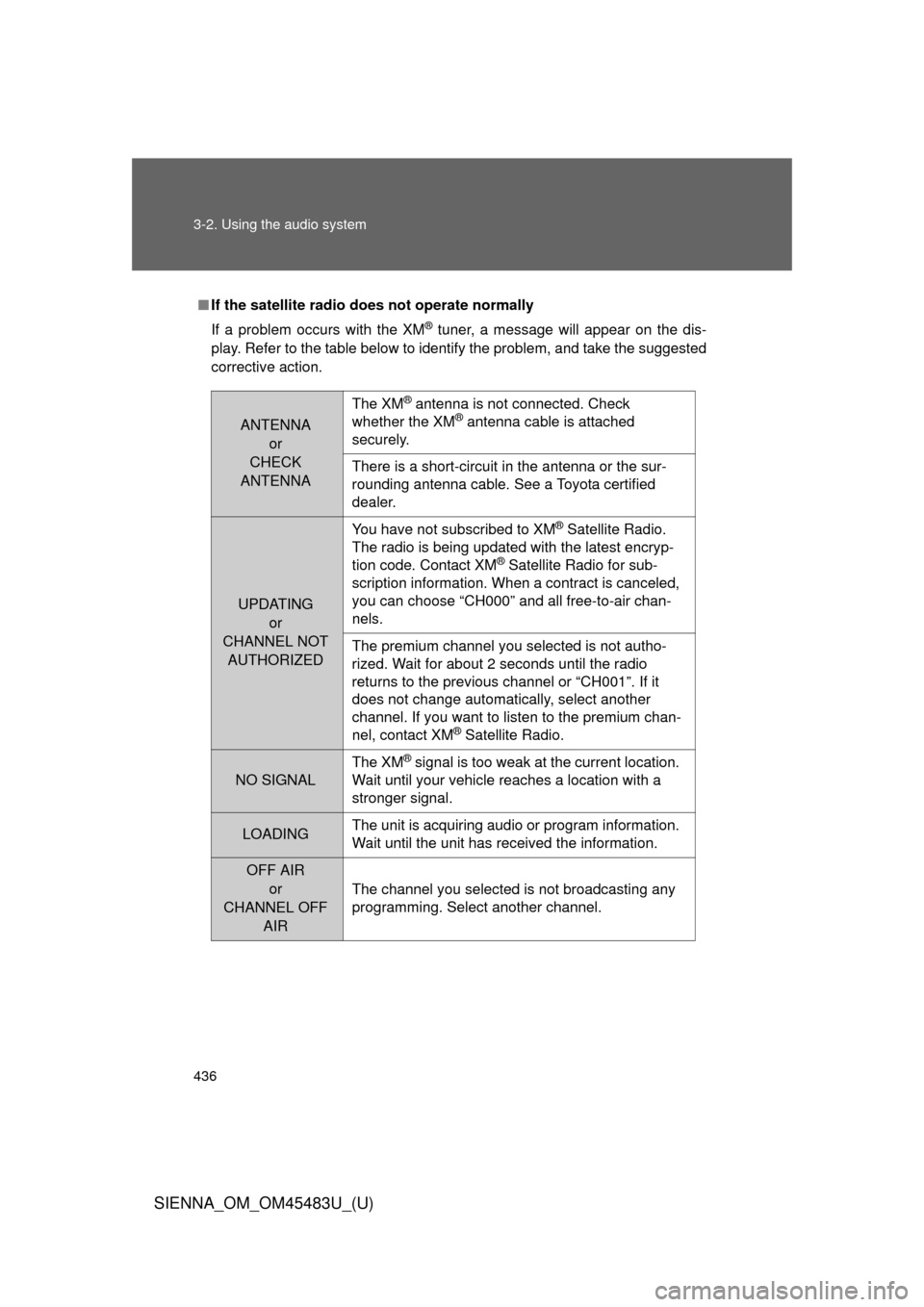
■If the satellite radio does not operate normally
If a problem occurs with the XM
® tuner, a message will appear on the dis-
play. Refer to the table below to identify the problem, and take the suggested
corrective action.
ANTENNA or
CHECK
ANTENNA
The XM® antenna is not connected. Check
whether the XM® antenna cable is attached
securely.
There is a short-circuit in the antenna or the sur-
rounding antenna cable. See a Toyota certified
dealer.
UPDATING
or
CHANNEL NOT AUTHORIZED You have not subscribed to XM
® Satellite Radio.
The radio is being updated with the latest encryp-
tion code. Contact XM
® Satellite Radio for sub-
scription information. When a contract is canceled,
you can choose “CH000” and all free-to-air chan-
nels.
The premium channel you selected is not autho-
rized. Wait for about 2 seconds until the radio
returns to the previous channel or “CH001”. If it
does not change automatically, select another
channel. If you want to listen to the premium chan-
nel, contact XM
® Satellite Radio.
NO SIGNAL The XM
® signal is too weak at the current location.
Wait until your vehicle reaches a location with a
stronger signal.
LOADING The unit is acquiring audio or program information.
Wait until the unit has received the information.
OFF AIR
or
CHANNEL OFF AIR
The channel you selected is not broadcasting any
programming. Select another channel.