Page 346 of 612
3465-19. Bluetooth® phone (Multimedia system)
COROLLA_TMMMS_TMMC_U (OM12F00U)
■Release Tones
●A continuous tone signal is a character string that consists of numbers and
the characters p or w. (e.g.056133w0123p#1)
●When the “p” pause tone is used, the tone data up until the next pause tone
will be automatically sent after 2 seconds have elapsed. When the “w”
pause tone is used, the tone data up until the next pause tone will be auto-
matically sent after a user operation is performed.
●Release tones can be used when automated operation of a phone based
service such as an answering machine or bank phone service is desired. A
phone number with continuous tone signals can be registered in the contact
list.
●Tone data after a “w” pause tone can be operated on voice command during
a call.
Page 367 of 612
3675-19. Bluetooth® phone (Multimedia system)
5
Interior features
COROLLA_TMMMS_TMMC_U (OM12F00U)
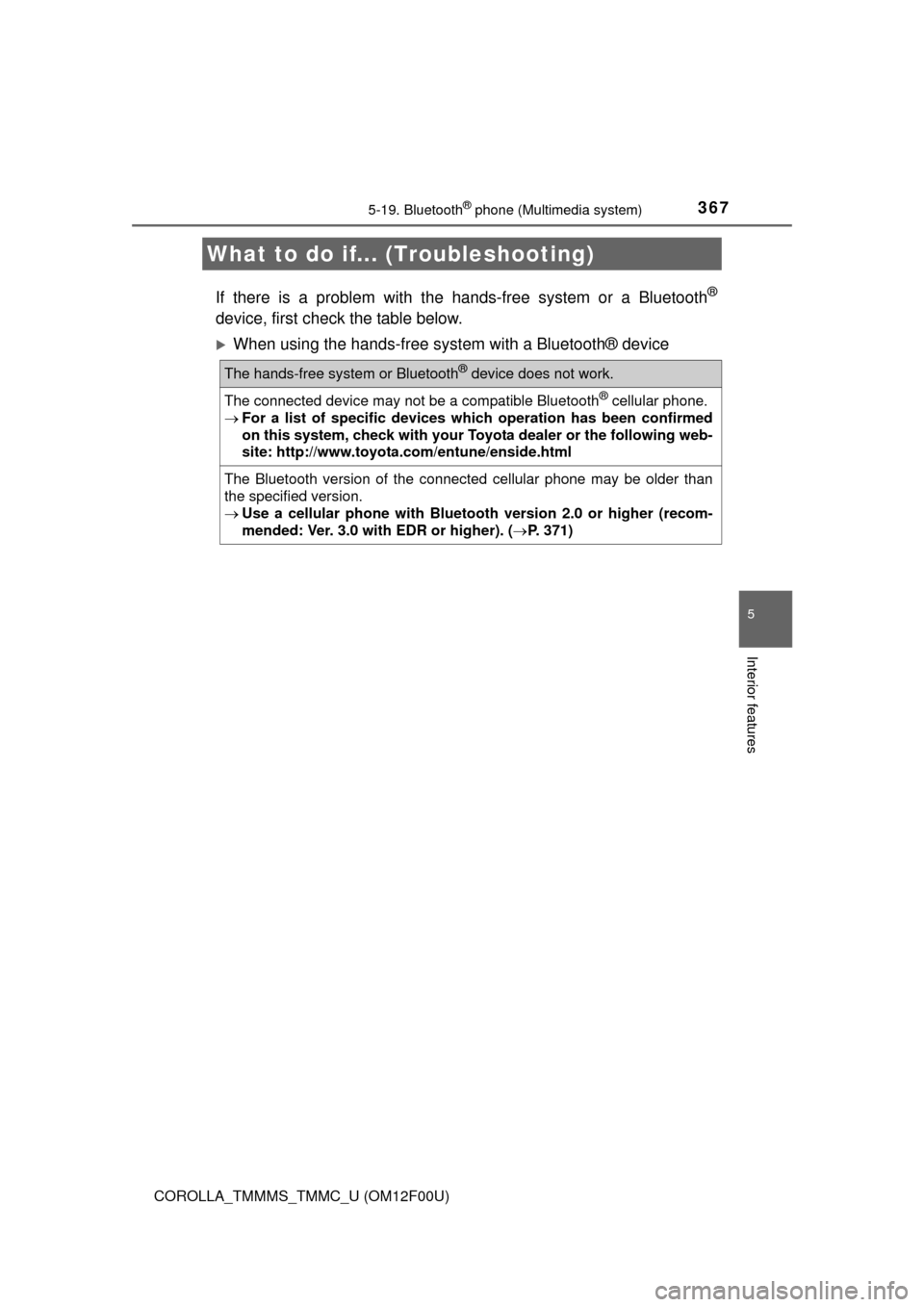
If there is a problem with the hands-free system or a Bluetooth®
device, first check the table below.
When using the hands-free system with a Bluetooth® device
What to do if... (Troubleshooting)
The hands-free system or Bluetooth® device does not work.
The connected device may not be a compatible Bluetooth® cellular phone.
For a list of specific devices which operation has been confirmed
on this system, check with your Toyota dealer or the following web-
site: http://www.toyota.com/entune/enside.html
The Bluetooth version of the connected cellular phone may be older than
the specified version.
Use a cellular phone with Bluetooth version 2.0 or higher (recom-
mended: Ver. 3.0 with EDR or higher). (P. 371)
Page 373 of 612

3735-20. Bluetooth® (Multimedia system)
5
Interior features
COROLLA_TMMMS_TMMC_U (OM12F00U)■Compatible models
The Bluetooth
® audio system supports portable audio players with the follow-
ing specifications
●Bluetooth
® specifications:
Ver. 2.0, or higher (Recommended: Ver. 3.0+EDR or higher)
●Profiles:
• A2DP (Advanced Audio Distribution Profile) Ver. 1.0, or higher
(Recommended: Ver. 1.2 or higher)
This is a profile to transmit stereo audio or high quality sound to the multi-
media system.
• AVRCP (Audio/Video Remote Control Profile) Ver. 1.0 or higher
(Recommended: Ver. 1.4 or higher)
This is a profile to allow remote control the A/V equipment.
However, please note that some functions may be limited depending on the
type of portable audio player connected.
The hands-free system supports cellular phones with the following specifica-
tions.
●Bluetooth
® specification:
Ver. 2.0 or higher (Recommended: Ver. 3.0+EDR or higher)
●Profiles:
• HFP (Hands Free Profile) Ver. 1.0 or higher (Recommended: Ver. 1.6 or
higher)
This is a profile to allow hands-free phone calls using a cellular phone or
head set. It has outgoing and incoming call functions.
• OPP (Object Push Profile) Ver. 1.1 or higher (Recommended: Ver. 1.2)
This is a profile to transfer contact data. When a Bluetooth
® compatible
cellular phone has both PBAP and OPP, OPP cannot be used.
• PBAP (Phone Book Access Profile) Ver. 1.0 or higher (Recommended:
Ver. 1.1)
This is a profile to transfer contact data.
If the cellular phone does not support HFP, you cannot register it with the
hands-free system. OPP, PBAP services must be selected individually.
Page 374 of 612
3745-20. Bluetooth® (Multimedia system)
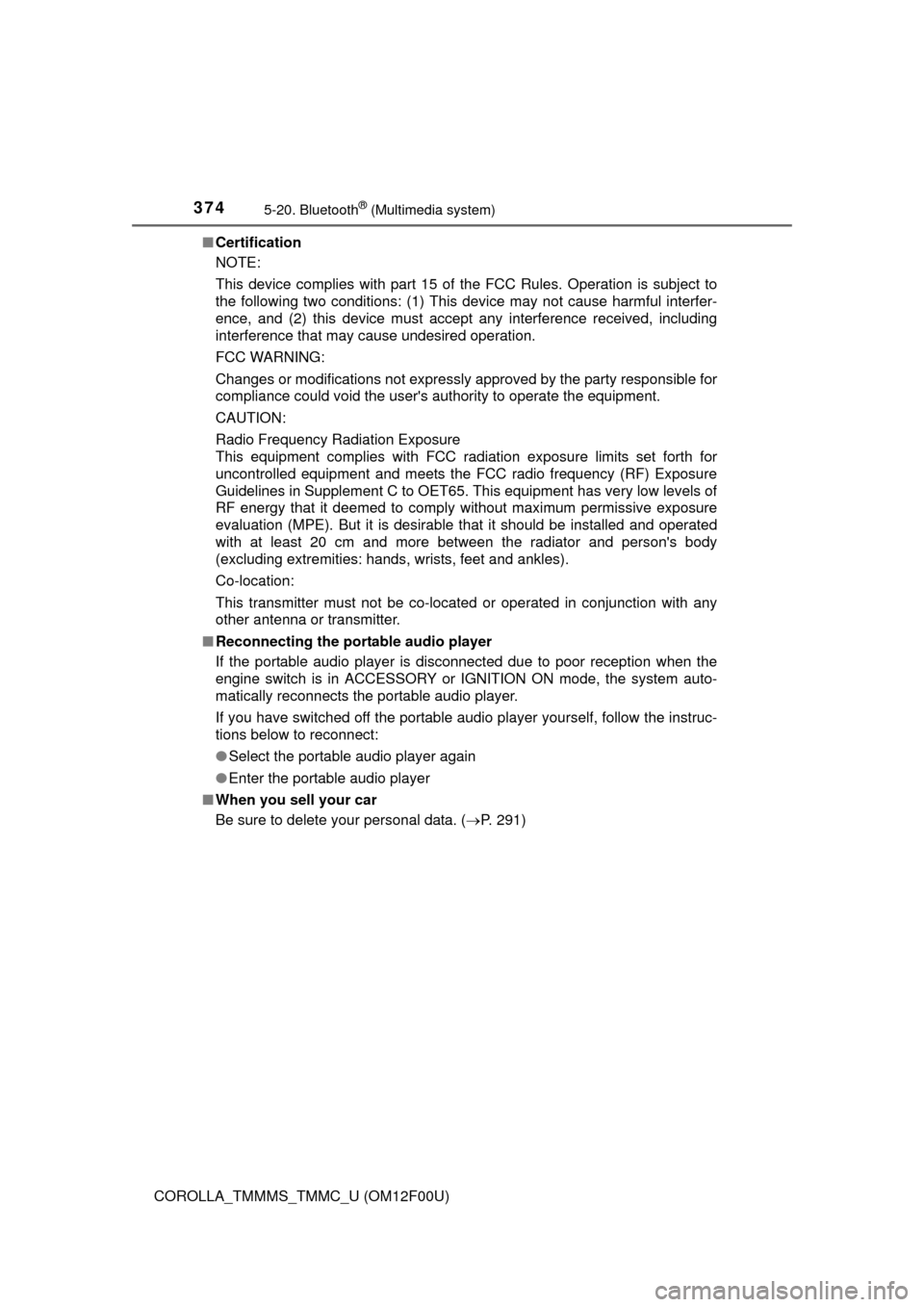
COROLLA_TMMMS_TMMC_U (OM12F00U)■Certification
NOTE:
This device complies with part 15 of the FCC Rules. Operation is subject to
the following two conditions: (1) This device may not cause harmful interfer-
ence, and (2) this device must accept any interference received, including
interference that may cause undesired operation.
FCC WARNING:
Changes or modifications not expressly approved by the party responsible for
compliance could void the user's authority to operate the equipment.
CAUTION:
Radio Frequency Radiation Exposure
This equipment complies with FCC radiation exposure limits set forth for
uncontrolled equipment and meets the FCC radio frequency (RF) Exposure
Guidelines in Supplement C to OET65. This equipment has very low levels of
RF energy that it deemed to comply without maximum permissive exposure
evaluation (MPE). But it is desirable that it should be installed and operated
with at least 20 cm and more between the radiator and person's body
(excluding extremities: hands, wrists, feet and ankles).
Co-location:
This transmitter must not be co-located or operated in conjunction with any
other antenna or transmitter.
■Reconnecting the portable audio player
If the portable audio player is disconnected due to poor reception when the
engine switch is in ACCESSORY or IGNITION ON mode, the system auto-
matically reconnects the portable audio player.
If you have switched off the portable audio player yourself, follow the instruc-
tions below to reconnect:
●Select the portable audio player again
●Enter the portable audio player
■When you sell your car
Be sure to delete your personal data. (P. 291)
Page 375 of 612
3755-20. Bluetooth® (Multimedia system)
5
Interior features
COROLLA_TMMMS_TMMC_U (OM12F00U)
CAUTION
■While driving
Do not use the portable audio player, cellular phone or connect a device to
the Bluetooth
® system.
■Caution regarding interference with electronic devices
●Your audio unit is fitted with Bluetooth
® antennas. People with implanted
pacemakers or cardiac defibrillators should maintain a reasonable dis-
tance between themselves and the Bluetooth
® antennas. The radio waves
may affect the operation of such devices.
●Before using Bluetooth
® devices, users of any electrical medical device
other than implanted pacemakers and implanted cardiac defibrillators
should consult the manufacturer of the device for information about its
operation under the influence of radio waves. Radio waves could have
unexpected effects on the operation of such medical devices.
NOTICE
■When leaving the vehicle
Do not leave your portable audio player or cellular phone in the vehicle. The
inside of the vehicle may become hot, causing damage to the portable
audio player or cellular phone.
Page 376 of 612
376
COROLLA_TMMMS_TMMC_U (OM12F00U)5-21.
Using the voice command system (
Multimedia system)
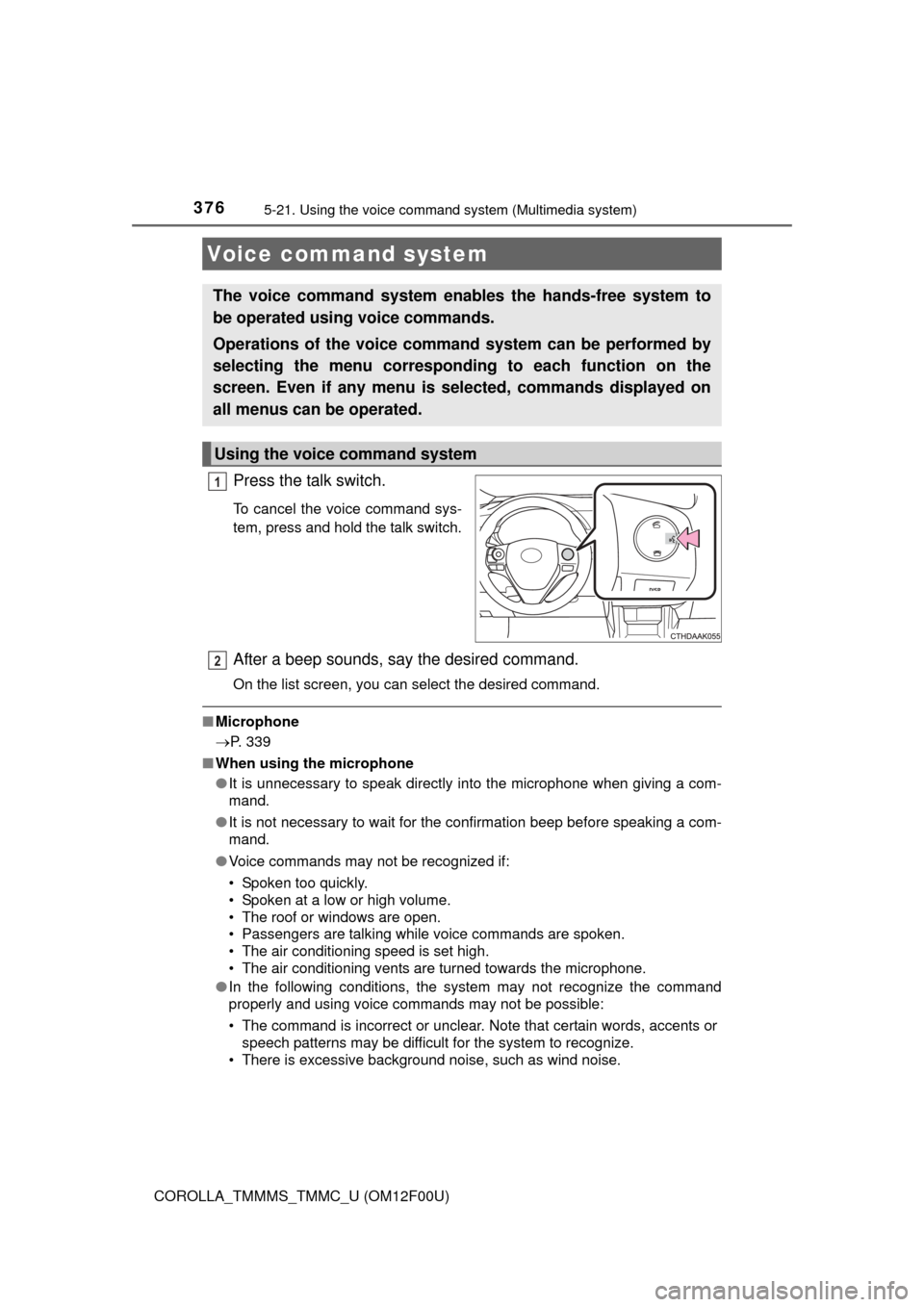
Press the talk switch.
To cancel the voice command sys-
tem, press and hold the talk switch.
After a beep sounds, say the desired command.
On the list screen, you can select the desired command.
■Microphone
P. 339
■ When using the microphone
●It is unnecessary to speak directly into the microphone when giving a com-
mand.
● It is not necessary to wait for the confirmation beep before speaking a com-
mand.
● Voice commands may not be recognized if:
• Spoken too quickly.
• Spoken at a low or high volume.
• The roof or windows are open.
• Passengers are talking while voice commands are spoken.
• The air conditioning speed is set high.
• The air conditioning vents are turned towards the microphone.
● In the following conditions, the system may not recognize the command
properly and using voice commands may not be possible:
• The command is incorrect or unclear. Note that certain words, accents or
speech patterns may be difficult for the system to recognize.
• There is excessive background noise, such as wind noise.
Voice command system
The voice command system enables the hands-free system to
be operated using voice commands.
Operations of the voice comm and system can be performed by
selecting the menu corresponding to each function on the
screen. Even if any menu is selected, commands displayed on
all menus can be operated.
Using the voice command system
1
2
Page 377 of 612
3775-21. Using the voice command system (Multimedia system)
5
Interior features
COROLLA_TMMMS_TMMC_U (OM12F00U)
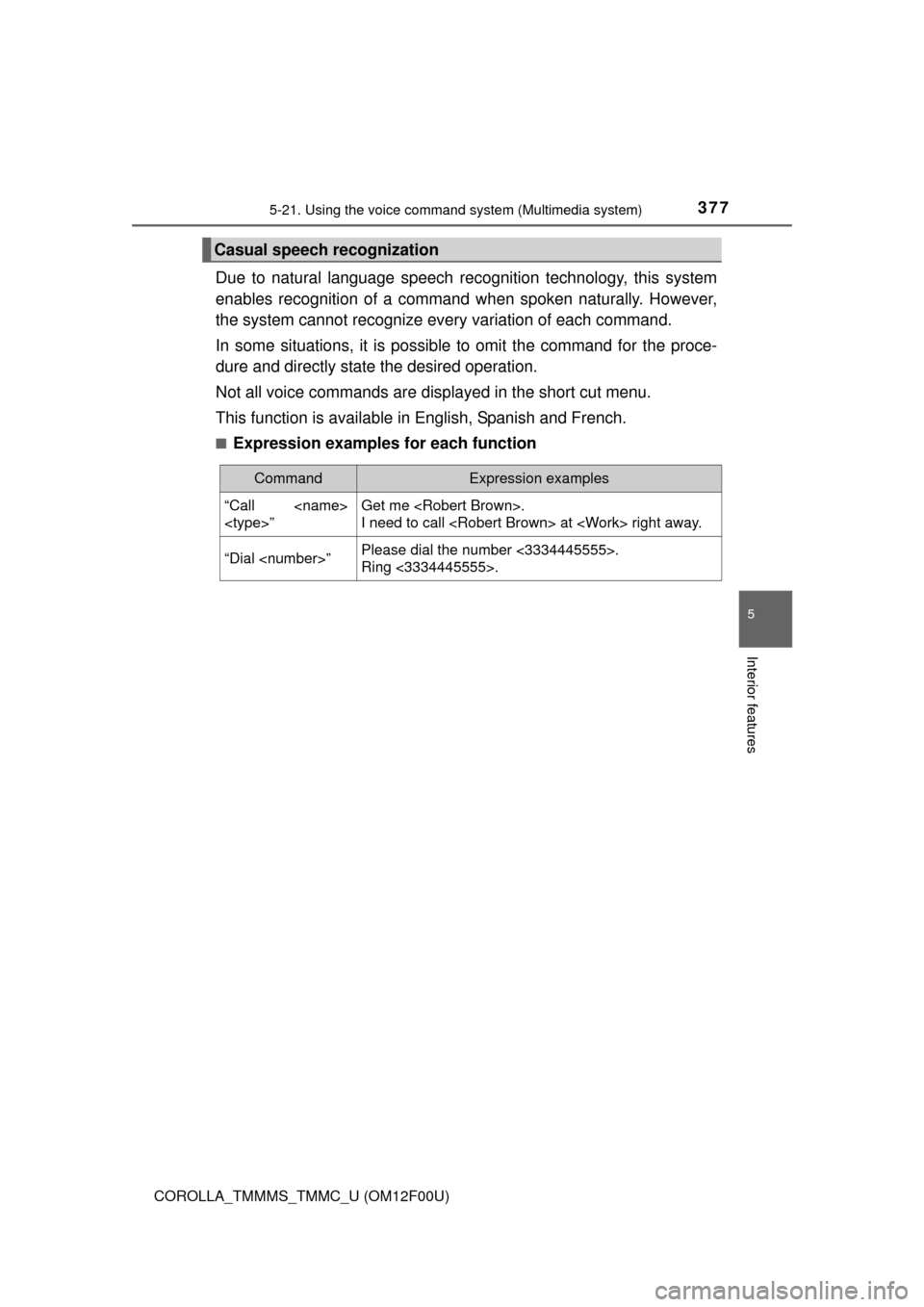
Due to natural language speech recognition technology, this system
enables recognition of a command when spoken naturally. However,
the system cannot recognize every variation of each command.
In some situations, it is possible to omit the command for the proce-
dure and directly state the desired operation.
Not all voice commands are displayed in the short cut menu.
This function is available in English, Spanish and French.
■Expression examples for each function
Casual speech recognization
CommandExpression examples
“Call
”Get me .
I need to call at right away.
“Dial ”Please dial the number <3334445555>.
Ring <3334445555>.
Page 378 of 612
3785-21. Using the voice command system (Multimedia system)
COROLLA_TMMMS_TMMC_U (OM12F00U)
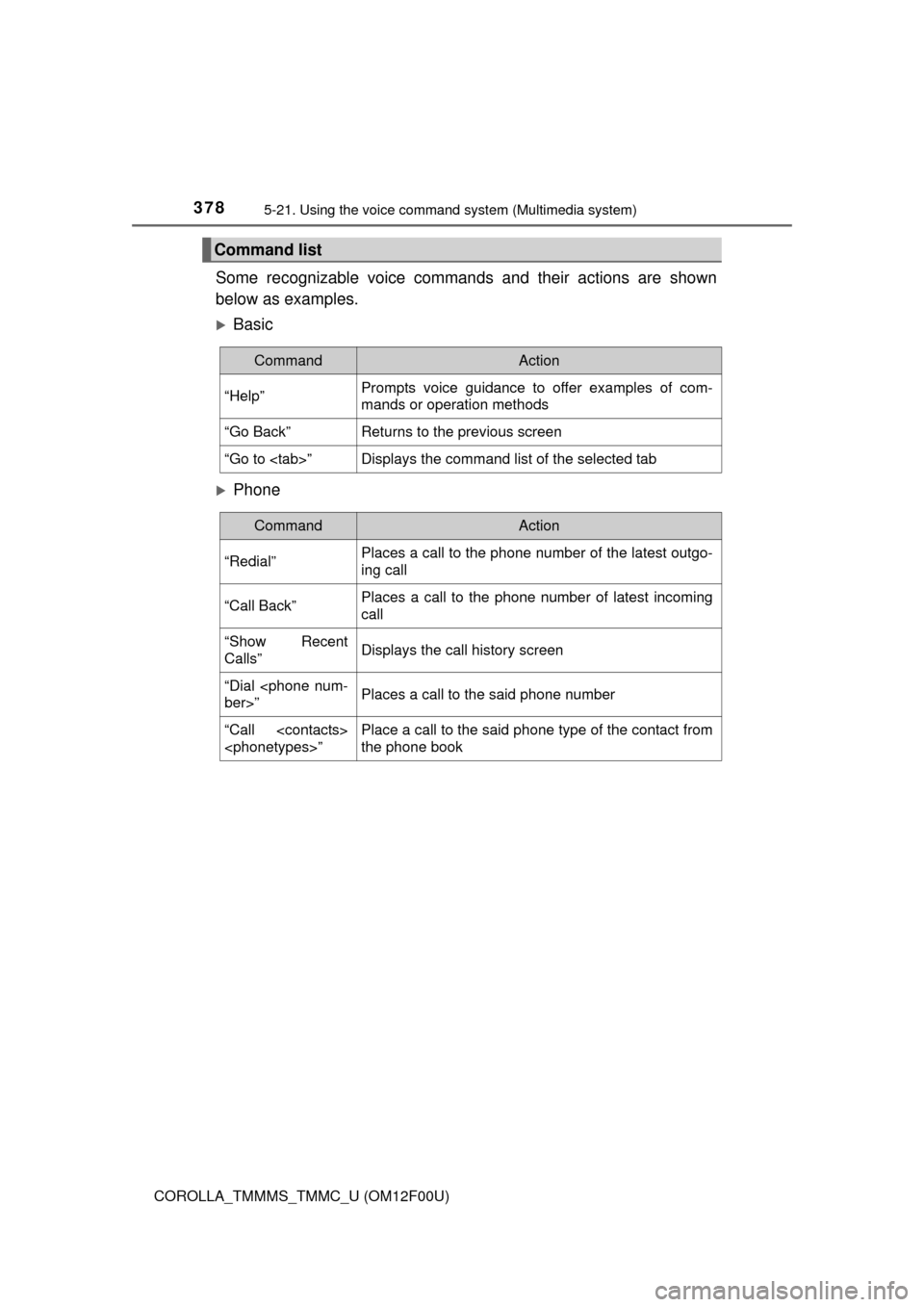
Some recognizable voice commands and their actions are shown
below as examples.
Basic
Phone
Command list
CommandAction
“Help”Prompts voice guidance to offer examples of com-
mands or operation methods
“Go Back”Returns to the previous screen
“Go to ”Displays the command list of the selected tab
CommandAction
“Redial”Places a call to the phone number of the latest outgo-
ing call
“Call Back”Places a call to the phone number of latest incoming
call
“Show Recent
Calls”Displays the call history screen
“Dial
ber>”Places a call to the said phone number
“Call
”Place a call to the said phone type of the contact from
the phone book