Page 201 of 776
201 2-1. Driving procedures
2
When driving
AVENSIS_OM_OM20B88E_(EE)
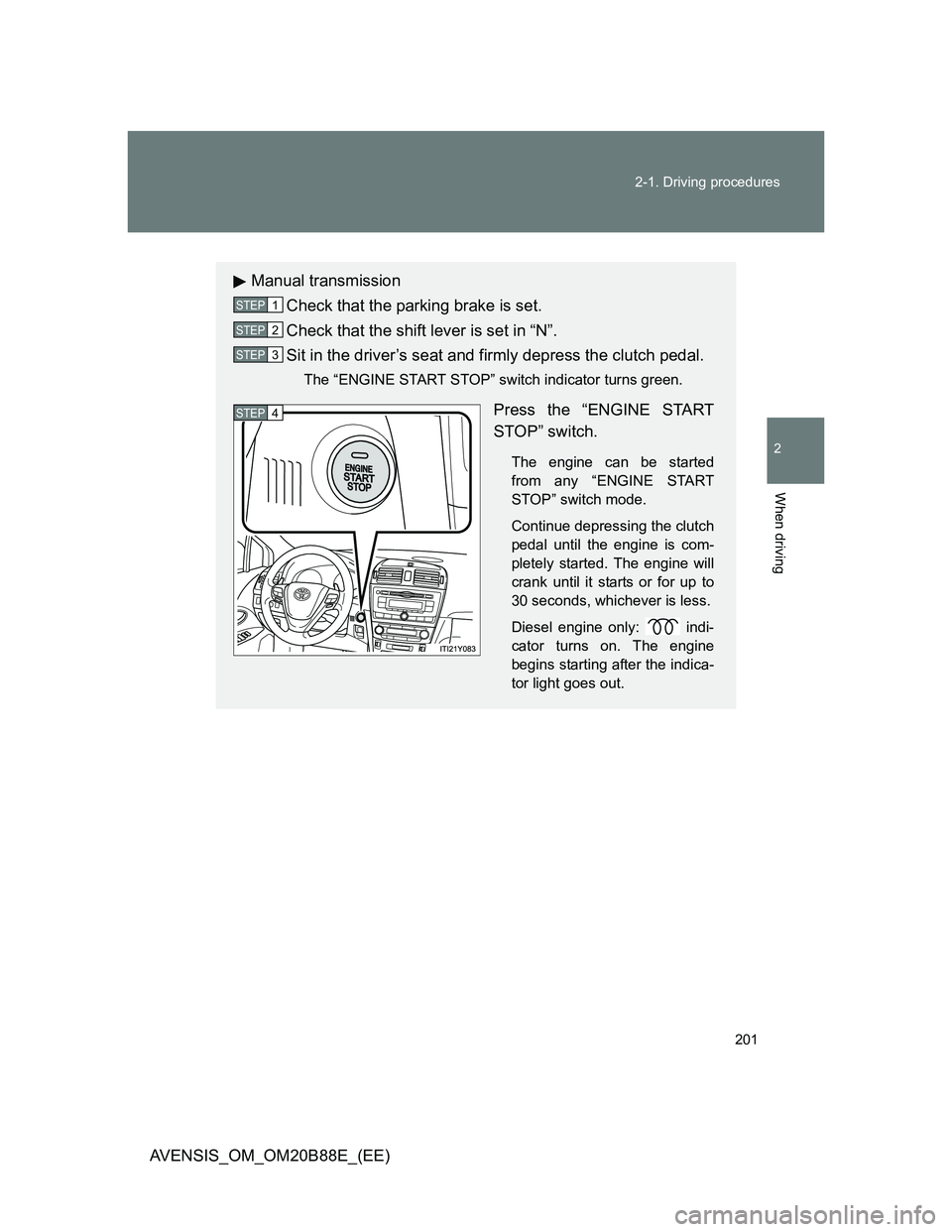
Manual transmission
Check that the parking brake is set.
Check that the shift lever is set in “N”.
Sit in the driver’s seat and firmly depress the clutch pedal.
The “ENGINE START STOP” switch indicator turns green.
Press the “ENGINE START
STOP” switch.
The engine can be started
from any “ENGINE START
STOP” switch mode.
Continue depressing the clutch
pedal until the engine is com-
pletely started. The engine will
crank until it starts or for up to
30 seconds, whichever is less.
Diesel engine only: indi-
cator turns on. The engine
begins starting after the indica-
tor light goes out.
STEP1
STEP2
STEP3
STEP4
Page 205 of 776
205
2-1. Driving procedures
2
When driving
AVENSIS_OM_OM20B88E_(EE)
Engine (ignition) switch (vehicles without smart entr y & start system)
Starting the engine
Multidrive
Check that the parking brake is set.
Check that the shift lever is set in “P”.
Sit in the driver’s seat and firmly depress the brake pedal.
Turn the engine switch to the “START” position and start
the engine.
Automatic transmission (diesel engine)
Check that the parking brake is set.
Check that the shift lever is set in “P”.
Sit in the driver’s seat and firmly depress the brake pedal.
Turn the engine switch to the “ON” position.
indicator light turns on.
After indicator light goes out, turn the engine switch
to the “START” position and start the engine.
Manual transmission (gasoline engine)
Check that the parking brake is set.
Check that the shift lever is set in “N”.
Sit in the driver’s seat and firmly depress the clutch pedal.
Turn the engine switch to the “START” position and start
the engine.
STEP1
STEP2
STEP3
STEP4
STEP1
STEP2
STEP3
STEP4
STEP5
STEP1
STEP2
STEP3
STEP4
Page 206 of 776
206 2-1. Driving procedures
AVENSIS_OM_OM20B88E_(EE)
Manual transmission (diesel engine)
Check that the parking brake is set.
Check that the shift lever is set in “N”.
Sit in the driver’s seat and firmly depress the clutch pedal.
Turn the engine switch to the “ON” position.
indicator light turns on.
After indicator light goes out, turn the engine switch
to the “START” position and start the engine.
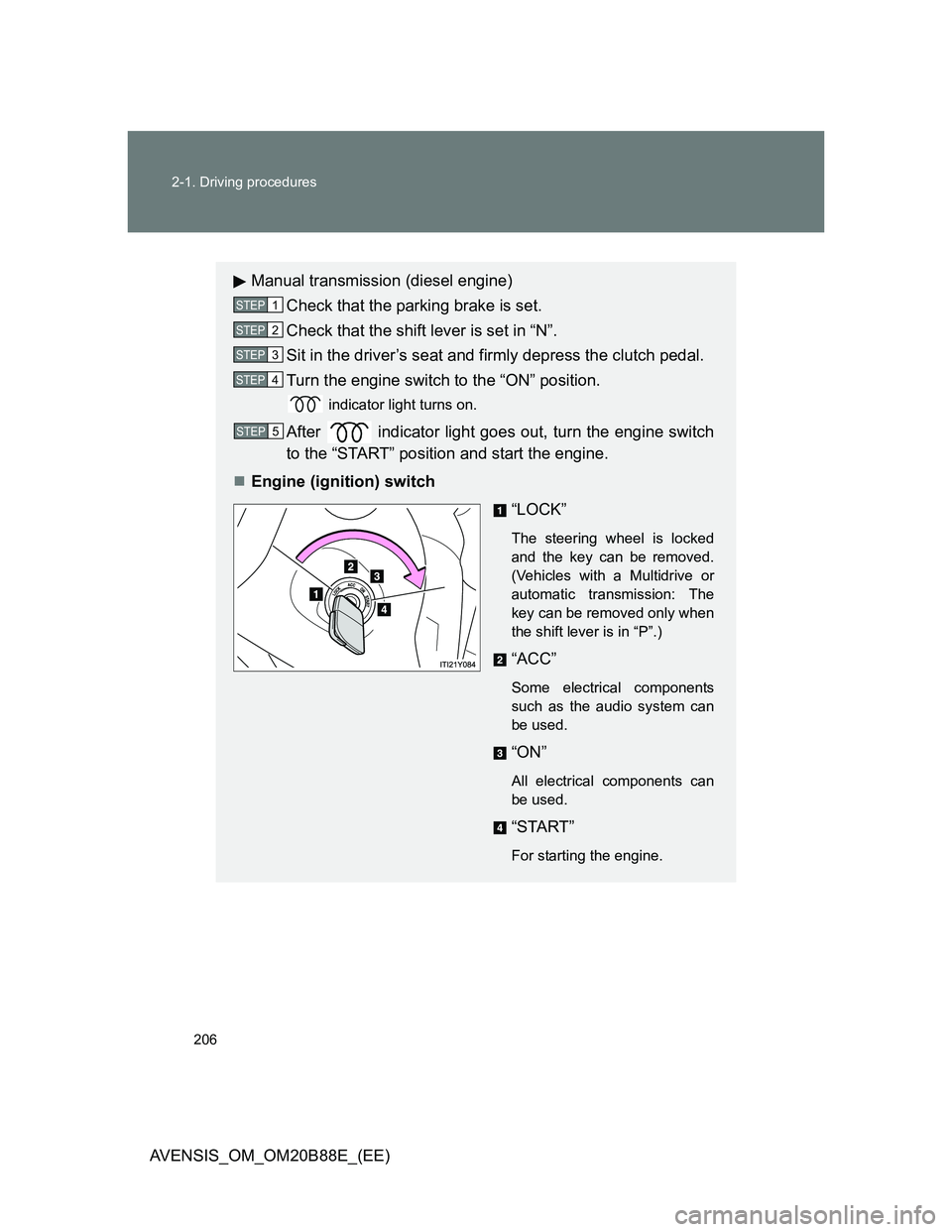
Engine (ignition) switch
“LOCK”
The steering wheel is locked
and the key can be removed.
(Vehicles with a Multidrive or
automatic transmission: The
key can be removed only when
the shift lever is in “P”.)
“ACC”
Some electrical components
such as the audio system can
be used.
“ON”
All electrical components can
be used.
“START”
For starting the engine.
STEP1
STEP2
STEP3
STEP4
STEP5
Page 227 of 776
227
2-1. Driving procedures
2
When driving
AVENSIS_OM_OM20B88E_(EE)
Parking brake
Parking brake switch operation
Vehicles with smart entry & start system
Only when the “ENGINE START STOP” switch is in IGNITION ON mode.
Vehicles without smart entry & start system
Only when the engine switch is in the “ON” position.
Automatic release function (vehicles with a manual transmission)
The parking brake is automatically released during starting the vehicle, thus
making starting off easier.
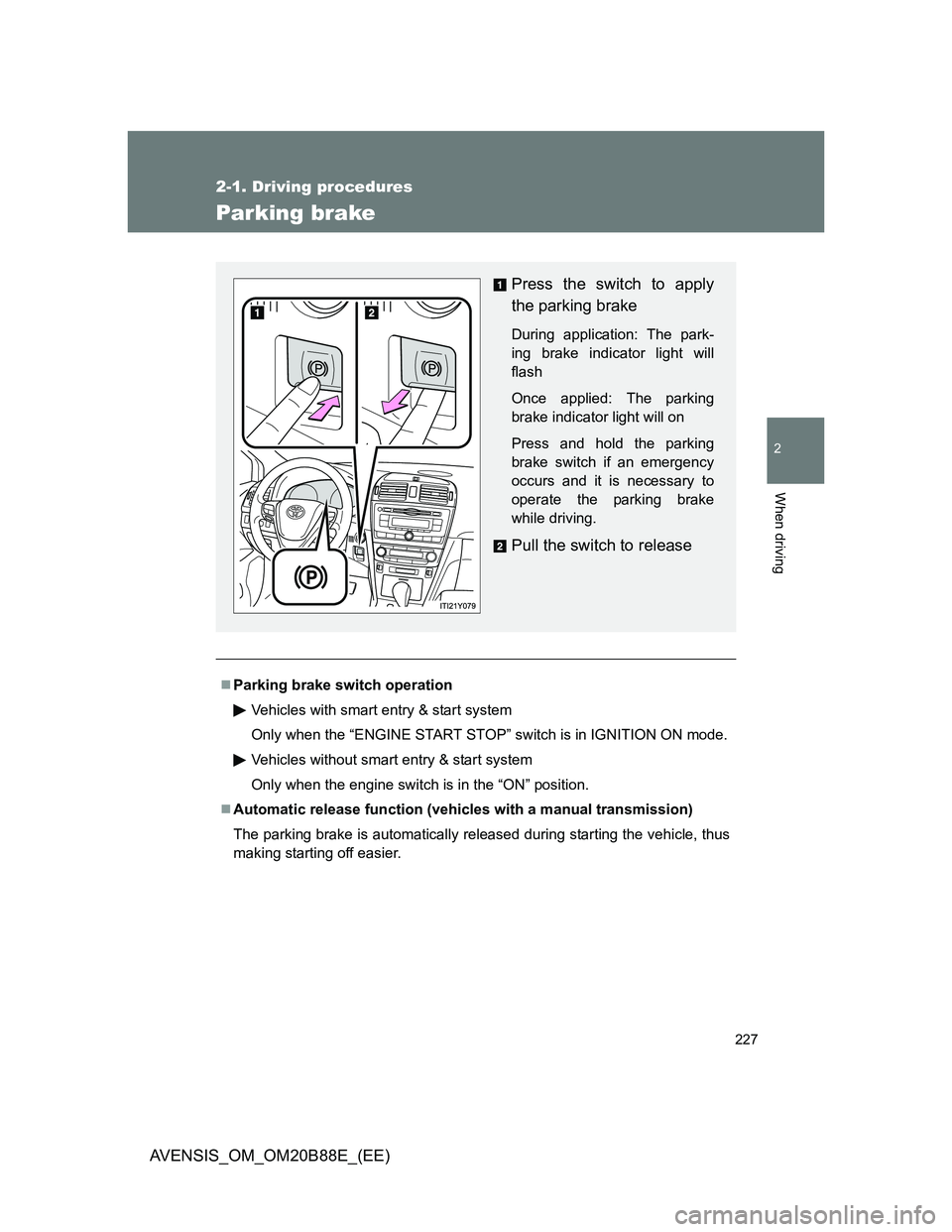
Press the switch to apply
the parking brake
During application: The park-
ing brake indicator light will
flash
Once applied: The parking
brake indicator light will on
Press and hold the parking
brake switch if an emergency
occurs and it is necessary to
operate the parking brake
while driving.
Pull the switch to release
Page 228 of 776
228 2-1. Driving procedures
AVENSIS_OM_OM20B88E_(EE)
Automatic apply function (vehicles with a manual transmission)
To prevent the parking brake from being left accidentally unapplied, the park-
ing brake will be applied automatically under the following conditions:
“ENGINE START STOP” switch is switched to ACCESSORY mode (vehi-
cles with smart entry & start system), or the engine switch is switched to
the “ACC” position (vehicles without smart entry & start system)
The vehicle is stopped
Automatic apply mode (vehicles with a manual transmission)
Automatic apply function (mode) is initially set to ON, but it can be switched
between ON and OFF as the situation demands.
Switching automatic apply mode from ON to OFF:
Stop the vehicle in a horizontal condition and switch the “ENGINE
START STOP” switch to IGNITION ON mode (vehicles with smart
entry & start system), or switch the engine switch to the “ON” posi-
tion (vehicles without smart entry and start system)
STEP1
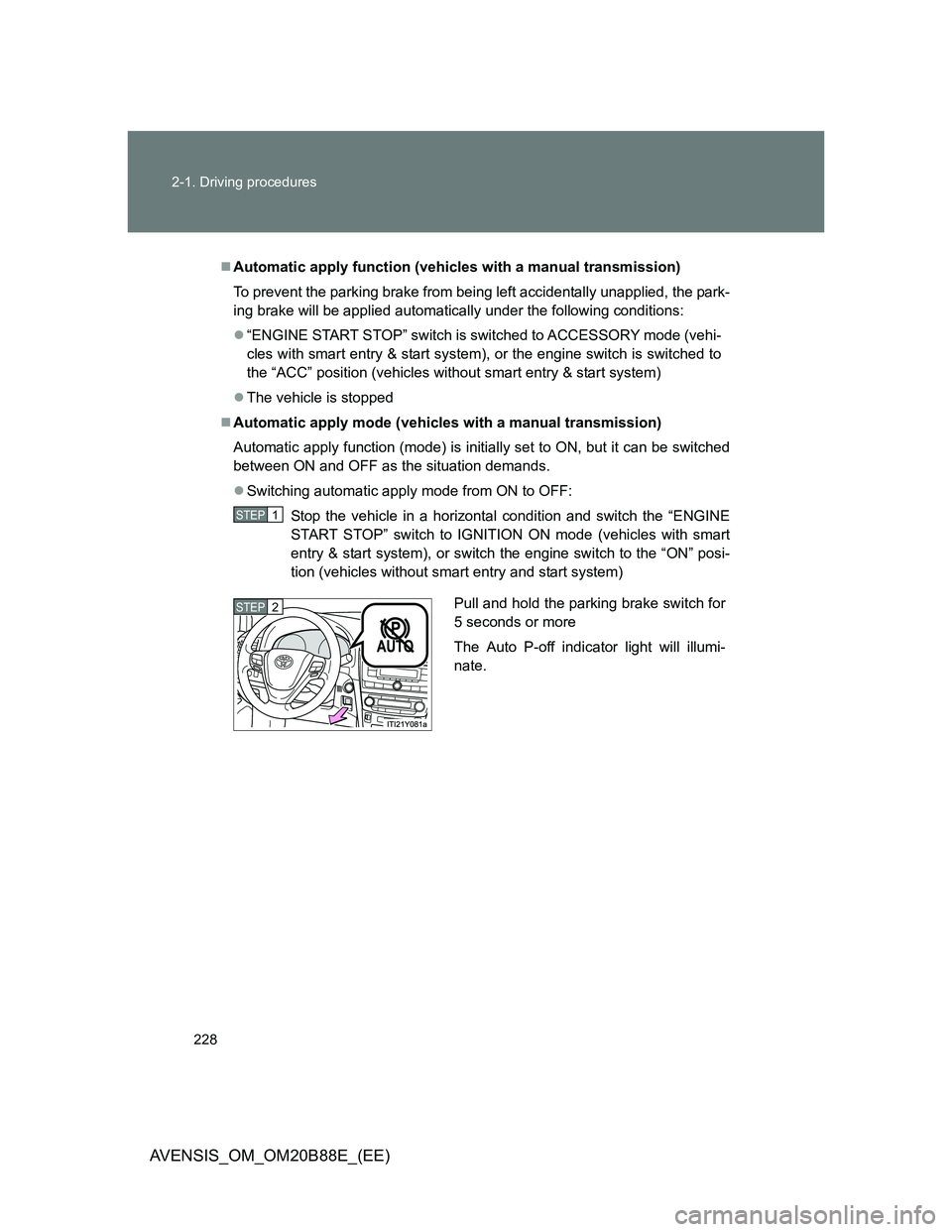
Pull and hold the parking brake switch for
5 seconds or more
The Auto P-off indicator light will illumi-
nate.STEP2
Page 229 of 776
229 2-1. Driving procedures
2
When driving
AVENSIS_OM_OM20B88E_(EE)
Switching automatic apply mode from OFF to ON:
Stop the vehicle in a horizontal condition and switch the “ENGINE
START STOP” switch to IGNITION ON mode (vehicles with smart
entry & start system), or switch the engine switch to the “ON” posi-
tion (vehicles without smart entry and start system).
Push and hold the parking brake switch for 5 seconds or more
The Auto P-off indicator light will go off.
Temporary cancelation of the automatic apply function is available for
specific circumstances (car wash, towing vehicle, etc.).
To temporarily cancel the automatic apply function of the parking brake,
pull the parking brake switch at the same time as you are switching off
the vehicle.
When switch is being pulled for 5 seconds or more, automatic apply
mode changes from ON to OFF.
Parking brake operation sound
When the parking brake operates, a motor sound (whirring sound) may be
heard. This does not indicate a malfunction.
When the system is overheating
The system may become temporarily unavailable in order to prevent over-
heating caused by repeated unnecessary switch operation.
In this event, leaving the system to cool down for a short time will allow nor-
mal operation to resume.
When there is a malfunction in the system
Warning light will turn on or flash. (P. 609)
Usage in winter time
P. 336
STEP1
STEP2
Page 230 of 776
230 2-1. Driving procedures
AVENSIS_OM_OM20B88E_(EE)
CAUTION
When leaving the vehicle
Make sure that the parking brake indicator light is illuminated. If the parking
brake is not applied, the vehicle could move, possibly leading to an accident.
NOTICE
When parking the vehicle
Before you leave the vehicle, set the parking brake, shift the shift lever to “P”
(Multidrive or automatic transmission) or “1” or “R” (manual transmission)
and make sure that the vehicle does not move.
When the parking brake cannot be released due to a malfunction
Use the parking brake release tool to manually release the parking brake.
(P. 697)
Driving the vehicle with the parking brake set will lead to brake components
overheating, which may affect braking performance and increase brake
wear.
Page 237 of 776
237 2-2. Instrument cluster
2
When driving
AVENSIS_OM_OM20B88E_(EE)
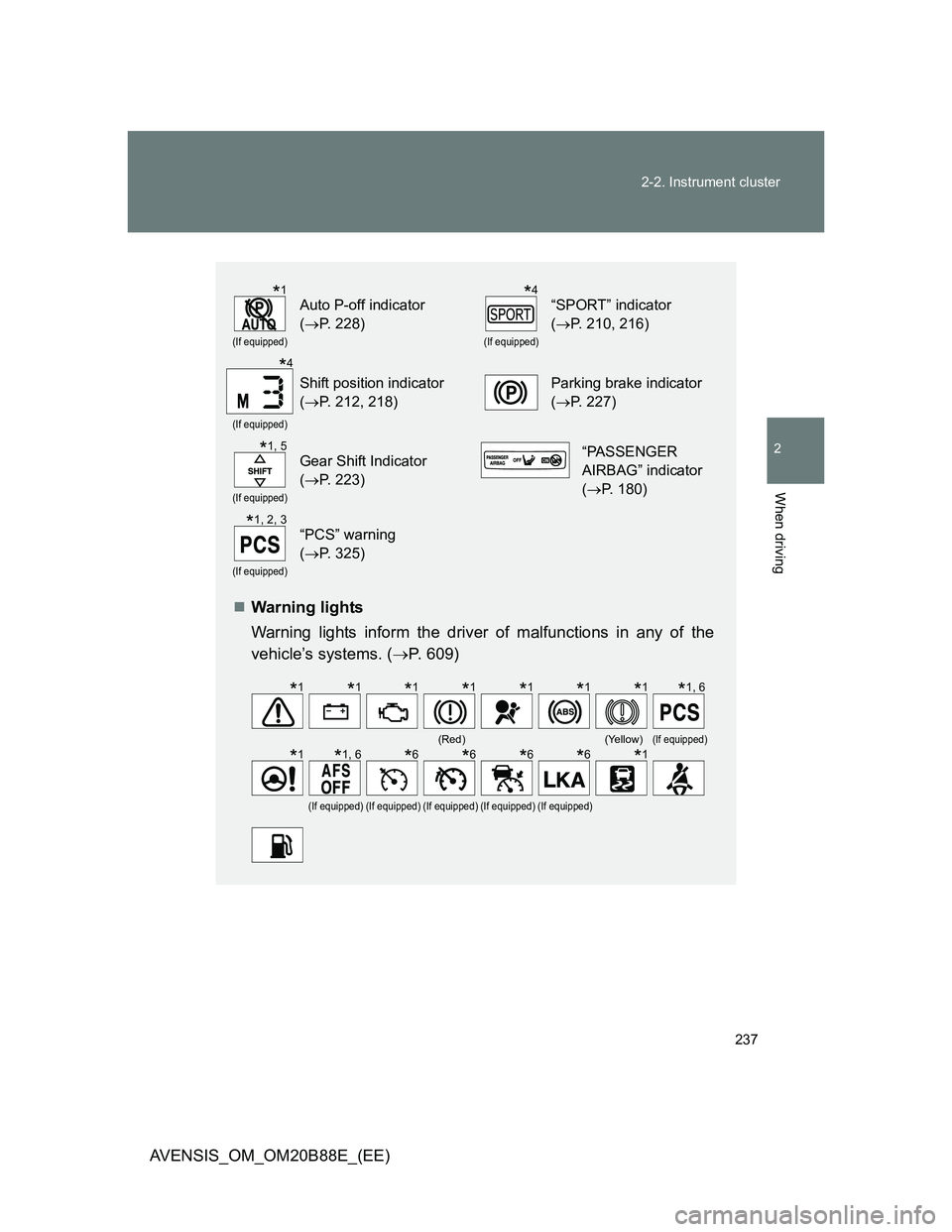
Warning lights
Warning lights inform the driver of malfunctions in any of the
vehicle’s systems. (P. 609)
(If equipped)
Auto P-off indicator
(P. 228)
(If equipped)
“SPORT” indicator
(P. 210, 216)
(If equipped)
Shift position indicator
(P. 212, 218)Parking brake indicator
(P. 227)
(If equipped)
Gear Shift Indicator
(P. 223)“PASSENGER
AIRBAG” indicator
(P. 180)
(If equipped)
“PCS” warning
(P. 325)
(Red)(Yellow)(If equipped)
(If equipped)(If equipped)(If equipped)(If equipped)(If equipped)
*1*4
*4
*1, 5
*1, 2, 3
*1*1*1*1*1*1*1*1, 6
*1*1, 6*6*6*6*6*1