Page 62 of 776
62
1-2. Opening, closing and locking the doors
AVENSIS_OM_OM20B88E_(EE)
Wireless remote control
The wireless remote control can be used to lock and unlock the vehi-
cle from outside the vehicle.
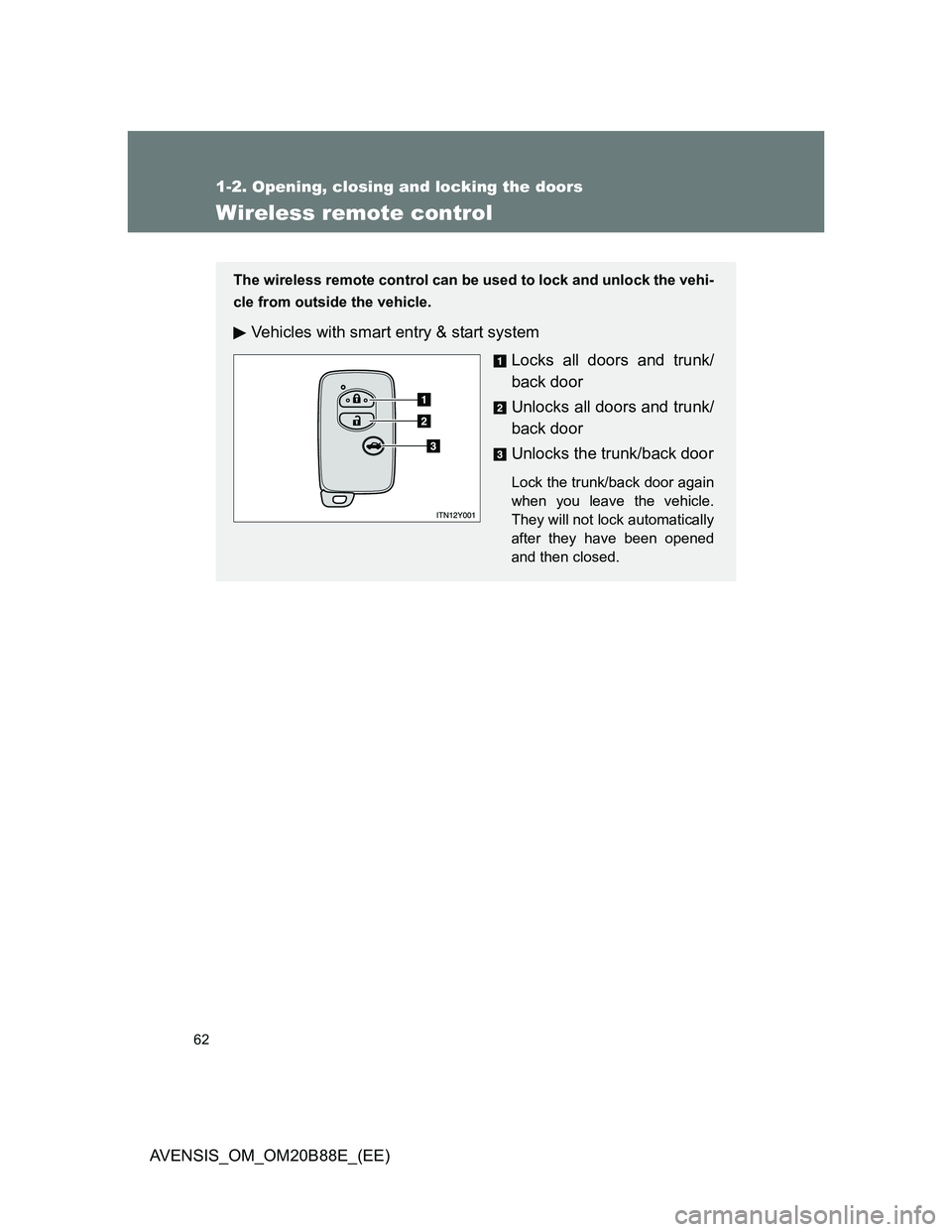
Vehicles with smart entry & start system
Locks all doors and trunk/
back door
Unlocks all doors and trunk/
back door
Unlocks the trunk/back door
Lock the trunk/back door again
when you leave the vehicle.
They will not lock automatically
after they have been opened
and then closed.
Page 64 of 776
64 1-2. Opening, closing and locking the doors
AVENSIS_OM_OM20B88E_(EE)
Operation signals
The emergency flashers flash to indicate that the doors and trunk/back door
have been locked/unlocked. (Locked: Once; Unlocked: Twice)
Door lock buzzer (vehicles with smart entry & start system)
If the door, trunk or back door is not fully closed, a buzzer sounds continu-
ously for 5 seconds if an attempt to lock the door is made. Fully close the
door to stop the buzzer, and lock the vehicle once more.
Alarm
Using the wireless remote control to lock the doors will set the alarm system.
Key battery depletion
Vehicles with smart entry & start system
P. 4 6
Vehicles without smart entry & start system
If the wireless remote control function does not operate, the battery may
be depleted. Replace the battery when necessary. (P. 557)
Security feature
If a door is not opened within approximately 30 seconds after the vehicle is
unlocked, the security feature automatically locks the vehicle again.
If the wireless remote control does not operate properly
Vehicles with smart entry & start system
Locking and unlocking the doors: Use the key. (P. 706)
Starting the engine: P. 707
Vehicles without smart entry & start system
Locking and unlocking the doors: Use the key. (P. 72)
When the electronic key battery is fully depleted
P. 556
Page 65 of 776
65 1-2. Opening, closing and locking the doors
1
Before driving
AVENSIS_OM_OM20B88E_(EE)
Conditions affecting operation
Vehicles with smart entry & start system
P. 4 4
Vehicles without smart entry & start system
The wireless remote control function may not operate normally in the fol-
lowing situations.
Near a TV tower, radio station, electric power plant, airport or other
facility that generates strong radio waves
When carrying a portable radio, cellular phone or other wireless com-
munication device
When multiple wireless keys are in the vicinity
When the wireless key has come into contact with, or is covered by a
metallic object
When a wireless key (that emits radio waves) is being used nearby
When the wireless key has been left near an electrical appliance such
as a personal computer
When the wireless key battery is depleted
If window tint with a metallic content or metallic objects are attached to
the rear window
Sedan: If a metallic object is placed on the package tray
Customization that can be configured at any authorized Toyota dealer
or repairer, or another duly qualified and equipped professional
Settings (e.g. door lock buzzer) can be changed.
(Customizable features P. 753)
Page 66 of 776
66 1-2. Opening, closing and locking the doors
AVENSIS_OM_OM20B88E_(EE)
Certification for wireless remote control (vehicles without smart entry
& start system)
Page 72 of 776
72
1-2. Opening, closing and locking the doors
AVENSIS_OM_OM20B88E_(EE)
Side doors
The vehicle can be locked and unlocked using the smart entry &
start system, wireless remote control or door lock switch.
Smart entry & start system (if equipped)
P. 4 0
Wireless remote control
P. 6 2
Keys
Vehicles with smart entry & start system
The doors can also be locked and unlocked with the mechanical
key. (P. 706)
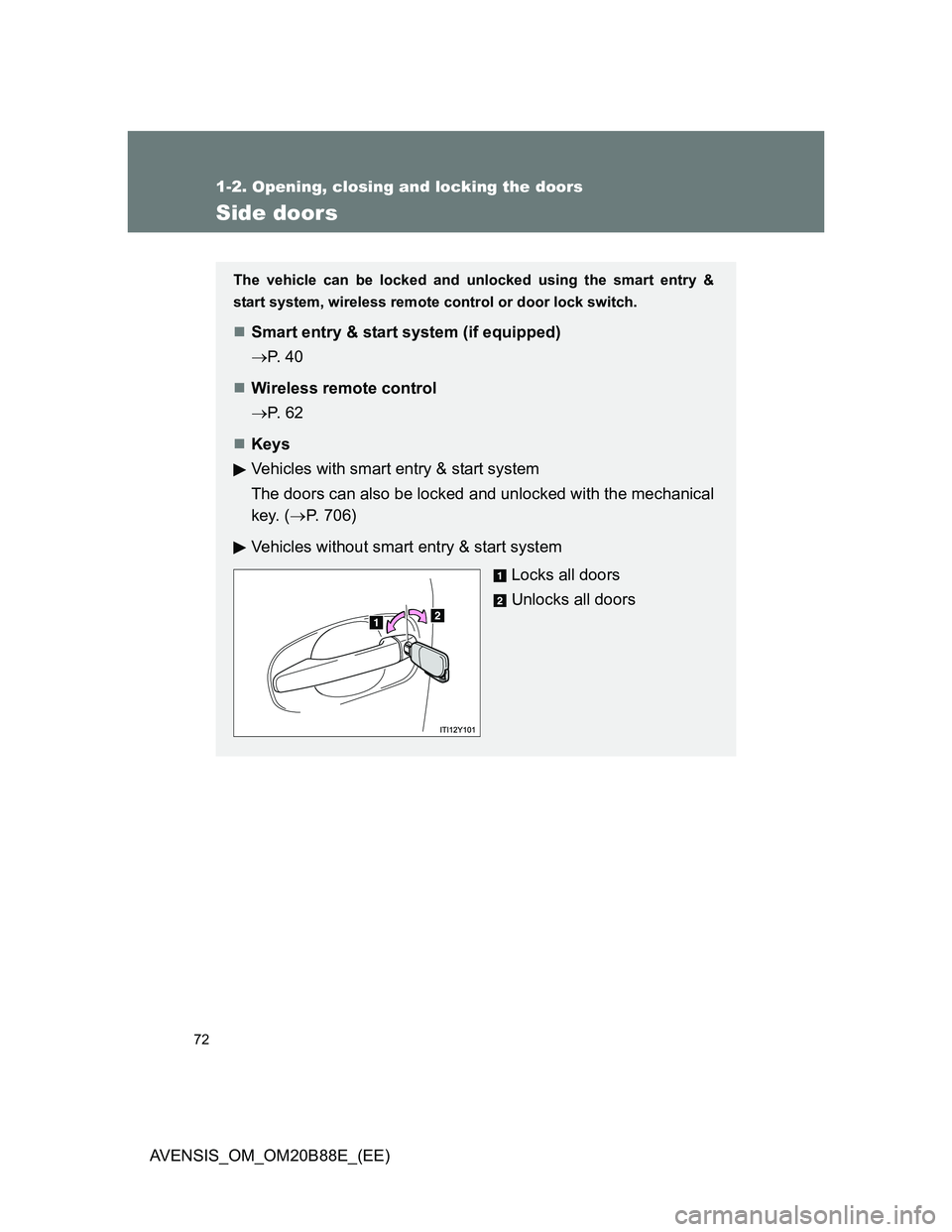
Vehicles without smart entry & start system
Locks all doors
Unlocks all doors
Page 80 of 776
80
1-2. Opening, closing and locking the doors
AVENSIS_OM_OM20B88E_(EE)
Trunk (sedan)
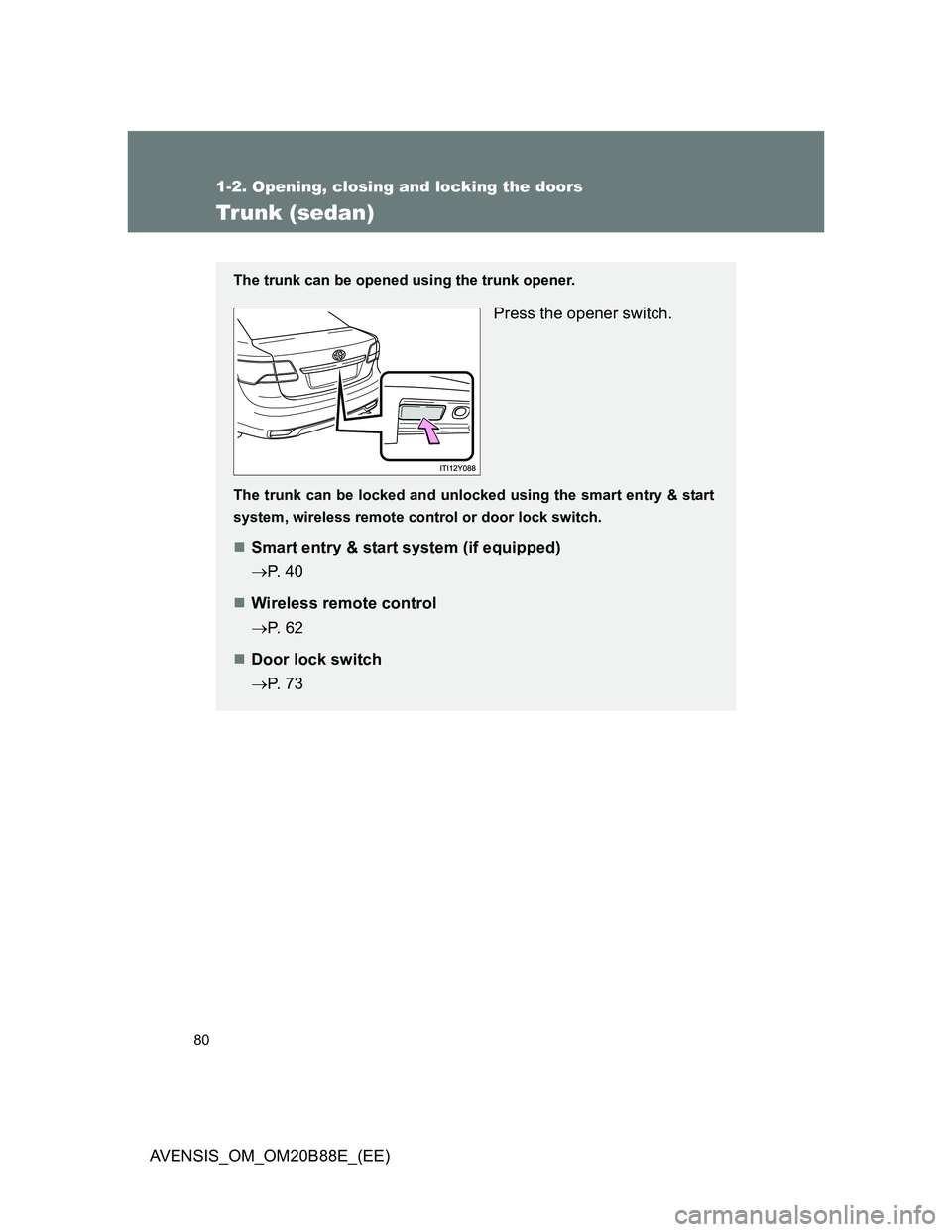
The trunk can be opened using the trunk opener.
Press the opener switch.
The trunk can be locked and unlocked using the smart entry & start
system, wireless remote control or door lock switch.
Smart entry & start system (if equipped)
P. 4 0
Wireless remote control
P. 6 2
Door lock switch
P. 7 3
Page 84 of 776
84
1-2. Opening, closing and locking the doors
AVENSIS_OM_OM20B88E_(EE)
Back door (wagon)
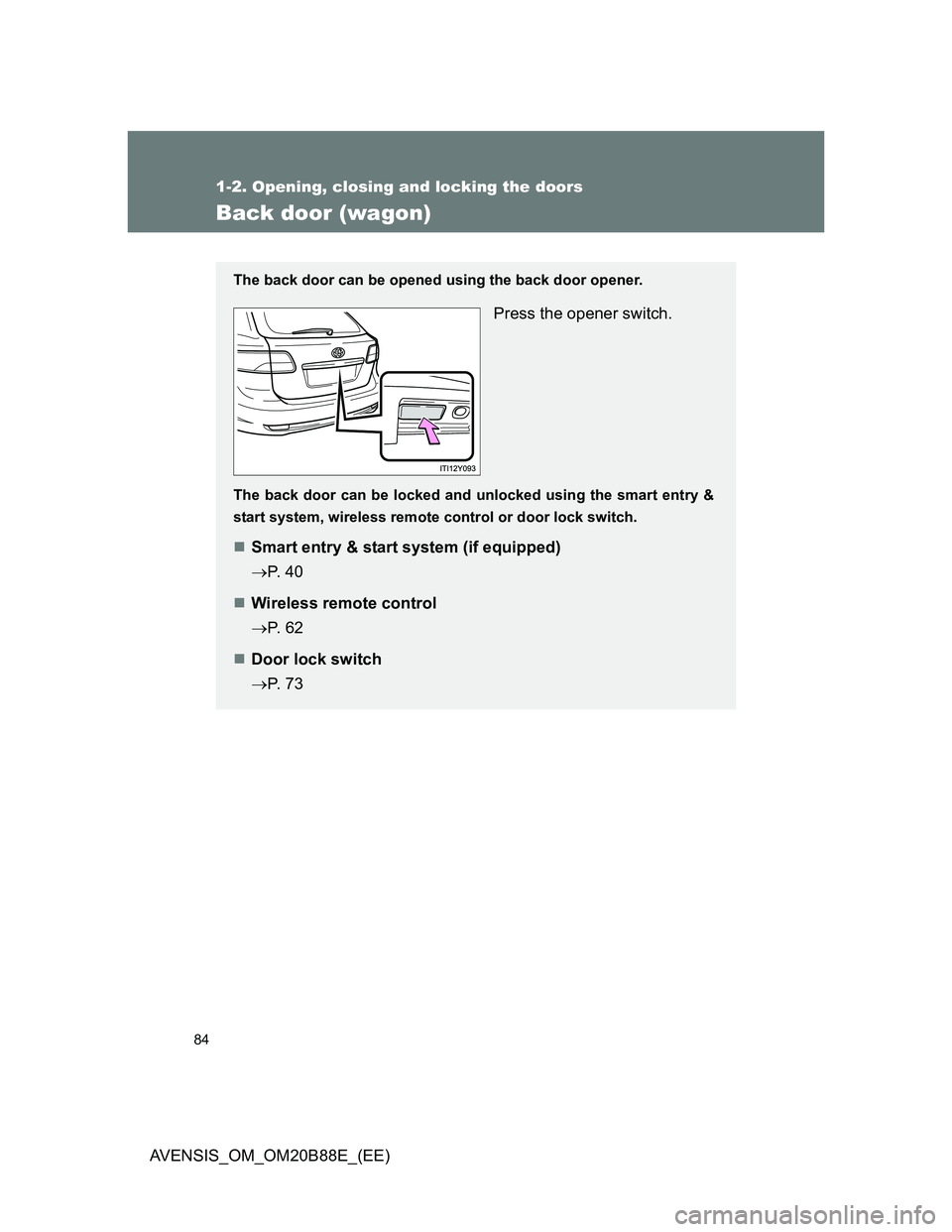
The back door can be opened using the back door opener.
Press the opener switch.
The back door can be locked and unlocked using the smart entry &
start system, wireless remote control or door lock switch.
Smart entry & start system (if equipped)
P. 4 0
Wireless remote control
P. 6 2
Door lock switch
P. 7 3
Page 136 of 776
136
1-6. Theft deterrent system
AVENSIS_OM_OM20B88E_(EE)
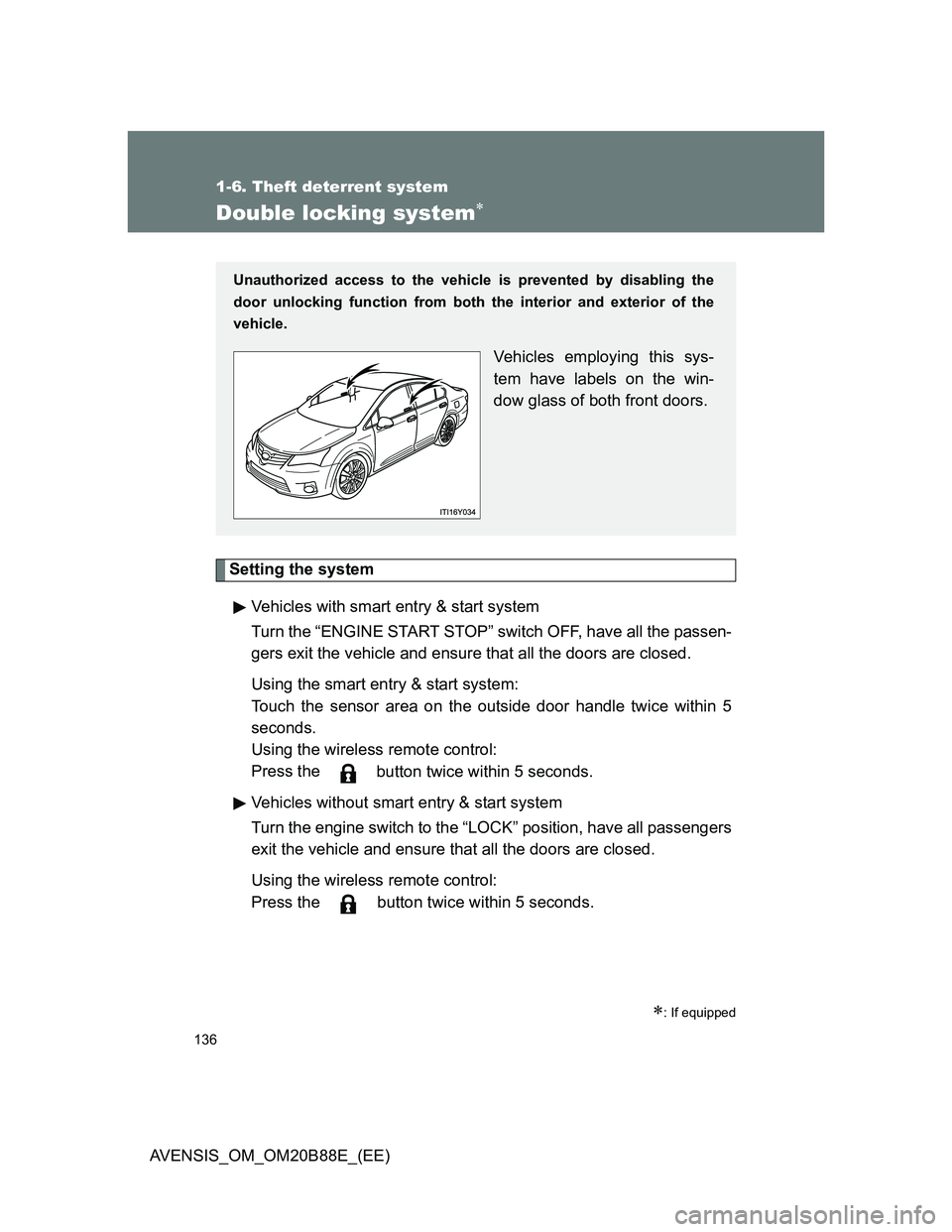
Double locking system
Setting the system
Vehicles with smart entry & start system
Turn the “ENGINE START STOP” switch OFF, have all the passen-
gers exit the vehicle and ensure that all the doors are closed.
Using the smart entry & start system:
Touch the sensor area on the outside door handle twice within 5
seconds.
Using the wireless remote control:
Press the
button twice within 5 seconds.
Vehicles without smart entry & start system
Turn the engine switch to the “LOCK” position, have all passengers
exit the vehicle and ensure that all the doors are closed.
Using the wireless remote control:
Press the button twice within 5 seconds.
: If equipped
Unauthorized access to the vehicle is prevented by disabling the
door unlocking function from both the interior and exterior of the
vehicle.
Vehicles employing this sys-
tem have labels on the win-
dow glass of both front doors.