2014 NISSAN QUEST fuel
[x] Cancel search: fuelPage 96 of 482
Malfunction Indicator Light (MIL)
If the malfunction indicator light comes on
steady or blinks while the engine is running, it
may indicate a potential emission control and/or
Continuously Variable Transmission (CVT) mal-
function.
The malfunction indicator light may also come on
steady if the fuel-filler cap is loose or missing, or
if the vehicle runs out of fuel. Check to make
sure the fuel-filler cap is installed and closed
tightly, and that the vehicle has at least 3 US
gallons (11.4 liters) of fuel in the fuel tank.
After a few driving trips, the
light should
turn off if no other potential emission control
system malfunction exists.
If this indicator light remains on for 20 seconds
and then blinks for 10 seconds when the engine
is not running, it indicates that the vehicle is not
ready for an emission control system inspection/
maintenance test. (See “Readiness for inspec-
tion/maintenance (I/M) test” (P.9-27).)
Operation:
The malfunction indicator light will come on in
one of two ways:
. Malfunction indicator light on steady — An
emission control system and/or CVT mal-
function has been detected. Check the fuel-
filler cap if the LOOSE FUEL CAP warning appears on the dot matrix liquid crystal
display. If the fuel-filler cap is loose or
missing, tighten or install the cap and
continue to drive the vehicle. The
light
should turn off after a few driving trips. If the
light does not turn off after a few driving
trips, have the vehicle inspected by a
NISSAN dealer. You do not need to have
your vehicle towed to the dealer.
. Malfunction indicator light blinking — An
engine misfire has been detected which may
damage the emission control system.
To reduce or avoid emission control system
damage:
1) Do not drive at speeds above 45 MPH
(72 km/h).
2) Avoid hard acceleration or deceleration.
3) Avoid steep uphill grades.
4) If possible, reduce the amount of cargo being hauled or towed.
The malfunction indicator light may stop
blinking and remain on.
Have the vehicle inspected by a NISSAN
dealer. You do not need to have your vehicle
towed to the dealer.
CAUTION
Continued vehicle operation without
having the emission control system
and/or CVT system checked and re-
paired as necessary could lead to poor
driveability, reduced fuel economy, and
possible damage to the emission con-
trol system.
Overdrive off indicator light
The overdrive off indicator light illuminates when
the overdrive off mode is selected.
For additional information, see “Continuously
Variable Transmission (CVT)” (P.5-13) of this
manual.
Security indicator light
The light blinks when the ignition switch is in the
ACC, OFF or LOCK position. This function
indicates the security system equipped on the
vehicle is operational.
If the security system is malfunctioning, this light
will remain on while the ignition switch is in the
ON position. For additional information, see
“Security systems” (P.2-27) .
Instruments and controls2-17
Page 100 of 482
8. Low fuel warning
This warning appears when the fuel level in the
tank is getting low. Refuel as soon as it is
convenient, preferably before the fuel gauge
reaches the empty (0) position.
There is a small reserve of fuel remaining
in the tank when the fuel gauge reaches
the empty (0) position.
9. Low washer fluid warning
This warning appears when the washer tank fluid
is at a low level. Add washer fluid as necessary.
(See “Window washer fluid” (P.8-13).)
10. Door/lift gate open warning (ignition
switch is in the ON position)
This warning appears if any of the doors and/or
the lift gate are open or not closed securely. The
vehicle icon indicates which door is open on the
display.
11. Loose fuel cap warning
This warning appears when the fuel-filler cap is
not tightened correctly after the vehicle has
been refueled. (See “Fuel-filler cap” (P.3-30) .)
12. Check tire pressure warning
This warning appears when the low tire pressure
warning light in the meter illuminates and low tire
pressure is detected. The warning appears each
time the ignition switch is placed in the ON
position as long as the low tire pressure warning
light remains illuminated. If this warning appears,
stop the vehicle and adjust the tire pressure to
the recommended COLD tire pressure shown
on the Tire and Loading Information label. (See
“Low tire pressure warning light” (P.2-14) and
“Tire Pressure Monitoring System (TPMS)” (P.5-
3) .)
13. “TIMER” indicator
This indicator appears when the set “timer”
indicator activates. You can set the time for up to
6 hours. (See “Trip computer” (P.2-23) .)
14. Low outside temperature warning
This warning appears if the outside temperature
is below 378F(38C) . The warning can be set not
to be displayed. (See “Trip computer” (P.2-23) .)
15. Extended storage fuse warning
This warning may appear if the extended storage
fuse switch is not pushed in (switched on) .
When this warning appears, push in (switch on)
the extended storage fuse switch to turn off the
warning. For more information, see “Extended storage fuse switch” (P.8-22) .
Instruments and controls2-21
Page 102 of 482
SIC3580
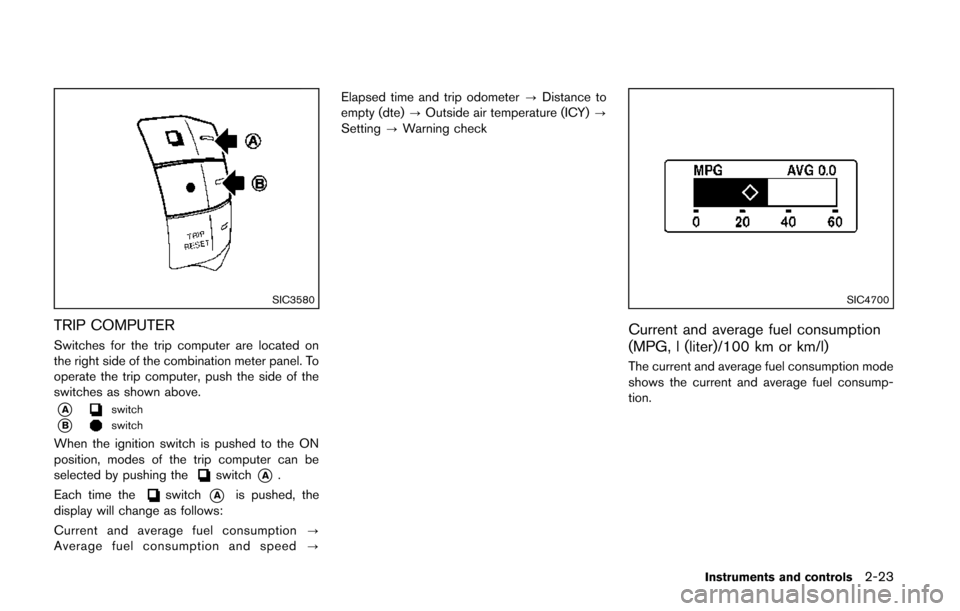
TRIP COMPUTER
Switches for the trip computer are located on
the right side of the combination meter panel. To
operate the trip computer, push the side of the
switches as shown above.
*Aswitch
*Bswitch
When the ignition switch is pushed to the ON
position, modes of the trip computer can be
selected by pushing the
switch*A.
Each time the
switch*Ais pushed, the
display will change as follows:
Current and average fuel consumption ?
Average fuel consumption and speed ?Elapsed time and trip odometer
?Distance to
empty (dte) ?Outside air temperature (ICY) ?
Setting ?Warning check
SIC4700
Current and average fuel consumption
(MPG, l (liter)/100 km or km/l)
The current and average fuel consumption mode
shows the current and average fuel consump-
tion.
Instruments and controls2-23
Page 103 of 482
2-24Instruments and controls
SIC3674
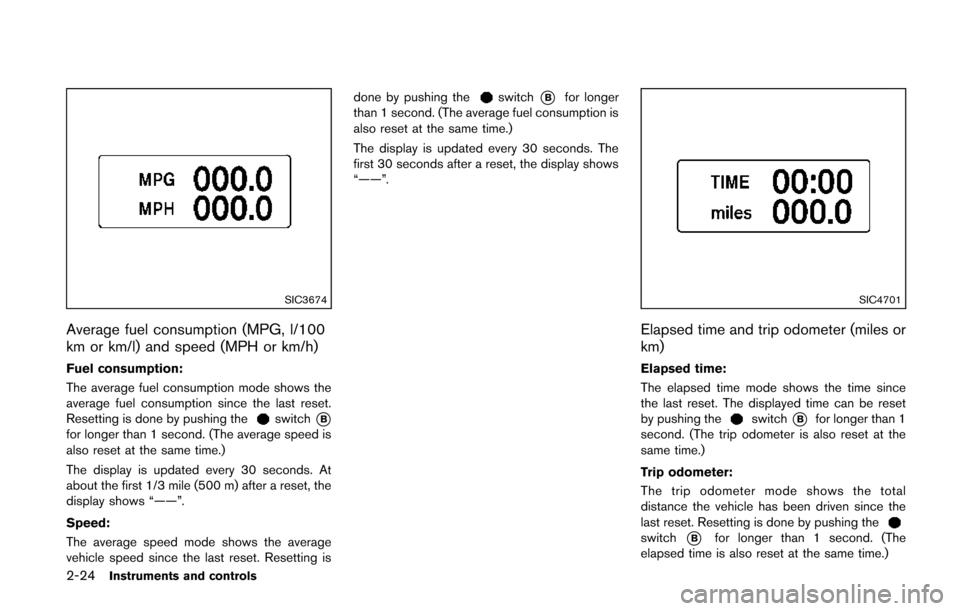
Average fuel consumption (MPG, l/100
km or km/l) and speed (MPH or km/h)
Fuel consumption:
The average fuel consumption mode shows the
average fuel consumption since the last reset.
Resetting is done by pushing the
switch*Bfor longer than 1 second. (The average speed is
also reset at the same time.)
The display is updated every 30 seconds. At
about the first 1/3 mile (500 m) after a reset, the
display shows “——”.
Speed:
The average speed mode shows the average
vehicle speed since the last reset. Resetting isdone by pushing the
switch*Bfor longer
than 1 second. (The average fuel consumption is
also reset at the same time.)
The display is updated every 30 seconds. The
first 30 seconds after a reset, the display shows
“——”.
SIC4701
Elapsed time and trip odometer (miles or
km)
Elapsed time:
The elapsed time mode shows the time since
the last reset. The displayed time can be reset
by pushing the
switch*Bfor longer than 1
second. (The trip odometer is also reset at the
same time.)
Trip odometer:
The trip odometer mode shows the total
distance the vehicle has been driven since the
last reset. Resetting is done by pushing the
switch*Bfor longer than 1 second. (The
elapsed time is also reset at the same time.)
Page 104 of 482
SIC4702
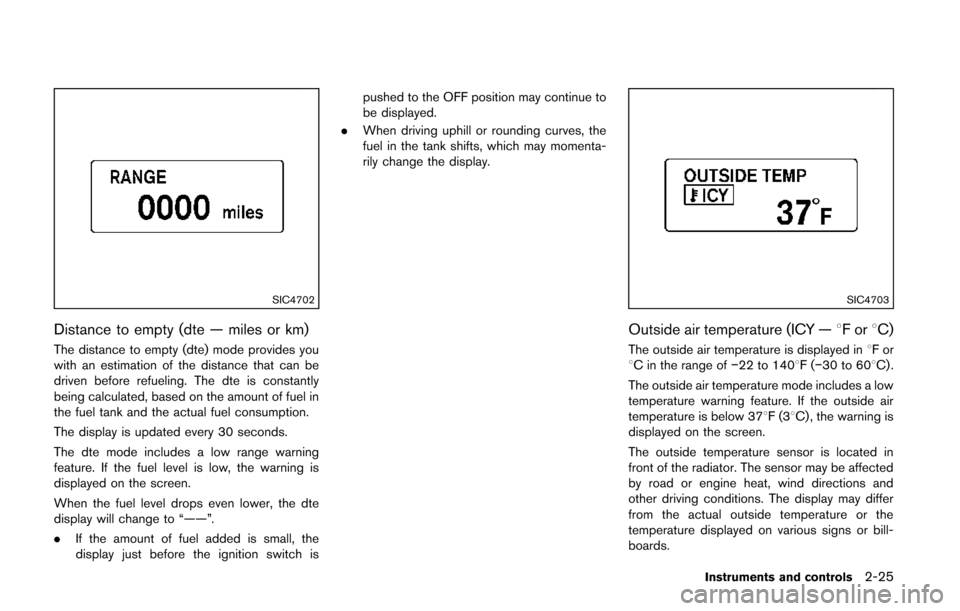
Distance to empty (dte — miles or km)
The distance to empty (dte) mode provides you
with an estimation of the distance that can be
driven before refueling. The dte is constantly
being calculated, based on the amount of fuel in
the fuel tank and the actual fuel consumption.
The display is updated every 30 seconds.
The dte mode includes a low range warning
feature. If the fuel level is low, the warning is
displayed on the screen.
When the fuel level drops even lower, the dte
display will change to “——”.
.If the amount of fuel added is small, the
display just before the ignition switch is pushed to the OFF position may continue to
be displayed.
. When driving uphill or rounding curves, the
fuel in the tank shifts, which may momenta-
rily change the display.
SIC4703
Outside air temperature (ICY — 8For8C)
The outside air temperature is displayed in 8For
8C in the range of −22 to 1408F(−30 to 608C) .
The outside air temperature mode includes a low
temperature warning feature. If the outside air
temperature is below 378F(3 8C) , the warning is
displayed on the screen.
The outside temperature sensor is located in
front of the radiator. The sensor may be affected
by road or engine heat, wind directions and
other driving conditions. The display may differ
from the actual outside temperature or the
temperature displayed on various signs or bill-
boards.
Instruments and controls2-25
Page 106 of 482
SIC3993
Warning check
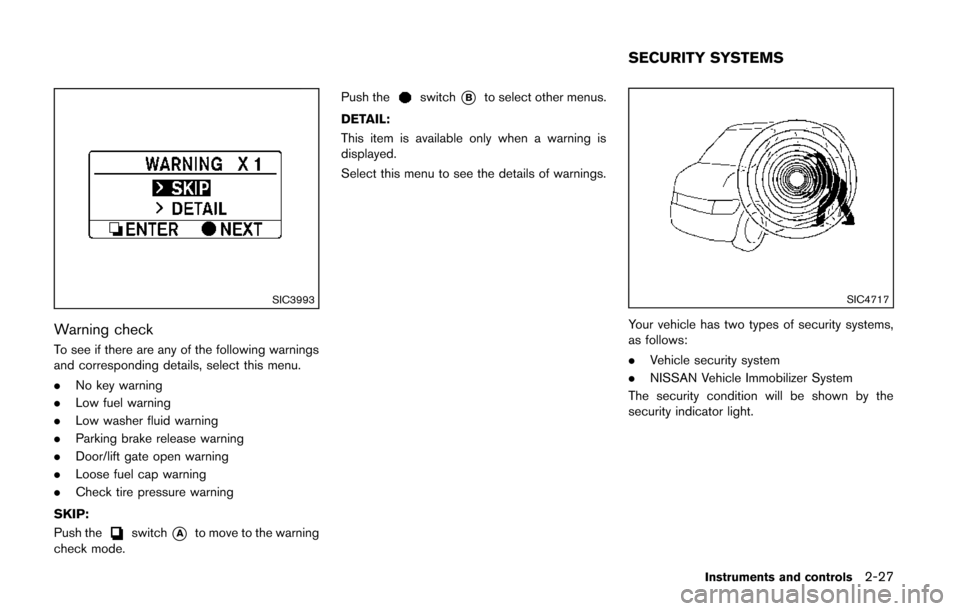
To see if there are any of the following warnings
and corresponding details, select this menu.
.No key warning
. Low fuel warning
. Low washer fluid warning
. Parking brake release warning
. Door/lift gate open warning
. Loose fuel cap warning
. Check tire pressure warning
SKIP:
Push the
switch*Ato move to the warning
check mode. Push the
switch*Bto select other menus.
DETAIL:
This item is available only when a warning is
displayed.
Select this menu to see the details of warnings.
SIC4717
Your vehicle has two types of security systems,
as follows:
. Vehicle security system
. NISSAN Vehicle Immobilizer System
The security condition will be shown by the
security indicator light.
Instruments and controls2-27
SECURITY SYSTEMS
Page 144 of 482

3 Pre-driving checks and adjustments
Keys ........................................................................\
...................... 3-3Intelligent Key system ......................................................... 3-3
Mechanical key .................................................................... 3-4
Valet hand-off ....................................................................... 3-5
Doors ........................................................................\
.................... 3-5 Locking with mechanical key ............................................ 3-5
Opening and closing windows with the mechanical
key (if so equipped) ........................................................... 3-6
Locking with inside lock knob .......................................... 3-6
Locking with power door lock switch ............................ 3-6
Automatic door locks ......................................................... 3-7
Sliding doors ........................................................................\
3-7
Sliding door auto closure function (if
so equipped) ........................................................................\
3-9
Child safety sliding door lock .......................................... 3-9
Power sliding door (if so equipped) .................................... 3-9
Precautions on power sliding door operation ........... 3-10
Switching sliding door operation ................................. 3-11
Operating sliding door switch ...................................... 3-12
Operating the power sliding door with the Intelligent
Key (if so equipped) ........................................................ 3-12
Operating sliding door by power assist ..................... 3-13
Sliding door auto reverse function .............................. 3-13
Intelligent Key system ........................................................... 3-13 Intelligent Key operating range ..................................... 3-15 Door locks/unlocks precaution ................................... 3-15
Intelligent Key operation ............................................... 3-16
Battery saver system ..................................................... 3-19
Warning signals .............................................................. 3-19
Troubleshooting guide .................................................. 3-20
Remote keyless entry system ............................................. 3-21
How to use remote keyless entry system ................ 3-22
Hood ........................................................................\
................. 3-25
Lift gate ........................................................................\
............ 3-26 Operating manual lift gate ........................................... 3-26
Operating power lift gate (if so equipped) ............. 3-26
Auto closure .................................................................... 3-29
Lift gate release .............................................................. 3-30
Fuel-filler door ........................................................................\
3-30 Opening fuel-filler door ................................................ 3-30
Fuel-filler cap .................................................................. 3-30
Tilt/telescopic steering ......................................................... 3-32 Tilt or telescopic operation .......................................... 3-32
Sun visors ........................................................................\
........ 3-33
Mirrors ........................................................................\
.............. 3-33
Inside mirror ..................................................................... 3-33
Outside mirrors ............................................................... 3-35
Vanity mirror ..................................................................... 3-36
Communication mirror (if so equipped) ................... 3-36
Page 154 of 482
SPA2071
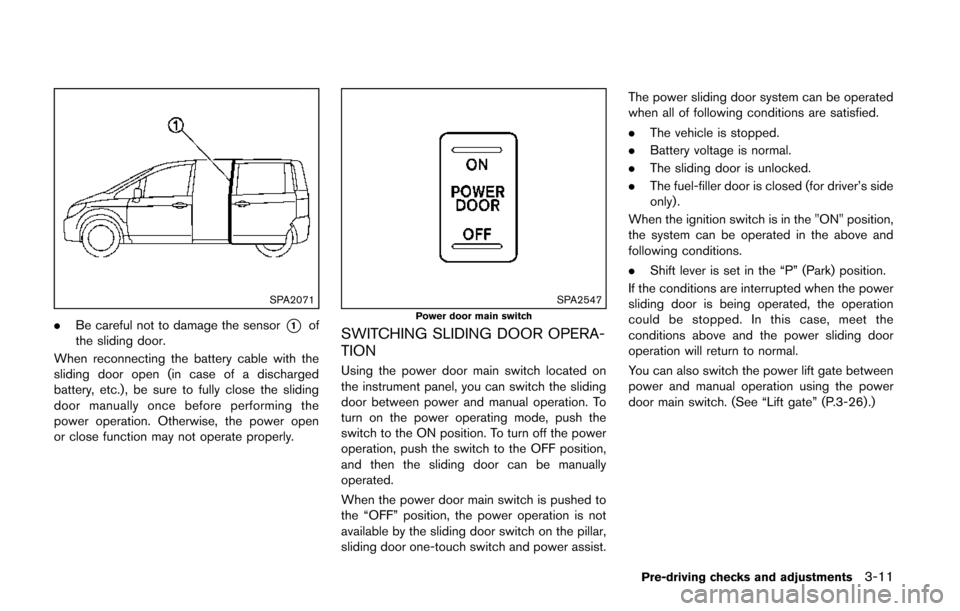
.Be careful not to damage the sensor*1of
the sliding door.
When reconnecting the battery cable with the
sliding door open (in case of a discharged
battery, etc.), be sure to fully close the sliding
door manually once before performing the
power operation. Otherwise, the power open
or close function may not operate properly.
SPA2547Power door main switch
SWITCHING SLIDING DOOR OPERA-
TION
Using the power door main switch located on
the instrument panel, you can switch the sliding
door between power and manual operation. To
turn on the power operating mode, push the
switch to the ON position. To turn off the power
operation, push the switch to the OFF position,
and then the sliding door can be manually
operated.
When the power door main switch is pushed to
the “OFF” position, the power operation is not
available by the sliding door switch on the pillar,
sliding door one-touch switch and power assist. The power sliding door system can be operated
when all of following conditions are satisfied.
.
The vehicle is stopped.
. Battery voltage is normal.
. The sliding door is unlocked.
. The fuel-filler door is closed (for driver’s side
only).
When the ignition switch is in the "ON" position,
the system can be operated in the above and
following conditions.
. Shift lever is set in the “P” (Park) position.
If the conditions are interrupted when the power
sliding door is being operated, the operation
could be stopped. In this case, meet the
conditions above and the power sliding door
operation will return to normal.
You can also switch the power lift gate between
power and manual operation using the power
door main switch. (See “Lift gate” (P.3-26) .)
Pre-driving checks and adjustments3-11