Page 164 of 397
TRIP COMPUTER
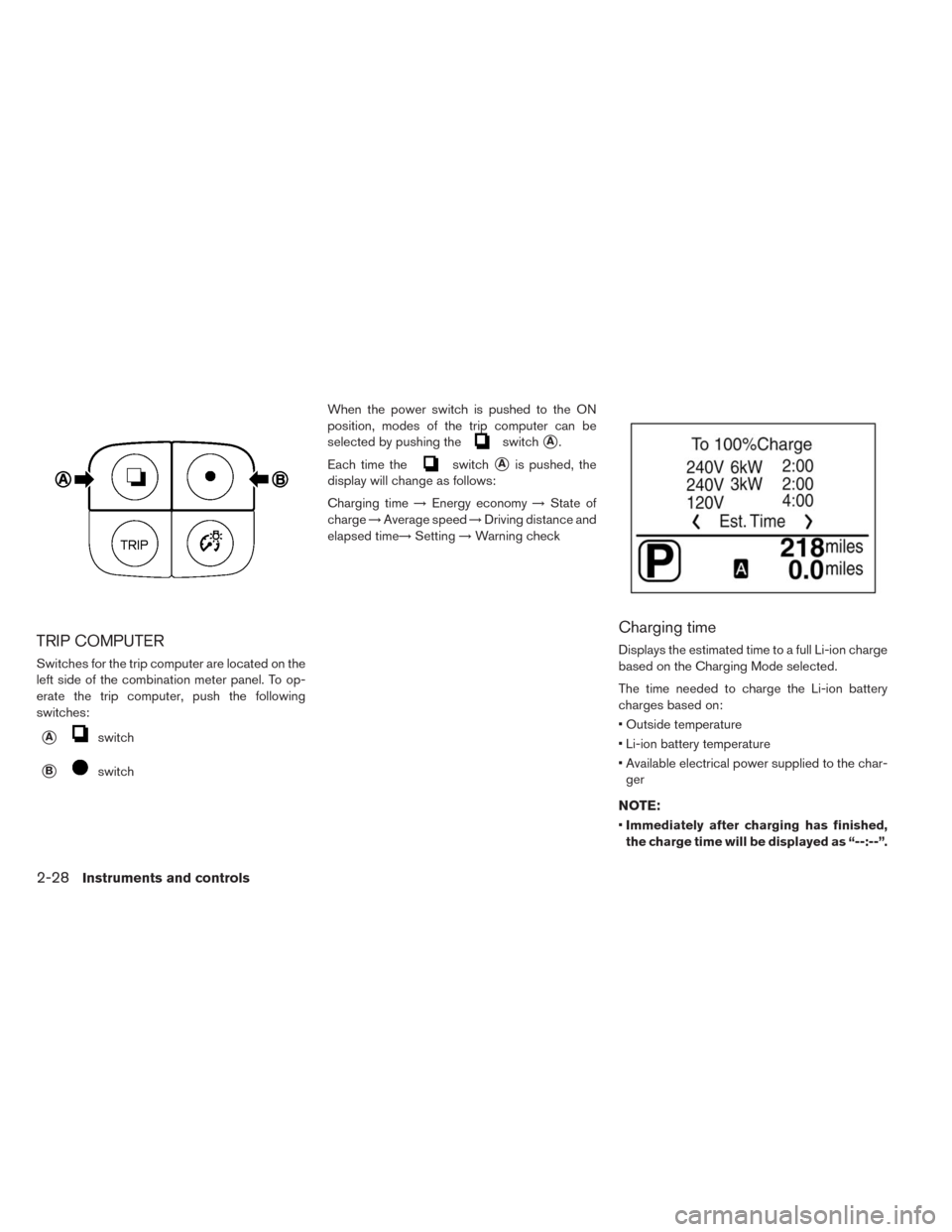
Switches for the trip computer are located on the
left side of the combination meter panel. To op-
erate the trip computer, push the following
switches:
�Aswitch
�BswitchWhen the power switch is pushed to the ON
position, modes of the trip computer can be
selected by pushing the
switch�A.
Each time the
switch�Ais pushed, the
display will change as follows:
Charging time→Energy economy→State of
charge→Average speed→Driving distance and
elapsed time→Setting→Warning check
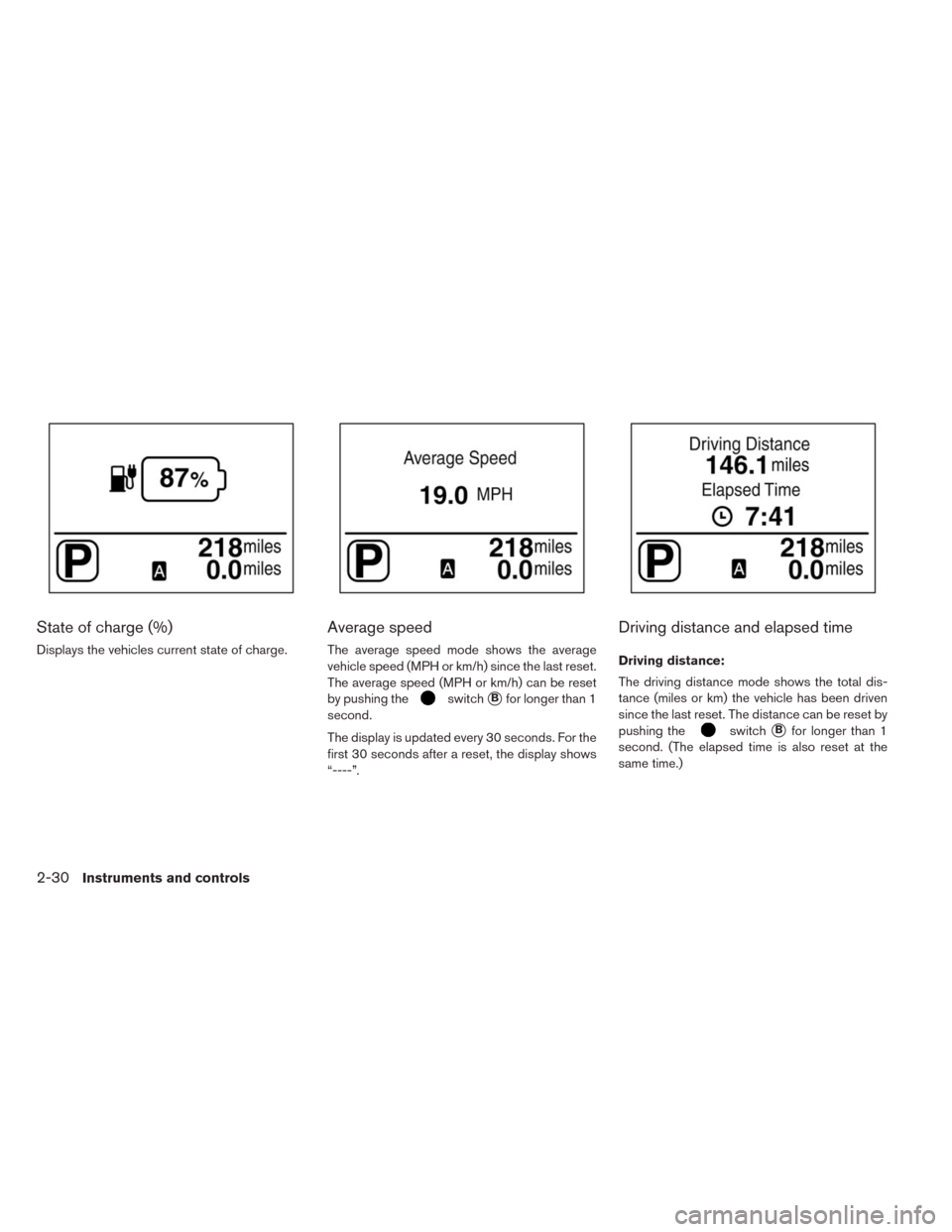
Charging time
Displays the estimated time to a full Li-ion charge
based on the Charging Mode selected.
The time needed to charge the Li-ion battery
charges based on:
• Outside temperature
• Li-ion battery temperature
• Available electrical power supplied to the char-
ger
NOTE:
•Immediately after charging has finished,
the charge time will be displayed as “--:--”.
2-28Instruments and controls
Page 165 of 397
•The estimated charging time stops updat-
ing if the air conditioner is turned on while
the Li-ion battery is charging. The esti-
mated charging time updates approxi-
mately 15 minutes after the air condi-
tioner is turned off.
•The 6 kW and the 3 kW charging time
typically shows different times to reach a
full charge.
• However, the same charging time may be
shown for both the 6 kW and the 3 kW based
on the Li-ion battery state of charge and battery
temperature.
• The system may automatically slow the battery
charge to prevent the battery from becoming
overcharged.
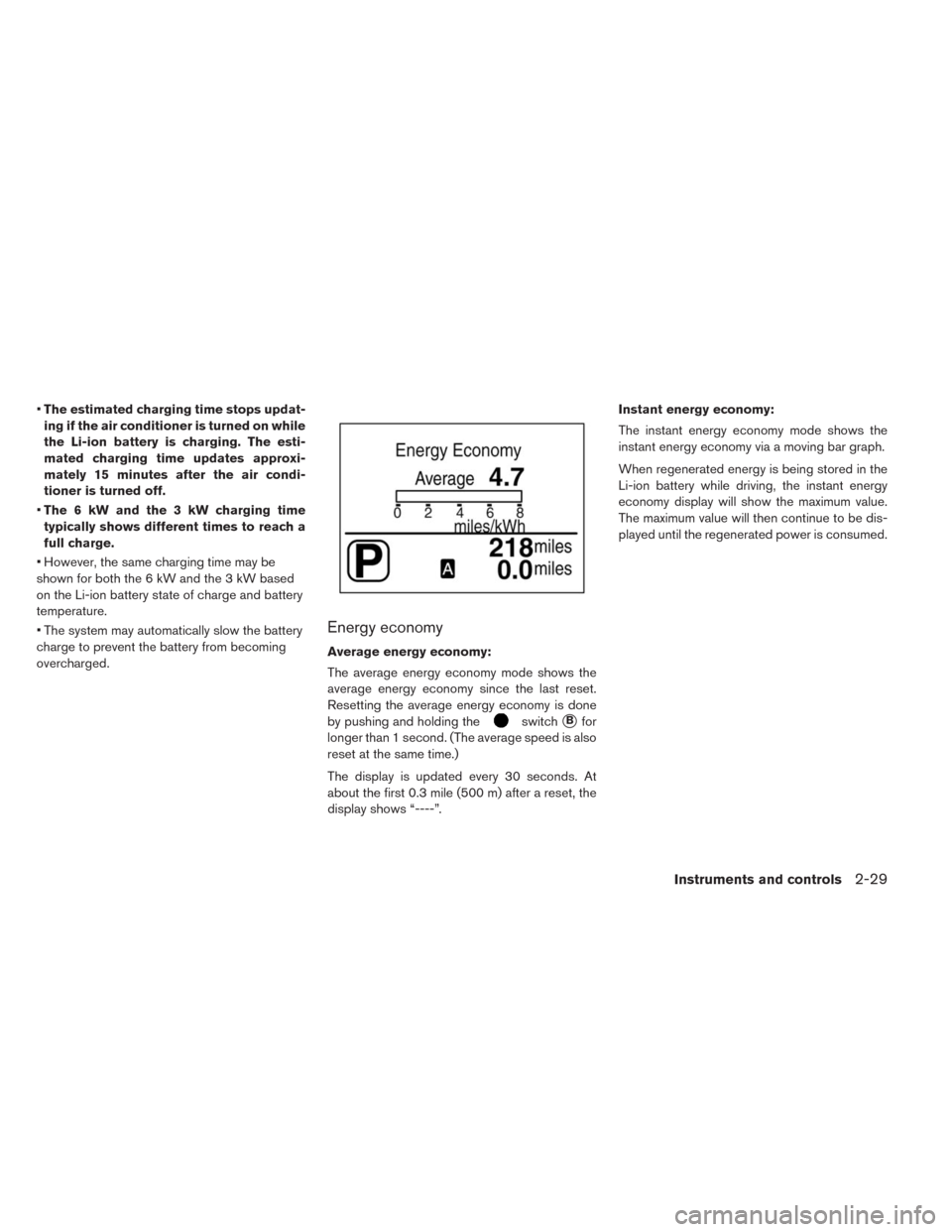
Energy economy
Average energy economy:
The average energy economy mode shows the
average energy economy since the last reset.
Resetting the average energy economy is done
by pushing and holding the
switch�Bfor
longer than 1 second. (The average speed is also
reset at the same time.)
The display is updated every 30 seconds. At
about the first 0.3 mile (500 m) after a reset, the
display shows “----”.Instant energy economy:
The instant energy economy mode shows the
instant energy economy via a moving bar graph.
When regenerated energy is being stored in the
Li-ion battery while driving, the instant energy
economy display will show the maximum value.
The maximum value will then continue to be dis-
played until the regenerated power is consumed.
Instruments and controls2-29
Page 166 of 397
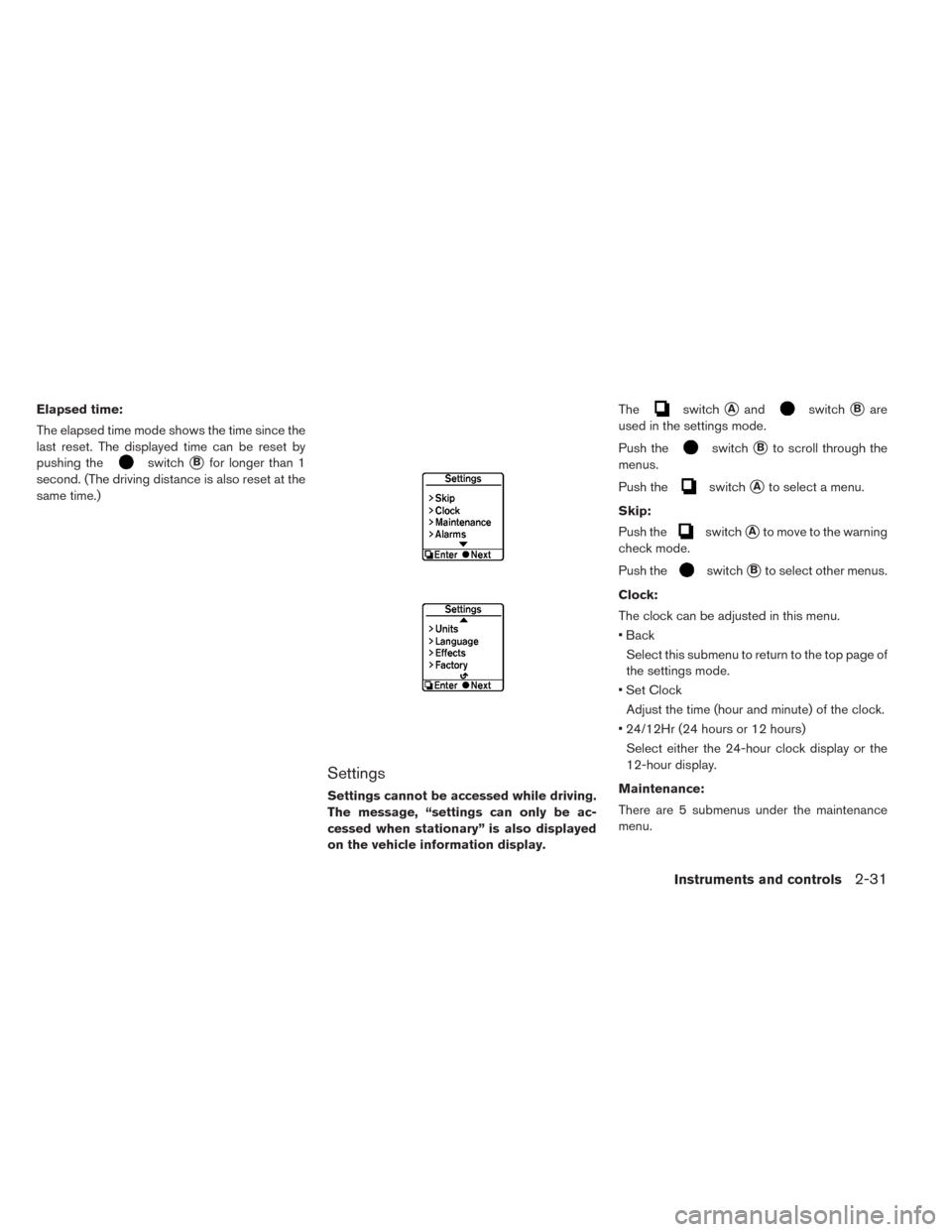
State of charge (%)
Displays the vehicles current state of charge.
Average speed
The average speed mode shows the average
vehicle speed (MPH or km/h) since the last reset.
The average speed (MPH or km/h) can be reset
by pushing the
switch�Bfor longer than 1
second.
The display is updated every 30 seconds. For the
first 30 seconds after a reset, the display shows
“----”.
Driving distance and elapsed time
Driving distance:
The driving distance mode shows the total dis-
tance (miles or km) the vehicle has been driven
since the last reset. The distance can be reset by
pushing the
switch�Bfor longer than 1
second. (The elapsed time is also reset at the
same time.)
2-30Instruments and controls
Page 167 of 397
Elapsed time:
The elapsed time mode shows the time since the
last reset. The displayed time can be reset by
pushing the
switch�Bfor longer than 1
second. (The driving distance is also reset at the
same time.)
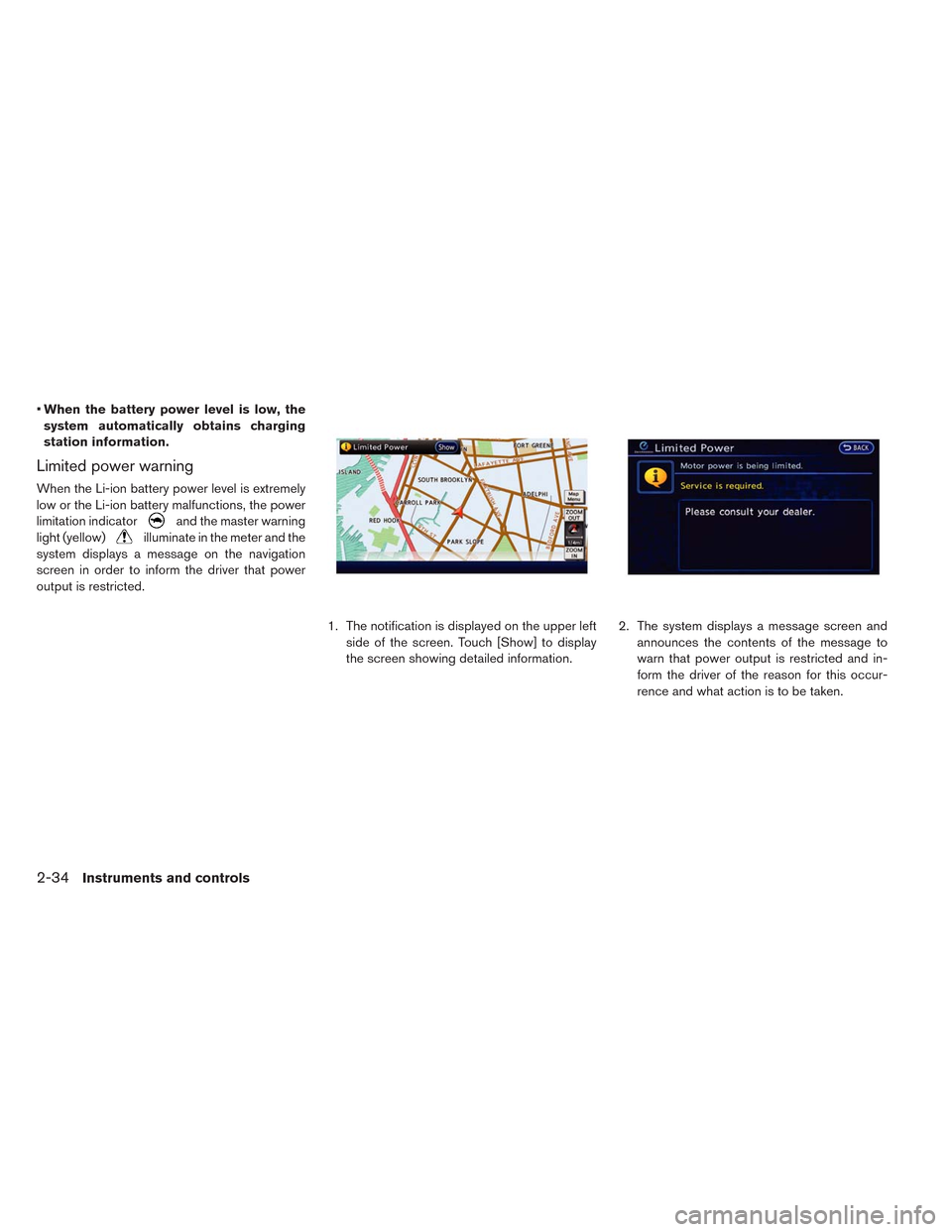
Settings
Settings cannot be accessed while driving.
The message, “settings can only be ac-
cessed when stationary” is also displayed
on the vehicle information display.The
switch�Aandswitch�Bare
used in the settings mode.
Push the
switch�Bto scroll through the
menus.
Push the
switch�Ato select a menu.
Skip:
Push the
switch�Ato move to the warning
check mode.
Push the
switch�Bto select other menus.
Clock:
The clock can be adjusted in this menu.
• Back
Select this submenu to return to the top page of
the settings mode.
• Set Clock
Adjust the time (hour and minute) of the clock.
• 24/12Hr (24 hours or 12 hours)
Select either the 24-hour clock display or the
12-hour display.
Maintenance:
There are 5 submenus under the maintenance
menu.
Instruments and controls2-31
Page 168 of 397
• Back
Select this submenu to return to the top page of
the settings mode.
• Tire
Select this submenu to set or reset the distance
for replacement of the tires.
• Other -1, -2 and -3
Select this submenu to set or reset the distance
for replaceable/maintenance items. Up to three
other items can be monitored. Set other items if
required.
Alarms:
The alarms menu can be set to notify the follow-
ing items. There are 3 submenus under the
alarms menu.
• Back
Select this submenu to return to the top page of
the settings mode.
• Driver Alert
Select this submenu to set the driver alert pe-
riod.
• Outside temp
Select this submenu to display the low outside
temperature (On or Off) .Units:
Units displayed can be set for the following items
on this menu.
• Back
Select this submenu to return to the top page of
the settings mode.
• Temperature
• Speed
Language:
Select this submenu to choose the language
displayed.
To return to the top page of the settings mode,
select “BACK”.
Effects:
The start up sound can be selected or turned off
from this menu.
5 submenus under the effects menu.
When a menu item is selected, the selected
sound plays.
• Back
Select this submenu to return to the top page of
the settings mode.
• Sound 1
• Sound 2• Sound 3
• Off
Factory settings:
Select this menu to reset all values to the factory
default settings except for the odometer settings.
NOTE:
When resetting to the factory settings, all
previous settings made are restored to the
default settings.
To return to the top page of the settings mode,
select “BACK”.
2-32Instruments and controls
Page 169 of 397
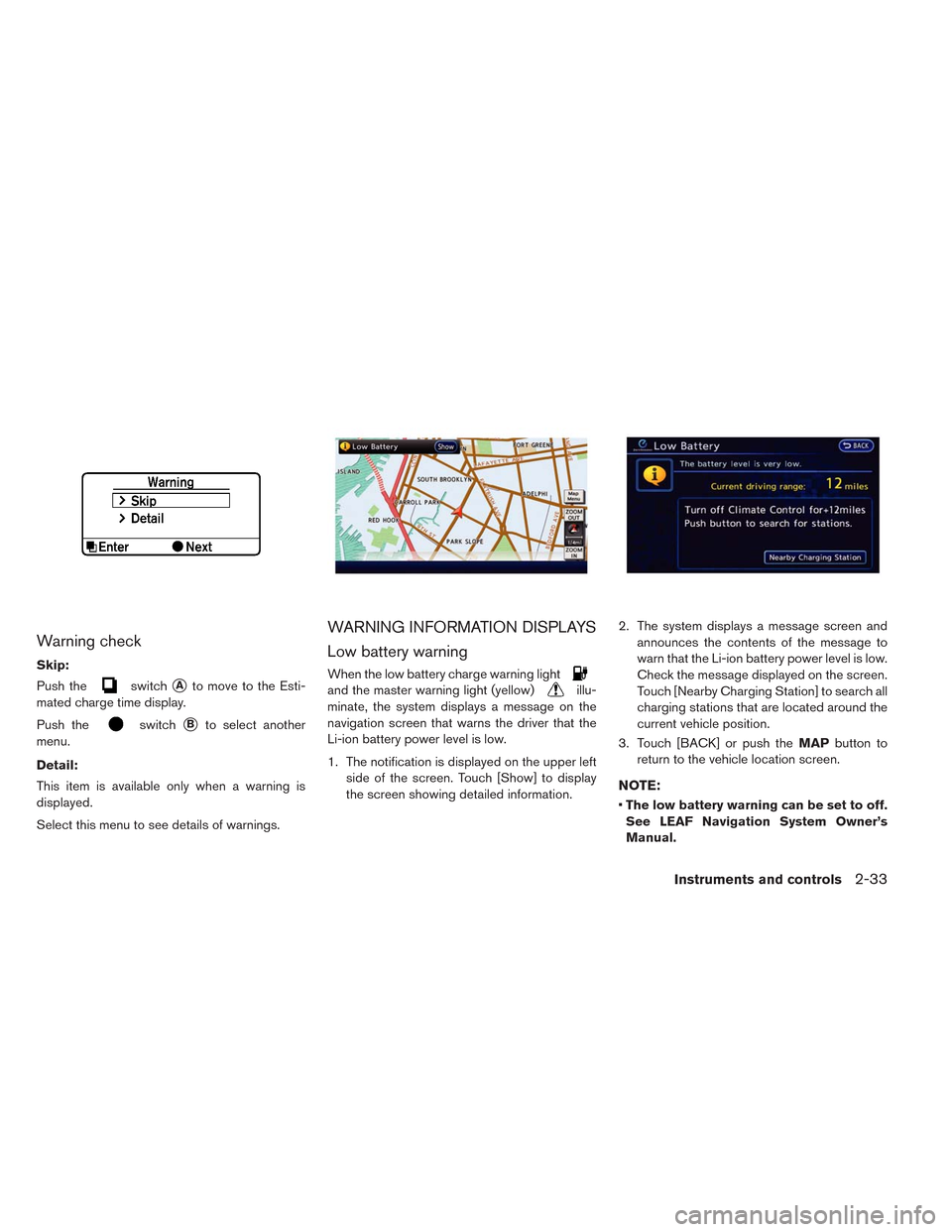
Warning check
Skip:
Push the
switch�Ato move to the Esti-
mated charge time display.
Push the
switch�Bto select another
menu.
Detail:
This item is available only when a warning is
displayed.
Select this menu to see details of warnings.
WARNING INFORMATION DISPLAYS
Low battery warning
When the low battery charge warning light
and the master warning light (yellow)illu-
minate, the system displays a message on the
navigation screen that warns the driver that the
Li-ion battery power level is low.
1. The notification is displayed on the upper left
side of the screen. Touch [Show] to display
the screen showing detailed information.2. The system displays a message screen and
announces the contents of the message to
warn that the Li-ion battery power level is low.
Check the message displayed on the screen.
Touch [Nearby Charging Station] to search all
charging stations that are located around the
current vehicle position.
3. Touch [BACK] or push theMAPbutton to
return to the vehicle location screen.
NOTE:
•The low battery warning can be set to off.
See LEAF Navigation System Owner’s
Manual.
Instruments and controls2-33
Page 170 of 397
•When the battery power level is low, the
system automatically obtains charging
station information.
Limited power warning
When the Li-ion battery power level is extremely
low or the Li-ion battery malfunctions, the power
limitation indicator
and the master warning
light (yellow)
illuminate in the meter and the
system displays a message on the navigation
screen in order to inform the driver that power
output is restricted.
1. The notification is displayed on the upper left
side of the screen. Touch [Show] to display
the screen showing detailed information.2. The system displays a message screen and
announces the contents of the message to
warn that power output is restricted and in-
form the driver of the reason for this occur-
rence and what action is to be taken.
2-34Instruments and controls
Page 172 of 397
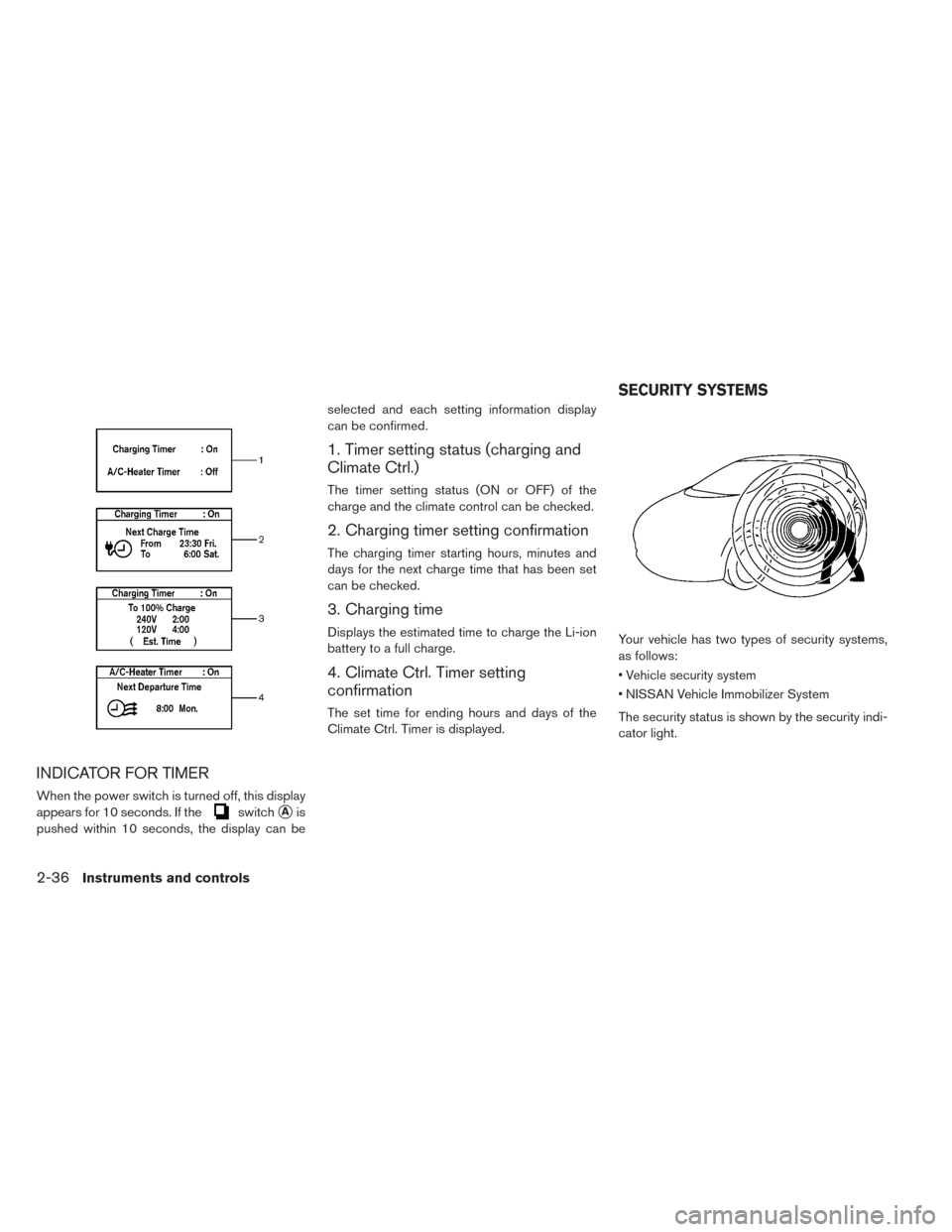
INDICATOR FOR TIMER
When the power switch is turned off, this display
appears for 10 seconds. If the
switch�Ais
pushed within 10 seconds, the display can beselected and each setting information display
can be confirmed.
1. Timer setting status (charging and
Climate Ctrl.)
The timer setting status (ON or OFF) of the
charge and the climate control can be checked.
2. Charging timer setting confirmation
The charging timer starting hours, minutes and
days for the next charge time that has been set
can be checked.
3. Charging time
Displays the estimated time to charge the Li-ion
battery to a full charge.
4. Climate Ctrl. Timer setting
confirmation
The set time for ending hours and days of the
Climate Ctrl. Timer is displayed.Your vehicle has two types of security systems,
as follows:
• Vehicle security system
• NISSAN Vehicle Immobilizer System
The security status is shown by the security indi-
cator light.
SECURITY SYSTEMS
2-36Instruments and controls