2014 MITSUBISHI OUTLANDER tow
[x] Cancel search: towPage 253 of 451
Combination headlights and dimmer switch
Features and controls 5-175
5
go back to normal when you let go. While the high beam is on, you will see a blue light onthe instrument panel.
N00563201117
This function turns on
the front side-marker
and parking lights for
about 30 seconds after
the UNLOCK button on the remote controltransmitter is pressed when the combination headlights and dimmer switch is in the “OFF” or “AUTO” position (f
or vehicles equipped
with the automatic light control). On vehicles equipped with the automatic light control (except for vehicles e
quipped with LDW), the
welcome light functi
on will operate only
when it is dark outside the vehicle.
N00547301110
This function turns on the headlights in thelow beam setting for a
bout 30 seconds after
the ignition switch is turned to the “OFF” or“LOCK” position or the operation mode is put in OFF.
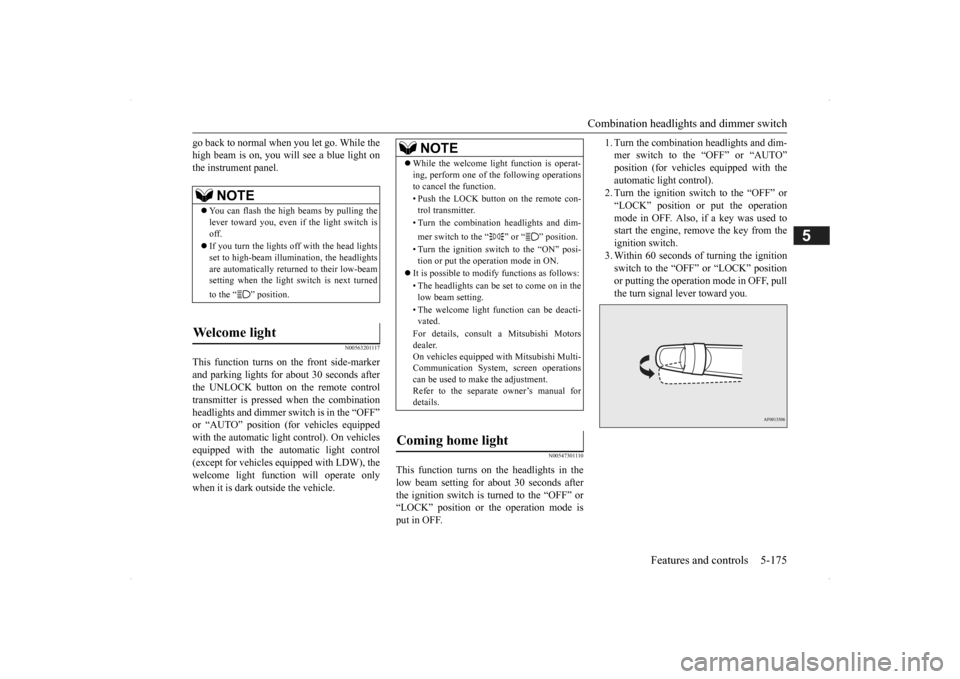
1. Turn the combination headlights and dim- mer switch to the “OFF” or “AUTO”position (for vehicles
equipped with the
automatic light control). 2. Turn the ignition switch to the “OFF” or“LOCK” position or put the operation mode in OFF. Also, if a key was used to start the engine, rem
ove the key from the
ignition switch. 3. Within 60 seconds of turning the ignition switch to the “OFF” or “LOCK” position or putting the operation mode in OFF, pull the turn signal lever toward you.
NOTE
You can flash the high beams by pulling the lever toward you, even if the light switch isoff. If you turn the lights off with the head lights set to high-beam illumi
nation, the headlights
are automatically returned to their low-beam setting when the light
switch is next turned
to the “ ” position.
Welcome light
NOTE
While the welcome light function is operat- ing, perform one of
the following operations
to cancel the function. • Push the LOCK button on the remote con- trol transmitter. • Turn the combination headlights and dim- mer switch to the “ ” or “ ” position. • Turn the ignition switch to the “ON” posi- tion or put the operation mode in ON.
It is possible to modify functions as follows: • The headlights can be set to come on in the low beam setting. • The welcome light f
unction can be deacti-
vated. For details, consult a Mitsubishi Motors dealer. On vehicles equipped
with Mitsubishi Multi-
Communication System, screen operationscan be used to ma
ke the adjustment.
Refer to the separate
owner’s manual for
details.
Coming home light
BK0200500US.book 175 ページ 2013年2月12日 火曜日 午前9時46分
Page 254 of 451
Headlight leveling swit
ch (if so equipped)
5-176 Features and controls
5
4. The headlights will come on in the low beam setting for about
30 seconds. After
the headlights go off, the headlights can be turned on again in the low beam setting for about 30 seconds by pulling the turnsignal lever toward you within 60 seconds of turning the ignition switch to the “OFF” or “LOCK” pos
ition or putting the
operation mode in OFF. To turn on the headlights again after 60 seconds of turn- ing the ignition switch to the “OFF” or “LOCK” position or putting the operation mode in OFF, repeat the process from step1.
N00537101115
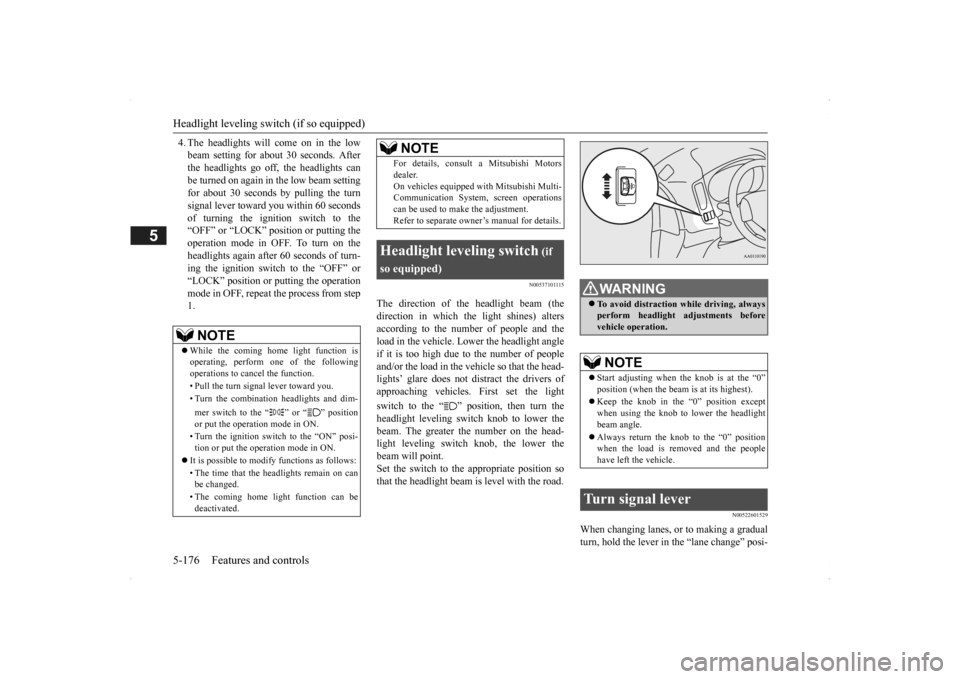
The direction of the headlight beam (the direction in which th
e light shines) alters
according to the number of people and theload in the vehicle. Lo
wer the headlight angle
if it is too high due to the number of people and/or the load in the vehicle so that the head-lights’ glare does not distract the drivers of approaching vehicles
. First set the light
switch to the “ ” position, then turn the headlight leveling switch knob to lower the beam. The greater the number on the head-light leveling switch knob, the lower the beam will point. Set the switch to the appropriate position sothat the headlight beam is level with the road.
N00522601529
When changing lanes, or to making a gradual turn, hold the lever in the “lane change” posi-
NOTE
While the coming home light function is operating, perform one of the following operations to cancel the function. • Pull the turn signal lever toward you. • Turn the combination headlights and dim- mer switch to the “ ” or “ ” position or put the operation mode in ON. • Turn the ignition switch to the “ON” posi- tion or put the operation mode in ON.
It is possible to modify functions as follows: • The time that the he
adlights remain on can
be changed. • The coming home light function can be deactivated.
For details, consult a Mitsubishi Motorsdealer.On vehicles equipped
with Mitsubishi Multi-
Communication System,
screen operations
can be used to make the adjustment. Refer to separate owne
r’s manual for details.
Headlight leveling switch
(if
so equipped)
NOTE
WA R N I N G To avoid distraction wh
ile driving, always
perform headlight adjustments beforevehicle operation.NOTE
Start adjusting when the knob is at the “0” position (when the beam
is at its highest).
Keep the knob in the “0” position except when using the knob to lower the headlight beam angle. Always return the knob to the “0” position when the load is removed and the people have left the vehicle.
Turn signal lever
BK0200500US.book 176 ページ 2013年2月12日 火曜日 午前9時46分
Page 260 of 451

Wiper and washer switch 5-182 Features and controls
5
Use this function when you are driving in mist or drizzle.The wipers will operate once if the lever is raised to the “MIST” position and released when the ignition switch or the operationmode is in ON or ACC. The wipers will con- tinue to operate while the lever is held in the “MIST” position. The wipers will operate once if the lever is moved to the “AUTO” position and the knob (C) is turned in the “+” direction when the ignition switch or the operation mode is inON.
N00504601309
The windshield washer
can be operated with
the ignition switch or the operation mode in ON or ACC. The washer fluid will be sprayed onto thewindshield by pulling th
e lever toward you.
When the wipers are not in operation or in intermittent operation,
by pulling the lever
toward you, the wipers will operate several times while the washer
fluid is being sprayed.
Also, by releasing the lever soon after pullingit toward you, the washer fluid will be sprayed several times while the wipers are operating several times. (Intelligent washer)Intelligent washer will stop operating with any operation of the lever.Windshield washer
NOTE
It is possible to modify functions as follows: • Intelligent washer
can be deactivated.
• The wipers can be set
to operate again after
about 6 seconds. For details, consult a Mitsubishi Motors dealer. On vehicles e
quipped with Mitsubishi Multi-
Communication System, screen operationscan be used to ma
ke the adjustment.
Refer to the separate
owner’s manual for
details.
BK0200500US.book 182 ページ 2013年2月12日 火曜日 午前9時46分
Page 298 of 451
Cargo area cover (if so equipped) 5-220 Features and controls
5
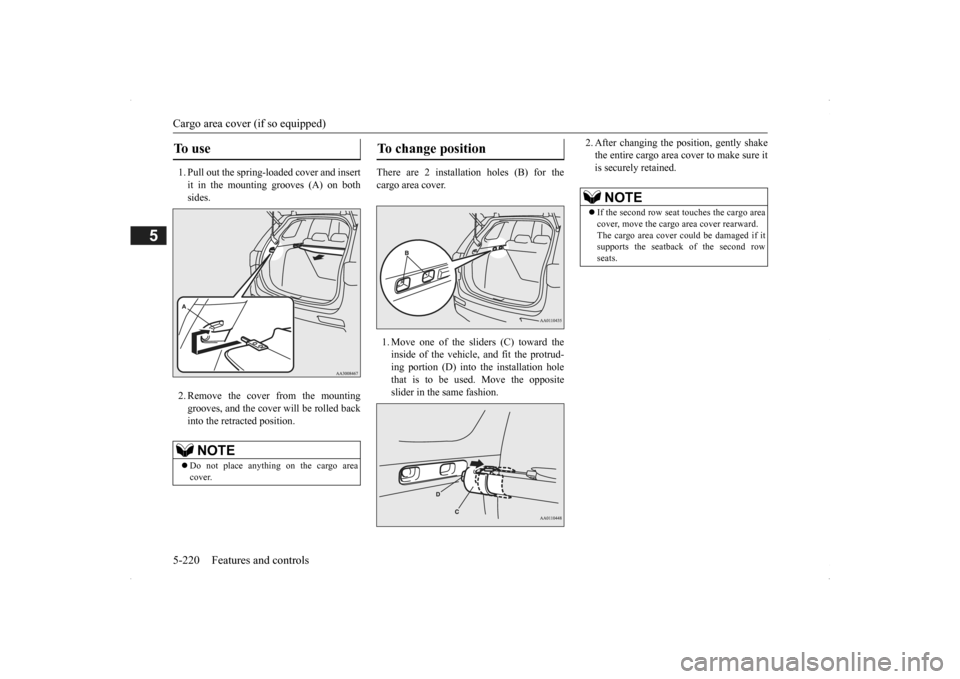
1. Pull out the spring-loaded cover and insert it in the mounting grooves (A) on both sides. 2. Remove the cover from the mounting grooves, and the cover will be rolled back into the retracted position.
There are 2 installation holes (B) for the cargo area cover. 1. Move one of the sliders (C) toward the inside of the vehicle, and fit the protrud- ing portion (D) into the installation hole that is to be used. Move the oppositeslider in the same fashion.
2. After changing the position, gently shake the entire cargo area cover to make sure itis securely retained.
To u s e
NOTE
Do not place anything on the cargo area cover.
To change position
NOTE
If the second row seat
touches the cargo area
cover, move the cargo
area cover rearward.
The cargo area cover co
uld be damaged if it
supports the seatback of the second row seats.
BK0200500US.book 220 ページ 2013年2月12日 火曜日 午前9時46分
Page 299 of 451
Assist grips
Features and controls 5-221
5
1. Roll back the cargo area cover. 2. Move one of the sliders (C) toward the inside of the vehicle and lift it to remove the cargo area cover.
To refit the cargo area cover, follow the removal steps in reverse. Gently shake theentire cargo area cover after fitting it to make sure it is securely retained.
The cover can be fitted
at the indicated posi-
tion when not in use.Raise the luggage floor board and store the cover.
N00559001084
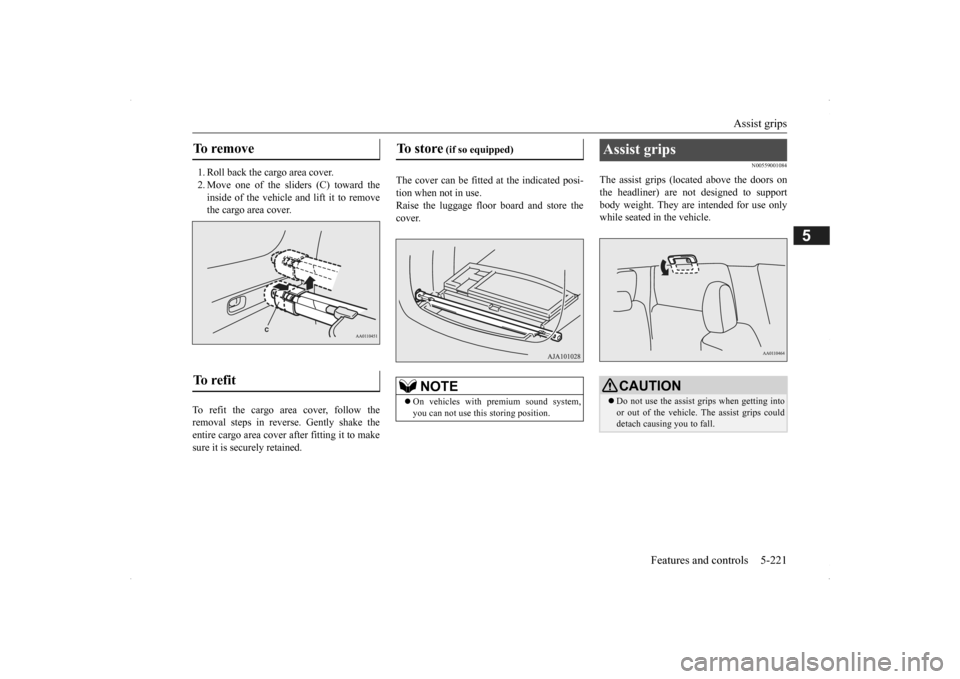
The assist grips (located above the doors onthe headliner) are not designed to support body weight. They are intended for use onlywhile seated in the vehicle.
To remove To refit
To store
(if so equipped)
NOTE
On vehicles with premium sound system, you can not use this storing position.
Assist grips
CAUTION Do not use the assist grips when getting into or out of the vehicle.
The assist grips could
detach causing you to fall.
BK0200500US.book 221 ページ 2013年2月12日 火曜日 午前9時46分
Page 301 of 451
6
Driving safetyDriving precaution ............................................................................6-2 Fuel economy........
...........
...........
............
...........
.........
........
.........
.....6-2
Driving, alcohol and drugs ...
...........
...........
...........
...........
...........
.....6-2
Floor mat...........................................................................................6-3 Vehicle preparation before driving ...................................................6-4 Safe driving techniques.....................................................................6-4Driving during cold weather .............................................................6-5 Braking .............................................................................................6-5 Parking ..............................................................................................6-6Loading information .........................................................................6-6 Cargo loads .....................................................................................6-10 Trailer towing ................................................................................. 6-11
BK0200500US.book 1 ページ 2013年2月12日 火曜日 午前9時46分
Page 306 of 451
Parking 6-6 Driving safety
6
N00629601330
When parking on a hill, set the parking brake, and turn the front wheels toward the curb on a downhill, or away from
the curb on an uphill.
If necessary, apply chocks to the wheels. Be sure that the parki
ng brake is firmly set
when parked and that the selector lever is in the “P” (PARK) position. When parking on a hill, it
is important to set
the parking brake before moving the selector lever to the “P” (PARK) position. This pre- vents loading the parking brake against thetransaxle. When this ha
ppens, it is difficult to
move the selector lever out of the “P” (PARK) position. Never leave the engine running while you take a short nap or rest. Also, never leave the engine running in a closed or poorly venti- lated place.
Your front bumper can be damaged if you scrape it over curbs or parking stop blocks.Be careful when traveling up or down steep slopes where your bumper can scrape the road. Always remove the key from the ignition switch and lock all doors and the liftgate when leaving the
vehicle unattended.
Always try to park your vehicle in a well lit area.
Move effort could be required to turn the steering wheel.Refer to “Electric power steering system (EPS)” on page 5-89.
N00629900352
It is very important to know how much weight your vehicle can carry. This weight iscalled the vehicle ca
pacity weight and
includes the weight of
all occupants, cargo
(including the roof load), non-factory-installed options, and the tongue weight of the trailer, if any, being towed. The tire and loading information placard located on thedriver’s door sill of
your vehicle will show
how much weight it may properly carry. It is important to familiarize yourself with the following terms before
loading your vehicle:
Parking Parking on a hill Parking with the engine run- ning
WA R N I N G Leaving the engine ru
nning risks injury or
death from accidentally moving the selec-tor lever or the accumulation of toxicexhaust fumes in the passenger compart- ment.
Where you park
WA R N I N G Do not park your vehicle in areas where combustible materials
such as dry grass or
leaves can come in contact with a hotexhaust, since a fire could occur.
When leaving the vehicle
Do not keep the steering wheel fully turned for a long time Loading information
WA R N I N G Never overload your ve
hicle. Overloading
can damage your vehicle, adversely affectvehicle performance, including handling and braking, cause tire failure, and result in an accident.
BK0200500US.book 6 ページ 2013年2月12日 火曜日 午前9時46分
Page 307 of 451
Loading information Driving safety 6-7
6
Vehicle maximum load on the tire: load on an individual tire that is determined bydistributing to each axle its share of the maximum loaded vehicle weight and dividing by two. Vehicle normal load on the tire: load on an individual tire that is determined by dis- tributing to each axle its share of the curbweight, accessory weight, and normal occupant weight and dividing by two. Maximum loaded vehicle weight: the sum of - (a) Curb weight;(b) Accessory weight; (c) Vehicle capacity weight; and (d) Production options weight. Curb weight: the weight of a motor vehi- cle with standard e
quipment including the
maximum capacity of fuel, oil, and cool-ant. Accessory weight: the combined weight (in excess of those
standard items which
may be replaced) of automatic transmis- sion, power steering, power brakes, power windows, power seats, radio, and heater,to the extent that these items are available as factory- installed equipment (whether installed or not). Vehicle capacity weight: the rated cargo and luggage load plus 150 lbs (68 kg) * times the vehicle’s
designated seating
capacity.
Production options weight: the combined weight of those installed regular produc-tion options weighing over 5 lbs (2.3 kg) in excess of those standard items which they replace, not prev
iously considered in
curb weight or accessory weight, includ- ing heavy duty brakes,
ride levelers, roof
rack, heavy duty battery, and special trim. Normal occupant weight: 150 lbs (68 kg) * times the number of
specified occupants
(3 in the case of your vehicle) Occupant distribution:
Occupant distribu-
tion within the passenger compartment (Inyour vehicle the distribution is 2 in front, 1 in second row seat)
N00630101407
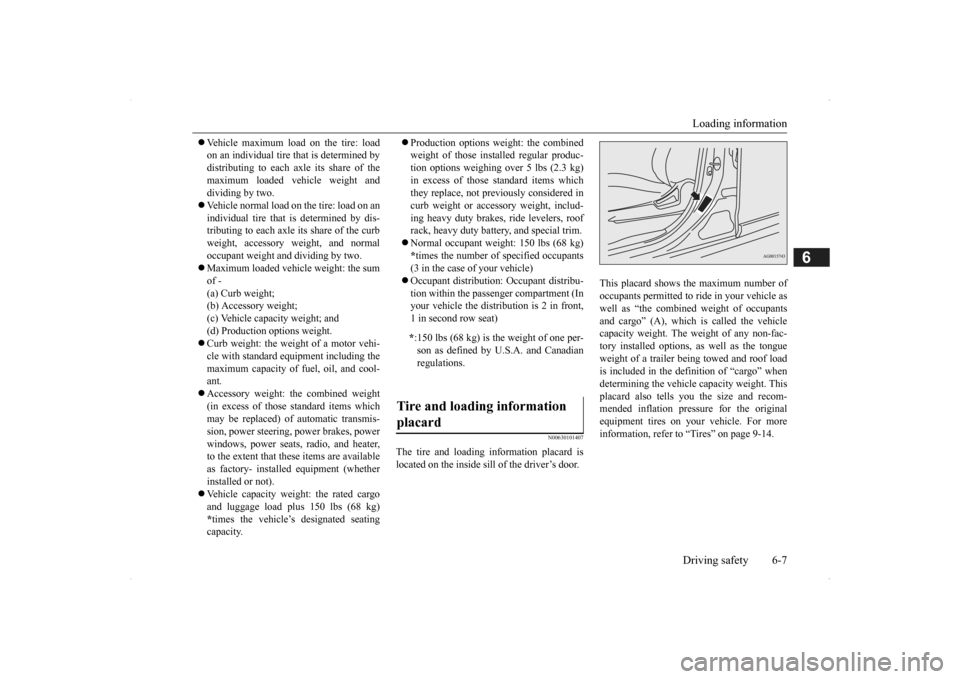
The tire and loading information placard is located on the inside sill of the driver’s door.
This placard shows the maximum number of occupants permitted to
ride in your vehicle as
well as “the combined
weight of occupants
and cargo” (A), which
is called the vehicle
capacity weight. The weight of any non-fac-tory installed options, as well as the tongue weight of a trailer being towed and roof load is included in the defi
nition of “cargo” when
determining the vehicle
capacity weight. This
placard also tells you the size and recom- mended inflation pressure for the originalequipment tires on your vehicle. For more information, refer to
“Tires” on page 9-14.
* :150 lbs (68 kg) is th
e weight of one per-
son as defined by U.S.A. and Canadian regulations.
Tire and loading information placard
BK0200500US.book 7 ページ 2013年2月12日 火曜日 午前9時46分