2014 MITSUBISHI OUTLANDER parking brake
[x] Cancel search: parking brakePage 145 of 451

Automatic transaxle (if so equipped)
Features and controls 5-67
5
To gain extra acceleration in “D” (DRIVE) position (when passing another vehicle) push
the accelerator to the floor. The automatic transaxle will automatically downshift. For short waiting periods, such as at traffic lights, the vehicle can be
left in gear and held
stationary with the service brake. For longer waiting periods with the engine running, place th
e selector lever in the “N”
(NEUTRAL) position and apply the parking brake, while holding the vehicle stationary with the service brake.Prior to moving off after having stopped the vehicle, make sure that the selector lever is in “D” (DRIVE) position or Sports mode posi-tion.
To park the vehicle, fi
rst bring it to a com-
plete stop, fully engage the parking brake, and then move the selector lever to the “P”(PARK) position. If the transaxle does not change gears while driving, or your vehicle does not pick upenough speed when starting on an uphill slope, it may be that there is something unusual happening in the
transaxle, causing a
safety device to activa
te. Have your vehicle
checked at an authorized Mitsubishi Motors dealer or a repair fac
ility of your choice as
soon as possible.
To prevent sudden acce
leration, never run
the engine at high rpms when shifting fromthe “P” (PARK) or “N” (NEUTRAL). Operating the accelerator pedal while the other foot is resting
on the brake pedal will
affect braking efficiency and may cause pre- mature wear of brake pads. Use the selector lever in the correct shift position in accordance
with driving condi-
tions.Never coast downhill backward in the driv- ing shift position {“D” (DRIVE), “L” (LOW) position or sports mode} or coastforward in the “R” (REVERSE) position. Engine stopping and increased brake pedal and steering effort could
lead to an accident.
Do not rev the engine
with the brake pedal
pressed when the vehicle is stationary.This can damage the transaxle. Also, when you depress
the accelerator pedal
while holding down the brake pedal with theselector lever in th
e “D” (DRIVE) position,
the engine revolutions
may not rise as high
as when performing the same operation withthe selector lever in the “N” (NEUTRAL) position.
Passing acceleration
CAUTION
NOTE
In sports mode, downshi
fts do not take place
when the accelerator is depressed all the way to the floor.
Waiting
CAUTION To avoid transaxle ove
rheating, never try to
keep your vehicle stationary on a hill byusing the accelerator
pedal. Always apply
the parking brake and/or service brake.
Do not rev the engine unnecessarily while the vehicle is stationary. Unexpected acceler-ation may occur if the se
lector lever is in a
position other than “P” (PARK) or “N” (NEUTRAL).
Parking
When the automatic transaxle makes no gear change
CAUTION
BK0200500US.book 67 ページ 2013年2月12日 火曜日 午前9時46分
Page 147 of 451

Continuously variable transmission (CVT) (if so equipped)
Features and controls 5-69
5
N00563301059
When the selector lever cannot be shifted from the “P” (PARK) position to anotherposition while the brake
pedal is pressed and
held down with the ignition switch at the “ON” position or the operation mode in ON,the battery may be flat or the shift-lock mech- anism may be malfunctioning. Immediately have your
vehicle checked by an
authorized Mitsubishi Motors dealer or a repair facility
of your choice.
If you need to move the vehicle, shift the selector lever as follows. 1. Make sure the parking brake is fully applied.2. Stop the engine if it is running.
Set the selector lever in the gate to operate while the brake pedal is depressed. Set the selector lever in the gate to operate.
For vehicles equipped without shift paddles For vehicles equipped with shift paddles
WA R N I N G Always press the brak
e pedal when shift-
ing the selector lever
into a selector posi-
tion from the “N”
(NEUTRAL) position.
When beginning to drive, do not shift the selector lever from
the “N” (NEUTRAL)
position while pressing the acceleratorpedal. This will cause the vehicle to “jump” forward or backward.NOTE
To prevent mistakes in operating the lever, make sure you stop brie
fly at each position.
After operating, check
the position in the
multi-information display. If the brake pedal is not depressed and held, the shift-lock device activates to prevent the selector lever from being moved from the“P” (PARK) position. For a shift indicated by in the illustra- tion, depress the brake pedal before moving the selector lever. If you attempt to move the selector lever before
depressing the brake
pedal, the selector le
ver may be immovable.
When the selector lever cannot be shifted from the “P” (PARK) posi-tion
BK0200500US.book 69 ページ 2013年2月12日 火曜日 午前9時46分
Page 152 of 451
Continuously variable transmission (CVT) (if so equipped) 5-74 Features and controls
5
N00560801053
To gain extra acceleration in “D” (DRIVE) position (when passing another vehicle) push the accelerator to the floor. The CVT will automatically downshift.
For short waiting periods, such as at traffic lights, the vehicle can be
left in selector lever
position and held stationary with the servicebrake. For longer waiting periods with the engine running, place th
e selector lever in the “N”
(NEUTRAL) position a
nd apply the parking
brake, while holding the vehicle stationary with the service brake.Prior to moving off after having stopped the vehicle, make sure that
the selector lever is in
“D” (DRIVE) position or Sports mode posi-tion.
Operation of the CVT
CAUTION Before selecting a pos
ition with the engine
running and the vehicl
e stationary, firmly
depress the brake pedal to prevent the vehi- cle from creeping. The vehicle will begin to
move as soon as the
CVT is engaged, especi
ally when the engine
speed or idle speed is
high, or with the air
conditioning operating.Do not release the br
ake pedal until you are
ready to drive away. Depress the brake pedal with the right foot at all times. Using the left foot c
ould cause driver move-
ment delay in case of an emergency. To prevent sudden acceleration, never run the engine at high rpms when shifting from the “P” (PARK) or “N” (NEUTRAL). Operating the accelerator pedal while the other foot is resting
on the brake pedal will
affect braking efficien
cy and may cause pre-
mature wear of brake pads.
Use the selector lever in the correct shift position in accordance with driving condi-tions.Never coast downhill backward in the driv- ing shift position {“D” (DRIVE), “DS” (DOWN SHIFT & SPORTY DRVING), “L”(LOW) position or sports mode} or coast forward in the “R” (REVERSE) position. Engine stopping and increased brake pedaland steering effort could
lead to an accident.
Do not rev the engine
with the brake pedal
pressed when the vehicle is stationary. This can damage the CVT. Also, when you depress
the accelerator pedal
while holding down the brake pedal with the selector lever in th
e “D” (DRIVE) position,
the engine revolutions
may not rise as high
as when performing the same operation with the selector lever in the “N” (NEUTRAL) position.
Passing acceleration
CAUTION
NOTE
In sports mode, downshi
fts do not take place
when the accelerator is depressed all the wayto the floor.
Waiting
CAUTION To avoid transmission
overheating, never try
to keep your vehicle st
ationary on a hill by
using the accelerator
pedal. Always apply
the parking brake and/or service brake. Do not rev the engine unnecessarily while the vehicle is stationary. Unexpected acceler- ation may occur if the selector lever is in aposition other than “P” (PARK) or “N” (NEUTRAL).
BK0200500US.book 74 ページ 2013年2月12日 火曜日 午前9時46分
Page 153 of 451

Electronically controlled 4WD system (if so equipped)
Features and controls 5-75
5
To park the vehicle, fi
rst bring it to a com-
plete stop, fully engage the parking brake, and then move the sele
ctor lever to the “P”
(PARK) position. If the CVT does not shift while driving, or your vehicle does not pick up enough speed when starting on an uphill slope, it may be that there is something unusual happening inthe transmission, causi
ng a safety device to
activate. Have your ve
hicle checked at an
authorized Mitsubishi Motors dealer or arepair facility of your c
hoice as soon as possi-
ble.
N00548301029
The electronically controlled 4WD systemhelps improve accelera
tion and vehicle stabil-
ity by controlling the fr
ont-rear distribution of
driving torque using th
e electronic control
coupling in the rear differential assembly.
Select the drive mode from the following 3 types to suit the driving conditions.
Parking
When the CVT makes no speed change
NOTE
[For vehicles equipped with mono-color liq- uid crystal display meter]When the selector le
ver position indicator
blinks while you are driving, there could be a malfunction in the automatic transmission system or CVT fluid
temperature becomes
abnormally high. [For vehicles equipped with color liquid crystal display meter] When the warning display and “SLOW DOWN” or the wa
rning display and
“SERVICE REQUIRED” appear on the information screen in the multi-informationdisplay, there could be
a malfunction in the
CVT. Refer to “Continuously variable trans- mission (CVT): Warning display” on page5-70.
Electronically controlled 4WD system
(if so equipped)
NOTE
If the parking brake lever is pulled up while the vehicle is moving, the front-rear distribu-tion of driving torque control will turn OFFwhich will allow the rear wheels to lock eas- ier.
Drive mode
Drive mode
Function
4WD ECO
this is most fuel efficient modeNormal operation is 2WD, but 4WD will engage in the event of wheel slip.
4WD AUTO
All driving is in 4WD and the distribution of traction torque to each wheel is automatically controlled depending on the driving conditions.
BK0200500US.book 75 ページ 2013年2月12日 火曜日 午前9時46分
Page 156 of 451
S-AWC (Super-All Wheel Control) (if so equipped) 5-78 Features and controls
5
N00541301059
S-AWC is an integrated vehicle dynamics control system that helps enhance drivingperformance, cornering performance, and vehicle stability over a wide range of driving conditions through integr
ated management of
the electronically cont
rolled 4WD, the AYC
(Active Yaw Control), the ABS and the ASC. The electronically controlled 4WD is a sys- tem that improves acceleration performance and stability performance by controlling front-rear distribution of
driving torque with
operating the electronic control coupling arranged in the rear differential assembly. The AYC is a system, with a left-right differ- ential limiting function
and yaw control func-
tion, that controls the left-right driving/braking force by managing the AFD*(Active Front Differential), the brake, the EPS. *: AFD (Active Front Differential)The Differential assembly that limits the front left-right differential
speed by operating elec-
tronic control clutch arranged in the transferassembly.
The left-right differen
tial limiting function is
a function that enhances driving performance and vehicle stability by preventing idle spin- ning of a wheel when driving on slipperyroad or when the road surfaces of left and right wheels are different. The yaw control function is a function that enhances vehicle corn
ering performance and
vehicle stability with
management of vehicle
turning power (yaw moment) by controlling the drive power difference of the left andright wheels and the braking force when the vehicle does not turn in
response to steering
input, such as when the steering wheel isturned quickly or when driving on slippery road.
N00542401060
Select the control mode from the followingfour types to suit the driving conditions.
S-AWC (Super-All Wheel Control)
(if so equipped)
CAUTION Do not over-rely on the S-AWC. Even the S- AWC cannot prevent the natural laws of physics from acting on the vehicle. This sys-tem, like any other sy
stem, has limits and
cannot help you to main
tain traction and con-
trol of the vehicle in
all circumstances. Reck-
less driving can lead to
accidents. It is the
driver’s responsibility to drive carefully. This means taking into account the traffic,road and environmental conditions.
Electronically Controlled 4WD
NOTE
If the parking brake lever is pulled up while the vehicle is moving, the front-rear distribu- tion of driving torque control will turn OFF which will allow the rear wheels to lock eas-ier.
Active Yaw Control (AYC)
CAUTION Control of the braking force does not enhance the stopping performance of thevehicle, therefore, pa
y careful attention to
the safety of your surroundings when driv- ing.
Left-right differential limiting function
Yaw control function
S-AWC control mode
BK0200500US.book 78 ページ 2013年2月12日 火曜日 午前9時46分
Page 164 of 451

Brake assist system 5-86 Features and controls
5
N00562700075
1. Stop the vehicle completely using the brake pedal. 2. Release the brake pedal and the hill startassist will maintain the braking force applied while stopping for approximately 2 seconds.3. Depress the accelerator pedal and the hill start assist gradually will decrease the braking force as the vehicle starts moving.
N00562801103
If an abnormal condition occurs in the sys- tem, the following disp
lay/indicator will turn
on. Warning display
N00567301099
The brake assist system
is a device assisting
drivers who cannot depress the brake pedal firmly such as in em
ergency stop situations
and provides greater braking force. If the brake pedal is depressed suddenly, the brakes will be applied
with more force than
usual.
To operate
NOTE
The hill start assist is activated when all of the following c
onditions are met.
• The engine is running. (The hill start assist
will not be activated
while the engine is st
arting or immediately
after the engine is started.) • The selector lever is
in any position other
than “P” (PARK) or “N” (NEUTRAL). • The vehicle is comple
tely stationary, with
the brake pedal depressed. • The parking brake is released. The hill start assist wi
ll not operate if the
accelerator pedal is
depressed before the
brake pedal is released. The hill start assist also operates when reversing on an uphill slope.
Wa r n i n g d i s p l a y
- ASC indicator
CAUTION If the warning is displayed, the hill start assist will not
operate. Start off carefully.
Park your vehicle in a
safe place and stop the
engine.Restart the engine and check whether the indicator/display goes out
, in which case the
hill start assist is again working normally. If they remain displayed or reappear fre- quently, it is not necessa
ry to stop the vehicle
immediately, but th
e vehicle should be
inspected by an authorized Mitsubishi Motors dealer or a repair facility of your choice as s
oon as possible.
Brake assist system
CAUTIONThe brake assist system is not a device designed to exercise
braking force greater
than its capacity. Make
sure to always keep a
sufficient distance be
tween vehicles in front
of you without relying too much on the brake assist system.NOTE
Once the brake assist system is operational, it maintains great braking force even if thebrake pedal is lightly released.To stop its operation, completely remove your foot from the brake pedal. The brake assist system may become opera- tional when the brake pedal is fully depressed even if it
has not been depressed
suddenly.
BK0200500US.book 86 ページ 2013年2月12日 火曜日 午前9時46分
Page 167 of 451

Electric power steering system (EPS)
Features and controls 5-89
5
N00529201090
After driving on snow or icy roads, remove any snow and ice which may have be leftaround the wheels. On vehicles that have an anti-lock braking syst
em, be careful not to
damage the wheel spee
d sensors (A) or the
cables located at each wheel.
N00568401084
The power steering system operates while the engine is running. It helps reduce the effort needed to turn the steering wheel.The power steering sy
stem has mechanical
steering capability in case the power assist is lost. If the power assist is lost for some rea-son, you will still be able to steer your vehi- cle, but you will notice it takes much more effort to steer. If this happens, have your vehi- cle inspected at an authorized Mitsubishi Motors dealer or a repair facility of yourchoice.
Warning lamp Warning display
NOTE
The anti-lock braking
system warning light
and brake warning light illuminate at thesame time and the wa
rning displays appear
alternately on the information screen in the multi-information display.
After driving on icy roads Front Rear
Electric power steering sys- tem (EPS)
WA R N I N G Do not stop the engine while the vehicle is moving. Stopping the engine would make the steering wheel extremely hard to turn, possibly resulting
in an ac
cident.
NOTE
During repeated full-lock turning of the steering wheel (for example, while you aremanoeuvring the vehicle into a parkingspace), a protection f
unction may be acti-
vated to prevent overheating of the power steering system. This f
unction will make the
steering wheel graduall
y harder to turn. In
this event, limit your turning of the steering wheel for a while. When the system hascooled down, the steering effort will return to normal. If you turn the steering wheel while the vehi- cle is stationary with the headlights on, the headlights may become
dim. This behavior
is not abnormal. The he
adlights will return to
their original brightness after a short while.
Electric power steering system warning display
BK0200500US.book 89 ページ 2013年2月12日 火曜日 午前9時46分
Page 178 of 451
Adaptive Cruise Control System (ACC) (if so equipped) 5-100 Features and controls
5
N00581300025
The speed of your vehicle will be maintained at the speed you have set. The speed can be set between approximately 25 mph (40 km/h) and 110 mph (180 km/h).
N00581400026
The ACC will maintain the distance to thefront vehicle and will apply the brakes auto-matically when the system judges braking is necessary. The distance
can be selected from
three levels. When the front vehicle stops, the ACC will automatically apply the brakes to stop yourvehicle. A few seconds after your vehicle has stopped, the ACC will release the brakes and yourvehicle will start to move or creep slowly. You must apply the brakes to keep your vehi- cle stationary.
When the ACC no longer detects a vehicle in front, the buzzer will sound, the vehicle sym-bol in the display will disappear and your vehicle will slowly accelerate to the set speed.
• While ABS, ASC or TCL is activated. • When the selector leve
r is in positions other
than “D” (DRIVE) and “Ds” (DOWN- SHIFT & SPORTY DRIVING). • While the brake pedal is depressed. • While the parking brake is engaged.• When the ACC system has judged that the performance for detect
ing a front vehicle is
degraded. • When an abnormality
in the ACC system
has been detected.
When ACC detects no vehicle in front within the set distance
NOTE
If the vehicle speed exceeds the set speed on a down slope, the system will automatically apply the brake to main
tain the vehicle set
speed.NOTE
When ACC detects a vehicle in front within the set distance
NOTE
If the brake pedal is not depressed within 2 seconds after your vehi
cle has been stopped
by the ACC, a warni
ng buzzer will sound,
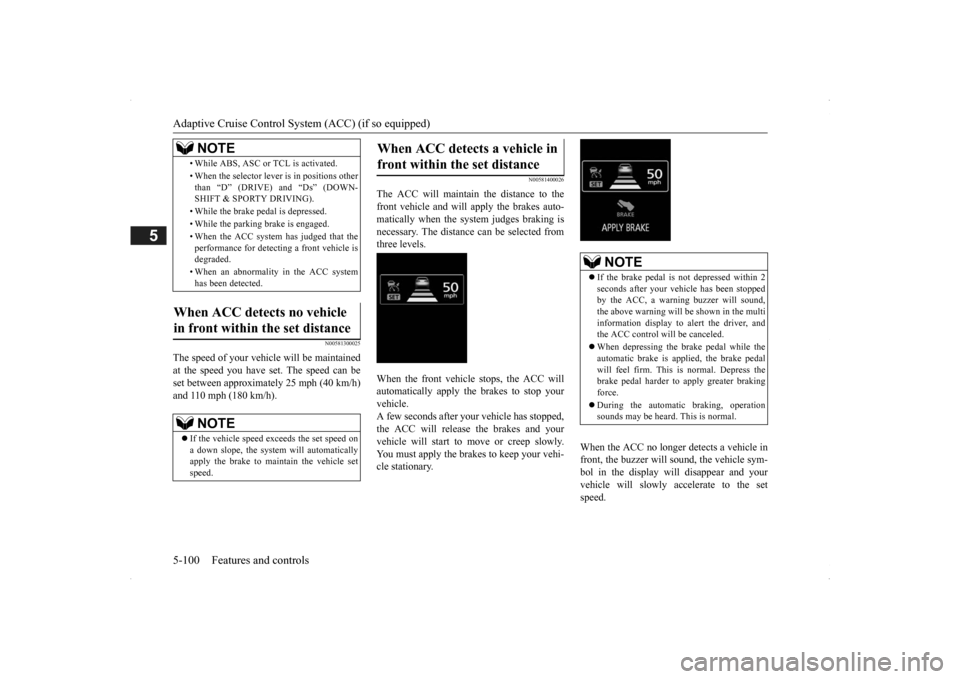
the above warning will be shown in the multi information display to alert the driver, and the ACC control will be canceled. When depressing the brake pedal while the automatic brake is applied, the brake pedalwill feel firm. This is normal. Depress the brake pedal harder to apply greater braking force. During the automatic
braking, operation
sounds may be heard. This is normal.
BK0200500US.book 100 ページ 2013年2月12日 火曜日 午前9時46分