2014 MERCEDES-BENZ S-Class radio
[x] Cancel search: radioPage 275 of 434

Display messages Possible causes/consequences and
0050
0050Solutions PRE-SAFE
PRE-SAFE
Functions
Functions
Currently Limited
Currently Limited
See Operator's See Operator's
Manual Manual PRE-SAFE
®
PLUS, PRE-SAFE ®
Brake or Adaptive Brake Assist of
COLLISION PREVENTION ASSIST is temporarily inoperative.
Possible causes are:
R function is impaired due to heavy rain or snow.
R the sensors in the radiator grill and the bumper are dirty.
R the radar sensor system is temporarily inoperative, e.g. due to
electromagnetic radiation emitted by nearby TV or radio
stations or other sources of electromagnetic radiation.
R the system is outside the operating temperature range.
R the on-board voltage is too low.
When the causes stated above no longer apply, the display
message disappears.
PRE-SAFE ®
PLUS, PRE-SAFE ®
Brake or Adaptive Brake Assist of
COLLISION PREVENTION ASSIST are operative again.
If the display message does not disappear:
X Pull over and stop the vehicle safely as soon as possible, paying
attention to road and traffic conditions.
X Secure the vehicle against rolling away ( Ypage 190).
X Clean the sensors in the following locations ( Ypage 358):
R in the radiator trim
R in the front bumper
R in the rear bumper, particularly in the middle of the rear
bumper
X Restart the engine. PRE-SAFE PRE-SAFE
Functions
Functions
Limited See
Limited See
Operator's Manual Operator's Manual PRE-SAFE
®
PLUS, PRE-SAFE ®
Brake or Adaptive Brake Assist of
COLLISION PREVENTION ASSIST is not available due to a
malfunction. BAS PLUS or the distance warning signal may also
have failed.
X Visit a qualified specialist workshop. Display
messages
273On-board computer and displays Z
Page 292 of 434

Display messages Possible causes/consequences and
0050
0050Solutions Active Blind Spot
Active Blind Spot
Assist Currently Assist Currently
Unavailable See Unavailable See
Operator's Manual Operator's Manual Active Blind Spot Assist is temporarily inoperative. Possible
causes are:
R
the sensors are dirty.
R function is impaired due to heavy rain or snow.
R the radar sensor system is outside the operating temperature
range.
R the radar sensor system is temporarily inoperative, e.g. due to
electromagnetic radiation emitted by nearby TV or radio
stations or other sources of electromagnetic radiation.
When the causes stated above no longer apply, the display
message disappears.
Active Blind Spot Assist is operational again.
If the display message does not disappear:
X Pull over and stop the vehicle safely as soon as possible, paying
attention to road and traffic conditions.
X Secure the vehicle against rolling away ( Ypage 190).
X Clean the sensors (Y page 358).
X Restart the engine. Active Blind Spot Active Blind Spot
Assist Inoperative Assist Inoperative Active Blind Spot Assist is defective.
X
Visit a qualified specialist workshop. Park Assist Park Assist
Canceled Canceled The driver's door is open.
X
Repeat the parking gap measurement and parking process with
the driver's door closed. You touched the multifunction steering wheel while steering
intervention was active.
X
While steering intervention is active, make sure that the
multifunction steering wheel is not touched unintentionally. The vehicle has started to skid and ESP
®
has intervened.
X Use Active Parking Assist again later (Y page 221).Park Assist Park Assist
Inoperative Inoperative PARKTRONIC is malfunctioning or faulty.
X
Follow the instructions and helpful hints in the "Problems with
PARKTRONIC" section ( Ypage 221).
If the display message continues to be displayed:
X Visit a qualified specialist workshop. 290
Display
messagesOn-board computer and displays
Page 294 of 434

Display messages Possible causes/consequences and
0050
0050Solutions Night View Assist Plus is faulty.
X
Visit a qualified specialist workshop. 00D9
Off Off The HOLD function is deactivated. the vehicle is skidding.
A warning tone also sounds.
X
Reactivate the HOLD function later (Y page 212).DISTRONIC PLUS Off DISTRONIC PLUS Off DISTRONIC PLUS has been deactivated (Y
page 201).
If it was not deactivated by the driver, a warning tone also sounds. DISTRONIC
DISTRONIC
PLUS
PLUSNow
Now
Available
Available DISTRONIC PLUS is operational again after having been
temporarily unavailable. You can now reactivate DISTRONIC PLUS
(Y
page 201). DISTRONIC PLUS DISTRONIC PLUS
Currently Currently
Unavailable See Unavailable See
Operator's Manual Operator's Manual DISTRONIC PLUS is temporarily inoperative.
DISTRONIC PLUS Steering Assist is also temporarily inoperative.
Possible causes are:
R
function is impaired due to heavy rain or snow.
R the sensors in the radiator grill and the bumper are dirty.
R the radar sensor system is temporarily inoperative, e.g. due to
electromagnetic radiation emitted by nearby TV or radio
stations or other sources of electromagnetic radiation.
R the system is outside the operating temperature range.
R the on-board voltage is too low.
A warning tone also sounds.
When the causes stated above no longer apply, the display
message disappears.
DISTRONIC is operational again.
If the display message does not disappear:
X Pull over and stop the vehicle safely as soon as possible, paying
attention to road and traffic conditions.
X Secure the vehicle against rolling away ( Ypage 190).
X Clean the sensors in the radiator grill and the bumper
(Y page 358).
X Restart the engine. 292
Display
messagesOn-board computer and displays
Page 299 of 434

Display messages Possible causes/consequences and
0050
0050Solutions Tire Press.
Tire Press.
Monitor Currently Monitor Currently
Unavailable Unavailable Due to a source of radio interference, no signals can be received
from the wheel sensors. The tire pressure monitor is temporarily
malfunctioning.
X
Drive on.
The tire pressure monitor restarts automatically as soon as the
problem has been solved. TirePress. TirePress.
Sensor(s) Missing Sensor(s) Missing There is no signal from the tire pressure sensor of one or several
wheels. The pressure of the affected tire is not displayed in the
multifunction display.
X
Have the faulty tire pressure sensor replaced at a qualified
specialist workshop. Tire Pressure Tire Pressure
Monitor Monitor
Inoperative No Inoperative No
Wheel Sensors Wheel Sensors The wheels mounted do not have a suitable tire pressure sensor.
The tire pressure monitor is deactivated.
X
Mount wheels with suitable tire pressure sensors.
The tire pressure monitor is activated automatically after driving
for a few minutes. Tire Press. Tire Press.
Monitor Monitor
Inoperative Inoperative The tire pressure monitor is faulty.
X
Visit a qualified specialist workshop. Vehicle
Display messages Possible causes/consequences and
0050 0050Solutions Shift to 'P' or
Shift to 'P' or
'N' 'N'
to
toStart
Start Engine
Engine You have attempted to start the engine with the transmission in
position
Ror D.
X Shift the transmission to position Por N. Auxiliary Battery Auxiliary Battery
Malfunction Malfunction The auxiliary battery for the transmission is no longer being
charged.
X
Visit a qualified specialist workshop. Apply Brake to Apply Brake to
Shift from 'P' Shift from 'P' You have attempted to move the transmission selector lever to
position
D,Ror Nwithout depressing the brake pedal.
X Depress the brake pedal. Display
messages
297On-board computer and displays Z
Page 303 of 434
Display messages Possible causes/consequences and
0050
0050Solutions 00AF
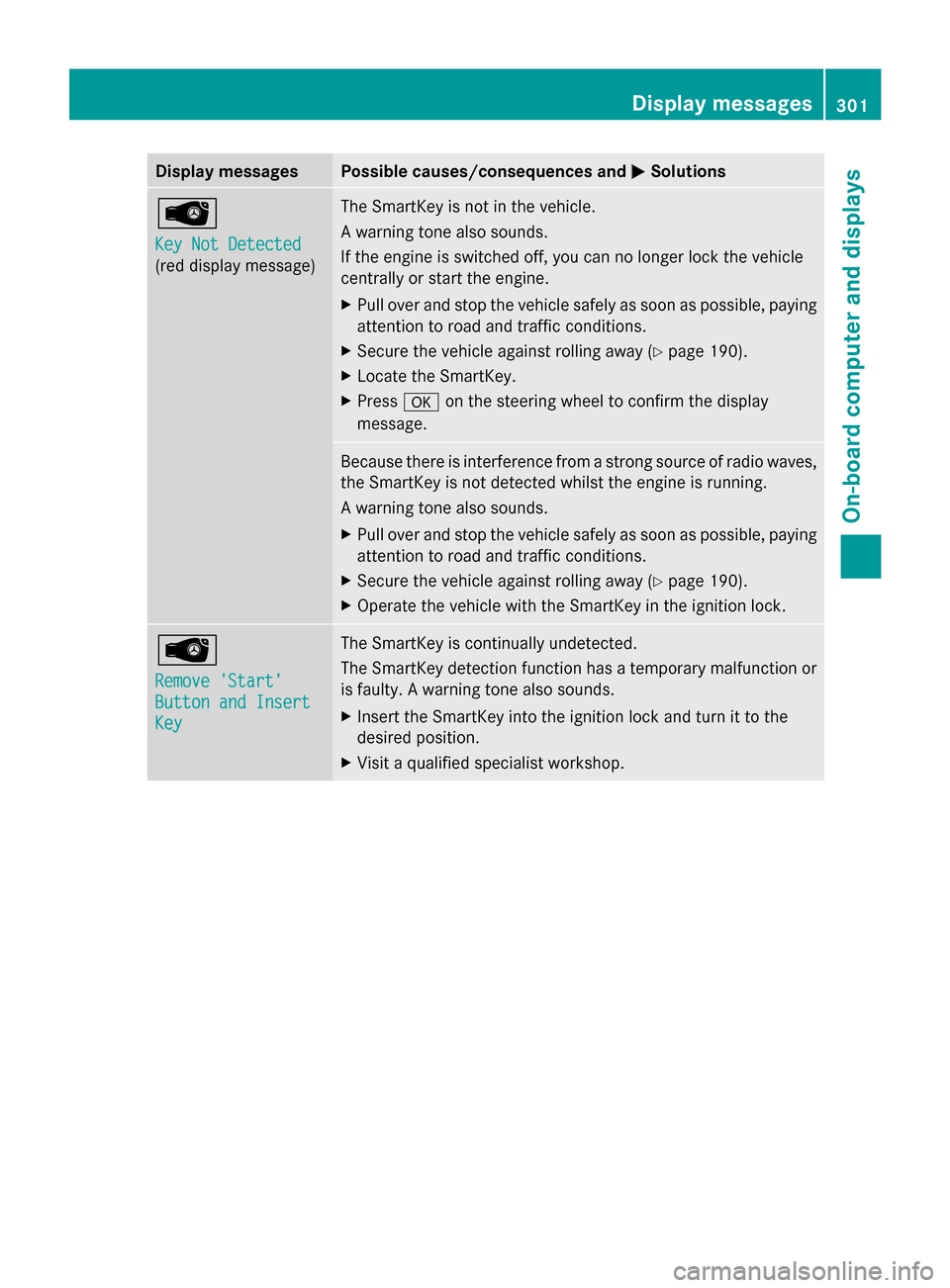
Key Not Detected Key Not Detected
(red display message) The SmartKey is not in the vehicle.
A warning tone also sounds.
If the engine is switched off, you can no longer lock the vehicle
centrally or start the engine.
X
Pull over and stop the vehicle safely as soon as possible, paying
attention to road and traffic conditions.
X Secure the vehicle against rolling away ( Ypage 190).
X Locate the SmartKey.
X Press 0076on the steering wheel to confirm the display
message. Because there is interference from a strong source of radio waves,
the SmartKey is not detected whilst the engine is running.
A warning tone also sounds.
X
Pull over and stop the vehicle safely as soon as possible, paying
attention to road and traffic conditions.
X Secure the vehicle against rolling away ( Ypage 190).
X Operate the vehicle with the SmartKey in the ignition lock. 00AF
Remove 'Start' Remove 'Start'
Button and Insert Button and Insert
Key Key The SmartKey is continually undetected.
The SmartKey detection function has a temporary malfunction or
is faulty. A warning tone also sounds.
X
Insert the SmartKey into the ignition lock and turn it to the
desired position.
X Visit a qualified specialist workshop. Display
messages
301On-board computer and displays Z
Page 345 of 434
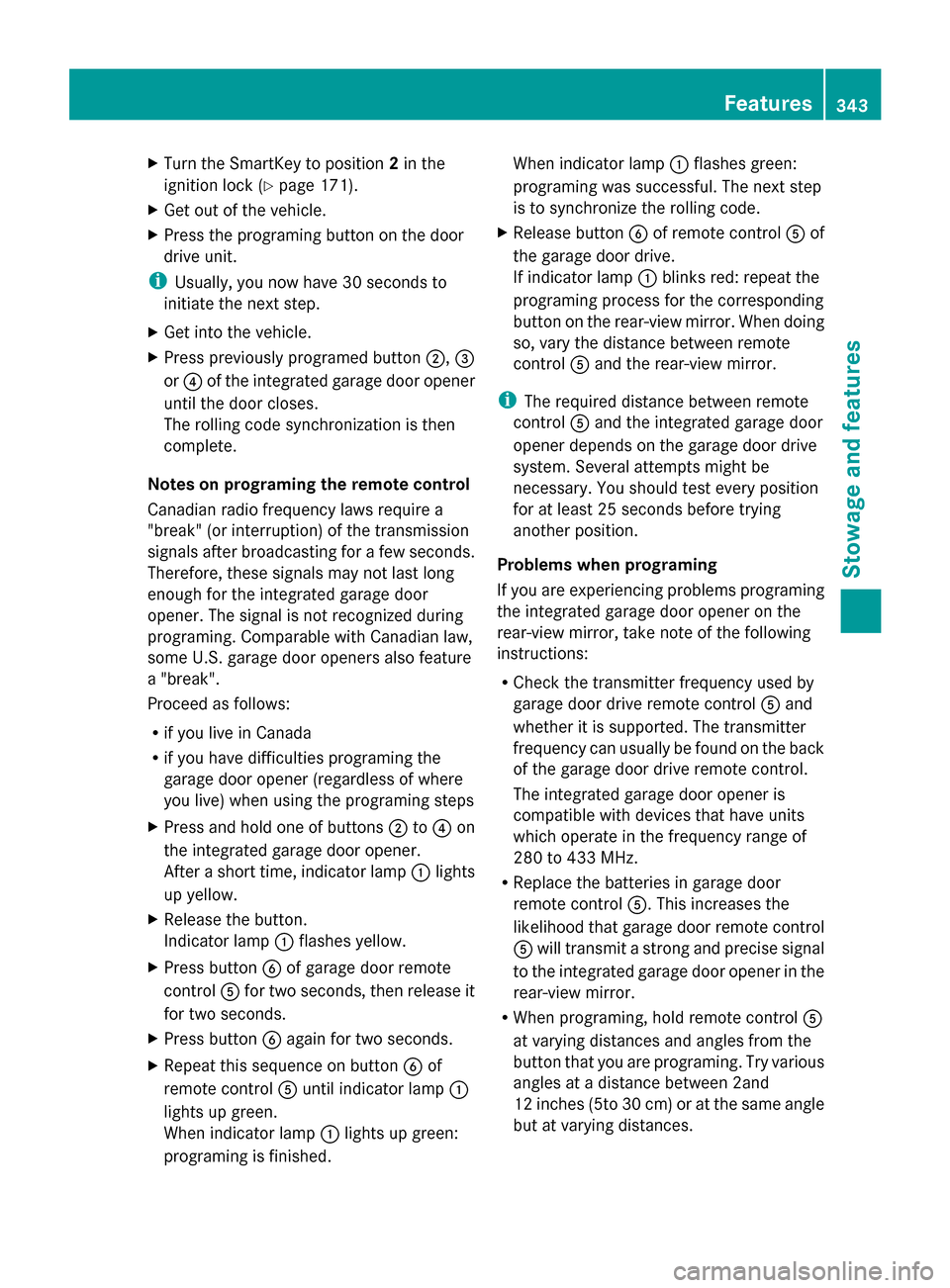
X
Turn the SmartKey to position 2in the
ignition lock (Y page 171).
X Get out of the vehicle.
X Press the programing button on the door
drive unit.
i Usually, you now have 30 seconds to
initiate the next step.
X Get into the vehicle.
X Press previously programed button 0044,0087
or 0085 of the integrated garage door opener
until the door closes.
The rolling code synchronization is then
complete.
Notes on programing the remote control
Canadian radio frequency laws require a
"break" (or interruption) of the transmission
signals after broadcasting for a few seconds.
Therefore, these signals may not last long
enough for the integrated garage door
opener. The signal is not recognized during
programing. Comparable with Canadian law,
some U.S. garage door openers also feature
a "break".
Proceed as follows:
R if you live in Canada
R if you have difficulties programing the
garage door opener (regardless of where
you live) when using the programing steps
X Press and hold one of buttons 0044to0085 on
the integrated garage door opener.
After a short time, indicator lamp 0043lights
up yellow.
X Release the button.
Indicator lamp 0043flashes yellow.
X Press button 0084of garage door remote
control 0083for two seconds, then release it
for two seconds.
X Press button 0084again for two seconds.
X Repeat this sequence on button 0084of
remote control 0083until indicator lamp 0043
lights up green.
When indicator lamp 0043lights up green:
programing is finished. When indicator lamp
0043flashes green:
programing was successful. The next step
is to synchronize the rolling code.
X Release button 0084of remote control 0083of
the garage door drive.
If indicator lamp 0043blinks red: repeat the
programing process for the corresponding
button on the rear-view mirror. When doing
so, vary the distance between remote
control 0083and the rear-view mirror.
i The required distance between remote
control 0083and the integrated garage door
opener depends on the garage door drive
system. Several attempts might be
necessary. You should test every position
for at least 25 seconds before trying
another position.
Problems when programing
If you are experiencing problems programing
the integrated garage door opener on the
rear-view mirror, take note of the following
instructions:
R Check the transmitter frequency used by
garage door drive remote control 0083and
whether it is supported. The transmitter
frequency can usually be found on the back
of the garage door drive remote control.
The integrated garage door opener is
compatible with devices that have units
which operate in the frequency range of
280 to 433 MHz.
R Replace the batteries in garage door
remote control 0083. This increases the
likelihood that garage door remote control
0083 will transmit a strong and precise signal
to the integrated garage door opener in the
rear-view mirror.
R When programing, hold remote control 0083
at varying distances and angles from the
button that you are programing. Try various
angles at a distance between 2and
12 inches (5to 30 cm) or at the same angle
but at varying distances. Features
343Stowage and features Z
Page 347 of 434
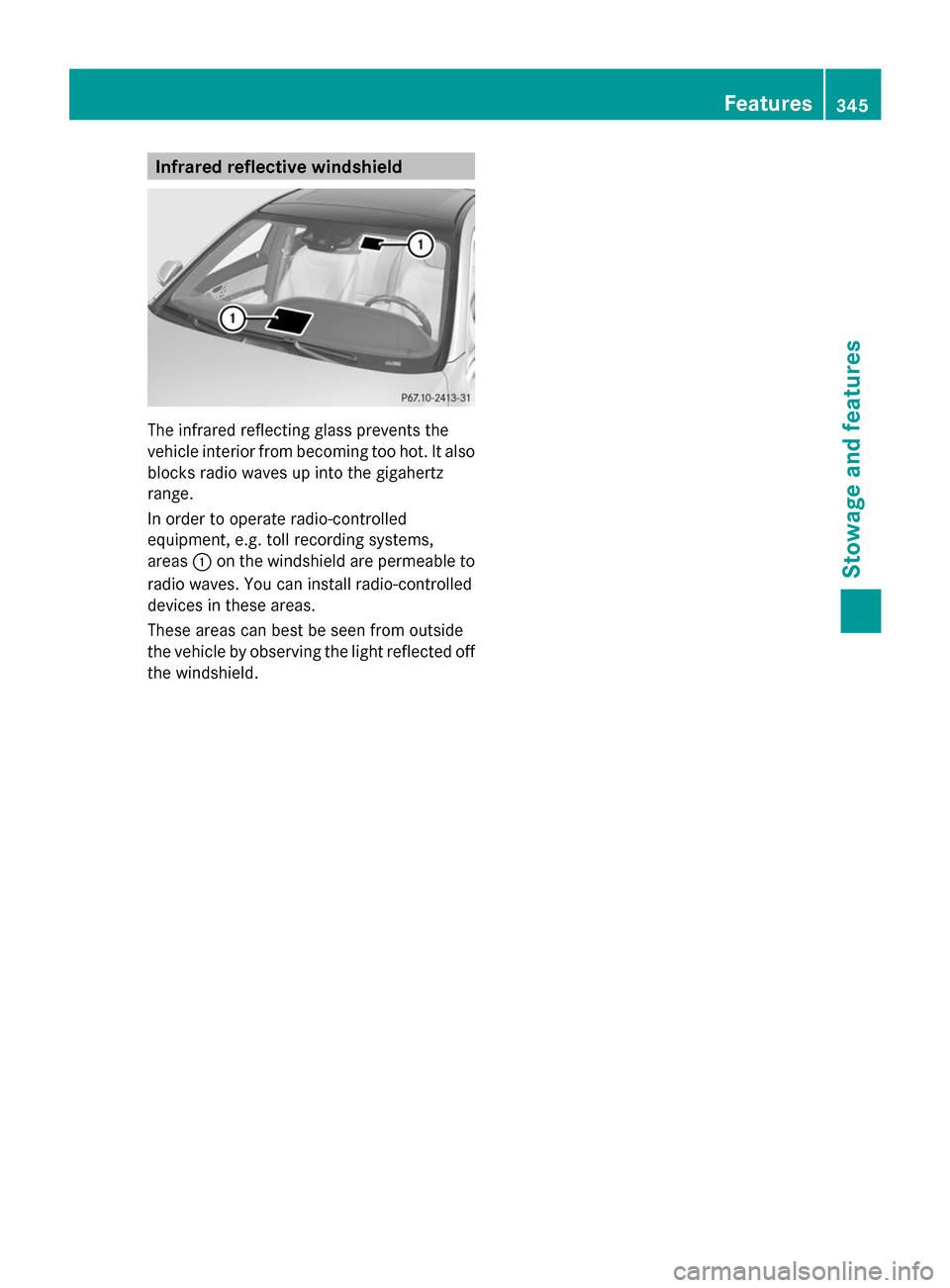
Infrared reflective windshield
The infrared reflecting glass prevents the
vehicle interior from becoming too hot. It also
blocks radio waves up into the gigahertz
range.
In order to operate radio-controlled
equipment, e.g. toll recording systems,
areas 0043on the windshield are permeable to
radio waves. You can install radio-controlled
devices in these areas.
These areas can best be seen from outside
the vehicle by observing the light reflected off
the windshield. Features
345Stowage and featu res Z
Page 394 of 434
TPMS from functioning properly. Always
check the TPMS malfunction telltale after
replacing one or more tires or wheels on your
vehicle to ensure that the replacement or
alternate Tires and wheels allow the TPMS to
continue to function properly.
It is the driver's responsibility to set the tire
pressure to that recommended for cold tires
which is suitable for the operating situation
(Y page 387). Note that the correct tire
pressure for the current operating situation
must first be taught-in to the tire pressure
monitor. If there is a substantial loss of
pressure, the warning threshold for the
warning message is aligned to the reference
values taught-in. Restart the tire pressure
monitor after adjusting the pressure of the
cold tires (Y page 393). The current
pressures are saved as new reference values.
As a result, a warning message will appear if
the tire pressure drops significantly.
The tire pressure monitor does not warn you
of an incorrectly set tire pressure. Observe
the notes on the recommended tire pressure
(Y page 387).
The tire pressure monitor is not able to warn
you of a sudden loss of pressure, e.g. if the
tire is penetrated by a foreign object. In the
event of a sudden loss of pressure, bring the
vehicle to a halt by braking carefully. Avoid
abrupt steering maneuvers.
The tire pressure monitor has a yellow
warning lamp in the instrument cluster for
indicating a pressure loss or malfunction.
Whether the warning lamp flashes or lights up
indicates whether a tire pressure is too low or
the tire pressure monitor is malfunctioning:
R if the warning lamp is lit continuously, the
tire pressure on one or more tires is
significantly too low. The tire pressure
monitor is not malfunctioning.
R if the warning lamp flashes for around a
minute and then remains lit constantly, the
tire pressure monitor is malfunctioning. i
In addition to the warning lamp, a
message appears in the multifunction
display.
Further information can be found on
(Y page 295).
If the tire pressure monitor is malfunctioning,
it may take more than ten minutes for the tire
pressure warning lamp to inform you of the
malfunction by flashing for approximately one
minute and then remaining lit. When the
malfunction has been rectified, the tire
pressure warning lamp goes out after a few
minutes of driving.
The tire pressure values indicated by the on-
board computer may differ from those
measured at a gas station with a pressure
gauge. The tire pressures shown by the on-
board computer refer to those measured at
sea level. At high altitudes, the tire pressure
values indicated by a pressure gauge are
higher than those shown by the on-board
computer. In this case, do not reduce the tire
pressures.
The operation of the tire pressure monitor can
be affected by interference from radio
transmitting equipment (e.g. radio
headphones, two-way radios) that may be
being operated in or near the vehicle.
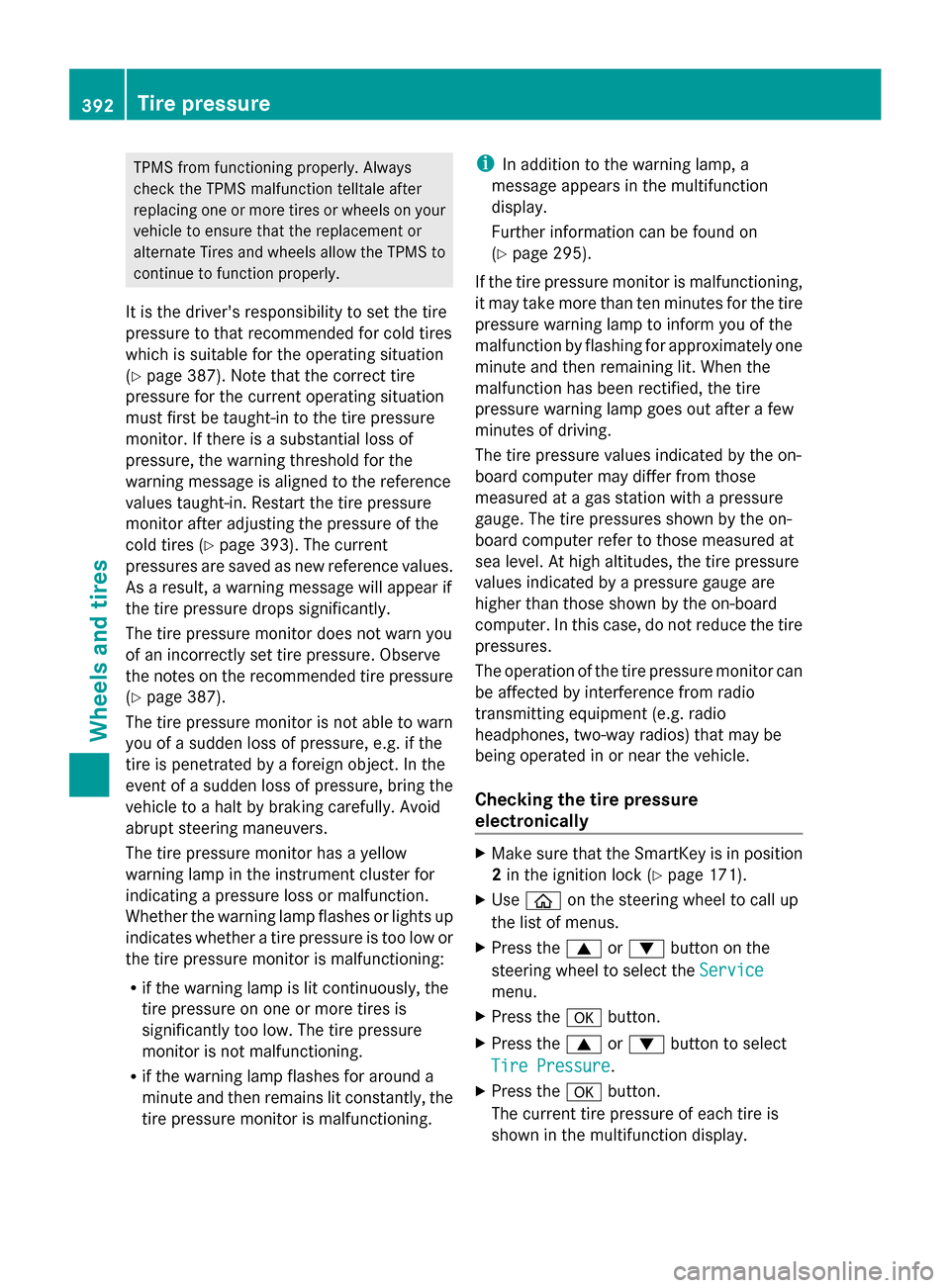
Checking the tire pressure
electronically X
Make sure that the SmartKey is in position
2in the ignition lock (Y page 171).
X Use 00E2 on the steering wheel to call up
the list of menus.
X Press the 0063or0064 button on the
steering wheel to select the Service
Service
menu.
X Press the 0076button.
X Press the 0063or0064 button to select
Tire Pressure Tire Pressure.
X Press the 0076button.
The current tire pressure of each tire is
shown in the multifunction display. 392
Tire pressureWheels and tires