2014 MERCEDES-BENZ C-CLASS SALOON audio
[x] Cancel search: audioPage 279 of 489

Driving using the electric motor and
charging the high-voltage battery The electric motor is being operated as an
alternator, e.g. in overrun mode and when
braking. The kinetic energy of the vehicle is
converted into electrical energy. The high-
voltage battery is charging.
The arrows for the energy flow are shown in
green. The combustion engine is shown in
dark grey.
Displaying the total range The approximate range is based on the cur-
rent driving style.
X Use Ñ on the steering wheel to call up
the list of menus.
X Press the :or9 button on the steer-
ing wheel to select the Trip
Trip menu.
X Confirm by pressing aon the steering
wheel.
X Press :or9 to select the approxi-
mate total range. Displaying fuel consumption and gen-
erated electrical energy
:
Fuel consumption
; Electrical energy generated
Every bar of the graph displays the average
value for one minute.
Fuel consumption indicator :may differ
from the indicator in the From start
From start trip
computer in the Trip Tripmenu.
To reset values: the values are reset along
with the From start
From start trip computer
(Y page 299).
X To select Consumption
Consumption: turn and press the
controller.
The Audio 20/COMAND Online display
shows fuel consumption :and electrical
energy generated ;for the last
15 minutes driven. Starting the engine
READY indicator X
Switch the ignition on.
X Depress the brake pedal. 276
Hybrid operationDriving and pa
rking
Page 280 of 489

X
Observe the notes on starting the engine
(Y page 183).
X Turn the key to position 3in the ignition
lock (Y page 183) or press the Start/Stop
button once (Y page 184).
The vehicle is operational when READY indi-
cator :lights up.
Noiseless start The vehicle starts in electric mode without the
internal combustion engine. The internal
combustion engine starts only after the
power demanded by the driver exceeds the
available power that the electric motor can
currently provide.
Noiseless start operation is dependent on the
outside temperature and the operating tem-
perature of the internal combustion engine.
The vehicle is operational when READY indi-
cator :lights up. Pulling away
X Depress the brake pedal and keep it
depressed.
X Shift the transmission to position Dor R.
X Release the brake pedal.
Further information on pulling away
(Y page 184). Driving
AGILITY SELECT switch Driving programs
Use the AGILITY SELECT switch to change the
drive program. Depending on the drive pro-
gram selected, the following vehicle charac-
teristics will change:
R the drive (engine and transmission man-
agement)
R the suspension
R the steering R
the availability of the ECO start/stop func-
tion (Y page 279)
R the climate control settings
- THERMATIC (Y page 153)
- THERMOTRONIC (Y page 156)
R the rear window heating operation period
(Y page 164)
R the performance of the seat heating
(Y page 123)
If the ignition is switched off for less than four
hours, the previously selected drive program
is activated when the engine is next started. If the ignition is switched off for more than four
hours, drive program Cis activated when the
engine is next started. X
Push AGILITY SELECT switch :up or down
until the desired drive program is selected. The selected drive program appears in the
multifunction display. After five seconds
the display goes out and the status icon of
the selected drive program appears.
In addition, the current drive program set-
tings are displayed in the Audio 20/
COMAND Online display.
Available drive programs: I
Individual Individual settings
S+
Sport Plus R
Extremely sporty driving
style with boost mode
R Electric-only drive is not
possible
R The ECO start/stop
function is not available Hybrid operation
277Driving and parking Z
Page 297 of 489

Operating the on-board computer
:
Multifunction display
; Right control panel
= Left control panel
X To activate the on-board computer: turn
the key to position 1in the ignition lock.
Vehicles with manual transmission: if you
remove the key then quickly re-insert it and
turn to position 1, the on-board computer/
instrument cluster is not activated.
You can control the multifunction display and
the settings in the on-board computer using
the buttons on the multifunction steering
wheel.
Left control panel ò R
Calls up a main menu 9
: Press briefly:
R Scrolls through lists
R Selects a menu or function
R In the Radio Radio/Media Mediamenu:
opens the track or station list
and selects an audio track or
video scene
R In the Telephone Telephone menu:
switches to the phone book and
selects a name or a telephone
number 9
: Press and hold:
R Rapid scrolling in all lists
R In the Radio Radio/ Media
Media menu:
selects a station, audio track or
video scene using rapid scrolling
R In the Telephone Telephone menu: starts
rapid scrolling if the phone book is open a R
In all menus: confirms the selec-
ted entry in the list
R In the Radio
Radio/Media Mediamenu:
opens the list of available radio
sources/media
R In the Telephone Telephone menu:
switches to the phone book and
starts dialling the selected num-
ber ñ
Switches off LINGUATRONIC, see
the separate operating instructions
% Press briefly:
R Back
R In the Radio Radio/Media Mediamenu: dese-
lects the track or station list or
list of available radio sources/
media
R Hides display messages
R Exits the telephone book/redial
memory % Press and hold:
R Calls up the standard display in
the Trip Trip menu Right control panel
~ R
Rejects or ends a call
R Exits telephone book/redial
memory 6 R
Makes or accepts a call
R Switches to the redial memory W
X R
Adjusts the volume 294
Displays and operationOn-board computer and displays
Page 303 of 489

You can reset the values of the following func-
tions:
R Trip meter
R "From start" trip computer
R "From reset" trip computer
R ECO display
If you reset the values in the ECO display, the values in the "From start" trip computer are
also reset. If you reset the values in the "From start" trip computer, the values in the ECO
display are also reset. Navigation menu
Displaying navigation instructions In the
Navi Navimenu, the multifunction display
shows navigation messages.
Further information on navigation can be
found in the separate Audio 20 or COMAND
Online operating instructions.
X Switch on Audio 20 or COMAND Online,
see the separate operating instructions.
X Use ò on the steering wheel to call up
the list of menus.
X Press the :or9 button on the steer-
ing wheel to select the Navi
Navi menu.
X Confirm by pressing aon the steering
wheel.
Route guidance not active :
Direction of travel
; Current road Route guidance active No change of direction announced
:
Distance to the next destination
; Estimated arrival time
= Distance to the next change of direction
? Current road
Change of direction announced with a
lane recommendation :
Road to which the change of direction
leads
; Distance to the change of direction
= Change-of-direction symbol
? Recommended lane and new lane during a
change of direction (white)
A Possible lane (light grey)
B Lane not recommended (dark grey)
On multilane roads, new lane recommenda-
tions can be displayed for the next change of
direction if the digital map supports this data. During the change of direction, new lanes
may be added. 300
Menus and submenusOn-board computer and displays
Page 305 of 489

You have reached the destination or an
intermediate destination. Radio menu
:
Waveband
; Station frequency with memory position
= Name of artist
? Name of track
Station ;is displayed with the station fre-
quency or station name. The memory position is only displayed along with station ;if this
has been stored.
X Switch on Audio 20 or COMAND Online,
see the separate operating instructions.
X Use ò on the steering wheel to call up
the list of menus.
X Press the :or9 button on the steer-
ing wheel to select the Radio Radiomenu.
X Confirm by pressing aon the steering
wheel.
Currently selected station ;appears in
the multifunction display.
X To open the station list: press:or
9 briefly.
X To select a station from the station list:
press :or9 briefly.
X To select a station from the station list
using rapid scrolling: press and briefly
hold the :or9 button.
X To select a waveband or station preset:
press abriefly. X
Use : or9 to select the waveband
or station preset.
X Press ato confirm the selection.
i You can store your stations in Audio 20 or
COMAND Online, see the separate operat-
ing instructions.
i DAB radio mode (Digital
AudioBroadcast-
ing) is an optimised digital transmission
standard designed for the mobile reception
of radio transmissions. Media menu
Changing the media source You can change the media source and play-
back mode (audio, video or TV) at any time in
the Media Media menu.
You can change the media source and play-
back mode (audio, video or TV) at any time in the Media Media menu.
X Switch on Audio 20 or COMAND Online,
see the separate operating instructions.
X Use ò on the steering wheel to call up
the list of menus.
X Press the :or9 button on the steer-
ing wheel to select the Media Mediamenu.
X Confirm by pressing aon the steering
wheel.
X To open/close the media sources list:
press abriefly.
The list shows the following media sources,
for example: 302
Menus and submenusOn-board computer and displays
Page 306 of 489

R
disc (CD/DVD)
R memory card (SD/SDHC)
R MEDIA REGISTER
R USB storage device
R Bluetooth ®
audio device
Observe the additional information on media
support and on media mode in the separate
Audio 20 or COMAND Online operating
instructions.
Audio player or audio media operation :
Media source, e.g. name of USB memory
stick
; Current track
= Name of artist
? Name of album
A Folder name
Audio files from various audio players or
media can be played, depending on the equip-
ment fitted in the vehicle.
X Switch on Audio 20 or COMAND Online,
see the separate operating instructions.
X Use ò on the steering wheel to call up
the list of menus.
X Press the :or9 button on the steer-
ing wheel to select the Media
Media menu.
X Confirm by pressing aon the steering
wheel.
X To select audio player or data carrier:
press abriefly, to open the list of media
sources.
X Use : or9 to select the correspond-
ing audio player or audio media. X
Press ato confirm.
X To open the track list: press:or9
briefly.
X To select next/previous track from the
track list: briefly press :or9.
X To select a track from the track list
using rapid scrolling: press and
hold : or9 until the desired track is
reached.
If you press and hold the :or9
button, the rapid scrolling speed is
increased. Not all audio devices or media
support this function.
If the corresponding track information is
stored on the audio drive or audio media, the multifunction display may display the follow-
ing:
R track number
R track name
R artist
R album
The track information does not appear in
audio AUX mode (Auxiliary audio mode:
external audio source connected).
Video DVD operation X
Switch on Audio 20 or COMAND Online,
see the separate operating instructions.
X Use ò on the steering wheel to call up
the list of menus.
X Press the :or9 button on the steer-
ing wheel to select the Media Mediamenu. Menus and submenus
303On-board computer and displays Z
Page 307 of 489

X
Confirm by pressing aon the steering
wheel.
X To select DVD single drive or data car-
rier: press abriefly, to open the list of
media sources.
X Use : or9 to select the correspond-
ing DVD player or DVD media.
X Press ato confirm.
X To open the scene list: press:or
9 briefly.
X To select the next or previous scene
from the scene list: briefly press:or
9.
X To select a scene from the scene list
using rapid scrolling: press and
hold : or9 until desired scene :is
reached.
X Press ato confirm your selection.
TV operation :
Station frequency with memory position
; Programme information, e.g. the name of
the film
= Name of channel list
The memory position is only displayed along
with channel :if this has been stored.
X Switch on COMAND Online; see the sepa-
rate operating instructions.
X Use ò on the steering wheel to call up
the list of menus.
X Press the :or9 button on the steer-
ing wheel to select the Media
Media menu. X
Confirm by pressing aon the steering
wheel.
X To select TV: pressabriefly to open
the list of media sources.
X Use : or9 to select TV.
X Press ato confirm.
X To open the channel list: press:or
9 briefly.
X To select a channel from the channel
list: press :or9 briefly.
X To select a channel from the channel
list using rapid scrolling: press and
briefly hold the :or9 button.
X Press ato confirm your selection.
i You can store TV channels in COMAND
Online, see the separate operating instruc-
tions. Telephone menu
Introduction G
WARNING
Operating the integrated information systems and communications equipment in the vehicle
while driving will distract you from traffic con-
ditions. You could then lose control of the
vehicle. There is a risk of an accident.
Only operate these devices if road traffic con-
ditions permit. If you are unsure about the
surrounding conditions, pull over to a safe
location and make entries only while the vehi-
cle is stationary.
When telephoning, you must observe the
legal requirements for the country in which
you are currently driving. X Switch on the mobile phone, see the sepa-
rate telephone operating instructions.
X Switch on Audio 20 or COMAND Online,
see the separate operating instructions. 304
Menus and submenusOn-board computer and displays
Page 308 of 489
X
Insert the mobile phone into the bracket
(Y page 386).
or
X Establish a Bluetooth ®
connection to Audio
20 or COMAND Online, see the separate
operating instructions.
X Use ò on the steering wheel to call up
the list of menus.
X Press :or9 on the steering wheel
to select the Telephone
Telephone menu.
X Confirm by pressing aon the steering
wheel.
You will see one of the following display mes-
sages in the multifunction display:
R Telephone ready
Telephone ready or the name of the net-
work provider: the mobile phone has found a network and is ready to receive.
R Telephone No service
Telephone No service: there is no net-
work available or the mobile phone is
searching for a network.
i You can obtain further information about
suitable mobile phones and connecting
mobile phones via Bluetooth ®
:
R from any Mercedes-Benz Service Centre
R on the Internet at http://
www.mercedes-benz.com/connect
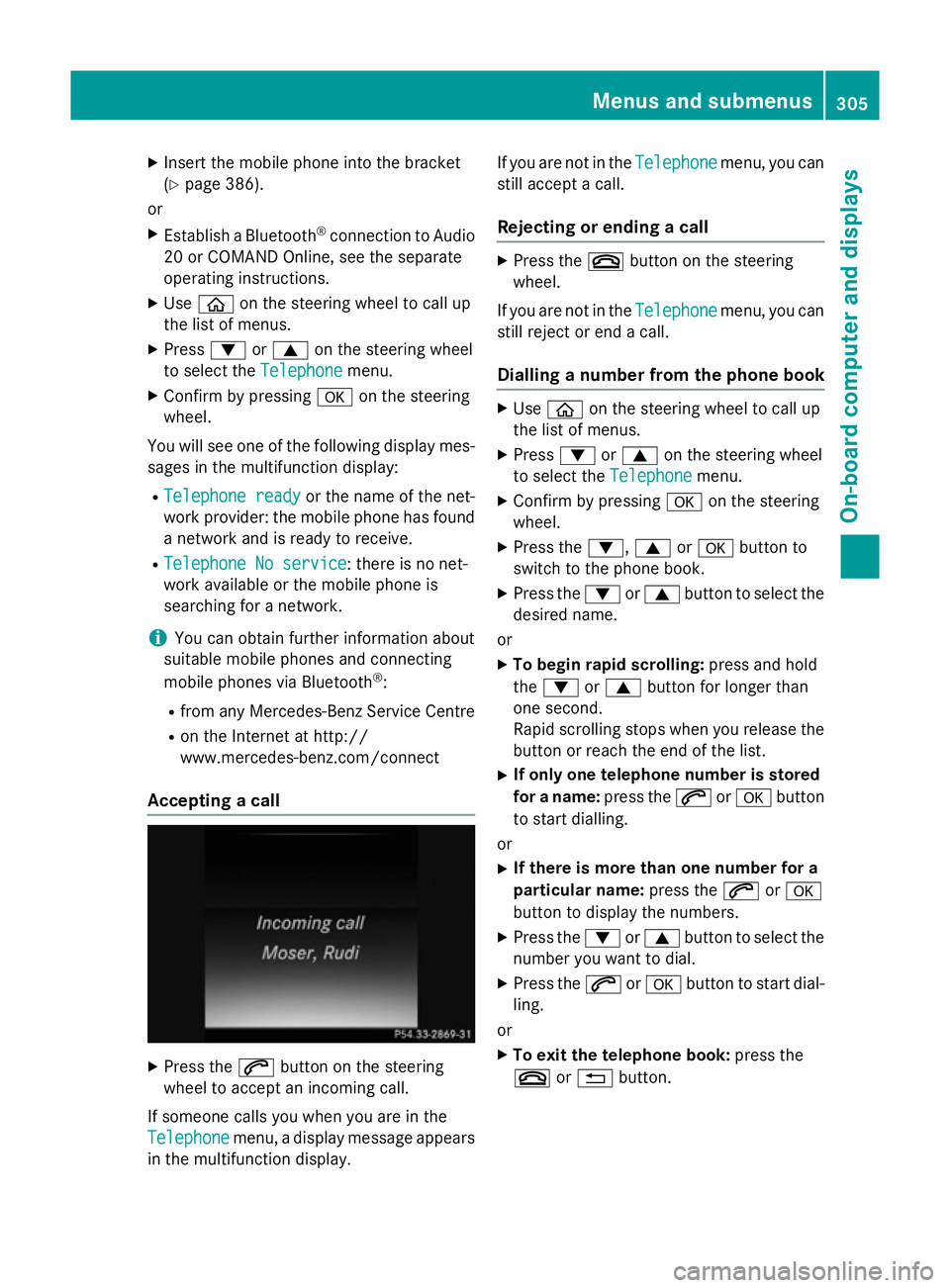
Accepting a call X
Press the 6button on the steering
wheel to accept an incoming call.
If someone calls you when you are in the
Telephone
Telephone menu, a display message appears
in the multifunction display. If you are not in the
Telephone
Telephone menu, you can
still accept a call.
Rejecting or ending a call X
Press the ~button on the steering
wheel.
If you are not in the Telephone Telephonemenu, you can
still reject or end a call.
Dialling a number from the phone book X
Use ò on the steering wheel to call up
the list of menus.
X Press :or9 on the steering wheel
to select the Telephone
Telephonemenu.
X Confirm by pressing aon the steering
wheel.
X Press the :,9ora button to
switch to the phone book.
X Press the :or9 button to select the
desired name.
or X To begin rapid scrolling: press and hold
the : or9 button for longer than
one second.
Rapid scrolling stops when you release the button or reach the end of the list.
X If only one telephone number is stored
for a name: press the6ora button
to start dialling.
or X If there is more than one number for a
particular name: press the6ora
button to display the numbers.
X Press the :or9 button to select the
number you want to dial.
X Press the 6ora button to start dial-
ling.
or X To exit the telephone book: press the
~ or% button. Menus and submenus
305On-board computer and displays Z