Page 187 of 652
187
2-1. Driving procedures
2
When driving
RX350/270_EE
■Shift position purpose
*1: Shifting to the D position allows the system to select a gear suitable for the
driving condition. Setting the shift lever to the D position is recommended
for normal driving.
*2: Selecting shift ranges using S mode restricts the upper limit of the possi-
ble gear ranges, controls engine braking forces, and prevents unneces-
sary upshifting.
Shift positionFunction
PParking the vehicle/starting the engine
RReversing
NNeutral
DNormal driving*1
SS mode driving*2 (→P. 1 8 9 )
RX350_270_EE_48D77E.book 187 ページ 2014年1月24日 金曜日 午前10時4分
Page 196 of 652
196
RX350/270_EE
2-2. Instrument cluster
Gauges and meters
Tachometer
Displays the engine speed in revolutions per minute
Multi-information display
Presents the driver with a variety of driving-related data (→P. 2 0 3 )
Speedometer
Displays the vehicle speed
Fuel gauge
Displays the quantity of fuel remaining in the tank
Odometer and trip meter
Odometer: Displays the total distance the vehicle has been driven
Trip meter: Displays the distance the vehicle has been driven since the
meter was last reset. Trip meters “A” and “B” can be used to
record and display different distances independently.
Shift position and shift range display
Displays the selected shift position or selected shift range (→P. 1 8 6 )
Engine coolant temperature gauge
Displays the engine coolant temperature
RX350_270_EE_48D77E.book 196 ページ 2014年1月24日 金曜日 午前10時4分
Page 200 of 652

200
2-2. Instrument cluster
RX350/270_EE
■Indicators
The indicators inform the driver of the operating state of the vehi-
cle’s various systems.
Turn signal indicator
(→P. 1 9 3 )
(if equipped)
“AFS OFF” indicator
(→P. 2 1 9 )
Headlight high beam indi-
cator (→P. 2 1 7 )Slip indicator
(→P. 2 7 2 , 2 7 8 )
Tail light indicator
(→P. 2 1 7 )VSC off indicator
(→P. 2 7 3 )
Front fog light indicator
(→P. 222)
(if equipped)
Electronically modulated
air suspension indicator
(→P. 2 5 6 )
Rear fog light indicator
(→P. 222)Eco Driving Indicator
Light (→P. 1 7 1 )
Cruise control indicator
(→P. 230, 234)
(with
navigation
system)
SRS airbag on-off indica-
tor (→P. 163)
(if equipped)
Radar cruise control indi-
cator (→P. 2 3 4 )
(without
navigation
system)
SRS airbag on-off indica-
tor (→P. 163)
(if equipped)
Lexus parking assist-sen-
sor indicator (→P. 2 4 8 )
(AWD
models)
All-wheel drive lock indi-
cator (→P. 277)
*1
*1, 2
*1
*1
*1
*1
*1
*1
RX350_270_EE_48D77E.book 200 ページ 2014年1月24日 金曜日 午前10時4分
Page 201 of 652

201
2-2. Instrument cluster
2
When driving
RX350/270_EE
*1: These lights turn on when the “ENGINE START STOP” switch is
turned to IGNITION ON mode to indicate that a system check is
being performed. They will turn off after the engine is started, or after a
few seconds. There may be a malfunction in a system if a light does not
come on, or if the lights do not turn off. Have the vehicle inspected by
any authorized Lexus dealer or repairer, or another duly qualified and
equipped professional for details.
*2: The light flashes to indicate that the system is operating.
*3: The light comes on when the system is turned off. The light flashes
faster than usual to indicate that the system is operating.
■Warning lights
Warning lights inform the driver of malfunctions in any of the vehi-
cle’s systems. (→P. 543)
*1: These lights turn on when the “ENGINE START STOP” switch is
turned to IGNITION ON mode to indicate that a system check is
being performed. They will turn off after the engine is started, or after a
few seconds. There may be a malfunction in a system if a light does not
come on, or if the lights do not turn off. Have the vehicle inspected by
any authorized Lexus dealer or repairer, or another duly qualified and
equipped professional for details.
*
2: The light flashes to indicate a malfunction.
“ECT SNOW” indicator
(→P. 188)
(if equipped)
Pre-crash safety system
warning light (→P. 2 8 1 )
(if equipped)(if equipped)(for driver)(for front
passenger)(if equipped)
*1, 3
*1*1*1*1*1*1
*1, 2*1*1, 2*1*1
RX350_270_EE_48D77E.book 201 ページ 2014年1月24日 金曜日 午前10時4分
Page 204 of 652
204
2-2. Instrument cluster
RX350/270_EE
■Display contents
Trip information contentsSwitching display items
Current fuel consumption
Press the “∧” or “∨” switch.
Average fuel consumption after
refueling
Average fuel consumption
Average vehicle speed
Cruising range
Multi-information display off
Eco Driving Indicator Zone Dis-
play
RX350_270_EE_48D77E.book 204 ページ 2014年1月24日 金曜日 午前10時4分
Page 206 of 652
206
2-2. Instrument cluster
RX350/270_EE
Trip information
■Current fuel consumption
Displays the current rate of fuel consumption
■Average fuel consumption after refueling
Displays the average fuel consumption since the vehicle was last refu-
eled
Use the displayed average fuel consumption as a reference.
■Average fuel consumption
Displays the average fuel consumption since the function was reset
• The function can be reset by pushing the “ENTER” switch for longer than
one second when the average fuel consumption is displayed.
• Use the displayed average fuel consumption as a reference.
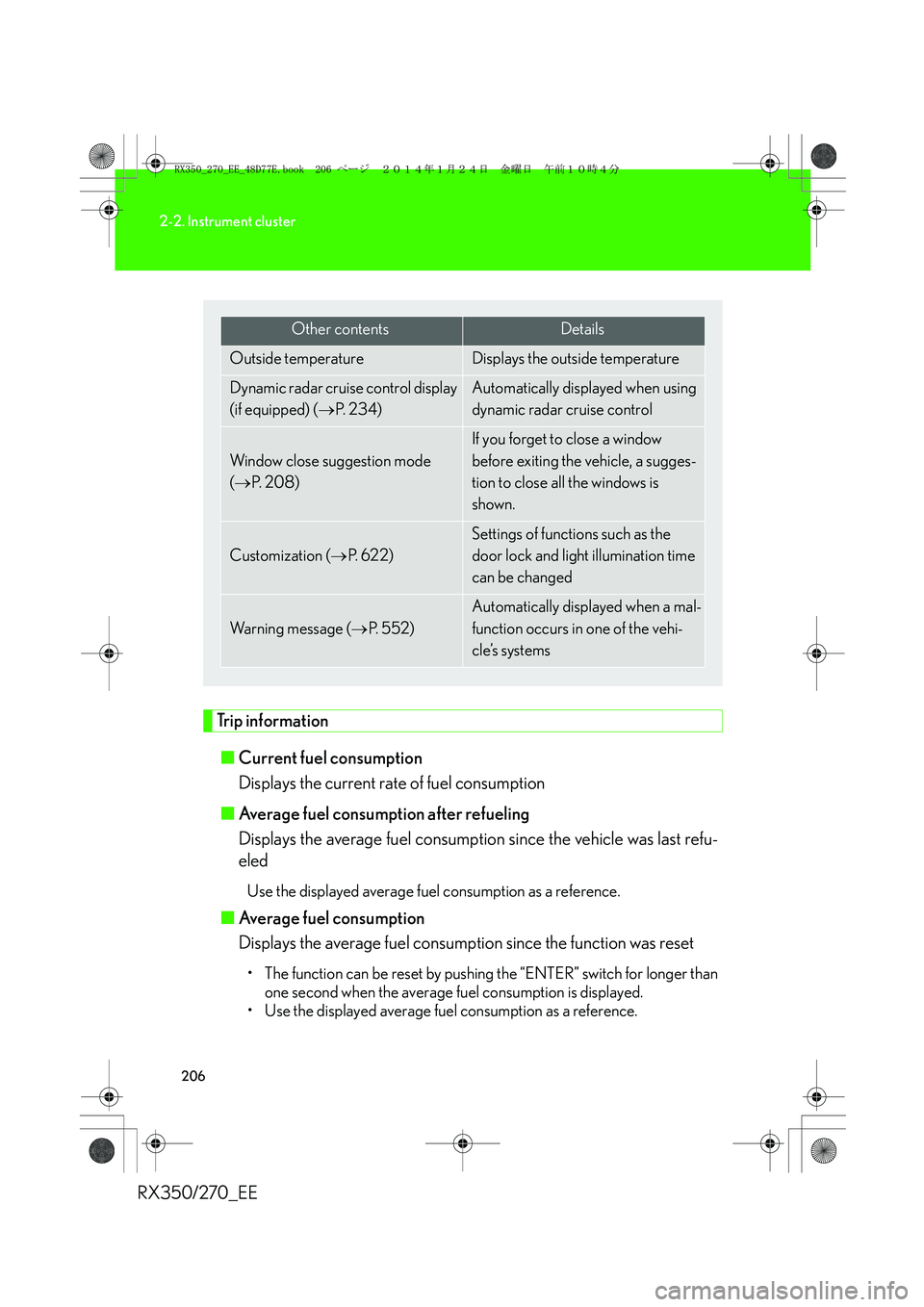
Other contentsDetails
Outside temperature Displays the outside temperature
Dynamic radar cruise control display
(if equipped) (→P. 2 3 4 )Automatically displayed when using
dynamic radar cruise control
Window close suggestion mode
(→P. 2 0 8 )
If you forget to close a window
before exiting the vehicle, a sugges-
tion to close all the windows is
shown.
Customization (→P. 622)
Settings of functions such as the
door lock and light illumination time
can be changed
Wa r n i n g m e s s a g e (→P. 552)
Automatically displayed when a mal-
function occurs in one of the vehi-
cle’s systems
RX350_270_EE_48D77E.book 206 ページ 2014年1月24日 金曜日 午前10時4分
Page 207 of 652
207
2-2. Instrument cluster
2
When driving
RX350/270_EE■Average vehicle speed
Displays the average vehicle speed since the function was reset
The function can be reset by pushing the “ENTER” switch for longer than
one second when the average vehicle speed is displayed.
■Cruising range
Displays the estimated maximum distance that can be driven with the
quantity of fuel remaining
• This distance is computed based on your average fuel consumption. As a
result, the actual distance that can be driven may differ from that dis-
played.
• When only a small amount of fuel is added to the tank, the display may
not be updated.
When refueling, turn the “ENGINE START STOP” switch off. If the vehi-
cle is refueled without turning the “ENGINE START STOP” switch off,
the display may not be updated.
■Eco Driving Indicator Zone Display
→P. 210
RX350_270_EE_48D77E.book 207 ページ 2014年1月24日 金曜日 午前10時4分
Page 209 of 652

209
2-2. Instrument cluster
2
When driving
RX350/270_EE
■Electronic features control can be turned on/off when
The “ENGINE START STOP” switch is in IGNITION ON mode.
■Conditions for ending electronic features control
In the following situations, the electronic features control will end:
●The menu switch is pressed.
●The dynamic radar cruise control is operated (if equipped).
●Lexus parking assist-sensor starts operating (if equipped).
●No action is performed for some time after the electronic features control
screen is displayed.
●A warning message appears after the electronic features control screen is dis-
played.
■Window close suggestion mode
●In the following situations, the window close suggestion mode will not operate:
• A warning message appears on the multi-information display.
• The window lock switch is on.
• All the windows are closed.
• The window close suggestion mode has been disabled in the customized set-
tings.
• The driver's or front passenger's door is open.
●In the following situations, the window close suggestion mode will end:
• The “ENGINE START STOP” switch is turned to IGNITION ON mode.
• About 20 seconds have passed since the “ENGINE START STOP” switch
was turned off.
• A warning message appears on the multi-information display.
• All the windows are closed.
• The window lock switch is turned on.
• The menu switch is pressed.
• The driver's or front passenger's door is opened.
• The windows were opened or closed by the wireless remote control.
RX350_270_EE_48D77E.book 209 ページ 2014年1月24日 金曜日 午前10時4分