Page 514 of 1534

Features of your vehicle
24
4
Power window lock button
The driver can disable the power window
switches on the rear passengers' doors
by pressing the power window lock
switch to the lock position (pressed).
When the power window lock switch is pressed :
The driver's master control can oper-
ate the front passenger's power win-
dow but cannot operate the rear pas-
sengers' power windows.
The front passenger's control can operate the front passenger's power
window.
The rear passengers' control cannot operate the rear passengers' power
window.
OLM049024
CAUTION
To prevent possible damage to
the power window system, do not
open or close two windows ormore at the same time. This willalso ensure the longevity of thefuse.
Never try to operate the main switch on the driver's door andthe individual door windowswitch in opposing directions at
the same time. If this is done, the window will stop and cannot beopened or closed.WARNING - Windows
Never leave the keys in your vehi- cle with unsupervised children, when the engine is running.
NEVER leave any child unattend- ed in the vehicle. Even very
young children may inadvertently
cause the vehicle to move, entan-
gle themselves in the windows,or otherwise injure themselves or
others.
Always double check to make sure all arms, hands, head and
other obstructions are safely out
of the way before closing a win-
dow.
Do not allow children to play with the power windows. Keep the dri-
ver’s door power window lock
switch in the LOCK position
(depressed). Serious injury can
result from unintentional window
operation by the child.
Do not extend face or arms out- side the window while driving.
EL(FL) Eng 4A.QXP 7/11/2013 11:31 AM Page 24
Page 516 of 1534
Features of your vehicle
26
4
Closing the hood
1. Before closing the hood, check the fol-
lowing:
All filler caps in engine compartment must be correctly installed.
Gloves, rags or any other com- bustible material must be removed
from the engine compartment.
2. Return the support rod to its clip to prevent it from rattling.
3. Lower the hood until it is about 30 cm (1 ft.) above the closed position and let
it drop. Make sure that it locks into
place.
WARNING - Hood
Before closing the hood, ensure that all obstructions are removed
from the hood opening. Closingthe hood with an obstruction
present in the hood opening may
result in property damage or
severe personal injury.
Do not leave gloves, rags or any other combustible material in the
engine compartment. Doing so
may cause a heat-induced fire.WARNING
Always double check to be sure that the hood is firmly latched
before driving away. If it is not
latched, the hood could fly open
while the vehicle is being driven,
causing a total loss of visibility,
which might result in an accident.
The support rod must be inserted completely into the hole whenev-
er you inspect the engine com-
partment. This will prevent the
hood from falling and possibly
injuring you.
Do not move the vehicle with the hood raised. The view will be
blocked and the hood could fall
or be damaged.
EL(FL) Eng 4A.QXP 7/11/2013 11:31 AM Page 26
Page 517 of 1534
427
Features of your vehicle
Opening the fuel filler lid
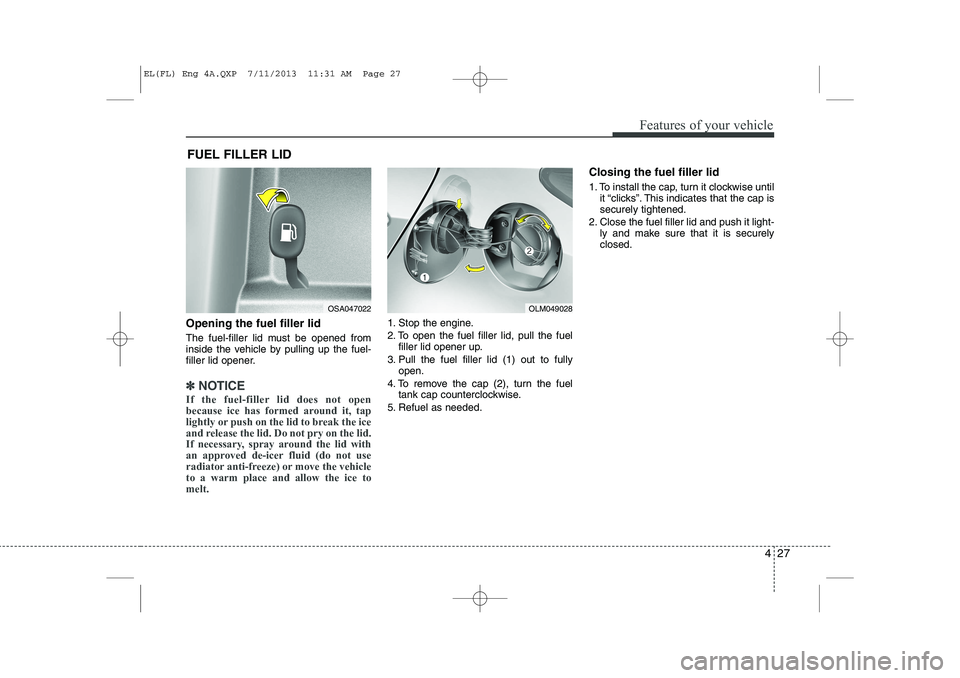
The fuel-filler lid must be opened from
inside the vehicle by pulling up the fuel-
filler lid opener.
✽✽NOTICE
If the fuel-filler lid does not open
because ice has formed around it, tap
lightly or push on the lid to break the ice
and release the lid. Do not pry on the lid.
If necessary, spray around the lid with
an approved de-icer fluid (do not use
radiator anti-freeze) or move the vehicleto a warm place and allow the ice tomelt.
1. Stop the engine.
2. To open the fuel filler lid, pull the fuel filler lid opener up.
3. Pull the fuel filler lid (1) out to fully open.
4. To remove the cap (2), turn the fuel tank cap counterclockwise.
5. Refuel as needed. Closing the fuel filler lid
1. To install the cap, turn it clockwise until
it “clicks”. This indicates that the cap is securely tightened.
2. Close the fuel filler lid and push it light- ly and make sure that it is securelyclosed.
FUEL FILLER LID
OSA047022OLM049028
EL(FL) Eng 4A.QXP 7/11/2013 11:31 AM Page 27
Page 525 of 1534

435
Features of your vehicle
Tilt steering
A tilt steering wheel allows you to adjust
the steering wheel before you drive. You
can also raise it to give your legs more
room when you exit and enter the vehicle(if equipped).
The steering wheel should be positioned
so that it is comfortable for you to drive,
while permitting you to see the instru-
ment panel warning lights and gauges.To change the steering wheel angle, pull
down the lock release lever (1), adjust
the steering wheel to the desired angle(2) and height (3, if equipped), then pull
up the lock-release lever to lock the
steering wheel in place. Be sure to adjust
the steering wheel to the desired position
before driving.Heated steering wheel (if equipped)
When the ignition switch is in the ON
position, pressing the heated steering
wheel button warms the steering wheel.
The indicator on the button will illuminate.
To turn the steering wheel off, press the
button once again. The indicator on the
button will turn off.
WARNING
Never adjust the angle and height of steering wheel while driving.
You may lose your steering con-
trol and cause severe personal
injury or accidents.
After adjusting, push the steering wheel both up and down to be
certain it is locked in position.OLM049033L
OEL043300
OEL043300R
■Left-Hand type
■Right-Hand type
EL(FL) Eng 4A.QXP 7/11/2013 11:31 AM Page 35
Page 546 of 1534
Features of your vehicle
56
4
User Settings Mode
Description
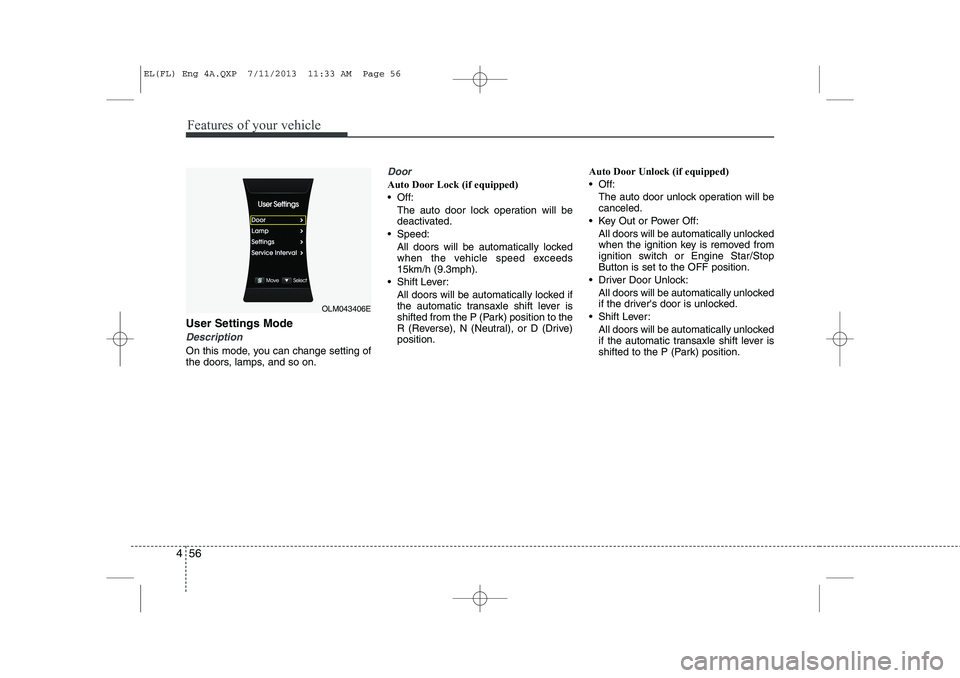
On this mode, you can change setting of
the doors, lamps, and so on.
Door
Auto Door Lock (if equipped)
Off:
The auto door lock operation will bedeactivated.
Speed: All doors will be automatically lockedwhen the vehicle speed exceeds 15km/h (9.3mph).
Shift Lever: All doors will be automatically locked ifthe automatic transaxle shift lever is
shifted from the P (Park) position to the
R (Reverse), N (Neutral), or D (Drive)position. Auto Door Unlock (if equipped)
Off:
The auto door unlock operation will becanceled.
Key Out or Power Off: All doors will be automatically unlockedwhen the ignition key is removed from
ignition switch or Engine Star/StopButton is set to the OFF position.
Driver Door Unlock: All doors will be automatically unlocked
if the driver's door is unlocked.
Shift Lever: All doors will be automatically unlocked
if the automatic transaxle shift lever is
shifted to the P (Park) position.
OLM043406E
EL(FL) Eng 4A.QXP 7/11/2013 11:33 AM Page 56
Page 547 of 1534

457
Features of your vehicle
Horn Feedback (if equipped)
If this item is checked, the horn feedback
operation will be activated.
After locking the door by pressing the
lock button on the transmitter, if you
press the lock button again within 4 sec-
onds, the warning sound will operate
once to indicate that all doors are locked.Lamp
Head Lamp Delay (if equipped)
If this item is checked, the headlamp
delay and headlamp welcome function
will be activated.
Settings
Language (if equipped)
Choose the language you prefer within
the LCD display. SPAS Voice (if equipped)
Adjust the volume of SPAS voice infor- mation. Temperature Unit
Convert the temperature unit from °C to
°F or from °F to °C.AVG Fuel Eco Reset
Auto Reset:
The average fuel economy will reset automatically when refueling.
Manual Reset: The average fuel economy will not
reset automatically whenever refuel-ing.
For more details, refer to “Trip Computer”
in this chapter.
EL(FL) Eng 4A.QXP 7/11/2013 11:33 AM Page 57
Page 549 of 1534
459
Features of your vehicle
Press start button while turn steering(for smart key system)
This warning message illuminates if the steering wheel does not unlock
normally when the Engine Start/StopButton is pressed.
It means that you should press the Engine Start/Stop Button while turning
the steering wheel right and left.
Steering wheel unlocked
(for smart key system)
This warning message illuminates if the steering wheel does not lock when
the Engine Start/Stop Button changesto the OFF position.
Check steering wheel lock
system (for smart key system)
This warning message illuminates if the steering wheel does not lock nor-
mally when the Engine Start/StopButton changes to the OFF position.
OLM043500NOLM043502NOLM043503N
EL(FL) Eng 4A.QXP 7/11/2013 11:33 AM Page 59
Page 559 of 1534

469
Features of your vehicle
Anti-lock brake system(ABS) warning light (if equipped)
This light illuminates if the ignition switch
is turned to ON and goes off in approxi-
mately 3 seconds if the system is operat-
ing normally.
If the ABS warning light remains on,
comes on while driving, or does not
come on when the ignition switch is
turned to the ON position, this indicates
that there may be a problem with the
ABS.
If this occurs, we recommend that the
system be checked by an authorized
HYUNDAI dealer. The normal braking
system will still be operational, but with-
out the assistance of the anti-lock brakesystem. Electronic brakeforce distribution(EBD) systemwarning light
If two warning lights illuminate at the
same time while driving, your vehicle
may have a malfunction with ABS andEBD system.
In this case, your ABS and regular brake
system may not work normally. We rec-
ommend that the system be checked by
an authorized HYUNDAI dealer.
✽✽
NOTICE
If the ABS warning light or EBD warn- ing light is on and stays on, the
speedometer or odometer/tripmeter
may not work. Also, the EPS warninglight may illuminate and the steering
effort may increase or decrease. In this
case, we recommend that the system bechecked by an authorized HYUNDAI
dealer.
WARNING
If the both ABS and Brake warning lights are on and stay on, your vehi-cle’s brake system will not worknormally. So you may experiencean unexpected and dangerous situ-ation during sudden braking. In thiscase, avoid high speed driving andabrupt braking. We recommend that the system be checked by an authorized HYUNDAIdealer.
EL(FL) Eng 4A.QXP 7/11/2013 11:33 AM Page 69