Page 144 of 327
143Audio
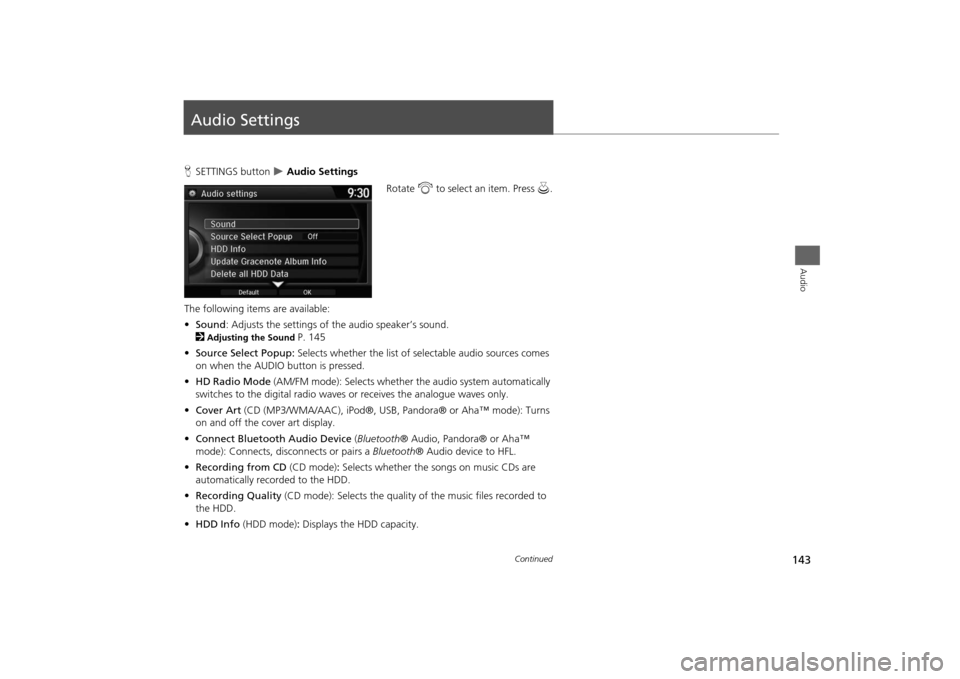
Audio SettingsHSETTINGS button
Audio Settings
Rotate i to select an item. Press u.
The following items are available:
•Sound: Adjusts the settings of the audio speaker’s sound.
2
Adjusting the Sound
P. 145
•Source Select Popup: Selects whether the list of selectable audio sources comes
on when the AUDIO button is pressed.
•HD Radio Mode (AM/FM mode): Selects whether the audio system automatically
switches to the digital radio waves or receives the analogue waves only.
•Cover Art (CD (MP3/WMA/AAC), iPod®, USB, Pandora® or Aha™ mode): Turns
on and off the cover art display.
•Connect Bluetooth Audio Device (Bluetooth® Audio, Pandora® or Aha™
mode): Connects, disconnects or pairs a Bluetooth® Audio device to HFL.
•Recording from CD (CD mode): Selects whether the songs on music CDs are
automatically recorded to the HDD.
•Recording Quality (CD mode): Selects the quality of the music files recorded to
the HDD.
•HDD Info (HDD mode): Displays the HDD capacity.
Continued
Page 148 of 327
147Audio
Playing FM/AM RadioSelecting FM/AM Mode1.Press the MENU button.(in AUDIO mode)
2.Rotate i to select Change Source. Press u.
3.Rotate i to select the frequency band (FM, AM). Press u.
The band and frequency are displayed on the navigation screen.
1.Select Audio Source.
2.Select the frequency band (AM, FM) icon.
The band and frequency are displayed on the touchscreen.
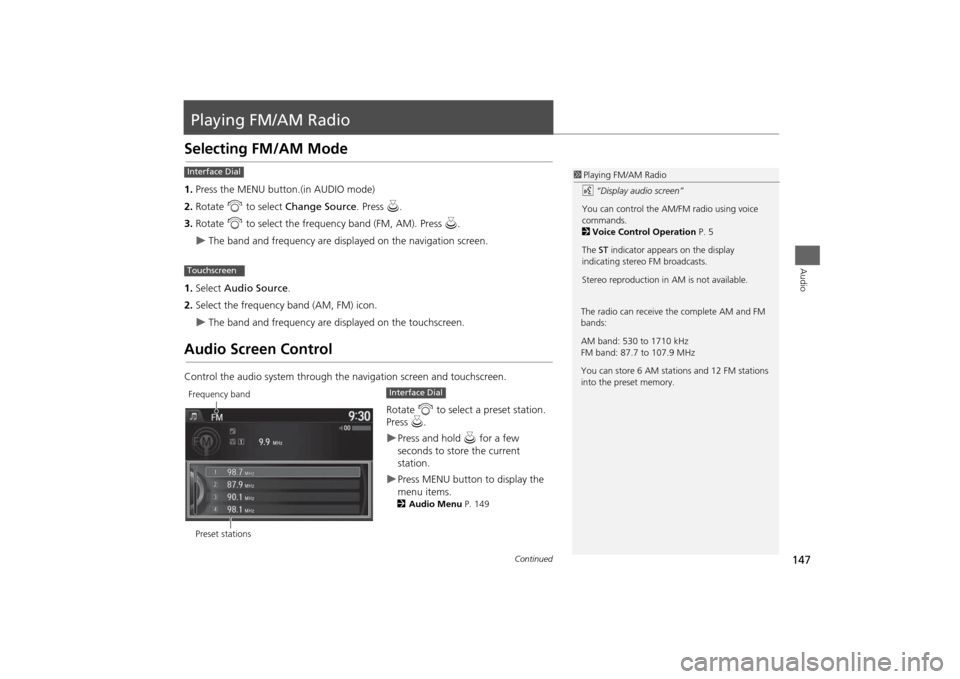
Audio Screen ControlControl the audio system through the navigation screen and touchscreen.
Rotate i to select a preset station.
Press u.
Press and hold u for a few
seconds to store the current
station.Press MENU button to display the
menu items.2Audio Menu P. 149
1Playing FM/AM Radio
d “Display audio screen”
You can control the AM/FM radio using voice
commands.
2Voice Control Operation P. 5
The ST indicator appears on the display
indicating stereo FM broadcasts.
Stereo reproduction in AM is not available.
Interface DialTouchscreen
The radio can receive the complete AM and FM
bands:
AM band: 530 to 1710 kHz
FM band: 87.7 to 107.9 MHz
You can store 6 AM stations and 12 FM stations
into the preset memory.
Preset stationsFrequency band
Interface Dial
Continued
Page 149 of 327
148
Playing FM/AM Radio
Audio Screen Control
Audio
Select b or n to tune the radio
frequency.
Select c or x to search up and
down the selected band for a station
with a strong signal.Select Presets to listen a preset
station.
Select and hold the preset number
you want to store that station.Select More to display the menu
item.2Audio Menu P. 149Select TAG to tag the song if it is
played on an HD Radio
TM station*.
The iPod®/ iPhone® should be
connected to the audio system to
store the tagged song information
on your device.
Touchscreen
*: Not available on all models
Page 150 of 327
149
Playing FM/AM Radio
Audio Menu
Audio
Audio MenuHMENU button (in FM/AM mode)
Rotate i to select an item. Press u.
The following items are available:
•Scan: Scans for stations with a strong signal in the current band and plays a 10-
second sample. Select Cancel Scan to stop scanning and play the current
selection.
•Station List: Displays the stored station list.
•Save Preset: Stores the station into the preset memory.
•Change Source: Changes the audio source mode.Interface Dial
Continued
Page 151 of 327
150
Playing FM/AM Radio
Audio Menu
Audio
•Radio Text: Displays the text information broadcast by the current RDS station.
•Tag Song*: Displays the TAG information saved to the audio system when an HD
Radio
TM station is selected.
•Tagged Song List*: You can store the TAG information in the connected iPod®/
iPhone®. If the iPod®/iPhone® is not connected to the audio system, the
information is stored in the audio unit temporarily, then once the device is
connected to the system, data is transferred to the iPod®/iPhone®.
•Tune/Seek: Tunes the radio to the frequency you select. Rotate i to select a
frequency, then Move u.
•HD subchannel*: Displays the subchannel list when an HD Radio
TM station is
selected.
1Audio Menu
iTunes Tagging*
“iTunes” in “iTunes Tagging” is a trademark of
Apple Inc.
When an HD Radio
TM station is selected, the HD
indicator appears on the navigation screen and
touchscreen.
If you want to have the information on the song
played from the HD Radio
TM station, select TAG
in touchscreen or select Tag Song in the menu
with Interface dial.
If iPod®/iPhone® is connected, the tag is
transferred to the connected device immediately,
otherwise the tag will be transferred when the
device will be connected and select Tag Song in
the menu with Interface dial.
*: Not available on all models
Page 152 of 327
151
Playing FM/AM Radio
Audio Menu
Audio
1.Select More.
2.Select a setting item.
The following items are available:
•Sound Settings: Displays the sound preferences screen.
2
Adjusting the Sound
P. 145
•Scan: Scans for stations with a strong signal in the current band and plays a 10-
second sample. Select Cancel Scan to stop scanning and play the current
selection.
•Save Preset: Stores the station into the preset memory.
•Screen Settings: Adjusts the screen’s preferences.
2
Changing the Screen Settings
P. 82
•HD subchannel*: Displays the subchannel list when an HD Radio
TM station is
selected.
Touchscreen*: Not available on all models
Page 153 of 327
152
Playing FM/AM Radio
Audio Menu
Audio
HMENU button (in FM mode)
Station List
Provides text data information related to your selected RDS-capable FM station.
■To find an RDS station from
Station List
Rotate i to select the station. Press
u.
■Manual update
Updates your available station list at
any time.
Rotate i to select Refresh. Press
u.
■Radio Data System
Page 154 of 327
153Audio
Playing XM® RadioSelecting XM® Mode1.Press the MENU button. (in AUDIO mode)
2. Rotate i to select Change Source . Press u.
3. Rotate i to select XM. Press u.
The band and channel are displayed on the navigation screen.
1. Select Audio Source .
2. Select the XM® icon.
The band and channel are displayed on the touchscreen.
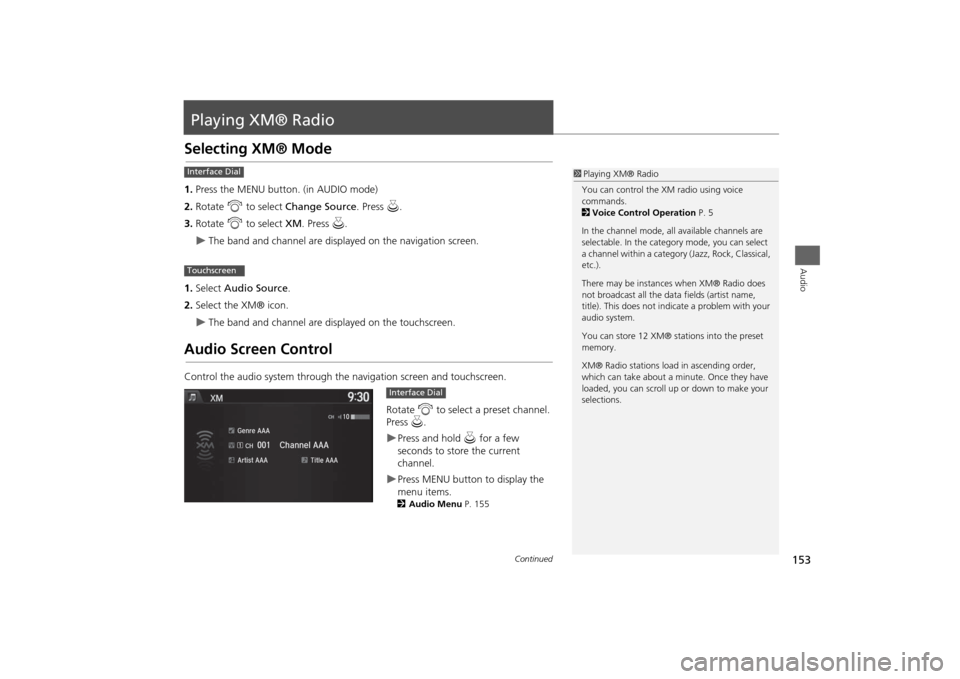
Audio Screen ControlControl the audio system through the navigation screen and touchscreen.
Rotate i to select a preset channel.
Press u.
Press and hold u for a few
seconds to store the current
channel.Press MENU button to display the
menu items.2 Audio Menu P. 155
1Playing XM® Radio
You can control the XM radio using voice
commands.
2 Voice Control Operation P. 5
In the channel mode, all available channels are
selectable. In the categor y mode, you can select
a channel within a category (Jazz, Rock, Classical,
etc.).
There may be instances when XM® Radio does
not broadcast all the data fields (artist name,
title). This does not indicate a problem with your
audio system.
You can store 12 XM® stations into the preset
memory.
XM® Radio stations load in ascending order,
which can take about a minute. Once they have
loaded, you can scroll up or down to make your
selections.
Interface DialTouchscreen
Interface Dial
Continued


