2014 FORD MONDEO ignition
[x] Cancel search: ignitionPage 168 of 446
Downloaded from www.Manualslib.com manuals search engine PRINCIPLE OF OPERATION
Electronic Stability Program
WARNING
The system does not relieve you ofyour responsibility to drive with duecare and attention. Failure to do socould result in loss of vehicle control,personal injury or death.
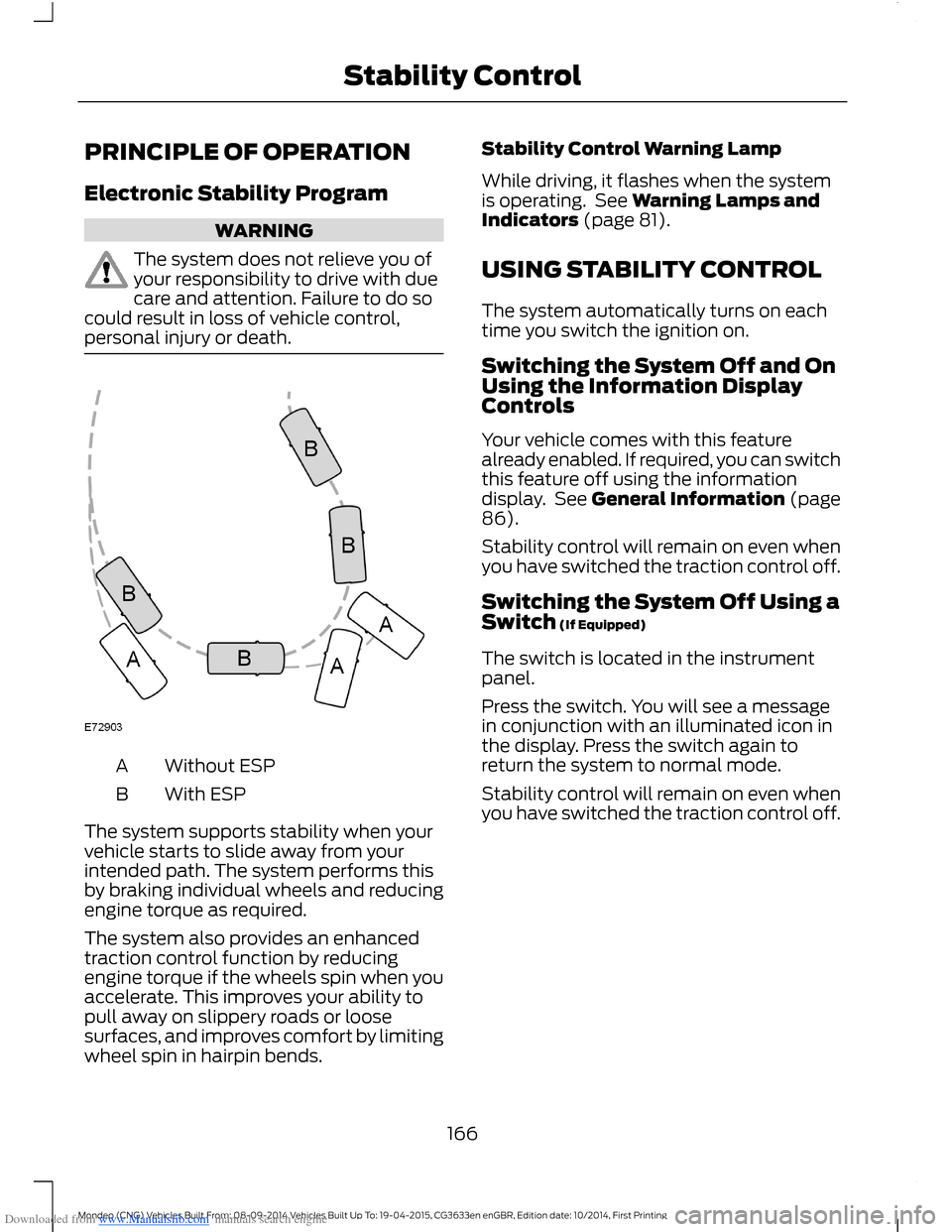
Without ESPA
With ESPB
The system supports stability when yourvehicle starts to slide away from yourintended path. The system performs thisby braking individual wheels and reducingengine torque as required.
The system also provides an enhancedtraction control function by reducingengine torque if the wheels spin when youaccelerate. This improves your ability topull away on slippery roads or loosesurfaces, and improves comfort by limitingwheel spin in hairpin bends.
Stability Control Warning Lamp
While driving, it flashes when the systemis operating. See Warning Lamps andIndicators (page 81).
USING STABILITY CONTROL
The system automatically turns on eachtime you switch the ignition on.
Switching the System Off and OnUsing the Information DisplayControls
Your vehicle comes with this featurealready enabled. If required, you can switchthis feature off using the informationdisplay. See General Information (page86).
Stability control will remain on even whenyou have switched the traction control off.
Switching the System Off Using aSwitch (If Equipped)
The switch is located in the instrumentpanel.
Press the switch. You will see a messagein conjunction with an illuminated icon inthe display. Press the switch again toreturn the system to normal mode.
Stability control will remain on even whenyou have switched the traction control off.
166Mondeo (CNG) Vehicles Built From: 08-09-2014 Vehicles Built Up To: 19-04-2015, CG3633en enGBR, Edition date: 10/2014, First PrintingStability Control
Page 173 of 446

Downloaded from www.Manualslib.com manuals search engine Distance Indication (If Equipped)
The system may provide obstacle distanceindication through the information display.
As the distance to the obstacle decreases,the indicator blocks illuminate and movetoward the vehicle icon. If there is noobstacle detected, the distance indicatorblocks will not be present.
When you shift to reverse (R), the sidesensing system provides audible and visualdistance indication when your vehicle ismoving and obstacles are detected within12 in (30 cm), or when obstacles aredetected within 12–24 in (30–60 cm) andare inside the driving path of your vehicle.When you stop your vehicle the audiblewarning stops after two seconds.
Note:Visual distance indication remainson when the transmission is in reverse (R).
When you shift to drive (D) or any otherforward gear, for example, low (L), sport(S) or any forward gear in manualtransmission, the side sensing systemprovides audible and visual distanceindication when your vehicle is moving at7 mph (12 km/h) or below and obstacles
are detected within 12 in (30 cm), or whenobstacles are detected within 12–24 in(30–60 cm) and are inside the driving pathof your vehicle. When you stop your vehiclethe audible warning stops after twoseconds and the visual distance indicationstops after four seconds.
Note:If the obstacle remains within12–24 in (30–60 cm) visual distanceindication remains on.
When you shift to neutral (N), the sidesensing system only provides visualdistance indication when your vehicle ismoving at 7 mph (12 km/h) or below, forexample when moving on a slope, andobstacles are detected within 12 in(30 cm). When you stop your vehicle thevisual distance indication stops after fourseconds.
If the side sensing system is not available,the side distance indicator blocks will notbe present.
The side sensing system is not availableunder the following condition:
•If you switch the traction controlsystem off.
The side sensing system may not availableuntil you have driven approximately thelength of your vehicle in order for thesystem to reinitialize if:
•You switch the ignition on, off and backon.
•Your vehicle remains stationary for overtwo minutes.
•The anti-lock brake system isactivated.
•The traction control system isactivated.
171Mondeo (CNG) Vehicles Built From: 08-09-2014 Vehicles Built Up To: 19-04-2015, CG3633en enGBR, Edition date: 10/2014, First PrintingParking Aids
Page 183 of 446
Downloaded from www.Manualslib.com manuals search engine PRINCIPLE OF OPERATION
Cruise control lets you maintain a setspeed without keeping your foot on theaccelerator pedal. You can use cruisecontrol when your vehicle speed is greaterthan 20 mph (30 km/h).
USING CRUISE CONTROL
WARNINGS
Do not use cruise control on windingroads, in heavy traffic or, when theroad surface is slippery. This couldresult in loss of vehicle control, seriousinjury or death.
When you are going downhill, yourvehicle speed may increase abovethe set speed. The system will notapply the brakes but a warning displays.
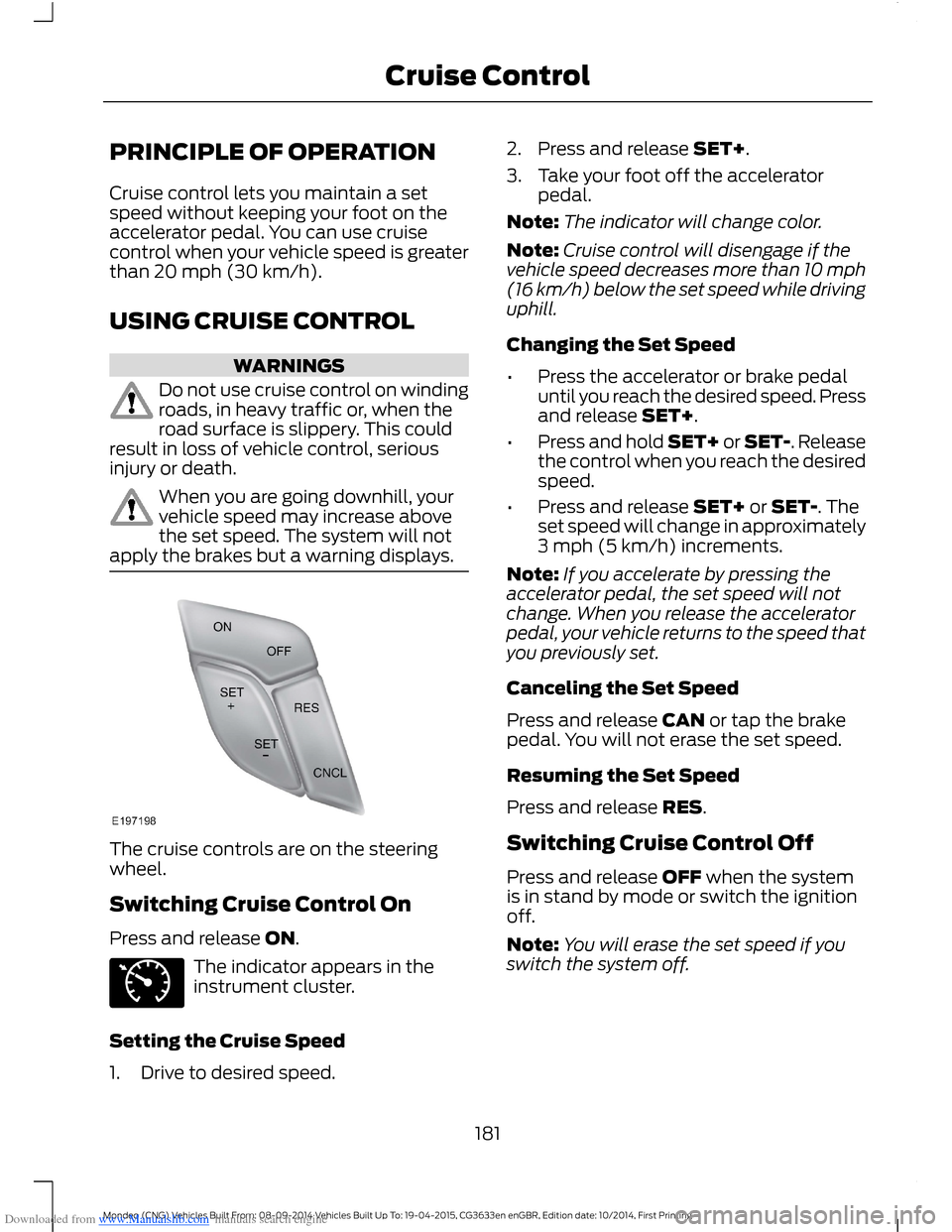
The cruise controls are on the steeringwheel.
Switching Cruise Control On
Press and release ON.
The indicator appears in theinstrument cluster.
Setting the Cruise Speed
1.Drive to desired speed.
2.Press and release SET+.
3.Take your foot off the acceleratorpedal.
Note:The indicator will change color.
Note:Cruise control will disengage if thevehicle speed decreases more than 10 mph(16 km/h) below the set speed while drivinguphill.
Changing the Set Speed
•Press the accelerator or brake pedaluntil you reach the desired speed. Pressand release SET+.
•Press and hold SET+ or SET-. Releasethe control when you reach the desiredspeed.
•Press and release SET+ or SET-. Theset speed will change in approximately3 mph (5 km/h) increments.
Note:If you accelerate by pressing theaccelerator pedal, the set speed will notchange. When you release the acceleratorpedal, your vehicle returns to the speed thatyou previously set.
Canceling the Set Speed
Press and release CAN or tap the brakepedal. You will not erase the set speed.
Resuming the Set Speed
Press and release RES.
Switching Cruise Control Off
Press and release OFF when the systemis in stand by mode or switch the ignitionoff.
Note:You will erase the set speed if youswitch the system off.
181Mondeo (CNG) Vehicles Built From: 08-09-2014 Vehicles Built Up To: 19-04-2015, CG3633en enGBR, Edition date: 10/2014, First PrintingCruise Control
Page 186 of 446

Downloaded from www.Manualslib.com manuals search engine Resuming the Set Speed
Press and release RES+. The vehiclereturns to the previously set speed and gapsetting. The set speed displayscontinuously in the information displaywhile the system is active.
Switching the System Off
Press and release the Adaptive CruiseControl CAN/OFF button when thesystem is in stand by mode or switch theignition off.
Note:The set speed memory erases whenyou switch off the system.
Following a Vehicle
WARNINGS
When following a vehicle, yourvehicle does not decelerateautomatically to a stop, nor doesyour vehicle always decelerate quicklyenough to avoid a crash without driverintervention. Always apply the brakes whennecessary. Failing to do so may result in acrash, serious injury or death.
Adaptive cruise control only warnsof vehicles detected by the radarsensor. In some cases there may beno warning or a delayed warning. Youshould always apply the brakes whennecessary. Failing to do so may result in acrash, serious injury or death.
When a vehicle ahead of you enters thesame lane or a slower vehicle is ahead inthe same lane, the vehicle speed adjuststo maintain a preset gap.
The lead vehicle graphic illuminates.
Your vehicle maintains a constant gapbehind the vehicle ahead until:
•The vehicle in front of you acceleratesto a speed above the set speed.
•The vehicle in front of you moves outof your lane or out of view.
•The vehicle speed falls below 12 mph(20 km/h).
•A new gap is set.
The system applies the brakes to slow yourvehicle to maintain a safe gap from thevehicle in front. The maximum brakingwhich the system can apply is limited. Youcan override the system by applying thebrakes.
If the system predicts that its maximumbraking level is insufficient, an audiblewarning sounds and a message appearsin the information display while the systemcontinues to brake.
The system is designed to assist you bywarning you of the risk of a crash with thevehicle in front of you.
The system is designed to alert you bywarning chimes and a visual warning in theinformation display.
Brake support is turned on to enable fullbraking effectiveness and reduce theseverity of a crash with the vehicle in frontof you.
Note:The brakes may emit a sound whenmodulated by the adaptive cruise controlsystem.
184Mondeo (CNG) Vehicles Built From: 08-09-2014 Vehicles Built Up To: 19-04-2015, CG3633en enGBR, Edition date: 10/2014, First PrintingCruise Control
Page 187 of 446
Downloaded from www.Manualslib.com manuals search engine Setting the Gap
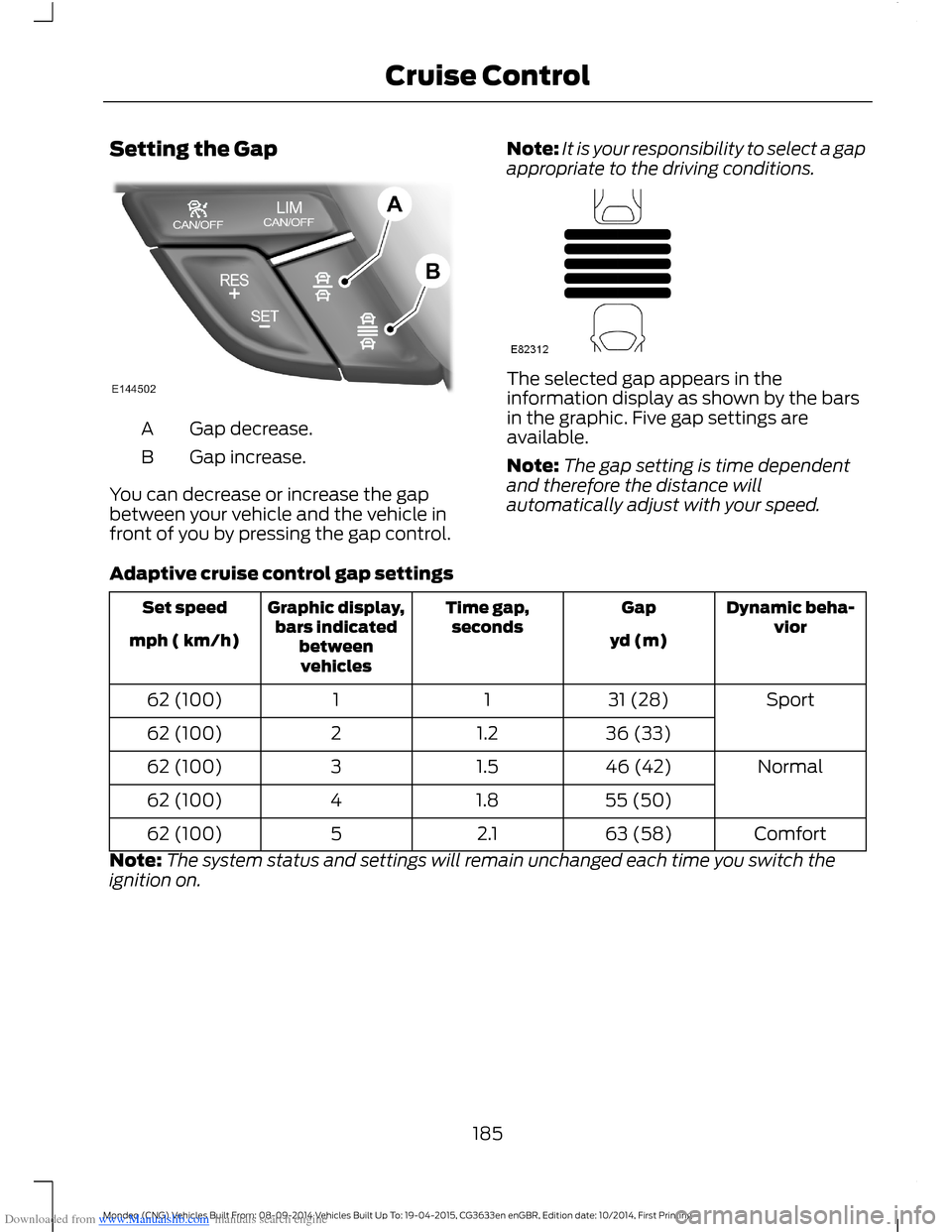
Gap decrease.A
Gap increase.B
You can decrease or increase the gapbetween your vehicle and the vehicle infront of you by pressing the gap control.
Note:It is your responsibility to select a gapappropriate to the driving conditions.
The selected gap appears in theinformation display as shown by the barsin the graphic. Five gap settings areavailable.
Note:The gap setting is time dependentand therefore the distance willautomatically adjust with your speed.
Adaptive cruise control gap settings
Dynamic beha-viorGapTime gap,secondsGraphic display,bars indicatedbetweenvehicles
Set speed
yd (m)mph ( km/h)
Sport31 (28)1162 (100)
36 (33)1.2262 (100)
Normal46 (42)1.5362 (100)
55 (50)1.8462 (100)
Comfort63 (58)2.1562 (100)
Note:The system status and settings will remain unchanged each time you switch theignition on.
185Mondeo (CNG) Vehicles Built From: 08-09-2014 Vehicles Built Up To: 19-04-2015, CG3633en enGBR, Edition date: 10/2014, First PrintingCruise Control
Page 193 of 446
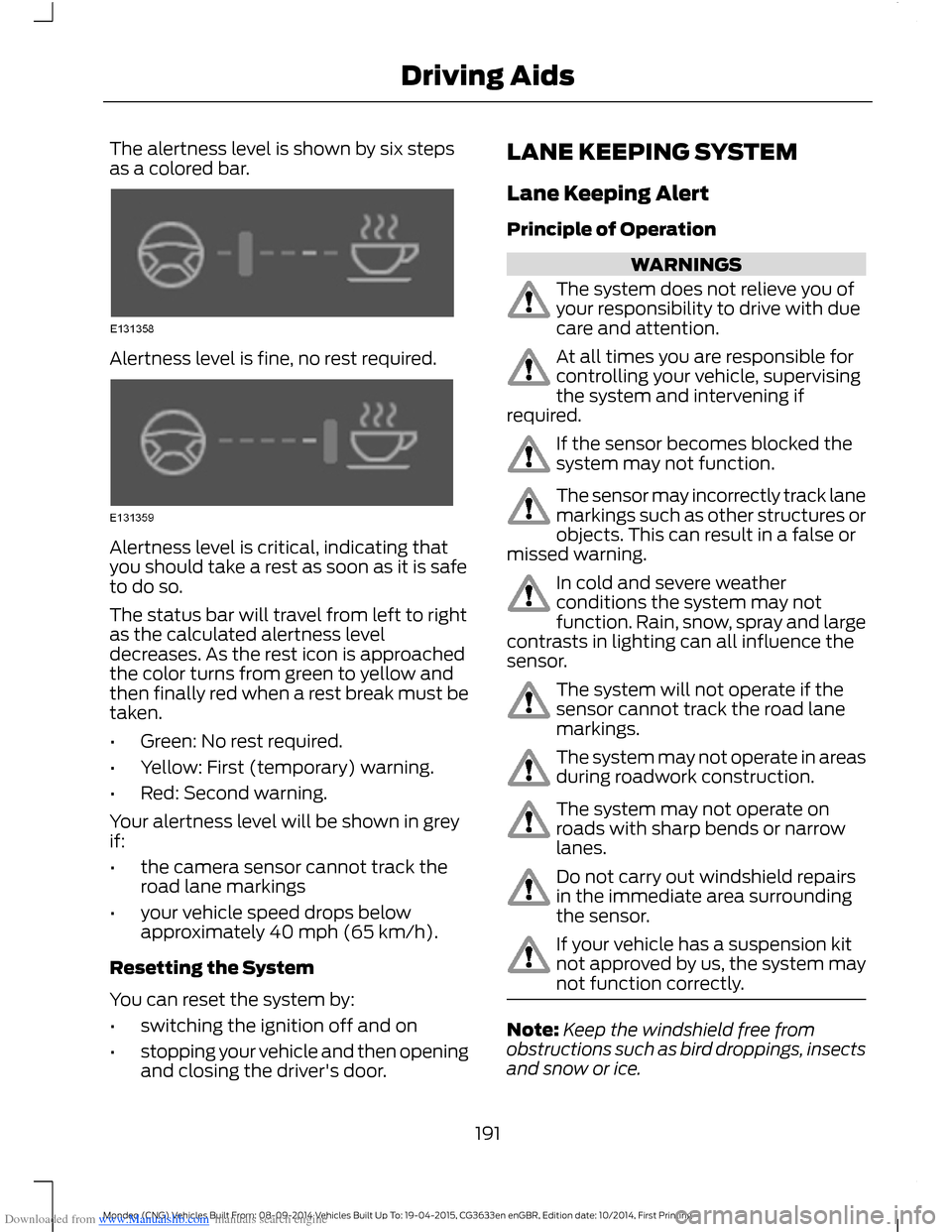
Downloaded from www.Manualslib.com manuals search engine The alertness level is shown by six stepsas a colored bar.
Alertness level is fine, no rest required.
Alertness level is critical, indicating thatyou should take a rest as soon as it is safeto do so.
The status bar will travel from left to rightas the calculated alertness leveldecreases. As the rest icon is approachedthe color turns from green to yellow andthen finally red when a rest break must betaken.
•Green: No rest required.
•Yellow: First (temporary) warning.
•Red: Second warning.
Your alertness level will be shown in greyif:
•the camera sensor cannot track theroad lane markings
•your vehicle speed drops belowapproximately 40 mph (65 km/h).
Resetting the System
You can reset the system by:
•switching the ignition off and on
•stopping your vehicle and then openingand closing the driver's door.
LANE KEEPING SYSTEM
Lane Keeping Alert
Principle of Operation
WARNINGS
The system does not relieve you ofyour responsibility to drive with duecare and attention.
At all times you are responsible forcontrolling your vehicle, supervisingthe system and intervening ifrequired.
If the sensor becomes blocked thesystem may not function.
The sensor may incorrectly track lanemarkings such as other structures orobjects. This can result in a false ormissed warning.
In cold and severe weatherconditions the system may notfunction. Rain, snow, spray and largecontrasts in lighting can all influence thesensor.
The system will not operate if thesensor cannot track the road lanemarkings.
The system may not operate in areasduring roadwork construction.
The system may not operate onroads with sharp bends or narrowlanes.
Do not carry out windshield repairsin the immediate area surroundingthe sensor.
If your vehicle has a suspension kitnot approved by us, the system maynot function correctly.
Note:Keep the windshield free fromobstructions such as bird droppings, insectsand snow or ice.
191Mondeo (CNG) Vehicles Built From: 08-09-2014 Vehicles Built Up To: 19-04-2015, CG3633en enGBR, Edition date: 10/2014, First PrintingDriving Aids
Page 194 of 446
Downloaded from www.Manualslib.com manuals search engine Note:The system may assist you whendriving on fast main roads and freeways.
Note:The system may not operate duringhard braking or acceleration and when youare intentionally steering your vehicle.
Note:The system will operate with aminimum of one tracked lane marking.
Note:The system will only operate abovevehicle speeds of approximately 40 mph(65 km/h).
The sensor is located behind the interiormirror. It continuously monitors conditionsto alert you of unintentional lane driftingat high speeds.
The system will automatically detect andtrack the lane markings on the road. If yourvehicle unintentionally drifts toward theroad lane markings, a warning will beshown in the display. There is also awarning given in the form of a vibration feltthrough the steering wheel.
Using Lane Keeping Alert
Switching the System On and Off
Note:When you switch the system off, awarning indicator will remain illuminated inthe information display. See WarningLamps and Indicators (page 81).
Note:The system status and settings willremain unchanged when you switch theignition on and off.
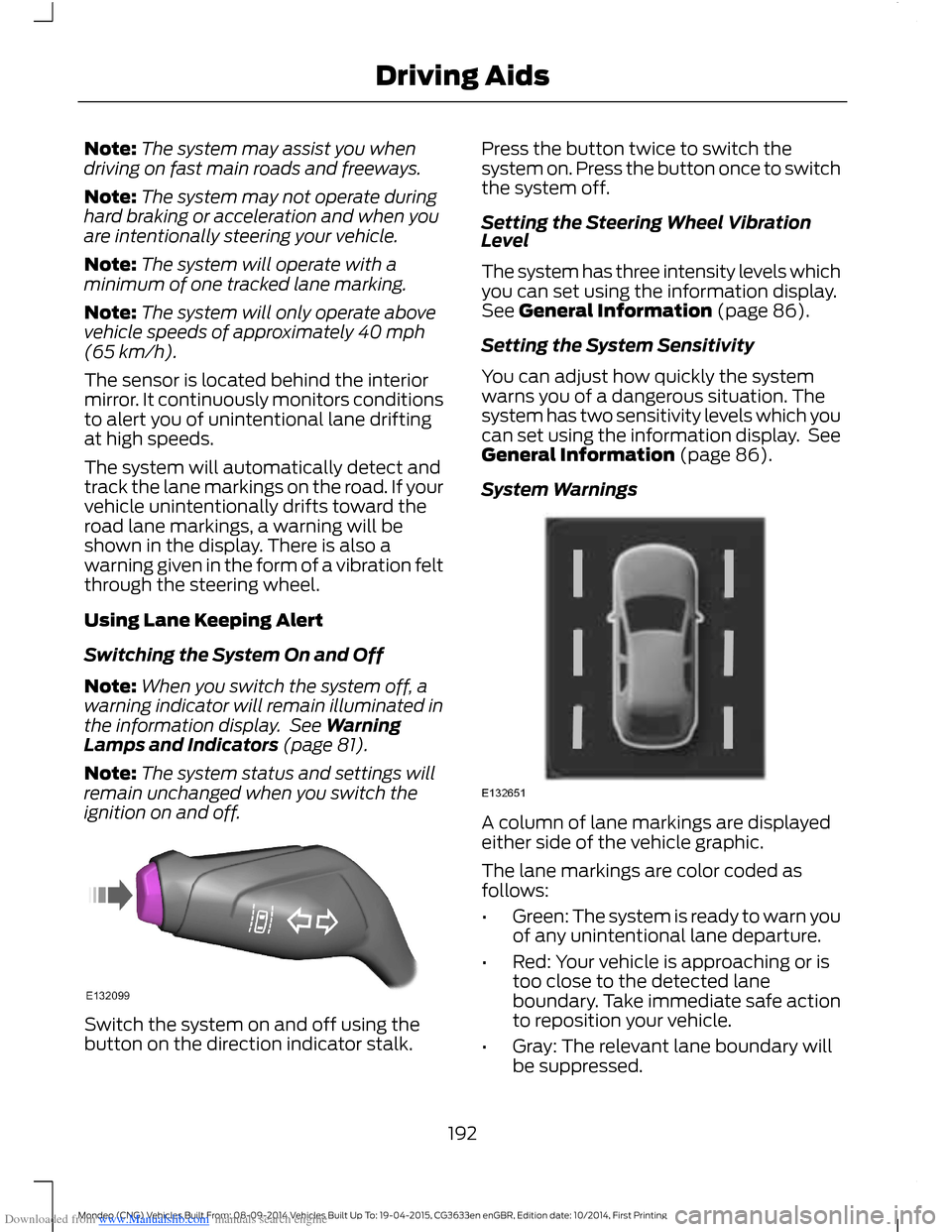
Switch the system on and off using thebutton on the direction indicator stalk.
Press the button twice to switch thesystem on. Press the button once to switchthe system off.
Setting the Steering Wheel VibrationLevel
The system has three intensity levels whichyou can set using the information display.See General Information (page 86).
Setting the System Sensitivity
You can adjust how quickly the systemwarns you of a dangerous situation. Thesystem has two sensitivity levels which youcan set using the information display. SeeGeneral Information (page 86).
System Warnings
A column of lane markings are displayedeither side of the vehicle graphic.
The lane markings are color coded asfollows:
•Green: The system is ready to warn youof any unintentional lane departure.
•Red: Your vehicle is approaching or istoo close to the detected laneboundary. Take immediate safe actionto reposition your vehicle.
•Gray: The relevant lane boundary willbe suppressed.
192Mondeo (CNG) Vehicles Built From: 08-09-2014 Vehicles Built Up To: 19-04-2015, CG3633en enGBR, Edition date: 10/2014, First PrintingDriving Aids
Page 195 of 446
Downloaded from www.Manualslib.com manuals search engine Instances where a lane boundary may besuppressed:
•Lane markings on the road may not bedetected by the sensor.
•You turn the direction indicator for thatside of your vehicle on.
•If you apply direct steering, acceleratefast or brake hard.
•Your vehicle speed is outside theoperating limits.
•If there is an anti-lock brake or stabilitycontrol intervention.
•Narrow lane width.
If the lane markings in the display turn redor you feel a vibration through the steeringwheel you must take immediate and safeaction to align your vehicle. Correct anyunintended lane drift immediately.
Lane Keeping Aid
Switching the System On and Off
Note:The system does not automaticallyturn on every time you switch the ignitionon.
Note:When you switch the system on, thiswill automatically turn lane keeping alerton.
Switch the system on and off using thebutton on the indicator stalk.
Press the button three times to switch thesystem on. Press the button again toswitch the system off.
Setting the System Sensitivity
You can adjust how quickly the systemintervenes in a dangerous situation. Thesystem has two sensitivity levels which youcan set using the information display. SeeGeneral Information (page 86).
System Warnings
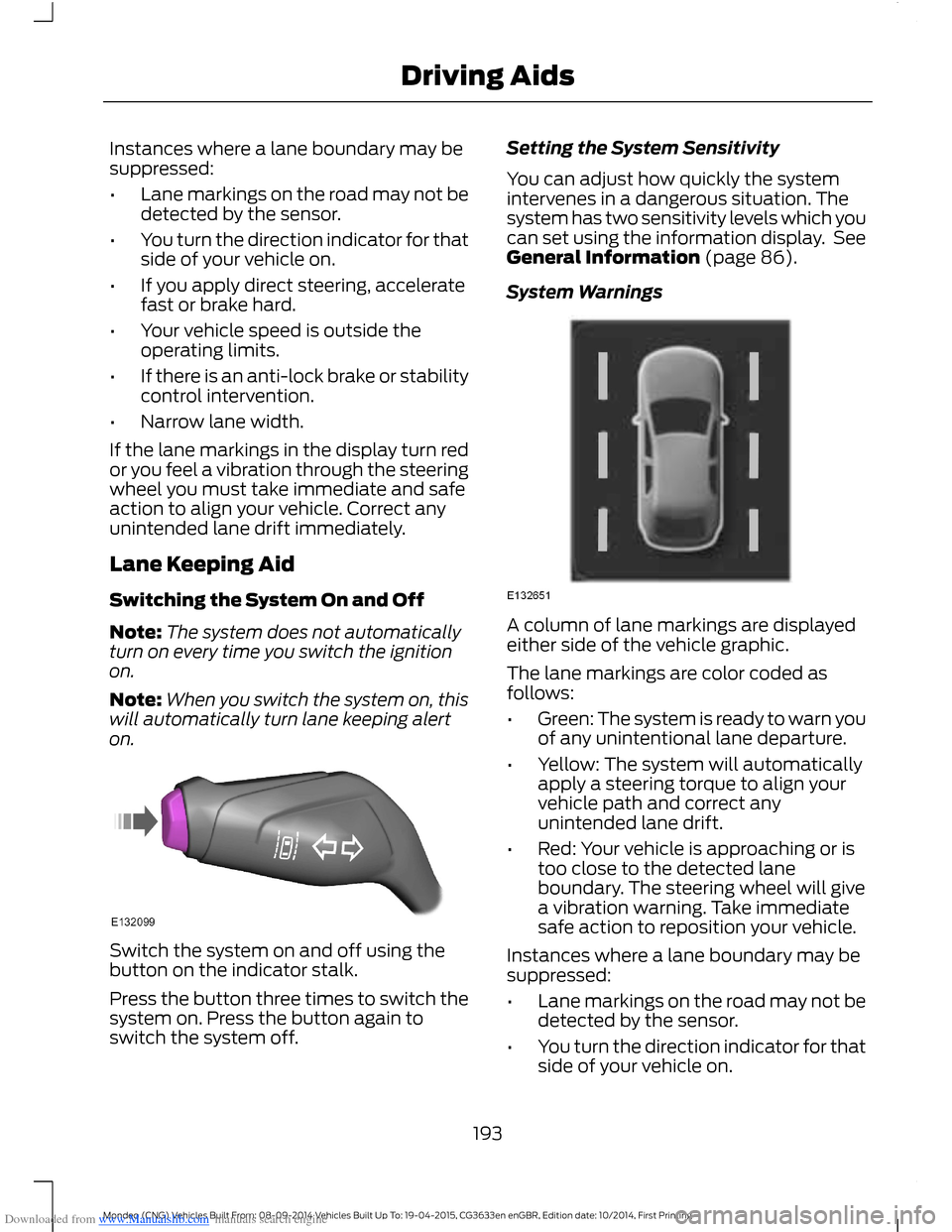
A column of lane markings are displayedeither side of the vehicle graphic.
The lane markings are color coded asfollows:
•Green: The system is ready to warn youof any unintentional lane departure.
•Yellow: The system will automaticallyapply a steering torque to align yourvehicle path and correct anyunintended lane drift.
•Red: Your vehicle is approaching or istoo close to the detected laneboundary. The steering wheel will givea vibration warning. Take immediatesafe action to reposition your vehicle.
Instances where a lane boundary may besuppressed:
•Lane markings on the road may not bedetected by the sensor.
•You turn the direction indicator for thatside of your vehicle on.
193Mondeo (CNG) Vehicles Built From: 08-09-2014 Vehicles Built Up To: 19-04-2015, CG3633en enGBR, Edition date: 10/2014, First PrintingDriving Aids