2014 FORD FUSION (AMERICAS) engine
[x] Cancel search: enginePage 163 of 458
Sand
When driving over sand, try to keep all fourwheels on the most solid area of the trail.Avoid reducing the tire pressures but shiftto a lower gear and drive steadily throughthe terrain. Apply the accelerator slowlyand avoid spinning the wheels.
Do not drive your AWD vehicle in deepsand. This will cause the AWD system tooverheat. After the system has cooleddown, normal AWD function will return.
Under severe operating conditions, the A/Cmay cycle on and off to protectoverheating of the engine.
Avoid excessive speed because vehiclemomentum can work against you andcause the vehicle to become stuck to thepoint that assistance may be required fromanother vehicle. Remember, you may beable to back out the way you came if youproceed with caution.
Mud and Water
If you must drive through high water, driveslowly. Traction or brake capability maybe limited.
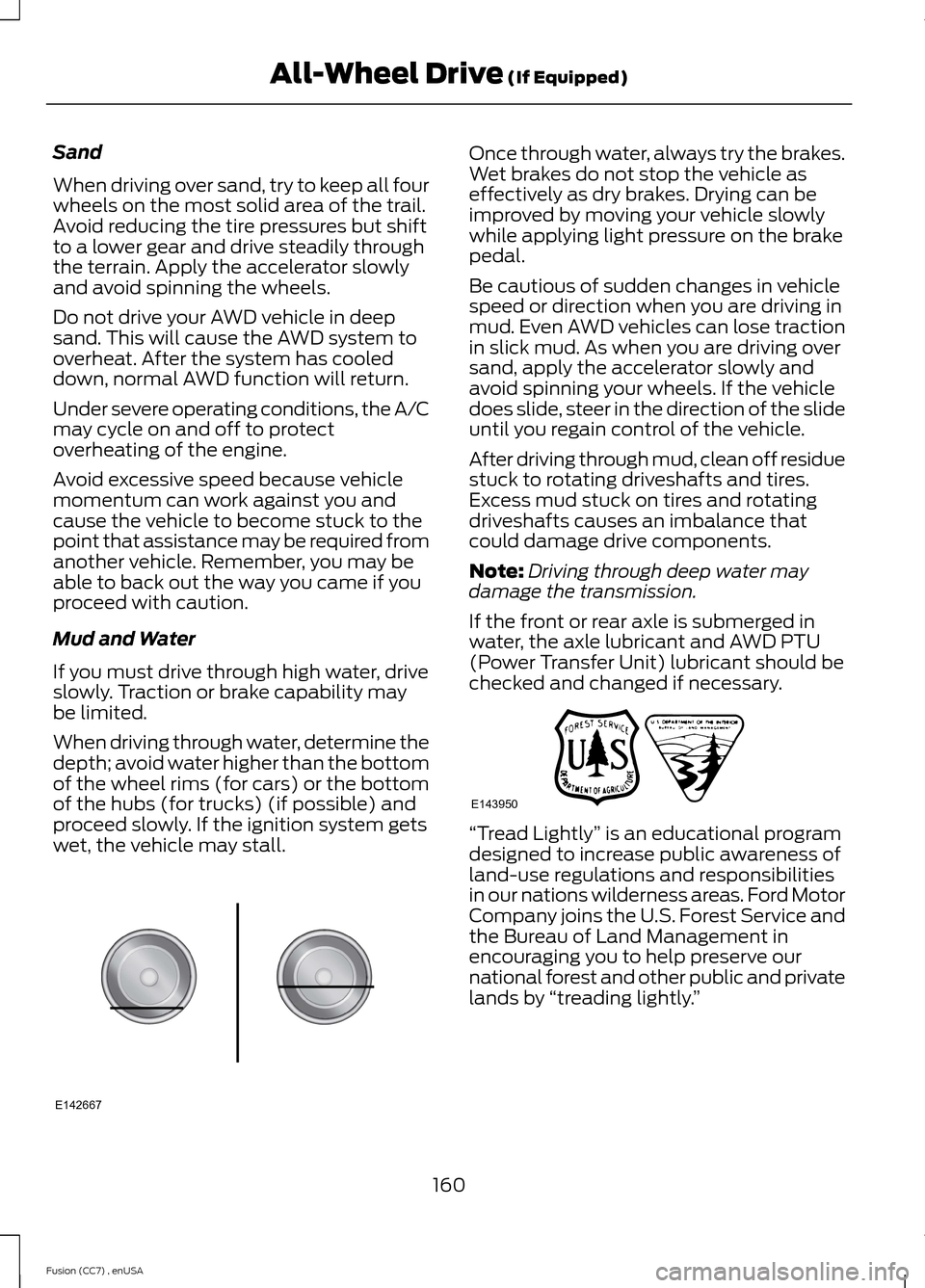
When driving through water, determine thedepth; avoid water higher than the bottomof the wheel rims (for cars) or the bottomof the hubs (for trucks) (if possible) andproceed slowly. If the ignition system getswet, the vehicle may stall.
Once through water, always try the brakes.Wet brakes do not stop the vehicle aseffectively as dry brakes. Drying can beimproved by moving your vehicle slowlywhile applying light pressure on the brakepedal.
Be cautious of sudden changes in vehiclespeed or direction when you are driving inmud. Even AWD vehicles can lose tractionin slick mud. As when you are driving oversand, apply the accelerator slowly andavoid spinning your wheels. If the vehicledoes slide, steer in the direction of the slideuntil you regain control of the vehicle.
After driving through mud, clean off residuestuck to rotating driveshafts and tires.Excess mud stuck on tires and rotatingdriveshafts causes an imbalance thatcould damage drive components.
Note:Driving through deep water maydamage the transmission.
If the front or rear axle is submerged inwater, the axle lubricant and AWD PTU(Power Transfer Unit) lubricant should bechecked and changed if necessary.
“Tread Lightly” is an educational programdesigned to increase public awareness ofland-use regulations and responsibilitiesin our nations wilderness areas. Ford MotorCompany joins the U.S. Forest Service andthe Bureau of Land Management inencouraging you to help preserve ournational forest and other public and privatelands by “treading lightly.”
160Fusion (CC7) , enUSAAll-Wheel Drive (If Equipped)E142667 E143950
Page 164 of 458

Driving on Hilly or Sloping Terrain
Note:Avoid driving crosswise or turning onsteep slopes or hills. A danger lies in losingtraction, slipping sideways and possiblyrolling over. Whenever driving on a hill,determine beforehand the route you willuse. Do not drive over the crest of a hillwithout seeing what conditions are on theother side. Do not drive in reverse over a hillwithout the aid of an observer.
Although natural obstacles may make itnecessary to travel diagonally up or downa hill or steep incline, you should alwaystry to drive straight up or straight down.
When climbing a steep slope or hill, startin a lower gear rather than downshifting toa lower gear from a higher gear once theascent has started. This reduces strain onthe engine and the possibility of stalling.
If you do stall out, do not try to turnaroundbecause you might roll over. It is better toback down to a safe location.
Apply just enough power to the wheels toclimb the hill. Too much power will causethe tires to slip, spin or lose traction,resulting in loss of vehicle control.
Descend a hill in the same gear you woulduse to climb up the hill to avoid excessivebrake application and brake overheating.Do not descend in neutral; instead,disengage overdrive or manually shift to alower gear. When descending a steep hill,avoid sudden hard braking as you couldlose control. The front wheels have to beturning in order to steer the vehicle.
Your vehicle has anti-lock brakes, thereforeapply the brakes steadily. Do not “pump”the brakes.
Driving on Snow and Ice
WARNING
If you are driving in slipperyconditions that require tire chains orcables, then it is critical that you drivecautiously. Keep speeds down, allow forlonger stopping distances and avoidaggressive steering to reduce the chancesof a loss of vehicle control which can leadto serious injury or death. If the rear end ofthe vehicle slides while cornering, steer inthe direction of the slide until you regaincontrol of the vehicle.
Note:Excessive tire slippage can causedriveline damage.
AWD vehicles have advantages over 2WDvehicles in snow and ice but can skid likeany other vehicle.
Should you start to slide while driving onsnowy or icy roads, turn the steering wheelin the direction of the slide until you regaincontrol.
Avoid sudden applications of power andquick changes of direction on snow andice. Apply the accelerator slowly andsteadily when starting from a full stop.
161Fusion (CC7) , enUSAAll-Wheel Drive (If Equipped)E143949
Page 166 of 458
GENERAL INFORMATION
Note:Occasional brake noise is normal. Ifa metal-to-metal, continuous grinding orcontinuous squeal sound is present, thebrake linings may be worn-out. Have thesystem checked by an authorized dealer. Ifyour vehicle has continuous vibration orshudder in the steering wheel while braking,have it checked by an authorized dealer.
Note:Brake dust may accumulate on thewheels, even under normal drivingconditions. Some dust is inevitable as thebrakes wear and does not contribute tobrake noise. See Cleaning the AlloyWheels (page 260).
See Warning Lamps andIndicators (page 82).
Wet brakes result in reduced brakingefficiency. Gently press the brake pedal afew times when driving from a car wash orstanding water to dry the brakes.
Brake Over Accelerator
In the event the accelerator pedalbecomes stuck or entrapped, apply steadyand firm pressure to the brake pedal toslow the vehicle and reduce engine power.If you experience this condition, apply thebrakes and bring your vehicle to a safestop. Move the transmission selector leverto position P, switch the engine off andapply the parking brake. Inspect theaccelerator pedal for any interference. Ifnone are found and the condition persists,have your vehicle towed to the nearestauthorized dealer.
Brake Assist
Brake assist detects when you brakerapidly by measuring the rate at which youpress the brake pedal. It providesmaximum braking efficiency as long as youpress the pedal, and can reduce stoppingdistances in critical situations.
Anti-lock Brake System
This system helps you maintain steeringcontrol during emergency stops by keepingthe brakes from locking.
This lamp momentarilyilluminates when you turn theignition on. If the light does notilluminate during start up, remains on orflashes, the system may be disabled. Havethe system checked by an authorizeddealer.
If the system is disabled, normalbraking is still effective. If thebrake warning lamp illuminateswhen you release the parking brake, havethe system checked by an authorizeddealer.
HINTS ON DRIVING WITH
ANTI-LOCK BRAKES
Note:When the system is operating, thebrake pedal will pulse and may travelfurther. Maintain pressure on the brakepedal. You may also hear a noise from thesystem. This is normal.
The anti-lock braking system will noteliminate the risks when:
•you drive too closely to the vehicle infront of you
•your vehicle is hydroplaning
•you take corners too fast
•the road surface is poor.
163Fusion (CC7) , enUSABrakesE144522 E144522
Page 168 of 458
WARNINGS
With the exception of emergencyconditions (for example, the brakepedal does not work or is blocked),do not apply the electric parking brakewhile the vehicle is moving. On bends, orpoor road surfaces or weather conditions,emergency braking can cause the vehicleto skid out of control or off the road.
If you apply the electric parking brake whenyour vehicle is moving, the brake systemwarning lamp will illuminate and a warningchime will sound. See InformationDisplays (page 87).
If your vehicle speed is above 4 mph (6km/h), the braking force is applied as longas the switch is pulled. Releasing orpressing the switch or pressing theaccelerator pedal will stop the brakingforce.
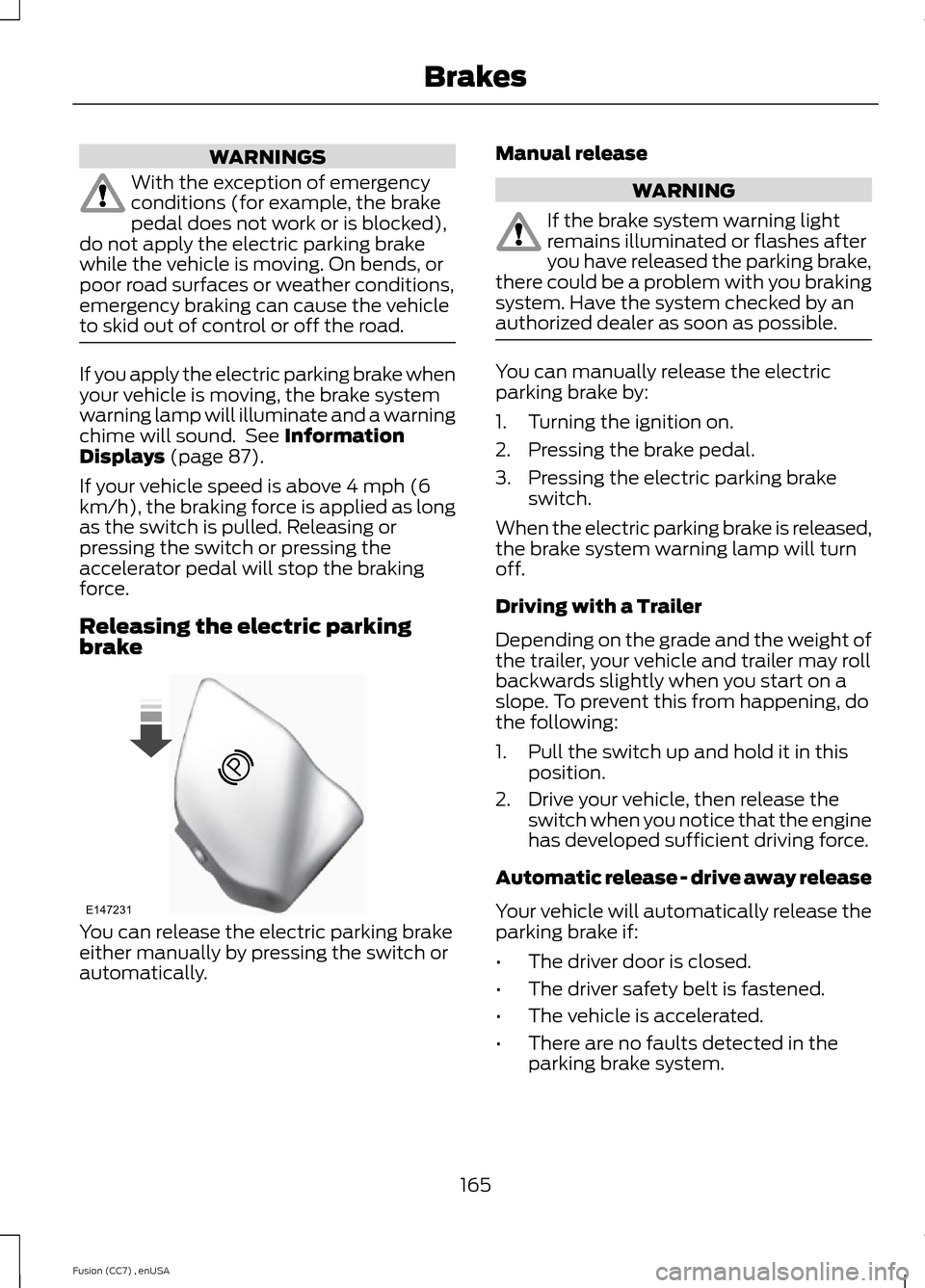
Releasing the electric parkingbrake
You can release the electric parking brakeeither manually by pressing the switch orautomatically.
Manual release
WARNING
If the brake system warning lightremains illuminated or flashes afteryou have released the parking brake,there could be a problem with you brakingsystem. Have the system checked by anauthorized dealer as soon as possible.
You can manually release the electricparking brake by:
1.Turning the ignition on.
2.Pressing the brake pedal.
3.Pressing the electric parking brakeswitch.
When the electric parking brake is released,the brake system warning lamp will turnoff.
Driving with a Trailer
Depending on the grade and the weight ofthe trailer, your vehicle and trailer may rollbackwards slightly when you start on aslope. To prevent this from happening, dothe following:
1.Pull the switch up and hold it in thisposition.
2.Drive your vehicle, then release theswitch when you notice that the enginehas developed sufficient driving force.
Automatic release - drive away release
Your vehicle will automatically release theparking brake if:
•The driver door is closed.
•The driver safety belt is fastened.
•The vehicle is accelerated.
•There are no faults detected in theparking brake system.
165Fusion (CC7) , enUSABrakesE147231
Page 169 of 458

Note:If the electric parking brake warninglamp stays illuminated, the electric parkingbrake will not automatically release. Youmust release the electric parking brake usingthe electric parking brake switch.
Note:On manual transmission vehicles, ifthe transmission is not in neutral (N) whenyou release the clutch pedal and press theaccelerator pedal, the electric parking brakewill release automatically.
Note:On manual transmission vehicles, theclutch pedal must be fully pressed beforethe drive away release feature will operate.Drive as normal using the accelerator andclutch pedals and the electric parking brakewill be automatically released.
The brake system warning lamp will go offto confirm that the electric parking brakehas been released.
Note:The electric parking brake drive awayrelease makes starting on a hill easier. Thisfeature will release the parking brakeautomatically when the vehicle hassufficient drive force to move up the hill. Toassure drive away release when startinguphill, press the accelerator pedal quickly.
Battery With No Charge
WARNING
You will not be able to apply orrelease the electric parking brake ifthe battery is low or has no charge.
If the battery is low or has no charge, usejumper cables and a booster battery.
HILL START ASSIST
WARNINGS
The system does not replace theparking brake. When you leave yourvehicle, always apply the parkingbrake and put the transmission in park (P).
WARNINGS
You must remain in your vehicle onceyou have activated the system.
During all times, you are responsiblefor controlling your vehicle,supervising the system andintervening, if required.
If the engine is revved excessively, orif a malfunction is detected, thesystem will be deactivated.
The system makes it easier to pull awaywhen your vehicle is on a slope without theneed to use the parking brake.
When the system is active, your vehicle willremain stationary on the slope for two tothree seconds after you release the brakepedal. This allows you time to move yourfoot from the brake to the acceleratorpedal. The brakes are releasedautomatically once the engine hasdeveloped sufficient drive to prevent yourvehicle from rolling down the slope. Thisis an advantage when pulling away on aslope, (for example from a car park ramp,traffic lights or when reversing uphill intoa parking space).
The system will activate automatically onany slope that will cause significant vehiclerollback.
Using Hill Start Assist
1.Press the brake pedal to bring yourvehicle to a complete standstill. Keepthe brake pedal pressed.
2.If the sensors detect that your vehicleis on a slope, the system will activateautomatically.
3.When you remove your foot from thebrake pedal, your vehicle will remainon the slope without rolling away forabout two or three seconds. This holdtime will automatically be extended ifyou are in the process of driving off.
166Fusion (CC7) , enUSABrakes
Page 171 of 458
PRINCIPLE OF OPERATION
The traction control system helps avoiddrive wheel spin and loss of traction.
If your vehicle begins to slide, the systemapplies the brakes to individual wheelsand, when needed, reduces engine powerat the same time. If the wheels spin whenaccelerating on slippery or loose surfaces,the system reduces engine power in orderto increase traction.
USING TRACTION CONTROL
In certain situations for example, stuck insnow or mud, turning the traction controloff may be beneficial as this allows thewheels to spin with full engine power.Depending on the type of system you haveon your vehicle, you can either turn thesystem off using the information displayor by pressing the button.
Switching the System Off Usingthe Information Display Controls
(If Equipped)
Your vehicle comes with this featurealready enabled. If required, you can switchthis feature off using the informationdisplay controls. See Principle ofOperation (page 168).
Switching the System Off Using aSwitch (If Equipped)
The button is located in the instrumentpanel.
Press the button. You will see a messagein conjunction with an illuminated icon inthe display. Press the button again toreturn the system to normal mode.
When you switch the traction controlsystem off, stability control remains fullyactive.
System Indicator Lights andMessages
WARNING
If a failure has been detected withinthe AdvanceTrac system, thestability control light will illuminatesteadily. Verify that the AdvanceTracsystem was not manually disabled throughthe information display. If the stabilitycontrol light still illuminates steadily, havethe system serviced by an authorizeddealer immediately. Operating your vehiclewith AdvanceTrac disabled could lead toan increased risk of loss of vehicle control,vehicle rollover, personal injury and death.
The stability control lighttemporarily illuminates onengine start-up and flasheswhen a driving condition activates thestability system.
The stability control off lighttemporarily illuminates onengine start-up and stays onwhen you turn the traction control systemoff.
When you turn the traction control systemoff or on, a message appears in theinformation display showing system status.
168Fusion (CC7) , enUSATraction ControlE138639
Page 186 of 458

When you override the system,the green indicator lightilluminates and the lead vehiclegraphic does not show in theinformation display.
The system will resume operation whenyou release the accelerator pedal. Thevehicle speed will decrease to the setspeed, or a lower speed if following aslower vehicle.
Changing the Set Speed
•Accelerate or brake to the desiredspeed, then press and release SET+.
•Press and hold SET+ or SET- until thedesired set speed shows on theinformation display. The vehicle speedwill gradually change to the selectedspeed.
•Press and release SET+ or SET-. Theset speed will change in approximately1 mph (2 km/h) increments.
The system may apply the brakes to slowthe vehicle to the new set speed. The setspeed will display continuously in theinformation display while the system isactive.
Resuming the Set Speed
Note:Only use resume if you are aware ofthe set speed and intend to return to it.
Press and release RES. The vehicle willreturn to the previously set speed. The setspeed will display continuously in theinformation display while the system isactive.
Low Speed AutomaticCancellation
The system is not functional at vehiclespeeds below 12 mph (20 km/h). Anaudible alarm will sound and theautomatic braking releases if the vehicledrops below this speed.
Hilly Condition Usage
Note:An audible alarm will sound and thesystem will shut down if it is applying brakesfor an extended period of time. This allowsthe brakes to cool down. The system willfunction normally again when the brakeshave cooled down.
You should select a lower gear positionwhen the system is active in situationssuch as prolonged downhill driving onsteep grades, for example in mountainousareas. The system needs additional enginebraking in these situations to reduce theload on the vehicle’s regular brake systemto prevent them from overheating.
Switching the System Off
Note:The set speed memory erases whenyou switch off the system.
Press and release OFF or turn off theignition.
Detection Issues
The radar sensor has a limited field ofvision. It may not detect vehicles at all ordetect a vehicle later than expected insome situations. The lead vehicle graphicwill not illuminate if the system does notdetect a vehicle in front of you.
183Fusion (CC7) , enUSACruise ControlE144529
Page 194 of 458

BLIND SPOT INFORMATION
SYSTEM
Blind Spot Information System(BLIS®) with Cross Traffic Alert (If
Equipped)
WARNING
To help avoid injuries, NEVER use theBlind Spot Information System as areplacement for using the interiorand exterior mirrors and looking over yourshoulder before changing lanes. The BlindSpot Information System is not areplacement for careful driving.
The Blind Spot Information System aidsyou in detecting vehicles that may haveentered the blind spot zone (A). Thedetection area is on both sides of yourvehicle, extending rearward from theexterior mirrors to approximately 10 ft(3 m)beyond the bumper. The systemalerts you if certain vehicles enter the blindspot zone while driving.
Cross Traffic Alert warns you of vehiclesapproaching from the sides when thetransmission is in reverse (R).
Note:The Blind Spot Information Systemdoes not prevent contact with other vehiclesor objects; nor detect parked vehicles,people, animals or infrastructure (fences,guardrails, trees, etc.). It only alerts you tovehicles in the blind zones.
Note:When a vehicle passes quicklythrough the blind zone, typically fewer thantwo seconds, the system does not trigger.
Using the Systems
The Blind Spot Information System turnson when you start the engine and you driveyou vehicle forward above 5 mph(8 km/h); it remains on while thetransmission is in drive (D) or neutral (N).If shifted out of drive (D) or neutral (N),the system enters cross traffic alert mode.Once shifted back into drive (D), the BlindSpot Information System turns back onwhen you drive your vehicle above 5 mph(8 km/h).
Note:The Blind Spot Information Systemdoes not function in reverse (R) or park (P)or provide any additional warning when aturn signal is on.
Note:Cross Traffic Alert detectsapproaching vehicles from up to 46 ft(14 m) away though coverage decreaseswhen the sensors are blocked. Reversingslowly helps increase the coverage area andeffectiveness.
Note:For manual transmission vehicles,the cross traffic alert will be active only ifthe transmission is in reverse (R). If yourvehicle is rolling backwards and thetransmission is not in reverse (R) then CrossTraffic Alert will not be active.
191Fusion (CC7) , enUSADriving AidsAAE124788