Page 54 of 403
Children 12 years old and under should always be properly restrained in
the back seats. The side curtain airbags will not interfere with children
restrained using a properly installed child or booster seat because it is
designed to inflate downward from the headliner above the doors along
the side window opening.
The design and development of the side curtain airbags included
recommended testing procedures that were developed by a group of
automotive safety experts known as the Side Airbag Technical Working
Group. These recommended testing procedures help reduce the risk of
injuries related to the deployment of side curtain airbags.
CRASH SENSORS AND AIRBAG INDICATOR
WARNING:Modifying or adding equipment to the front end of
your vehicle (including frame, bumper, front end body structure
and tow hooks) may affect the performance of the airbag system,
increasing the risk of injury. Do not modify the front end of your
vehicle.
Your vehicle has a collection of crash and occupant sensors which
provide information to the restraints control module which deploys
(activates) the front safety belt pretensioners, driver airbag, passenger
airbag, knee airbag, seat mounted side airbags, and the side curtain
airbags. Based on the type of crash (frontal impact or side impact) the
restraints control module will deploy the appropriate safety devices.
The restraints control module also monitors the readiness of the above
safety devices plus the crash and occupant sensors. The readiness of the
safety system is indicated by a warning indicator light in the instrument
cluster or by a backup tone if the warning light is not working. See the
Instrument Clusterchapter. Routine maintenance of the airbag is not
required.
Supplementary Restraints System53
2014 Focus Electric Vehicle(fob)
Owners Guide gf, 1st Printing, May 2013
USA(fus)
Page 61 of 403

PRINCIPLES OF OPERATION
MyKey allows you to program keys with restricted driving modes to
promote good driving habits. All but one of the keys programmed to the
vehicle can be activated with these restricted modes.
Any keys that have not been programmed are referred to as
administrator keys or admin keys. These can be used to:
•create a MyKey
•program configurable MyKey settings
•clear all MyKey features.
When you have programmed a MyKey, you can access the following
information using the information display:
•How many admin keys and MyKeys are programmed to your vehicle.
•The total distance your vehicle has traveled using a MyKey.
Note:All MyKeys are programmed to the same settings. You cannot
program them individually.
Note:For vehicles with intelligent access key (push-button start), when
both a MyKey and an admin intelligent access key (fob) are present, the
admin fob will be recognized to start the vehicle.
Non-configurable Settings
The following settings cannot be changed:
•Belt-Minder. You cannot disable this feature. The audio system will
mute when the front seat occupants’ safety belts are not fastened.
•Early distance to stop. Warnings are displayed in the information
display control followed by an audible tone at 15 miles to stop.
•Driver assist features, if equipped on your vehicle, are forced on:
parking aid, blind spot information system (BLIS) with cross traffic
alert and the forward collision warning system.
Configurable Settings
With an admin key, you can configure certain MyKey settings when
you first create a MyKey and before you recycle the key or restart the
vehicle. You can also change the settings afterward with an admin key.
•A vehicle speed limit can be set. Warnings will be shown in the display
followed by an audible tone when your vehicle reaches the set speed.
You cannot override the set speed by fully depressing the accelerator
pedal or by setting cruise control.
•Vehicle speed minders of 45, 55 or 65 mph (75, 90 or 105 km/h). Once
you select a speed, it will be shown in the display, followed by an
audible tone when the preselected vehicle speed is exceeded.
60MyKey
2014 Focus Electric Vehicle(fob)
Owners Guide gf, 1st Printing, May 2013
USA(fus)
Page 76 of 403
ADJUSTING THE STEERING WHEEL
WARNING:Do not adjust the steering wheel when your vehicle
is moving.
Note:Make sure that you are sitting in the correct position. SeeSitting
in the Correct Positionin theSeatschapter.
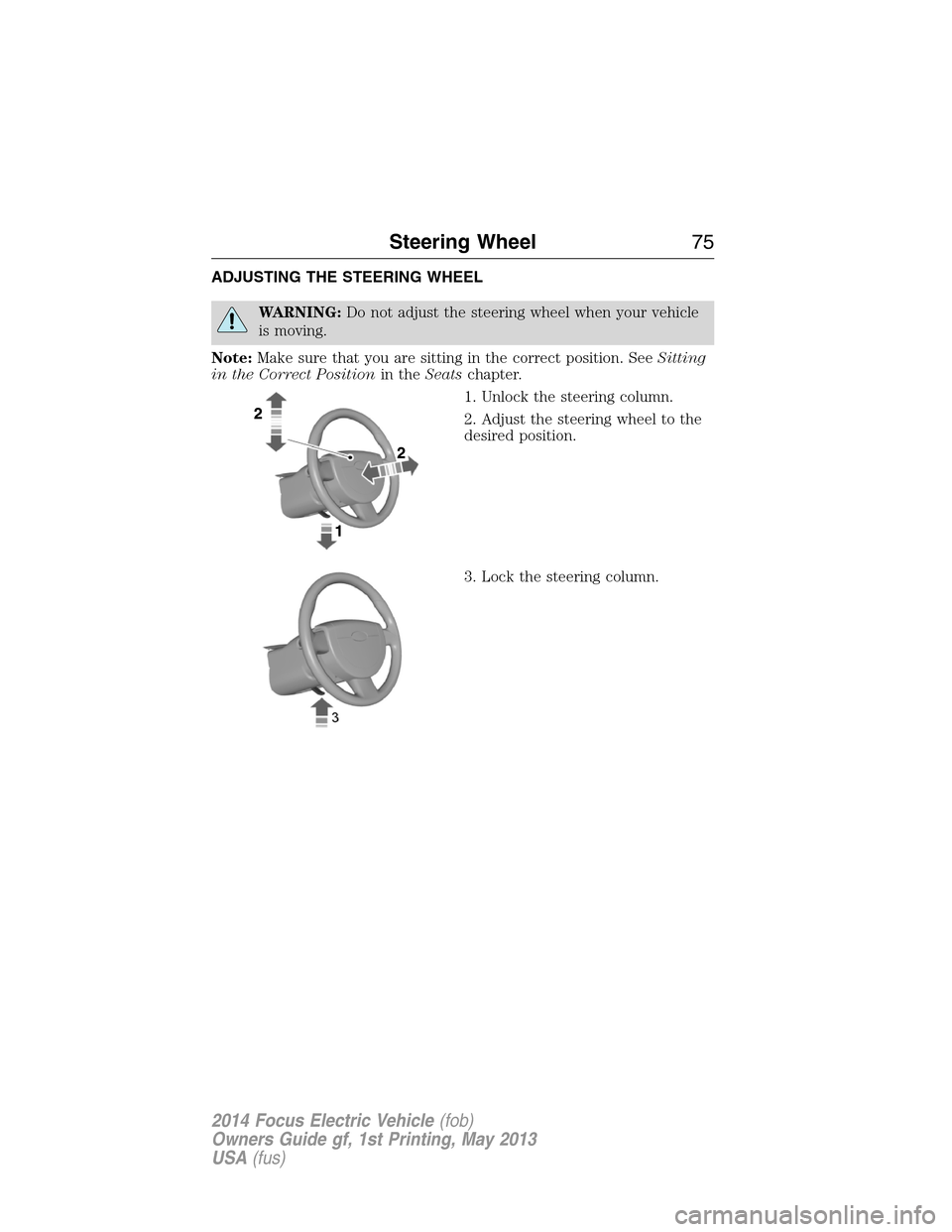
1. Unlock the steering column.
2. Adjust the steering wheel to the
desired position.
3. Lock the steering column.
Steering Wheel75
2014 Focus Electric Vehicle(fob)
Owners Guide gf, 1st Printing, May 2013
USA(fus)
Page 85 of 403
HEADLAMP EXIT DELAY
With the ignition switch off, the headlamps can be activated manually by
pulling the high beam/flash-to-pass lever toward you. You will hear a
short tone. The headlamps will go off automatically after 3 minutes with
any door open, or 30 seconds after the last door has been closed.
The home safe lights can be cancelled by either pulling the high
beam/flash-to-pass indicator lever towards the steering wheel again
or by turning the ignition switch ON.
DAYTIME RUNNING LAMPS (DRL) (IF EQUIPPED)
WARNING:Always remember to turn on your headlamps in low
light situations or during inclement weather. The daytime running
lamp system does not activate the tail lamps and may not provide
adequate lighting during these conditions. Failure to activate your
headlamps under these conditions may result in a collision.
To switch the Daytime Running Lamp system on:
1. Turn the ignition to the on position
2. Switch the lighting control to the off, autolamp or parking lamp
position.
Vehicle With High Intensity Discharge Headlamps
The Daytime Running Lamp system switches the fog lamps on in day
light conditions (Not available in all markets).
FRONT FOG LAMPS
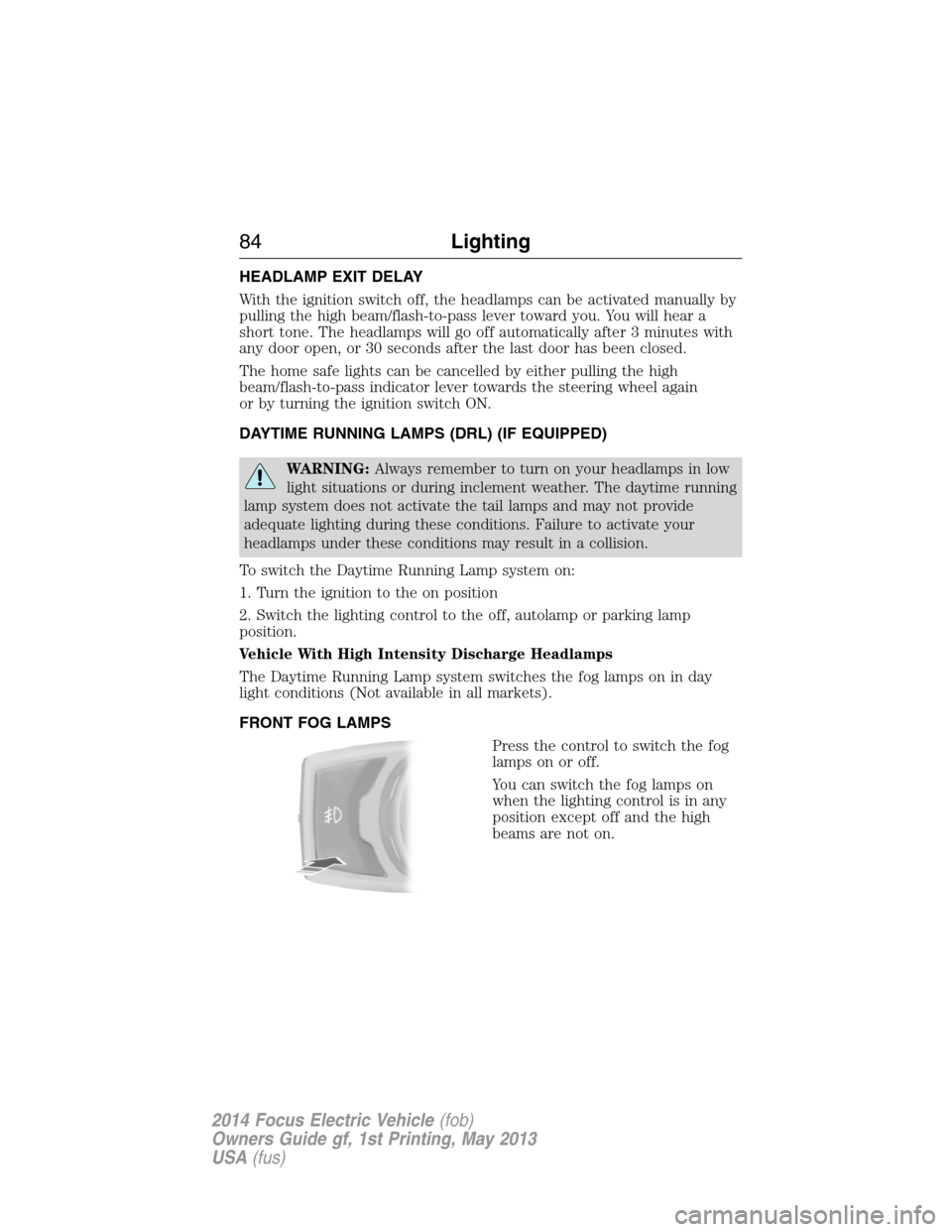
Press the control to switch the fog
lamps on or off.
You can switch the fog lamps on
when the lighting control is in any
position except off and the high
beams are not on.
84Lighting
2014 Focus Electric Vehicle(fob)
Owners Guide gf, 1st Printing, May 2013
USA(fus)
Page 90 of 403
POWER WINDOWS
WARNING:Do not leave children unattended in your vehicle
and do not let them play with the power windows. They may
seriously injure themselves.
WARNING:When closing the power windows, you should verify
they are free of obstructions and make sure that children and
pets are not in the proximity of the window openings.
Note:You may hear a pulsing noise when just one of the windows is
open. Lower the opposite window slightly to reduce this noise.
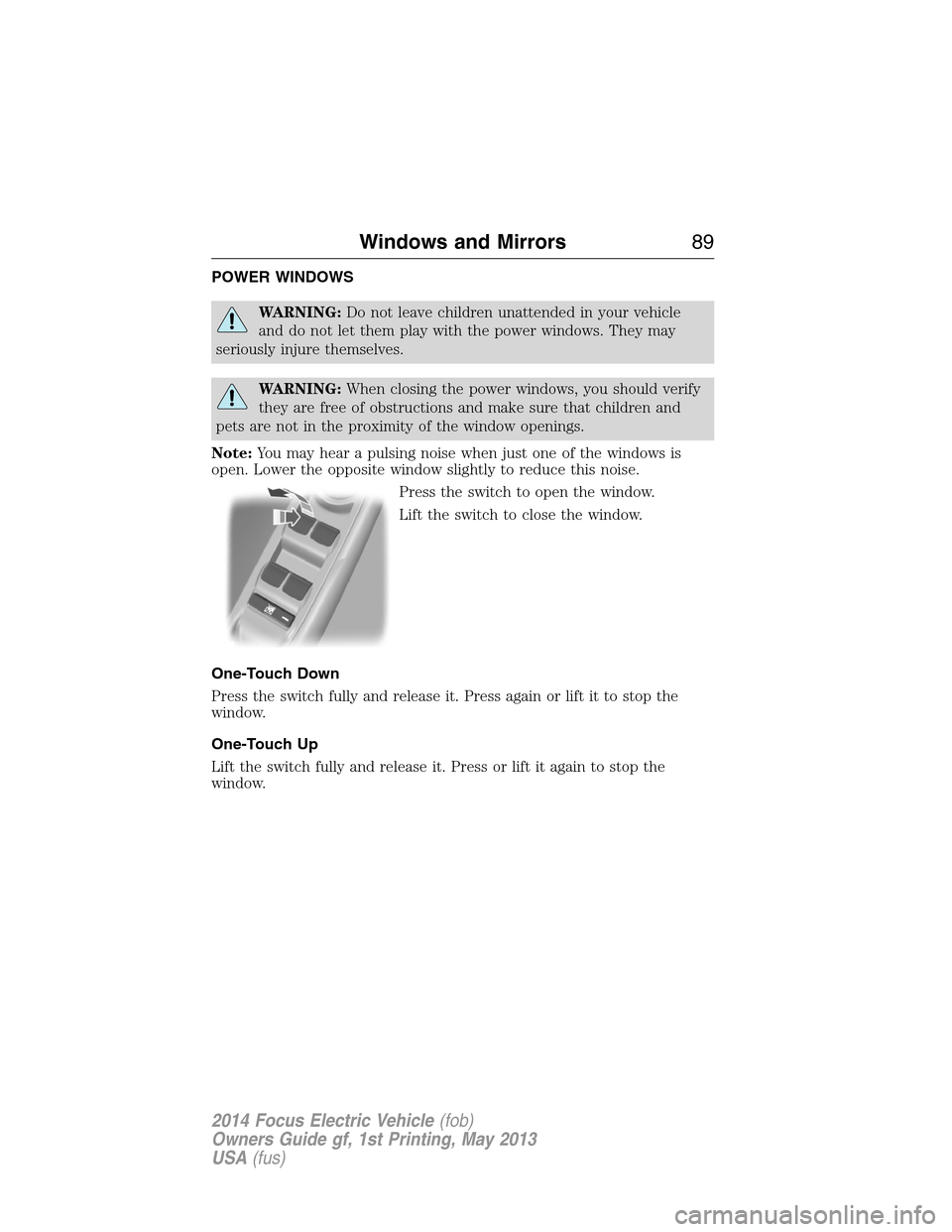
Press the switch to open the window.
Lift the switch to close the window.
One-Touch Down
Press the switch fully and release it. Press again or lift it to stop the
window.
One-Touch Up
Lift the switch fully and release it. Press or lift it again to stop the
window.
Windows and Mirrors89
2014 Focus Electric Vehicle(fob)
Owners Guide gf, 1st Printing, May 2013
USA(fus)
Page 91 of 403

Window Lock
Press the control to lock or unlock the rear
window controls. It illuminates when you lock
the rear window controls.
Bounce-Back (If Equipped)
The window will stop automatically while closing. It will reverse some
distance if there is an obstacle in the way.
Overriding the Bounce-Back Feature
WARNING:When you override the bounce-back feature the
window will not reverse if it detects an obstacle. Take care when
closing the windows to avoid personal injury or damage to your vehicle.
Proceed as follows to override this protection function when there is a
resistance, for example in the winter:
1. Close the window twice until it reaches the resistance and let it
reverse.
2. Close the window a third time to the resistance. The bounce-back
function is disabled and you can close the window manually. The window
will override the resistance and you can close it fully.
Contact your authorized dealer as soon as possible if the window does
not close after the third attempt.
Resetting the Bounce-Back Feature
WARNING:The bounce-back function remains deactivated until
you have reset the memory.
You must reset the bounce-back memory separately for each window
after the battery has been disconnected.
1. Lift and hold the switch until the window is fully closed.
2. Release the switch.
90Windows and Mirrors
2014 Focus Electric Vehicle(fob)
Owners Guide gf, 1st Printing, May 2013
USA(fus)
Page 92 of 403
3. Lift the switch again for one more second.
4. Press and hold the switch until the window is fully open.
5. Release the switch
6. Lift and hold the switch until the window is fully closed.
7. Open the window and then try to close it automatically.
8. Reset and repeat the procedure if the window does not close
automatically.
Accessory Delay (If Equipped)
You can use the window switches for several minutes after the you
switch the ignition off, or until you open either front door.
EXTERIOR MIRRORS
Power Exterior Mirrors
WARNING:Do not adjust the mirror while your vehicle is in
motion.
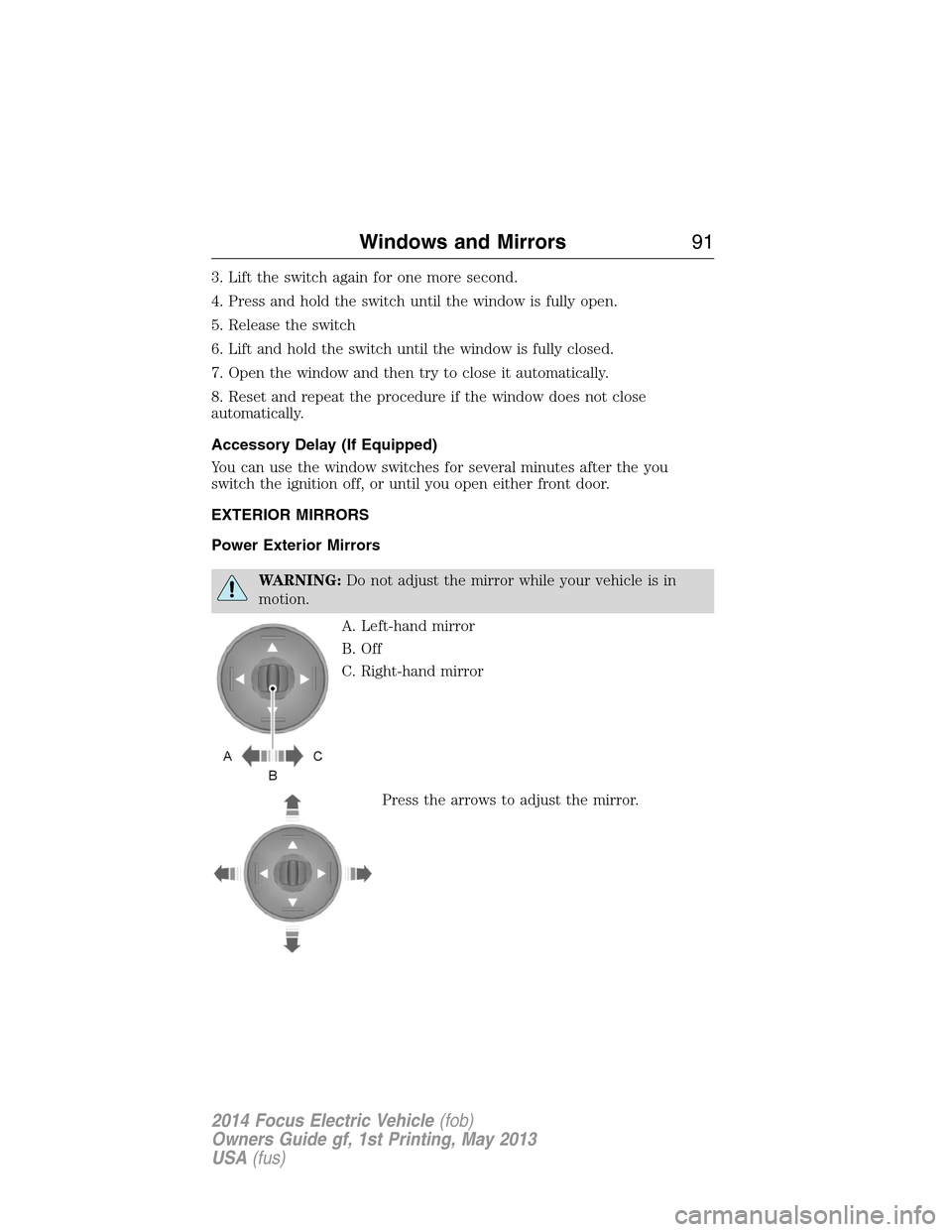
A. Left-hand mirror
B. Off
C. Right-hand mirror
Press the arrows to adjust the mirror.
Windows and Mirrors91
2014 Focus Electric Vehicle(fob)
Owners Guide gf, 1st Printing, May 2013
USA(fus)
Page 93 of 403
Foldaway Exterior Mirrors
Push the mirror toward the door window glass. Make sure that you fully
engage the mirror in its support when returning it to its original position.
Signal Indicator Mirrors
The outer portion of the appropriate mirror housing blinks when you
activate the turn signal.
Heated Exterior Mirror
The heated exterior mirrors switch on with the heated rear window. See
Heated Windows and Mirrorsin theClimate Controlchapter.
Integrated Blind Spot Mirrors
WARNING:Objects in the blind spot mirror are closer than they
appear.
Blind spot mirrors have an integrated convex mirror built into the upper
outboard corner of the exterior mirrors. They are designed to assist you
by increasing visibility along the side of your vehicle.
Check the main mirror first before a lane change, then check the blind
spot mirror. If no vehicles are present in the blind spot mirror and the
traffic in the adjacent lane is at a safe distance, signal that you are going
to change lanes. Glance over your shoulder to verify traffic is clear, and
carefully change lanes.
92Windows and Mirrors
2014 Focus Electric Vehicle(fob)
Owners Guide gf, 1st Printing, May 2013
USA(fus)