Page 88 of 403
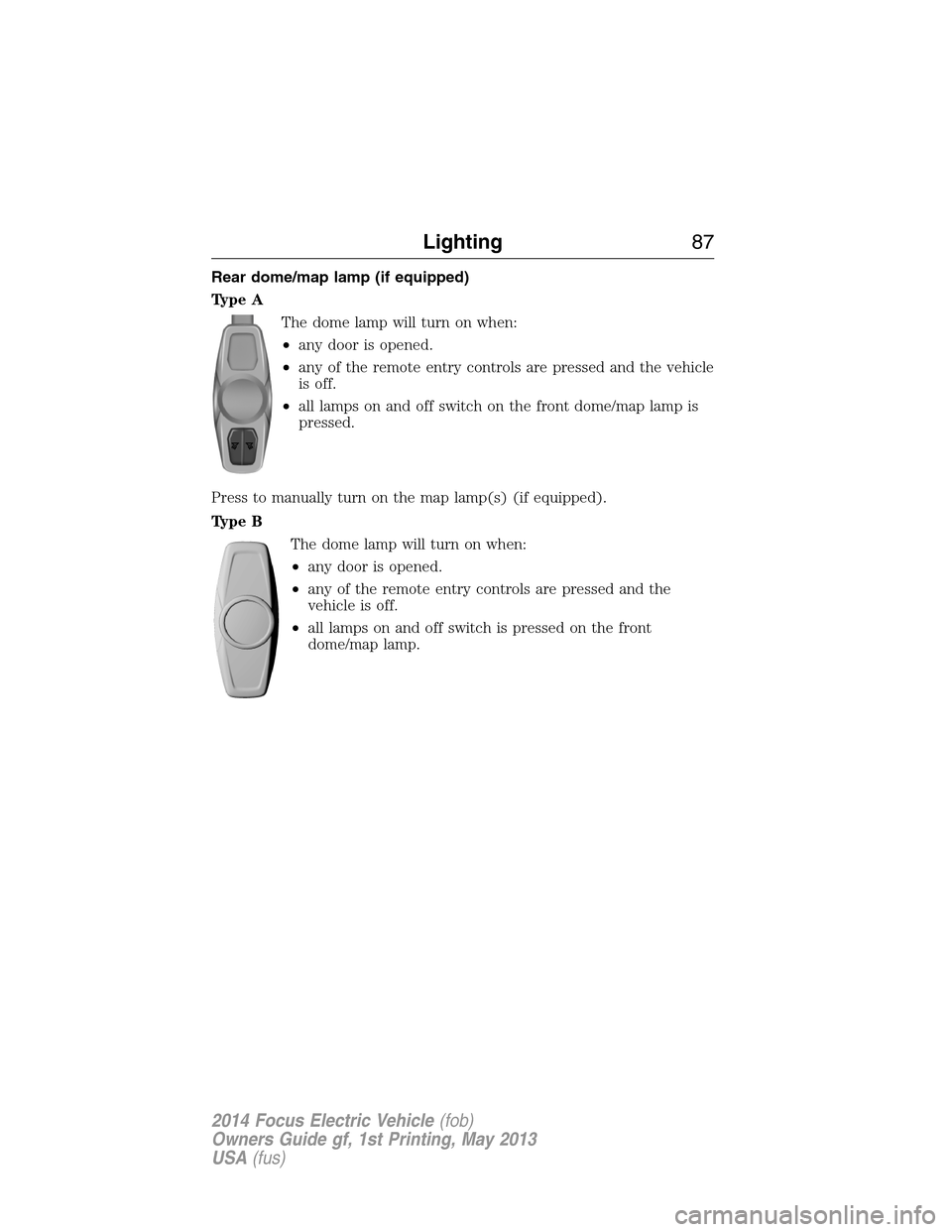
Rear dome/map lamp (if equipped)
Type A
The dome lamp will turn on when:
•any door is opened.
•any of the remote entry controls are pressed and the vehicle
is off.
•all lamps on and off switch on the front dome/map lamp is
pressed.
Press to manually turn on the map lamp(s) (if equipped).
Type B
The dome lamp will turn on when:
•any door is opened.
•any of the remote entry controls are pressed and the
vehicle is off.
•all lamps on and off switch is pressed on the front
dome/map lamp.
Lighting87
2014 Focus Electric Vehicle(fob)
Owners Guide gf, 1st Printing, May 2013
USA(fus)
Page 89 of 403
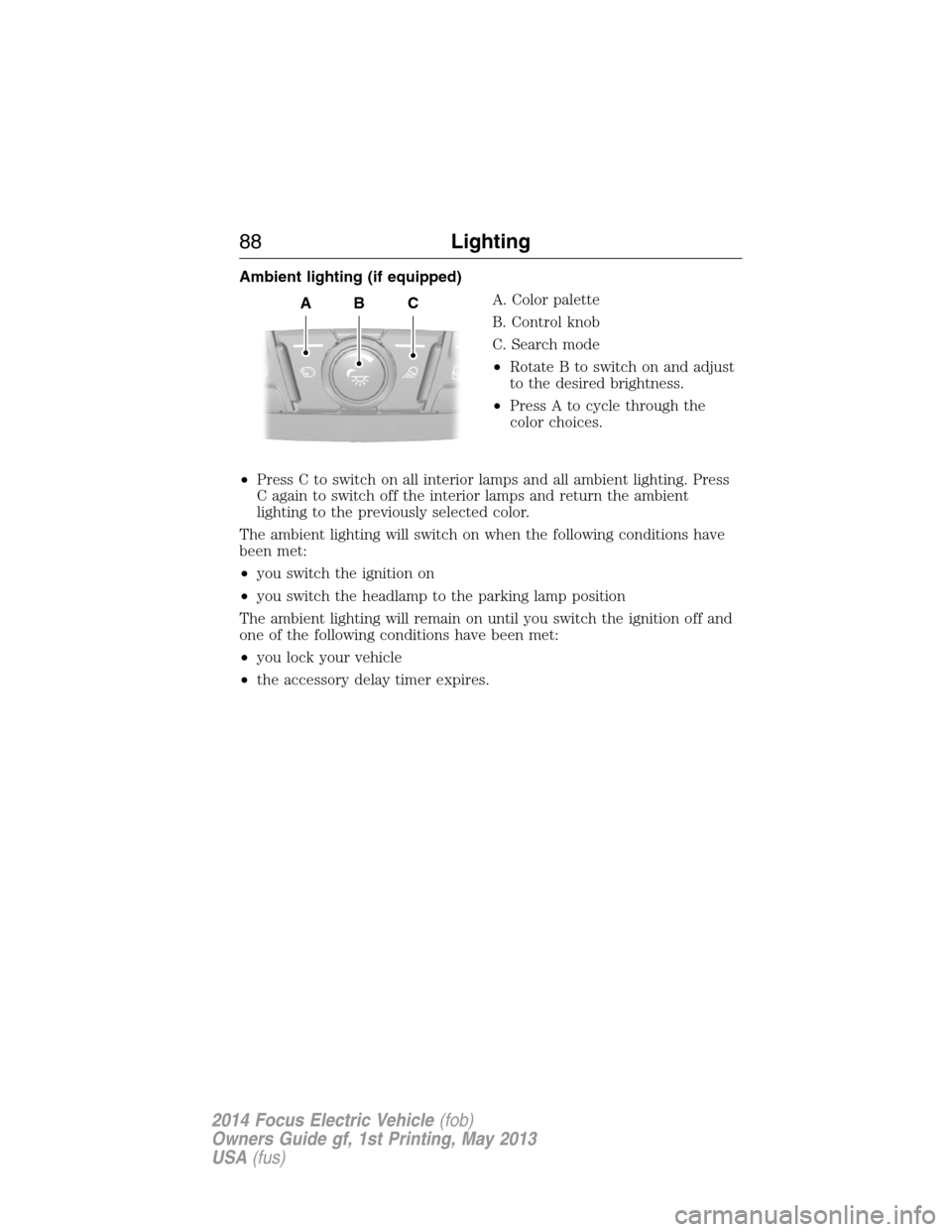
Ambient lighting (if equipped)
A. Color palette
B. Control knob
C. Search mode
•Rotate B to switch on and adjust
to the desired brightness.
•Press A to cycle through the
color choices.
•Press C to switch on all interior lamps and all ambient lighting. Press
C again to switch off the interior lamps and return the ambient
lighting to the previously selected color.
The ambient lighting will switch on when the following conditions have
been met:
•you switch the ignition on
•you switch the headlamp to the parking lamp position
The ambient lighting will remain on until you switch the ignition off and
one of the following conditions have been met:
•you lock your vehicle
•the accessory delay timer expires.
ABC
88Lighting
2014 Focus Electric Vehicle(fob)
Owners Guide gf, 1st Printing, May 2013
USA(fus)
Page 90 of 403
POWER WINDOWS
WARNING:Do not leave children unattended in your vehicle
and do not let them play with the power windows. They may
seriously injure themselves.
WARNING:When closing the power windows, you should verify
they are free of obstructions and make sure that children and
pets are not in the proximity of the window openings.
Note:You may hear a pulsing noise when just one of the windows is
open. Lower the opposite window slightly to reduce this noise.
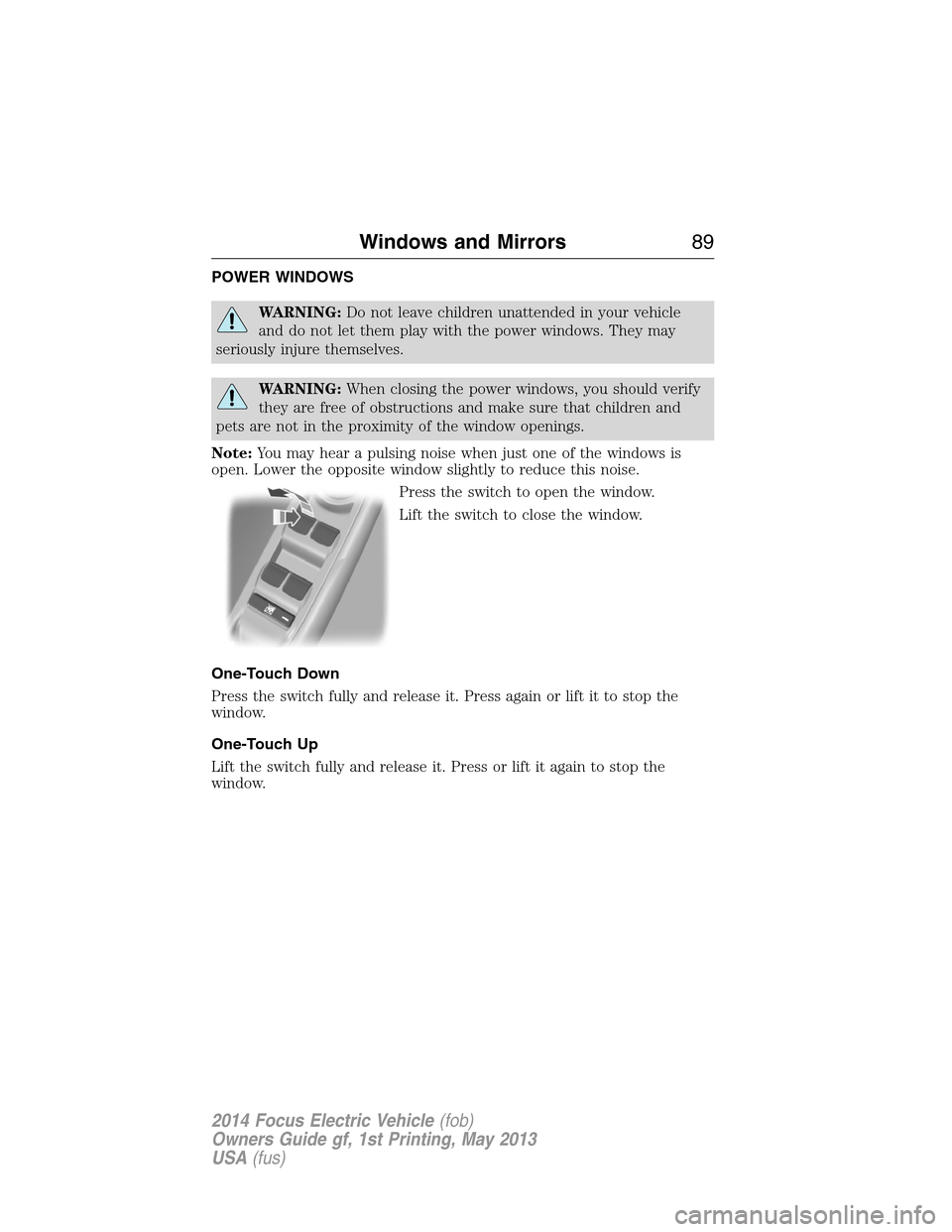
Press the switch to open the window.
Lift the switch to close the window.
One-Touch Down
Press the switch fully and release it. Press again or lift it to stop the
window.
One-Touch Up
Lift the switch fully and release it. Press or lift it again to stop the
window.
Windows and Mirrors89
2014 Focus Electric Vehicle(fob)
Owners Guide gf, 1st Printing, May 2013
USA(fus)
Page 95 of 403
SUN VISORS
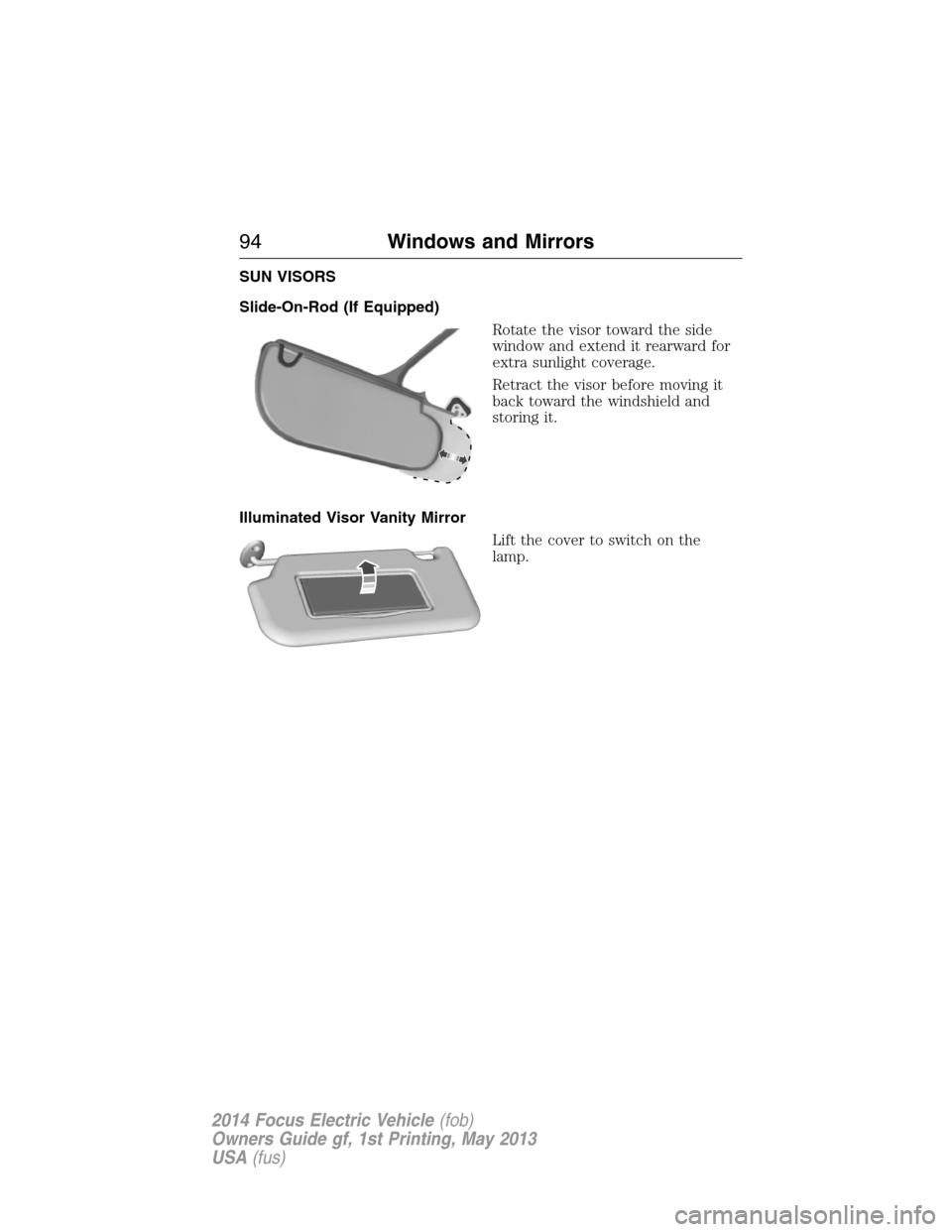
Slide-On-Rod (If Equipped)
Rotate the visor toward the side
window and extend it rearward for
extra sunlight coverage.
Retract the visor before moving it
back toward the windshield and
storing it.
Illuminated Visor Vanity Mirror
Lift the cover to switch on the
lamp.
94Windows and Mirrors
2014 Focus Electric Vehicle(fob)
Owners Guide gf, 1st Printing, May 2013
USA(fus)
Page 98 of 403

WARNING LAMPS AND INDICATORS
These indicators can alert you to a vehicle condition that may become
serious enough to cause expensive repairs. Many lights will illuminate
when you start your vehicle to make sure they work. If any light remains
on after starting the vehicle, refer to the respective system warning light
for additional information.
Note:Some warning indicators are reconfigurable telltales (RTT). These
indicators appear in the information display and function the same as a
warning light, but do not display on startup.
Airbag readiness
If this light fails to illuminate when the ignition is turned on,
continues to flash or remains on, contact your authorized dealer
as soon as possible. A chime will sound when there is a
malfunction in the indicator light.
Anti-lock brake system
If the ABS light stays illuminated or continues to flash, a
malfunction has been detected. Contact your authorized dealer
as soon as possible. Normal braking is still functional unless the
brake warning light also is illuminated.
Brake system warning light
To confirm the brake system warning light is functional, it will
momentarily illuminate when the vehicle is switched on, to
accessory or Ready to Drive mode.
If it illuminates when you are driving, check that the parking brake is not
engaged. If the parking brake is not engaged, this indicates low brake
fluid level or a brake system malfunction. Have the system checked
immediately by your authorized dealer.
WARNING:Driving a vehicle with the brake system warning
light on is dangerous. A significant decrease in braking
performance may occur. It will take you longer to stop the vehicle.
Have the vehicle checked by your authorized dealer as soon as possible.
Driving extended distances with the parking brake engaged can cause
brake failure and the risk of personal injury.
Instrument Cluster97
2014 Focus Electric Vehicle(fob)
Owners Guide gf, 1st Printing, May 2013
USA(fus)
Page 100 of 403

Low tire pressure warning
Illuminates when your tire pressure is low. If the light remains
on at start up or while driving, the tire pressure should be
checked. When the vehicle is first turned on, the light will
illuminate for 3 seconds to ensure the bulb is working. If the light does
not turn on or begins to flash, contact your authorized dealer as soon as
possible.
Low washer fluid (RTT)
Illuminates when the windshield washer fluid is low.
Motor coolant overheat warning (RTT)
Illuminates when the motor cooling system is overheating. Stop
the vehicle in a safe place and contact your authorized dealer.
Overdrive cancel and grade assist (if equipped)
Illuminates when the overdrive function of the transmission has
been turned off and the grade assist function has been turned on.
Park lamps
Illuminates when the park lamps are on.
Powertrain malfunction/reduced power (RTT)
Illuminates when a powertrain or high-voltage charge system
fault has been detected. If the indicator stays on or continues
to come on, contact your authorized dealer as soon as possible.
Ready to drive
Illuminates once the vehicle has been switched on and is ready
to drive. A corresponding message may display stating ready to
drive or a message regarding budget if a charge point has not
been entered.
Safety belt
Reminds you to fasten your safety belt. A Belt-Minder® chime
will also sound to remind you to fasten your safety belt.
Instrument Cluster99
2014 Focus Electric Vehicle(fob)
Owners Guide gf, 1st Printing, May 2013
USA(fus)
Page 101 of 403

Speed control (if equipped) (RTT)
Illuminates when the speed control is activated. Turns off when
the speed control system is deactivated.
Stability Control System
Displays when the AdvanceTrac®/Traction control is active.
If the light remains on, have the system serviced immediately.
Stability Control System Off
Illuminates when AdvanceTrac®/Traction control has been
disabled by the driver.
Stop safely (RTT)
Indicates electrical component fault/failure that will cause the
vehicle to shutdown or enter into a limited operating mode.
A message may also display.
If the indicator stays on or continues to come on, contact your
authorized dealer as soon as possible
Turn signal
Illuminates when the left or right turn signal or the hazard
warning flasher is turned on. If the indicators stay on or flash
faster, check for a burned out bulb.
Vehicle plugged in (RTT)
Illuminates when the vehicle is plugged in. A corresponding
message may display after attempting to start the vehicle.
100Instrument Cluster
2014 Focus Electric Vehicle(fob)
Owners Guide gf, 1st Printing, May 2013
USA(fus)
Page 103 of 403
GENERAL INFORMATION
WARNING:Driving while distracted can result in loss of vehicle
control, crash and injury. We strongly recommend that you use
extreme caution when using any device that may take your focus off
the road. Your primary responsibility is the safe operation of your
vehicle. We recommend against the use of any handheld device while
driving and encourage the use of voice-operated systems when possible.
Make sure you are aware of all applicable local laws that may affect the
use of electronic devices while driving..
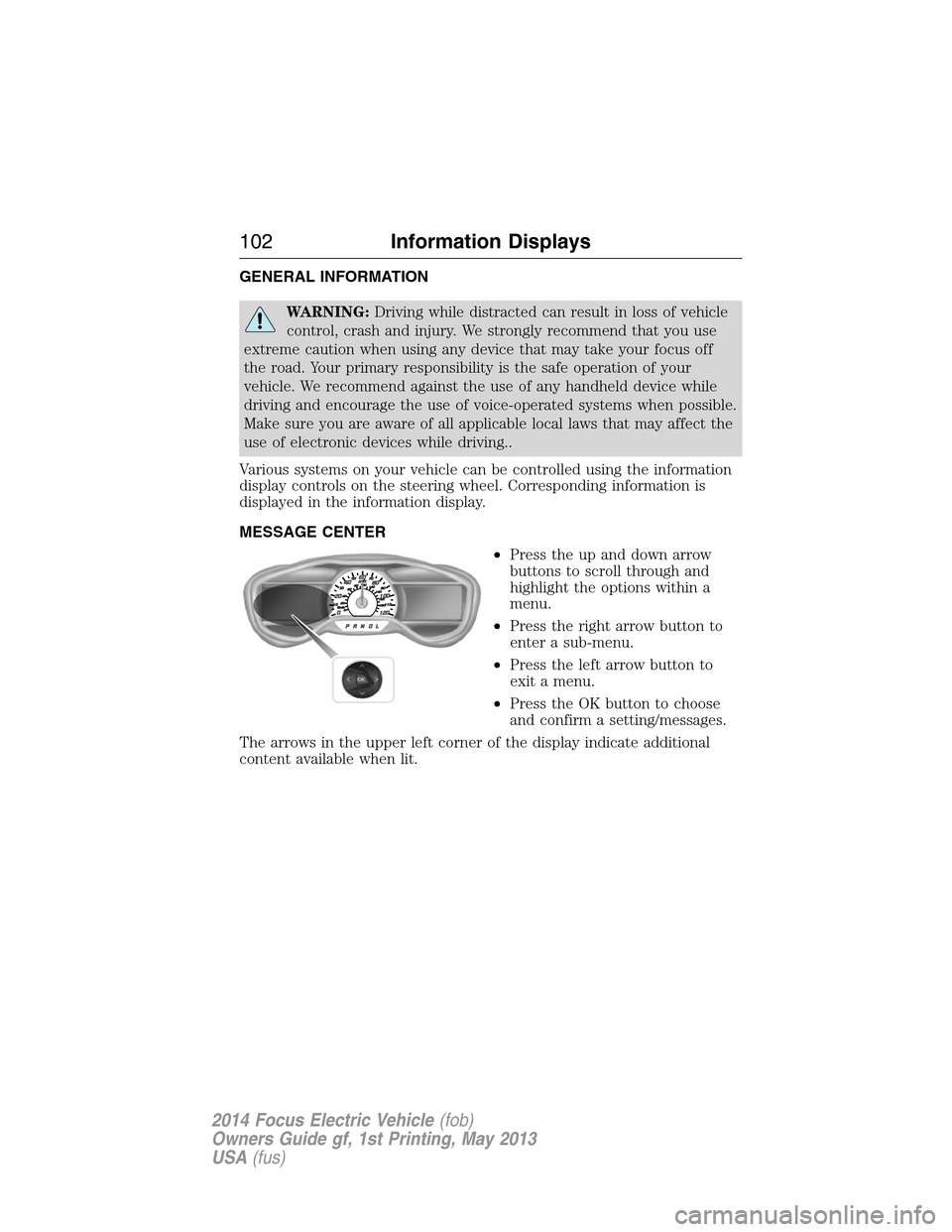
Various systems on your vehicle can be controlled using the information
display controls on the steering wheel. Corresponding information is
displayed in the information display.
MESSAGE CENTER
•Press the up and down arrow
buttons to scroll through and
highlight the options within a
menu.
•Press the right arrow button to
enter a sub-menu.
•Press the left arrow button to
exit a menu.
•Press the OK button to choose
and confirm a setting/messages.
The arrows in the upper left corner of the display indicate additional
content available when lit.
102Information Displays
2014 Focus Electric Vehicle(fob)
Owners Guide gf, 1st Printing, May 2013
USA(fus)