2014 FORD FOCUS ELECTRIC door lock
[x] Cancel search: door lockPage 71 of 403
Autounlock (If Equipped)
The autounlock feature will unlock all the doors when:
•the ignition is on, all the doors are closed, and your vehicle has been
in motion at a speed greater than 4 mph (7 km/h);
•your vehicle comes to a stop and you switch the ignition off or to
accessory; and
•you open the driver door within 10 minutes of the switching the
ignition off or to accessory.
Note:The doors will not autounlock if you electronically lock your
vehicle after you switch the ignition off and before you open the driver
door.
Enabling or Disabling Autolock and Autounlock
Note:Your authorized dealer can perform this procedure, or you can do
the procedure yourself.
To enable or disable these features, do the following:
Note:You will have 30 seconds to complete the procedure.
1. Switch the ignition on.
2. Press the power door unlock button three times.
3. Switch the ignition off.
4. Press the power door unlock button three times.
5. Switch the ignition on. The horn will sound indicating your vehicle is
in programming mode.
Autolock:Press the power door unlock button then the lock button.
The horn will sound once if disabled or twice (one short and one long) if
enabled.
Autounlock:Press the power door lock button then the unlock button.
The horn will sound once if disabled or twice (one short and one long) if
enabled.
After programming the feature, switch the ignition off. The horn will
sound once indicating programming is complete.
Note:You can enabled or disabled the autounlock feature independently
of the autolock feature.
70Locks
2014 Focus Electric Vehicle(fob)
Owners Guide gf, 1st Printing, May 2013
USA(fus)
Page 72 of 403
Illuminated Entry
The interior lamps and select exterior lamps will illuminate when you
unlock the doors with the remote entry system.
The illuminated entry system will turn off the lights if:
•you start your vehicle,
•you press the remote control lock button, or
•after 25 seconds of illumination.
The lights will not turn off if:
•you turn them on with the lamp control, or
•any door is open.
Illuminated Exit
The interior lamps and select exterior lamps will illuminate when all
doors are closed and you switch the ignition off.
The lamps will turn off if all the doors remain closed and:
•25 seconds elapse
•you lock your vehicle from the outside.
Battery Saver
If you leave the courtesy lamps or dome lamps on and switch the ignition
off, the battery saver shuts them off after some time.
Accessory Mode Battery Saver for Intelligent Access Keys
(If Equipped)
If you leave the ignition on after leaving your vehicle, it will shut off
15 minutes after you close all of the doors.
Locks71
2014 Focus Electric Vehicle(fob)
Owners Guide gf, 1st Printing, May 2013
USA(fus)
Page 74 of 403
SECURILOCK® PASSIVE ANTI-THEFT SYSTEM
Note:The system is not compatible with non-Ford aftermarket remote
start systems. Use of these systems may result in vehicle starting
problems and a loss of security protection.
Note:Metallic objects, electronic devices or a second coded key on the
same key chain may cause vehicle starting issues if they are too close to
the key when starting your vehicle. Prevent these objects from touching
the coded key while starting your vehicle. Switch the ignition off, move
all objects on the key chain away from the coded key and restart the
vehicle if a problem occurs.
Note:Do not leave a duplicate coded key in the vehicle. Always take
your keys and lock all doors when leaving the vehicle.
The system helps prevent the vehicle from starting unless you use a
coded key programmed to your vehicle. Using the wrong key may
prevent your vehicle from starting. A message may appear in the
information display.
If you are unable to start your vehicle with a correctly coded key, a
malfunction has happened and a message may appear in the information
display.
Automatic Arming
Your vehicle arms immediately after you switch the ignition off.
Automatic Disarming
Your vehicle disarms when you switch the ignition on with a coded key.
Replacement Keys
Note:Your vehicle comes with two intelligent access keys.
The intelligent access key functions as a programmed key that operates
the driver door lock and activates the intelligent access with push button
start systems, as well as a remote control.
If your intelligent access key is lost or stolen and you do not have
an extra coded key, you will need to have your vehicle towed to an
authorized dealer. The key codes need to be erased from your vehicle
and new coded keys will need to be programmed.
Store an extra programmed key away from your vehicle in a safe place to
help prevent any inconveniences. See an authorized dealer to purchase
additional spare or replacement keys.
Security73
2014 Focus Electric Vehicle(fob)
Owners Guide gf, 1st Printing, May 2013
USA(fus)
Page 75 of 403
Programming a Spare Intelligent Access Key
See your authorized dealer to have additional keys programmed to your
vehicle.
ANTI-THEFT ALARM
The system will warn you of an unauthorized entry to your vehicle.
The park and turn lamps flash and the horn sounds if unauthorized entry
is attempted while the alarm is armed. It triggers immediately if the
luggage compartment or the hood opens, and after a 12-second delay if
any door opens.
Take all remote controls to an authorized dealer if there is any potential
alarm problem with your vehicle.
Arming the Alarm
The alarm is ready to arm when there is not a key in the ignition. Lock
the vehicle to arm the alarm.
The message indicator flashes when theft protection is active.
Disarming the alarm
Disarm the alarm by any of the following actions:
•Unlock the doors or luggage compartment with the remote control.
•Turn the ignition on or start the vehicle.
•Use a key in the driver door to unlock your vehicle, then turn the
ignition on within 12 seconds.
74Security
2014 Focus Electric Vehicle(fob)
Owners Guide gf, 1st Printing, May 2013
USA(fus)
Page 87 of 403
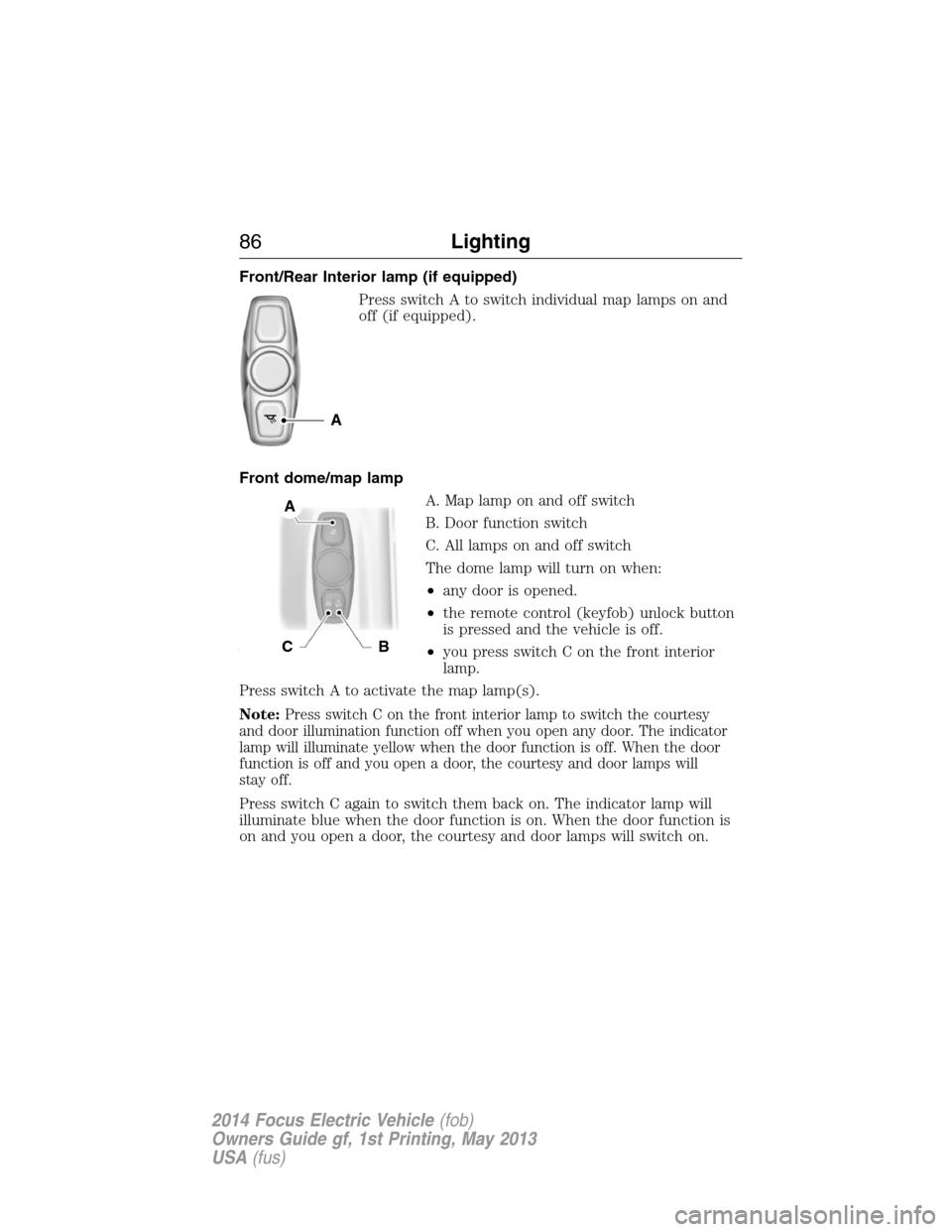
Front/Rear Interior lamp (if equipped)
Press switch A to switch individual map lamps on and
off (if equipped).
Front dome/map lamp
A. Map lamp on and off switch
B. Door function switch
C. All lamps on and off switch
The dome lamp will turn on when:
•any door is opened.
•the remote control (keyfob) unlock button
is pressed and the vehicle is off.
•you press switch C on the front interior
lamp.
Press switch A to activate the map lamp(s).
Note:
Press switch C on the front interior lamp to switch the courtesy
and door illumination function off when you open any door. The indicator
lamp will illuminate yellow when the door function is off. When the door
function is off and you open a door, the courtesy and door lamps will
stay off.
Press switch C again to switch them back on. The indicator lamp will
illuminate blue when the door function is on. When the door function is
on and you open a door, the courtesy and door lamps will switch on.
A
A
CB
86Lighting
2014 Focus Electric Vehicle(fob)
Owners Guide gf, 1st Printing, May 2013
USA(fus)
Page 145 of 403
Charge (green light) — Indicates status of charging:
•No light means the cord is not connected to the vehicle.
•Blinking light means that the charging is in process.
•Solid light means that the vehicle is connected but not charging.
Fault (red triangle light) — Lights up in case of a detected failure.
No charging is possible:
•Blinking red triangle light – means that the 120 volt convenience cord
is trying to reset the failure and could restart the charging cycle.
•Solid red triangle light – means that the fault is permanent. The cord
needs to be unplugged and re-plugged to reset the fault. If the fault
persists, contact your authorized dealer.
Charge Port and Light Ring
The charge port is located between the front left side door and front left
wheel well. There is an indentation located on the charge port door.
Press with your thumb to open and to close the door.
Note:Do not force the charge port door open or closed. Forcing the
door open or closed will damage the charge port.
The light ring located around the charge port indicates the charge status
of your vehicles battery. The charge port light ring is divided into four
quadrants which display state of charge in 25 percent increments.
There is a cord acknowledgement feature that will be activated when a
charge cycle is initiated. The four light quadrants will each individually
flash clockwise starting with the top right light and ending with the top
left, two full times confirming a charging coupler has been detected.
You can use your keyfob to view the vehicles charge status at any
time by pressing the unlock button. The light ring will light up the
corresponding quadrant(s) so that the current state of charge can be
determined. If the charge is below 25 percent the light ring will not
illuminate. Don’t forget to press the lock button on your keyfob to
re-lock the vehicle.
The light ring will also display the current state of charge when opening
the doors.
144High Voltage Battery
2014 Focus Electric Vehicle(fob)
Owners Guide gf, 1st Printing, May 2013
USA(fus)
Page 147 of 403
Note:Do not pull the wall plug
from the wall while the vehicle is
charging. Doing so may damage the
outlet and the cord.
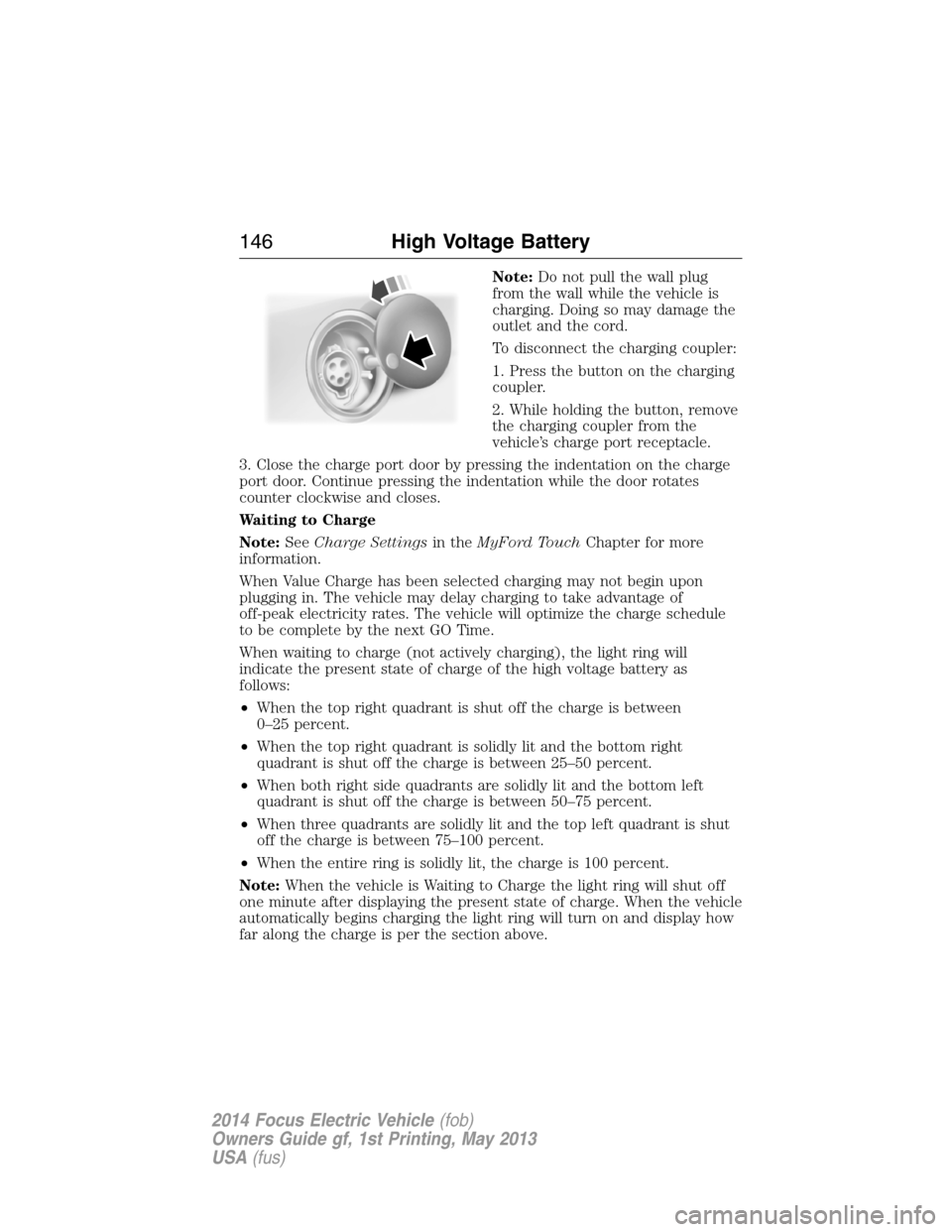
To disconnect the charging coupler:
1. Press the button on the charging
coupler.
2. While holding the button, remove
the charging coupler from the
vehicle’s charge port receptacle.
3. Close the charge port door by pressing the indentation on the charge
port door. Continue pressing the indentation while the door rotates
counter clockwise and closes.
Waiting to Charge
Note:SeeCharge Settingsin theMyFord TouchChapter for more
information.
When Value Charge has been selected charging may not begin upon
plugging in. The vehicle may delay charging to take advantage of
off-peak electricity rates. The vehicle will optimize the charge schedule
to be complete by the next GO Time.
When waiting to charge (not actively charging), the light ring will
indicate the present state of charge of the high voltage battery as
follows:
•When the top right quadrant is shut off the charge is between
0–25 percent.
•When the top right quadrant is solidly lit and the bottom right
quadrant is shut off the charge is between 25–50 percent.
•When both right side quadrants are solidly lit and the bottom left
quadrant is shut off the charge is between 50–75 percent.
•When three quadrants are solidly lit and the top left quadrant is shut
off the charge is between 75–100 percent.
•When the entire ring is solidly lit, the charge is 100 percent.
Note:When the vehicle is Waiting to Charge the light ring will shut off
one minute after displaying the present state of charge. When the vehicle
automatically begins charging the light ring will turn on and display how
far along the charge is per the section above.
146High Voltage Battery
2014 Focus Electric Vehicle(fob)
Owners Guide gf, 1st Printing, May 2013
USA(fus)
Page 148 of 403
Note:If a vehicle charging system fault is detected at any point in a
charge cycle the entire light ring will flash continuously for one minute
and then shut off. If this happens unplug, and then re-plug the charging
coupler into the charge port receptacle. If the problem persists contact
your authorized dealer.
The light ring illumination conditions can be modified. See theCharge
Port Light Ring Settingsin theMyFord Touchchapter.
Disconnecting the Charging Coupler
Note:Do not pull the wall plug from the wall while the vehicle is
charging. Doing so may damage the outlet and the cord.
To disconnect the charging coupler:
1. Press the button on the charging coupler with your thumb.
2. While holding the button, remove the charging coupler from the
vehicle’s charge port receptacle.
3. Close the charge port door by pressing the indentation on the charge
port door. Continue pressing the indentation while the door rotates
counter clockwise and closes.
Convenience Charging and MyFord® Mobile
The setting up of the charging convenience features is primarily done with
the MyFord Mobile smart phone application. Visit myfordmobile.com for
more complete information and to set up your MyFord Mobile account.
Your electric vehicle also has some convenience features to improve your
charging experience:
•Value Charge:The vehicle schedules charging at the lowest available
utility rates. Contact your utility company to see what rates are
available.
•Charge Now:Fully charge your vehicle at the quickest rate. The
vehicle starts charging immediately after you connect the charging
plug into the vehicle.
•My GO Time:Setting My GO times through the MyFord Mobile
application allows you to set charging schedules and cabin
preconditioning settings so your vehicle is ready to drive when you
are. By setting a My GO time the vehicles charge can be completed
before your next set drive time. A calendar view allows you to
program two My GO Times per day for each of the seven days of the
week. Remember, your vehicle must be plugged in for My GO time to
work.
High Voltage Battery147
2014 Focus Electric Vehicle(fob)
Owners Guide gf, 1st Printing, May 2013
USA(fus)