2014 FORD F150 mirror
[x] Cancel search: mirrorPage 5 of 472

Wipers and Washers
Windshield Wipers........................................69
Autowipers.......................................................69
Windshield Washers.....................................70
Lighting
Lighting Control................................................71
Autolamps..........................................................71
Instrument Lighting Dimmer......................72
Daytime Running Lamps.............................72
Front Fog Lamps.............................................72
Direction Indicators
........................................73
Interior Lamps..................................................73
Windows and Mirrors
Power Windows
..............................................75
Exterior Mirrors
................................................76
Interior Mirror
....................................................78
Sun Visors
.........................................................79
Moonroof...........................................................79
Instrument Cluster
Gauges................................................................81
Warning Lamps and Indicators
.................82
Audible Warnings and Indicators.............85
Information Displays
General Information......................................87
Information Messages
.................................98
Climate Control
Manual Climate Control
............................106
Manual Climate Control.............................107
Automatic Climate Control
......................109
Hints on Controlling the Interior Climate..........................................................110
Heated Windows and Mirrors
....................112
Remote Start
...................................................113 Seats
Sitting in the Correct Position...................114
Head Restraints..............................................114
Manual Seats..................................................116
Power Seats.....................................................117
Memory Function
..........................................118
Rear Seats........................................................119
Heated Seats
.................................................120
Ventilated Seats
.............................................121
Front Seat Armrest.......................................122
Rear Seat Armrest........................................123
Universal Garage Door Opener
Universal Garage Door Opener
...............124
Auxiliary Power Points
Auxiliary Power Points................................132
Storage Compartments
Center Console
..............................................134
Overhead Console........................................134
Starting and Stopping the Engine
General Information....................................135
Ignition Switch
...............................................135
Starting a Gasoline Engine
........................135
Engine Block Heater.....................................137
Fuel and Refueling
Safety Precautions......................................139
Fuel Quality
....................................................140
Running Out of Fuel......................................141
Refueling..........................................................142
Fuel Consumption
........................................143
Emission Control System..........................144
2
F150 (TF6) , enUSA Table of Contents
Page 53 of 472
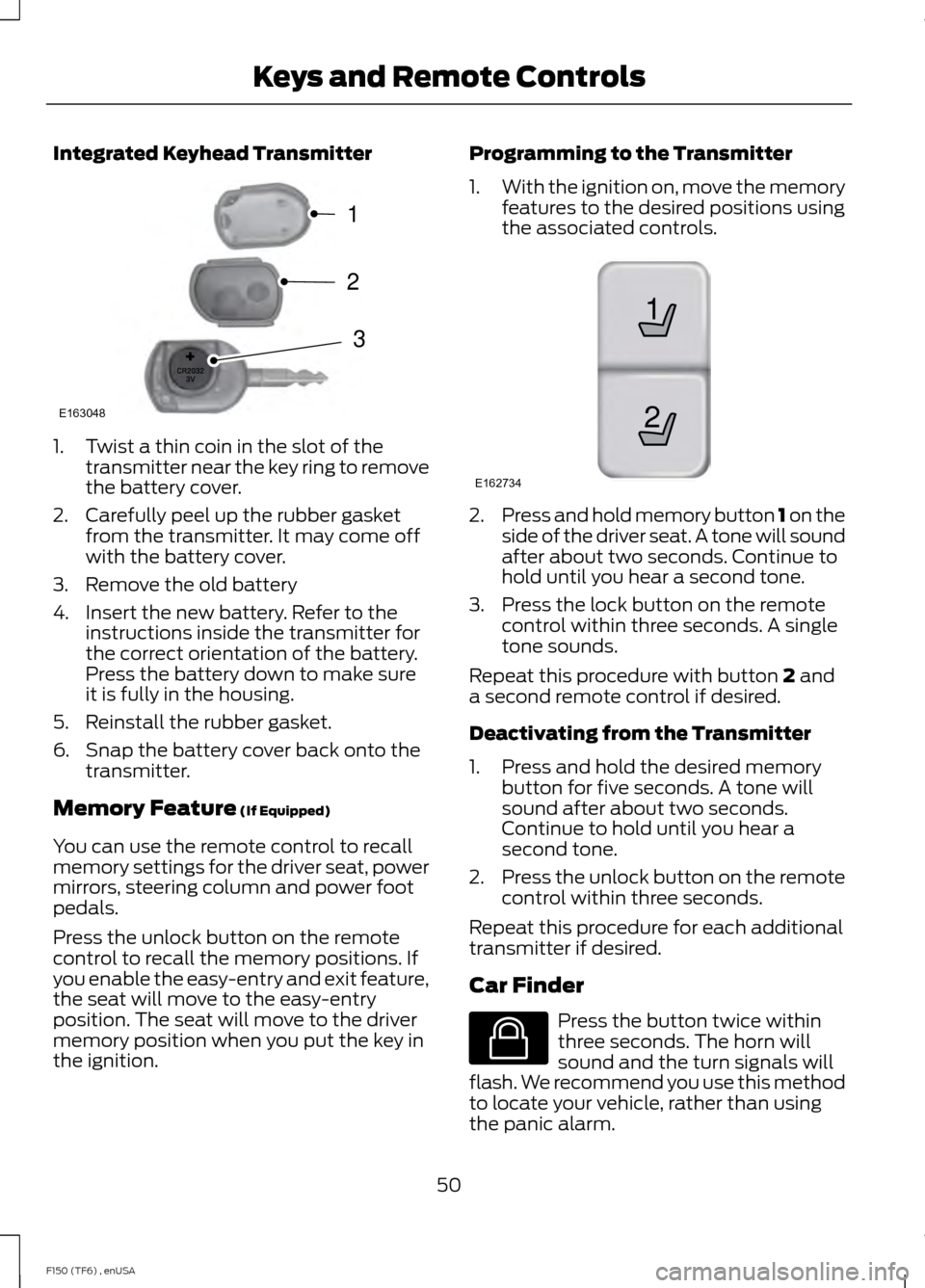
Integrated Keyhead Transmitter
1. Twist a thin coin in the slot of the
transmitter near the key ring to remove
the battery cover.
2. Carefully peel up the rubber gasket from the transmitter. It may come off
with the battery cover.
3. Remove the old battery
4. Insert the new battery. Refer to the instructions inside the transmitter for
the correct orientation of the battery.
Press the battery down to make sure
it is fully in the housing.
5. Reinstall the rubber gasket.
6. Snap the battery cover back onto the transmitter.
Memory Feature (If Equipped)
You can use the remote control to recall
memory settings for the driver seat, power
mirrors, steering column and power foot
pedals.
Press the unlock button on the remote
control to recall the memory positions. If
you enable the easy-entry and exit feature,
the seat will move to the easy-entry
position. The seat will move to the driver
memory position when you put the key in
the ignition. Programming to the Transmitter
1.
With the ignition on, move the memory
features to the desired positions using
the associated controls. 2.
Press and hold memory button 1 on the
side of the driver seat. A tone will sound
after about two seconds. Continue to
hold until you hear a second tone.
3. Press the lock button on the remote control within three seconds. A single
tone sounds.
Repeat this procedure with button
2 and
a second remote control if desired.
Deactivating from the Transmitter
1. Press and hold the desired memory button for five seconds. A tone will
sound after about two seconds.
Continue to hold until you hear a
second tone.
2. Press the unlock button on the remote
control within three seconds.
Repeat this procedure for each additional
transmitter if desired.
Car Finder Press the button twice within
three seconds. The horn will
sound and the turn signals will
flash. We recommend you use this method
to locate your vehicle, rather than using
the panic alarm.
50
F150 (TF6) , enUSA Keys and Remote ControlsE163048
3
2
1 21
E162734 E138623
Page 72 of 472

WINDSHIELD WIPERS
Note:
Fully defrost the windshield before
switching on the windshield wipers.
Note: Make sure you switch off the
windshield wipers before entering a car
wash.
Note: Clean the windshield and wiper
blades if they begin to leave streaks or
smears. If that does not resolve the issue,
install new wiper blades.
Note: Do not operate the wipers on a dry
windshield. This may scratch the glass,
damage the wiper blades or cause the wiper
motor to burn out. Always use the
windshield washers before wiping a dry
windshield. Rotate the end of the control:
•
Away from you to increase the wiper
speed.
• Toward you to decrease the wiper
speed.
Speed dependent wipers (if
equipped)
When your vehicle speed increases, the
interval between wipes decreases. AUTOWIPERS (IF EQUIPPED)
Note: Make sure you switch off the wipers
before entering a car wash.
Note: Wet or winter driving conditions with
ice, snow or salty road mist can cause
inconsistent and unexpected wiping or
smearing.
In these conditions, you can do the
following to help keep your windshield
clear:
• Lower the sensitivity of the autowipers.
• Change the wiper speed to normal or
high-speed wipe as necessary.
• Switch the autowipers off.
The autowipers feature uses a rain sensor,
located in the area around the interior
mirror. The rain sensor monitors the
amount of moisture on the windshield and
automatically turns on the wipers. It will
adjust the wiper speed by the amount of
moisture that the sensor detects on the
windshield. You can switch this feature on
or off in the information display. See
Information Displays
(page 87). 69
F150 (TF6) , enUSA Wipers and WashersE172816 E172817
Page 73 of 472

Use the rotary control to adjust the
sensitivity of the rain sensor. With low
sensitivity, the wipers will operate when
the sensor detects a large amount of
moisture on the windshield. With high
sensitivity, the wipers will operate when
the sensor detects a small amount of
moisture on the windshield.
Keep the outside of the windshield clean
because the rain sensor is very sensitive. If
the area around the interior mirror is dirty,
then the wipers may turn on, for example,
if dirt, mist or insects hit the windshield.
WINDSHIELD WASHERS
Note:
Do not operate the wipers on a dry
windshield. This may scratch the glass,
damage the wiper blades or cause the wiper
motor to burn out. Always use the
windshield washer before wiping a dry
windshield.
Note: Do not operate the washers when
the washer reservoir is empty. This may
cause the washer pump to overheat. •
A brief press causes a single wipe
without washer fluid.
• A brief press and hold causes the
wipers to swipe three times with
washer fluid.
• A long press and hold will turn on the
wipers and washer fluid for up to 10
seconds. A wipe will occur a few seconds after
washing to clear any remaining washer
fluid. You can switch this feature on or off
in the information display. See
Information Displays (page 87).
70
F150 (TF6) , enUSA Wipers and WashersE172818
Page 78 of 472
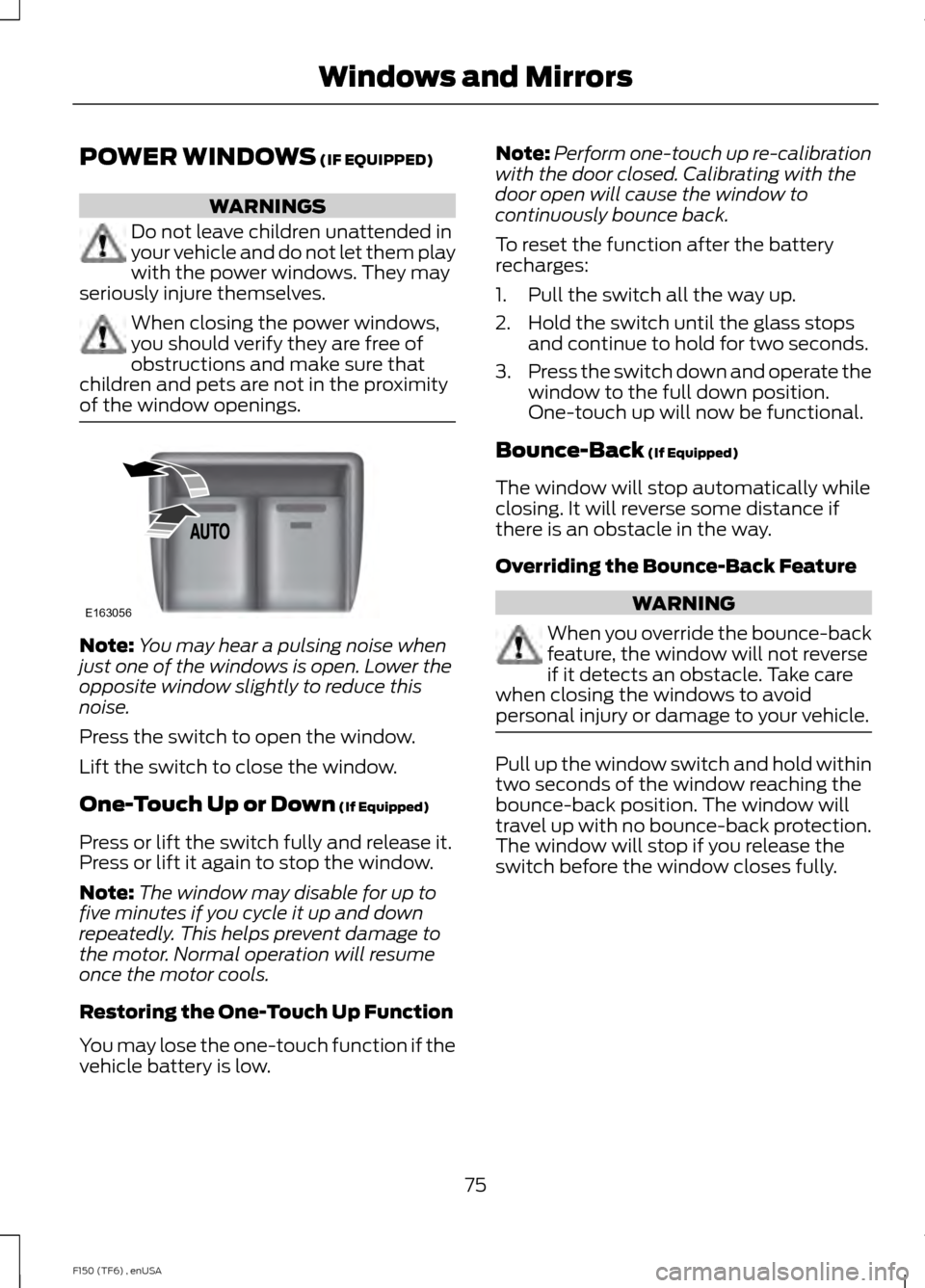
POWER WINDOWS (IF EQUIPPED)
WARNINGS
Do not leave children unattended in
your vehicle and do not let them play
with the power windows. They may
seriously injure themselves. When closing the power windows,
you should verify they are free of
obstructions and make sure that
children and pets are not in the proximity
of the window openings. Note:
You may hear a pulsing noise when
just one of the windows is open. Lower the
opposite window slightly to reduce this
noise.
Press the switch to open the window.
Lift the switch to close the window.
One-Touch Up or Down
(If Equipped)
Press or lift the switch fully and release it.
Press or lift it again to stop the window.
Note: The window may disable for up to
five minutes if you cycle it up and down
repeatedly. This helps prevent damage to
the motor. Normal operation will resume
once the motor cools.
Restoring the One-Touch Up Function
You may lose the one-touch function if the
vehicle battery is low. Note:
Perform one-touch up re-calibration
with the door closed. Calibrating with the
door open will cause the window to
continuously bounce back.
To reset the function after the battery
recharges:
1. Pull the switch all the way up.
2. Hold the switch until the glass stops and continue to hold for two seconds.
3. Press the switch down and operate the
window to the full down position.
One-touch up will now be functional.
Bounce-Back
(If Equipped)
The window will stop automatically while
closing. It will reverse some distance if
there is an obstacle in the way.
Overriding the Bounce-Back Feature WARNING
When you override the bounce-back
feature, the window will not reverse
if it detects an obstacle. Take care
when closing the windows to avoid
personal injury or damage to your vehicle. Pull up the window switch and hold within
two seconds of the window reaching the
bounce-back position. The window will
travel up with no bounce-back protection.
The window will stop if you release the
switch before the window closes fully.
75
F150 (TF6) , enUSA Windows and MirrorsE163056
Page 79 of 472
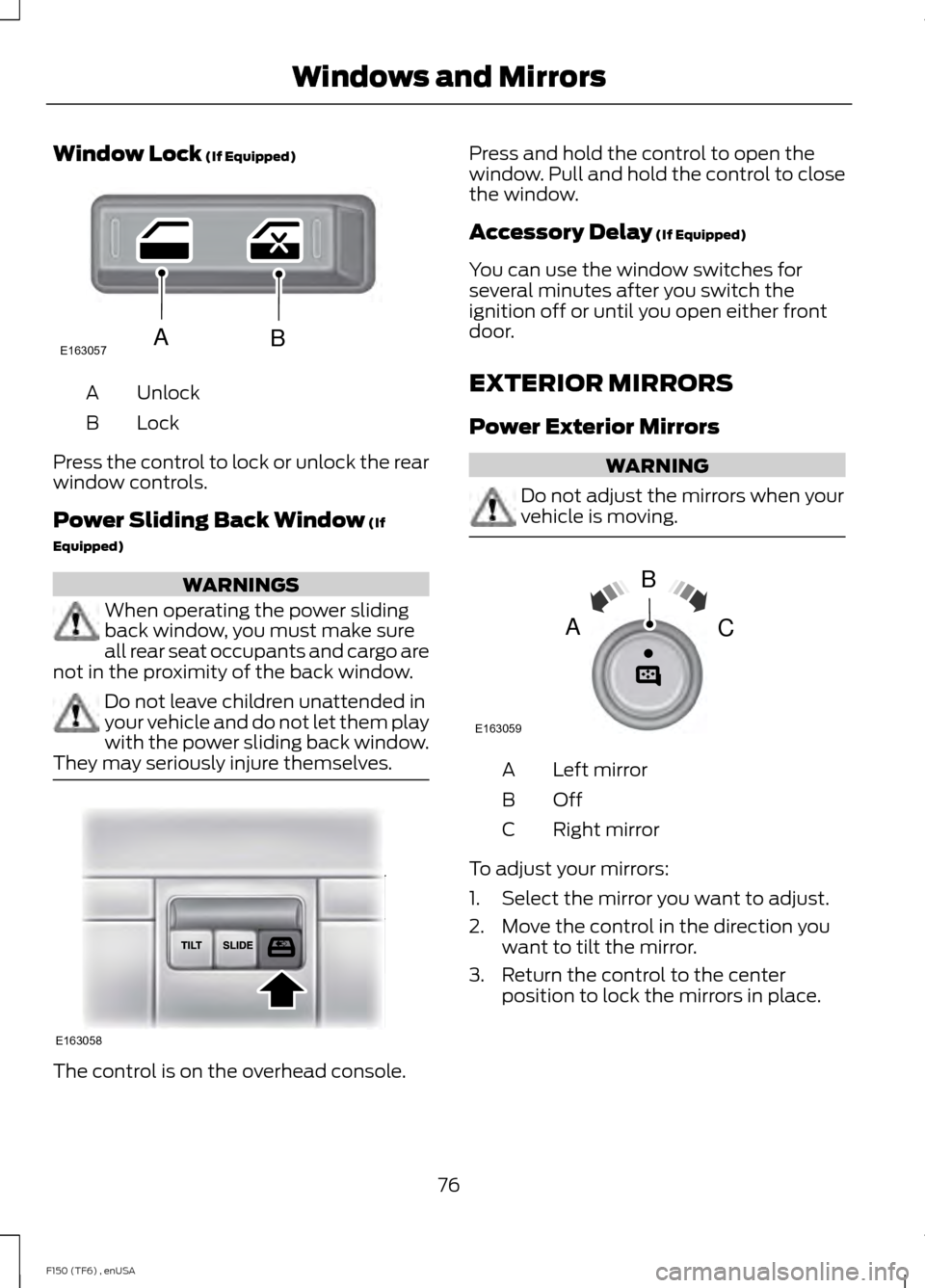
Window Lock (If Equipped)
Unlock
A
Lock
B
Press the control to lock or unlock the rear
window controls.
Power Sliding Back Window
(If
Equipped) WARNINGS
When operating the power sliding
back window, you must make sure
all rear seat occupants and cargo are
not in the proximity of the back window. Do not leave children unattended in
your vehicle and do not let them play
with the power sliding back window.
They may seriously injure themselves. The control is on the overhead console. Press and hold the control to open the
window. Pull and hold the control to close
the window.
Accessory Delay
(If Equipped)
You can use the window switches for
several minutes after you switch the
ignition off or until you open either front
door.
EXTERIOR MIRRORS
Power Exterior Mirrors WARNING
Do not adjust the mirrors when your
vehicle is moving.
Left mirror
A
OffB
Right mirror
C
To adjust your mirrors:
1. Select the mirror you want to adjust.
2. Move the control in the direction you want to tilt the mirror.
3. Return the control to the center position to lock the mirrors in place.
76
F150 (TF6) , enUSA Windows and MirrorsE163057AB E163058 E163059
B
AC
Page 80 of 472

Fold-Away Exterior Mirrors
Push the mirror toward the door window
glass. Make sure that you fully engage the
mirror in its support when returning it to its
original position.
Power-Folding Mirrors (If Equipped)
Note:
Moving the mirrors 10 or more times
within one minute, or repeated folding and
unfolding of the mirrors while holding the
control down during full travel, may disable
the system to protect the motors from
overheating. Wait approximately three
minutes with the vehicle running, and up to
10 minutes with the vehicle off, for the
system to reset and for function to return to
normal.
Pull the control back to fold the mirrors in
or out.
Loose Mirror
You can manually fold a power-folding
mirror by pulling it toward the door window
glass. This may cause the mirror to appear
loose and it will need to be
re-synchronized. Pull and hold the control
to fold the mirrors in until the movement
stops. You will hear a click that indicates
re-synchronization. If you do not hear a
click, use the control to fold the mirrors all
the way out, then in again. Once you hear
the click, the mirrors will operate normally
until you fold them manually again. Heated Exterior Mirrors (If Equipped)
See Heated Windows and Mirrors (page
112
).
Memory Mirrors
(If Equipped)
You can save and recall the mirror
positions through the memory function.
See
Memory Function (page 118).
Auto-dimming Feature (if
equipped)
The driver exterior mirror automatically
dims when the interior auto-dimming
mirror turns on.
Signal Indicator Mirrors
(If Equipped)
The rear-facing portion of the appropriate
mirror housing will blink when you switch
on the turn signal.
Clearance Lamps
(If Equipped)
The lower, outer part of the mirror housings
light when you switch the headlamps or
parking lamps on.
Telescoping Mirrors
(If Equipped) This feature lets you extend the mirror
about 3 inches (75 millimeters). It is useful
when towing a trailer. You can manually
pull out or push in the mirrors to the desired
position.
77
F150 (TF6) , enUSA Windows and MirrorsE163060 E163061
Page 81 of 472
PowerScope
™ Power Telescoping
Mirrors (If Equipped)
This feature lets you position both mirrors
at the same time. The switch is on the door
trim panel. Telescope Out
A
Telescope In
B
Press and hold the switch to move the
mirrors.
When you fully extend the mirrors, you will
hear the motors running as long as you
hold the switch.
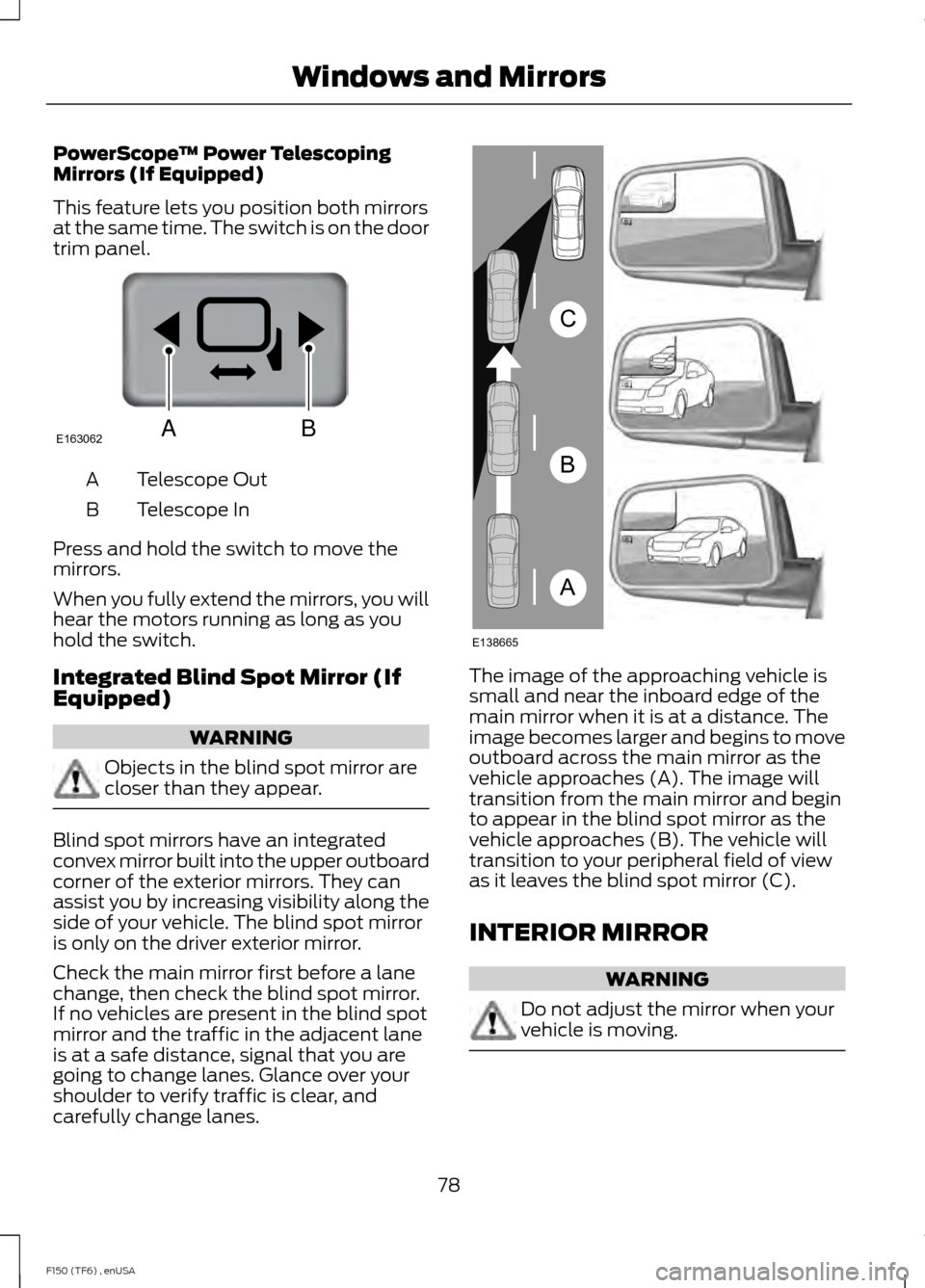
Integrated Blind Spot Mirror (If
Equipped) WARNING
Objects in the blind spot mirror are
closer than they appear.
Blind spot mirrors have an integrated
convex mirror built into the upper outboard
corner of the exterior mirrors. They can
assist you by increasing visibility along the
side of your vehicle. The blind spot mirror
is only on the driver exterior mirror.
Check the main mirror first before a lane
change, then check the blind spot mirror.
If no vehicles are present in the blind spot
mirror and the traffic in the adjacent lane
is at a safe distance, signal that you are
going to change lanes. Glance over your
shoulder to verify traffic is clear, and
carefully change lanes. The image of the approaching vehicle is
small and near the inboard edge of the
main mirror when it is at a distance. The
image becomes larger and begins to move
outboard across the main mirror as the
vehicle approaches (A). The image will
transition from the main mirror and begin
to appear in the blind spot mirror as the
vehicle approaches (B). The vehicle will
transition to your peripheral field of view
as it leaves the blind spot mirror (C).
INTERIOR MIRROR
WARNING
Do not adjust the mirror when your
vehicle is moving.
78
F150 (TF6) , enUSA Windows and MirrorsE163062BA A
B
C
E138665