2014 FORD F150 lights
[x] Cancel search: lightsPage 41 of 472

The Personal Safety System provides an
improved overall level of frontal crash
protection to front seat occupants and is
designed to help further reduce the risk of
airbag-related injuries. The system is able
to analyze different occupant conditions
and crash severity before activating the
appropriate safety devices to help better
protect a range of occupants in a variety
of frontal crash situations.
Your vehicle's Personal Safety System
consists of:
•
Driver and passenger dual-stage airbag
supplemental restraints.
• Front outboard safety belts with
pretensioners, energy management
retractors (first row only), and safety
belt usage sensors.
• Driver ’s seat position sensor.
• Front passenger sensing system.
• Passenger airbag off and on indicator
lamp.
• Front crash severity sensors.
• Restraints control module with impact
and safing sensors.
• Restraint system warning light and
backup tone.
• The electrical wiring for the airbags,
crash sensor(s), safety belt
pretensioners, front safety belt usage
sensors, driver seat position sensor,
front passenger sensing system, and
indicator lights.
How Does the Personal Safety
System Work?
The Personal Safety System can adapt the
deployment strategy of your vehicle ’s
safety devices according to crash severity
and occupant conditions. A collection of
crash and occupant sensors provides
information to the restraints control module. During a crash, the restraints
control module may activate the safety
belt pretensioners and may activate either
one or both stages of the dual-stage airbag
supplemental restraints based on crash
severity and occupant conditions.
38
F150 (TF6) , enUSA Personal Safety System
™
Page 61 of 472
The autolock feature will unlock all the
doors when:
•
autolock has locked the doors
• you stop the vehicle and switch the
ignition off or to accessory mode, and
• you open the driver door within 10
minutes.
Note: The doors will not autounlock if you
have electronically locked them before
opening the driver door.
Enabling or Disabling
You can enable or disable these features
in the information display or your
authorized dealer can do it for you. See
General Information (page 87).
Note: You can enable or disable the
autolock and autounlock features
independently of each other.
Illuminated Entry
The interior lamps and select exterior
lamps will illuminate when you unlock the
doors with the remote entry system.
The illuminated entry system will turn off
the lights if:
• the ignition is on
• you press the remote control lock
button, or
• after 25 seconds of illumination.
The dome lamp will not turn on if the
control is set to the off position.
The lights will not turn off if:
• you turn them on with the dimmer
control, or
• any door is open. Battery Saver
The battery saver turns off the interior
lamps 30 minutes after you switch the
ignition off if a door is open and the dome
lamp switch is on. It turns off the interior
lamps after 10 minutes if the dome lamp
switch is off.
KEYLESS ENTRY
(IF EQUIPPED)
SECURICODE™ KEYLESS ENTRY
KEYPAD
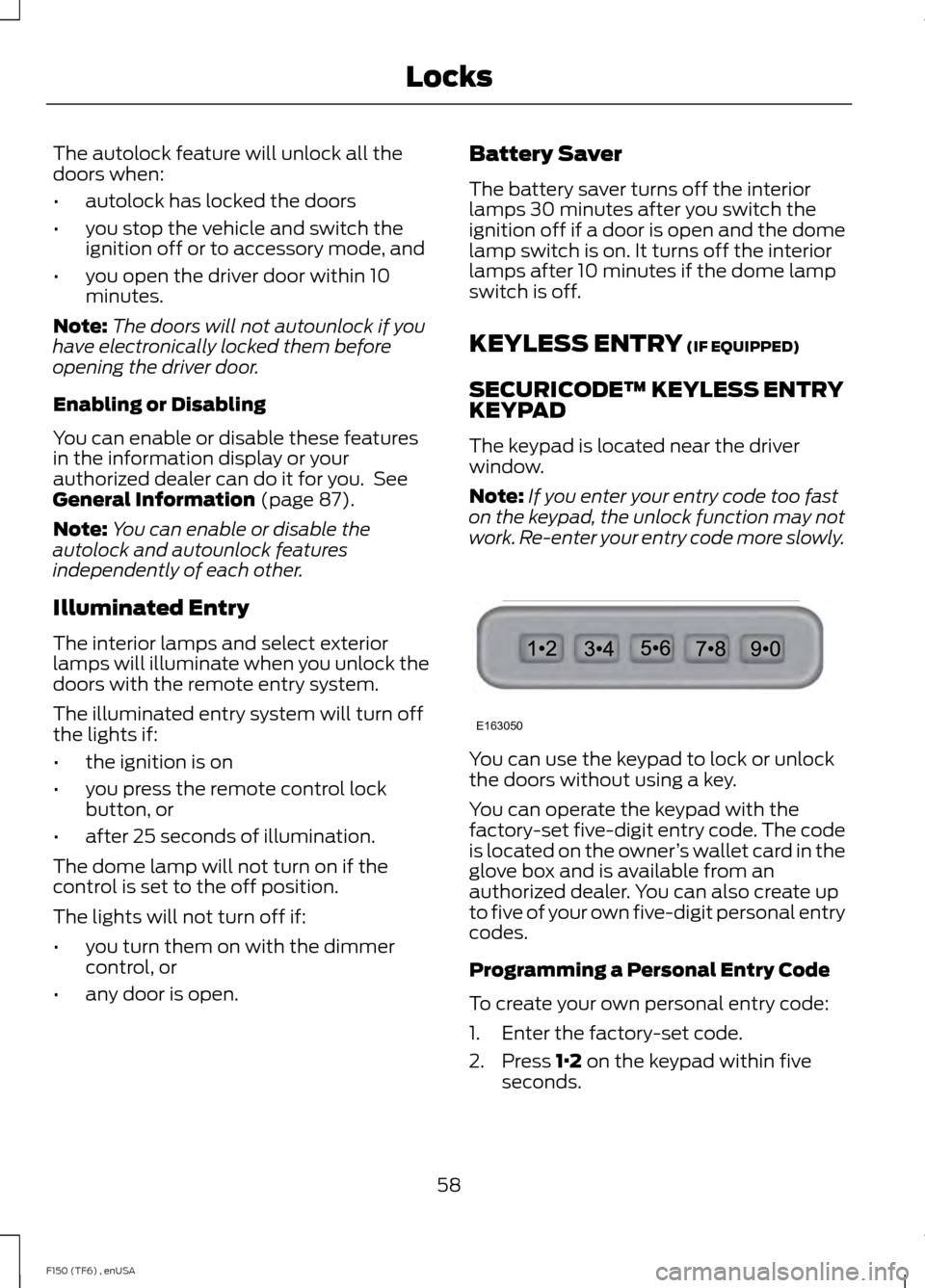
The keypad is located near the driver
window.
Note: If you enter your entry code too fast
on the keypad, the unlock function may not
work. Re-enter your entry code more slowly. You can use the keypad to lock or unlock
the doors without using a key.
You can operate the keypad with the
factory-set five-digit entry code. The code
is located on the owner
’s wallet card in the
glove box and is available from an
authorized dealer. You can also create up
to five of your own five-digit personal entry
codes.
Programming a Personal Entry Code
To create your own personal entry code:
1. Enter the factory-set code.
2. Press
1·2 on the keypad within five
seconds.
58
F150 (TF6) , enUSA LocksE163050
Page 74 of 472

LIGHTING CONTROL
•
Rotate the headlamp control clockwise
to the first position to turn on the
parking lamps, instrument panel lamps,
license plate lamps and tail lamps.
• Rotate clockwise to the second
position to also turn on the headlamps.
High Beams Push the lever toward the instrument panel
to switch the high beams on.
Push the lever toward the instrument panel
again or pull the lever towards you to
switch the high beams off. Headlamp Flasher
Pull the lever toward you to flash the
headlamps and release the lever to switch
the headlamps off.
AUTOLAMPS (IF EQUIPPED)
The autolamp system provides light
sensitive automatic on-off control of the
exterior lights normally controlled by the
headlamp control.
The autolamp system also keeps the lights
on for a predetermined amount of time
after the ignition switch is turned to off.
Using the message center, you can select
a delay from 0–
180 seconds.
71
F150 (TF6) , enUSA LightingE163267 E167827 E163268 E163269
A
Page 75 of 472

•
To turn autolamps on, rotate the
control to the fourth position.
• To turn autolamps off, rotate the
control to the first, second, or third
position.
INSTRUMENT LIGHTING
DIMMER Use the instrument lighting dimmer control
to adjust the brightness of the instrument
panel and all applicable lit components in
your vehicle.
•
Tap the left or right of the control to
the first detent to brighten or dim all
interior lit components incrementally.
• Press and hold the left or right of the
control to the first detent until the
desired lighting level is reached.
• Press and hold the right of the control
to the second detent to switch the
interior lights on.
• Press and hold the left of the control
to the second detent to switch the
interior lights off. DAYTIME RUNNING LAMPS (IF
EQUIPPED) WARNING
Always remember to switch your
headlamps on in low light situations
or during inclement weather. The
system does not activate the tail lamps
and may not provide adequate lighting
during these conditions. Failure to activate
your headlamps under these conditions
may result in a collision. The system turns the headlamps on with
a reduced intensity output (halogen
headlamps) or turns the front turn lamps
on (HID headlamps) in daylight conditions.
To switch the system on:
1. Ignition switch is in the on position.
2. Switch the lighting control to the off,
autolamp or parking lamp position.
FRONT FOG LAMPS
(IF EQUIPPED) The headlamp control also operates the
fog lamps. The fog lamps can be turned
on only when the headlamp control is in
the parking lamp (second) position,
headlamps on (third) position, or autolamp
(fourth) position, and the high beams are
not turned on.
72
F150 (TF6) , enUSA LightingE166125 E163271
A
Page 77 of 472
•
ON: The dome light will stay on.
• DOOR
or middle position: The dome
light will only come on if a door is
opened.
• OFF
: The lamp will not come on at all.
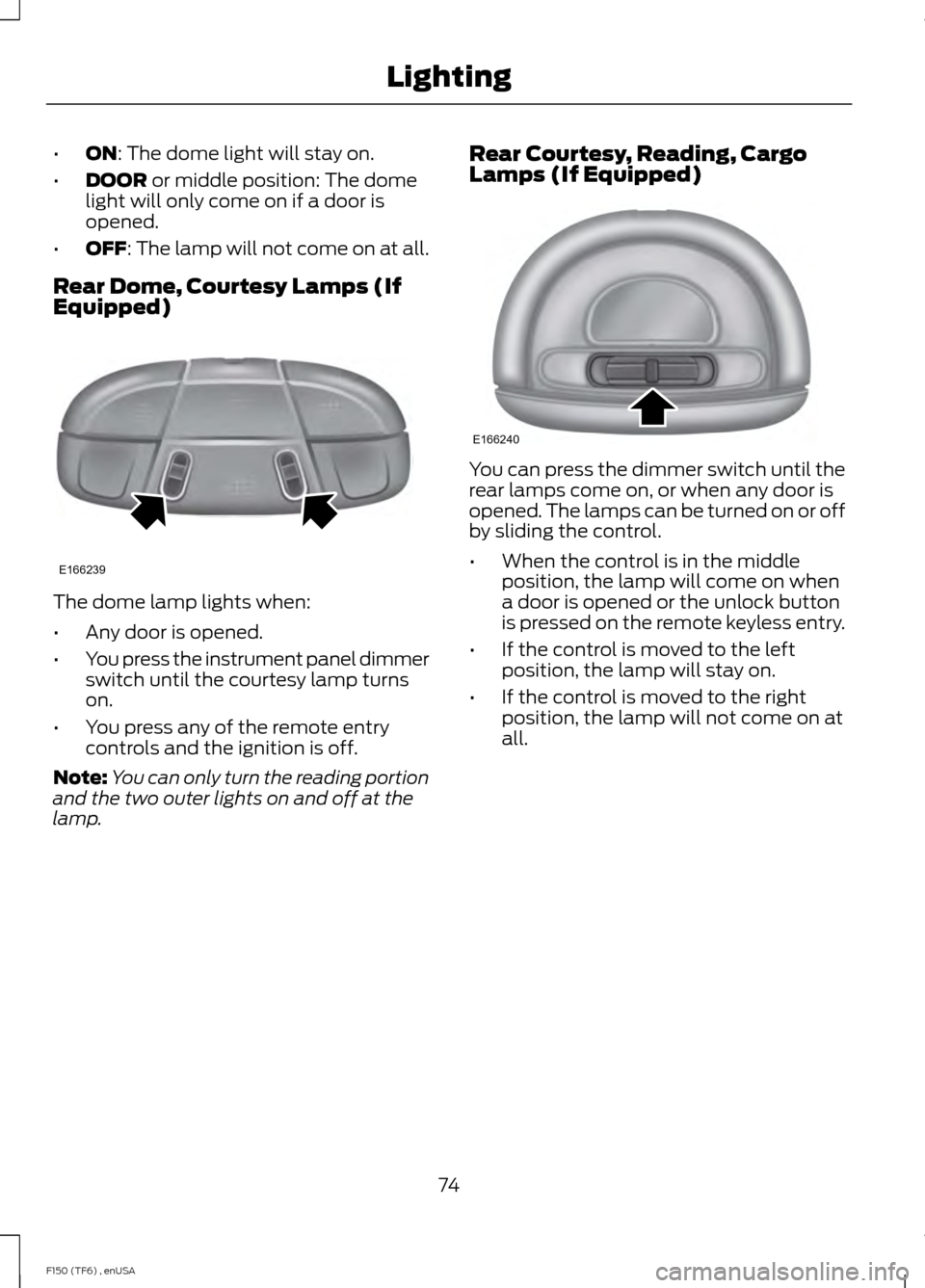
Rear Dome, Courtesy Lamps (If
Equipped) The dome lamp lights when:
•
Any door is opened.
• You press the instrument panel dimmer
switch until the courtesy lamp turns
on.
• You press any of the remote entry
controls and the ignition is off.
Note: You can only turn the reading portion
and the two outer lights on and off at the
lamp. Rear Courtesy, Reading, Cargo
Lamps (If Equipped) You can press the dimmer switch until the
rear lamps come on, or when any door is
opened. The lamps can be turned on or off
by sliding the control.
•
When the control is in the middle
position, the lamp will come on when
a door is opened or the unlock button
is pressed on the remote keyless entry.
• If the control is moved to the left
position, the lamp will stay on.
• If the control is moved to the right
position, the lamp will not come on at
all.
74
F150 (TF6) , enUSA LightingE166239 E166240
Page 82 of 472

Note:
Do not clean the housing or glass of
any mirror with harsh abrasives, fuel or other
petroleum or ammonia-based cleaning
products.
You can adjust the interior mirror to your
preference. Some mirrors also have a
second pivot point. This lets you move the
mirror head up or down and from side to
side.
Pull the tab below the mirror toward you
to reduce glare at night.
Auto-Dimming Mirror (If Equipped)
Note: Do not block the sensors on the front
and back of the mirror. Mirror performance
may be affected. A rear center passenger or
raised rear center head restraint may also
block light from reaching the sensor.
The mirror will dim automatically to reduce
glare when bright lights are detected from
behind your vehicle. It will automatically
return to normal reflection when you select
reverse gear to make sure you have a clear
view when backing up.
SUN VISORS
Slide-on-rod
(If Equipped) Rotate the sun visor toward the side
window and extend it rearward for extra
shade. Illuminated Vanity Mirror
(If Equipped)
Lift the cover to switch the lamp on.
MOONROOF
(IF EQUIPPED)
WARNINGS
Do not let children play with the
moonroof or leave them unattended
in the vehicle. They may seriously
hurt themselves. When closing the moonroof, you
should verify that it is free of
obstructions and make sure that
children and pets are not in the proximity
of the roof opening. You can manually open or close the sliding
shade when the moonroof is closed. Pull
the shade toward the front of your vehicle
to close it.
The moonroof controls are located on the
overhead console and have a one-touch
open and close feature. To stop it during
one-touch operation, press the control a
second time.
79
F150 (TF6) , enUSA Windows and MirrorsE138666 E162197
Page 93 of 472
SETUP
Climate On or Off
Quiet On or Off
English, Spanish or French
LANGUAGE = ENGLISH,
SPANISH or FRENCH
PRESS RESET FOR SYSTEM CHECK
The information display will begin to cycle
through the vehicle systems and provide
a status of the item if needed.
Note: Some systems show a message only
if a condition is present
OIL LIFE XXX%
Displays the remaining oil life. An oil
change is required whenever indicated by
the information display and according to
the recommended maintenance schedule.
USE ONLY RECOMMENDED ENGINE OILS.
To reset the oil monitoring system to 100%
after each oil change, perform the
following:
1. Press and release the SETUP button to display OIL LIFE XXX% HOLD RESET
= NEW.
2. Press and hold the RESET button for two seconds and release to reset the
oil life to 100%.
Note: To change oil life 100% value (if
equipped with this feature) to another value,
proceed to Step 3.
3. Once OIL LIFE SET TO XXX% is displayed, release and press the RESET
button to change the Oil Life Start
Value. Each release and press will
reduce the value by 10%.
UNITS
Displays the current units English or Metric AUTOLAMP (SEC)
This feature keeps your headlights on for
up to three minutes after the ignition is
switched off.
AUTOLOCK
This feature automatically locks all vehicle
doors when the vehicle is shifted into any
gear, putting the vehicle in motion.
AUTOUNLOCK
This feature automatically unlocks all
vehicle doors when the driver
’s door is
opened within 10 minutes of the ignition
being turned off.
COURTESY WIPE
This feature allows for an extra swipe of
the wipers after a wipe/wash cycle.
EASY ENTRY EXIT
This feature automatically moves the
driver ’s seat rearward and adjusts the
steering wheel for easy exit/entry from the
vehicle.
REAR PARK AID (if equipped):
This feature sounds a warning tone to warn
the driver of obstacles near the rear
bumper, and functions only when R
(Reverse) gear is selected.
TRAILER SWAY (if equipped)
This feature uses the electronic stability
control to mitigate trailer sway.
90
F150 (TF6) , enUSA Information Displays
Page 123 of 472
Returning the Seat to the Seating
Position
WARNING
Make sure that cargo or any objects
are not trapped underneath the seat
cushion before returning the seat
cushion to its original position, and that the
seat cushion locks into place. Failure to do
so may prevent the seat from operating
properly in the event of a crash, which
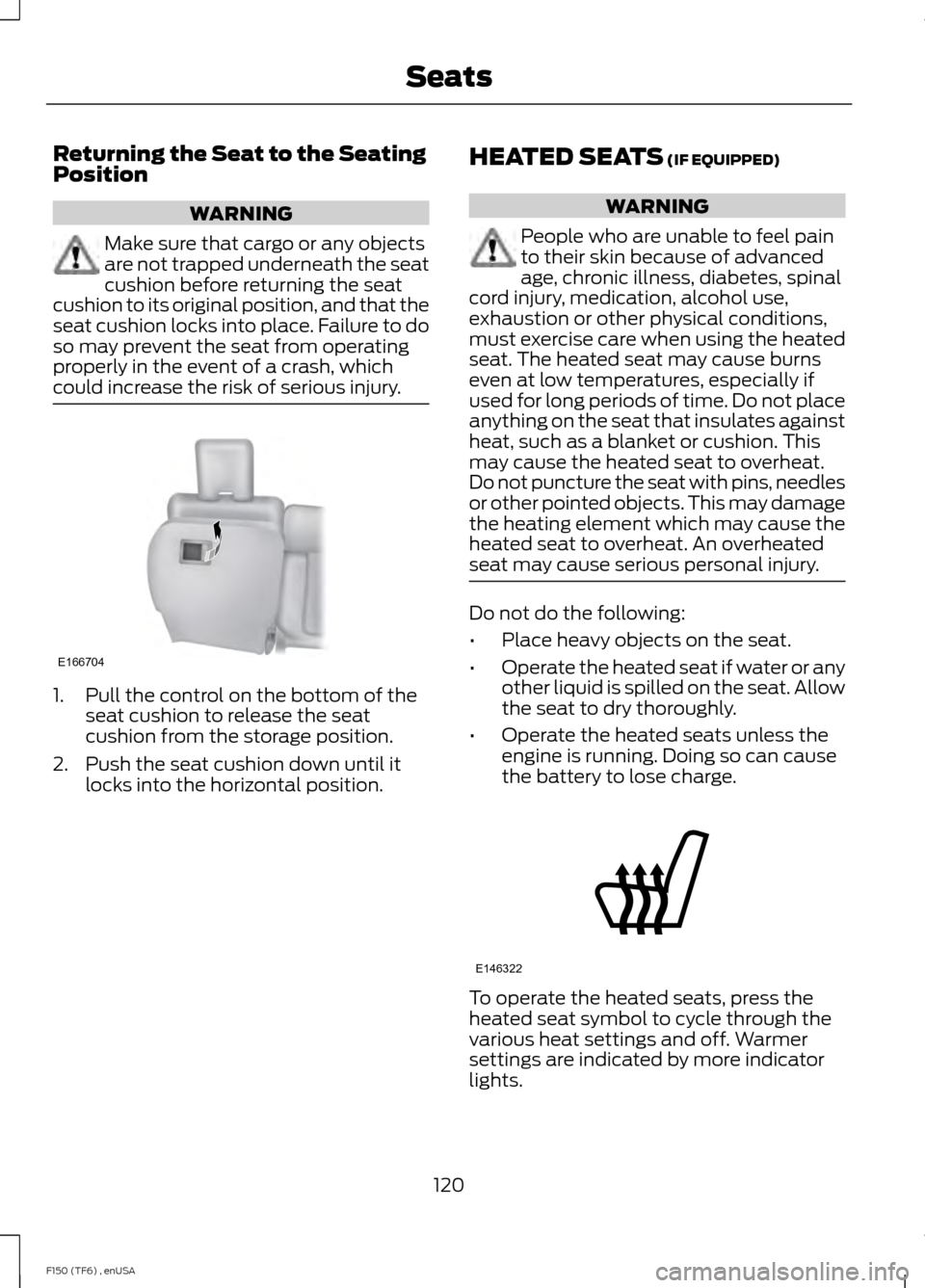
could increase the risk of serious injury. 1. Pull the control on the bottom of the
seat cushion to release the seat
cushion from the storage position.
2. Push the seat cushion down until it locks into the horizontal position. HEATED SEATS (IF EQUIPPED) WARNING
People who are unable to feel pain
to their skin because of advanced
age, chronic illness, diabetes, spinal
cord injury, medication, alcohol use,
exhaustion or other physical conditions,
must exercise care when using the heated
seat. The heated seat may cause burns
even at low temperatures, especially if
used for long periods of time. Do not place
anything on the seat that insulates against
heat, such as a blanket or cushion. This
may cause the heated seat to overheat.
Do not puncture the seat with pins, needles
or other pointed objects. This may damage
the heating element which may cause the
heated seat to overheat. An overheated
seat may cause serious personal injury. Do not do the following:
•
Place heavy objects on the seat.
• Operate the heated seat if water or any
other liquid is spilled on the seat. Allow
the seat to dry thoroughly.
• Operate the heated seats unless the
engine is running. Doing so can cause
the battery to lose charge. To operate the heated seats, press the
heated seat symbol to cycle through the
various heat settings and off. Warmer
settings are indicated by more indicator
lights.
120
F150 (TF6) , enUSA SeatsE166704 E146322