Page 119 of 519
Maintenance
MessagesAction / Description
ENGINE OIL
CHANGE SOONDisplayed when the engine oil life is nearing
its end.
OIL CHANGE
REQUIREDDisplayed when the oil life left reaches 0%.
WASHER FLUID
LEVEL LOWIndicates the washer fluid reservoir is less than
one quarter full. Check the washer fluid level.
MyKey® Messages Action / Description
MYKEY ACTIVE
DRIVE SAFELYDisplayed when MyKey® is active.
VEHICLE NEAR
TOP SPEEDDisplayed when a MyKey® is in use and the
MyKey speed limit is on and the vehicle speed
is approaching 80 mph (130 km/h).
VEHICLE AT TOP
SPEED - MYKEY
SETTINGDisplayed when a MyKey® is in use and the
MyKey speed limit is on and the vehicle speed
is 80 mph (130 km/h).
TOP SPEED MYKEY
SETTINGDisplayed when a MyKey® is in use and the
MyKey speed limit is on and the vehicle speed
is 80 mph (130 km/h).
SPEED LIMITED TO
80 MPHDisplayed when starting the vehicle and
MyKey® is in use and the MyKey speed limit
is on.
VEHICLE SPEED
80 MPH MAXDisplayed when a MyKey® is in use and the
Admin has enabled the MyKey speed limit and
the vehicle speed is 80 mph (130 km/h).
CHECK SPEED
DRIVE SAFELYDisplayed when a MyKey® is in use and the
optional setting is on and the vehicle exceeds
a preselected speed.
BUCKLE UP TO
UNMUTE AUDIODisplayed when a MyKey® is in use and
Belt-Minder® is activated.
KEY COULD NOT
PROGRAMDisplayed when an attempt is made to
program a spare key using two existing
MyKeys.
11 8Information Displays
2014 Expedition(exd)
Owners Guide gf, 1st Printing, June 2013
USA(fus)
Page 120 of 519
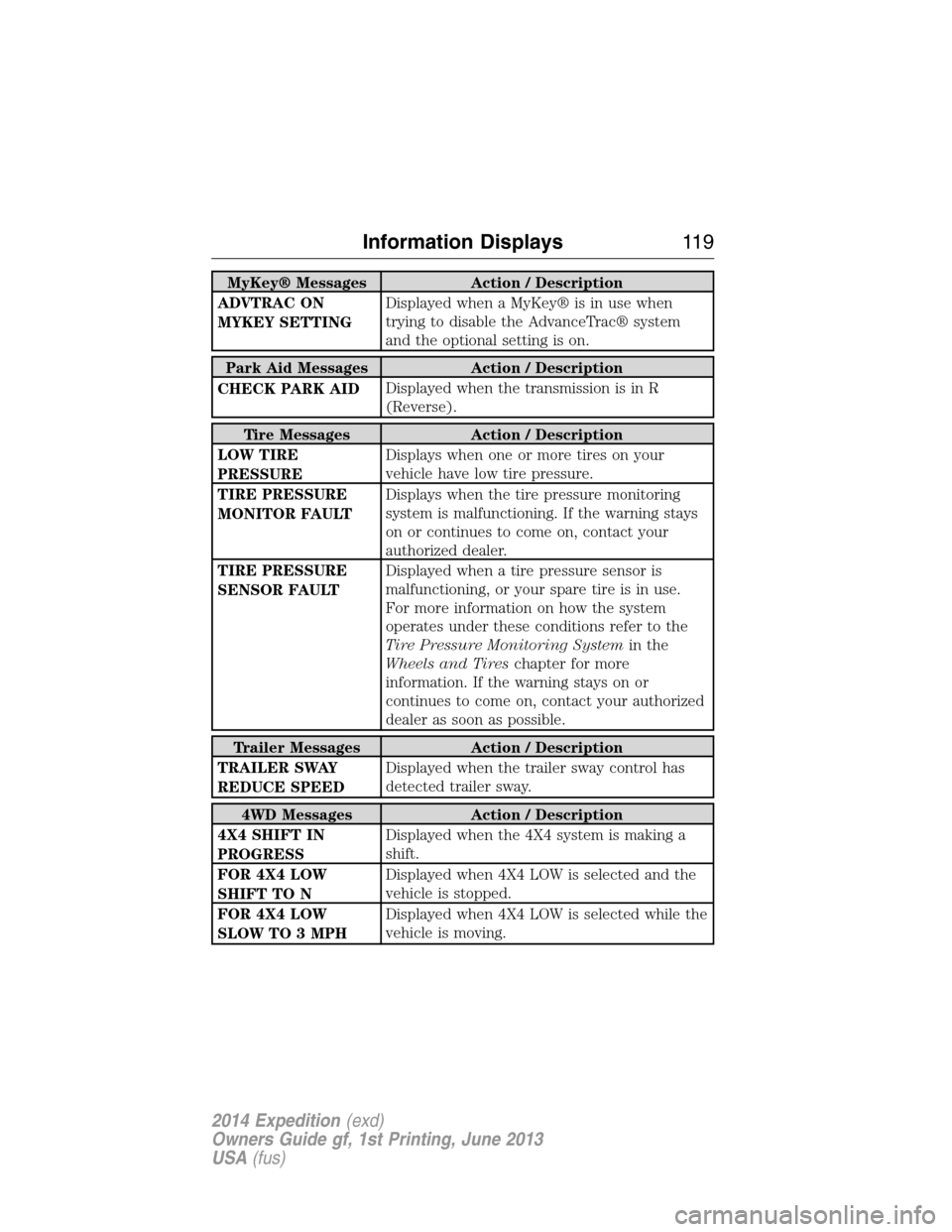
MyKey® Messages Action / Description
ADVTRAC ON
MYKEY SETTINGDisplayed when a MyKey® is in use when
trying to disable the AdvanceTrac® system
and the optional setting is on.
Park Aid Messages Action / Description
CHECK PARK AIDDisplayed when the transmission is in R
(Reverse).
Tire Messages Action / Description
LOW TIRE
PRESSUREDisplays when one or more tires on your
vehicle have low tire pressure.
TIRE PRESSURE
MONITOR FAULTDisplays when the tire pressure monitoring
system is malfunctioning. If the warning stays
on or continues to come on, contact your
authorized dealer.
TIRE PRESSURE
SENSOR FAULTDisplayed when a tire pressure sensor is
malfunctioning, or your spare tire is in use.
For more information on how the system
operates under these conditions refer to the
Tire Pressure Monitoring Systemin the
Wheels and Tireschapter for more
information. If the warning stays on or
continues to come on, contact your authorized
dealer as soon as possible.
Trailer Messages Action / Description
TRAILER SWAY
REDUCE SPEEDDisplayed when the trailer sway control has
detected trailer sway.
4WD Messages Action / Description
4X4 SHIFT IN
PROGRESSDisplayed when the 4X4 system is making a
shift.
FOR 4X4 LOW
SHIFT TO NDisplayed when 4X4 LOW is selected and the
vehicle is stopped.
FOR 4X4 LOW
SLOW TO 3 MPHDisplayed when 4X4 LOW is selected while the
vehicle is moving.
Information Displays11 9
2014 Expedition(exd)
Owners Guide gf, 1st Printing, June 2013
USA(fus)
Page 140 of 519
Power Lumbar (If Equipped)
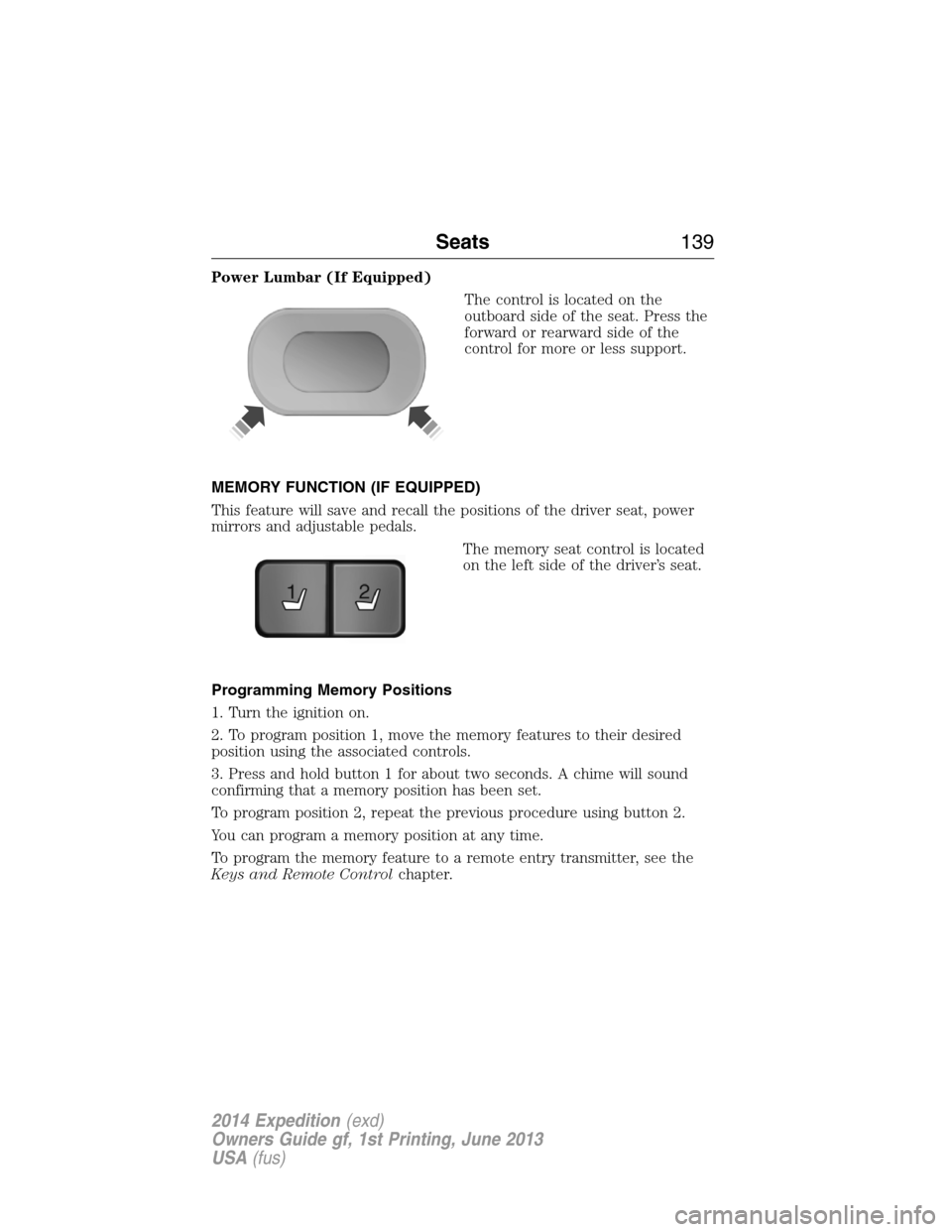
The control is located on the
outboard side of the seat. Press the
forward or rearward side of the
control for more or less support.
MEMORY FUNCTION (IF EQUIPPED)
This feature will save and recall the positions of the driver seat, power
mirrors and adjustable pedals.
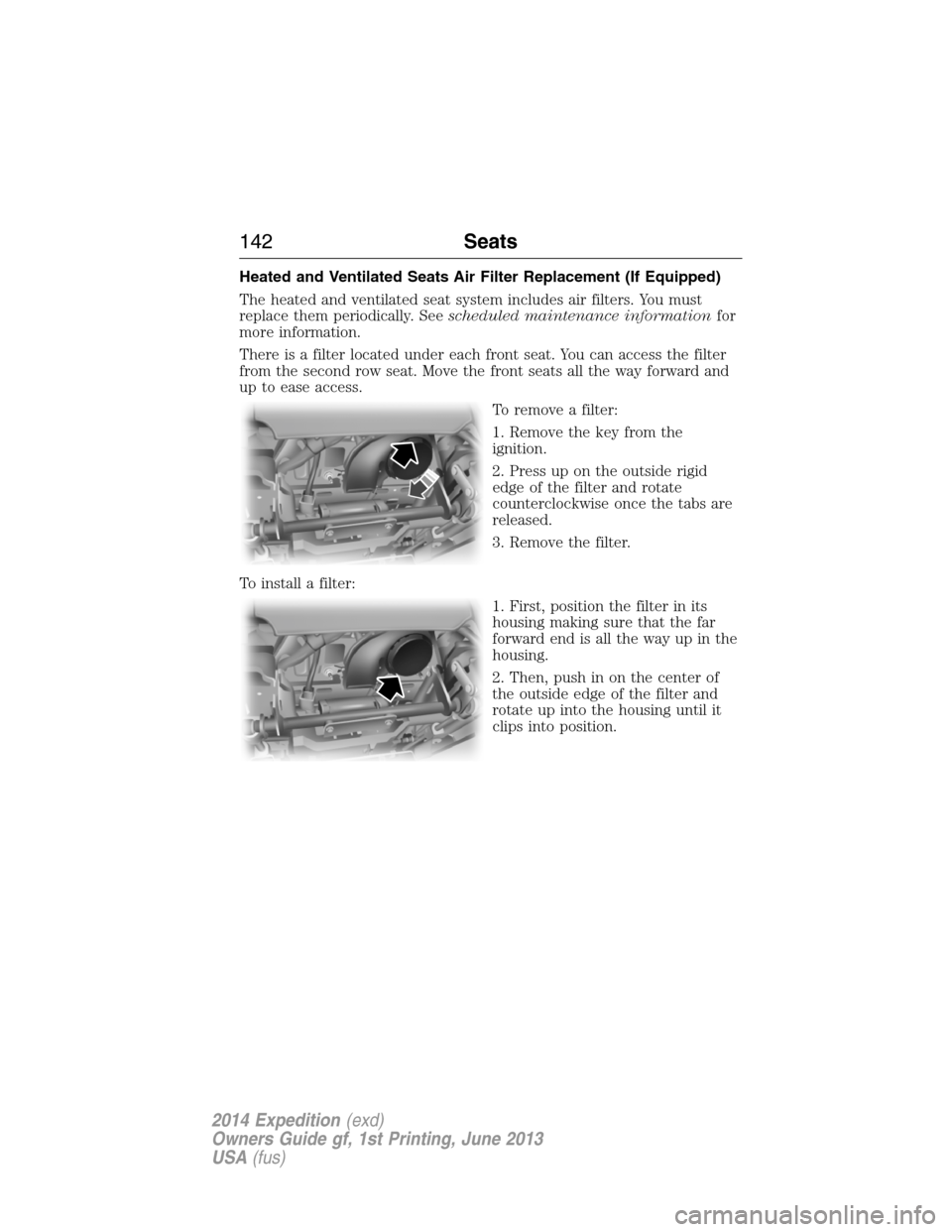
The memory seat control is located
on the left side of the driver’s seat.
Programming Memory Positions
1. Turn the ignition on.
2. To program position 1, move the memory features to their desired
position using the associated controls.
3. Press and hold button 1 for about two seconds. A chime will sound
confirming that a memory position has been set.
To program position 2, repeat the previous procedure using button 2.
You can program a memory position at any time.
To program the memory feature to a remote entry transmitter, see the
Keys and Remote Controlchapter.
21
Seats139
2014 Expedition(exd)
Owners Guide gf, 1st Printing, June 2013
USA(fus)
Page 141 of 519
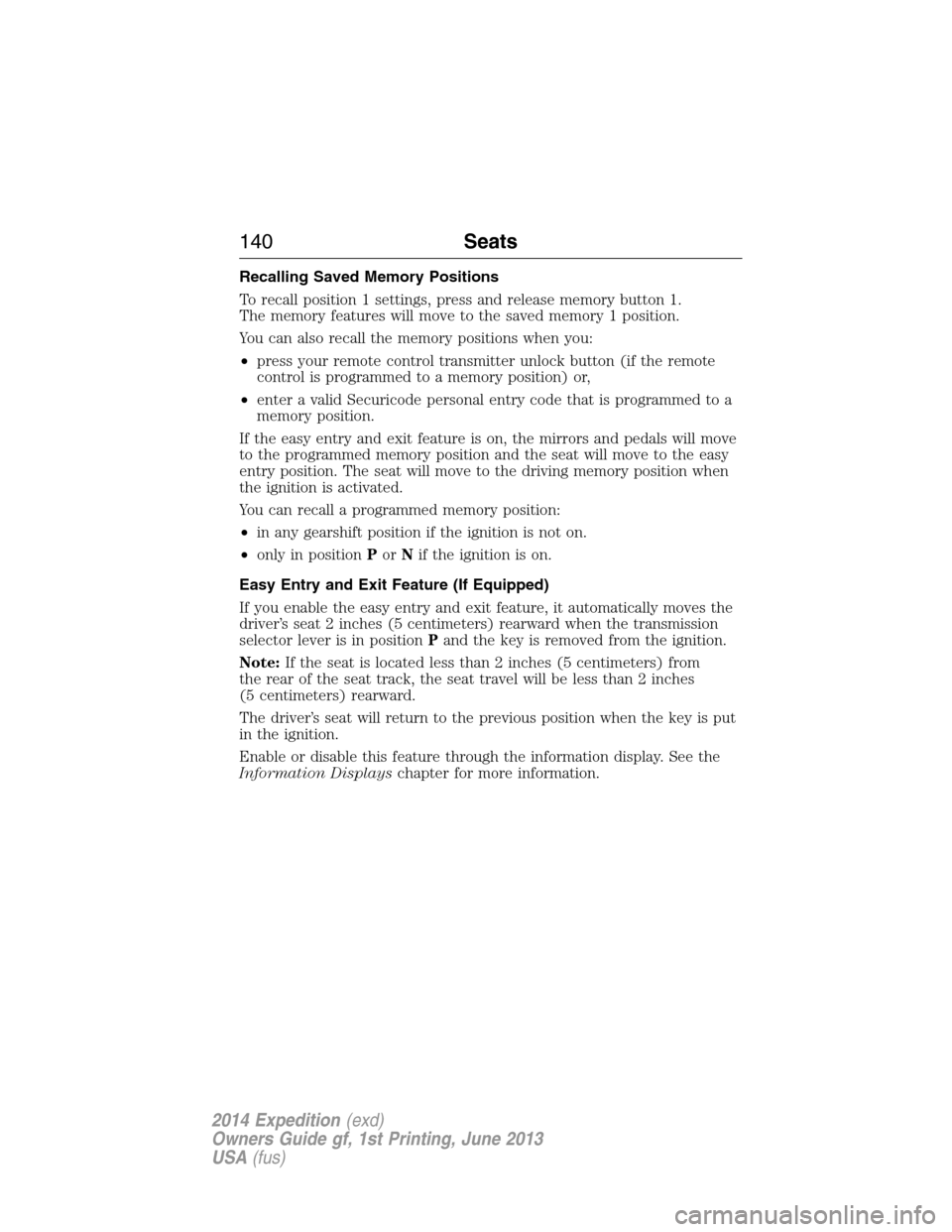
Recalling Saved Memory Positions
To recall position 1 settings, press and release memory button 1.
The memory features will move to the saved memory 1 position.
You can also recall the memory positions when you:
•press your remote control transmitter unlock button (if the remote
control is programmed to a memory position) or,
•enter a valid Securicode personal entry code that is programmed to a
memory position.
If the easy entry and exit feature is on, the mirrors and pedals will move
to the programmed memory position and the seat will move to the easy
entry position. The seat will move to the driving memory position when
the ignition is activated.
You can recall a programmed memory position:
•in any gearshift position if the ignition is not on.
•only in positionPorNif the ignition is on.
Easy Entry and Exit Feature (If Equipped)
If you enable the easy entry and exit feature, it automatically moves the
driver’s seat 2 inches (5 centimeters) rearward when the transmission
selector lever is in positionPand the key is removed from the ignition.
Note:If the seat is located less than 2 inches (5 centimeters) from
the rear of the seat track, the seat travel will be less than 2 inches
(5 centimeters) rearward.
The driver’s seat will return to the previous position when the key is put
in the ignition.
Enable or disable this feature through the information display. See the
Information Displayschapter for more information.
140Seats
2014 Expedition(exd)
Owners Guide gf, 1st Printing, June 2013
USA(fus)
Page 143 of 519
Heated and Ventilated Seats Air Filter Replacement (If Equipped)
The heated and ventilated seat system includes air filters. You must
replace them periodically. Seescheduled maintenance informationfor
more information.
There is a filter located under each front seat. You can access the filter
from the second row seat. Move the front seats all the way forward and
up to ease access.
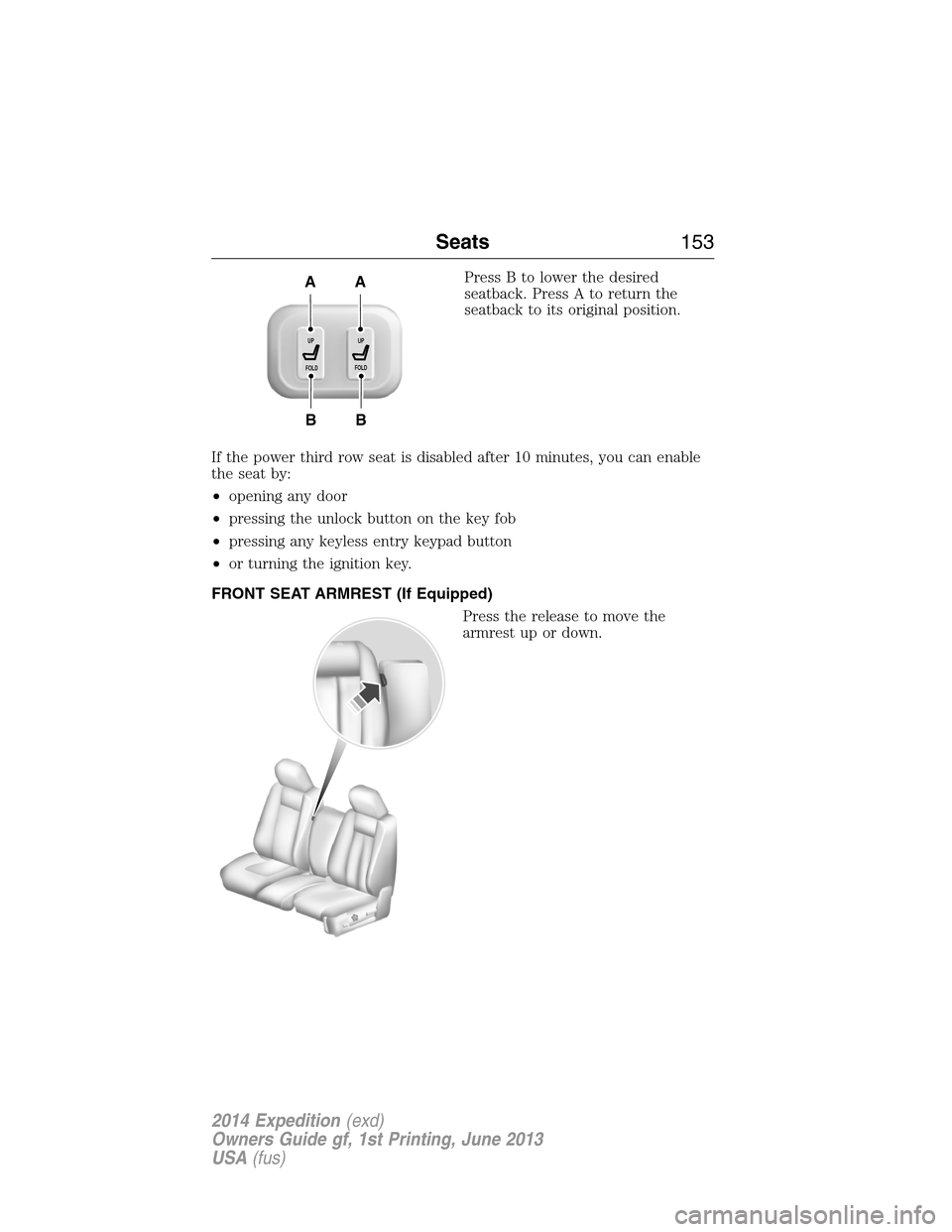
To remove a filter:
1. Remove the key from the
ignition.
2. Press up on the outside rigid
edge of the filter and rotate
counterclockwise once the tabs are
released.
3. Remove the filter.
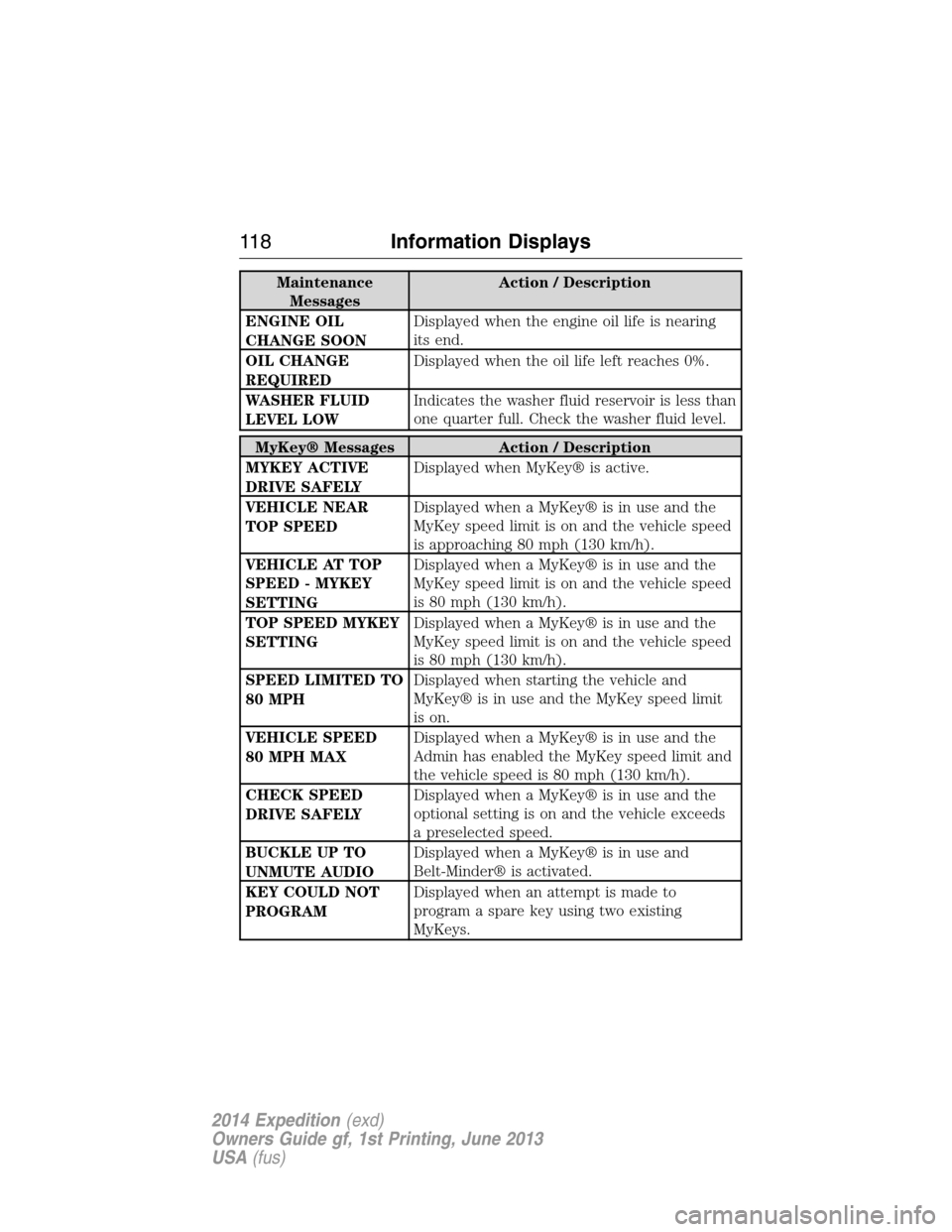
To install a filter:
1. First, position the filter in its
housing making sure that the far
forward end is all the way up in the
housing.
2. Then, push in on the center of
the outside edge of the filter and
rotate up into the housing until it
clips into position.
142Seats
2014 Expedition(exd)
Owners Guide gf, 1st Printing, June 2013
USA(fus)
Page 154 of 519
Press B to lower the desired
seatback. Press A to return the
seatback to its original position.
If the power third row seat is disabled after 10 minutes, you can enable
the seat by:
•opening any door
•pressing the unlock button on the key fob
•pressing any keyless entry keypad button
•or turning the ignition key.
FRONT SEAT ARMREST (If Equipped)
Press the release to move the
armrest up or down.
B
AA
B
UP
FOLDUP
FOLD
Seats153
2014 Expedition(exd)
Owners Guide gf, 1st Printing, June 2013
USA(fus)
Page 160 of 519
Note:We recommend that upon the sale or lease termination of your
vehicle, you erase the programmed function buttons for security reasons.
SeeErasing the function button codeslater in this section.
Note:You can program a maximum of three devices. To change or
replace any of the three devices after it has been initially programmed,
you must first erase the current settings. SeeErasing the function
button codeslater in this section.
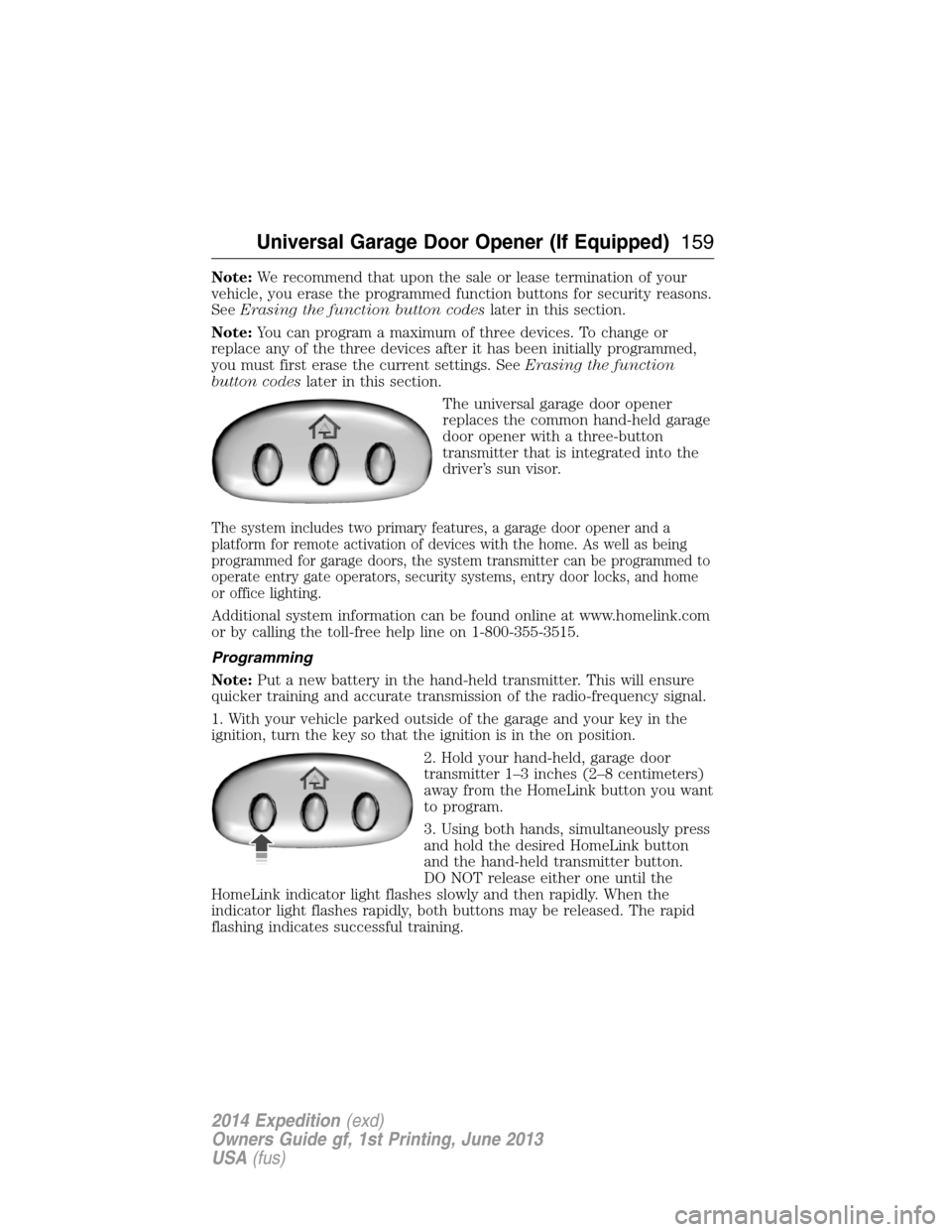
The universal garage door opener
replaces the common hand-held garage
door opener with a three-button
transmitter that is integrated into the
driver’s sun visor.
The system includes two primary features, a garage door opener and a
platform for remote activation of devices with the home. As well as being
programmed for garage doors, the system transmitter can be programmed to
operate entry gate operators, security systems, entry door locks, and home
or office lighting.
Additional system information can be found online at www.homelink.com
or by calling the toll-free help line on 1-800-355-3515.
Programming
Note:Put a new battery in the hand-held transmitter. This will ensure
quicker training and accurate transmission of the radio-frequency signal.
1. With your vehicle parked outside of the garage and your key in the
ignition, turn the key so that the ignition is in the on position.
2. Hold your hand-held, garage door
transmitter 1–3 inches (2–8 centimeters)
away from the HomeLink button you want
to program.
3. Using both hands, simultaneously press
and hold the desired HomeLink button
and the hand-held transmitter button.
DO NOT release either one until the
HomeLink indicator light flashes slowly and then rapidly. When the
indicator light flashes rapidly, both buttons may be released. The rapid
flashing indicates successful training.
Universal Garage Door Opener (If Equipped)159
2014 Expedition(exd)
Owners Guide gf, 1st Printing, June 2013
USA(fus)
Page 171 of 519

IGNITION SWITCH
Note:Do not store the key in the ignition after the vehicle is turned off
and you have left the vehicle. This could cause a drain on the battery.
A.Off:The ignition is off.
B.Accessory:Allows the electrical accessories, such as the radio, to
operate while the engine is not running.
C.On:All the electrical circuits are operational. Warning lights are
illuminated. This is the key position when driving.
D.Start:Cranks the engine. Release the key as soon as the engine starts.
STARTING A GASOLINE ENGINE
When you start the engine, the idle speed increases, this helps to warm
up the engine. If the engine idle speed does not slow down automatically,
have your vehicle checked by an authorized dealer.
Before starting the engine:
•Make sure all occupants have fastened their safety belts.
•Make sure the headlamps and electrical accessories are off.
•Make sure the parking brake is on.
•Move the transmission selector lever to positionP.
•Turn the ignition key to the on position.
Some warning lights briefly illuminate.
Note:Do not touch the accelerator pedal.
1. Fully press the brake pedal.
2. Turn the key to the start position to start the engine. Release the key
when the engine starts.
Note:The engine may continue cranking for up to 15 seconds or until it
starts.
Note:If you cannot start the engine on the first try, wait for a short
period and try again.
If you have difficulty starting the engine when the temperature is below
-13°F (-25°C), press the accelerator pedal slightly and try again.
C
D
B
A
170Starting and Stopping the Engine
2014 Expedition(exd)
Owners Guide gf, 1st Printing, June 2013
USA(fus)