2014 FORD EXPEDITION child seat
[x] Cancel search: child seatPage 179 of 519
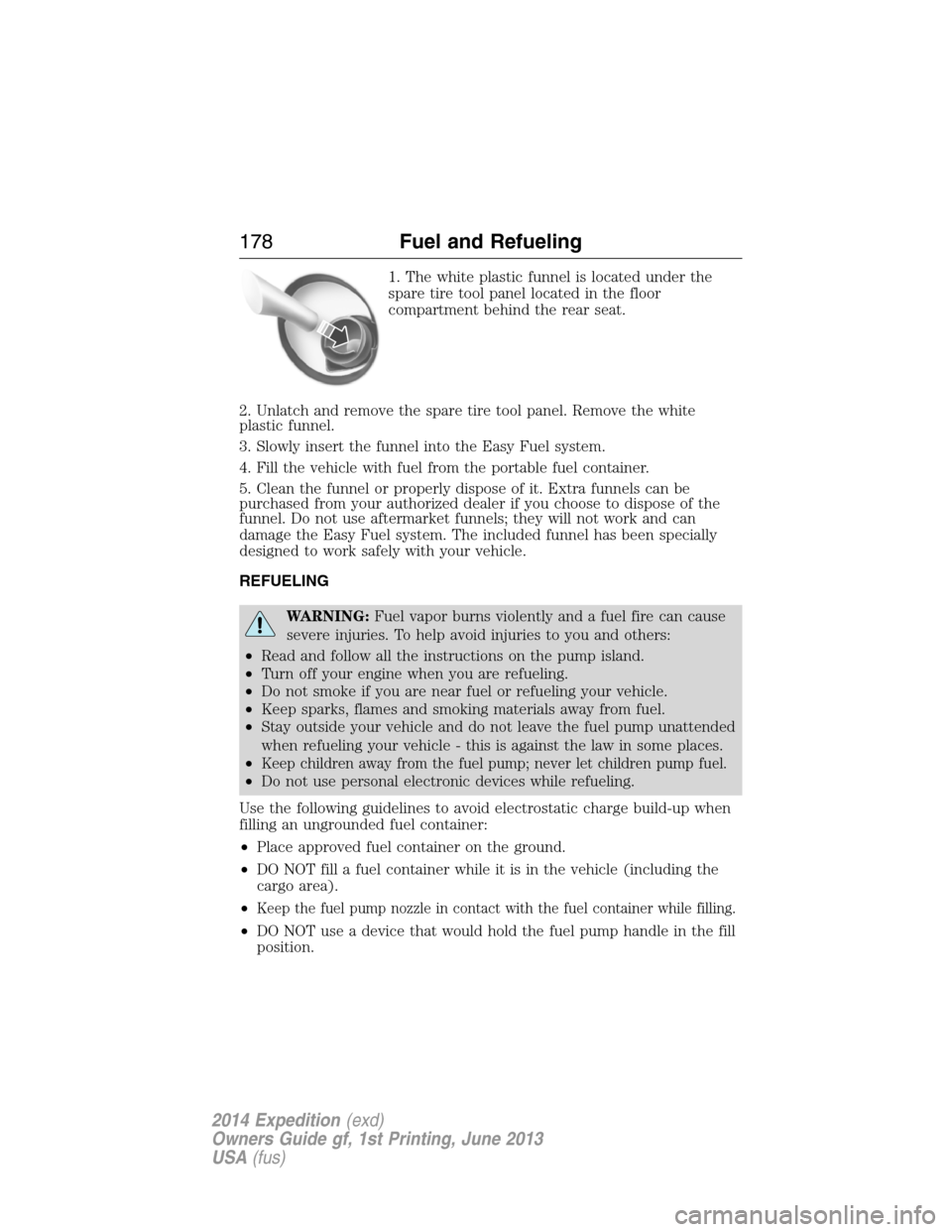
1. The white plastic funnel is located under the
spare tire tool panel located in the floor
compartment behind the rear seat.
2. Unlatch and remove the spare tire tool panel. Remove the white
plastic funnel.
3. Slowly insert the funnel into the Easy Fuel system.
4. Fill the vehicle with fuel from the portable fuel container.
5. Clean the funnel or properly dispose of it. Extra funnels can be
purchased from your authorized dealer if you choose to dispose of the
funnel. Do not use aftermarket funnels; they will not work and can
damage the Easy Fuel system. The included funnel has been specially
designed to work safely with your vehicle.
REFUELING
WARNING:Fuel vapor burns violently and a fuel fire can cause
severe injuries. To help avoid injuries to you and others:
•Read and follow all the instructions on the pump island.
•Turn off your engine when you are refueling.
•Do not smoke if you are near fuel or refueling your vehicle.
•Keep sparks, flames and smoking materials away from fuel.
•Stay outside your vehicle and do not leave the fuel pump unattended
when refueling your vehicle - this is against the law in some places.
•
Keep children away from the fuel pump; never let children pump fuel.
•Do not use personal electronic devices while refueling.
Use the following guidelines to avoid electrostatic charge build-up when
filling an ungrounded fuel container:
•Place approved fuel container on the ground.
•DO NOT fill a fuel container while it is in the vehicle (including the
cargo area).
•
Keep the fuel pump nozzle in contact with the fuel container while filling.
•DO NOT use a device that would hold the fuel pump handle in the fill
position.
178Fuel and Refueling
2014 Expedition(exd)
Owners Guide gf, 1st Printing, June 2013
USA(fus)
Page 305 of 519
GENERAL INFORMATION
Notice to Utility Vehicle, Van and Truck Owners
WARNING:Utility vehicles have a significantly higher rollover
rate than other types of vehicles. To reduce the risk of serious
injury or death from a rollover or other crash you must:
•Avoid sharp turns and abrupt maneuvers;
•Drive at safe speeds for the conditions;
•Keep tires properly inflated;
•Never overload or improperly load your vehicle; and
•Make sure every passenger is properly restrained.
WARNING:In a rollover crash, an unbelted person is
significantly more likely to die than a person wearing a seat belt.
All occupants must wear seat belts. Children and infants must use
appropriate restraints to minimize the risk of injury or ejection.
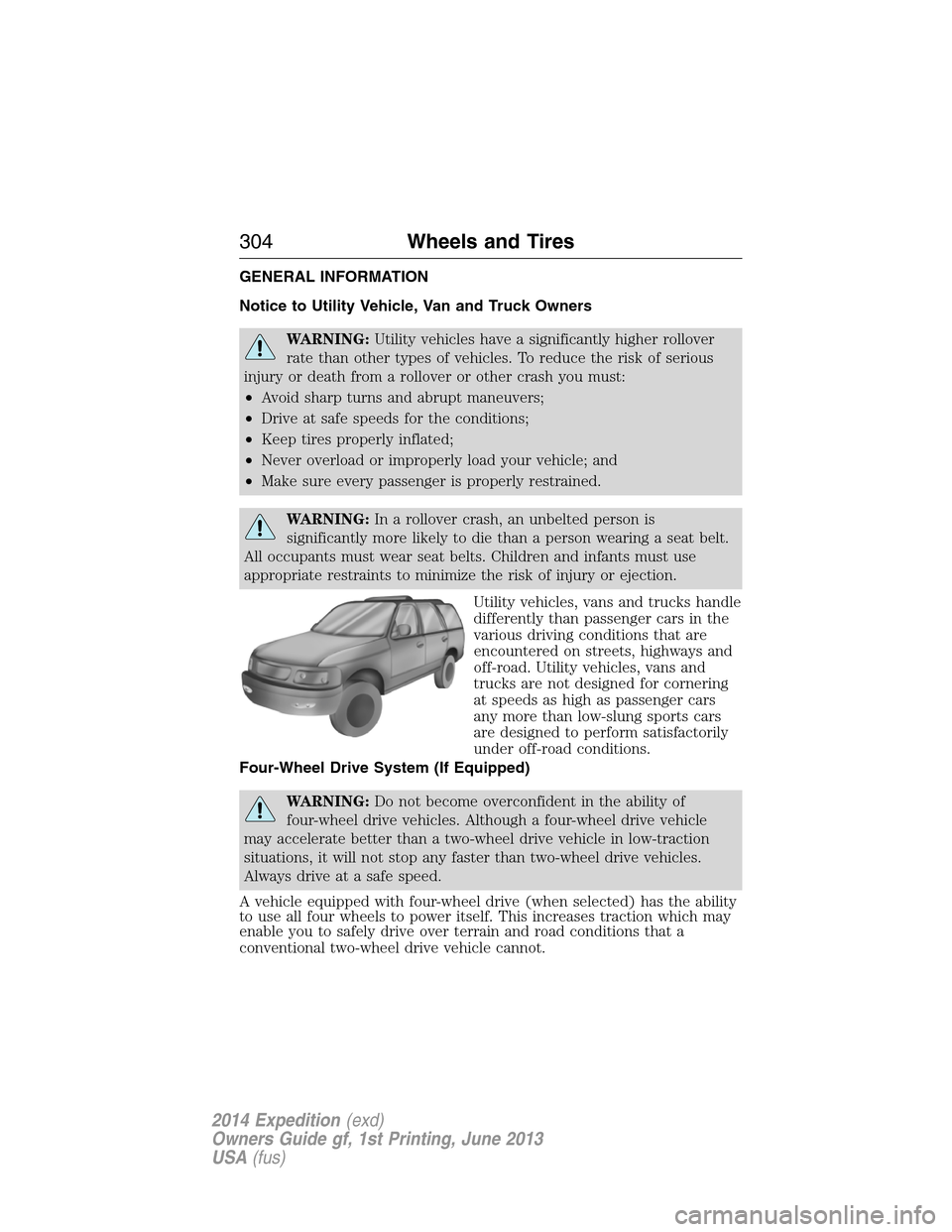
Utility vehicles, vans and trucks handle
differently than passenger cars in the
various driving conditions that are
encountered on streets, highways and
off-road. Utility vehicles, vans and
trucks are not designed for cornering
at speeds as high as passenger cars
any more than low-slung sports cars
are designed to perform satisfactorily
under off-road conditions.
Four-Wheel Drive System (If Equipped)
WARNING:Do not become overconfident in the ability of
four-wheel drive vehicles. Although a four-wheel drive vehicle
may accelerate better than a two-wheel drive vehicle in low-traction
situations, it will not stop any faster than two-wheel drive vehicles.
Always drive at a safe speed.
A vehicle equipped with four-wheel drive (when selected) has the ability
to use all four wheels to power itself. This increases traction which may
enable you to safely drive over terrain and road conditions that a
conventional two-wheel drive vehicle cannot.
304Wheels and Tires
2014 Expedition(exd)
Owners Guide gf, 1st Printing, June 2013
USA(fus)
Page 357 of 519
Switching Dual Play Mode On
You can switch Dual Play mode on by simultaneously pressing the 2 and
4 memory preset buttons on the audio or by doing the following:
1. Press the headphone/speaker control. The headphone icon
illuminates in both front and rear audio displays indicating the rear
seat speakers are off and the headphones are on.
2. Press MEDIA to change audio sources (as heard in the headphones
only).
3. Use the other controls to adjust the playing media.
Switching Off Dual Play Mode
Use any one of the following to switch off Dual Play mode:
•Press the 2 and 4 memory preset buttons simultaneously again.
•Press the 3 and 5 memory preset buttons simultaneously to LOCK
the rear seat controls.
•Press the headphone/speaker button again.
Using Dual Play Mode with Headphones
WARNING:Do not leave children unattended in your vehicle
and do not let children operate the system while unsupervised. If
wired headphones or auxiliary systems are used, children may become
entangled in the cords and seriously injure themselves.
Plug a 1/8–inch (3.5 millimeter) headphone (not included) into the
headphone jack. Press the speaker button, or the 2 and 4 memory preset
buttons simultaneously on the radio to switch on the headphones. DUAL
PLAY illuminates in the audio display, there is no sound from the rear
speakers and the fade control is inactive, signaling that Dual Play is on.
The front speakers remain on for the front passengers. Press the speaker
button, or the 2 and 4 memory preset buttons simultaneously on the
radio again to switch off the headphones and Dual Play mode. SINGLE
PLAY illuminates in the audio display; fade control is active and there is
sound from rear speakers, signaling that Single Play is on.
You need to switch the rear seat controls on to use any rear controls
(whether in Single Play or Dual Play mode). To use Dual Play, switch on
the rear seat controls; the headphone icon illuminates in the audio
display. SeeSwitching the rear audio controls onpreviously.
356Audio System
2014 Expedition(exd)
Owners Guide gf, 1st Printing, June 2013
USA(fus)
Page 364 of 519
Your system does not play the following types of discs:
•Optical disc CD-1
•CD-ROM
•DVD-ROM mini disc-CDG (audio only, not graphics)
Important Notice
It is unlawful in most jurisdictions for a person to drive a motor vehicle
which is equipped with a television viewer or screen that is located in
the motor vehicle at any point forward of the back of the driver’s seat, or
that is visible, directly or indirectly, to the driver while operating your
vehicle. In the interest of safety, do not install the unit where it is visible,
directly or indirectly, by the operator of the motor vehicle. If your vehicle
is equipped with a wireless rear seat audio system or any other wireless
infrared device, power the system off in order to operate the DVD
headrest system. If the system is on, the two systems may interfere with
each other canceling out or creating undesirable audio through the
wireless headphones.
Safety Precaution
For safety reasons:
•Do not change discs while your vehicle is moving.
•Do not allow children to unfasten their safety belts to change discs or
make changes to the system.
•Make changes with the remote control, while safety belts remain
fastened.
Enjoy your entertainment system, but remember that safety of your
passengers is the highest priority.
Wireless Headphones
This unit includes a built-in dual channel infrared transmitter for use
with your wireless headphones. You can change headphone volume using
the individual controls on each headset. To use wireless headphones
effectively, you must maintain line-of-sight between headphones and
transmitter. Allowing obstructions to come between headphone and
transmitter, or body motions that allow the user to conceal the
headphone from the transmitter (like reaching or bending), adversely
affect audio performance. Infrared transmission, like visible light, travels
only in a straight line.
Audio System363
2014 Expedition(exd)
Owners Guide gf, 1st Printing, June 2013
USA(fus)
Page 512 of 519
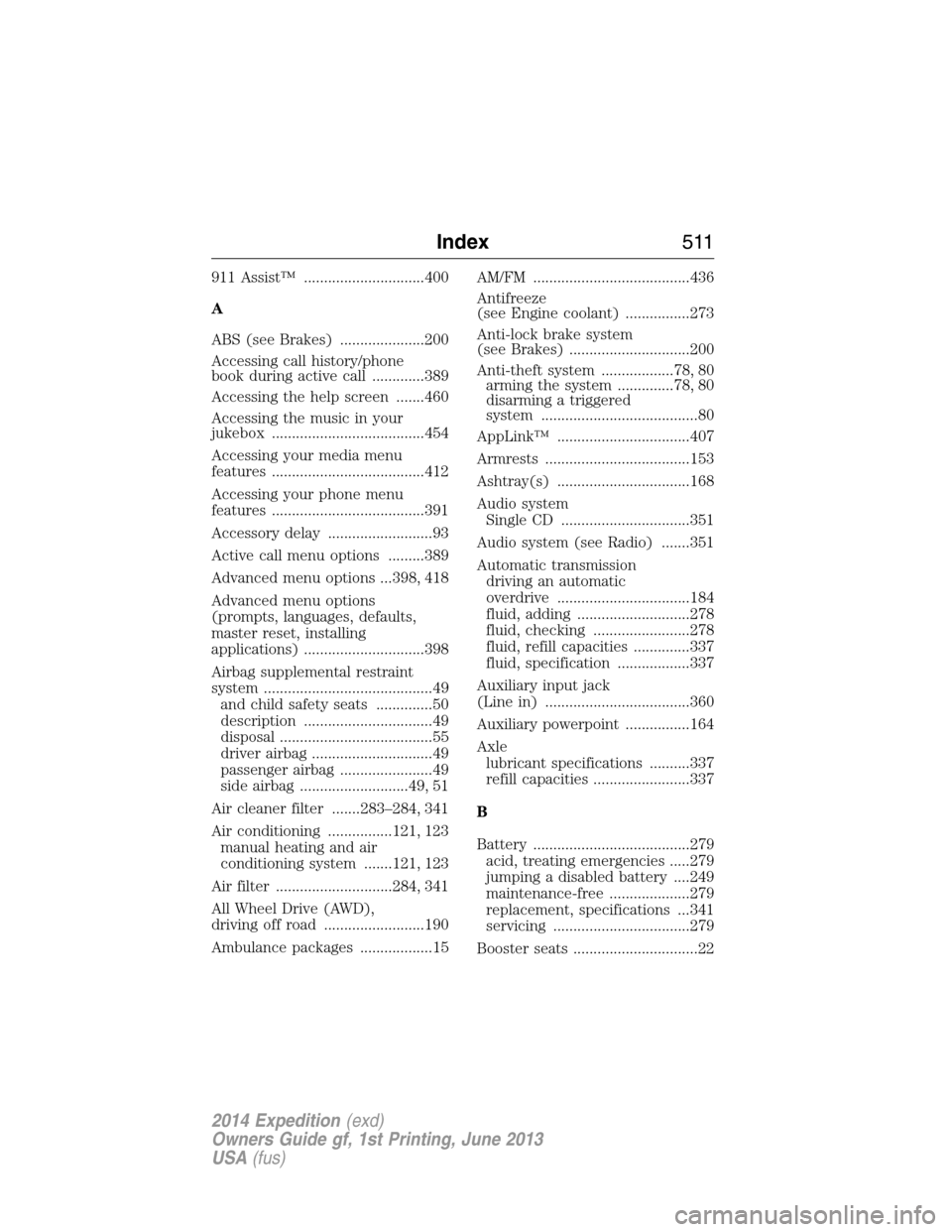
911 Assist™ ..............................400
A
ABS (see Brakes) .....................200
Accessing call history/phone
book during active call .............389
Accessing the help screen .......460
Accessing the music in your
jukebox ......................................454
Accessing your media menu
features ......................................412
Accessing your phone menu
features ......................................391
Accessory delay ..........................93
Active call menu options .........389
Advanced menu options ...398, 418
Advanced menu options
(prompts, languages, defaults,
master reset, installing
applications) ..............................398
Airbag supplemental restraint
system ..........................................49
and child safety seats ..............50
description ................................49
disposal ......................................55
driver airbag ..............................49
passenger airbag .......................49
side airbag ...........................49, 51
Air cleaner filter .......283–284, 341
Air conditioning ................121, 123
manual heating and air
conditioning system .......121, 123
Air filter .............................284, 341
All Wheel Drive (AWD),
driving off road .........................190
Ambulance packages ..................15AM/FM .......................................436
Antifreeze
(see Engine coolant) ................273
Anti-lock brake system
(see Brakes) ..............................200
Anti-theft system ..................78, 80
arming the system ..............78, 80
disarming a triggered
system .......................................80
AppLink™ .................................407
Armrests ....................................153
Ashtray(s) .................................168
Audio system
Single CD ................................351
Audio system (see Radio) .......351
Automatic transmission
driving an automatic
overdrive .................................184
fluid, adding ............................278
fluid, checking ........................278
fluid, refill capacities ..............337
fluid, specification ..................337
Auxiliary input jack
(Line in) ....................................360
Auxiliary powerpoint ................164
Axle
lubricant specifications ..........337
refill capacities ........................337
B
Battery .......................................279
acid, treating emergencies .....279
jumping a disabled battery ....249
maintenance-free ....................279
replacement, specifications ...341
servicing ..................................279
Booster seats ...............................22
Index511
2014 Expedition(exd)
Owners Guide gf, 1st Printing, June 2013
USA(fus)
Page 513 of 519
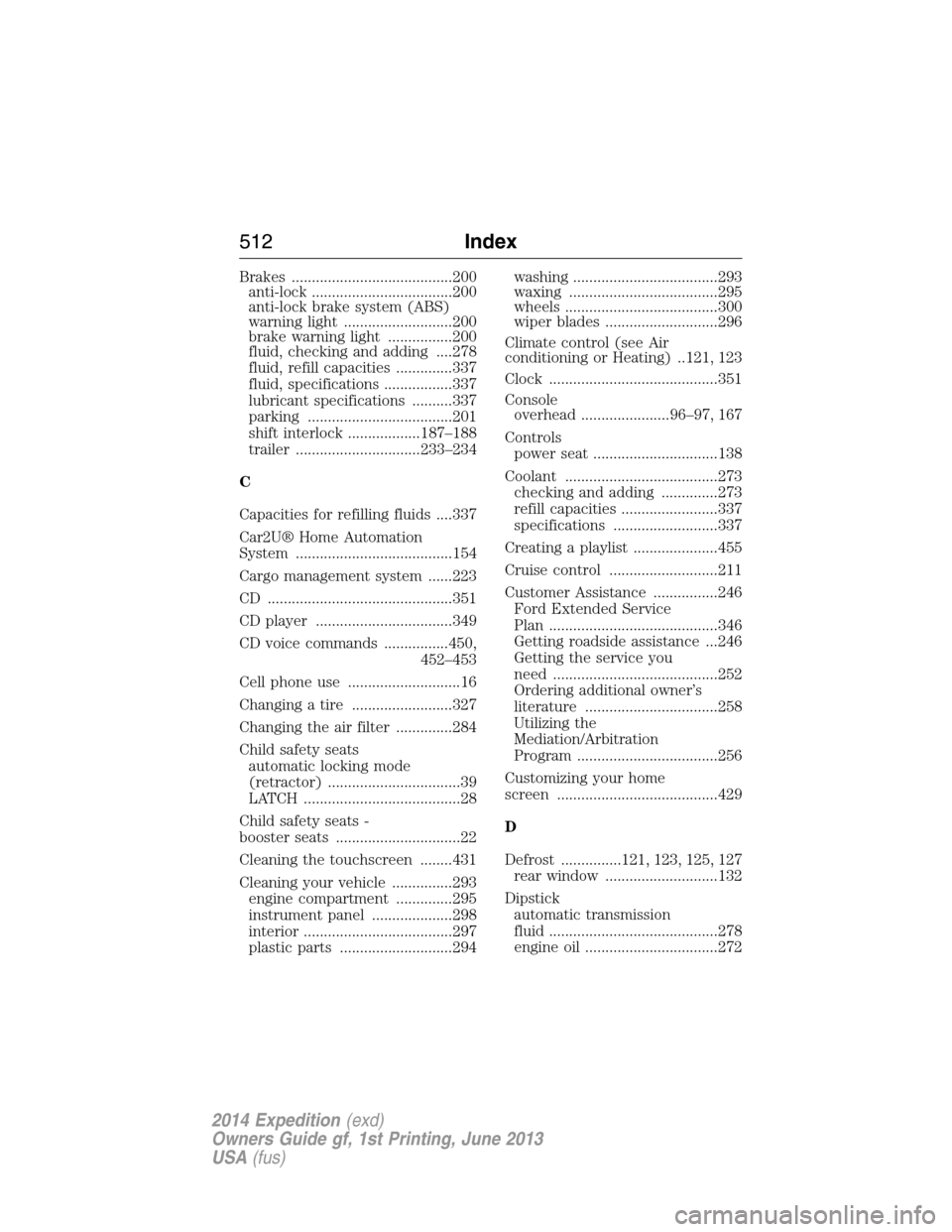
Brakes ........................................200
anti-lock ...................................200
anti-lock brake system (ABS)
warning light ...........................200
brake warning light ................200
fluid, checking and adding ....278
fluid, refill capacities ..............337
fluid, specifications .................337
lubricant specifications ..........337
parking ....................................201
shift interlock ..................187–188
trailer ...............................233–234
C
Capacities for refilling fluids ....337
Car2U® Home Automation
System .......................................154
Cargo management system ......223
CD ..............................................351
CD player ..................................349
CD voice commands ................450,
452–453
Cell phone use ............................16
Changing a tire .........................327
Changing the air filter ..............284
Child safety seats
automatic locking mode
(retractor) .................................39
LATCH .......................................28
Child safety seats -
booster seats ...............................22
Cleaning the touchscreen ........431
Cleaning your vehicle ...............293
engine compartment ..............295
instrument panel ....................298
interior .....................................297
plastic parts ............................294washing ....................................293
waxing .....................................295
wheels ......................................300
wiper blades ............................296
Climate control (see Air
conditioning or Heating) ..121, 123
Clock ..........................................351
Console
overhead ......................96–97, 167
Controls
power seat ...............................138
Coolant ......................................273
checking and adding ..............273
refill capacities ........................337
specifications ..........................337
Creating a playlist .....................455
Cruise control ...........................211
Customer Assistance ................246
Ford Extended Service
Plan ..........................................346
Getting roadside assistance ...246
Getting the service you
need .........................................252
Ordering additional owner’s
literature .................................258
Utilizing the
Mediation/Arbitration
Program ...................................256
Customizing your home
screen ........................................429
D
Defrost ...............121, 123, 125, 127
rear window ............................132
Dipstick
automatic transmission
fluid ..........................................278
engine oil .................................272
512Index
2014 Expedition(exd)
Owners Guide gf, 1st Printing, June 2013
USA(fus)
Page 517 of 519
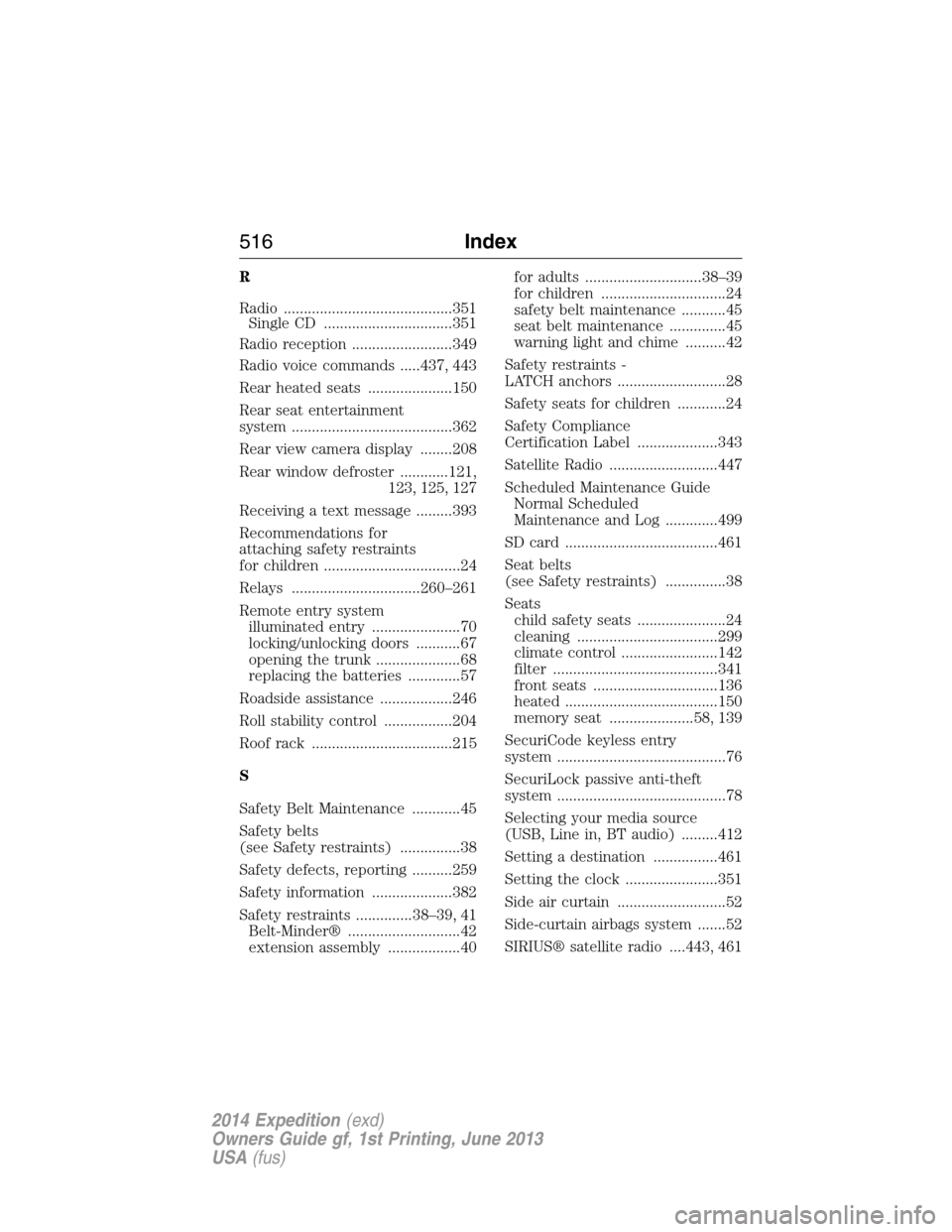
R
Radio ..........................................351
Single CD ................................351
Radio reception .........................349
Radio voice commands .....437, 443
Rear heated seats .....................150
Rear seat entertainment
system ........................................362
Rear view camera display ........208
Rear window defroster ............121,
123, 125, 127
Receiving a text message .........393
Recommendations for
attaching safety restraints
for children ..................................24
Relays ................................260–261
Remote entry system
illuminated entry ......................70
locking/unlocking doors ...........67
opening the trunk .....................68
replacing the batteries .............57
Roadside assistance ..................246
Roll stability control .................204
Roof rack ...................................215
S
Safety Belt Maintenance ............45
Safety belts
(see Safety restraints) ...............38
Safety defects, reporting ..........259
Safety information ....................382
Safety restraints ..............38–39, 41
Belt-Minder® ............................42
extension assembly ..................40for adults .............................38–39
for children ...............................24
safety belt maintenance ...........45
seat belt maintenance ..............45
warning light and chime ..........42
Safety restraints -
LATCH anchors ...........................28
Safety seats for children ............24
Safety Compliance
Certification Label ....................343
Satellite Radio ...........................447
Scheduled Maintenance Guide
Normal Scheduled
Maintenance and Log .............499
SD card ......................................461
Seat belts
(see Safety restraints) ...............38
Seats
child safety seats ......................24
cleaning ...................................299
climate control ........................142
filter .........................................341
front seats ...............................136
heated ......................................150
memory seat .....................58, 139
SecuriCode keyless entry
system ..........................................76
SecuriLock passive anti-theft
system ..........................................78
Selecting your media source
(USB, Line in, BT audio) .........412
Setting a destination ................461
Setting the clock .......................351
Side air curtain ...........................52
Side-curtain airbags system .......52
SIRIUS® satellite radio ....443, 461
516Index
2014 Expedition(exd)
Owners Guide gf, 1st Printing, June 2013
USA(fus)