Page 153 of 476
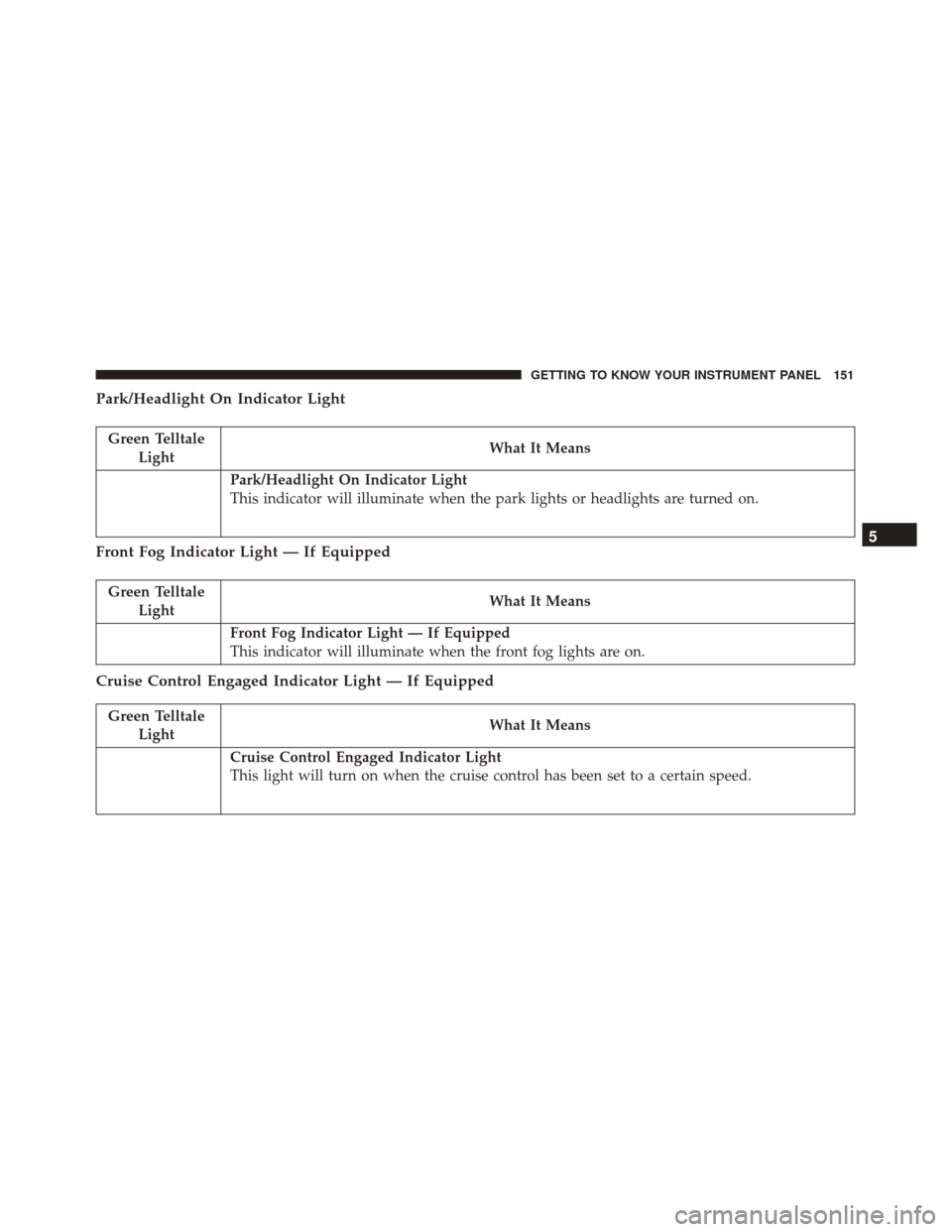
Park/Headlight On Indicator Light
Green TelltaleLight What It Means
Park/Headlight On Indicator Light
This indicator will illuminate when the park lights or headlights are turned on.
Front Fog Indicator Light — If Equipped
Green Telltale
Light What It Means
Front Fog Indicator Light — If Equipped
This indicator will illuminate when the front fog lights are on.
Cruise Control Engaged Indicator Light — If Equipped
Green Telltale
Light What It Means
Cruise Control Engaged Indicator Light
This light will turn on when the cruise control has been set to a certain speed.
5
GETTING TO KNOW YOUR INSTRUMENT PANEL 151
Page 154 of 476
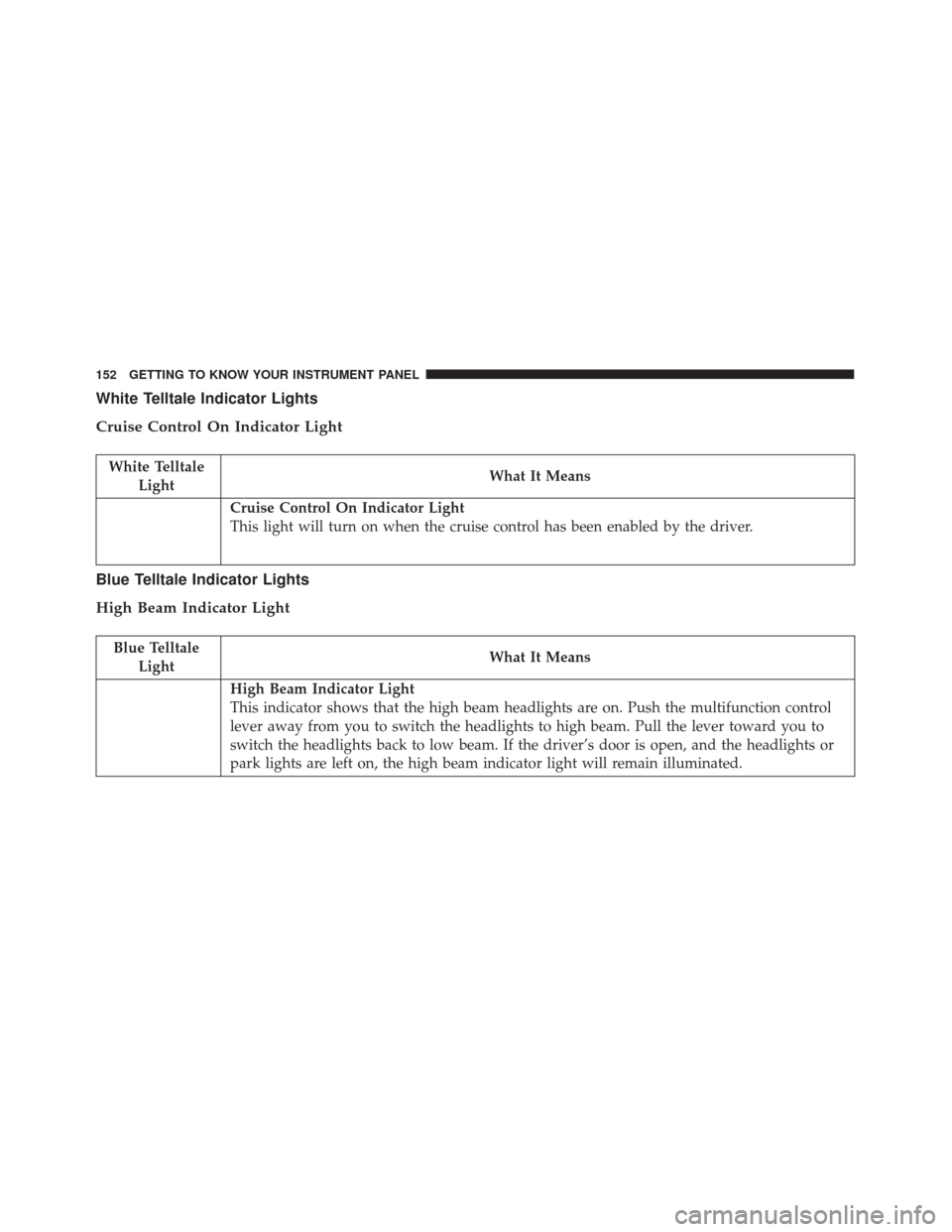
White Telltale Indicator Lights
Cruise Control On Indicator Light
White TelltaleLight What It Means
Cruise Control On Indicator Light
This light will turn on when the cruise control has been enabled by the driver.
Blue Telltale Indicator Lights
High Beam Indicator Light
Blue Telltale
Light What It Means
High Beam Indicator Light
This indicator shows that the high beam headlights are on. Push the multifunction control
lever away from you to switch the headlights to high beam. Pull the lever toward you to
switch the headlights back to low beam. If the driver’s door is open, and the headlights or
park lights are left on, the high beam indicator light will remain illuminated.
152 GETTING TO KNOW YOUR INSTRUMENT PANEL
Page 379 of 476
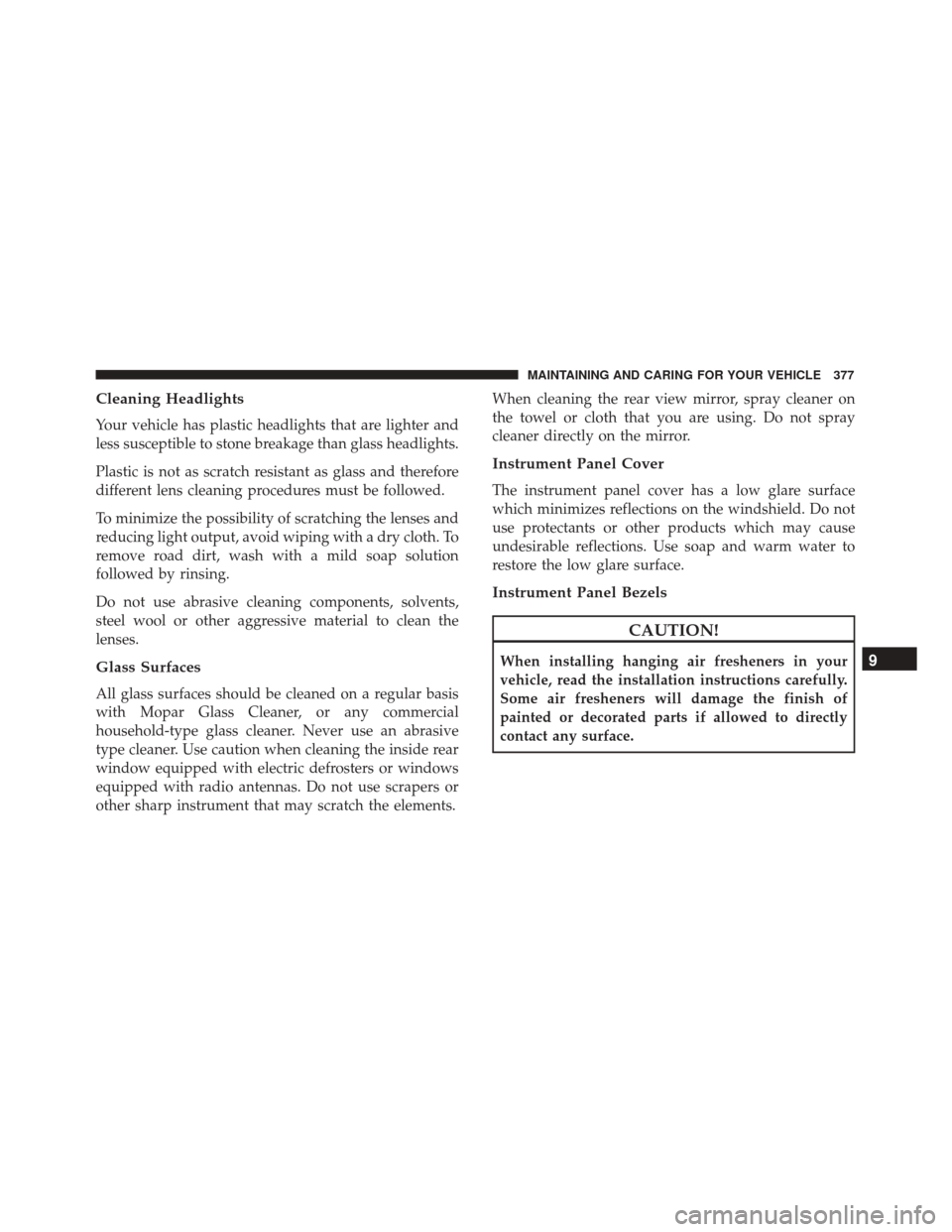
Cleaning Headlights
Your vehicle has plastic headlights that are lighter and
less susceptible to stone breakage than glass headlights.
Plastic is not as scratch resistant as glass and therefore
different lens cleaning procedures must be followed.
To minimize the possibility of scratching the lenses and
reducing light output, avoid wiping with a dry cloth. To
remove road dirt, wash with a mild soap solution
followed by rinsing.
Do not use abrasive cleaning components, solvents,
steel wool or other aggressive material to clean the
lenses.
Glass Surfaces
All glass surfaces should be cleaned on a regular basis
with Mopar Glass Cleaner, or any commercial
household-type glass cleaner. Never use an abrasive
type cleaner. Use caution when cleaning the inside rear
window equipped with electric defrosters or windows
equipped with radio antennas. Do not use scrapers or
other sharp instrument that may scratch the elements.When cleaning the rear view mirror, spray cleaner on
the towel or cloth that you are using. Do not spray
cleaner directly on the mirror.
Instrument Panel Cover
The instrument panel cover has a low glare surface
which minimizes reflections on the windshield. Do not
use protectants or other products which may cause
undesirable reflections. Use soap and warm water to
restore the low glare surface.
Instrument Panel Bezels
CAUTION!
When installing hanging air fresheners in your
vehicle, read the installation instructions carefully.
Some air fresheners will damage the finish of
painted or decorated parts if allowed to directly
contact any surface.9
MAINTAINING AND CARING FOR YOUR VEHICLE 377
Page 425 of 476
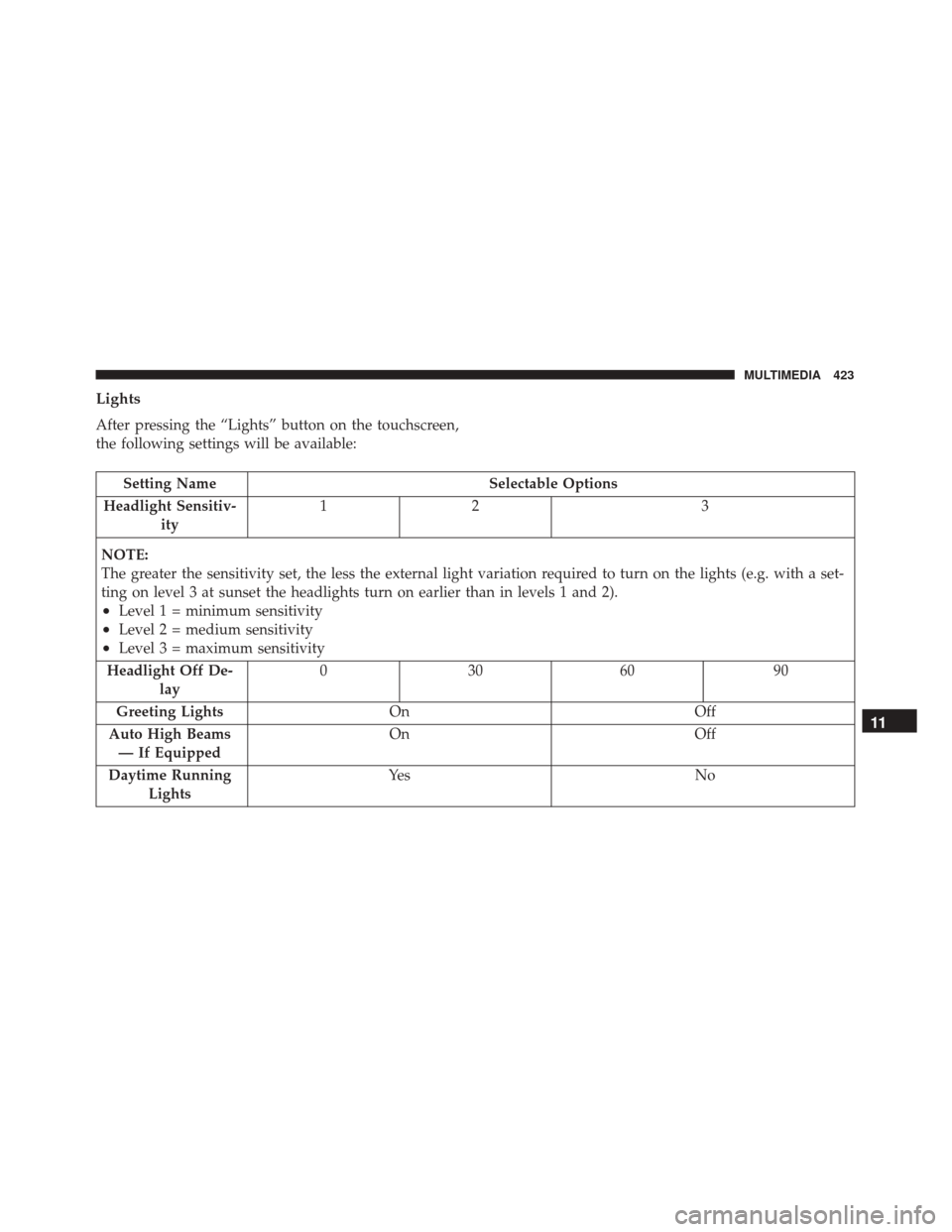
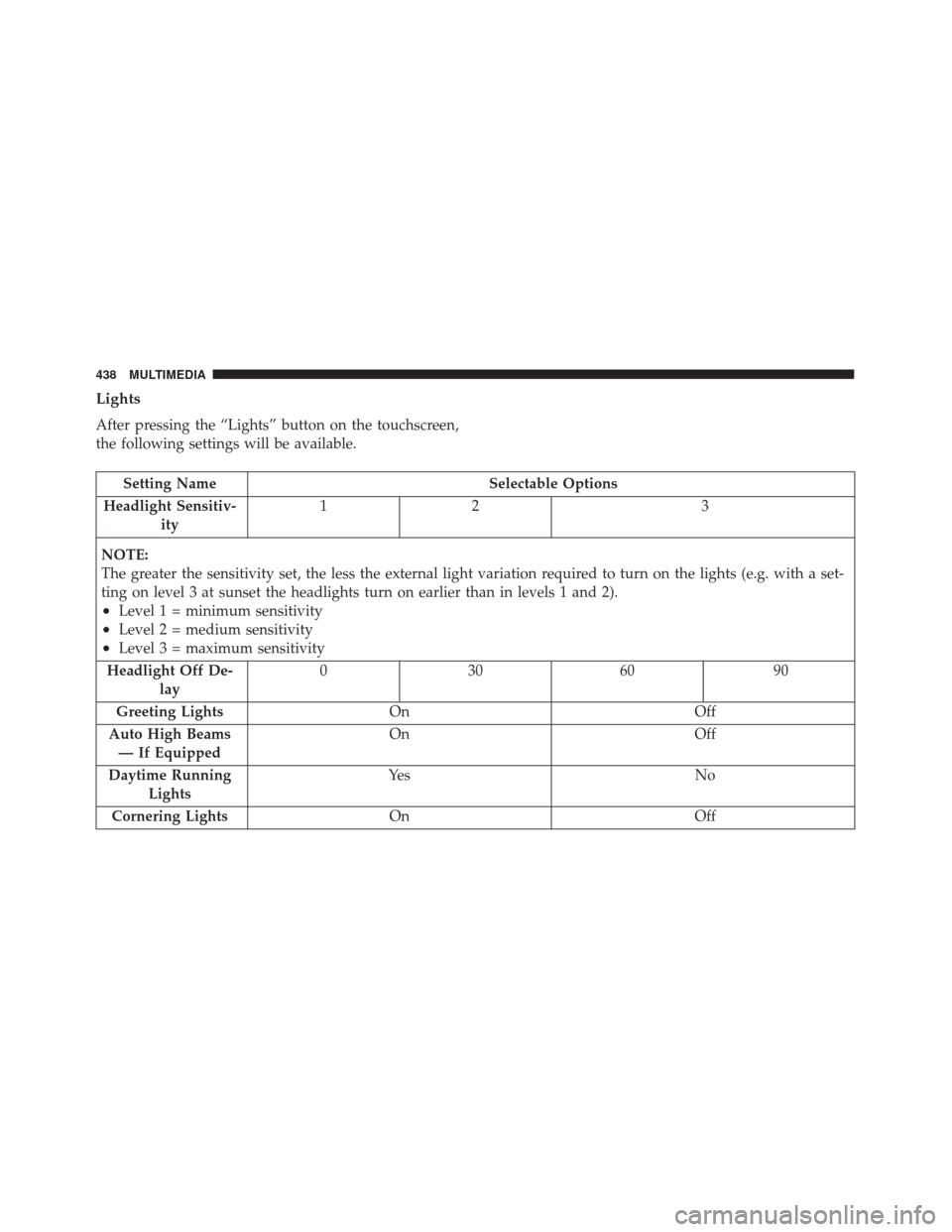
Lights
After pressing the “Lights” button on the touchscreen,
the following settings will be available:
Setting NameSelectable Options
Headlight Sensitiv- ity 12
3
NOTE:
The greater the sensitivity set, the less the external light variation required to turn on the lights (e.g. with a set-
ting on level 3 at sunset the headlights turn on earlier than in levels 1 and 2).
•Level 1 = minimum sensitivity
•Level 2 = medium sensitivity
•Level 3 = maximum sensitivity
Headlight Off De- lay 03
0609 0
Greeting Lights On Off
Auto High Beams — If Equipped On
Off
Daytime Running Lights Ye s
N o
11
MULTIMEDIA 423
Page 427 of 476
Setting NameSelectable Options
Passive Entry On Off
Remote Door Unlock/ Door Unlock Driver
All
NOTE: When “Driver” is selected, only the driver’s door will unlock on the first push of the key fob unlock
button, you must push the key fob unlock button twice to unlock the passenger’s doors. When “All” is selected,
all of the doors will unlock on the first press of the key fob unlock button.
Engine Off Options
After pressing the “Engine Off Options” button on the
touchscreen, the following settings will be available:
Setting Name Selectable Options
Headlight Off Delay +–
NOTE: When this feature is selected, the driver can choose to have the headlights remain on for 0, 30, 60, or 90
seconds when exiting the vehicle.
Radio Off Delay 0 MIN20 MIN
11
MULTIMEDIA 425
Page 433 of 476
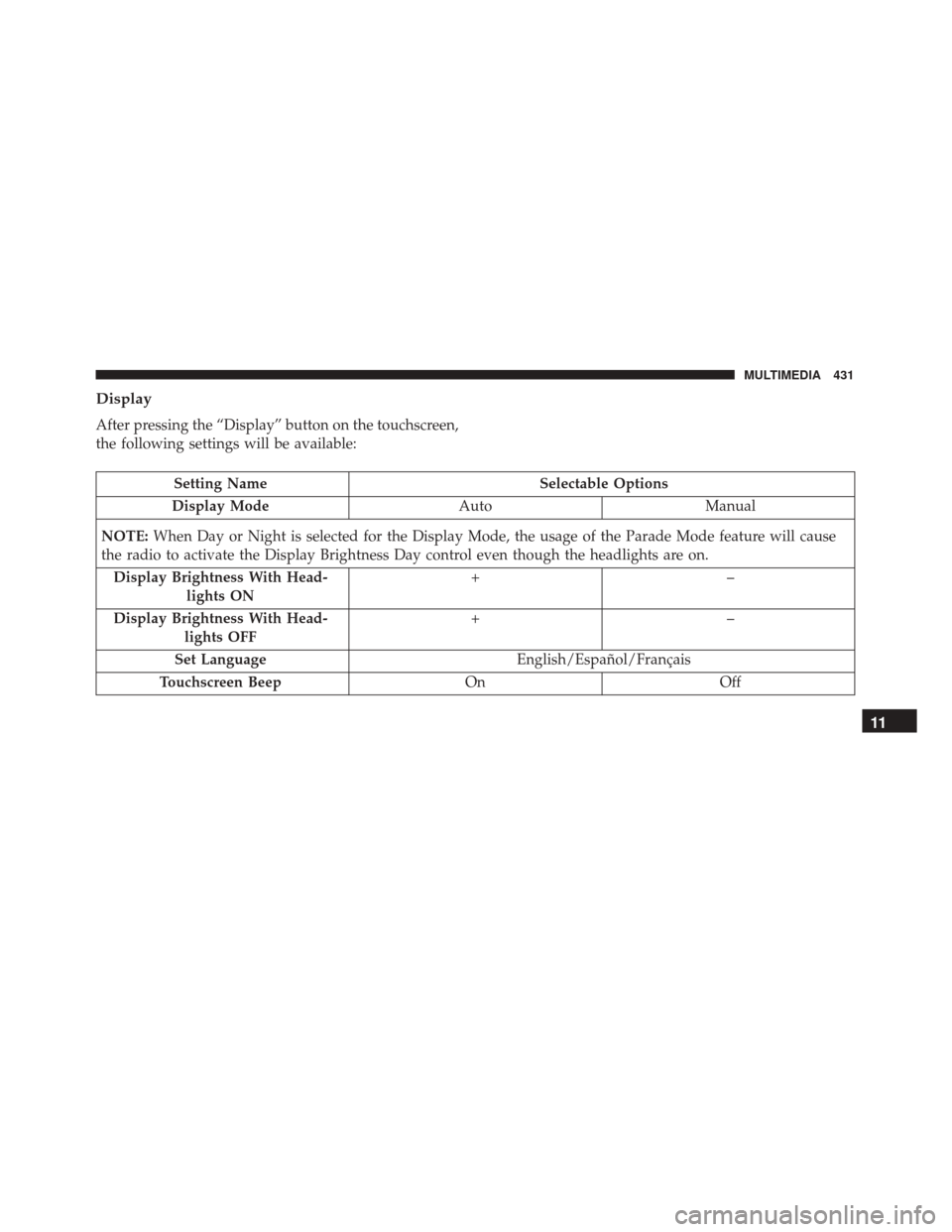
Display
After pressing the “Display” button on the touchscreen,
the following settings will be available:
Setting NameSelectable Options
Display Mode AutoManual
NOTE: When Day or Night is selected for the Display Mode, the usage of the Parade Mode feature will cause
the radio to activate the Display Brightness Day control even though the headlights are on.
Display Brightness With Head- lights ON +–
Display Brightness With Head- lights OFF +–
Set Language English/Español/Français
Touchscreen Beep OnOff
11
MULTIMEDIA 431
Page 440 of 476
Lights
After pressing the “Lights” button on the touchscreen,
the following settings will be available.
Setting NameSelectable Options
Headlight Sensitiv- ity 12
3
NOTE:
The greater the sensitivity set, the less the external light variation required to turn on the lights (e.g. with a set-
ting on level 3 at sunset the headlights turn on earlier than in levels 1 and 2).
•Level 1 = minimum sensitivity
•Level 2 = medium sensitivity
•Level 3 = maximum sensitivity
Headlight Off De- lay 03
0609 0
Greeting Lights On Off
Auto High Beams — If Equipped On
Off
Daytime Running Lights Ye s
N o
Cornering Lights On Off
438 MULTIMEDIA
Page 441 of 476
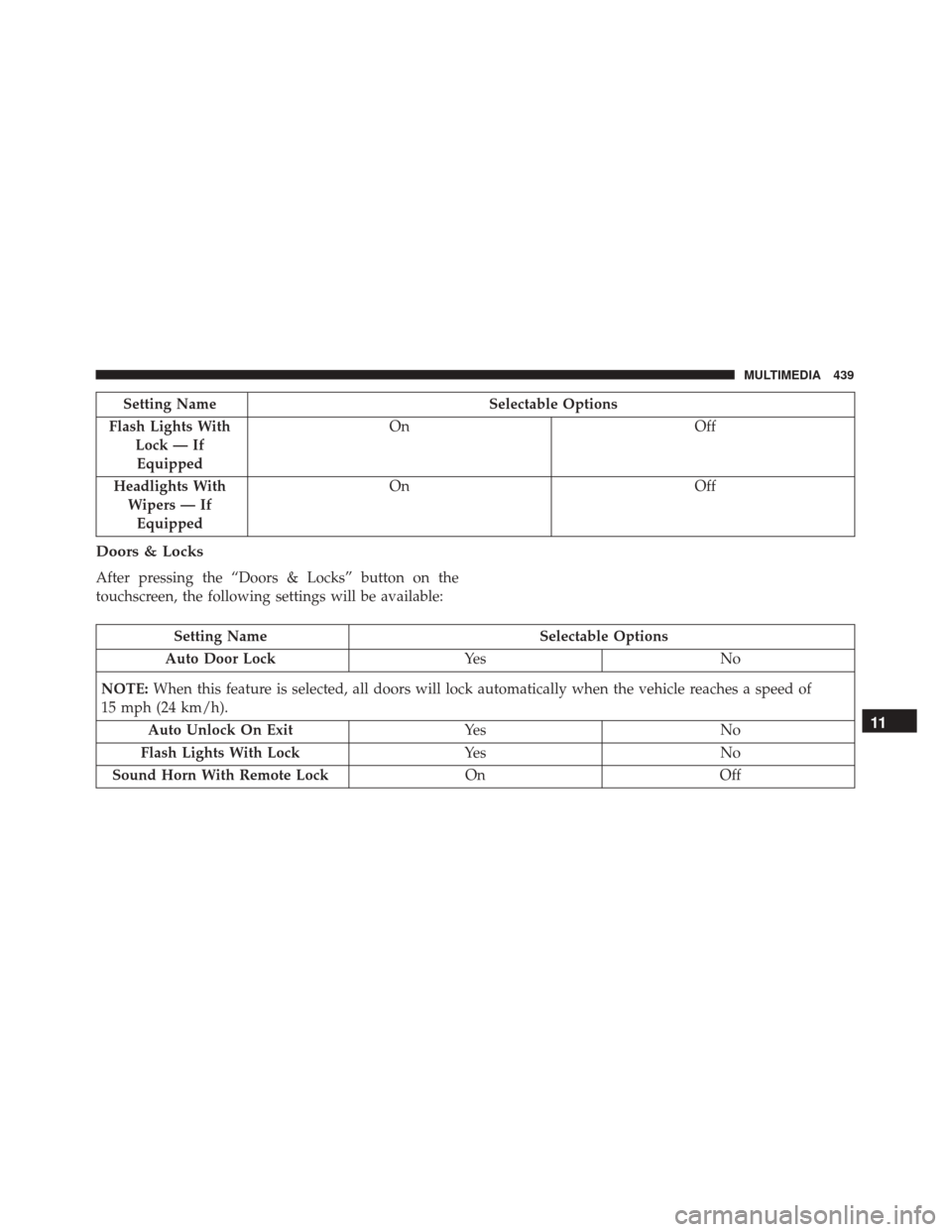
Setting NameSelectable Options
Flash Lights With Lock — IfEquipped On
Off
Headlights With Wipers — IfEquipped On
Off
Doors & Locks
After pressing the “Doors & Locks” button on the
touchscreen, the following settings will be available:
Setting Name Selectable Options
Auto Door Lock Ye sN o
NOTE: When this feature is selected, all doors will lock automatically when the vehicle reaches a speed of
15 mph (24 km/h).
Auto Unlock On Exit Ye sN o
Flash Lights With Lock Ye sN o
Sound Horn With Remote Lock OnOff
11
MULTIMEDIA 439