2014 AUDI A5 COUPE ignition
[x] Cancel search: ignitionPage 84 of 286

82 Transmission
Transmission Manual transmission
Gearshift lever
Applies to vehicles: with manual transmission
The clutch pedal must be depressed all the
way before you can start the engine.
The manual transmission in your Audi is
equipped with an
interlock-feature .
• Depress the clutch pedal all the way.
• Start the engine with the gearshift lever in
Neutral and the clutch pedal depressed.
(D Note
Always depress the clutch pedal fully when
changing gears. Do not hold the vehicle on
a hill with the clutch pedal partially de
pressed. This may cause premature clutch
wear or damage .
@ Tips
-Resting your hand on the gearshift lever
knob while driving will cause premature
wear in the transmission.
- The back-up lights go on when you sh ift
in to Reverse with the ignition on.
Gearshift pattern (6-speed manual
transmission)
Applies to vehicles: with manual transmission
Fig. 82 Gears hi ft pattern : 6 -speed manual tra n smi s
sio n
Engaging reverse gear (R)
• Move the shift lever all the way to the left,
press it down, then push i t forward . Especially
after driving forward, stop the vehi
cle completely, shift into
Neutral and rest the
shift lever briefly in Neutral before shift ing in
to
Reverse.
S tronic, tiptronic
Introduction
Applies to vehicles: with S tronic/tiptronic
T he automatic transmission is controlled elec
tronically. The transmission upshifts or down
shifts automatica lly depending on which drive
program is selected.
When a
moderate driving style is used, the
transmission selects the most economical
driving mode. It will then change up early and
delay the downshifts to give better fuel econ
omy .
T he transmission switches to a sporty mode
after a kick-down or when the driver uses a
sporty driving style characterized by quick ac
ce lerator pedal movements, heavy accelera
tion, frequent changes in speed and traveling
at the maximum speed.
If desired, the driver can also select the gears
manually (tiptronic mode) c> page 86.
Various automatic transmissions may be in
stalled, depending on the model:
S tronic transmission
The S tronic is a dual-clutch transmission.
Power is transferred using two clutches that
work independe ntly from one another. Th ey
replace the torque converter used in conven
tional automatic transmissions and al low the
vehicle to acce lerate without a noticeable in
terruption in tract ion.
tiptronic transmission
In the tiptronic transmission, power is trans
f er red by a torque converter.
Page 85 of 286
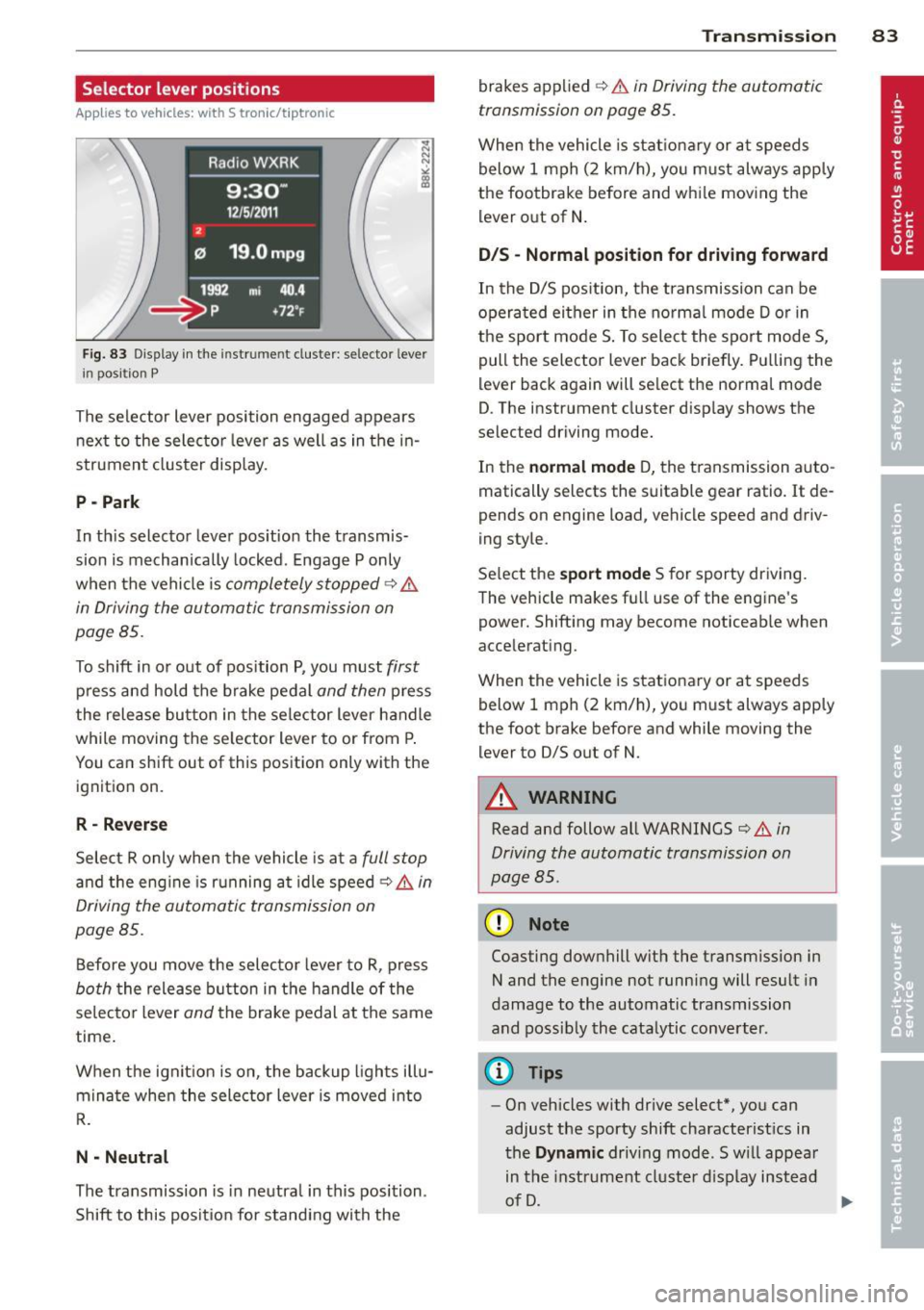
Selector lever positions
Applies to vehicles: with S tronic/t ipt ronic
Fig. 83 Display in th e in str um en t cluste r: selecto r leve r
i n posit ion P
The selector lever position engaged appears
next to the selector lever as well as in the in
strument cluster display.
P -Park
In th is selector lever position the transmis
sion is mechanically locked. Engage P only
when the vehicle is
completely stopped¢ &
in Driving the automatic transmission on
page 85 .
To shift in or out of position P, you must first
press and hold the brake pedal and then press
the release button in the selector lever handle
while moving the selector lever to or from P.
You can shift out of this position only with the ignition on.
R - Reverse
Select R only when the vehicle is at a full stop
and the eng ine is running at idle speed ¢ & in
Driving the automatic transmission on
page 85.
Before you move the selector lever to R, press
both the release button in the handle of the
selector lever
and the brake pedal at the same
time .
When the ignit ion is on, the backup l ights illu
minate when the selector lever is moved into
R.
N -Neutral
The transmission is in neutra l in this position .
Shift to this position for standing with the
Transmission 83
brakes applied ¢ & in Driving the automatic
transmission on page 85.
When the vehicle is stationary or at speeds
below 1 mph (2 km/h), you m ust always apply
the footbrake before and whi le moving the
lever out of N .
DIS -Normal position for driving forward
In the D/S pos ition, the transmission can be
operated either in the norma l mode D or in
the sport mode S . To select the sport mode S ,
pull the selector lever back briefly. Pulling the
lever back again will se lect the normal mode
D . The inst rument cluster display shows the
selected driving mode.
In the
normal mode D, the transmission auto
matically selects the suitabl e gear ratio.
It de
pends on engine load, vehicle speed and driv
ing style.
Select the
sport mode S for sporty driving.
The vehicle makes fu ll use of the engine's
powe r. Shifting may become noticeab le when
a ccelerating.
When the veh icle is stationary or at speeds
below
1 mph (2 km/h), you must always apply
the foot brake before and while mov ing the
lever to 0/S out of N.
A WARNING
Read and follow all WARNINGS ¢ & in
Driving the automatic transmission on
page BS.
(D Note
-
Coasting downhill with the transm ission in
N and the engine not running will result in
damage to the automatic transmission
and possibly the catalytic converter.
(D Tips
- On vehicles with drive select*, you can
adjust the sporty shift characteristics in
the
Dynamic driv ing mode .Swill appear
in the instrument cluster display instead
of D.
Page 86 of 286

84 Transmi ssion
-If you accidenta lly select N while driv ing ,
ta ke your foot off the acce lerator pedal
i mmediately and wait for t he eng ine to
s low down to idle before se lecting 0/5.
- If there is a power failure, the se lector
l ever will not move out of the P position.
The emergency release can be used if
t hi s happens
¢ page 89.
Automatic Shift Lock (ASL)
Applies to vehicles: with S tron ic/tiptronic
The Automatic Shift Lock safeguards you
agains t acciden tally shifting into a forward or
the reverse gear and causing the vehicle to
move unintentionally.
Fi g. 84 Shi ft gate : se lector lever loc k po siti ons a nd re
le ase button highlig hte d
The selector lever lock is released as fo llows:
• Turn the ign ition on.
• Step on t he b rake peda l.
At the same time
press and hold the release button on t he
s ide of the gear se lector knob
c::> fig. 84 w it h
you r th umb until you have moved the se lec
tor leve r to the des ired pos it ion .
Automatic selector lever lock
The selector lever is locked in the P and N po
sitions when the ignition is turned on. You
must press the brake pedal and the release
button to select another position. As a re
minder to the d river, the fo llow ing warning
appears in the inst rument cluste r display
when t he se lector is in P and N:
When stationary apply brake pedal while se lecting gear T
he Autom atic Shift Loc k only funct ions when
t h e vehicle is stationary o r at speeds be low
1 mph (2 km/ h).
At speeds above abo ut 1 mph (2 km/h) the
A utoma tic Shift Lock is automatically deac ti
vated in the N position.
A time de lay elemen t preven ts the sele ctor
l ever from lo cking when i t is moved through
the N pos itio n (going from R to D/S) . The loc k
ing element w ill lock the se lecto r lever if the
l ever is left in N (Neutra l) for more than ap
proximate ly 2 seconds, witho ut the brake ped
al be ing pressed .
Release button
The re lease bu tton on the se lector lever pre
vents the lever from being acc identally shifted
i nto certa in positions. Depending on the d irec
t ion of t he shift, the selector lever locks at dif
ferent posit ions . The positions are highlig hted
in the illustrat io n
c::> fig. 84.
Ignition key safety interlock
The key can not be remove d from the ig nition
u nless the selector lever is in the P park pos i
t ion. When t he ignition key is removed, the
selector lever will be locked in t he P position.
Driving the automatic transmission
Applies to vehicles: with S tronic/tiptron ic
Fi g. 8 5 Sh ift gate o n th e cen te r console: se lector leve r
w ith release b utto n
Starting the engine
"'The selector lever must be in P or N .
Starting off
• Press and hold the br ake peda l.
Page 96 of 286

94 Audi adapti ve cruise control and bra king gu ard
A WARNING
Improper use of the adaptive cruise con
trol can cause coll is ions, other acc idents
and ser ious personal injuries.
- Pressing the
ISETI button when driving at
speeds below 20 mph (30 km/h), will au
tomatically accelerate the veh icle to
2 0 mph (30 km/h), which is the m ini
mum speed that can be set.
0) Tips
- If you switch the ignition or the adapt ive
cruise control off, the set speed is erased
from the system memory.
- The electronic stabilization control (ESC)
and the anti-slip-regu lation (ASR) are au
tomatically tu rned on when the adaptive
cruise control is turned on. Both sys tems
cannot be turned off if the adaptive
cruise control is turned on.
Changing the speed
Applies to vehicles: with Audi adap tive cruise control
0
f
• 0
Fig. 96 Selector leve r: changing the speed
.. To increase or reduce the speed in incre
ments,
tap the lever up o r down .
.. To increase or reduce the speed quickly,
hold
the lever up or down unti l the red LE D @
reaches the desired speed¢
page 93,
fig. 95.
Fo llowing any changes, the new stored speed
will be disp layed briefly in the display @
¢ page 93, fig. 95.
Interrupting cru ise control
Applies to vehicles: wit h Audi adapt ive cr uise contro l
Fig. 9 7 Selec to r lever
Requ irement: adaptive cruise control must be
switched on
¢fig. 97 @.
Ove rri ding crui se con tro l
.. To acce le rate manually, press the accelera
tor peda l. The message
ACC o ver ride ap
pears .
.. To resume adaptive cruise control, remove
your foot from the gas pedal. The system re
turns again to the speed that was saved be
fore.
.. You can save a new speed at any time by
p ressing the
ISET I button ¢ page 11, fig. 4.
Cance ling cruise control whil e dri ving
.. Move the lever into position @. The mes
sage
A CC st a ndby appears. Or
.. press the brake pedal.
.. To resume the stored speed, move the lever
into position @.
A WARNING
Never resume the stored speed if the
speed is too high for prevailing road, tra f
f ic or weather conditions.
Page 97 of 286
Audi adapt ive crui se c ontrol an d bra kin g guard 95
Setting the distance
Applies to vehicles: with Audi adaptive cruise control
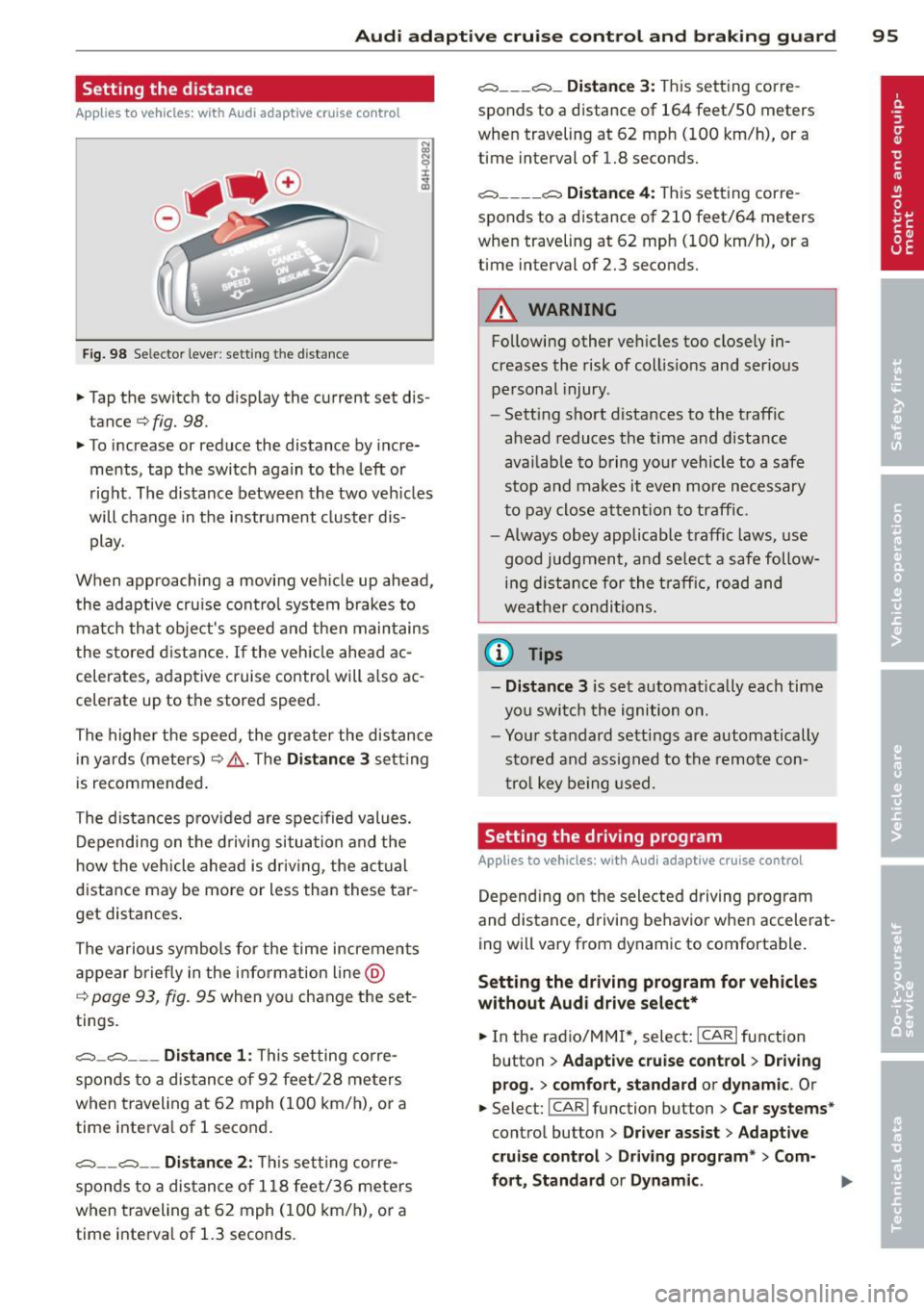
Fig. 98 Selector lever: setting the distance
• Tap the switch to display the current set dis
tance¢
fig. 98.
• To increase or reduce the distance by incre
ments, tap the switch again to the left or
right. The distance between the two veh icles
will change in the instrument cluster dis play.
When approaching a moving veh icle up ahead,
the adaptive cru ise contro l system brakes to
match that object's speed and then maintains
the stored d ist ance.
If the veh icle ahead ac
celerates, adaptive cruise control will a lso ac
celerate up to the stored speed.
The highe r the speed, the greate r the distance
in yards (meters)¢ .&,.. T he
Dis tanc e 3 setting
is recommended.
The distances prov ided are spec ified values.
Depending on the drivi ng situation and the
h ow the veh icle ahead is driv ing, the actual
distance may be more or less than these tar
get distances .
The various symbols for the time increments
appear briefly in the information line @
¢
page 93, fig. 95 when you change the set
tings.
c::::,_c::::, ___ Distance 1: This setting corre-
sponds to a distance of 92 feet/28 me ters
when traveling at 62 mph (100 km/h), or a
time interva l of 1 second.
c::::, __ c::::, __ Distan ce 2 : This setting corre
sponds to a distance of 118 feet/36 meters
when traveling at 62 mph (100 km/h), or a
time interva l of 1.3 seconds .
c::::, ___ c::::,_ Distanc e 3: This setting corre-
sponds to a distance of 164 feet/SO meters
when traveling at 62 mph (100 km/h), or a
time interval of 1.8 seconds.
c::::, ___ _ c::::, Di stanc e 4: This setting corre-
sponds to a distance of 210 feet/64 meters
when traveling at 62 mph (100 km/h), or a
time interval of 2.3 seconds.
A WARNING
Following other vehicles too closely in
creases the risk of coll is ions and ser ious
personal injury .
- Sett ing short distances to the traffic
ahead reduces the time and distance
available to bring your vehicle to a safe
stop and makes it even more necessary
to pay close atten tion to traffic.
- Always obey applicab le traffic laws, use
good judgment, and se lect a safe follow
ing d istance for the t raff ic, road and
weather conditions .
@ Tips
- Di stanc e 3
is set automatically each time
yo u swi tch the ignition on.
- You r standard settings are automatically
stored and assigned to the remote con
t ro l key be ing used.
Setting the driving program
Applies to vehicles: with Audi adaptive cruise control
Depend ing on the selected driving program
and distance, driving behavior when accelerat
ing will vary from dynamic to comfortable.
Setting the d riv ing program f or vehicles
without Aud i dri ve sel ec t*
• In the radio/MM!*, select: !CARI function
button
> Ad apt ive crui se control > Drivin g
p rog. > comfort, st a nd ard or dyna m ic.
Or
• Select: !CAR I function button > Car s yste m s*
control button > Dr iver a ssist > Adapti ve
crui se control> Driv ing program " > Com-
f o rt , St andard or Dynamic .
IJI-
Page 110 of 286

108 Park assist
Approaching another obstacle will result in
the distance warning sounding at the normal
volume again.
Malfunctions in the system
If a warning tone is audible for about five sec
onds when you turn on the ignition, there is a
malfunction in the system. Have the problem
corrected by your authorized Audi dealer.
Keep the sensors in the rear bumper clean and
free from ice so that the acoustic park assist
system can function properly.
A WARNING
-Sensors have dead spaces in which ob
jects cannot be detected. Be especially
alert for small children and animals,
since they are not always detected by the sensors.
- The acoustic parking system is not a sub
stitute for the driver's own caution and alertness . Ultimate responsibility always
remains with the driver during parking
and similar maneuvers. Always watch
where you are driving.
- You should always adjust the volume and
frequency of the warning tones so that
you can easily hear the acoustic distance
warning even if the radio is playing, the
air-conditioner blower is on High or there is a high level of outside noise.
- Check the settings whenever anyone
else has driven the vehicle before you .
{[) Note
-Remember that low obstacles for which
-
a warning has already been issued may
"dive" below the system's sensing zone if
the vehicle is being backed up closer . In
this case, the warning sound shutting off
does
not indicate that you have cleared
the obstacle. Instead, impact is immi
nent.
- Objects such as trailer hitches, chains,
narrow posts or fences covered by a thin
layer of paint may not always be detect- ed by the system. They can still damage
your vehicle without warning.
(D Tips
Keep the sensors in the rear bumper clean
and free of snow and ice so that the acous
tic parking assist system can function properly.
Adjusting the warning tones
Applies to vehicles: wit h parking syste m (rear)
The warning tones con be adjusted in the
MMI*.
.. Select: I CAR I function button > Parking sys
tem .
Or
.. Select:
!CAR I function button > Car systems*
control button > Driver assist > Parking aid.
- Rear volume -
rear sensor volume
-Rear frequency -rear sensor frequency
-Music volume while parking -when the
parking system is switched on, the volume
of the active audio source is lowered.
The newly adjusted value is briefly heard from
the signal generator. The settings are auto
matically stored and assigned to the master
key with remote control.
Page 113 of 286

Switching off
• Drive faster than 9 mph (15 km/h), or
• take the vehicle out of reverse gear. The
acoustic parking system is immediately de
activated, and the rear view camera picture is deactivated automatically after a period
of about 15 seconds, or
• switch off the ignition.
The delay in deactivating the camera provides
an uninterrupted view behind the vehicle es
pecially when maneuvering in tight parking
spaces and prevents the picture from turning
off the every time you sh ift out of reverse .
If the warning message appears in the display but not the rear view camera picture, read and
confirm the warning message . The acoustic
d istance signal is always active.
If you press a function button on the MMI
control console, the rear view camera picture
disappears . The rear view camera picture reap
pears the next time you park.
Further information on the warning message
and the MMI control console can be found in
the MMI instruction booklet.
A WARNING
- Only use the rearview camera to assist
you if it shows a good, clear picture. For
example, the image may be affected by
the sun shining into the lens, dirt on the
lens or if there is a defect.
- Use the rearview camera only with the
rear lid completely closed. Make sure any
objects you may have mounted on the
rear lid do not block the rearview cam
era.
(D Tips
- The rear v iew camera picture is available
as soon as the MMI Display or the MMI is
switched on, or the start-up phase is
completed.
- The sensors must be kept clean and free
of snow and ice for the park assist to op
erate.
Park assist 111
- You can change the vo lume and pitch of
the signals as we ll as the disp lay
~page 113.
-What appears in the display is time-de
layed.
Reverse Parking
App lies to vehicles: wit h parking system (rear, with rear
v iew camera}
Parking mode 1 can be used when parking in
a garage or parking space.
Fig. 112 MMI Display: Aim ing at a park ing spot
Fig. 113 MMI Disp lay : Al ign ing the veh icle
• Switch the MMI on and select the reverse
gea r.
• Turn the steering wheel until the orange ori
entation lines (!) appear in the parking spot
i=> fig. 112. Use the markings @to help you
estimate the distance from an obstacle.
Each marking corresponds to 3 ft (1 m). The
blue area represents an extens ion of the ve
hicle's outline by approximately 16 ft (5 m)
to the rear.
• Wh ile driving in reverse gear, adjust the
steer ing whee l angle to fit the parking space
with the aid of the orange orientation lines
i::>0 .@ marks the rear bumper. You should
stop driving in reve rse as soon as and no
Ill>-
Page 116 of 286

114 Park assist
_&. WARNING
-Always make sure that the volume and
frequency of the warning tones is adjust
ed so that you can easily hear the acous
tic distance signal even if the radio is
playing, the air-conditioner blower is on
High or there is a high level of outside
noise.
- Check the settings whenever someone
else has driven the vehicle before you.
@ Tips
-The warning tones can also be adjusted
directly from the rear view camera im
age . Simply press the Settings* control
button.
- Changed settings are activated when
parking assist is switched on again.
Error messages
Applies to vehicles: wit h parking system (rear, wit h rear
v iew camera)
-
If a warning tone is audible for about five sec
onds when you turn on the ignition, there is a malfunction in the system. Have the problem
corrected by your authorized Audi dealer.
Keep the sensors in the rear bumper clean and
free from ice so that the acoustic park assist
system can function properly.