2014 AUDI A5 COUPE ignition
[x] Cancel search: ignitionPage 48 of 286

46 Clear vis ion
Interior lights
Front /rear interior lights
Fig . 37 Front headliner: inte rior lighting controls
Fig. 38 Rear headliner: rear reading lights
@Interio r ligh ts
Press the switch ~ fig. 3 7 in the correspond
ing position.
0 -Interior lights off
I -Interior lights on
If the switch is in the center position, the inte
rior l ights turn on automatically when you un
lock the vehicle, open a door or remove the ig
n ition key. The interior lights turn off several
seconds after your close the doors , when you
lock the vehicle or when you turn the ign it ion
on. When a door is open, the light tu rns off
after a few minutes.
@ Front /rear r eading lights
To turn a reading light on/off, press the but
ton~
~ fig. 37 or ~fig. 38.
The appearance and location of the rear read
ing lights may differ depending on the model.
Instrument illumination
The basic brightness of the illumination for
the instruments, the center console and the
display can be adjusted .
Fig . 39 Inst rume nt illu mination
.,. Press the knob to release it .
.,. Turn the knob toward"-" or"+" to reduce or
increase the brightness .
.,. Press the knob again to return it to its origi
nal posit ion.
(!') Tips
The instrument i llum ination (for dials and
needles) lights on when the ignition is
switched on and the vehicle lights are
turned off . As the daylight fades, the illu
mination of the dia ls likewise dims auto
matically and wi ll go out completely when
the ou tside light is very low. This feature is
meant to rem ind you to sw itch on the
headlights when ou tside light conditions
become poor .
Vision
Adjusting the exterior mirrors
Fig . 4 0 Forward section of driver's armrest: power mir
r or controls
Page 49 of 286

Turn the knob to the desired position:
Q/ P -In th is position , you can adjust the
d river's and front passenger's ex ter io r mir ro rs
by turning the knob in the des ired direc tion.
(ijjl -The mirrors are heated depending on the
ou tside temperature.
P assenger exter ior mirro r tilt function*
To help yo u see the curb when backing into a
parking space, the surface of the mi rror tilts
slightly . The knob must be in the P posit ion
for this to happen .
You can adjus t the tilted mirror sur face by
turn ing the knob in the des ired direction .
When you move out of reverse and into anoth
e r gear, the new mirror posit ion is stored a nd
assig ned to t he key you are using.
T he mirror goes back into its origina l posit io n
once yo u drive forward faster than 9 mph
(15 km/h) or switch the ignition off .
_& WARNING
Curved mirror sur faces (convex or sp he ri
c al *) in cre ase yo ur field o f view. Remem
ber that vehicles or o ther objects will ap
pear smaller and farther away than when
seen in a flat m irror. If you use this mirror
to estimate distances of following veh icles
w hen changing lanes, you co uld estimate
incorrectly and cause an accide nt.
(D Note
- If yo u wash t he ve hicle in an automatic
car wash, yo u m ust fold the exterior m ir
rors in to reduce the r isk of damage to
the mirrors.
{!) Tips
- The exterior mirror settings are stored
with the memory funct ion*
r=> page S 7.
- If there sho uld be a ma lf u nction in the
electr ical system, yo u can st ill adjust the
exter ior mirrors by press ing the edge of
the mirror .
.
Clear vision 4 7
Dimming the mirrors
N
~
><
~===~=======~ ~
Fig. 41 Auto matic dimmin g rearv iew mirro r*
Manual d imming rearview mir ror
.,. Pull the lever on the bottom of the mirror
back .
Automat ic dimming rearview mirror*
.,. Press the b utton @'*
fig. 41. The indica to r
light @ turns on . The rearview and ex terio r*
mi rrors dim a utomatically when light shines
on them, for example from headlights on a
veh icle to the rear .
_& WARNING
-
Electrolyte fluid can leak from aut omatic
d imm ing mirrors if the glass is broken .
E lec trolyt e fluid can irritate skin , eyes and
res pirato ry system.
- Repeated or prolonged exposu re to elec
trolyte can ca use i rritation to the respira
to ry sy stem, especially among people
wit h asthma or o ther resp iratory co ndi
tions . Ge t fresh a ir immediately by leav
ing the vehicle o r, if tha t is no t possib le,
open w indows and doors all the way.
- If electroly te gets in to the eyes, f lush
them thorough ly with large amounts of
clean water for at least 15 minutes;
medical attention is recommended.
- If electrolyte contacts skin, fl ush affect
ed area with clean water for at least 15
minutes a nd the n wash affected area
wit h soap and water; medical attention
is recommended. Thoroughly wash af
fected cloth ing and shoes before re use .
.
Page 50 of 286

48 Clear vision
-If swallowed and person is conscious,
rinse mouth with water for at least 15
minutes. Do not induce vomiting unless
instructed to do so by medical professio
nal. Get medical attention immediately.
d) Note
Liquid electrolyte leaking from broken mir
ror glass will damage any plastic surfaces
it comes in contact with. Clean up spilled
electrolyte immediately with clean water
and a sponge.
@ Tips
- Switching off the dimming function of
the inside rear view mirror also deacti
vates the automatic dimming function of
the exterior mirrors.
-Automatic dimming for the mirror only
operates properly if the sun shade* for
the rear window is not in use or the light
striking the inside mirror is not hindered
by other objects.
- The automatic dimming mirrors do not
dim when the interior lighting is turned
on or the reverse gear is selected.
Sun visors
Fig. 42 Drive r's side : su n v isor
The sun visors for the driver and passenger
can be pulled out of their brackets in the cen
ter of the vehicle and turned towards the
doors
(D .
The mirror light switches on when the cover
over the vanity mirror @opens .
Sun shade
Applies to vehicles: with sun shade
The rear window is equipped with a sun
shade.
Fig. 43 W ith MM I: Bu tton for rear window sun s hade
Fig. 44 Withou t MMI : Button for rea r win dow s un
shade
.. To extend/retract the sun shade, press the
~ button c::> fig. 43 or c::> fig. 44 .
You can adjust the settings for the rear sun
shade so the shade retracts automatically
when you select the reverse gear. To do this,
select the
I CAR I function button > Windows >
Rear blind> automatic> on or I CAR I function
button
> Car systems* control button > Vehi
cle settings> Automatic rear blind > On .
The
current setting is automatically stored and as
signed to the remote key. The sun shade is ex
tended again as soon as the vehicle is travel ing forward at a speed greater than 9 mph
(15 km/h) if the ignition has not been switch
ed off in the meantime.
_8 WARNING
= When lowering or raising the sunshade,
make sure there is nothing in its way and
that it has a free path to travel. This could
cause personal injury.
-
Page 51 of 286

@ Tips
-Pressing the button~ several times
consecutively can trigger the overload protection. The sun shade can only be ex
tended/retracted again after a brief wa it
i ng per iod.
- The rear window sun shade only func
tions when the veh icle inter ior is warmer
than 14°F (-10°C).
Wiper and washer system
Switching the windshield wipers on
Fi g. 45 Windshield wiper lever
Move the windshield wiper lever to the corre
spond ing position:
@ -Windshie ld w iper
off
CD -Interval mode. To extend/shorten the
wiper intervals, move the switch @to the
l eft/right. I n veh icles with a rain sensor* the
wipers turn on in the ra in once the vehicle
speed exceeds approximate ly 2 mph (4 km/h).
The highe r the sensitivity of the rain sensor* is
set (switch @to the right), the earlier the
windshie ld w ipers react to moistu re on the
windshie ld. In some models, you can switch
rain sensor mode
off and switch intermittent
mode on in the MMI*. Select:
ICAR I funct ion
button
> Car sy stem s* contro l butto n > Driver
as sist > Rain s en sor .
In inte rmittent mode '
you can adjust the interval time using the @
sw itch.
@ -Slow wip ing
® -Fast wiping
Clear vi sion 49
@ -Single wipe
® -C lean the w indshie ld. To elim ina te wate r
drople ts, the windsh ield w iper pe rform s one
afterw ipe operation after severa l se conds
whi le dr iving. You can sw itch this f unction
off
by moving the leve r to positio n® within 10
seconds of the afterwipe operat ion . The after
wipe function is reactivated the next t ime the
ignition is switched on .
Cleaning the headlig hts* . The headlight wash
er system * operates only when the headlights
are o n. If you move the lever to position @,
the headlights are washed in intervals.
A WARNING
- The rain senso r is only intended to assist
the dr iver. The d river is st ill responsib le
for manually switc hing the wipers on ac
cording to the vi sibility cond itions.
- The windsh ield may not b e treated with
wate r-repell ing windsh ield coating
agen ts. Un fa vo rable cond iti ons, s uch as
we tnes s, d arkn ess, low sun, can result in
increased g lare. Wiper blade c hatter is
a lso possib le .
- P rope rly f unct io ni ng win dsh ield wipe r
b lades are re quired for a clear view and
safe driving
~ page 50, Replacing
windshield wiper blades.
(D Note
- I n the case of frost, check whethe r the
w indshield wiper blades are frozen to
the winds hield. Switchi ng on the wind
shield wipers can damage the wiper
blades!
- Pr ior to using a car wash, the windshield
w iper system must be sw itched
off ( lever
in posit ion @). T his he lps to prevent un
intentional switching on and damage to
t he windsh ield wiper system.
@ Tips
- The windshiel d w ipers are switched off
when the ig nition is tu rned off. Act ivate
t he windsh ield wipers after the ignition
Page 52 of 286

50 Clear vis ion
is sw itched b ack on by mov ing the
winds hield wiper lever to any position .
- Worn or dirty windshie ld wiper b lades
r es ult in streaking. This can affect the
rain sensor* function. Check your wind
shield wiper b lades regularly.
- The was her fluid nozzles of the wind
s h ield washer system are heated at low
temperatures when t he ignit ion is on.
- When stopping temporarily, (e .g . at a
traff ic light) the set speed of the wind
shield wipers is automatically red uced by
one speed.
Cleaning windshield wiper blades
C lea n the w indshield wiper blades when they
begin to leave streaks . Use a soft cloth and
g lass cleaner to clean the winds hield wiper
b lades.
,. Place the windshield wiper arms in the serv
i ce position . Refer to ¢
page 50.
,. Lift the w iper arm away from the front win
dow.
& WARNING
Dirty windshie ld w iper blades can impa ir
your view. This can lead to acc idents .
Replacing windshield wiper blades
Fig . 4 6 Remov ing w inds hie ld w ipe r blade
-
Wiper service position /blade replac ement
position
,. Swi tch the ig nition off and move the w ind
shield wiper leve r to posit ion @ ¢
page 49,
fig. 45 . The wi ndshield wipe rs move into the
service position. ,.
To bring the w ipers back into the origina l
position , switch the ignition on and p ress
the windshield wiper lever.
You can also t urn the serv ice posi tion on or
o ff
in the radio/M M!*:
,. Switch the windshie ld wipers
off (position
@ ¢ page 49, fig. 45) .
,. Select: !CAR I function button> Windshield
wipe rs
> Ser vice position > on/off . Or
,. Select:
!CARI function button > Car systems*
cont rol butto n > Servicing & checks > Wiper
s ervice position
> On /Off .
Removing the wiper bl ade
,. Lift the windsh ie ld wiper arm up from the
w indshield.
,. Press the locking knob
(D ¢ fig. 46 o n the
w iper blade . Hold the wipe r blade firmly .
,. Remove the wipe r blade in the direction of
t he arrow .
Attaching the wiper blade
,. Insta ll the new wiper blade in the reta iner
on the wiper arm @unt il you hear it click in
to p lace on the w iper arm .
,. Place t he wiper a rm back on the windshield.
,. Tur n the se rvice position
off.
& WARNING ~
F or your safety, you sho uld rep lace the
wiper b la d es once o r twice a yea r. See your
authorized Audi dealer fo r replacement
b lades.
(D Note
- T he windshie ld wiper b lades m ust only
be rep laced when in the service position!
Otherw ise, you risk damag ing the pa int
on the hood o r the windshie ld w iper mo
tor.
- Yo u should not move your veh icle or
press the windsh ie ld wiper lever when
the wiper arms are folded away from the
w indshield. The winds hield wipers wou ld
move back into their or iginal position
and co uld damage th e hood a nd wind
shield.
Page 56 of 286

54 Seats and storage
close to this position as possib le
¢ page 56.
A WARNING
Never place any objects in the driver's foot
well. An object could get into the pedal area and interfere with pedal function. In
case of sudden braking or an accident, you
wou ld not be ab le to brake or accelerate .
Front passenger's seat
Always move the front passenger seat into
the rearmost position .
To avoid contact with the airbag whi le it is de
ploying, do not sit any closer to the instru
ment panel than necessary and always wear
the three-point safety belt provided adjusted correctly . We recommend that you adjust the
passenger's seat in the following ma nner:
• Bring the backrest up to an (almost) upr ight
pos it ion. Do not ride with the seat reclined .
• Applies to vehicles with adjustable head re
stra ints: Adjust the head restrain t so the up
per edge is as even as possible with the top
of your head . If that is not possible, try to
adjust the head restra int so that it is as
close to this position as possible
¢ page 56.
• Place your feet on the floor in front of the
passenger's seat.
Front seats
Power seat adjustment
Applies to vehicles: with power adjustab le seats
Fig. 4 9 Fr ont seats: powe r seat adjustme nt
Controls
@ -Adjust ing the lumbar support *: press the
button in the corresponding position ¢ .&, .
@ -Moving the seat up/down: press the b ut
ton up/down ¢ .&, .
@ -Moving the seat forward/back : press the
button forward/back ¢.&, .
©-Adjust ing the backrest angle : press the
button forward/back ¢.&, .
©-Raising/lowering * the head restraints:
press the button up/down¢.&, .
@ -Lengthening/shortening the upper thigh
s u pport* : lift the hand le. A spring moves the
front seat c ushion forward ¢ .&, .
A WARNING
--- Never ad just the driver's or front pas
senger's seat whi le the vehicle is moving.
If you do th is while the veh icle is moving,
you will be out of position . A lways ad just
the dr iver's or front passenger's s eat
when t he vehicle is not mov ing.
- Be ca reful when ad justing the seat
he ight . C hec k to see that no one is in the
way, or serio us inju ry co uld resu lt!
- Because the seats can be e lectrically ad
justed w ith the ignition off o r with the
ig nit ion key removed, never le ave chil
d ren una ttended in the veh icle. Unsuper
vised use of the elec tric seat adjust
ments may cause serious injury.
- T o reduce the risk of injury in t he c ase o f
sudden braking o r acciden t, front pas
sengers must never ride in a movi ng ve
h icle with the back rest reclined. Safety
be lts and the airbag system only offer
maximum protection when the backrest
is upr ight and the safety belts are prop
erly positioned on the bo dy. The more
the backrest is r eclined, the greater the
ris k of persona l inju ry from an incorrect
sea tin g po sit ion and improperly pos i
tioned safety belts .
Page 60 of 286
58 Seats and storage
they are stored, these seat profiles can be
se lected at any time .
I n addition to the driver 's sea t set tings, you
can also s tore and access the exterior mir ror
adj ustment settings* using the remote con
trol key or memory button .
Remote control key
Applies to vehicles: with seat memo ry
To assign the driver's seat settings to the re
mote control key when locking the vehicle, the
function must be activated in the radio or
MMI*
.. Se lect :
ICAR I function button> Seat adj ust
ment
> D riv er's s eat > Remote control key >
on .Or
> Select: ~ I C~ A~ Rc-, 1 funct ion button > Car sy st e m s*
control button > Vehicle setting s > Seat s>
Driv er' s s eat > Remot e control key > On .
@ Tips
If you do not want another driver's set
tings to be assigned to the remote key,
switch off the memory fu nction us ing t he
radio or MMI* or the
ION/OFF I button
qpage58.
Memory buttons
Applies to vehicles: with seat memo ry
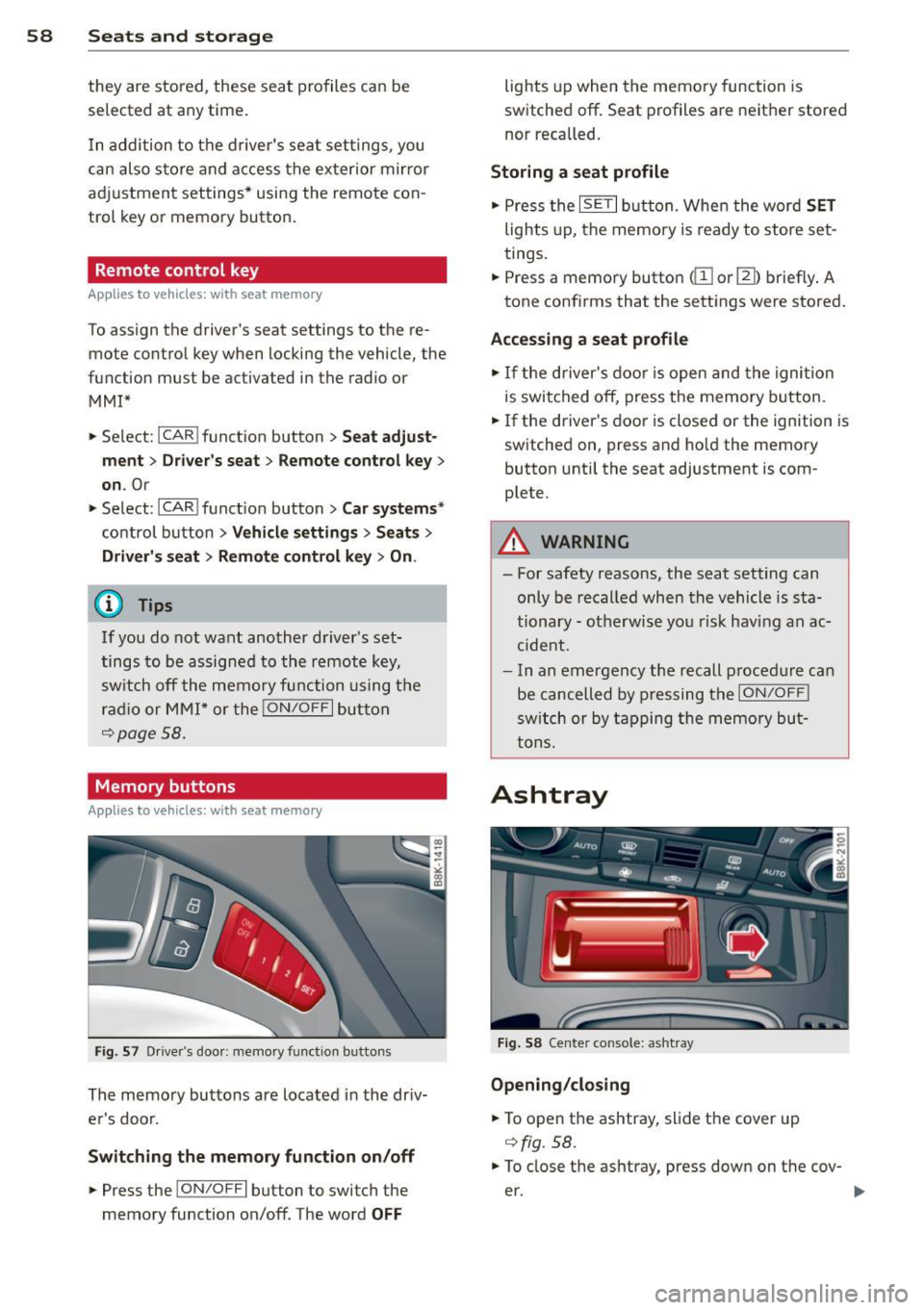
F ig. 57 D river's door: memory functio n buttons
The memory buttons are located in the driv
er's door.
Swit ching the memory fun ction on /off
.. Press the !ON/O FF I button to switch the
memory function on/off. The word
OFF
lights up when the memo ry function is
switched off . Seat profiles are neither stored
nor recalled.
Storing a seat profile
.. Press the ISET I button. Whe n the word SET
lights up, the memory is ready to store set
tings .
.. Press a memory button
dil or III) briefly . A
tone confirms that the sett ings were stored.
Accessing a seat pr ofile
.. If the driver's door is open and the ignition
is swi tched off, press the memory button.
.. If the driver's door is closed or the ignition is
switched on, press and ho ld the memory
button until the seat adjustment is com
plete.
A WARNING
- For safety reasons, the seat setting can
only be recalled when the vehicle is sta
tionary - ot herwise you risk hav ing an ac
cide nt.
- In an emergency the recall p rocedure can
be cancelled by pressing the
I ON/OFF !
switch or by tapping the memory bu t
tons.
Ashtray
F ig . 58 Center console: ashtray
Opening /cl os ing
.. To open the ashtray, slide the cover up
qfig. 58.
.. To close the ashtray, press down on the cov
er.
Page 61 of 286

Emptying the a shtray
• To remove the inse rt, slide the latch to the
right
r:!) fig. 58 -arrow-.
• To insta ll the insert, press it down into the
mount.
A WARNING
Never put waste paper in the ashtray. Hot
ashes or other hot objects in the ashtray
could set waste paper on fire.
Cigarette Lighter
F ig . 59 Front center console: cigarette lighter
• Press the cigarette l ighter in .
• Remove the cigarette lighter when it pops
out.
A WARNING
The cigarette lighter only works when the
ignition is switched on. Incorrect usage
can lead to serious injuries or burns. For
this reason, children should never be left unattended in the vehicle because this in
creases the risk of injury.
(D Note
The cigarette lighter can be damaged if
you connect electrical accessories to it .
Storage
General overview
A WARNING
-Always remove objects from the instru
ment panel. Any items not put away
S ea ts a nd s to rage 59
could slide around inside the vehicle
while driving or when accelerat ing or
when applying the brakes or when driv
ing around a corner.
- When you are driving make sure that
anything you may have placed in the cen
ter conso le or other storage locations
cannot fall out into the footwells. In case
of sudden braking you would not be able
to brake, dep ress the clutch or acce le r
ate.
- Any pieces of clothing that you have
hung up m ust not interfere wit h the dr iv
er's view. The coat hooks are designed
only for lightweight clothing. Neve r hang
any clothing with hard, pointed or heavy
objects in the pockets on the coat hooks. During sudden braking or in an accident -
especially if the a irbag is deployed -
these objects could i njure any passen
ge rs inside the vehicle.
Cupholder
F ig . 60 Center console: front cupholder
F ig . 61 Rear armrest: rear cupho lder
O pe nin g rea r cuphol ders
• To open the cupholder, press on the symbo l
'i@ ¢ fig. 61. ....