2014.5 Citroen C4 DAG reset
[x] Cancel search: resetPage 47 of 340
22
45
C4-2_en_Chap02_ecran-multifonction_ed01-2014
Colour screen
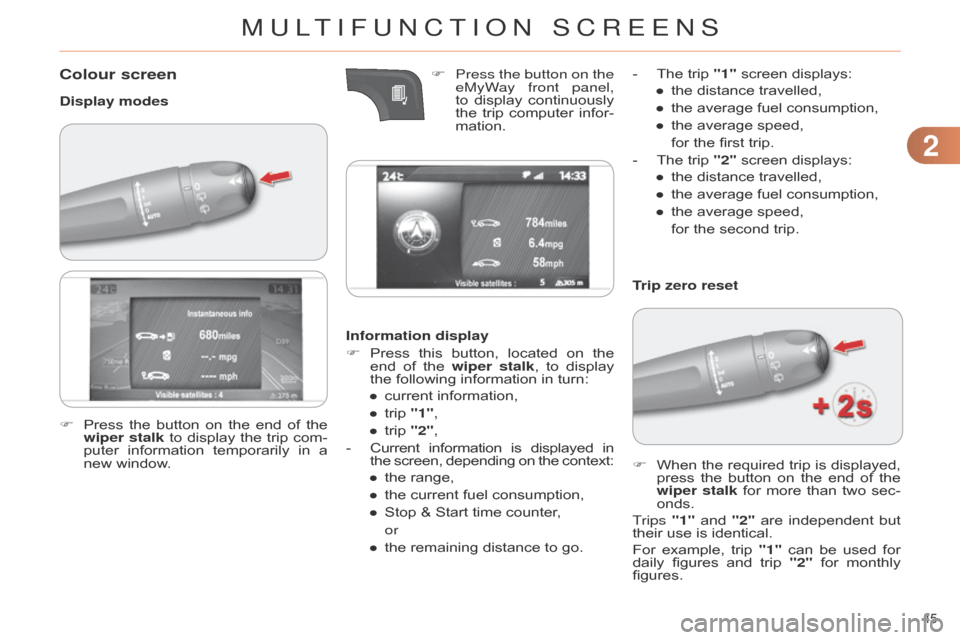
Display modesInformation display
F
Press
this
button,
located
on
the
end
of
the
wiper stalk
,
to
display
the
following information in turn:
●
current
information,
●
trip
"1",
●
trip
"2",
-
Current
information
is
displayed
in the
screen,
depending
on
the
context:
●
the
range,
●
the
current fuel consumption,
●
Stop
& Start time counter,
or
●
the
remaining distance to go.Trip zero reset
F
When
the
required
trip
is
displayed,
press
the
button
on
the
end
of
the
wiper stalk
for
more
than
two
sec
-
onds.
Trips "1"
and
"2"
are
independent
but
their
use is identical.
For
example,
trip
"1"
can
be
used
for
daily
figures
and
trip
"2"
for
monthly
figures.
F
Press
the
button
on
the
end
of
the
wiper stalk
to
display
the
trip
com
-
puter
information
temporarily
in
a
new
window. F
Press the button on the
eMyW
ay front panel,
to display continuously the
trip computer infor -
mation. -
The
trip "1" screen displays:
● the distance travelled,
● the average fuel consumption,
●
the
average speed,
for
the first trip.
-
The
trip "2" screen displays:
●
the
distance travelled,
●
the
average fuel consumption,
●
the
average speed,
for
the second trip.
MULTIFUNCTION SCREENS
Page 48 of 340

22
46
C4-2_en_Chap02_ecran-multifonction_ed01-2014
A few definitions…
This value may vary following a change
in the style of driving or
the
relief,
resulting
in
a
signifi
-
cant
change
in
the
current
fuel
consumption.
If
dashes
are
displayed
continu
-
ously
while
driving
in
place
of
the digits,
contact
a
CITROËN
dealer or
a qualified workshop. This
function
is
only
displayed
from
20 mph (30 km/h).
Range
(miles or km)
This
indicates
the
distance
which
can
still
be
travelled
with
the
fuel
remaining
in
the
tank
in
relation
to
the
average
fuel
consump
-
tion
over
the
last
few
miles
(kilometres)
travelled.
When
the
range
falls
below
20
miles
(30
km),
dashes
are
displayed.
After
fillin
g
with
at
least
5
litres
of
fuel,
the
range
is
recalculated
and
is
displayed
when
it exceeds 60 miles (100 km).Current fuel consumption
(mpg
or l/100 km or km/l)
This
is
the
average
fuel
consump
-
tion during the last few seconds.
Average fuel consumption
(mpg or l/100 km or km/l)
This
is
the
average
fuel
con
-
sumption
since
the
last
trip
computer
zero reset.Average speed
(mph
or km/h)
This
is
the
average
speed
calcu
-
lated
since
the
last
trip
computer zero
reset (ignition on).
Distance travelled
(miles or km)
This
indicates
the
distance
travelled
since the last trip computer
zero reset.
Stop & Start time counter
(minutes/seconds
or
hours/
minutes)
If
your
vehicle
is
fitted
with
Stop
&
Start,
a
time
counter
calculates
the
time
spent
in
STOP
mode during a journey.
It
resets
to
zero
every
time
the
ignition
is
switched on with the key.
The
fuel
consumption
of
your
vehicle
will
be
higher
than
the
official
figures
obtained
by
CITROËN
during
the
first
3
000 miles
(5
000 km)
of
the
vehicle's
life.
MULTIFUNCTION SCREENS
Page 156 of 340

99
154
C4-2_en_Chap09_conduite_ed01-2014
STOP & START
The Stop & Start system puts the en -
gine temporarily into standby - ST OP mode
-
during
stops
in
the
traffic
(red
lights,
traffic
jams,
or
other
...).
The
en
-
gine
restarts
automatically
-
ST
ART
mode
-
as
soon
as
you
want
to
move
of
f.
The
restart
takes
place
instantly
,
quickly
and silently.
Perfect for urban use, the Stop & Start
system
reduces
fuel
consumption
and
exhaust
emissions
as
well
as
the
noise
level
when stationary.
Operation
Going into engine STOP mode
The "ECO" warning lamp comes on in
the instrument panel and the en -
gine
goes into standby automatically:
- with a manual gearbox, at speeds below
12 mph (20 km/h), or vehi -
cle
stationary
with
e-THP 130
and
b
lueH d i
d
iesel versions, when you
put
the
gear
lever
into
neutral
and
release
the clutch pedal, If
your
vehicle
is
fitted
with
the
system,
a
time
counter
calculates
the
sum
of
the
periods
in
ST
OP
mode
dur
-
ing
a
journey
.
It
resets
itself
to
zero
ev
-
ery
time
the
ignition
is
switched
on
with
the
key.
-
with
an electronic gearbox, at a
speed
below
5
mph
(8
km/h),
when
you
press
the
brake
pedal
or
put
the
gear
lever into position N.With
an
electronic
gearbox,
for
your
comfort
during
parking
maoeuvres,
ST
OP
mode
is
not
available
for
a
few
seconds
after
coming
out of reverse gear.
STOP
mode
does
not
af
fect
the
functionality of the vehicle, such
as
braking,
power
steering,
for
example.Special cases: ST
OP mode
unavailable
STOP
mode is not invoked when:
-
the
vehicle
is
on
a
steep
slope
(up
or
down),
-
the
driver's door is open,
-
the
driver's
seat
belt
is
not
fastened,
-
the
vehicle
has
not
exceeded
6
mph
(10
km/h)
since
the
last
engine
start
using
the key,
-
the
electric
parking
brake
is
applied
or
being applied,
-
the
engine
is
needed
to
maintain
a
comfortable
temperature
in
the
pas
-
senger compartment,
-
demisting
is active,
-
some
special
conditions
(battery
charge,
engine
temperature,
brak
-
ing
assistance,
ambient
tempera
-
ture...)
where
the
engine
is
needed
to
assure control of a system.
In this case, the "ECO" warn-
ing lamp flashes for a few sec -
onds,
then goes off.
Never
refuel
with
the
engine
in
ST
OP
mode;
you
must
switch
of
f the
ignition with the key.
This operation is perfectly normal.
DRIVING
Page 242 of 340

02
240
C4-2_en_Chap13b_RT6_ed01-2014
STEERING MOUNTED CONTROLS
- Change the audio source.
Long
press: mute.
-
V
olume increase.
-
V
olume decrease.
-
Radio:
display the list of stations.
Media:
display the list of tracks.
-
Rotation
Radio
-automatic selection of next /
previous
frequency.
Media:
previous / next track.
-
Press
then rotation: access to
6 preset
stations. -
TEL button:
Access
to the telephone menu:
Call
list / Contacts / Hands-free
mode
/
Answer
/ Hang up.
Accept
an incoming call.
Long
press: reject an incoming call
or
end the current call.
-
Move
in the menus.
Zoom
the map in and out
Press:
confirmation
-
Abandon
the current operation.
Page 273 of 340

07
271
C4-2_en_Chap13b_RT6_ed01-2014
Press the button on the numerical keypad to recall a preset station.
Or
press then turn the thumb wheel at
the
steering mounted controls.
Presetting a station
After selecting a station, press one of the buttons on the numerical keypad for
2
seconds to preset the current station.
An
audible signal confirms that the
station
has been preset. Press RADIO.
Activate / Deactivate RDS
RDS, if activated, allows you to continue listening to the same station
by automatic retuning to alternative frequencies. However,
in
certain conditions, coverage of an RDS station may not be
assured
throughout the entire country as radio stations do not
cover
100 % of the territory.
This
explains the loss of reception of
the
station during a journey.
Select "Guidance options " then
confirm.
Activate
or deactivate "RDS" then
confirm.
RADIO
Page 274 of 340

07
272
C4-2_en_Chap13b_RT6_ed01-2014
Display of options:
if active but not available, the display
will
be greyed out,
if
active and available, the display will
be
empty. Display
the name and number of
the
multiplex service being used.
Preset stations, buttons 1 to 6
Short press: select the preset radio
station.
Long
press: preset a radio station.
Display of "Radiotext" for the
current
station.
d
isplay of the " dab " or " dab
(FM)" band.
Display of the name of
the
current station.
Represents the signal strength
for
the band being listened to.
If the "DAB" radio station being
listened
to is not available on
"FM", the "
dab FM" option is
greyed
out.Any
thumbnail broadcast by the
station.
The
"Video mode" allows the
display
to be enlarged.
RADIO
Page 296 of 340

01
294
C4-2_en_Chap13c_RD5_ed01-2014
Automatic search up / down for radio frequencies.
Select previous / next CD, USB,
streaming
track.
Navigation
in a list.
d
isplay the list of stations
received,
CD/MP3
tracks
or
folders.
Long
press:
managing
the
classification
of
MP3/WMA
files
/
update
the
list
of
stations
received.
Abandon
the current
operation.
Up
one level (menu or
folder).
On
/
Off. Selection
of FM / DAB /
AM*
wavebands.
Select
preset
radio
station.
Long
press:
store
a
station.
Select
screen
display
between
modes:
Full
screen:
Audio
(or telephone if call in
progress)
/
In
a
window:
Audio
(or telephone if call in
progress)
-
T
ime
or
T
rip
computer
.
Long
press:
black
screen
(DARK).
Audio
settings:
audio
ambiences,
treble,
bass,
loudness,
distribution,
left/right
balance,
front/rear
fader
,
automatic
volume. Access
to main menu.
TA
(Traffic
Announcement)
function
On
/
Off.
Long
press:
access to type of
information. Select
source:
Radio,
CD,
AUX,
USB,
Streaming.
Accept
an
incoming
call. Confirmation
or display of
contextual
menu.
Manual
step
by
step
search
up
/
down
for
radio
frequencies.
Select
previous
/
next
MP3
folder.
Select
previous
/
next
folder
/
genre
/
artist
/
playlist
in
the
USB
device.
Navigation
in
a
list.
Volume
adjustment.
FIRST STEPS
* Depending on model.
Page 302 of 340

04
C4-2_en_Chap13c_RD5_ed01-2014
AUDIO
300Display options:
if active but not available, the display will
be
struck out.
Preset stations, buttons 1 to 6
Short press: select the preset radio
station.
Long
press: preset a radio station.
Display the name of the multiplex
service
being used.
Represents the signal strength for
the
band being listened to.If the "DAB" station being listened
to is not available on "FM", "
dab
FM" is struck out.
Display of RadioText (TXT) for the
current
radio station.Display the name of the current
station.