2013 VOLVO V60 engine
[x] Cancel search: enginePage 149 of 422

04 Driver support
DSTC – Stability and traction control system
04
147 Symbols and messages in the display
SymbolMessageSpecification
DSTC Temporarily OFFDSTC system temporarily reduced due to excessive brake disc temperature. - The function is reac-
tivated automatically when the brakes have cooled.
DSTC Service requiredDSTC system disengaged.
•Stop the car in a safe place, switch off the engine and start it again.
•Visit a workshop if the message remains - an authorised Volvo workshop is recommended.
and
"Message"There is a message on the speedometer's display - Read it!
Constant glow for 2 seconds.System check when the engine is started.
Flashing light.DSTC system is being activated.
Sport mode is activated.
ProCarManuals.com
Page 153 of 422
04 Driver support
Speed limiter*
04
* Option/accessory, for more information, see Introduction.151
temporarily exceed the set maximum
speed.
The speed limiter is re-activated by one
press on
at which the display's
brackets disappear and the car's maxi-
mum speed is again limited.
Temporary deactivation with the
accelerator pedal
The speed limiter can also be set in standby
mode with the accelerator pedal, e.g. for rap-
idly accelerating the car out of a situation:
–Depress the accelerator pedal fully.
> The display shows the stored maximum
speed in brackets (5) and the driver can
temporarily exceed the set maximum
speed.
The speed limiter is automatically re-
activated after the release of the accel-
erator pedal and the car's speed is
slowed down to below the selected/
stored maximum speed - the display's
brackets disappear and the car's maxi-
mum speed is again limited.
Alarm for speed exceededOn steep roads the engine braking effect may
be inadequate and the selected maximum
speed exceeded. The driver is alerted about
this with an acoustic signal.The signal is active until the driver has slowed
to below the selected maximum speed.
NOTE
The alarm is only activated after 5 seconds
if the speed has been exceeded by at least
3 km/h provided that none of the buttons
or has been depressed during the last
half minute.
DeactivateTo deactivate the speed limiter:
–
Press the steering wheel button
.
> The display's symbol for the speed lim-
iter and the set speed (5) are cleared.
The selected and stored speed are thus
deleted from the memory and cannot be
resumed with the
button.
The driver can then use the accelerator
pedal to choose a speed without limita-
tion.
ProCarManuals.com
Page 155 of 422
04 Driver support
Cruise control*
04
* Option/accessory, for more information, see Introduction.153
>
The symbol illuminates in the display (5)
and the brackets around
(---) km/h show
that cruise control is set in standby mode.
To activate cruise control:
•At the required speed - press the steering
wheel button
or .
> Current speed is stored in the memory - the
display text
(---) km/h changes to show
the selected speed, e.g. 100 km/h, without
brackets.
NOTE
Cruise control cannot be engaged at
speeds below 30 km/h.
Changing the speedTo change the stored speed:
•Press briefly on the steering wheel button,
or - most recent presses are stored
in memory.
A temporary increase in speed with the accel-
erator pedal, e.g. during overtaking, does not
affect the cruise control setting - the car returns
to the set speed when the accelerator pedal is
released.
NOTE
If any of the Cruise Control buttons are held
down for more than approx. 1 minute, it is
blocked and disabled. To be able to reacti-
vate Cruise Control, the car must be stop-
ped and the engine restarted.
Temporary deactivation - standby modeTo temporarily disengage cruise control and
set it in standby mode:
•Press the steering wheel button .
> Set speed is shown in brackets in the dis-
play (5), e.g.
(100) km/h.
Automatic standby modeCruise control is temporarily disengaged and
set in standby mode if:
•wheels lose traction
•the foot brake is used
•speed falls below approx. 30 km/h
•the clutch pedal is depressed
•the gear selector is moved to neutral posi-
tion (automatic gearbox)
•the driver maintains a speed higher than
the set speed for longer than 1 minute.
The driver must then regulate the speed.
Resume set speedCruise control in standby mode is re-activated
with one press on the steering wheel button
- the speed is then set to the last stored
speed.
NOTE
A significant increase in speed may arise
after the speed has been resumed with .
DeactivateThe cruise control is switched off with the
steering wheel button (1) or by switching off the
engine - the set speed is deleted from the
memory and cannot be resumed with the
button.
ProCarManuals.com
Page 157 of 422

04 Driver support
Adaptive cruise control*
04
* Option/accessory, for more information, see Introduction.155
WARNING
Adaptive cruise control is not a collision
avoidance system. The driver must inter-
vene if the system does not detect a vehicle
in front.
The adaptive cruise control does not brake
for humans or animals, and not for small
vehicles such as bicycles and motorcycles.
Nor for oncoming, slow or stationary vehi-
cles and objects.
Do not use the adaptive cruise control, for
example, in city traffic, in dense traffic, at
junctions, on slippery surfaces, with a lot of
water or slush on the road, in heavy rain/
snow, in poor visibility, on winding roads or
on slip roads.
The distance to the vehicle ahead is mainly
measured by a radar sensor. Cruise control
regulates the speed with acceleration and
braking. It is normal for the brakes to emit a low
sound when they are being used by the Adap-
tive cruise control.
WARNING
The brake pedal moves when the cruise
control brakes. Do not rest your foot under
the brake pedal as it could become trapped.
The adaptive cruise control aims to follow the
vehicle ahead in the same lane at a time interval
set by the driver. If the radar sensor cannot see
any vehicle in front then the car will instead
maintain the cruise control's set speed. This
also happens if the speed of the vehicle in front
exceeds the cruise control's set speed.
The adaptive cruise control aims to control the
speed in a smooth way. In situations that
demand sudden braking the driver must brake
himself/herself. This applies with large differ-
ences in speed, or if the vehicle in front brakes
heavily. Due to limitations in the radar sensor,
braking may come unexpectedly or not at all,
see page 160.
The adaptive cruise control can be activated to
follow another vehicle at speeds from
30 km/h
2 up to 200 km/h. If the speed falls
below 30 km/h or if the engine speed becomes
too low, the cruise control is set in standby
mode at which automatic braking ceases - the
driver must then take over himself/herself to
maintain a safe distance to the vehicle ahead.
Warning lamp - braking by driver
required
Adaptive cruise control has a braking capacity
that is equivalent to more than 40% of the car's
braking capacity.If the car needs to be braked more heavily than
cruise control capacity and the driver does not
brake, then the cruise control uses the collision
warning system's warning lamp and warning
sound (see page 173) to alert the driver that
immediate intervention is required.
NOTE
The warning lamp may be difficult to notice
in strong sunlight or when sunglasses are
being worn.
WARNING
Cruise control only warns of vehicles
detected by the radar sensor. Consequently
there may be no warning or it may be sub-
ject to a delay. Do not wait for a warning but
brake when it is necessary.
Steep roads and/or heavy loadBear in mind that the adaptive cruise control is
primarily intended for use when driving on level
road surfaces. It may have difficultly in keeping
the correct distance from the vehicle ahead
when driving on steep roads, with a heavy load
or with a trailer - in which case, be extra atten-
tive and ready to slow down.
2Queue Assistant (in cars with automatic gearbox) can operate in the range of 0-200 km/h, see page 159.
ProCarManuals.com
Page 159 of 422
04 Driver support
Adaptive cruise control*
04
* Option/accessory, for more information, see Introduction.157
Changing the speedTo change the stored speed:
•Adjust with short presses on or -
every press gives +/- 5 km/h. The last
presses made are stored in the memory.
If speed is increased using the accelerator
pedal prior to pressing the
/ button,
then it is the car's current speed when the
button is pressed that is stored in the
cruise control.
•In active mode the button has the same
function as
but results in a lower
increase in speed: + 1 km/h.
NOTE
If any of the Cruise Control buttons are held
down for more than approx. 1 minute, it is
blocked and disabled. To be able to reacti-
vate Cruise Control, the car must be stop-
ped and the engine restarted.
In certain situations, cruise control cannot
be activated. Then the display shows
Cruise control Unavailable, see
page 162.
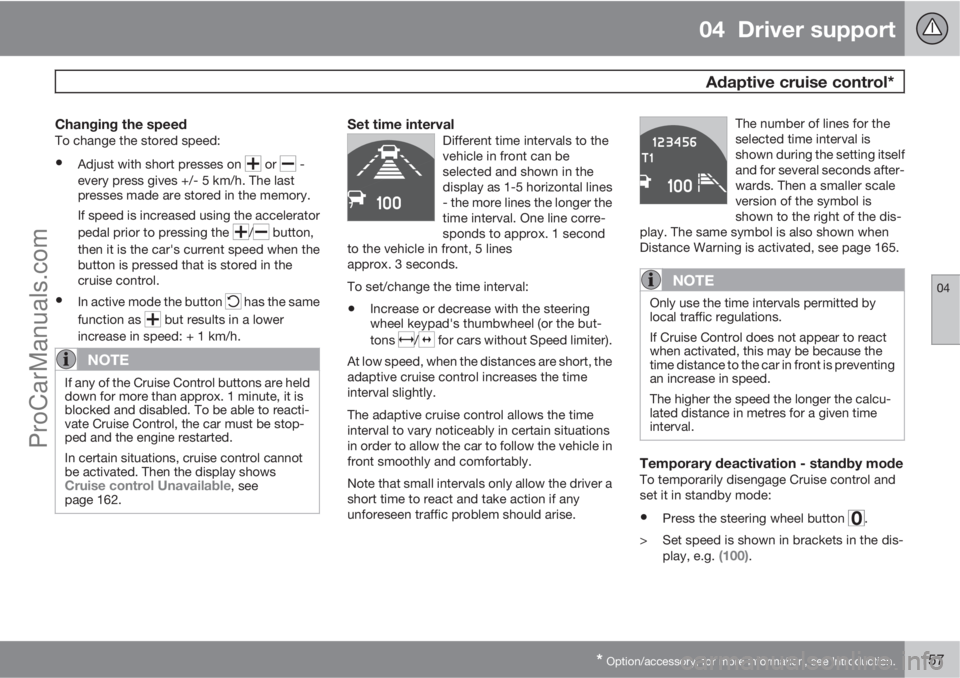
Set time intervalDifferent time intervals to the
vehicle in front can be
selected and shown in the
display as 1-5 horizontal lines
- the more lines the longer the
time interval. One line corre-
sponds to approx. 1 second
to the vehicle in front, 5 lines
approx. 3 seconds.
To set/change the time interval:
•Increase or decrease with the steering
wheel keypad's thumbwheel (or the but-
tons
/ for cars without Speed limiter).
At low speed, when the distances are short, the
adaptive cruise control increases the time
interval slightly.
The adaptive cruise control allows the time
interval to vary noticeably in certain situations
in order to allow the car to follow the vehicle in
front smoothly and comfortably.
Note that small intervals only allow the driver a
short time to react and take action if any
unforeseen traffic problem should arise.The number of lines for the
selected time interval is
shown during the setting itself
and for several seconds after-
wards. Then a smaller scale
version of the symbol is
shown to the right of the dis-
play. The same symbol is also shown when
Distance Warning is activated, see page 165.
NOTE
Only use the time intervals permitted by
local traffic regulations.
If Cruise Control does not appear to react
when activated, this may be because the
time distance to the car in front is preventing
an increase in speed.
The higher the speed the longer the calcu-
lated distance in metres for a given time
interval.
Temporary deactivation - standby modeTo temporarily disengage Cruise control and
set it in standby mode:
•Press the steering wheel button .
> Set speed is shown in brackets in the dis-
play, e.g.
(100).
ProCarManuals.com
Page 160 of 422

04 Driver support
Adaptive cruise control*
04
158* Option/accessory, for more information, see Introduction.
Keypad without Speed limiter*To temporarily disengage Cruise control and
set it in standby mode:
•Press the steering wheel button .
Standby mode due to driver interventionCruise control is temporarily disengaged and
set in standby mode if:
•the foot brake is used
•the clutch pedal is depressed for longer
than 1 minute6
•the gear selector is moved to N position
(automatic gearbox)
•the driver maintains a speed higher than
the set speed for longer than 1 minute.
The driver must then regulate the speed.
A temporary increase in speed with the accel-
erator pedal, e.g. during overtaking, does not
affect the cruise control setting - the car returns
to the last stored speed when the accelerator
pedal is released.
Automatic standby modeThe Adaptive cruise control is dependent on
other systems, e.g.. DSTC (see page 146). Ifany of these systems stop working then cruise
control is automatically deactivated.
In the event of automatic deactivation a signal
will sound and the message
Cruise control
Cancelled is shown in the display. The driver
must then intervene and adapt the speed and
distance to the vehicle ahead.
An automatic deactivation can be due to:
•engine speed is too low/high
•speed falls below 30 km/h7
•wheels lose traction
•brake temperature is high
•the radar sensor is covered e.g. by wet
snow or heavy rain (radar waves blocked).
Resume set speedCruise control in standby mode is re-activated
with one press on the steering wheel button
- the speed is then set to the last stored
speed.
NOTE
A significant increase in speed may arise
after the speed has been resumed with .
Overtaking another vehicleWhen the car is following another vehicle and
the driver indicates an imminent overtake with
the direction indicator
8, the Cruise control
helps to briefly accelerate the car towards the
vehicle in front.
The function is active at speeds
above 70 km/h.
WARNING
Be aware that this function can be activated
in more situations other than during over-
taking, e.g. when a direction indicator is
used to indicate a change of lane or exit to
another road - the car will then accelerate
briefly.
Deactivate
Keypad with Speed limiter
Adaptive cruise control is deactivated with the
steering wheel button
. The set speed is
cleared and cannot be resumed with the
button.
Keypad without Speed limiterWith a short press on the steering wheel button
the cruise control is set in standby mode.
6Disengaging and selecting a higher or lower gear does not involve standby mode.7Does not apply to a car with Queue Assistant - it manages right down to stationary.8On left flash only in left-hand drive car, or right flash in right-hand drive car.
ProCarManuals.com
Page 162 of 422

04 Driver support
Adaptive cruise control*
04
160* Option/accessory, for more information, see Introduction.
WARNING
When the cruise control is following another
vehicle at speeds in excess of 30 km/h and
the target is changed from a moving vehicle
to a stationary vehicle, the cruise control will
ignore the stationary vehicle and instead
select the stored speed.
•The driver must intervene him/herself
and brake.
Automatic standby mode with change of
target
Cruise control is disengaged and set in
standby mode:
•when the speed is below 5 km/h and cruise
control is not sure whether the target
object is a stationary vehicle or some other
object, e.g. a speed bump.
•when the speed is below 5 km/h and the
vehicle in front turns off so the cruise con-
trol no longer has a vehicle to follow.
Termination of automatic braking at a
standstill
In certain situations Queue Assist automati-
cally interrupts braking when stationary. This
means that the brakes are released and the car
may start to roll - the driver must therefore
intervene and brake the car himself/herself in
order to maintain its position.Queue Assist releases the foot brake and sets
cruise control in standby mode in the following
situations:
•the driver puts his/her foot on the brake
pedal
•the parking brake is applied
•the gear selector is moved to P, N or R
position
•the driver sets the cruise control in standby
mode.
Automatic activation parking brakeIn some situations Queue Assist applies the
parking brake in order to keep the car station-
ary.
This takes place if:
•the driver opens the door or takes off his/
her seatbelt
•DSTC is changed from Normal to Sport
mode
•Queue Assist has held the car stationary
for more than 4 minutes
•the engine is switched off
•the brakes have overheated.
The radar sensor and its limitations
The radar sensor is used - apart from by Adap-
tive cruise control - by the following functions
as well:
•Collision Warning with Auto Brake, see
page 173
•Distance Warning, see page 165.
The function of the radar sensor is to detect
cars or larger vehicles in the same direction, in
the same lane.
Modification of the radar sensor could result in
it being illegal to use.
ProCarManuals.com
Page 171 of 422

04 Driver support
City Safety™
04
169
If the difference in speed between the vehicles
is greater than 15 km/h then City Safety™ may
not prevent the collision on its own. To obtain
full brake force, the driver must depress the
brake pedal. This could then make it possible
to prevent a collision, even at speed differen-
ces above 15 km/h.
When the function is activated and brakes, the
instrument panel display shows a message to
the effect that the function is/has been active.
NOTE
The brake lights come on when City
Safety™ brakes the car.
Operation
NOTE
The City Safety™ function is always ena-
bled after the engine has been started via
key position I and II (see page 78 on key
positions).
On and OffIn certain situations, it may advisable to disable
City Safety™, e.g. where leafy branches could
sweep over the bonnet and/or windscreen.
After starting the engine City Safety™ can be
deactivated as follows:
•Using MY CAR on the centre console dis-
play screen with its menu system, search
and locate Settings
Car settings
Driver support systemsCity Safety.
Select the
Off option. For more information
on the menu system MY CAR, see
page 202.
However, the function will be enabled the
next time the engine is started, regardless
of whether the system was enabled or dis-
abled when the engine was switched off.
WARNING
The laser sensor also transmits laser light
when City Safety™ is disabled manually.
To enable City Safety™ again:
•Follow the same procedure as for disa-
bling, but select the On option.
Limitations
The sensor in City Safety™ is designed to
detect cars and other large vehicles in front of
the car irrespective of whether it is day or night.
However, the sensor has limitations and has
poorer functionality - or none at all - in e.g.
heavy snowfall or rain, dense fog, dust storms
or snow flurries. Mist, dirt, ice or snow on the
windscreen may disrupt the function.Low-hanging objects, e.g. a flag/pennant for
projecting load, or accessories such as auxili-
ary lamps and bull bars that are higher than the
bonnet limit the function.
The laser light from the sensor in City
Safety™ measures how the light is reflected.
The sensor cannot detect objects with low
reflection capacity. The rear sections of the
vehicle generally reflect the light sufficiently
thanks to the number plate and rear light reflec-
tors.
On slippery road surfaces the braking distance
is extended, which may reduce the capacity of
City Safety™ to avoid a collision. In such sit-
uations the ABS and DSTC systems will pro-
vide best possible braking force with main-
tained stability.
When your own car is reversing, City Safety™
is temporarily deactivated.
City Safety™ is not activated at low speeds -
under 4 km/h, which is why the system does
not intervene in situations where a vehicle in
front is being approached very slowly, e.g.
when parking.
Driver commands are always prioritised, which
is why City Safety™ does not intervene in sit-
uations where the driver is steering or acceler-
ating in a clear manner, even if a collision is
unavoidable.
ProCarManuals.com