2013 SKODA OCTAVIA lights
[x] Cancel search: lightsPage 46 of 57
Vehicle systems
Vehicle settings
Introduction
This chapter contains information on the following subjects:
Selecting driving mode
44
Vehicle data
45
Auxiliary heater and ventilation
46
ESC system
47
Tyre
47
Driver assistance
47
Parking and manoeuvring
47
Light
48
mirrors and wiper
48
Opening and closing
49
Seats
49
Multifunction display
49
Service
49
Restore factory settings
50
Climatronic settings
50
First and foremost, pay attention to the safety instructions » page 4 , Important
notes .
Settings relating to the vehicle systems can only be made when the ignition is
switched on.
Note
■ The individual systems are described in the » Vehicle Owner's Manual .■For safety reasons, if any system functions are disabled, then some functions,
such as parts of the ESC system, are automatically enabled again after switching
the ignition off and on.■
When you press the button CAR, the system displays the last displayed menu
.
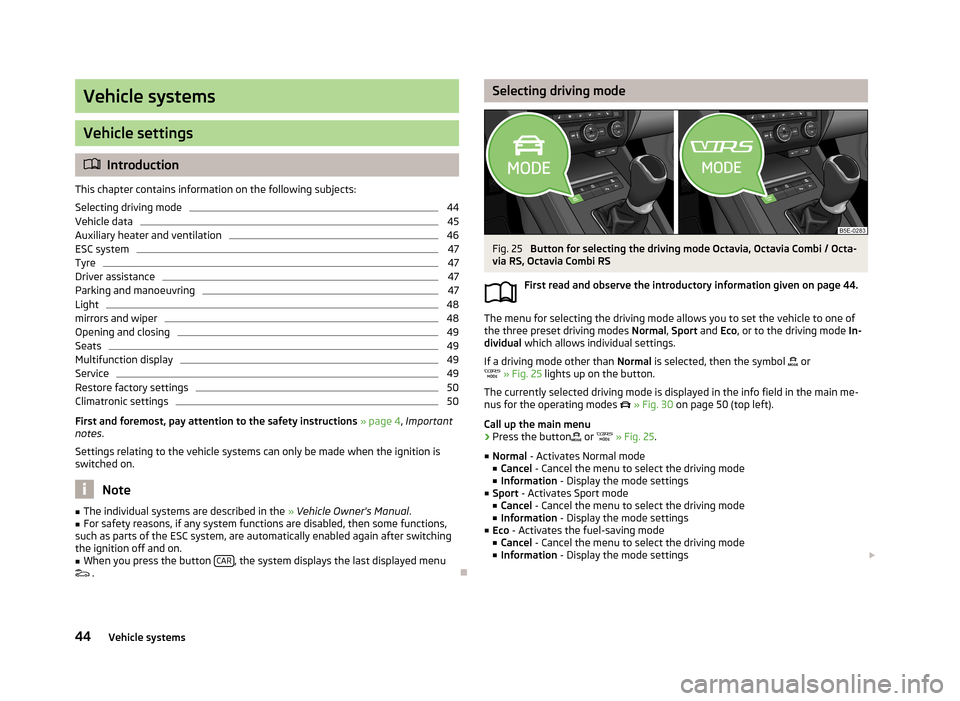
Selecting driving modeFig. 25
Button for selecting the driving mode Octavia, Octavia Combi / Octa-
via RS, Octavia Combi RS
First read and observe the introductory information given on page 44.
The menu for selecting the driving mode allows you to set the vehicle to one of
the three preset driving modes Normal, Sport and Eco, or to the driving mode In-
dividual which allows individual settings.
If a driving mode other than Normal is selected, then the symbol
or
» Fig. 25 lights up on the button.
The currently selected driving mode is displayed in the info field in the main me- nus for the operating modes
» Fig. 30 on page 50 (top left).
Call up the main menu
›
Press the button
or
» Fig. 25 .
■ Normal - Activates Normal mode
■ Cancel - Cancel the menu to select the driving mode
■ Information - Display the mode settings
■ Sport - Activates Sport mode
■ Cancel - Cancel the menu to select the driving mode
■ Information - Display the mode settings
■ Eco - Activates the fuel-saving mode
■ Cancel - Cancel the menu to select the driving mode
■ Information - Display the mode settings
44Vehicle systems
Page 47 of 57
■Individual - Activates the Individual mode
■ Cancel - Cancel the menu to select the driving mode
■ Setup - Individual setting
■ Steering: - Set the power steering characteristics
■ Normal - Normal
■ Sport - Sports
■ Engine: - Set the engine (drive) characteristics
■ Normal - Normal
■ Sport - Sports
■ Eco - Economical
■ ACC: - Set the vehicle acceleration when adaptive cruise control is activated
■ Normal - Normal
■ Sport - Sports
■ Eco - Economical
■ Dynamic bend light.: - Set the characteristics of the adaptive headlights
■ Normal - Normal
■ Sport - Sports
■ Eco - Economical
■ Air conditioning: - Sets the Climatronic characteristics
■ Normal - Normal
■ Eco - Economical
■ Reset mode - Sets the profile Normal
Note
If you do not operate the unit for longer than approx. 10 seconds in the "Select
driving mode" menu, it will switch to the last selected menu or switch itself off.
Vehicle dataFig. 26
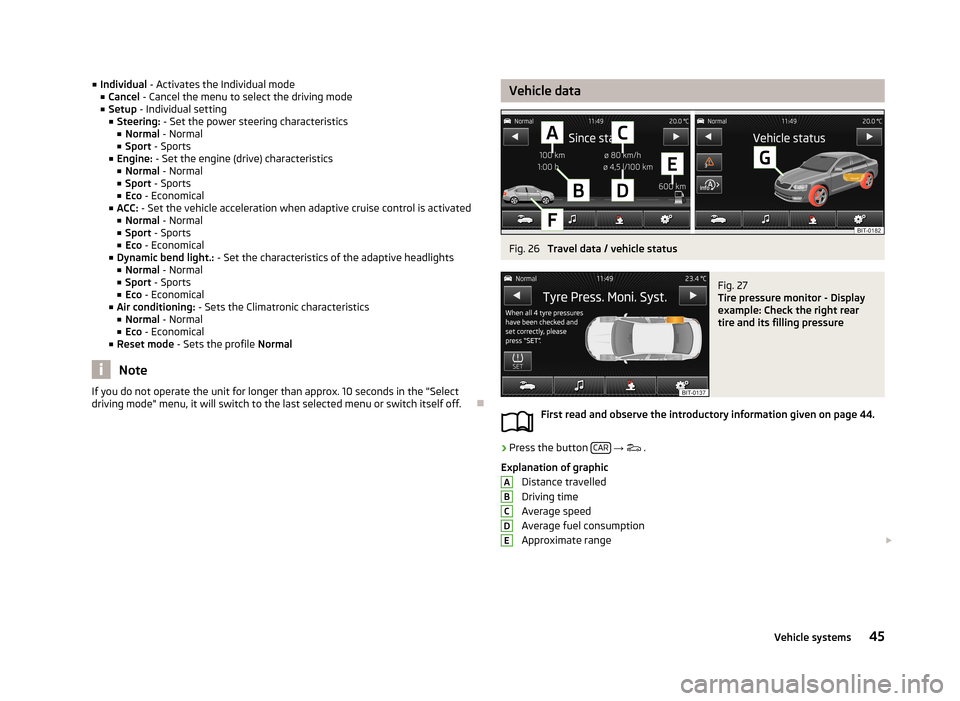
Travel data / vehicle status
Fig. 27
Tire pressure monitor - Display
example: Check the right rear
tire and its filling pressure
First read and observe the introductory information given on page 44.
›
Press the button CAR
→
.
Explanation of graphic Distance travelled
Driving time
Average speed
Average fuel consumption
Approximate range
ABCDE45Vehicle systems
Page 50 of 57
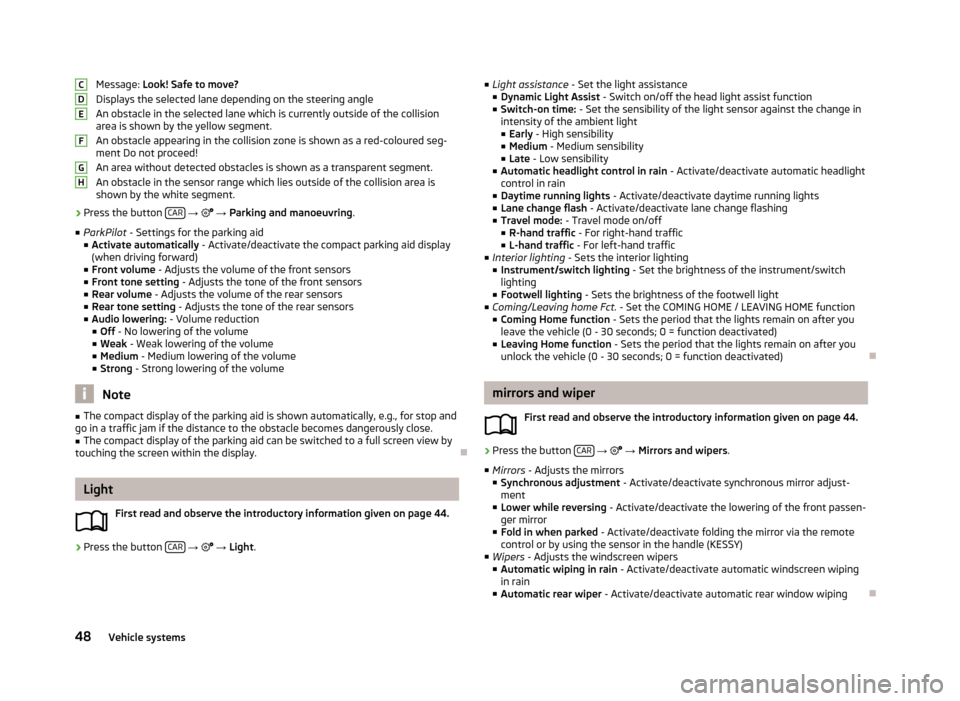
Message: Look! Safe to move?
Displays the selected lane depending on the steering angle An obstacle in the selected lane which is currently outside of the collisionarea is shown by the yellow segment.
An obstacle appearing in the collision zone is shown as a red-coloured seg- ment Do not proceed!
An area without detected obstacles is shown as a transparent segment.
An obstacle in the sensor range which lies outside of the collision area is shown by the white segment.›
Press the button CAR
→ → Parking and manoeuvring .
■ ParkPilot - Settings for the parking aid
■ Activate automatically - Activate/deactivate the compact parking aid display
(when driving forward)
■ Front volume - Adjusts the volume of the front sensors
■ Front tone setting - Adjusts the tone of the front sensors
■ Rear volume - Adjusts the volume of the rear sensors
■ Rear tone setting - Adjusts the tone of the rear sensors
■ Audio lowering: - Volume reduction
■ Off - No lowering of the volume
■ Weak - Weak lowering of the volume
■ Medium - Medium lowering of the volume
■ Strong - Strong lowering of the volume
Note
■
The compact display of the parking aid is shown automatically, e.g., for stop and
go in a traffic jam if the distance to the obstacle becomes dangerously close.■
The compact display of the parking aid can be switched to a full screen view by
touching the screen within the display.
Light
First read and observe the introductory information given on page 44.
›
Press the button CAR
→
→ Light .
CDEFGH
■
Light assistance - Set the light assistance
■ Dynamic Light Assist - Switch on/off the head light assist function
■ Switch-on time: - Set the sensibility of the light sensor against the change in
intensity of the ambient light
■ Early - High sensibility
■ Medium - Medium sensibility
■ Late - Low sensibility
■ Automatic headlight control in rain - Activate/deactivate automatic headlight
control in rain
■ Daytime running lights - Activate/deactivate daytime running lights
■ Lane change flash - Activate/deactivate lane change flashing
■ Travel mode: - Travel mode on/off
■ R-hand traffic - For right-hand traffic
■ L-hand traffic - For left-hand traffic
■ Interior lighting - Sets the interior lighting
■ Instrument/switch lighting - Set the brightness of the instrument/switch
lighting
■ Footwell lighting - Sets the brightness of the footwell light
■ Coming/Leaving home Fct. - Set the COMING HOME / LEAVING HOME function
■ Coming Home function - Sets the period that the lights remain on after you
leave the vehicle (0 - 30 seconds; 0 = function deactivated)
■ Leaving Home function - Sets the period that the lights remain on after you
unlock the vehicle (0 - 30 seconds; 0 = function deactivated)
mirrors and wiper
First read and observe the introductory information given on page 44.
›
Press the button CAR
→
→ Mirrors and wipers .
■ Mirrors - Adjusts the mirrors
■ Synchronous adjustment - Activate/deactivate synchronous mirror adjust-
ment
■ Lower while reversing - Activate/deactivate the lowering of the front passen-
ger mirror
■ Fold in when parked - Activate/deactivate folding the mirror via the remote
control or by using the sensor in the handle (KESSY)
■ Wipers - Adjusts the windscreen wipers
■ Automatic wiping in rain - Activate/deactivate automatic windscreen wiping
in rain
■ Automatic rear wiper - Activate/deactivate automatic rear window wiping
48Vehicle systems
Page 53 of 57
Index
A
ACC
47
Adaptive Cruise Control47
Additional keyboard languages19
Adjusting volume
6
AM21
Anti-theft protection4
Apple - device32
ASR47
Audio Media
26
Radio21
Automatic front window wiping in rain48
Automatic headlight in rain48
Automatic locking49
Automatic rear window wiping48
Automatic search for radio station22
AUX31
Auxiliary heater and ventilation Settings
46
B
Bluetooth Connect the device with the phone
37
settings20
switch on/off20
visibility20
Bluetooth audio29
Bluetooth player29
C
CD
30
Climatronic automatic air recirculation50
Automatic operation50
mode50
COMING HOME48
Communication34
Phonebox36
Component protection4
Connect the device with the phone
37
Convenience consumer45
D
DAB
21
Settings25
Station information24
Data Convenience consumer
45
Travel45
Vehicle status45
date19
Daytime running lights48
Declaration of conformity4
Description of the device5
Device menus6
Device operation8
device screen8
Device screen8
MAXI DOT display10
Multifunction steering wheel11, 12
Operating lever10
device screen keyboard
9
maintenance5
numerical keyboard9
operation8
Device screen18
Operation8
Device Settings17
Digital radio reception Settings25
display5
Door release49
Driver Alert System47
Driving mode44
E
Eco tips
49
External input AUX
31
MEDIA IN32
USB32
F
factory settings
20
Factory settings20, 50
File formats28
Requirements and Limitations29
FM21
Settings25
Folder list Media
27
Folding down the exterior mirrors - folding in while parking
48
Frequency range See main menu
21
Front Assist47
Function key8
Function keys8
H
Head Light Assist
48
I
Important notes
4
51Index