Page 44 of 308
42
Hybrid system
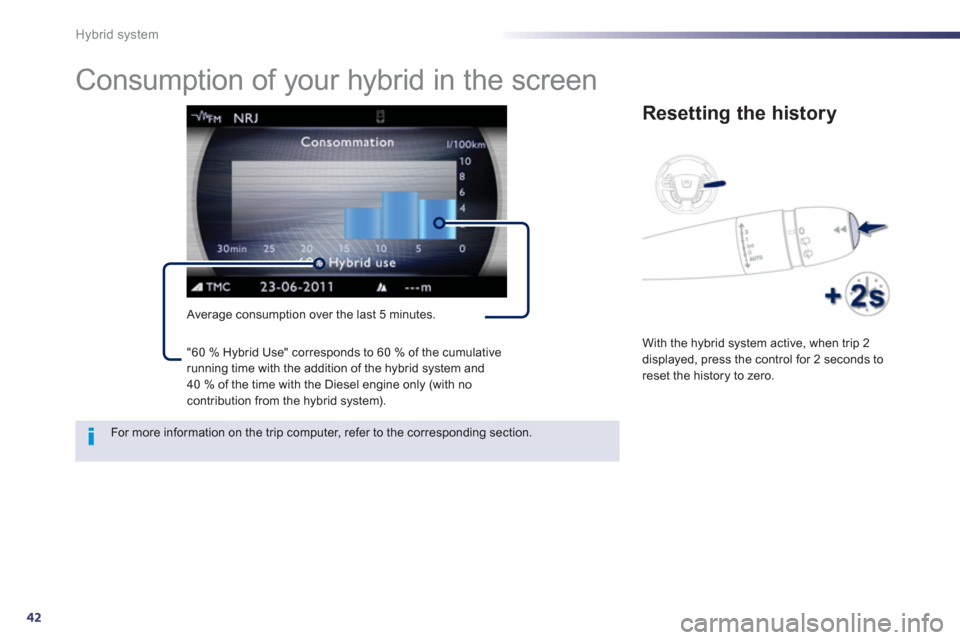
Consumption of your hybrid in the screen
Average consumption over the last 5 minutes.
Resetting the history
With the hybrid system active, when trip 2displayed, press the control for 2 seconds to
reset the history to zero.
For more information on the trip computer, refer to the corresponding section. "60 % H
ybrid Use" corresponds to 60 % of the cumulative running time with the addition of the hybrid system and
40 % of the time with the Diesel engine only (with nocontribution from the hybrid system).
Page 51 of 308
1
49
Instruments and controls
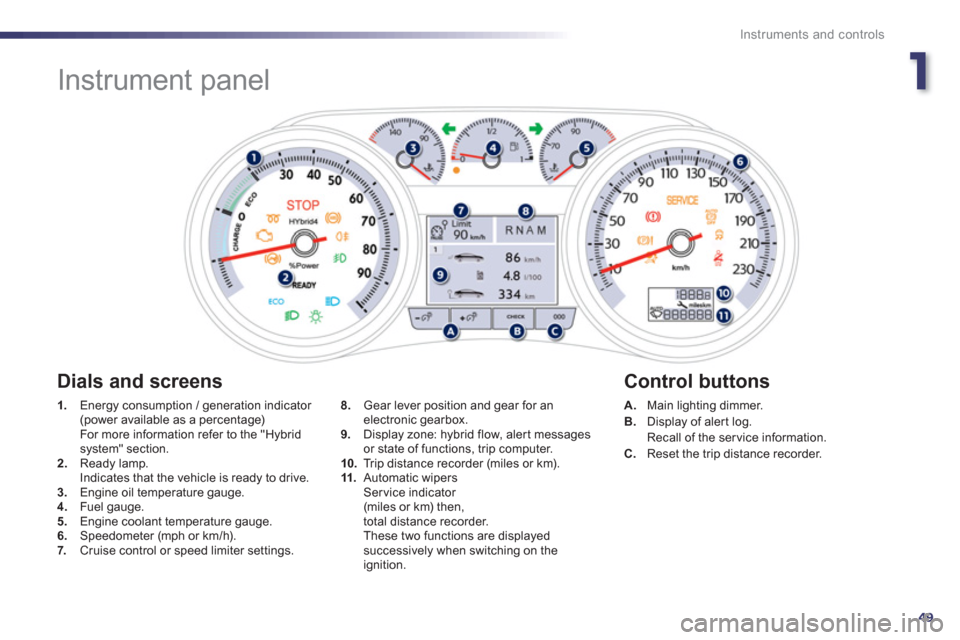
Instrument panel
1.
Energy consumption / generation indicator (power available as a percentage) For more information refer to the "Hybrid system" section. 2.Ready lamp.
Indicates that the vehicle is ready to drive. 3.Engine oil temperature gauge. 4. Fuel gauge.
5. Engine coolant temperature gauge.
6.Speedometer (mph or km/h).7. Cruise control or speed limiter settings.
A.Main lighting dimmer. B.
Display of aler t log.
Recall of the service information.
C. Reset the trip distance recorder.
8.
Gear lever position and gear for anelectronic gearbox.
9. Display zone: hybrid flow, alert messages
or state of functions, trip computer.
10.Trip distance recorder (miles or km). 11.Automatic wipersSer vice indicator (miles or km) then,
total distance recorder.
These two functions are displayedsuccessively when switching on the ignition.
Dials and screens
Control buttons
Page 65 of 308
1
63
Instruments and controls
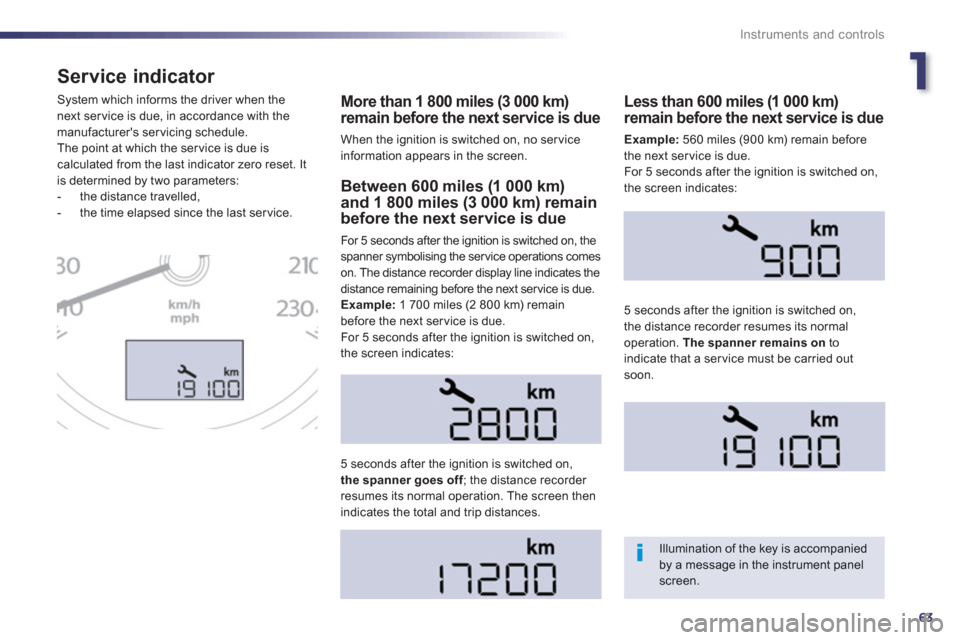
Service indicator
More than 1 800 miles (3 000 km)remain before the next service is due
When the ignition is switched on, no ser vice information appears in the screen. S
ystem which informs the driver when the next ser vice is due, in accordance with themanufacturer's servicing schedule.
The point at which the ser vice is due is calculated from the last indicator zero reset. It
is determined by two parameters:
- the distance travelled,
- the time elapsed since the last ser vice. Between 600 miles (1 000 km)and 1 800 miles (3 000 km) remainbefore the next service is due
For 5 seconds after the ignition is switched on, the
spanner symbolising the ser vice operations comes
on. The distance recorder display line indicates the
distance remaining before the next ser vice is due.
Example:
1 700 miles (2 800 km) remain before the next service is due.
For 5 seconds after the ignition is switched on,
the screen indicates:
5 seconds a
fter the ignition is switched on,the spanner goes off; the distance recorder fresumes its normal operation. The screen thenindicates the total and trip distances.
Less than 600 miles (1 000 km)remain before the next service is due
Example:560 miles (900 km) remain before
the next service is due.
For 5 seconds after the i
gnition is switched on,
the screen indicates:
5 seconds after the i
gnition is switched on,
the distance recorder resumes its normal operation. The spanner remains on
toindicate that a service must be carried out soon.
Illumination of the key is accompaniedby a message in the instrument panel screen.
Page 66 of 308

64
Instruments and controls
Service overdue
The distance remaining may be weighted by the time factor, dependingon the driving conditions.
Therefore, the spanner may also comeon if you have exceeded the period since the last service, indicated in the warranty and maintenance record.
Following this operation, if you wish to disconnect the battery, lock the vehicle and wait at least five minutes for the zero reset to be taken into account. 5 seconds after the i
gnition is switched on,
the distance recorder resumes its normal
operation. The spanner remains on.
Service indicator zero reset
After each ser vice, the ser vice indicator mustbe reset to zero.
The procedure for resetting to zero is as
follows: ) switch off the ignition,)
press and hold the trip distance recorder
zero reset button,
) switch on the ignition; the distance recorder
display begins a countdown,
) when the display indicates "=0", release
the button; the spanner disappears.
Retrieving the serviceinformation
You can access the ser vice information at any
time.
)Press the trip distance recorder zero reset button.
The ser vice information is displayed for a
few seconds, then disappears.
Every time the ignition is switched on, an
overdue ser vice is immediately signaled
b
y flashing of the spanner and the fixed
ill
umination of the Service
warning lamp.
Page 67 of 308
1
65
Instruments and controls
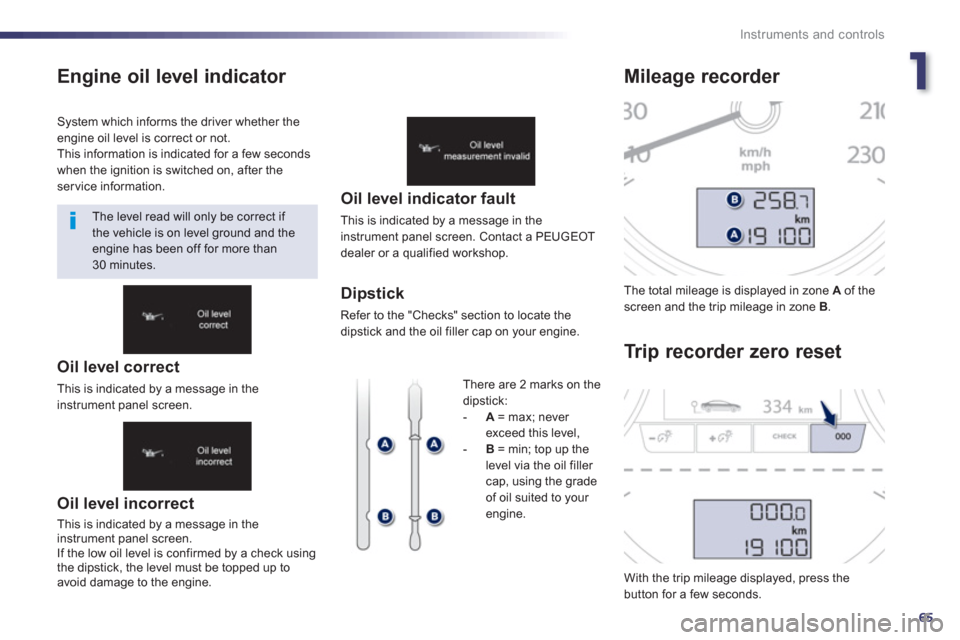
Engine oil level indicator
Oil level incorrect
This is indicated by a message in the
instrument panel screen.
If the low oil level is confirmed b
y a check usingthe dipstick, the level must be topped up to
avoid damage to the engine.
Oil level indicator fault
This is indicated by a message in the instrument panel screen. Contact a PEUGEOT
dealer or a qualified workshop.
Dipstick
Refer to the "Checks" section to locate the
dipstick and the oil filler cap on your engine. The total milea
ge is displayed in zone Aof thescreen and the trip mileage in zone B.
With the trip mileage displayed, press the button for a few seconds.
Mileage recorder
Tr i
p recorder zero reset
System which informs the driver whether theengine oil level is correct or not.
This information is indicated for a few secondswhen the ignition is switched on, after theservice information.
The level read will only be correct if
the vehicle is on level ground and the engine has been off for more than30 minutes.
Th
ere are 2 marks on thedipstick:-A = max; never
exceed this level, -B = min; top up the level via the oil filler cap, using the grade
of oil suited to your
engine.
Oil level correct
This is indicated by a message in theinstrument panel screen.
Page 69 of 308
1
67
Instruments and controls
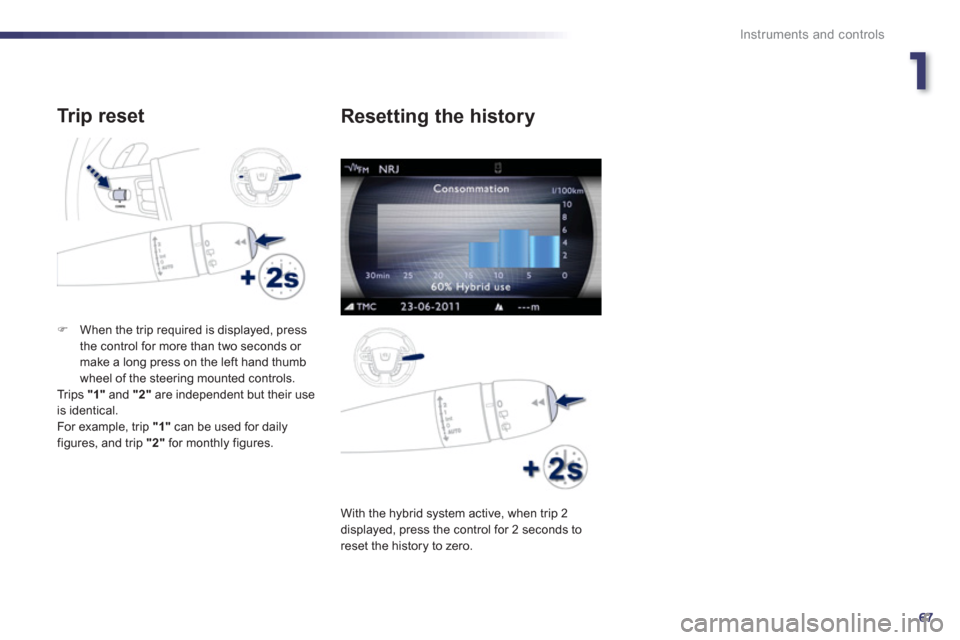
Tr ip reset
)When the trip required is displayed, press
the control for more than two seconds or make a long press on the left hand thumb
wheel of the steering mounted controls.
Trips "1"
and "2"are independent but their useis identical.
For example, trip "1"
can be used for daily figures, and trip "2"
for monthly figures.
With the h
ybrid system active, when trip 2
displayed, press the control for 2 seconds to reset the history to zero.
Resetting the history
Page 70 of 308
68
Instruments and controls
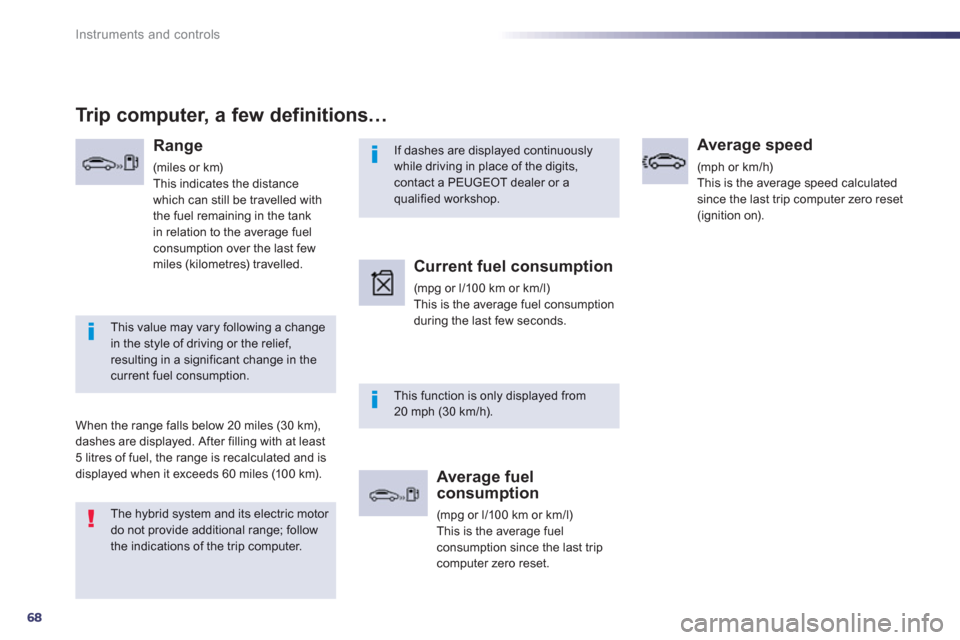
If dashes are displayed continuously while driving in place of the digits,contact a PEUGEOT dealer or aqualified workshop.
This function is only displayed from 20 mph (30 km/h).
This value may vary following a changein the style of driving or the relief,resulting in a significant change in thecurrent fuel consumption.
Trip computer, a few definitions…
Range
(miles or km)
This indicates the distancewhich can still be travelled with
the fuel remaining in the tank
in relation to the average fuelconsumption over the last few
miles (kilometres) travelled.
When the ran
ge falls below 20 miles (30 km),
dashes are displayed. After filling with at least 5 litres of fuel, the range is recalculated and is
displayed when it exceeds 60 miles (10 0 km).
Current fuel consumption
(mpg or l/100 km or km/l)
This is the average fuel consumption
during the last few seconds.
Average fuelconsumption
(mpg or l/100 km or km/l)This is the average fuel
consumption since the last tripcomputer zero reset.
Average speed
(mph or km/h)
This is the average speed calculated
since the last trip computer zero reset
(ignition on).
The hybrid system and its electric motor do not provide additional range; followthe indications of the trip computer.
Page 242 of 308

240
01 FIRST STEPS
TA (Traffi c
Announcement)function On / Off.
Displa
y the list of radio stations received, CD/MP3/Apple Æ
player tracks or folders.
Lon
g press: management of the classifi cation of MP3/WMA fi les/update the list of stations received.
Select the source: CD,USB, AUX, Apple®
player, Bluetooth Streaming, Radio.
Access to " Audio
settings": musicalambiences, bass, treble,loudness, distribution, left/right balance, front/rear fader, automatic volume
adjustment.
Abandon the current
operation, go up one level.
Lon
g press: return topermanent display.
Select the FM waveband (AM not available onHybrid vehicles).
Displa
y black screen.
MODE button: select thetype of permanent display.
Short
press: mute / restoresound. Pr
ess and hold: reinitialise thesystem.
Short press: select a
preset ra
dio station.
Long press: store
th
e current radiostation.
Select:
- the
previous/next line in a list or menu.
- the previous next media folder.
- step b
y step previous/next radio frequency.
- previous
/next MP3 folder.
Move up
/down, in "Move the map" mode. Rotation: ad
just volume (each source is independent,
including TA messages and
navigation instructions).
Select:
- automaticall
y the previous/next radio frequency.
- the previous/next CD, MP3 or media track.
Move le
ft/right, in " Move the map " mode.
On / Off.