Page 200 of 275
![NISSAN LEAF 2013 1.G Navigation Manual 7-6Bluetooth®Hands-Free Phone System
.Push thebutton on the steering wheel.
. Touch [Hang up].
DURING A CALL
There are some options available during a call.
Select one of the following displayed on t](/manual-img/5/324/w960_324-199.png "NISSAN LEAF 2013 1.G Navigation Manual 7-6Bluetooth®Hands-Free Phone System
.Push thebutton on the steering wheel.
. Touch [Hang up].
DURING A CALL
There are some options available during a call.
Select one of the following displayed on t")
7-6Bluetooth®Hands-Free Phone System
.Push thebutton on the steering wheel.
. Touch [Hang up].
DURING A CALL
There are some options available during a call.
Select one of the following displayed on the
screen if necessary.
.[Hang up]:
Finish the call.
. [Use Handset]:
Transfer the call to the cellular phone.
. [Mute]:
Mute your voice to the person.
. [Cancel Mute]:
This will appear after [Mute] is touched.
Mute will be canceled.
. [Keypad]:
Using the touch tone, send digits to the
connected party for using services such as voicemail.
. [Switch Call]:
Answer another incoming call. The person
you are talking to will be placed on hold.
Push once more to speak to the person on
hold again.
By selecting [Hang up], you can end a call
and can speak to a caller who is on hold
again.
This function may not be usable, depending
on the model of phone.
To adjust the person’s voice to be louder or
quieter, push the -
+button on the steering
wheel while talking on the phone. This adjust-
ment is also available in the SETTING menu.
“Volume settings” (page 1-16)
STORING VEHICLE PHONEBOOK
By registering the frequently dialed phone
numbers, you can easily call these numbers.
1. Push the MENUbutton and touch [Phone].
2. Touch [Vehicle Phonebook].
3. Touch [Add New] at the top of the screen.
4. Select the method for entering the phone- book entry.
Available methods
.[Copy from Call History]:
The system will show a list of incoming or
outgoing calls. Select one of these
entries to save in the vehicle phonebook.
.[Copy from the Handset]:The system will show the connected
cellular phone’s phonebook that was
downloaded (depending on the phone’s
Page 201 of 275
compatibility) . Select one of these entries
to save in the vehicle phonebook.
.[Enter Number by Keypad]:Input the phone number to save in the
vehicle phonebook.
5. Touch [OK] at the top of the screen.
6. After the phonebook entry is saved, it will show a screen to indicate that is ready to
call the number. Touch [BACK] to return to
the Vehicle Phonebook.
Editing Vehicle Phonebook
1. Push the MENUbutton and touch [Set-
tings].
2. Touch [Phone & CARWINGS].
3. Touch [Phone].
4. Touch [Edit Vehicle Phonebook].
5. Select the desired entry from the displayed list.
6. Touch [Edit].
7. Select the desired item to change.
Available settings
.[Entry #]:Changes the displayed number of the
selected entry.
.[Name]:Edit the name of the entry using the
keypad displayed on the screen.
Bluetooth®Hands-Free Phone System7-7
Page 202 of 275
![NISSAN LEAF 2013 1.G Navigation Manual 7-8Bluetooth®Hands-Free Phone System
.[Number]:Edit the phone number using the keypad
displayed on the screen.
.[Type]:Select an icon from the icon list.
8. After finishing the setting, touch [OK].
P](/manual-img/5/324/w960_324-201.png "NISSAN LEAF 2013 1.G Navigation Manual 7-8Bluetooth®Hands-Free Phone System
.[Number]:Edit the phone number using the keypad
displayed on the screen.
.[Type]:Select an icon from the icon list.
8. After finishing the setting, touch [OK].
P")
7-8Bluetooth®Hands-Free Phone System
.[Number]:Edit the phone number using the keypad
displayed on the screen.
.[Type]:Select an icon from the icon list.
8. After finishing the setting, touch [OK].
PHONE SETTINGS
The Bluetooth®Hands-Free Phone System can
be set in detail according to the user’s
preference.
1. Push the MENUbutton and touch [Set-
tings].
2. Touch [Phone & CARWINGS].
3. Touch [Phone].
4. Touch the item you would like to set. Available settings
.
[Edit Vehicle Phonebook]:
Phonebook registration and editing/deleting
the registered phonebook can be per-
formed.
. [Call History]:
The call history lists of the incoming calls
and outgoing calls are displayed. The phone
numbers that are stored in the incoming or
outgoing history lists can be registered.
. [Download Handset Phonebook]:
Phonebook data should be registered in the
system after downloading the phonebook
from a cellular phone that is connected to
the vehicle. A maximum of 3 phonebook can
be registered from cellular phones.
. [Delete Phone Info]:
The phone information (phonebook or his-
tory) can be deleted all at the same time or
one by one.
. [Volume & Ringtone]:
Adjust various phone volume settings.
Downloading phonebook memory
1. Push the MENUbutton and touch [Set-
tings]. 2. Touch [Phone & CARWINGS].
3. Touch [Phone].
4. Touch [Download Handset Phonebook].
5. Touch the method for downloading the
phonebook memory. A message screen is
displayed.
Available methods
.[Download Entire Phonebook]:
All of the phone numbers that are stored
in a phonebook of a cellular phone that is
Page 203 of 275
![NISSAN LEAF 2013 1.G Navigation Manual connected to the vehicle are downloaded
at once.
.[Download 1 Entry]:Each of the phone numbers that are
stored in the phonebook of a cellular
phone that is connected to the vehicle is
downloaded one b](/manual-img/5/324/w960_324-202.png "NISSAN LEAF 2013 1.G Navigation Manual connected to the vehicle are downloaded
at once.
.[Download 1 Entry]:Each of the phone numbers that are
stored in the phonebook of a cellular
phone that is connected to the vehicle is
downloaded one b")
connected to the vehicle are downloaded
at once.
.[Download 1 Entry]:Each of the phone numbers that are
stored in the phonebook of a cellular
phone that is connected to the vehicle is
downloaded one by one.
.[Downloaded List]:
The downloaded phonebook data is
displayed.
6. Touch [Yes].
7. When a PIN code appears on the screen, operate the connected cellular phone to
enter the PIN code. The downloading
procedure of the cellular phone varies
according to each cellular phone. See the
cellular phone Owner’s Manual for the
details.
Deleting phone information
1. Push the MENUbutton and touch [Set-
tings].
2. Touch [Phone & CARWINGS].
3. Touch [Phone].
4. Touch [Delete Phone Info].
5. Touch the preferred item for deletion. A confirmation message is displayed.
Items that can be deleted
.[Vehicle Phonebook]:
Deletes all or one of the phone number in
the vehicle phonebook.
.[Call History]:All or each of the calls listed in the
outgoing and incoming call history will be
deleted. Additionally, the calls can be
deleted after sorting by outgoing or
incoming call history.
.[Downloaded Phonebook from Handset]:Deletes all or one of the phone numbers
in the downloaded phonebook.
.[Memory]:Deletes all stored memories (vehicle
phonebooks, call logs and downloaded
phonebooks).
Bluetooth®Hands-Free Phone System7-9
Page 204 of 275
![NISSAN LEAF 2013 1.G Navigation Manual 7-10Bluetooth®Hands-Free Phone System
6. Confirm the contents of the message, thentouch [Yes].
Phone volume settings
1. Push the MENUbutton and touch [Set-
tings].
2. Touch [Phone & CARWINGS].
3. Tou](/manual-img/5/324/w960_324-203.png "NISSAN LEAF 2013 1.G Navigation Manual 7-10Bluetooth®Hands-Free Phone System
6. Confirm the contents of the message, thentouch [Yes].
Phone volume settings
1. Push the MENUbutton and touch [Set-
tings].
2. Touch [Phone & CARWINGS].
3. Tou")
7-10Bluetooth®Hands-Free Phone System
6. Confirm the contents of the message, thentouch [Yes].
Phone volume settings
1. Push the MENUbutton and touch [Set-
tings].
2. Touch [Phone & CARWINGS].
3. Touch [Phone].
4. Touch [Volume & Ringtone]. 5. Touch the item you would like to set.
Available settings
.
[Ringtone]:
Adjust the volume level of the ringtone by
touching [+] or [-].
. [Incoming Call]:
Adjust the incoming call volume by touching
[+] or [-].
. [Outgoing Call]:
Adjust the outgoing call volume by touching
[+] or [-].
. [Automatic Hold]:
When this function is activated, an incoming
phone call is automatically held.
. [Vehicle Ringtone]:
When this function is activated, a specific
ringtone that is different from that of the
cellular phone will sound when receiving a
call.
When installing a car phone or a CB radio in
your vehicle, be sure to observe the following
cautions, otherwise the new equipment may
adversely affect the electronic control modules
and electronic control system harness.
WARNING
.A cellular phone should not be used
for any purpose while driving so full
attention may be given to vehicle
operation. Some jurisdictions prohi-
bit the use of cellular phones while
driving.
. If you must make a call while your
vehicle is in motion, the hands-free
cellular phone operational mode is
highly recommended. Exercise ex-
treme caution at all times so full
attention may be given to vehicle
operation.
. If a conversation in a moving vehicle
requires you to take notes, pull off
the road to a safe location and stop
your vehicle before doing so.
CAR PHONE or CB RADIO
Page 205 of 275
CAUTION
.Keep the antenna as far away as
possible from the electronic control
modules.
. Keep the antenna wire more than 8
in (20 cm) away from the electronic
control system harness. Do not
route the antenna wire next to any
harness.
. Adjust the antenna standing-wave
ratio as recommended by the man-
ufacturer.
. Connect the ground wire from the
CB radio chassis to the body.
. For details, consult a NISSAN certi-
fied LEAF dealer.
Bluetooth®Hands-Free Phone System7-11
Page 206 of 275
7-12Bluetooth®Hands-Free Phone System
MEMO
Page 227 of 275
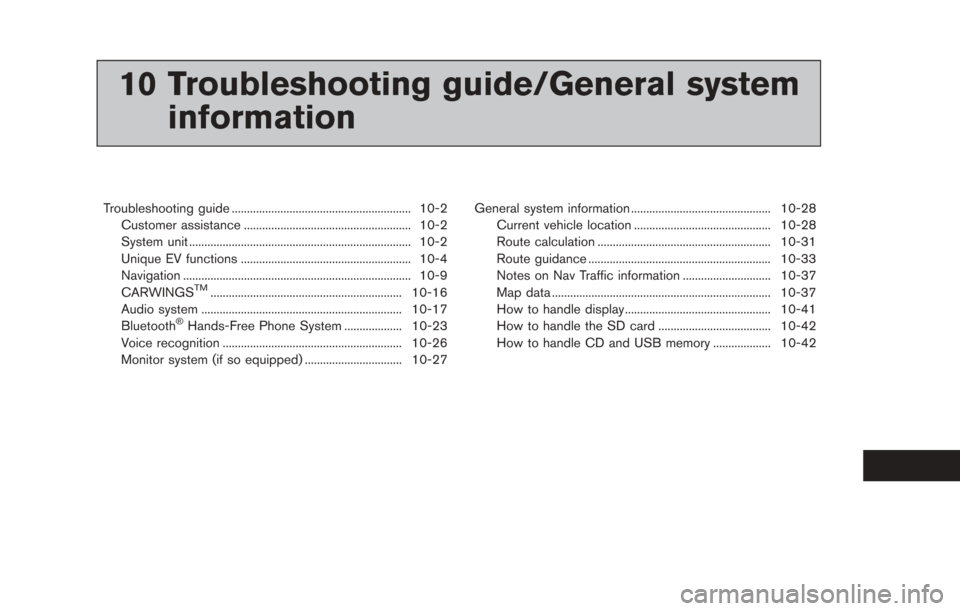
10 Troubleshooting guide/General systeminformation
Troubleshooting guide ........................................................... 10-2
Customer assistance ....................................................... 10-2
System unit ........................................................................\
. 10-2
Unique EV functions ........................................................ 10-4
Navigation ........................................................................\
... 10-9
CARWINGS
TM............................................................... 10-16
Audio system .................................................................. 10-17
Bluetooth
®Hands-Free Phone System ................... 10-23
Voice recognition ........................................................... 10-26
Monitor system (if so equipped) ................................ 10-27 General system information .............................................. 10-28
Current vehicle location ............................................. 10-28
Route calculation ......................................................... 10-31
Route guidance ............................................................ 10-33
Notes on Nav Traffic information ............................. 10-37
Map data ........................................................................\
10-37
How to handle display................................................ 10-41
How to handle the SD card ..................................... 10-42
How to handle CD and USB memory ................... 10-42
![NISSAN LEAF 2013 1.G Navigation Manual compatibility) . Select one of these entries
to save in the vehicle phonebook.
.[Enter Number by Keypad]:Input the phone number to save in the
vehicle phonebook.
5. Touch [OK] at the top of the screen](/manual-img/5/324/w960_324-200.png "NISSAN LEAF 2013 1.G Navigation Manual compatibility) . Select one of these entries
to save in the vehicle phonebook.
.[Enter Number by Keypad]:Input the phone number to save in the
vehicle phonebook.
5. Touch [OK] at the top of the screen")