2013 MERCEDES-BENZ SL-Class lights
[x] Cancel search: lightsPage 197 of 590

because of its narrow width. The distance to
the vehicle in fron
twill be too short.
Obstructions and stationary vehicles DISTRONIC PLUS does not brake for
obstacles or stationary vehicles. If, for
example, the detected vehicle turns a corner
and reveals an obstacle or stationary vehicle,
DISTRONIC PLUS will not brake for these.
Crossing vehicles DISTRONIC PLUS may mistakenly detect
vehicles that are crossing your lane.
Activating DISTRONIC PLUS at traffic lights
with crossing traffic, for example, could cause
your vehicle to pull away unintentionally. HOLD function
Important safety notes G
WARNING
When leaving the vehicle, it can still roll away
despite being braked by the HOL Dfunctio nif:
R there is a malfunction in the system or in
the voltage supply.
R the HOLD function has been deactivated by
pressing the accelerator peda lorthe brake
pedal, e.g. by a vehicle occupant.
R the electrical system in the engine
compartment, the battery or the fuses have
been tampered with.
R the battery is disconnected
There is a risk of an accident.
If you wish to exit the vehicle, always turn off
the HOLD function and secure the vehicle
against rolling away.
! If DISTRONIC PLUS or the HOLD function
is activated, the vehicle brakes
automatically in certain situations. To
prevent damage to the vehicle, deactivate
DISTRONIC PLUS and the HOLD function in
the following or other similar situations:
R when towing the vehicle
R in the car wash
Deactivate the HOLD function (Y page 196).
General notes The HOLD function can assist the driver in the
following situations:
R
when pulling away, especially on steep
slopes
R when maneuvering on steep slopes
R when waiting in traffic
The vehicle is kept stationary without the
driver having to depress the brake pedal.
The braking effect is canceled and the HOLD
function deactivated when you depress the
accelerator pedal to pull away. Driving systems
195Driving and parking Z
Page 199 of 590

R
SPORT handling mode is activated.
(Y page 77)
R the steering wheel is in the straight-ahead
position.
R the vehicle is stationary and the brake
pedal is depressed (left foot).
R the transmissio nis in position D.
Activating RACE START X
Depress the brake pedal with your left foot
and keep it depressed.
X Turn the drive program selector clockwise
(Y page 167) until the RSlamp lights up.
The multifunction display shows the RACESTART Confirm: Paddle UP Cancel:
Paddle DOWN message.
i If the activation conditions are no longer
fulfilled, RACE START is canceled. The
multifunction display shows the RACESTART Canceled message.
X To cancel: pull the left steering wheel
paddle shifter (Y page 168).
or
X To confirm: pull the right steering wheel
paddle shifter (Y page 168).
The RACE START Available Depress gas pedal message appears in the
multifunction display.
i If you do not depress the accelerator
pedal fully within two seconds, RACE
START is canceled. The multifunction
display shows the RACE START Not Possible See Operator's Manual
message.
X Fully depress the accelerator pedal.
The engine speed increases to at least
3,500 rpm.
The RACE START Release brake to start message appears in the
multifunction display.
i If you do not release the brake pedal
within five seconds, RACE START is canceled. The multifunction display shows
the
RACE START Canceled message.
X Take your foot off the brake, but keep the
accelerator pedal depressed.
The vehicle pulls away at maximum
acceleration.
The RACE START Active message appears
in the multifunction display.
RACE START is deactivated when the vehicle
reaches a speed of approximately 30 mph
(Canada: 50 km/h). Drive program S+is
activated. SPORT handling mode remains
activated.
RACE START is deactivated immediately if
you release the accelerator pedal during
RACE START or if any of the activation
conditions are no longer fulfilled. The
multifunction display shows the RACE START
Not Possible See Operator's Manual
message.
i
If RACE START is used repeatedly within
a short period of time, it is only available
againa fter the vehicle has been drive na
certain distance. Adaptive Damping System
General notes The adjustable damping system adapts to the
current driving conditions. The adjustment
depends on whethe
ryou have selected Sport
or Comfort mode. Your selection remains
stored even if you remove the SmartKey from
the ignition lock. Driving systems
197Driving and parking Z
Page 200 of 590
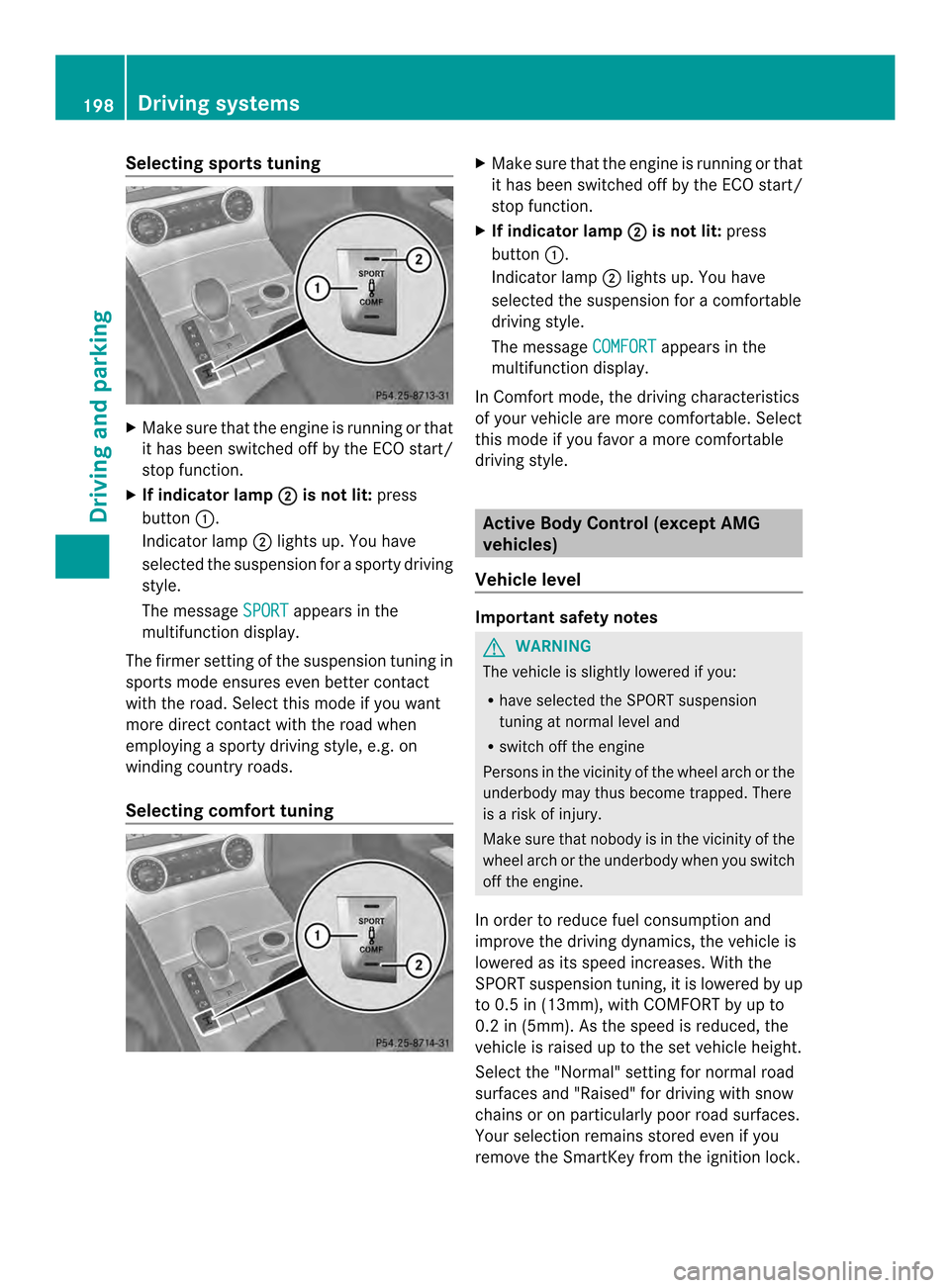
Selecting sports tuning
X
Make sure that the engine is running or that
it has been switched off by the ECO start/
stop function.
X If indicator lamp 0003 is not lit:
press
button 0002.
Indicator lamp 0003lights up. You have
selected the suspension for a sporty driving
style.
The message SPORT appears in the
multifunction display.
The firmer setting of the suspension tuning in
sports mode ensures even better contact
with the road. Select this mode if you want
more direct contact with the road when
employing a sporty driving style, e.g. on
winding country roads.
Selecting comfort tuning X
Make sure that the engine is running or that
it has been switched off by the ECO start/
stop function.
X If indicator lamp 0003 is not lit:
press
button 0002.
Indicator lamp 0003lights up. You have
selected the suspension for acomfortable
driving style.
The message COMFORT appears in the
multifunction display.
In Comfort mode, the driving characteristics
of your vehicle are more comfortable. Select
this mode if you favor amore comfortable
driving style. Active Body Control (except AMG
vehicles)
Vehicle level Important safety notes
G
WARNING
The vehicle is slightly lowered if you:
R have selected the SPORT suspension
tuning at normal level and
R switch off the engine
Persons in the vicinity of the wheel arch or the
underbody may thus become trapped. There
is a risk of injury.
Make sure that nobody is in the vicinity of the
wheel arch or the underbody when you switch
off the engine.
In order to reduce fuel consumption and
improve the driving dynamics, the vehicle is
lowered as its speed increases. With the
SPORT suspension tuning, it is lowered by up
to 0.5 in (13mm), with COMFORT by up to
0.2 in (5mm). As the speed is reduced, the
vehicle is raised up to the set vehicle height.
Select the "Normal" setting for normal road
surfaces and "Raised" for driving with snow
chains or on particularly poor road surfaces.
Your selection remains stored even if you
remove the SmartKey from the ignition lock. 198
Driving systemsDriving and parking
Page 201 of 590

Setting raised level
X
Make sure that the engine is running or that
it has been switched off by the ECO start/
stop function.
X Make sure that a speed of 75 mph
(120 km/h) is not exceeded.
X If indicator lamp 0003 is not lit:
press
button 0002.
If the engine has been switched off by the
ECO start/stop function, it is now
restarted.
Indicator lamp 0003lights up. The vehicle
height is adjusted to raised level.
Setting the normal level X
Make sure that the engine is running or that
it has been switched off by the ECO start/
stop function.
X If indicator lamp 0003 is lit:
press
button 0002.
Indicator lamp 0003goes out. The vehicle is
adjusted to normal level. The "Raised level" setting is canceled if you:
R
are driving faster than approximately
75 mph (120 km/h).
R drive for approximately three minutes at a
speed over 50 mph (80km/h).
Suspension tuning General notes
The electronically controlled ABC suspension
system features improved driving dynamics
and ride comfort.
The ABC suspension system is tuned
individually to each wheel and depends on:
R the road surface condition ,e.g. bumps
R the vehicle load
R your individual selection of the sporty or
comfort button
Your selection remains store deven if you
remove the SmartKey from the ignition lock.
Selecting sports tuning X
Make sure that the engine is running or that
it has been switched off by the ECO start/
stop function.
X If indicator lamp 0003 is not lit:
press
button 0002.
Indicator lamp 0003lights up. You have
selected the suspension for a sporty driving
style.
The ABC Active Body Control SPORT message appears in the multifunction
display. Driving systems
199Driving and parking Z
Page 202 of 590

The firmer suspension tunin
ginSport mode
ensures even better contact with the road.
Select this mode if you favor a firmer
suspension tuning.
Selecting comfor ttuning X
Make sure that the engine is running or that
it has been switched off by the ECO start/
stop function.
X If indicator lamp 0003 is not lit:
press
button 0002.
Indicator lamp 0003lights up. You have
selected the suspension for acomfortable
driving style.
The ABC Active Body Control COMFORT message appears in the
multifunction display.
In Comfort mode, the driving characteristics
of your vehicle are more comfortable. Select
this mode if you favor amore comfortable
driving style.
Driving conditions menu in the
COMAND display You can display some driving systems and
additional information in the COMAND
display.
X
Make sure that the SmartKey is in position
2in the ignition lock.
X Make sure COMAND is switched on
(Y page 294).
X Press button 0002.
The corresponding displays appear in the
COMAND display. Example: displays in the COMAND display
0002
Selection of raised level (Y page 198)
0003 Activity of ABC spring struts for roll and
pitching support
0027 Selected suspension tuning, i.e. sporty or
comfortable (Y page 199)
0026 G-FORCE (longitudinal and lateral
acceleration)
0024 Current vehicle level Active Body Control (AMG vehicles)
Vehicle level Important safety notes
The vehicle is slightly lowered when the
engine is switched off.
G
WARNING
When the vehicle is being lowered, people
could become trapped if their limbs are
between the vehicle body and the wheels or
underneath the vehicle. There is a risk of
injury. 200
Driving systemsDriving and parking
Page 204 of 590

Selecting sports tuning
X
Make sure that the engine is running or that
it has been switched off by the ECO start/
stop function.
X If indicator lamp 0003 is not lit:
press
button 0002.
Indicator lamp 0003lights up. You have
selected the suspension for a sporty driving
style.
The AMG Suspension System SPORT message appears in the multifunction
display.
The firmer suspension tuning in Sport mode
ensures even better contact with the road.
Select this mode if you favor a firmer
suspension tuning.
Selecting comfort tuning X
Make sure that the engine is running or that
it has been switched off by the ECO start/
stop function.
X If indicator lamp 0003 is lit:
press
button 0002.
Indicator lamp 0003goes out. You have
selected the suspension for acomfortable
driving style.
The AMG Suspension System COMFORT message appears in the multifunction
display.
In Comfort mode, the driving characteristics
of your vehicle are more comfortable. Select
this mode if you favor amore comfortable
driving style.
Driving conditions menu in the
COMAND display You can display some driving systems and
additional information in the COMAND
display.
X
Call up the driving conditions menu in the
COMAND display (Y page 310).
The corresponding displays appear in the
COMAND display. Example: displays in the COMAND display
0002
Selection of raised level (Y page 200)
0003 Activity of ABC spring struts for roll and
pitching support
0027 Selected suspension tuning, i.e. sporty or
comfortable (Y page 201)
0026 G-FORCE (longitudinal and lateral
acceleration)
0024 Current vehicle level 202
Driving systemsDriving and parking
Page 208 of 590

Problems with PARKTRONIC
Problem Possible causes/consequences and
0003 Solutions
Only the red segments
in the PARKTRONIC
warning displays are lit.
You also hear a warning
tone for approximately
two seconds.
PARKTRONIC is
deactivated after
approximately five
seconds, and the
indicator lamp in the
PARKTRONIC button
lights up. PARKTRONIC has malfunctioned and has switched off.
X
If problems persist, have PARKTRONIC checked at a qualified
specialist workshop. Only the red segments
in the PARKTRONIC
warning displays are lit.
PARKTRONIC is
deactivated after
approximately five
seconds. The PARKTRONIC sensors are dirty or there is interference.
X
Cleant he PARKTRONIC sensors (Y page 521).
X Switch the ignition back on. The problem may be caused by an external source of radio or
ultrasound waves.
X
See if PARKTRONIC functions in a different location. Active Parking Assist
Important safety notes Active Parking Assist is merely an aid. It is not
a replacement for your attention to your
immediate surroundings. You are always
responsible for safe maneuvering, parking
and exiting a parking space. When
maneuvering, parking or pulling out of a
parking space, make sure that there are no
persons, animals or objectsint
he area in
which you are maneuvering. G
WARNING
The vehicle swings out when parking and in
doing so could cross into the opposite lane.
This could result in a collision with another
road user. There is a risk of an accident.
Pay attention to other road users when
parking. Stop the vehicle if necessary or cancel the Active Parking Assist parking
procedure.
! If unavoidable, you should drive over
obstacles such as curbs slowly and not at
a sharp angle. Otherwise, you may damage
the wheels or tires.
Active Parking Assist may possibly indicate
parking spaces which are not suitable for
parking, for example:
R where parking or stopping is prohibited
R in front of driveways or entrances and exits
R on unsuitable surfaces
Parking tips:
R On narrow roads, drive as close to the
parking space as possible.
R Parking spaces that are littered, overgrown
or partially occupied by trailer drawbars
might be identified incorrectly or not at all. 206
Driving systemsDriving and parking
Page 212 of 590

X
Stop the movement of the multifunction
steering wheel or stee ryourself.
Active Parking Assist will be canceled at
once. The Park Assist canceled message appears in the multifunction
display.
or
X Press the PARKTRONIC button on the
center console (Y page 205).
PARKTRONIC is switched off and Active
Parking Assist is immediately canceled.
The Park Assist canceled message
appears in the multifunction display.
Active Parking Assist is canceled
automatically if:
R parking using Active Parking Assist is no
longer possible.
R you are driving faster than 6mph
(10 km/h).
R a wheel spins, ESP ®
intervenes or fails. The
000B ESP warning lamp lights up in the
instrument cluster.
Aw arning tone sounds. The parking space
symbol disappears and the multifunction
display shows the Park Assist canceledmessage.
When Active Parking Assist is canceled, you
must steer again yourself.
Rear view camera
Important safety notes The rear view camera is only an aid. It is not
a replacement for your attention to your
immediate surroundings. You are always
responsible for safe maneuvering and
parking
.When maneuvering or parking, make
sure that there are no persons, animals or
objects in the area in which you are
maneuvering. Under the following circumstances, the rear
view camera will not function, or will function
in a limited manner:
R the tailgate is open
R in heavy rain, snow or fog
R at night or in very dark places
R if the camera is exposed to very bright light
R if the area is lit by fluorescent light or LED
lighting (the display may flicker)
R if there is a sudden change in temperature,
e.g. when driving into a heated garage in
winter
R if the camera lens is dirty or obstructed
R if the rear of your vehicle is damaged. In
this event, have the camera position and
setting checked at a qualified specialist
workshop.
General notes Rear view camera
0002is in the trunk lid handle.
Rear view camera 0002is an optical parking and
maneuvering aid. It shows the area behind
your vehicle with guide lines in the COMAND
display.
The area behind the vehicle is displayed as a
mirror image, as in the rear view mirror.
i The text of messages shown in the
COMAND display depends on the language
setting. The following are examples of rear
view camera messages in the COMAND
display. 210
Driving systemsDriving and parking