2013 MERCEDES-BENZ SL-Class reset
[x] Cancel search: resetPage 396 of 590

X
Select Call Lists in the telephone basic
menu by turning 003E0012003Fthe COMAND
controlle rand press 0039to confirm.
X Select Delete Call Lists and press
0039
to confirm.
Ap rompt appears asking whethe ryou wish
to delete all call lists.
X Select Yes or
No and press
0039to confirm.
If you select Yes , the call lists are deleted.
If you select No , the process will be
canceled.
i If you delete these call lists from the
mobile phone (see the separate mobile
phone operating instructions), COMAND
updates the call list display the next time it
connects. Using the speed dial list
Storing an entry You can assign ten speed dial presets (0
–9)
to the speed dial list. There are two options
available for this purpose.
Option 1:
X Search for a phone book entry in the phone
book (Y page 389).
X If an entry has several phone numbers,
select the desired numbe rby turning
003E0012003F the COMAND controller.
X Selec tthe list symbol to the right of the
entry by sliding 00120037the COMAND
controller and press 0039to confirm.
Am enu appears.
X Select Speed Dial by turning
003E0012003Fthe
COMAND controller and press 0039to
confirm.
Am enu appears. Speed dial menu
X
Select Assign Speed Dial Preset and
press 0039to confirm.
The speed dial list appears. The selected
phone book entry is listed as the first entry.
The nexta vailable speed dial prese tis
highlighted. X
Select the speed dial preset by turning
003E0012003F the COMAND controller and press
0039 to confirm.
The phone book entry is saved in the speed
dial preset.
Option 2
X Call up the telephone basic menu
(Y page 383).
X Select Call Lists by sliding
0012000Aand
turning 003E0012003Fthe COMAND controller and
press 0039to confirm.
X Select Speed Dial Preset List and
press 0039to confirm.
The speed dial list appears. 394
TelephoneCOMAND
Page 397 of 590

X
Select the list symbol to the right of the
entry by sliding 00120037the COMAND
controlle rand press 0039to confirm.
X Select Assign Speed Dial Preset and
press 0039to confirm.
The speed dial list appears. The selected
phone book entry is listed as the first entry.
The next available speed dial preset is
highlighted. X
Select the speed dial preset by turning
003E0012003F the COMAND controller and press
0039 to confirm.
The phone book entry is saved in the speed
dial preset.
Making a call via speed dial The speed dial list contains stored phone
book entries (Y page 394).
Option 1:
X Hold down one of the numbe rkeys for
longer than two seconds.
The telephone basic menu displays the
selected entry. This initiates dialing.
Option 2:
X Call up the telephone basic menu
(Y page 383).
X Select Call Lists by sliding
0012000Aand
turning 003E0012003Fthe COMAND controller and
press 0039to confirm.
The speed dial list appears. X
Select Speed Dial Preset List by
turning 003E0012003Fthe COMAND controller and
press 0039to confirm.
The speed dial list appears.
X Select preset and press 0039to confirm.
The telephone basic menu displays the
selected entry. This initiates dialing.
Deleting aspee ddial number X
To delete a speed dial number: select
Delete Speed Dial Preset in the Speed
dial menu by turning 003E0012003Fthe COMAND
controller and press 0039to confirm.
The speed dial numbe ris deleted.
X To delete all speed dial numbers: select
Delete All Speed Dial Presets in the
Speed dial menu by turning 003E0012003Fthe
COMAND controller and press 0039to
confirm.
You will be asked whether you want to
continue.
X Select Yes or
No and press
0039to confirm.
If you select Yes , all speed dial presets will
be deleted from the speed dial list.
If you select No , the process will be
canceled. Text messages
Information and requirements If the above conditions are met, new incoming
text messages appearint
he COMAND text
message inbox. In addition, a tone sounds
and the 0018symbol appears. The symbol is
no longer displayed once you have read the
text message. The úmail symbol is
displayed if the text message memory is full.
The symbol is no longer displayed once you
delete at least one text message.
i COMAND may not load all of the most
recent text messages:
This may occur in exceptional cases, for
example when using certain mobile Telephone
395COMAND Z
Page 400 of 590
X
Select Delete and press
0039to confirm.
Ad eletion prompt appears.
X Select Yes or
No and press
0039to confirm.
If you select Yes , the textm
essage is
deleted.
If you select No , the process will be
canceled.
i This delete function is not supported by
all mobile phones. The Delete failedmessage appears.
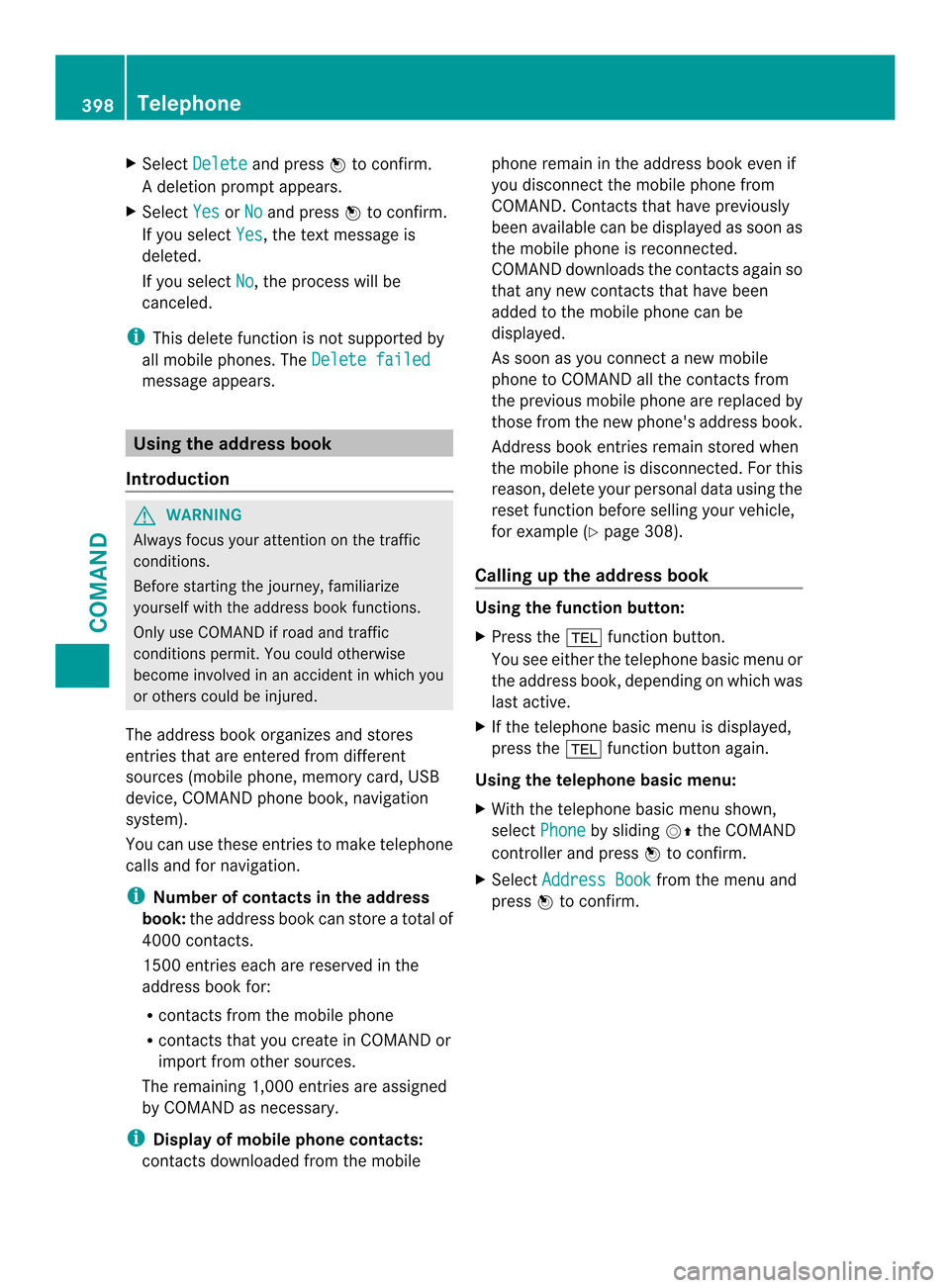
Using the address book
Introduction G
WARNING
Always focus your attention on the traffic
conditions.
Before starting the journey, familiarize
yourself with the address book functions.
Only use COMAND if road and traffic
conditions permit .You could otherwise
become involved in an accident in which you
or others could be injured.
The address book organizes and stores
entries that are entered from different
sources (mobile phone, memory card, USB
device, COMAND phone book, navigation
system).
You can use these entries to make telephone
calls and for navigation.
i Number of contacts in the address
book: the address book can store a total of
4000 contacts.
1500 entries each are reserved in the
address book for:
R contacts from the mobile phone
R contacts that you create in COMAND or
import from other sources.
The remaining 1,000 entries are assigned
by COMAND as necessary.
i Display of mobile phone contacts:
contacts downloaded from the mobile phone remain in the address book even if
you disconnect the mobile phone from
COMAND. Contacts that have previously
been available can be displayed as soon as
the mobile phone is reconnected.
COMAND downloads the contacts again so
that any new contacts that have been
added to the mobile phone can be
displayed.
As soon as you connect a new mobile
phone to COMAND all the contacts from
the previous mobile phone are replaced by
those from the new phone's address book.
Address book entries remain stored when
the mobile phone is disconnected. For this
reason, delete your personal data using the
reset function before selling your vehicle,
for example (Y
page 308).
Calling up the address book Using the function button:
X
Press the 0012function button.
You see either the telephone basic menu or
the address book, depending on which was
last active.
X If the telephone basic menu is displayed,
press the 0012function button again.
Using the telephone basic menu:
X With the telephone basic menu shown,
select Phone by sliding
00120038the COMAND
controller and press 0039to confirm.
X Select Address Book from the menu and
press 0039to confirm. 398
TelephoneCOMAND
Page 403 of 590

X
Select Edit and press
0039to confirm.
X Option 2: call up the detailed view for an
address boo kentry (Y page 400).
X Select the list symbol to the right of the
entry by sliding 00120037the COMAND
controller and press 0039to confirm.
X Select Edit and press
0039to confirm.
Irrespective of the option, the input menu
containing data fields appears.
Information about character entry
(Y page 299)
Changing the category of a telephone
number data field
X Display details for an address book entry
(Y page 400).
X Select the telephone numbe rdata field.
X Select the list symbol to the righ tofthe
entry by sliding 00120037the COMAND
controller and press 0039to confirm.
X Select Change Category and press
0039to
confirm.
X Select a number category, e.g. Home .
X Select a telephone category, e.g. MobilePhone .
X If desired, select Preferred and press
0039
to confirm.
Depending on the previous status, switch
the option on 0013or off 0003.The phone
number is displayed as the first number in
the phone book and can be dialed
immediately.
X Select Save and press
0039to confirm.
The new category is stored.
Calling anumber stored in an entry Conditions
The mobile phone must be connected via the
Bluetooth ®
interface (Y page 378). Dials
anumber
X Display details for an address book entry
(Y page 400).
X Select the phone numbe rdata field by
turning 003E0012003Fthe COMAND controller.
X Press 0039the COMAND controller to
confirm.
or
X Select the list symbol to the righ tofthe
data field by sliding 00120037the COMAND
controller.
X Press 0039the COMAND controller to
confirm.
X Select Call and press
0039to confirm.
The telephone makes the call. The display
switches to telephone mode.
Storing the phone number as a speed
dial number X
Display details for an address book entry
(Y page 400).
X Select the phone number data field by
turning 003E0012003Fthe COMAND controller.
X Select the list symbol to the right of the
data field by sliding 00120037the COMAND
controller and press 0039to confirm.
X Select Speed Dial and press
0039to
confirm.
You can now store the number in one of the
ten speed dial presets (Y page 394).
Starting route guidance to an entry Address book entry with navigable data
This function is available as soon as you have
stored a destination in the destination
memory (Y
page 359).
X Search for an address book entry with the
0006 symbol and select it from the list
(Y page 399). Telephone
401COMAND Z
Page 415 of 590

Importing
adestination/route When importing, you can choose whether you
want to save the destination as a personal POI
on an SD memory card or in the address book.
You can only save routes as personal POIs to
an SD memory card, but not in the address
book.
X Select Import in the menu with the
COMAND controller and press 0039to
confirm.
i If there is no SD memory card in the slot,
the As Personal POI menu ite
mis grayed
out.
X Insert the SD memory card (Y page 439).
X To save as apersonal POI: confirmAs Personal POI by pressing
0039the
COMAND controller.
The entry is saved as apersonal POI on the
SD memory card.
i You can use a personal POI in navigation
mode for route calculation (Y page 339).
You can also use a personal POI in another
vehicle for route calculation.
X To save to the address book: selectTo Address Book by turning
003E0012003Fthe
COMAND controller and press 0039to
confirm.
The entry is stored in the address book. Deleting
adestination/route from the
server X
Select an entry in the list by turning 003E0012003F
the COMAND controller and press 0039to
confirm.
X Select Delete and press
0039to confirm.
Aq uery appears asking whether the
destination or the route should be deleted.
X Select Yes or
No and press
0039to confirm.
If you select Yes , the destination or route
is deleted.
If you select No , the process will be
canceled. Options
Introduction You can select options for the following
Mercedes-Benz Apps from COMAND Online:
R
Local search (Y page 414)
R Destination/route download
(Y page 415)
You can reset the selected options to the
default settings (Y page 416). Online and Internet functions
413COMAND Z
Page 418 of 590

i
Routes and destinations are
automatically deleted on the server after
seven days.
Conditions of use You can review the terms of use for the
Mercedes-Benz Apps from COMAND Online
and Google™.
X
Select Terms and Conditions in the
options menu by sliding 00380012000Athe COMAND
controller and press 0039to confirm
(Y page 414).
X Select Mercedes-Benz Apps or
Google and press
0039to confirm.
The respective start page appears.
X Select Continue to view further content.
Resetting adjustments With the reset function
,all Mercedes-Benz
Apps settings are reset to the factory
settings.
X Selec tthe 000C icon in the main function bar
by sliding 00380012and turning 003E0012003Fthe
COMAND controller and press 0039to
confirm.
The carousel view appears.
X Bring the Mercedes-Benz Apps panel to
the front by turning 003E0012003Fthe COMAND
controller and pressing 0039to confirm.
X Select Options by sliding
0012000Aand turning
003E0012003F the COMAND controller and press
0039 to confirm.
X Select Reset and press
0039to confirm.
Ap rompt appears asking whethe ryou
really wish to reset.
X Select Yes or
No and press
0039to confirm.
If you select Yes , the settings are reset.
If you select No , the process will be
canceled. Other services
Mercedes-Benz Mobile Website The COMAND functions include the
Mercedes-Benz Mobile Website as a
predefined favorite.
X
Select the 000Csymbol in the main function
bar by sliding 00380012and turning 003E0012003Fthe
COMAND controller and press 0039to
confirm.
The carousel view appears.
X Bring the Mercedes-Benz Mobile Website panel to the front by turning
003E0012003F the COMAND controller and pressing
0039 to confirm.
The Mercedes-Benz home page appears.
i You cannot delete the Mercedes-Benz Mobile Website panel.
Further Mercedes-Benz Apps You can call up additional Mercedes-Benz
Apps, such as Facebook, or Google™
services, such as Street View or Panoramio,
here.416
Online and Internet functionsCOMAND
Page 428 of 590

X
Select the setting by turning 003E0012003For sliding
00380012000A the COMAND controller and press
0039 to confirm.
The 0021dot in front of an entry indicates
which setting is active.
or
X Select Delete All Data On Exit and
press 0039to confirm.
Switch the setting on 0013or off 0003. Option Function
All Deletes all private
data.
Cache Deletes data in the
cache.
Cookies Deletes cookies that
are created by
websites which you
have called up.
URL History Deletes all websites
visited (path).
0013Delete All
Data On Exit If this function is
activated
0013, all
private data is
deleted when you
exit the Internet
browser. i
If you reset COMAND to the factory
settings (reset function), these settings are
deleted (Y page 308).
Calling up the carousel view and closing
the Interne tbrowser X
To call up the carouse lview: press the
001F back button for longer than two
seconds.
X To close the Internet browser: press the
001F back button again for longe rthan two
seconds. Audio
Your COMAND equipment
These operating instructions describe all the
standard and optional equipment for your
COMAND system, as available at the time of
going to print. Country-specific differences
are possible. Please note that your COMAND
system may not be equipped with all the
features described. Radio mode
Important notes Portable electronic devices in the vehicle may
seriously impair radio reception.
Switching to radio mode
Switching modes using the function
button
X
Press the 0006function button.
The radio display appears. You will hear the
last station played on the last waveband.
i Repeatedly pressing this function button
switches through the wavebands in this
order: FM, AM, WB. You then call up
satellite radio mode. Pressing the button
again takes you back to FM radio mode. 426
AudioCOMAND
Page 429 of 590

Switching modes via the audio menu
Example: audio menu
0002
Current audio operating mode
0003 Main function bar
0027 Audio menu
X Select Audio in the main function bar by
sliding 00380012and turning 003E0012003Fthe COMAND
controller and press 0039to confirm.
If radio mode was the last mode selected,
it will now be active.
If another audio mode is switched on, you
can now switch to radio mode in the audio
menu.
X Select Audio by sliding
00380012the COMAND
controller and press 0039to confirm.
The audio menu appears. Example: HD Radio display
0002
Display window with station settings
0003 Preset position of the selected station
0027 Name of the selected station (symbol for
HD Radio™ and number of subprogram)
0026 Frequency of the selected station 0024
Sound settings
0025 FM radio, AM radio or WB radio
0016 Program information
0017 Preset functions
0018 Radio functions
X Select FM/AM Radio by turning
003E0012003Fthe
COMAND controller and press 0039to
confirm.
Switching HD Radio on/off You can switch off HD Radio™ in the radio
submenu:
X
Select Radio in the radio display by sliding
0012000A the COMAND controller and press 0039
to confirm.
X Select HD Radio and press
0039to confirm.
HD Radio™ on: 0013
HD Radio™ off: 0003
i Notes on HD Radio™:
HD Radio™ is a digital radio system from
the U.S.A. When HD Radio is off, you will
hear only analog programming on all
frequencies.
HD Radio™ provides:
R digital transmission on the same
wavebands as analog AM/FM. The
analog AM/FM stations remain in the
same position when selecting astation.
R broadcasting of several progra mstreams
over a single FM frequency (e.g. HD1,
HD2, etc.).
R clear, interference free reception Audio
427COMAND Z