2013 MERCEDES-BENZ B-CLASS SPORTS cooling
[x] Cancel search: coolingPage 7 of 336

1, 2, 3 ...
12 Vsocket
see Sockets A
ABS (Anti-lock Braking System) Display message ............................ 194
Function/notes ................................ 59
Important safety notes ....................59
Warning lamp ................................. 220
Activating/deactivating cooling
with air dehumidification .................118
Active Parking Assist Display message ............................ 211
Function/notes ............................. 165
Important safety notes ..................164
Active Service System
see ASSYST PLUS
ADAPTIVE BRAKE ................................. 64
Adaptive Brake Assist Display message ............................ 201
Function/notes ................................ 61
Adaptive brake lamps .........................63
Adaptive Highbeam Assist Display message ............................ 206
Function/notes ............................. 100
Switching on/off (on-board
computer) ...................................... 190
Additional speedometer ...................189
Additives (engine oil) ........................327
Airb ags
Deployment ..................................... 37
Front air bag (driver, front
passenger )....................................... 41
Important safety notes ....................39
Knee bag .......................................... 42
Safety guidelines ............................. 38
Side impact airb ag.......................... 42
Windo wcurtain air bag .................... 42
Air-conditioning system
see Climate control
Airv ents
Important safet ynotes .................. 123
Rea r............................................... 124
Setting ........................................... 123Setting the center air vents
...........123
Setting the side air vents ...............124
Alarm system
see ATA (Anti-Theft Alarm system)
Anti-loc kbraking system
see ABS (Anti-lock Braking System)
Anti-theft alarm system
see ATA (Anti-Theft Alarm system)
Anti-theft system
Interio rmotion sensor ..................... 66
Ashtray ............................................... 242
Assistance menu (on-board
computer) .......................................... 187
ASSYST PLUS Displaying a service message ........264
Hiding a service message ..............264
Notes ............................................. 264
Resetting the service interval
display. .......................................... 264
Service message ............................ 264
Special service requirements ......... 265
ATA (Anti-Theft Alarm system)
Activating/deactivating ...................65
Function .......................................... .65
Switching off the alarm ....................65
ATTENTIO NASSIST
Activating/deactivating .................188
Display message ............................ 209
Function/notes ............................. 171
Audio menu (on-board computer) ....185
Audio system see separate operating instructions
Authorized Centers
see Qualified specialist workshop
Authorized Mercedes-Benz Center
see Qualified specialist workshop
Authorized workshops
see Qualified specialist workshop
AUTO lights
Display message ............................ 205
see Lights
Automatic engine start (ECO start/
stop function) .................................... 129
Automatic engine switch-off (ECO
start/stop function) ..........................129
Automatic headlamp mode ................97 4
Index
Page 9 of 336

Sea
tcover ..................................... 270
Sensors ......................................... 269
Steering wheel ............................... 270
Trim pieces .................................... 270
Washing by hand ........................... 266
Wheels ........................................... 267
Windows ........................................ 268
Wiper blades .................................. 268
Wooden trim .................................. 270
Cargo compartment cover ...............237
Cargo compartment enlargement ...234
Important safety notes ..................234
Notes on use ................................. 236
Cargo compartment floor
Height adjustment .........................240
Opening/closing ............................ 239
Stowag ewell (under) ..................... 239
Cargo net
Attaching ....................................... 239
Important safety information .........238
Cargo tie down rings .........................237
Car wash (care) ................................. 265
Center console Lowe rsection .................................. 31
Uppe rsection .................................. 30
Central locking
Automatic locking (on-board
computer) ...................................... 191
Locking/unlocking (SmartKey) ........68
Changing bulbs
Brake lamps ................................... 107
Cornering light function .................106
High-beam headlamps ...................105
Important safety notes ..................102
License plate lighting .....................109
Low-beam headlamps ....................105
Overview of bul btypes .................. 103
Parking lamps ................................ 105
Rea rfog lamp ................................ 107
Removing/replacing the cover
(front wheel arch) .......................... 104
Reversing lamps ............................ 107
Standing lamps (front) ...................105
Tai llamps ...................................... 107
Turn signals (front) ......................... 106
Turn signals (rear) ..........................107Child-proof locks
Important safety notes ....................58
Rea rdoors ....................................... 58
Children
In the vehicle ................................... 47
Restraint systems ............................ 47
Child seat
Automatic recognition .....................50
LATCH-type (ISOFIX) child seat
anchors ............................................ 51
On the front-passenger sea t............ 49
Problem (malfunction) .....................54
Recommendations ...........................56
Suitable positions ............................ 54
Top Tether ....................................... 52
Cigarette lighter ................................ 243
Climate control Automatic climate control (dual-
zone) .............................................. 117
Controlling automatically ...............119
Cooling with aird ehumidification..118
Defrosting the windows .................121
Defrosting the windshield ..............121
Dual-zone automatic climate
control ........................................... 115
Important safety notes ..................114
Indicator lamp ................................ 119
Notes on using automatic climate
control ................................... 115, 117
Overview of systems ......................114
Problems with cooling with air
dehumidification ............................ 119
Problem with the rear window
defroster ........................................ 122
Setting the aird istribution.............120
Setting the airflow .........................120
Setting the airv ents...................... 123
Setting the temperature ................119
Switching air-recirculation mode
on/off ............................................ 122
Switching on/off ........................... 118
Switching residual hea ton/off ......122
Switching the rear window
defroster on/off ............................ 122
Switching the ZONE function on/
off .................................................. 1206
Index
Page 10 of 336
Cockpit
Overview .......................................... 26
see Instrument cluster
COLLISIO NPREVENTION ASSIST .......60
COMAND see separate operating instructions
Combination switch ............................98
Compass Calibrating ..................................... 257
Calling up ....................................... 257
Setting ........................................... 257
Consumption statistics (on-board
computer) .......................................... 182
Convenience closing feature ..............78
Convenience opening feature ............78
Coolan t(engine)
Checkin gthe level ......................... 263
Display message ............................ 206
Filling capacity ............................... 328
Important safety notes ..................327
Temperature gauge ........................ 179
Warning lamp ................................. 226
Cooling
see Climate control
Cornering light function
Changing bulbs .............................. 106
Display message ............................ 203
Function/notes ................................ 99
Crash-responsive emergency
lighting ............................................... 102
Cruise control Activatio ncondition s..................... 150
Cruise control lever. ......................150
Deactivating ................................... 151
Display message ............................ 213
Driving system ............................... 150
Function/notes ............................. 150
Important safety notes ..................150
Setting aspeed .............................. 151
Storing and maintaining current
speed ............................................ .151
Cup holder
Center console .............................. 241
Important safety notes ..................241
Rea rcompartmen t......................... 242
Customer Assistance Center (CAC) ...24
Customer Relations Department .......24 D
Dashboard see Instrument cluster
Dashboard lighting
see Instrument cluster lighting
Data
see Technical data
Daytime running lamps
Display message ............................ 205
Switching on/off (on-board
computer) ...................................... 190
Switching on/off (switch) ................97
Dealerships
see Qualified specialist workshop
Delaye dswitch-off
Exterio rlighting (on-board
computer )...................................... 190
Interior lighting .............................. 191
Diagnostics connection ......................23
Digital speedometer .........................183
DIRECT SELECTl ever
see Automatic transmission
Displa y(cleaning instructions) ........269
Display messages ASSYST PLUS ................................ 264
Calling up (on-board computer) .....193
Driving systems ............................. 209
Engine ............................................ 206
General notes ................................ 193
Hiding (on-board computer) ...........193
Lights ............................................ .202
Safety systems .............................. 194
SmartKey ....................................... 218
Tires ............................................... 214
Vehicle .......................................... .215
Distance display (on-board
computer) .......................................... 187
Distance recorder ............................. 182
see Trip odometer
Distance warning function
Activating/deactivating .................188
Function/notes ................................ 60
Warning lamp ................................. 228
DISTRONIC PLUS
Activatio ncondition s..................... 154
Cruise control leve r....................... 154
Deactivating ................................... 157 Index
7
Page 117 of 336
Useful information
i This Operator's Manual describes all
models and all standard and optional
equipment of your vehicle available at the
time of publication of the Operator's
Manual. Country-specific differences are
possible. Please note that your vehicle may
not be equipped with all features
described. This also applies to safety-
related systems and functions.
i Please read the information on qualified
specialist workshops (Y page 23).Overview of climate control systems
Important safety notes
G
WARNING
Observe the settings recommended on the
following pages. The windows could
otherwise fog up. This could preven tyou from
observing the traffic conditions, thereby
causing an accident. G
WARNING
Severe conditions (e.g. strong air pollution)
may require replacement of the filter before
its scheduled replacement interval. Aclogged
filter will reduce the air volume to the interior
and the windows could fog up, impairing
visibility and endangering you and others.
Have a blocked filter replaced at a Mercedes-
Ben zCenter as soon as possible.
The automatic climate control regulates the
temperature and the humidity of the vehicle
interior and filters out undesirable
substances from the air.
Automatic climate control is only operational
when the engine is running 5
.O ptimum
operation is only achieved if you drive with the
side windows and panorama roof with power
tilt/sliding panel closed. i
Ventilate the vehicle for a brief period
during warm weather, e.g. using the
convenience opening feature (Y page 78).
This will speed up the cooling process and
the desired vehicle interior temperature
will be reached more quickly.
i The integrated filter can filter out most
particles of dust, and completely filters out
pollen. Aclogged filter reduces the amount
of air supplied to the vehicle interior .For
this reason, you should always observe the
interval for replacing the filter, which is
specified in the Maintenance Booklet.
Since the replacement interval depends on
environmental conditions, e.g. heavy air
pollution, the interval may be shorter than
stated in the Maintenance Booklet.
5 Automatic climate control: the residual heat function can only be activated/deactivated when the ignition
is switched off. 114
Overview of climate control systemsClimate control
Page 118 of 336
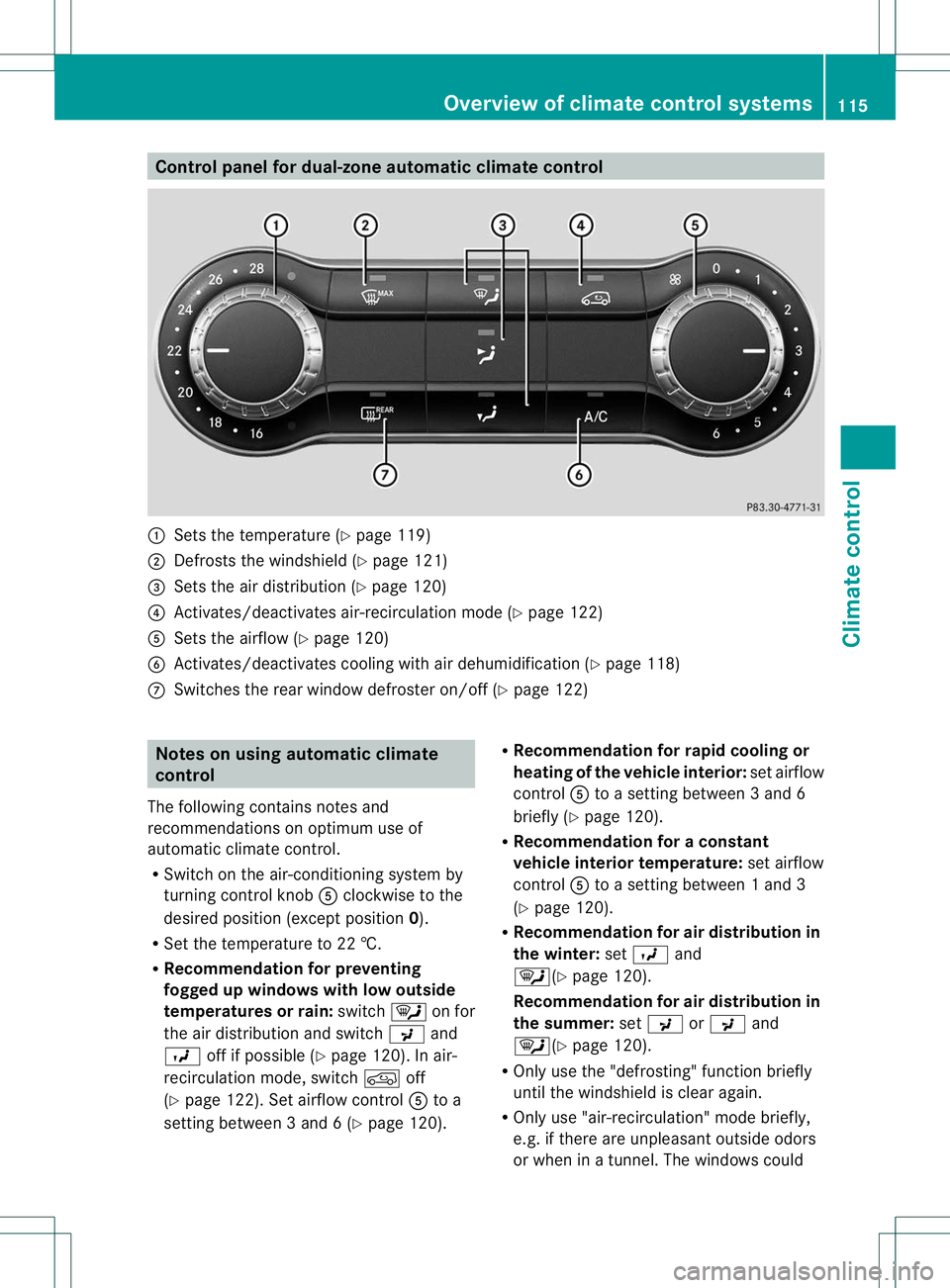
Control panel for dual-zone automatic climate control
:
Sets the temperature (Y page 119)
; Defrosts the windshield (Y page 121)
= Sets the air distribution (Y page 120)
? Activates/deactivates air-recirculation mode (Y page 122)
A Sets the airflow (Y page 120)
B Activates/deactivates coolin gwith air dehumidification ( Ypage 118)
C Switches the rear window defroster on/off (Y page 122)Notes on using automatic climate
control
The following contains notes and
recommendations on optimum use of
automatic climate control.
R Switch on the air-conditioning system by
turning control knob Aclockwise to the
desired position (except position 0).
R Set the temperature to 22 †.
R Recommendation for preventing
fogged up windows with low outside
temperatures or rain: switch¯on for
the air distribution and switch Pand
O off if possible (Y page 120). In air-
recirculation mode, switch doff
(Y page 122). Set airflow control Ato a
setting between 3 and 6 (Y page 120).R
Recommendation for rapid cooling or
heating of the vehicle interior: set airflow
control Ato a setting between 3 and 6
briefly (Y page 120).
R Recommendation for a constant
vehicle interior temperature: set airflow
control Ato a setting between 1 and 3
(Y page 120).
R Recommendation for air distribution in
the winter: setO and
¯(Y page 120).
Recommendation for air distribution in
the summer: setP orP and
¯(Y page 120).
R Only use the "defrosting" function briefly
until the windshield is clear again.
R Only use "air-recirculation" mode briefly,
e.g. if there are unpleasan toutside odors
or when in a tunnel. The windows could Overview of climate control systems
115Climate control Z
Page 121 of 336
for the front-passenger side as well. The
indicator lamp in the
ábutton goes out.
R Use the residual heatf unction if you want
to heat or ventilate th evehicle interior
when the ignition is switched off. The
"residual heat" function can only be
activated or deactivated with the ignition
switched off. Operating the climate control
systems
Activating/deactivating climate
control
Points to observe before use G
WARNING
When the climate control system is
deactivated, the outside air supply and
circulation are also deactivated. Only choose
this setting for a short time. Otherwise the
windows could fog up, impairing visibility and
endangering you and others.
Activating/deactivating Climate control
X
Turn the SmartKey to position 2in the
ignition lock.
X To switch on: turn controlAclockwise
to the desired position (except position 0)
(Y page 115).
X To switch off: turn controlAcounter-
clockwise to position 0(Y page 115). 3-zone automatic climate control
X
Turn the SmartKey to position 2in the
ignition lock.
X To switch on: press theÃbutton.
The indicator lamp in the Ãbutton lights
up. Airflow and air distribution are set to
automatic mode.
or
X Press the ^button.
The indicator lamp in the ^button goes
out. The previously selected settings are
restored.
X To switch off: press button^.
The indicator lamp in the ^button lights
up.
i 3-zone automatic climate control: switch
on climate control primarily using the
à button. Activating/deactivating cooling with
air dehumidification
Points to observe before use G
WARNING
If you switch off the cooling function, the
vehicle will not be cooled when weather
conditions are warm. The windows can fog up
more quickly. This may preventy ou from
observing the traffic conditions, thereby
causing an accident.
The cooling with air dehumidification function
is only available with dual-zone automatic
climate control and 3-zone automatic climate
control.
The cooling with air dehumidification function
is only available when the engine is running.
The air inside the vehicle is cooled and
dehumidified according to the temperature
selected.
Condensation may drip from the underside of
the vehicle when it is in cooling mode. This is
normal and not a sign that there is a
malfunction. 118
Operating the climate control systemsClimate control
Page 122 of 336
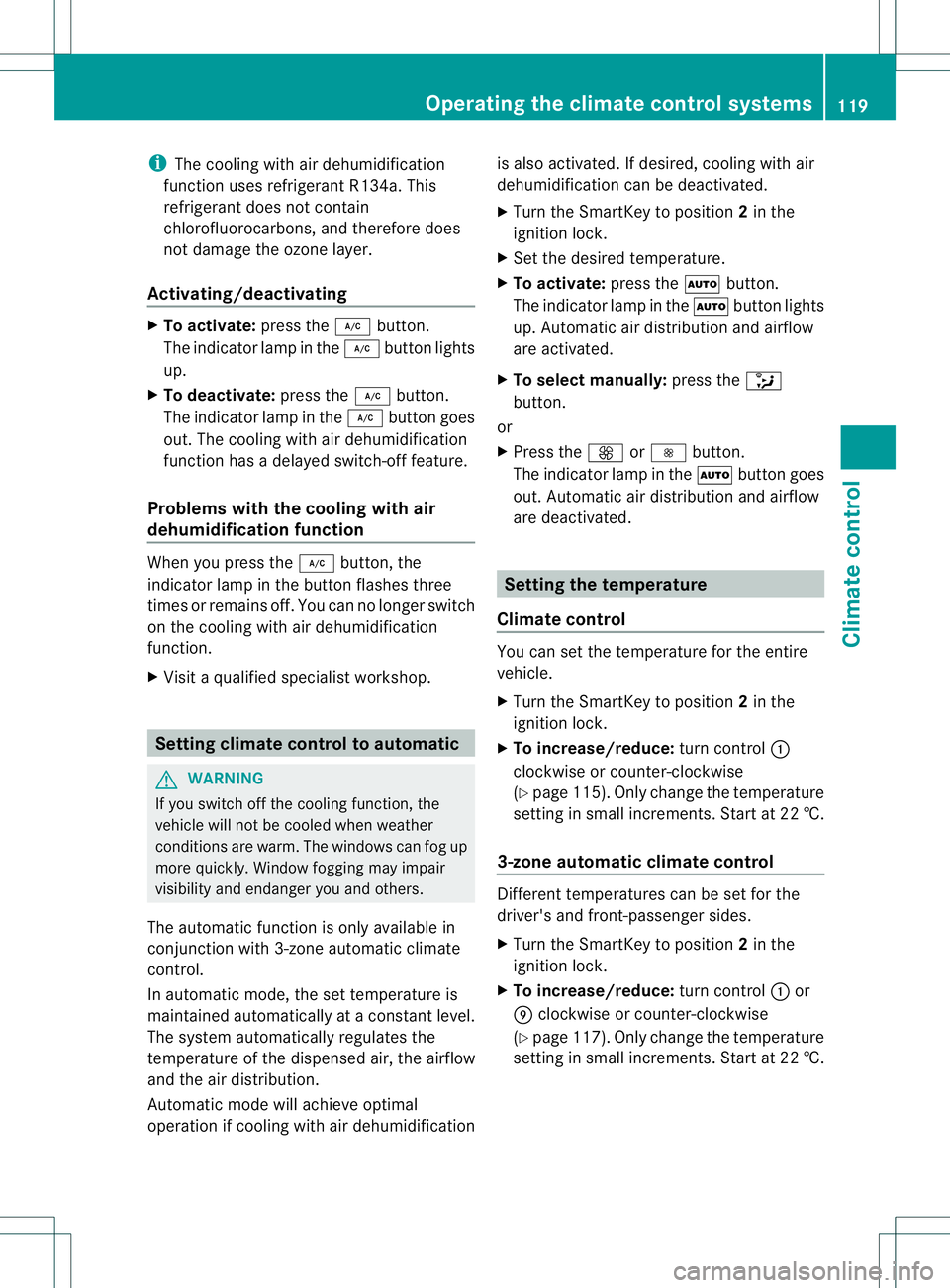
i
The cooling with air dehumidification
function uses refrigerant R134a. This
refrigerant does not contain
chlorofluorocarbons, and therefore does
not damage the ozone layer.
Activating/deactivating X
To activate: press the¿button.
The indicator lamp in the ¿button lights
up.
X To deactivate: press the¿button.
The indicator lamp in the ¿button goes
out. The cooling with air dehumidification
function has a delayed switch-off feature.
Problems with the cooling with air
dehumidification function When you press the
¿button, the
indicator lamp in the button flashes three
times or remains off. You can no longer switch
on the cooling with air dehumidification
function.
X Visit a qualified specialist workshop. Setting climate control to automatic
G
WARNING
If you switch off the cooling function, the
vehicle will not be cooled when weather
conditions are warm. The windows can fog up
more quickly. Window fogging may impair
visibility and endanger you and others.
The automatic function is only available in
conjunction with 3-zone automatic climate
control.
In automatic mode, the set temperature is
maintained automatically at a constant level.
The system automatically regulates the
temperature of the dispensed air, the airflow
and the air distribution.
Automatic mode will achieve optimal
operation if cooling with air dehumidification is also activated. If desired, cooling with air
dehumidification can be deactivated.
X
Turn the SmartKey to position 2in the
ignition lock.
X Set the desired temperature.
X To activate: press theÃbutton.
The indicator lamp in the Ãbutton lights
up. Automatic air distribution and airflow
are activated.
X To select manually: press the_
button.
or
X Press the KorI button.
The indicator lamp in the Ãbutton goes
out. Automatic air distribution and airflow
are deactivated. Setting the temperature
Climate control You can set the temperature for the entire
vehicle.
X
Turn the SmartKey to position 2in the
ignition lock.
X To increase/reduce: turn control:
clockwise or counter-clockwise
(Y page 115). Only change the temperature
setting in small increments. Start at 22 †.
3-zone automatic climate control Different temperatures can be set for the
driver's and front-passenger sides.
X
Turn the SmartKey to position 2in the
ignition lock.
X To increase/reduce: turn control:or
E clockwise or counter-clockwise
(Y page 117). Only change the temperature
setting in small increments. Start at 22 †. Operating the climate control systems
119Climate control Z
Page 124 of 336
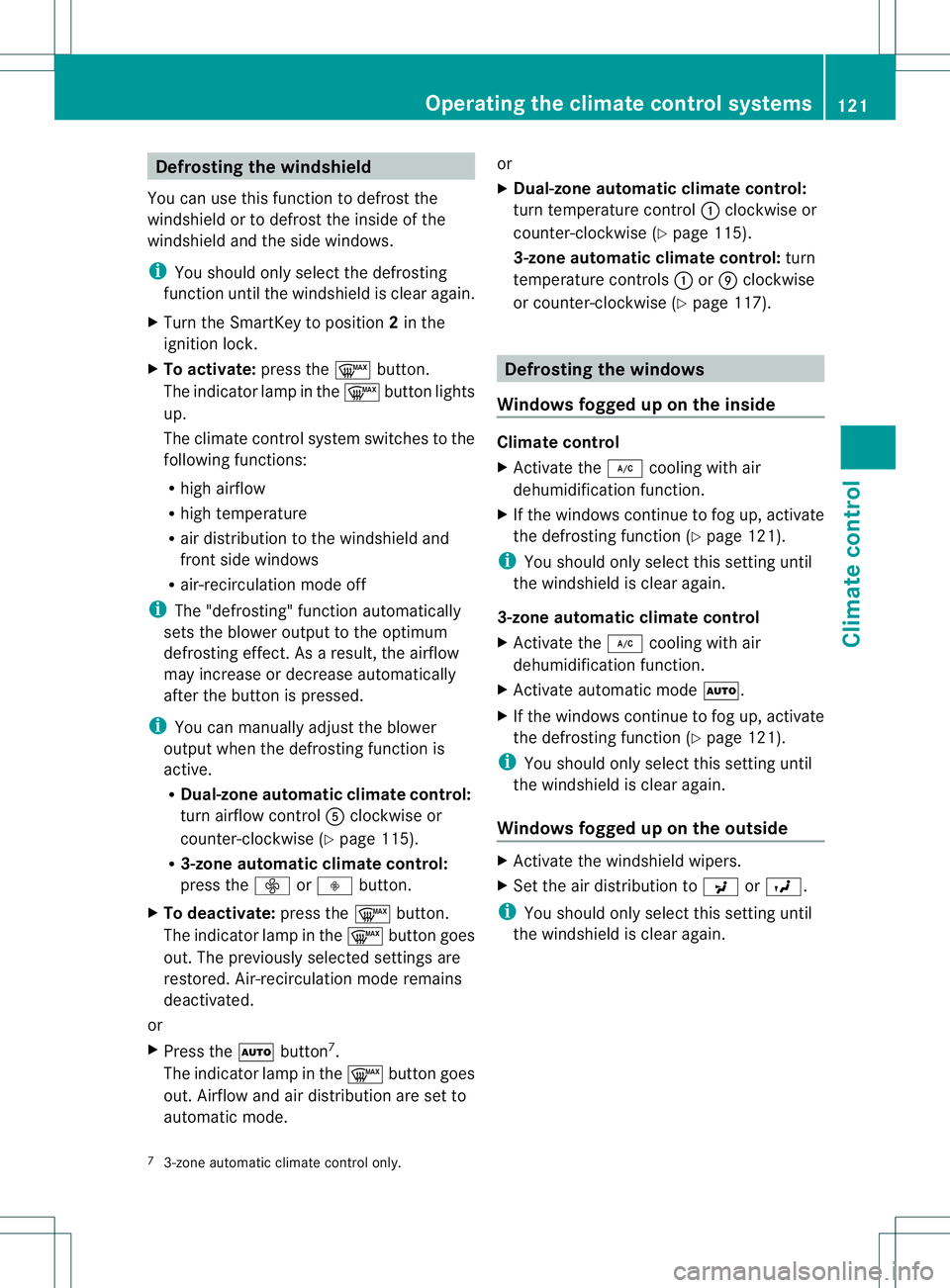
Defrosting the windshield
You can use this function to defrost the
windshield or to defrost thei nside of the
windshield and the side windows.
i You should only select the defrosting
functio nuntil the windshield is clear again.
X Turn the SmartKey to position 2in the
ignition lock.
X To activate: press the¬button.
The indicator lamp in the ¬button lights
up.
The climate control system switches to the
following functions:
R high airflow
R high temperature
R aird istribution to the windshield and
front side windows
R air-recirculation mode off
i The "defrosting" function automatically
sets the blower output to the optimum
defrosting effect .Asar esult, the airflow
may increase or decrease automatically
after the button is pressed.
i You can manually adjust the blower
output when the defrosting function is
active.
R Dual-zone automatic climate control:
turn airflow control Aclockwise or
counter-clockwise (Y page 115).
R 3-zone automatic climate control:
press the óorô button.
X To deactivate: press the¬button.
The indicator lamp in the ¬button goes
out. The previously selected settings are
restored. Air-recirculation mode remains
deactivated.
or
X Press the Ãbutton 7
.
The indicator lamp in the ¬button goes
out. Airflow and air distribution are set to
automatic mode. or
X
Dual-zone automatic climate control:
turn temperature control :clockwise or
counter-clockwise (Y page 115).
3-zone automatic climate control: turn
temperature controls :orE clockwise
or counter-clockwise (Y page 117). Defrosting the windows
Windows fogged up on the inside Climate control
X
Activate the ¿cooling with air
dehumidification function.
X If the windows continue to fog up, activate
the defrosting function (Y page 121).
i You should only select this setting until
the windshield is clear again.
3-zone automatic climate control
X Activate the ¿cooling with air
dehumidification function.
X Activate automatic mode Ã.
X If the windows continue to fog up, activate
the defrosting function (Y page 121).
i You should only select this setting until
the windshield is clear again.
Windows fogged up on the outside X
Activate the windshield wipers.
X Set the air distribution to PorO.
i You should only select this setting until
the windshield is clear again.
7 3-zone automatic climate control only. Operating the climate control systems
121Climate control Z