Page 235 of 573
uuAudio System Basic OperationuPlaying AM/FM Radio
234
Features
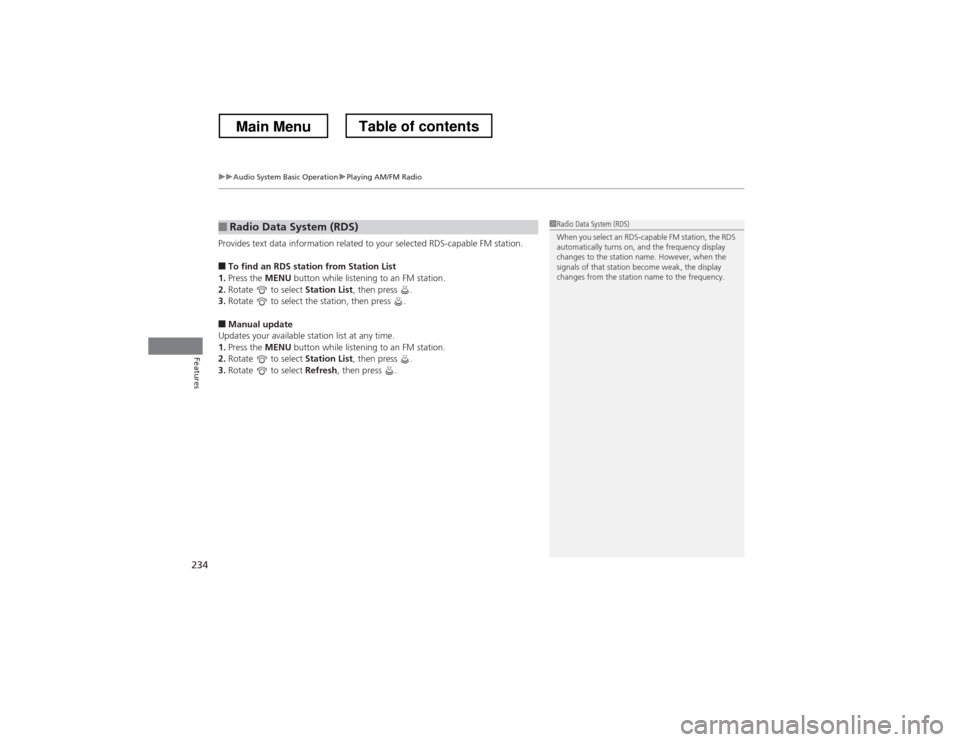
Provides text data information related to your selected RDS-capable FM station. ■ To find an RDS station from Station List
1. Press the MENU button while listening to an FM station.
2. Rotate to select Station List, then press .
3. Rotate to select the station, then press .
■ Manual update
Updates your available station list at any time. 1. Press the MENU button while listening to an FM station.
2. Rotate to select Station List, then press .
3. Rotate to select Refresh, then press .
■Radio Data System (RDS)1Radio Data System (RDS)
When you select an RDS-capable FM station, the RDS
automatically turns on, and the frequency display
changes to the station name. However, when the
signals of that station become weak, the display
changes from the station name to the frequency.
Main MenuTable of contents
Page 236 of 573
235
uuAudio System Basic OperationuPlaying AM/FM Radio
Features
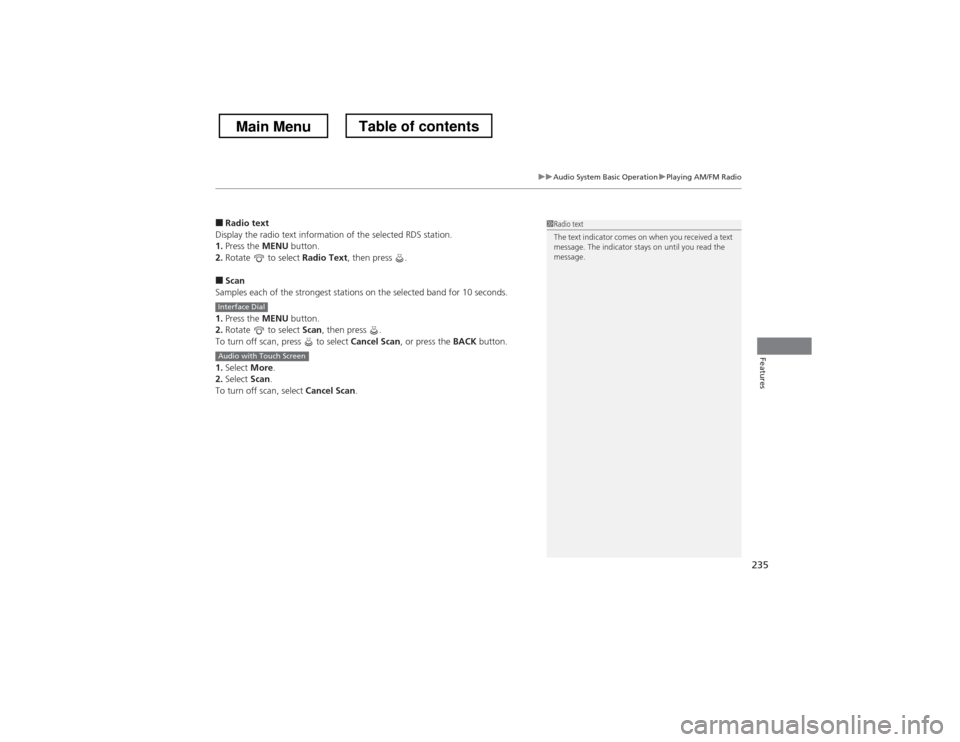
■Radio text
Display the radio text information of the selected RDS station. 1. Press the MENU button.
2. Rotate to select Radio Text, then press .
■ Scan
Samples each of the strongest stations on the selected band for 10 seconds. 1. Press the MENU button.
2. Rotate to select Scan, then press .
To turn off scan, press to select Cancel Scan, or press the BACK button.
1. Select More.
2. Select Scan.
To turn off scan, select Cancel Scan.1Radio text
The text indicator comes on when you received a text
message. The indicator stays on until you read the
message.
Interface Dial
Audio with Touch Screen
Main MenuTable of contents
Page 237 of 573
236
uuAudio System Basic OperationuPlaying XM® Radio
Features
Playing XM ® Radio
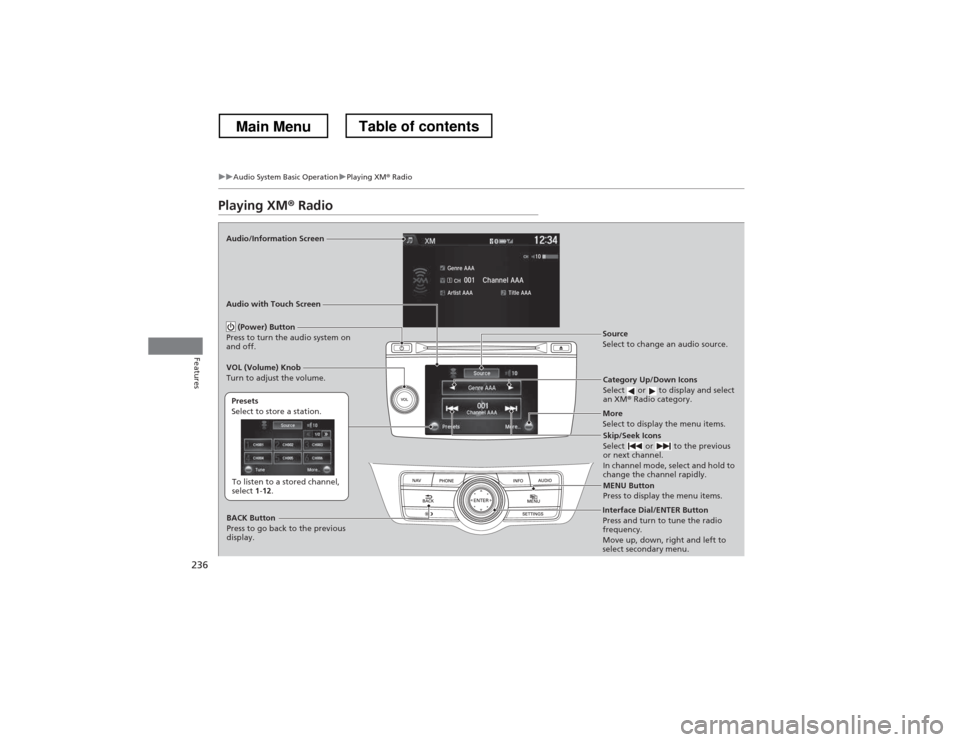
Audio/Information Screen Audio with Touch Screen
Category Up/Down Icons
Select or to display and select an XM® Radio category.
MENU Button
Press to display the menu items.
(Power) Button
Press to turn the audio system on
and off.Source
Select to change an audio source.
To listen to a stored channel,
select 1-12 .
Presets
Select to store a station.
Skip/Seek Icons
Select or to the previous
or next channel.
In channel mode, select and hold to
change the channel rapidly.
More
Select to display the menu items.
BACK Button
Press to go back to the previous
display.
VOL (Volume) Knob
Turn to adjust the volume.
Interface Dial/ENTER Button
Press and turn to tune the radio
frequency.
Move up, down, right and left to
select secondary menu.
Main MenuTable of contents
Page 238 of 573
Continued237
uuAudio System Basic OperationuPlaying XM® Radio
Features
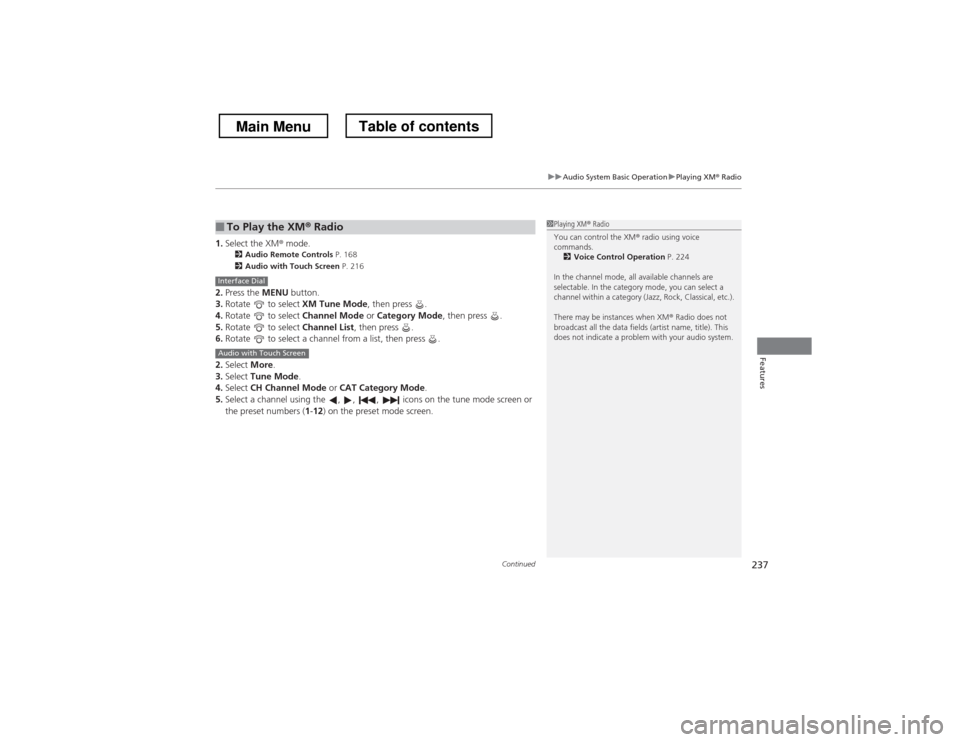
1. Select the XM ® mode.
2 Audio Remote Controls P. 168
2 Audio with Touch Screen P. 216
2. Press the MENU button.
3. Rotate to select XM Tune Mode, then press .
4. Rotate to select Channel Mode or Category Mode , then press .
5. Rotate to select Channel List, then press .
6. Rotate to select a channel from a list, then press .
2. Select More.
3. Select Tune Mode .
4. Select CH Channel Mode or CAT Category Mode .
5. Select a channel using the , , , icons on the tune mode screen or
the preset numbers ( 1-12 ) on the preset mode screen.
■To Play the XM ® Radio1Playing XM ® Radio
You can control the XM ® radio using voice
commands.
2 Voice Control Operation P. 224
In the channel mode, all available channels are
selectable. In the category mode, you can select a
channel within a category (Jazz, Rock, Classical, etc.).
There may be instances when XM ® Radio does not
broadcast all the data fields (artist name, title). This
does not indicate a problem with your audio system.
Interface Dial
Audio with Touch Screen
Main MenuTable of contents
Page 239 of 573
uuAudio System Basic OperationuPlaying XM® Radio
238
Features
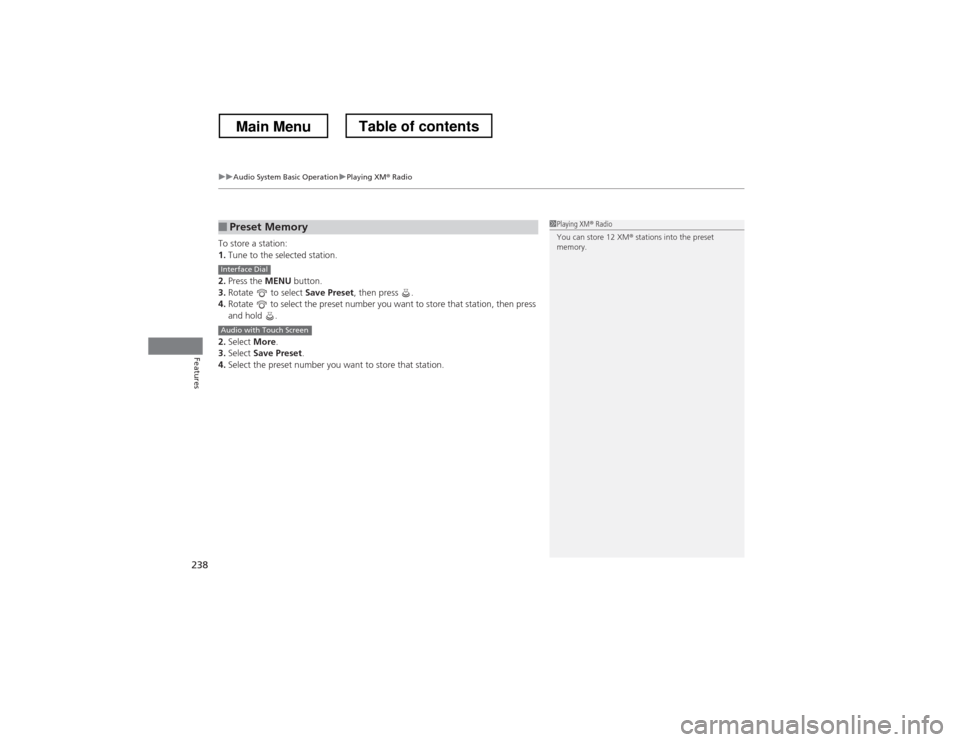
To store a station: 1. Tune to the selected station.
2. Press the MENU button.
3. Rotate to select Save Preset, then press .
4. Rotate to select the preset number you want to store that station, then press
and hold .
2. Select More.
3. Select Save Preset .
4. Select the preset number you want to store that station.
■Preset Memory1Playing XM ® Radio
You can store 12 XM ® stations into the preset
memory.
Interface Dial
Audio with Touch Screen
Main MenuTable of contents
Page 261 of 573
260
uuAudio System Basic OperationuPlaying Internet Radio
Features
Playing Internet Radio
Connect a compatible phone through Bluetooth®.
You can also connect the phone using your dock connector to the USB adapter cable.
Make sure the audio setting is correct for the connection type. 2 USB/Bluetooth Connection Priority *
P. 312
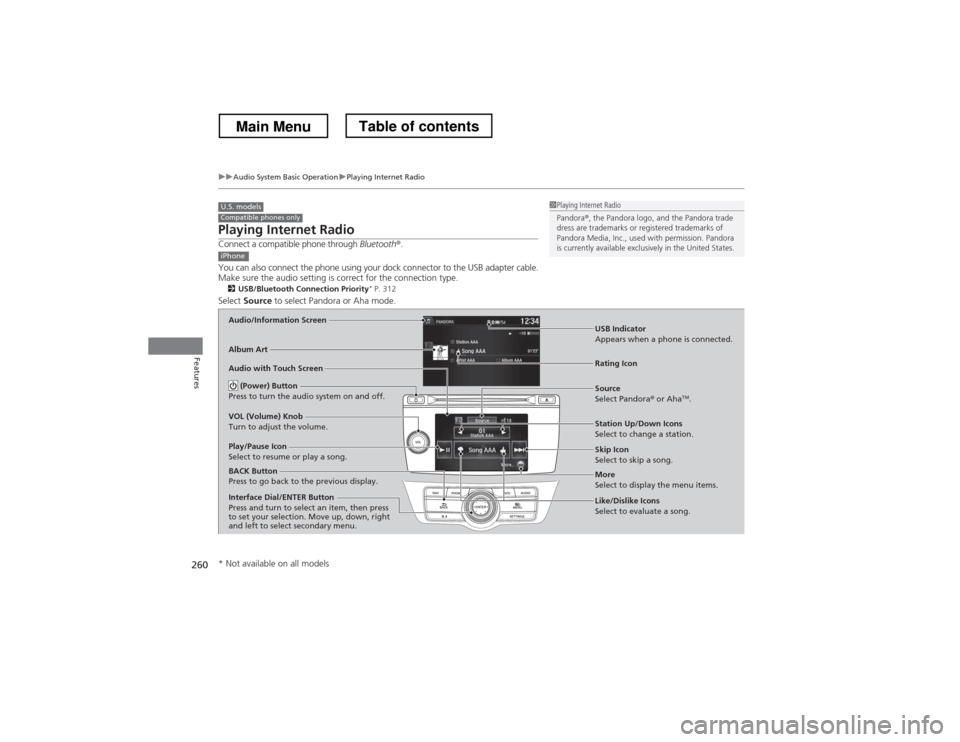
Select Source to select Pandora or Aha mode.
U.S. modelsCompatible phones only1Playing Internet Radio
Pandora®, the Pandora logo, and the Pandora trade
dress are trademarks or registered trademarks of
Pandora Media, Inc., used with permission. Pandora
is currently available exclusively in the United States.
iPhone
Audio/Information Screen
Album Art
USB Indicator
Appears when a phone is connected.
Rating IconAudio with Touch Screen
BACK Button
Press to go back to the previous display.
Skip Icon
Select to skip a song.
More
Select to display the menu items.
Station Up/Down Icons
Select to change a station.
Source
Select Pandora
® or Aha TM
.
Play/Pause Icon
Select to resume or play a song.
Like/Dislike Icons
Select to evaluate a song.
(Power) Button
Press to turn the audio system on and off.
VOL (Volume) Knob
Turn to adjust the volume.
Interface Dial/ENTER Button
Press and turn to select an item, then press
to set your selection. Move up, down, right
and left to select secondary menu.
* Not available on all models
Main MenuTable of contents
Page 262 of 573
Continued261
uuAudio System Basic OperationuPlaying Internet Radio
Features
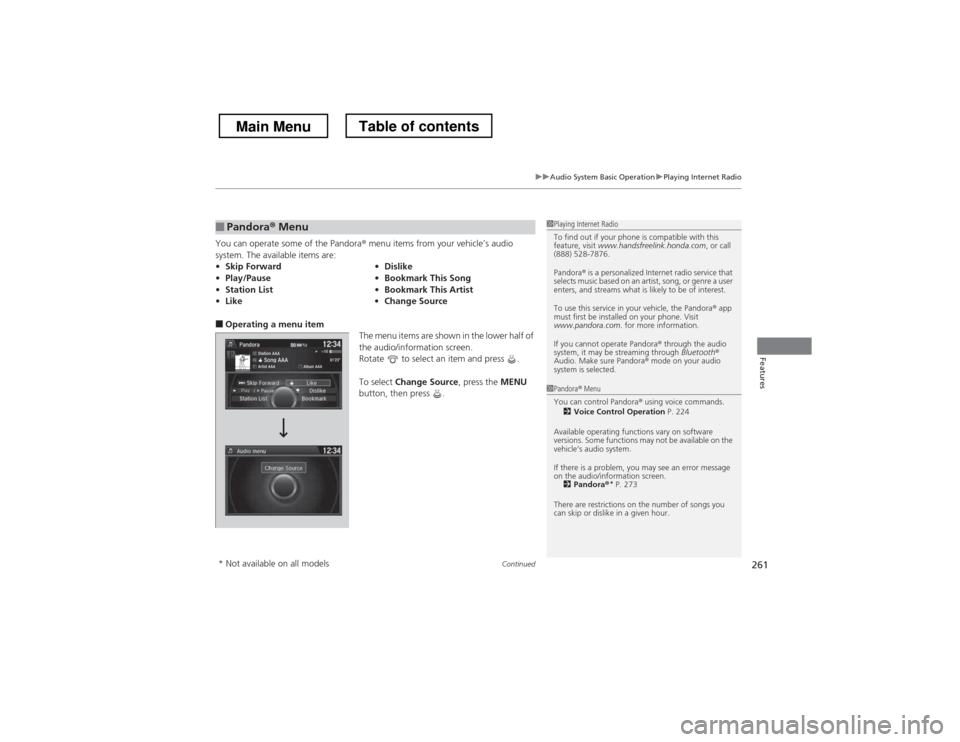
You can operate some of the Pandora® menu items from your vehicle’s audio
system. The available items are:
■ Operating a menu item
The menu items are shown in the lower half of
the audio/information screen.
Rotate to select an item and press .
To select Change Source , press the MENU
button, then press .
■Pandora ® Menu
• Skip Forward •Dislike
• Play/Pause •Bookmark This Song
• Station List •Bookmark This Artist
• Like •Change Source1Playing Internet Radio
To find out if your phone is compatible with this
feature, visit www.handsfreelink.honda.com , or call
(888) 528-7876.
Pandora ® is a personalized Internet radio service that
selects music based on an artist, song, or genre a user
enters, and streams what is likely to be of interest.
To use this service in your vehicle, the Pandora ® app
must first be installed on your phone. Visit
www.pandora.com . for more information.
If you cannot operate Pandora ® through the audio
system, it may be streaming through Bluetooth®
Audio. Make sure Pandora ® mode on your audio
system is selected.
1Pandora ® Menu
You can control Pandora ® using voice commands.
2 Voice Control Operation P. 224
Available operating functions vary on software
versions. Some functions may not be available on the
vehicle’s audio system.
If there is a problem, you may see an error message
on the audio/information screen. 2 Pandora ®*
P. 273
There are restrictions on the number of songs you
can skip or dislike in a given hour.
* Not available on all models
Main MenuTable of contents
Page 263 of 573
uuAudio System Basic OperationuPlaying Internet Radio
262
Features
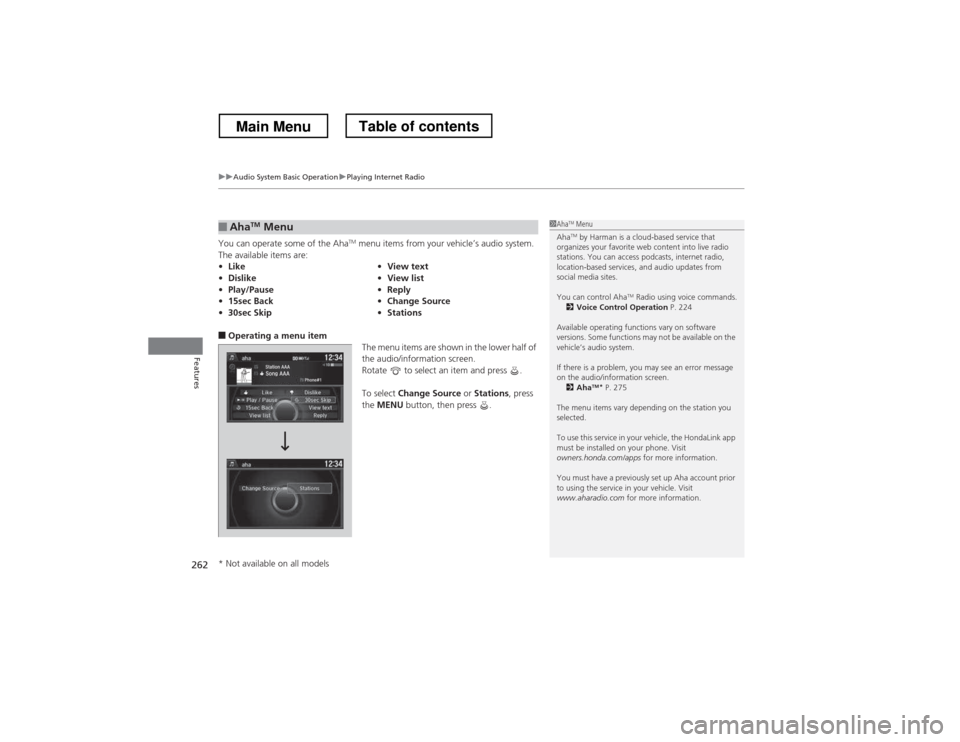
You can operate some of the Aha TM
menu items from your vehicle’s audio system.
The available items are:
■ Operating a menu item
The menu items are shown in the lower half of
the audio/information screen.
Rotate to select an item and press . To select Change Source or Stations , press
the MENU button, then press .
■AhaTM
Menu
• Like •View text
• Dislike •View list
• Play/Pause •Reply
• 15sec Back •Change Source
• 30sec Skip •Stations1Aha TM
Menu
Aha TM
by Harman is a cloud-based service that
organizes your favorite web content into live radio
stations. You can access podcasts, internet radio,
location-based services, and audio updates from
social media sites.
You can control Aha TM
Radio using voice commands.
2 Voice Control Operation P. 224
Available operating functions vary on software
versions. Some functions may not be available on the
vehicle’s audio system.
If there is a problem, you may see an error message
on the audio/information screen. 2 Aha TM
*
P. 275
The menu items vary depending on the station you
selected.
To use this service in your vehicle, the HondaLink app
must be installed on your phone. Visit
owners.honda.com/apps for more information.
You must have a previously set up Aha account prior
to using the service in your vehicle. Visit
www.aharadio.com for more information.
* Not available on all models
Main MenuTable of contents