Page 18 of 346
17Quick Reference Guide
Features
(P143)
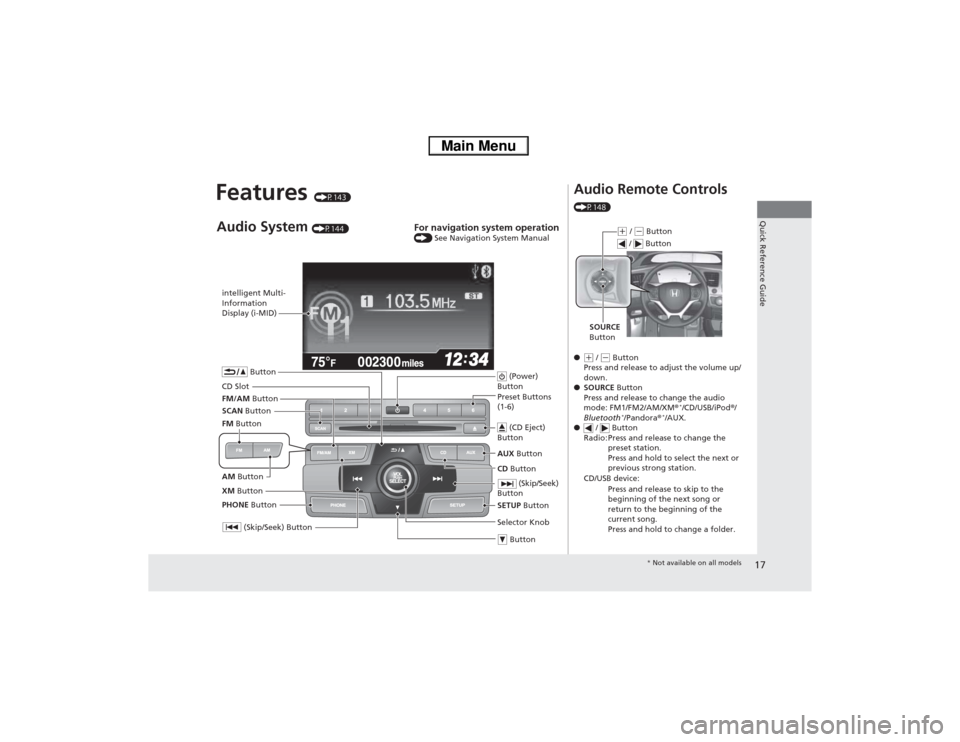
intelligent Multi-
Information
Display (i-MID)
SCAN Button
(Skip/Seek) Button
Selector Knob Button (Power)
ButtonCD Button AUX Button (CD Eject)
ButtonPreset Buttons
(1-6)
ButtonSETUP Button (Skip/Seek)
Button
PHONE ButtonAudio System
(P144)
For navigation system operation () See Navigation System Manual
CD SlotXM Button FM/AM ButtonAM Button FM Button
Audio Remote Controls (P148)
●(+ / (- Button
Press and release to adjust the volume up/
down.
●SOURCE Button
Press and release to change the audio
mode: FM1/FM2/AM/XM®
*/CD/USB/iPod®/
Bluetooth
*/Pandora®
*/AUX.
● / Button
Radio: Press and release to change the
preset station.
Press and hold to select the next or
previous strong station.
CD/USB device:
Press and release to skip to the
beginning of the next song or
return to the beginning of the
current song.
Press and hold to change a folder.
(+ / (- Button
SOURCE
Button / Button* Not available on all models
Page 50 of 346
Continued
49
uuAirbagsuAirbag System Indicators
Safe Driving
■When side curtain airbags deploy in a frontal collision
One or both side curtain airbags may inflate in a moderate-to-severe angled frontal
collision.
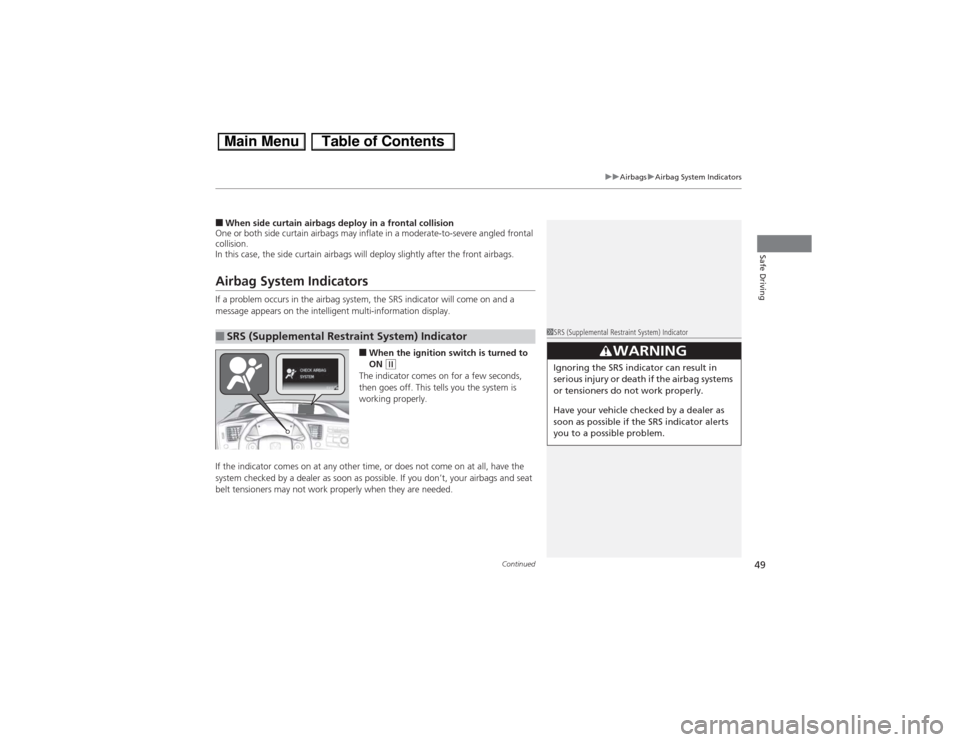
In this case, the side curtain airbags will deploy slightly after the front airbags.Airbag System IndicatorsIf a problem occurs in the airbag system, the SRS indicator will come on and a
message appears on the intelligent multi-information display.
■When the ignition switch is turned to
ON
(w
The indicator comes on for a few seconds,
then goes off. This tells you the system is
working properly.
If the indicator comes on at any other time, or does not come on at all, have the
system checked by a dealer as soon as possible. If you don’t, your airbags and seat
belt tensioners may not work properly when they are needed.
■SRS (Supplemental Restraint System) Indicator
1SRS (Supplemental Restraint System) Indicator
3
WARNING
Ignoring the SRS indicator can result in
serious injury or death if the airbag systems
or tensioners do not work properly.
Have your vehicle checked by a dealer as
soon as possible if the SRS indicator alerts
you to a possible problem.
Page 68 of 346
67
Instrument Panel
This chapter describes the buttons, indicators, and gauges that are used while driving.
Indicators............................................ 68intelligent Multi-Information Display (i-MID)
Warning and Information Messages ..... 79Gauges and intelligent Multi-
Information Display (i-MID)
Gauges .............................................. 82intelligent Multi-Information Display (i-MID)... 83
Page 75 of 346
74
uuIndicatorsu
Instrument Panel
Indicator
Name
On/Blinking
Explanation
Message
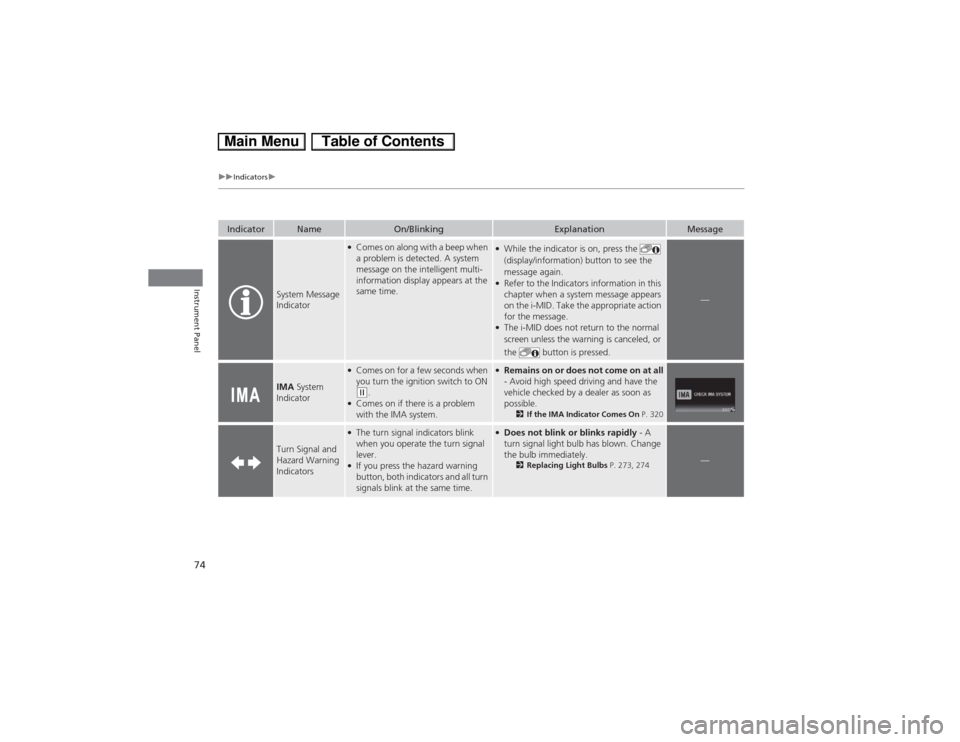
System Message
Indicator
●Comes on along with a beep when
a problem is detected. A system
message on the intelligent multi-
information display appears at the
same time.
●While the indicator is on, press the
(display/information) button to see the
message again.●Refer to the Indicators information in this
chapter when a system message appears
on the i-MID. Take the appropriate action
for the message.●The i-MID does not return to the normal
screen unless the warning is canceled, or
the button is pressed.
—
IMA System
Indicator
●Comes on for a few seconds when
you turn the ignition switch to ON (w.
●Comes on if there is a problem
with the IMA system.
●Remains on or does not come on at all
- Avoid high speed driving and have the
vehicle checked by a dealer as soon as
possible.
2If the IMA Indicator Comes On P. 320
Turn Signal and
Hazard Warning
Indicators
●The turn signal indicators blink
when you operate the turn signal
lever.●If you press the hazard warning
button, both indicators and all turn
signals blink at the same time.
●Does not blink or blinks rapidly - A
turn signal light bulb has blown. Change
the bulb immediately.
2Replacing Light Bulbs P. 273, 274
—
Page 80 of 346
79
uuIndicatorsuintelligent Multi-Information Display (i-MID) Warning and Information Messages
Continued
Instrument Panel
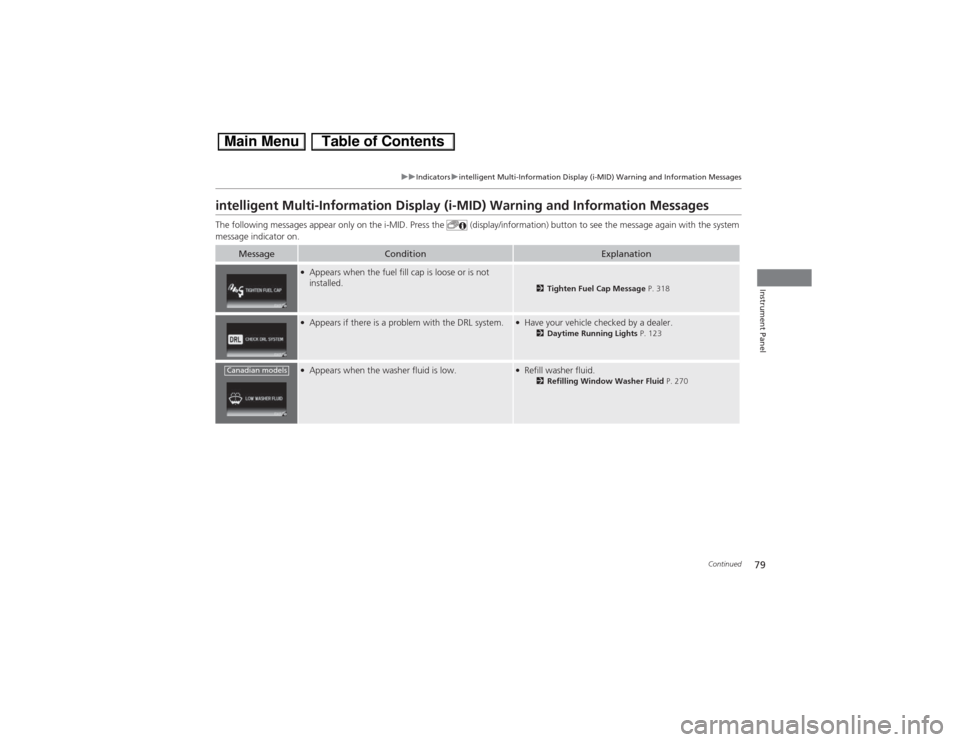
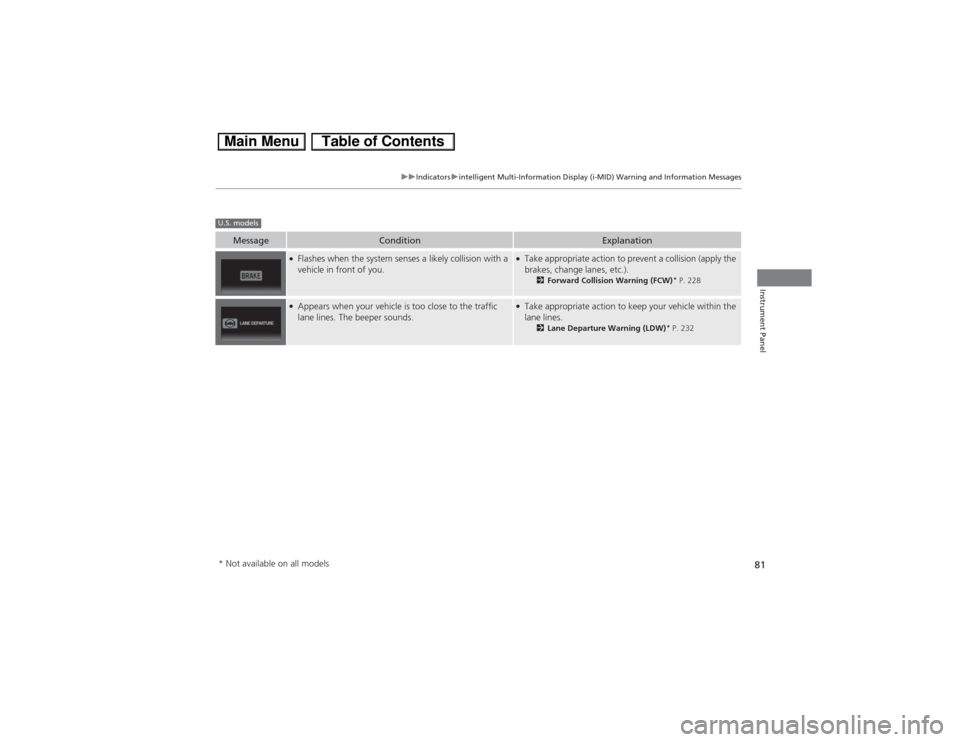
intelligent Multi-Information Display (i-MID) Warning and Information MessagesThe following messages appear only on the i-MID. Press the (display/information) button to see the message again with the system
message indicator on.
Message
Condition
Explanation
●Appears when the fuel fill cap is loose or is not
installed.
2Tighten Fuel Cap Message P. 318
●Appears if there is a problem with the DRL system.
●Have your vehicle checked by a dealer.
2Daytime Running Lights P. 123
●Appears when the washer fluid is low.
●Refill washer fluid.
2Refilling Window Washer Fluid P. 270
Canadian models
Page 81 of 346
80
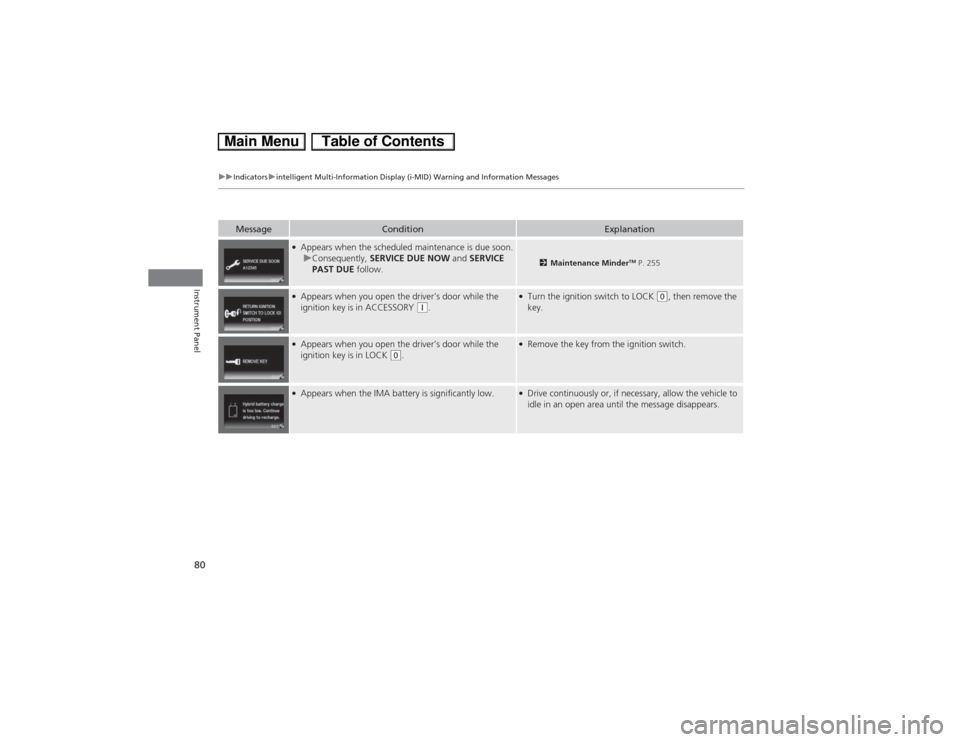
uuIndicatorsuintelligent Multi-Information Display (i-MID) Warning and Information Messages
Instrument Panel
Message
Condition
Explanation
●Appears when the scheduled maintenance is due soon.
uConsequently, SERVICE DUE NOW and SERVICE
PAST DUE follow.
2Maintenance Minder
TM P. 255
●Appears when you open the driver’s door while the
ignition key is in ACCESSORY
(q.
●Turn the ignition switch to LOCK
(0, then remove the
key.
●Appears when you open the driver’s door while the
ignition key is in LOCK
(0.
●Remove the key from the ignition switch.
●Appears when the IMA battery is significantly low.
●Drive continuously or, if necessary, allow the vehicle to
idle in an open area until the message disappears.
Page 82 of 346
81
uuIndicatorsuintelligent Multi-Information Display (i-MID) Warning and Information Messages
Instrument Panel
Message
Condition
Explanation
●Flashes when the system senses a likely collision with a
vehicle in front of you.
●Take appropriate action to prevent a collision (apply the
brakes, change lanes, etc.).
2Forward Collision Warning (FCW)
* P. 228
●Appears when your vehicle is too close to the traffic
lane lines. The beeper sounds.
●Take appropriate action to keep your vehicle within the
lane lines.
2Lane Departure Warning (LDW)
* P. 232
U.S. models* Not available on all models
Page 83 of 346
82Instrument Panel
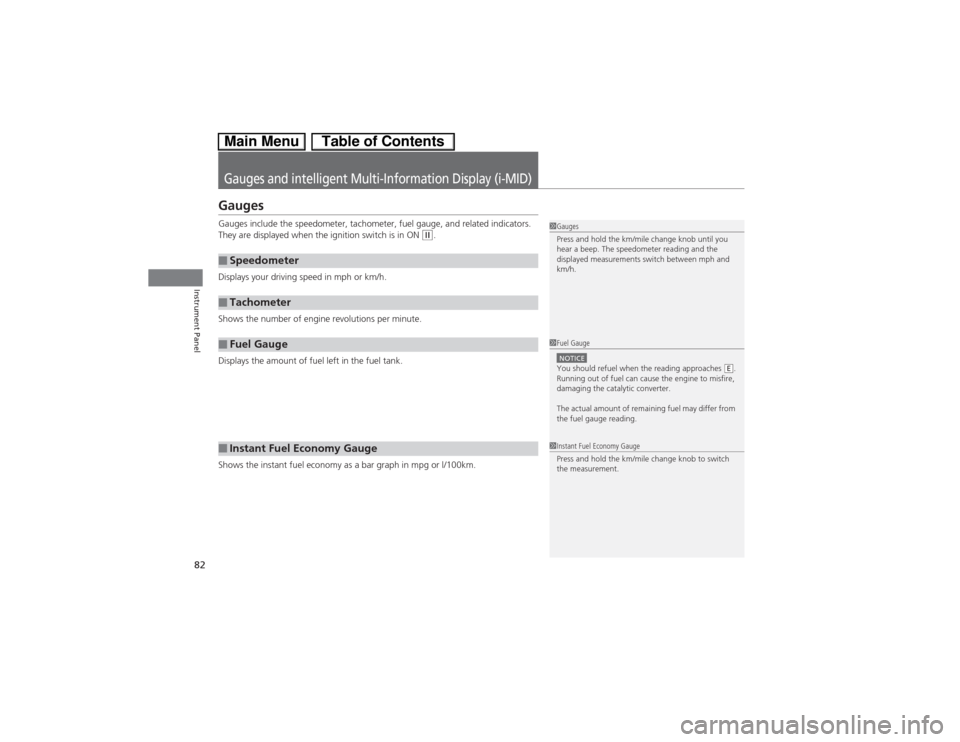
Gauges and intelligent Multi-Information Display (i-MID)GaugesGauges include the speedometer, tachometer, fuel gauge, and related indicators.
They are displayed when the ignition switch is in ON
(w.
Displays your driving speed in mph or km/h.
Shows the number of engine revolutions per minute.
Displays the amount of fuel left in the fuel tank.
Shows the instant fuel economy as a bar graph in mpg or l/100km.
■Speedometer■Tachometer■Fuel Gauge■Instant Fuel Economy Gauge
1Gauges
Press and hold the km/mile change knob until you
hear a beep. The speedometer reading and the
displayed measurements switch between mph and
km/h.1Fuel GaugeNOTICEYou should refuel when the reading approaches .
Running out of fuel can cause the engine to misfire,
damaging the catalytic converter.
The actual amount of remaining fuel may differ from
the fuel gauge reading.
E
1Instant Fuel Economy Gauge
Press and hold the km/mile change knob to switch
the measurement.