Page 23 of 346
22Quick Reference Guide
What to Do If
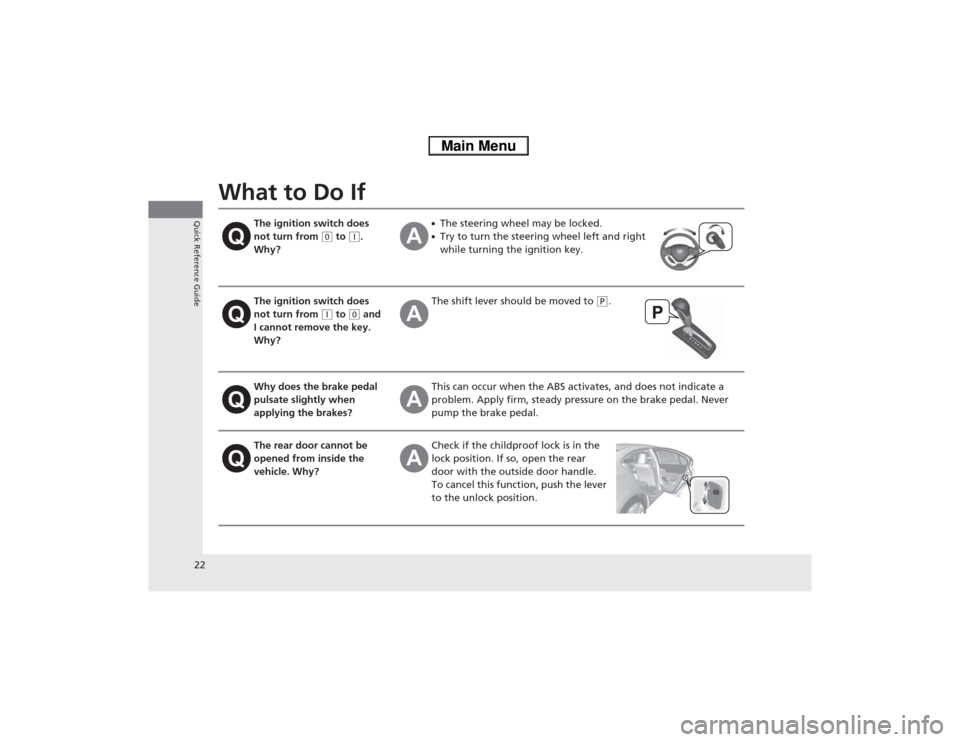
The ignition switch does
not turn from
(0 to
(q.
Why?
●The steering wheel may be locked.●Try to turn the steering wheel left and right
while turning the ignition key.
The ignition switch does
not turn from
(q to
(0 and
I cannot remove the key.
Why?
The shift lever should be moved to
(P.
Why does the brake pedal
pulsate slightly when
applying the brakes?
This can occur when the ABS activates, and does not indicate a
problem. Apply firm, steady pressure on the brake pedal. Never
pump the brake pedal.
The rear door cannot be
opened from inside the
vehicle. Why?
Check if the childproof lock is in the
lock position. If so, open the rear
door with the outside door handle.
To cancel this function, push the lever
to the unlock position.
Page 82 of 346
81
uuIndicatorsuintelligent Multi-Information Display (i-MID) Warning and Information Messages
Instrument Panel
Message
Condition
Explanation
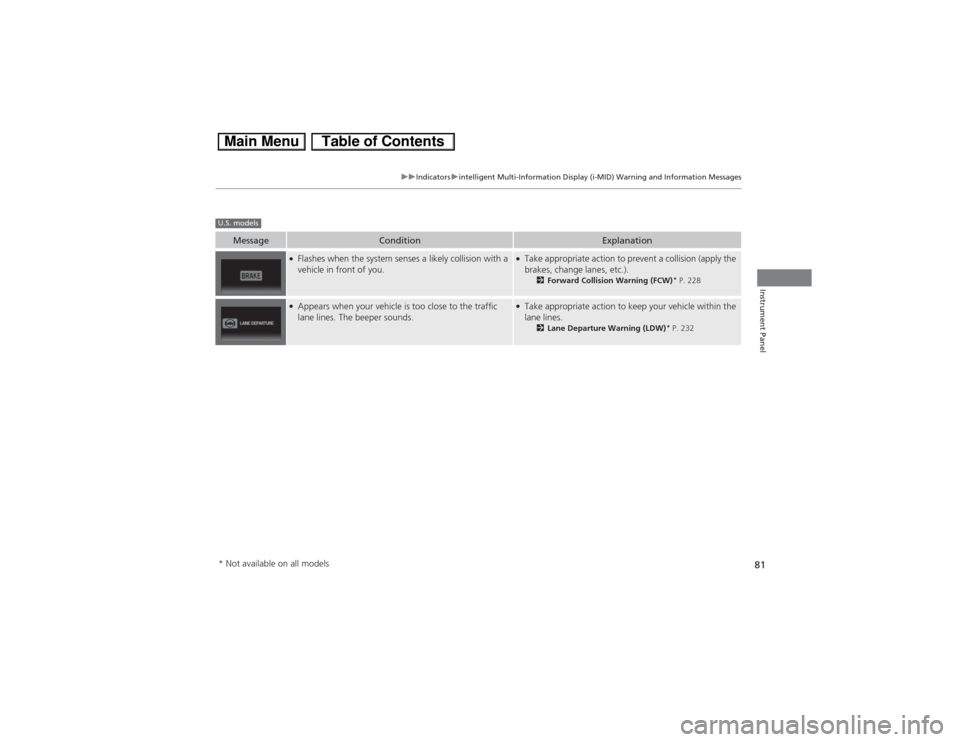
●Flashes when the system senses a likely collision with a
vehicle in front of you.
●Take appropriate action to prevent a collision (apply the
brakes, change lanes, etc.).
2Forward Collision Warning (FCW)
* P. 228
●Appears when your vehicle is too close to the traffic
lane lines. The beeper sounds.
●Take appropriate action to keep your vehicle within the
lane lines.
2Lane Departure Warning (LDW)
* P. 232
U.S. models* Not available on all models
Page 229 of 346
228
uuWhen DrivinguForward Collision Warning (FCW)
*
Driving
Forward Collision Warning (FCW)
*
Alerts you when it detects the possibility of your vehicle colliding with the vehicle in
front of yours.
If the system determines a collision is possible, it gives both visual and audible alerts.
uTake appropriate action to prevent a collision (apply the brakes, change lanes,
etc.).■How the system works
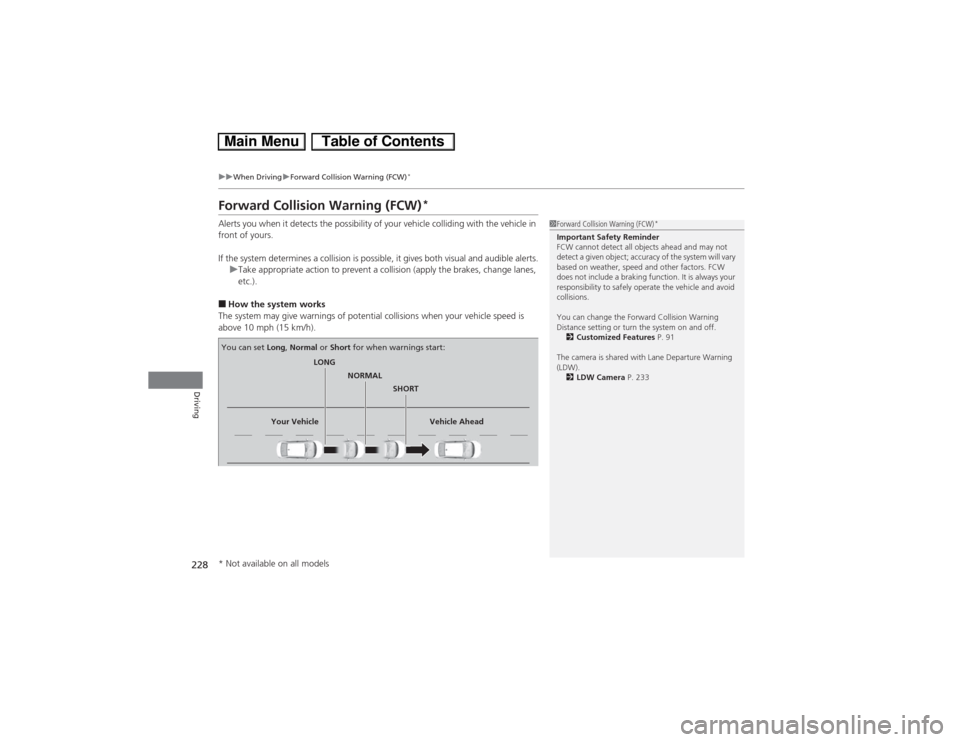
The system may give warnings of potential collisions when your vehicle speed is
above 10 mph (15 km/h).
1Forward Collision Warning (FCW)
*
Important Safety Reminder
FCW cannot detect all objects ahead and may not
detect a given object; accuracy of the system will vary
based on weather, speed and other factors. FCW
does not include a braking function. It is always your
responsibility to safely operate the vehicle and avoid
collisions.
You can change the Forward Collision Warning
Distance setting or turn the system on and off.
2Customized Features P. 91
The camera is shared with Lane Departure Warning
(LDW).
2LDW Camera P. 233
LONG
NORMAL
SHORT
Your Vehicle Vehicle Ahead You can set Long, Normal or Short for when warnings start:
* Not available on all models
Page 232 of 346
231
uuWhen DrivinguForward Collision Warning (FCW)
*
Driving
FCW may not activate or may not detect a vehicle in front of your vehicle, and may activate even when you are aware of a vehicle ahead
of you, or when there is no vehicle ahead under the following conditions.■FCW Limitations
Condition
●The distance between your vehicle and the vehicle ahead of you is too short.●A vehicle cuts in front of you at a slow speed, and it brakes suddenly.●A vehicle suddenly crosses in front of you.●When either your vehicle or the vehicle ahead of you accelerates rapidly.●The vehicle ahead of you is a motorcycle, a small vehicle, or a unique vehicle such as a tractor.●When you drive off-road or on a mountain road, or curved and winding road for an extended period that makes it difficult for the camera to properly
detect a vehicle in front of you.●When there are pedestrians or animals in front of your vehicle.●When you drive in bad weather (rain, fog, etc.).●A heavy load in the rear or modifications to the suspension tilts your vehicle.●An abnormal tire condition is detected (wrong tire size, flat tire, etc.).●When the windshield is blocked by dirt, mud, leaves, wet snow, etc.●When the temperature inside the system is high.●A sudden change between light and dark such as an entrance or exit of a tunnel.●You drive into the sunlight (e.g. at dawn or dusk).●When the windshield is dirty or cloudy.●When streetlights are perceived as the taillight of a vehicle in front of yours.●When driving at night, the vehicle ahead of you is running with either taillight bulb burned out.●When you drive in the shadows of trees, buildings, etc.
Page 236 of 346
235
uuWhen DrivinguVehicle Stability Assist (VSA®), aka Electronic Stability Control (ESC), System
Continued
Driving
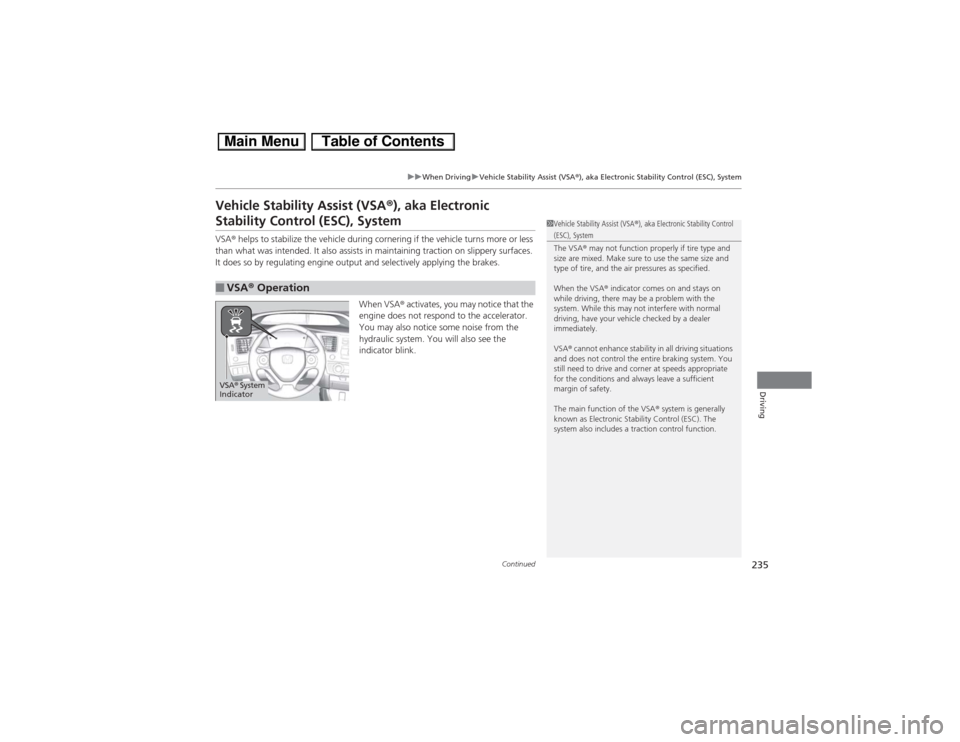
Vehicle Stability Assist (VSA®), aka Electronic Stability Control (ESC), SystemVSA® helps to stabilize the vehicle during cornering if the vehicle turns more or less
than what was intended. It also assists in maintaining traction on slippery surfaces.
It does so by regulating engine output and selectively applying the brakes.
When VSA® activates, you may notice that the
engine does not respond to the accelerator.
You may also notice some noise from the
hydraulic system. You will also see the
indicator blink.■VSA® Operation
1Vehicle Stability Assist (VSA®), aka Electronic Stability Control (ESC), System
The VSA® may not function properly if tire type and
size are mixed. Make sure to use the same size and
type of tire, and the air pressures as specified.
When the VSA® indicator comes on and stays on
while driving, there may be a problem with the
system. While this may not interfere with normal
driving, have your vehicle checked by a dealer
immediately.
VSA® cannot enhance stability in all driving situations
and does not control the entire braking system. You
still need to drive and corner at speeds appropriate
for the conditions and always leave a sufficient
margin of safety.
The main function of the VSA® system is generally
known as Electronic Stability Control (ESC). The
system also includes a traction control function.
VSA® System
Indicator
Page 241 of 346
240Driving
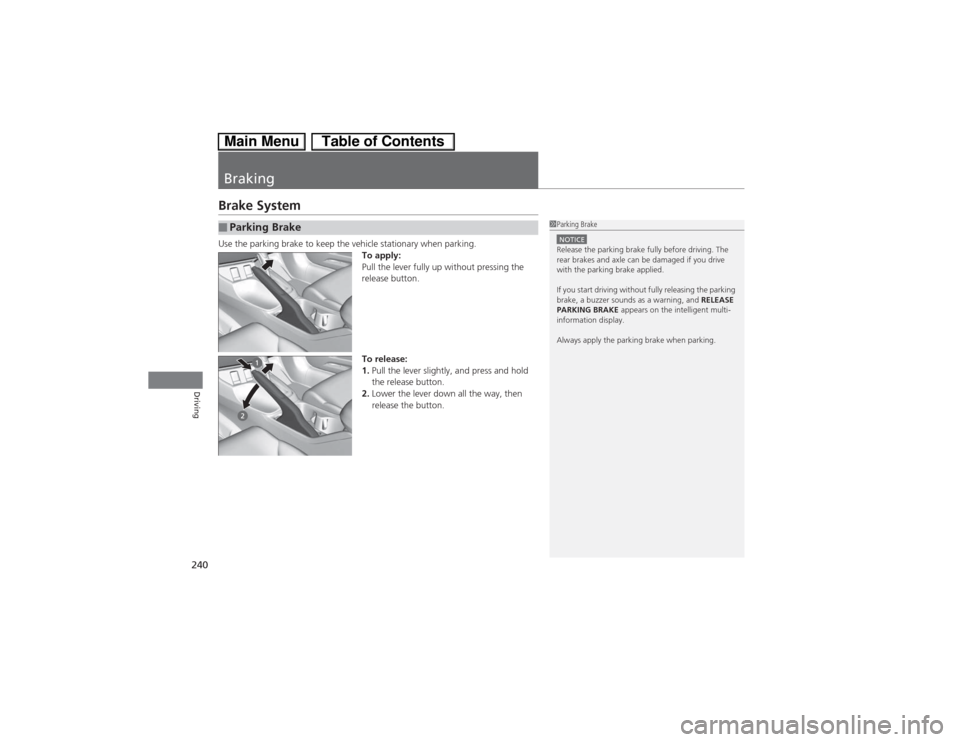
BrakingBrake SystemUse the parking brake to keep the vehicle stationary when parking.
To apply:
Pull the lever fully up without pressing the
release button.
To release:
1.Pull the lever slightly, and press and hold
the release button.
2.Lower the lever down all the way, then
release the button.■Parking Brake
1Parking BrakeNOTICERelease the parking brake fully before driving. The
rear brakes and axle can be damaged if you drive
with the parking brake applied.
If you start driving without fully releasing the parking
brake, a buzzer sounds as a warning, and RELEASE
PARKING BRAKE appears on the intelligent multi-
information display.
Always apply the parking brake when parking.
Page 242 of 346
241
uuBrakinguBrake System
Driving
Your vehicle is equipped with front disc brakes. The brakes on the rear wheels are
drum. A vacuum power assist helps reduce the effort needed on the brake pedal.
The brake assist system increases the stopping force when you depress the brake
pedal hard in an emergency situation. The anti-lock brake system (ABS) helps you
retain steering control when braking very hard.2Brake Assist System P. 243
2Anti-lock Brake System (ABS) P. 242■Foot Brake
1Foot Brake
Check the brakes after driving through deep water,
or if there is a buildup of road surface water. If
necessary, dry the brakes by lightly depressing the
pedal several times.
If you hear a continuous metallic friction sound when
applying the brakes, the brake pads need to be
replaced. Have the vehicle checked by a dealer.
Constantly using the brake pedal while going down a
long hill builds up heat, which reduces the brake
effectiveness. Apply engine braking by taking your
foot off the accelerator pedal and downshifting to a
lower speed position.
Do not rest your foot on the brake pedal while
driving, as it will lightly apply the brakes and cause
them to lose effectiveness over time and reduce pad
life. It will also confuse drivers behind you.
Page 243 of 346
242
uuBrakinguAnti-lock Brake System (ABS)
Driving
Anti-lock Brake System (ABS)Helps prevent the wheels from locking up, and helps you retain steering control by
pumping the brakes rapidly, much faster than you.
The electronic brake distribution (EBD) system, which is part of the ABS, also
balances the front-to-rear braking distribution according to vehicle loading.
You should never pump the brake pedal. Let the ABS work for you by always
keeping firm, steady pressure on the brake pedal. This is sometimes referred to as
“stomp and steer.”■ABS operation
The brake pedal may pulsate slightly when the ABS is working. Keep holding the
pedal firmly down. On dry pavement, you will need to press on the brake pedal very
hard before the ABS activates. However, you may feel the ABS activate immediately
if you are trying to stop on snow or ice.
When the vehicle speed goes under 6 mph (10 km/h), the ABS stops.■ABS
1Anti-lock Brake System (ABS)NOTICEThe ABS may not function correctly if you use an
incorrect tire type and size.
When the ABS indicator comes on while driving,
there may be a problem with the system.
While normal braking is not affected, there is a
possibility of the ABS not operating. Have the vehicle
checked by a dealer immediately.
The ABS does not reduce the time or distance it takes
to stop the vehicle. It only helps with steering control
during hard braking.
In the following cases, your vehicle may need more
stopping distance than a vehicle without the ABS:•When driving on rough road surfaces, including
when driving on uneven surfaces, such as gravel or
snow.•When tire chains are installed.
You may hear a motor sound coming from the
engine compartment while system checks are being
performed immediately after starting the engine or
while driving. This is normal.