2013 FORD TAURUS manual transmission
[x] Cancel search: manual transmissionPage 100 of 541
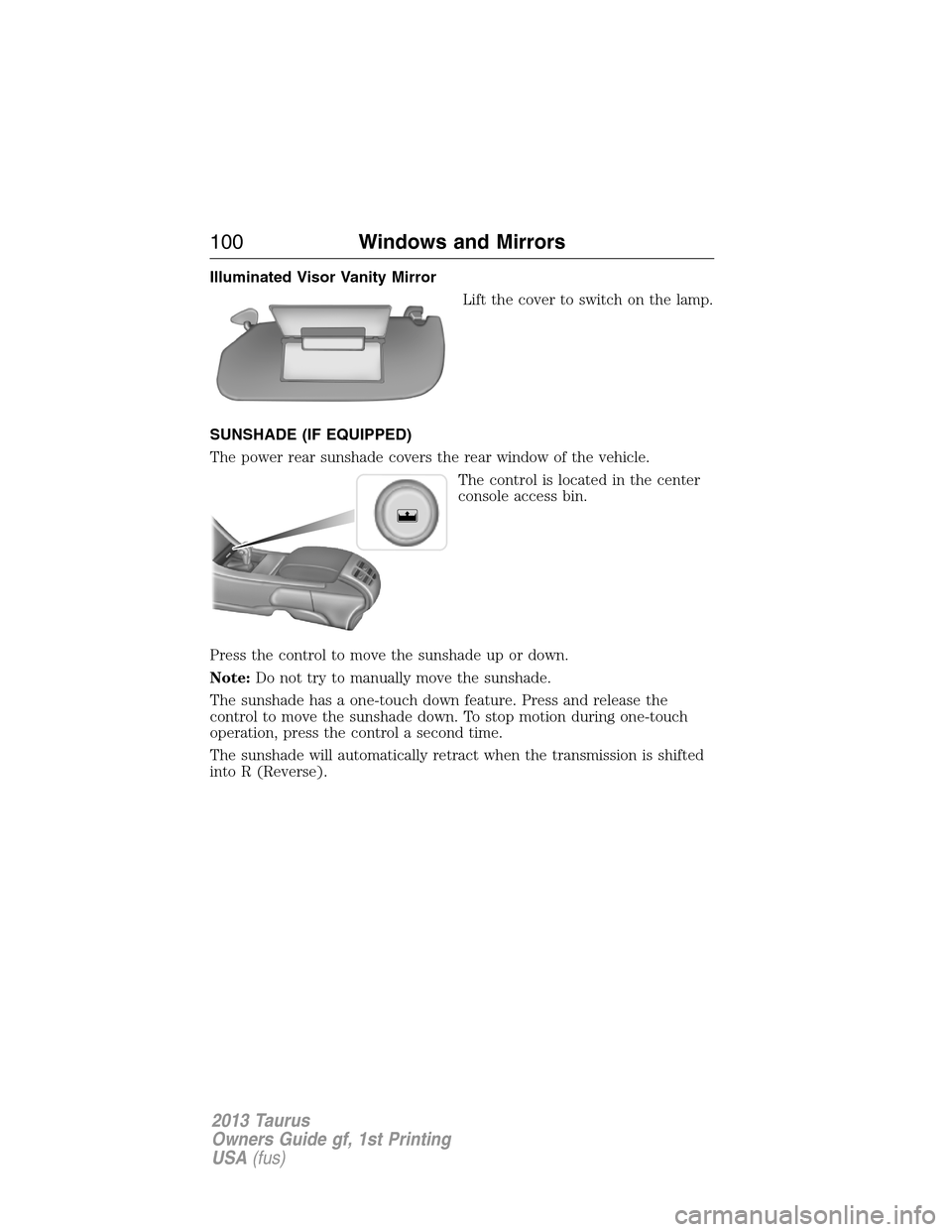
Illuminated Visor Vanity Mirror
Lift the cover to switch on the lamp.
SUNSHADE (IF EQUIPPED)
The power rear sunshade covers the rear window of the vehicle.
The control is located in the center
console access bin.
Press the control to move the sunshade up or down.
Note:Do not try to manually move the sunshade.
The sunshade has a one-touch down feature. Press and release the
control to move the sunshade down. To stop motion during one-touch
operation, press the control a second time.
The sunshade will automatically retract when the transmission is shifted
into R (Reverse).
100Windows and Mirrors
2013 Taurus
Owners Guide gf, 1st Printing
USA(fus)
Page 151 of 541
During extreme high ambient temperatures when idling stationary for
extended periods of time in gear, it is recommended to run the A/C in
the MAX A/C mode, adjust the blower fan speed to the lowest setting
and put the vehicle’s transmission into the P (Park) position (vehicles
equipped with an automatic transmission) to continue to receive cool air
from your A/C system.
For maximum cooling performance MAX A/C in AUTO, press MAX A/C.
For maximum cooling performance MAX A/C in manual override control
1. Choose Panel, A/C, and recirc controls.
2. Set the temperature to LO.
3. Set the fan to the highest blower setting.
To aid in side window defogging/demisting in cold or humid weather:
1. Select Floor/Panel.
2. Select A/C.
3. Adjust the temperature control to maintain comfort.
4. Set the fan speed to the highest setting.
5. Direct the outer instrument panel vents towards the side windows.
6. To increase airflow to the outer instrument panel vents, close the
vents located in the middle of the instrument panel.
HEATED REAR WINDOW
Note:The ignition must be on to use this feature.
Press the control to clear the rear window of thin ice and fog. Press the
control again within 10 minutes to switch it off. It turns off automatically
after 10 minutes, or when you switch the ignition off.
Do not use razor blades or other sharp objects to clean the inside
of the rear window or to remove decals from the inside of the
rear window. This may cause damage to the heated grid lines and
will not be covered by your warranty.
Climate Control151
2013 Taurus
Owners Guide gf, 1st Printing
USA(fus)
Page 193 of 541
S (Sport)
Moving the gearshift lever to S (Sport):
•Provides additional grade (engine) braking and extends lower gear
operation to enhance performance for uphill climbs, hilly terrain or
mountainous areas. This will increase engine RPM during engine
braking.
•Provides additional lower gear operation through the automatic
transmission shift strategy which reacts to vehicle inputs (vehicle
acceleration, accelerator pedal, brake pedal and vehicle speed).
•Gears are selected more quickly and at higher engine speeds.
Note:The system will stay in S (Sport) until the gear shift lever is
moved into another gear for example P (park) or D (Drive).
SelectShift Automatic™ Transmission (if equipped)
Note:Your transmission must be in S (Sport) for SelectShift to operate
properly.
Your SelectShift automatic transmission gives you the ability to manually
change gears if you’d like. To use SelectShift, move the gearshift lever
into S (Sport). Now you can use select shift to manually changer gears.
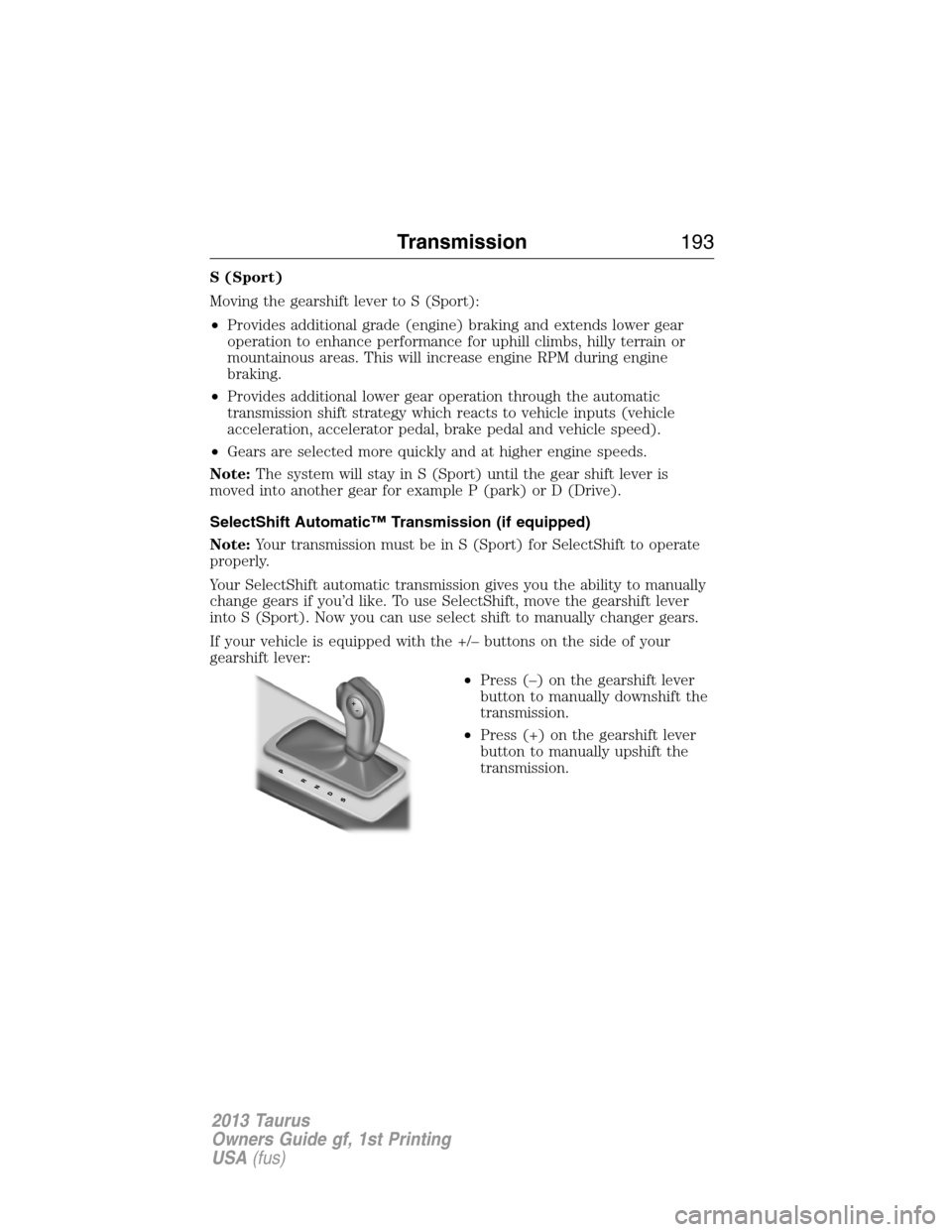
If your vehicle is equipped with the +/– buttons on the side of your
gearshift lever:
•Press (–) on the gearshift lever
button to manually downshift the
transmission.
•Press (+) on the gearshift lever
button to manually upshift the
transmission.
Transmission193
2013 Taurus
Owners Guide gf, 1st Printing
USA(fus)
Page 194 of 541
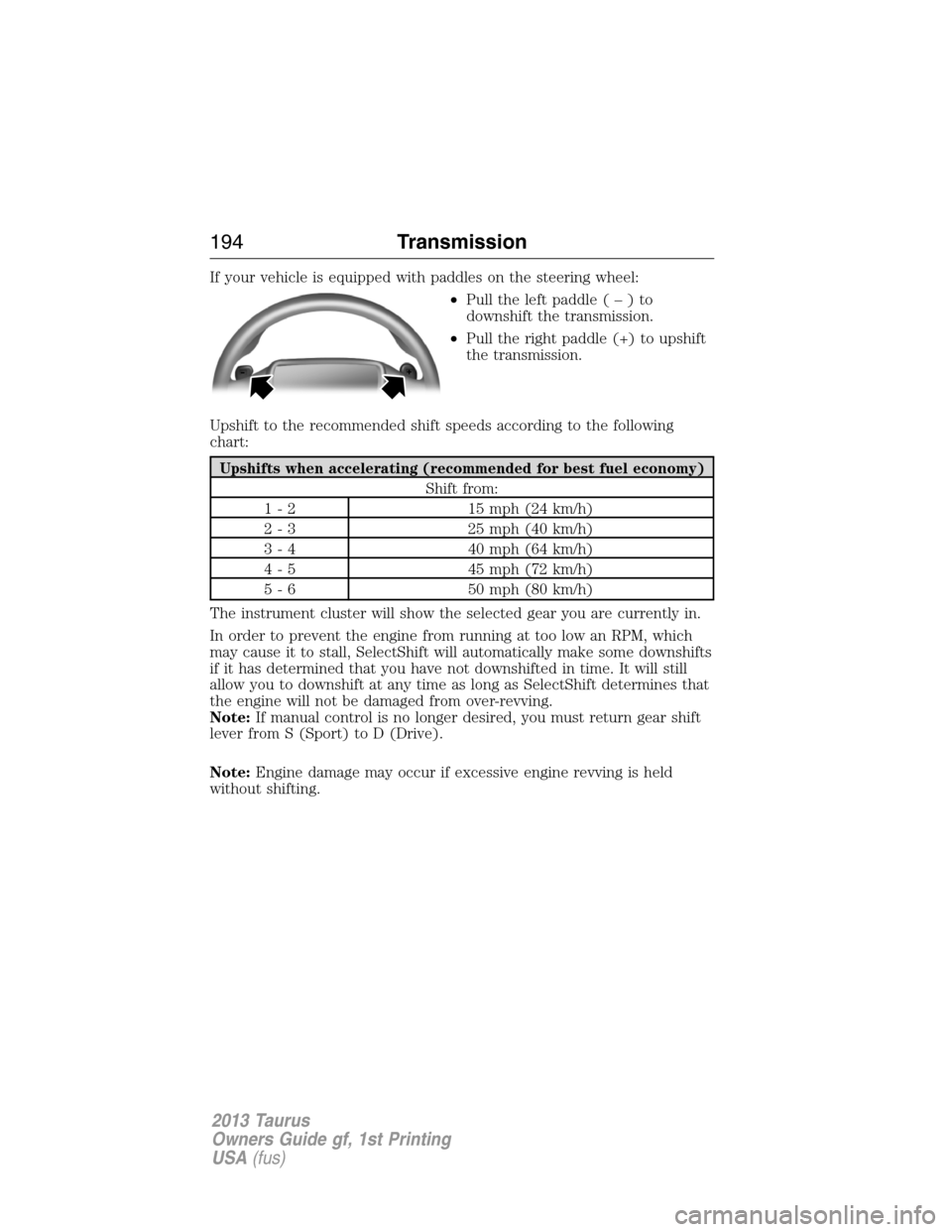
If your vehicle is equipped with paddles on the steering wheel:
•Pull the left paddle(–)to
downshift the transmission.
•Pull the right paddle (+) to upshift
the transmission.
Upshift to the recommended shift speeds according to the following
chart:
Upshifts when accelerating (recommended for best fuel economy)
Shift from:
1 - 2 15 mph (24 km/h)
2 - 3 25 mph (40 km/h)
3 - 4 40 mph (64 km/h)
4 - 5 45 mph (72 km/h)
5 - 6 50 mph (80 km/h)
The instrument cluster will show the selected gear you are currently in.
In order to prevent the engine from running at too low an RPM, which
may cause it to stall, SelectShift will automatically make some downshifts
if it has determined that you have not downshifted in time. It will still
allow you to downshift at any time as long as SelectShift determines that
the engine will not be damaged from over-revving.
Note:If manual control is no longer desired, you must return gear shift
lever from S (Sport) to D (Drive).
Note:Engine damage may occur if excessive engine revving is held
without shifting.
194Transmission
2013 Taurus
Owners Guide gf, 1st Printing
USA(fus)
Page 215 of 541

Deactivating the Park Assist Feature
The system can be deactivated manually by:
•pressing the active park assist button
•grabbing the steering wheel
•driving above approximately 20 mph (35 km/h) for 30 seconds during
an active park search
•driving above 6 mph (10 km/h) during automatic steering
•turning off the traction control system.
Certain vehicle conditions can also deactivate the system:
•Traction control has activated on a slippery or loose surface.
•Anti-lock brake system activation or failure.
•Any door (except the driver’s) opens.
•Something touches the steering wheel.
If a problem occurs with the system, a warning message is displayed,
followed by a chime. Occasional active park assist messages may occur in
normal operation. For recurring or frequent active park assist faults,
contact an authorized dealer to have your vehicle serviced.
Troubleshooting the System
The system does not look for a space
The traction control system may be off
Any door (except the driver’s) may not be completely closed
The system does not offer a particular space
Something may be contacting the front bumper or side sensors
There is not enough room on both sides of the vehicle in order to park
There is not enough space for the parking maneuver on the opposite
side of the parking space
The vehicle is farther than 5 ft (1.5 m) from the parking space
The vehicle is closer than 16 in. (40 cm) from neighboring parked
vehicles
The transmission is in R (Reverse); the vehicle must be moving forward
to detect a parking space
Parking Aids215
2013 Taurus
Owners Guide gf, 1st Printing
USA(fus)
Page 219 of 541
Visual Park Aid Alert
Note:Visual park alert is only available when the transmission is in R
(Reverse).
Note:The reverse sensing system is not effective at speeds above 3 mph
(5 km/h) and may not detect certain angular or moving objects.
The system uses red, yellow and green highlights which appear on top of
the video image when an object is detected by the reverse sensing
system. The alert highlights the closest object detected. The reverse
sensing alert can be disabled and if visual park aid alert is enabled,
highlighted areas are still displayed.
Selectable settings for this feature are ON and OFF.
Manual Zoom
WARNING:When manual zoom is on, the full area behind the
vehicle is not shown. Be aware of your surroundings when using
the manual zoom feature.
Note:Manual zoom is only available when the transmission is in R
(Reverse).
Note:When manual zoom is enabled, only the centerline is shown.
Allows the driver to get a closer view of an object behind the vehicle.
The zoomed image keeps the bumper in the image to provide a
reference. The zoom is only active while the transmission is in R
(Reverse), When the transmission is shifted out of R (Reverse), the
feature automatically turns off and must be reset when it is used again.
Selectable settings for this feature are OFF, Level 1, Level 2 or Level 3.
Press the up and down arrows to change the view. The selection level
appears between the buttons (i.e. Level 1). The default setting for the
manual zoom is OFF.
Rear Camera Delay
When shifting the transmission out of R (Reverse) and into any gear
other than P (Park), the camera image remains in the display until the
vehicle speed reaches 5 mph (8 km/h). This occurs when the rear
camera delay feature is on, or until a radio button is selected.
Selectable settings for this feature are ON and OFF. The default setting
for the rear camera delay is OFF.
Parking Aids219
2013 Taurus
Owners Guide gf, 1st Printing
USA(fus)
Page 249 of 541

Safety Chains
Always connect the safety chains to the vehicle’s hook retainers. To
connect the safety chains, cross them under the trailer tongue and allow
slack for turning corners.
If you use a rental trailer, follow the rental agency’s instructions.
Note:Never attach safety chains to the bumper.
Trailer Brakes
WARNING:Do not connect a trailer’s hydraulic brake system
directly to your vehicle’s brake system. Your vehicle may not have
enough braking power and your chances of having a collision greatly
increase.
Electric brakes and manual, automatic or surge-type trailer brakes are
safe if installed properly and adjusted to the manufacturer’s
specifications. The trailer brakes must meet local and Federal
regulations.
The braking system of the tow vehicle is rated for operation at the
GVWR not GCWR.
Trailer Lamps
Trailer lamps are required on most towed vehicles. Ensure all running
lights, brake lights, turn signals and hazard lights are working. Contact
your authorized dealer or trailer rental agency for proper instructions
and equipment for hooking up the lamps.
Before Towing a Trailer
Practice turning, stopping and backing-up to get the feel of the
vehicle-trailer combination before starting on a trip. When turning, make
wider turns so the trailer wheels will clear curbs and other obstacles.
When Towing a Trailer
•Do not drive faster than 70 mph (113 km/h) during the first 500 miles
(800 kilometers) and do not make full-throttle starts.
•Check your hitch, electrical connections and trailer wheel lug nuts
thoroughly after you have traveled 50 miles (80 kilometers).
•Place the gearshift lever in P (Park) to aid in engine/transmission
cooling and A/C efficiency during hot weather while stopped in traffic.
•Turn off the speed control. The speed control may turn off
automatically when you are towing on long, steep grades.
Towing249
2013 Taurus
Owners Guide gf, 1st Printing
USA(fus)
Page 251 of 541
Ford Motor Company produces a towing manual for all authorized tow
truck operators. Have your tow truck operator refer to this manual for
proper hook-up and towing procedures for your vehicle.
Front-wheel drive (FWD) vehicles can be towed from the front if proper
wheel lift equipment is used to raise the front wheels off the ground. The
rear wheels can be left on the ground when towed in this fashion.
FWD vehicles can also be towed from the rear using wheel lift
equipment; however, the front wheels must be placed on a dolly to
prevent damage to the transmission.
All-wheel drive (AWD) vehicles must be towed with a wheel lift and
dollies or flatbed equipment, with all the wheels off the ground, to
prevent damage to the transmission, AWD system or vehicle.
TOWING THE VEHICLE ON FOUR WHEELS
Emergency Towing
In the event your vehicle becomes disabled (without access to wheel
dollies, car-hauling trailer, or flatbed transport vehicle), it can be
flat-towed (all wheels on the ground, regardless of the
powertrain/transmission configuration) under the following conditions:
•The vehicle is facing forward so that it is towed in a forward direction.
•The transmission is placed in N (Neutral). Refer toAutomatic
transmissionin theTransmissionchapter if you cannot move the
transmission into N (Neutral).
•Maximum speed is 35 mph (56 km/h).
•Maximum distance is 50 miles (80 kilometers).
Recreational Towing
Vehicles Equipped with a 2.0L Engine
Follow these guidelines if you have a need for recreational (RV) towing.
An example of recreational towing would be towing your vehicle behind a
motorhome. These guidelines are designed to ensure that your
transmission is not damaged.
Do not tow your vehicle with any wheels on the ground, as vehicle or
transmission damage may occur. It is recommended to tow your vehicle
with all four (4) wheels off the ground such as when using a car-hauling
trailer. Otherwise, no recreational towing is permitted.
In case of a roadside emergency with a disabled vehicle, seeWrecker
towingearlier in this section.
Towing251
2013 Taurus
Owners Guide gf, 1st Printing
USA(fus)