Page 90 of 541

AUTOLAMPS
WARNING:In severe weather conditions, it may be necessary to
switch your headlamps on manually.
Note:If the vehicle is equipped with autolamps, it will have the
windshield wiper rainlamp feature.When the windshield wipers are
turned to low- or high-speed wiping during daylight, and the headlamp
control is in the autolamp position, the exterior lamps will turn on after a
brief delay and will remain on until the wipers are turned off.
The autolamp system provides light
sensitive automatic on-off control of
the exterior lights normally
controlled by the headlamp control.
The headlamps will remain on for a
period of time after you switch the
ignition off. You can adjust the time
delay using the message center in
the instrument cluster. See
Information displays.
INSTRUMENT LIGHTING DIMMER
•Press repeatedly or press and
hold at the first position until the
desired level is reached.
•Fully press and hold the top of
the control to activate the “dome
on” feature. This will turn on the
interior courtesy lights. Fully
press and hold the bottom of the
control to turn off the interior
courtesy lights.
HEADLAMP EXIT DELAY
You can set the delay time to keep the headlamps on for up to three
minutes after the ignition is turned off.
Follow the steps below to change the delay time (Steps 1 through 6 must
be done within 10 seconds):
1. Turn the vehicle off.
2. Turn the lighting control to the autolamp position.
90Lighting
2013 Taurus
Owners Guide gf, 1st Printing
USA(fus)
Page 91 of 541

3. Turn the lighting control to the off position.
4. Turn the vehicle on and then turn the vehicle off.
5. Turn the lighting control to the autolamp position (the headlights
should turn on).
6. Turn the lighting control to the off position when the desired delay
time (up to three minutes) has been reached.
Note:You can also adjust the time delay using the display controls in the
instrument cluster. See theInformation Displayschapter.
DAYTIME RUNNING LAMPS (IF EQUIPPED)
WARNING:Always remember to turn on your headlamps at dusk
or during inclement weather. The Daytime Running Lamp (DRL)
system does not activate the tail lamps and generally may not provide
adequate lighting during these conditions. Failure to activate your
headlamps under these conditions may result in a collision.
Turns the headlamps on with a reduced output.
To activate:
•the ignition must be in the on position and
•the lighting control is in the off, autolamp or parking lamp position.
•the transmission is not in P (Park).
AUTOMATIC HIGH BEAM CONTROL (IF EQUIPPED)
The system will automatically turn on your high beams if it is dark
enough and no other traffic is present. When it detects an approaching
vehicle’s headlights, a preceding vehicle’s tail lamps or street lighting, the
system will turn off the high beams (low beams remain on) before they
distract other drivers.
Note:If it appears that automatic control of the high beams is not
functioning properly, check the windshield in front of the camera for
blockage. A clear view of the road is required for proper system
operation. Any windshield damage in the area of the camera field-of-view
should be repaired.
Lighting91
2013 Taurus
Owners Guide gf, 1st Printing
USA(fus)
Page 95 of 541

POWER WINDOWS
WARNING:Do not leave children unattended in the vehicle and
do not let children play with the power windows. They may
seriously injure themselves.
WARNING:When closing the power windows, you should verify
they are free of obstructions and make sure that children and
pets are not in the proximity of the window openings.
Press or lift the switches to operate
the windows.
•Press the switch to the first
detent and hold to open the
window.
•Lift the switch to the first detent
and hold to close the window.
Rear Window Buffeting
You may hear a wind throb or buffeting noise when one or both of the
rear windows are open. This noise can be reduced by lowering a front
window approximately 2–3 inches (5–8 centimeters).
One-Touch Up or Down
This feature automatically open or closes the driver’s window (and
passenger’s window, if equipped with this feature).
Press or lift the switch completely and release. The window will fully
open or close. Press or lift it again to stop the window.
Global Opening (If Equipped)
Note:The ignition must be off and the accessory delay feature must be
not activated to operate this feature.
Note:To disable this feature, contact your authorized dealer.
Press and hold the unlock button on the remote control to begin opening
the front windows and venting the moon roof (if equipped). Release the
button once motion starts. The windows and moonroof will continue
opening.
Press the lock or unlock button on the remote control to stop motion.
AUTO
Windows and Mirrors95
2013 Taurus
Owners Guide gf, 1st Printing
USA(fus)
Page 96 of 541
Bounce-Back (One-Touch Up or Down Windows Only)
The window will stop automatically while closing and reverse some
distance if there is an obstacle in the way.
Overriding the Bounce-Back Feature
Pull up the window switch and hold within two seconds after the window
reaching the bounce-back position. The window will travel up with no
bounce-back protection. The window will stop if the switch is released
before the window is fully closed.
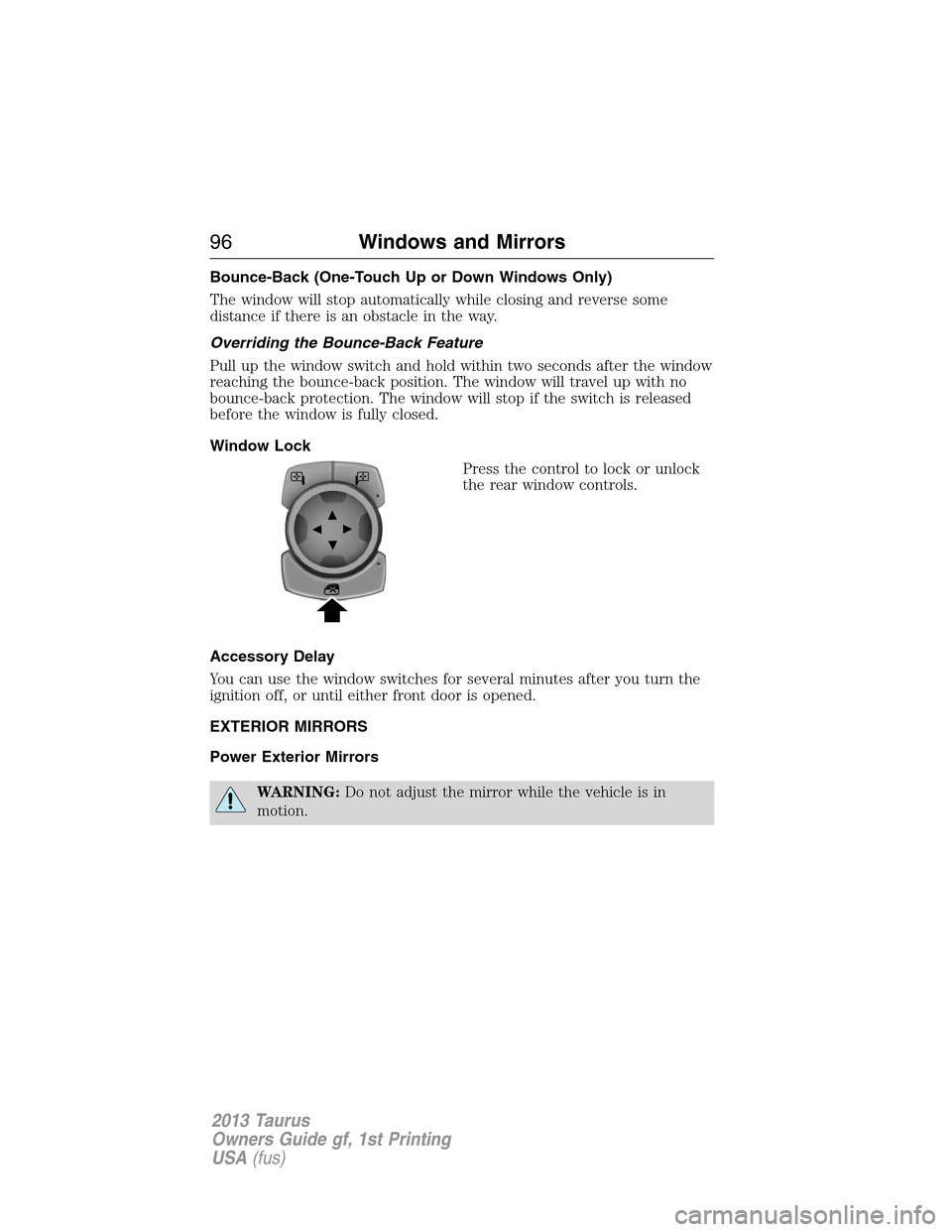
Window Lock
Press the control to lock or unlock
the rear window controls.
Accessory Delay
You can use the window switches for several minutes after you turn the
ignition off, or until either front door is opened.
EXTERIOR MIRRORS
Power Exterior Mirrors
WARNING:Do not adjust the mirror while the vehicle is in
motion.
96Windows and Mirrors
2013 Taurus
Owners Guide gf, 1st Printing
USA(fus)
Page 98 of 541
Integrated Blind Spot Mirrors (If Equipped)
WARNING:Objects in the blind spot mirror are closer than they
appear.
Blind spot mirrors have an integrated convex mirror built into the upper
outboard corner of the exterior mirrors. They are designed to assist you
by increasing visibility along the side of your vehicle.
Check the main mirror first before a lane change, then check the blind
spot mirror. If no vehicles are present in the blind spot mirror and the
traffic in the adjacent lane is at a safe distance, signal that you are going
to change lanes. Glance over your shoulder to verify traffic is clear, and
carefully change lanes.
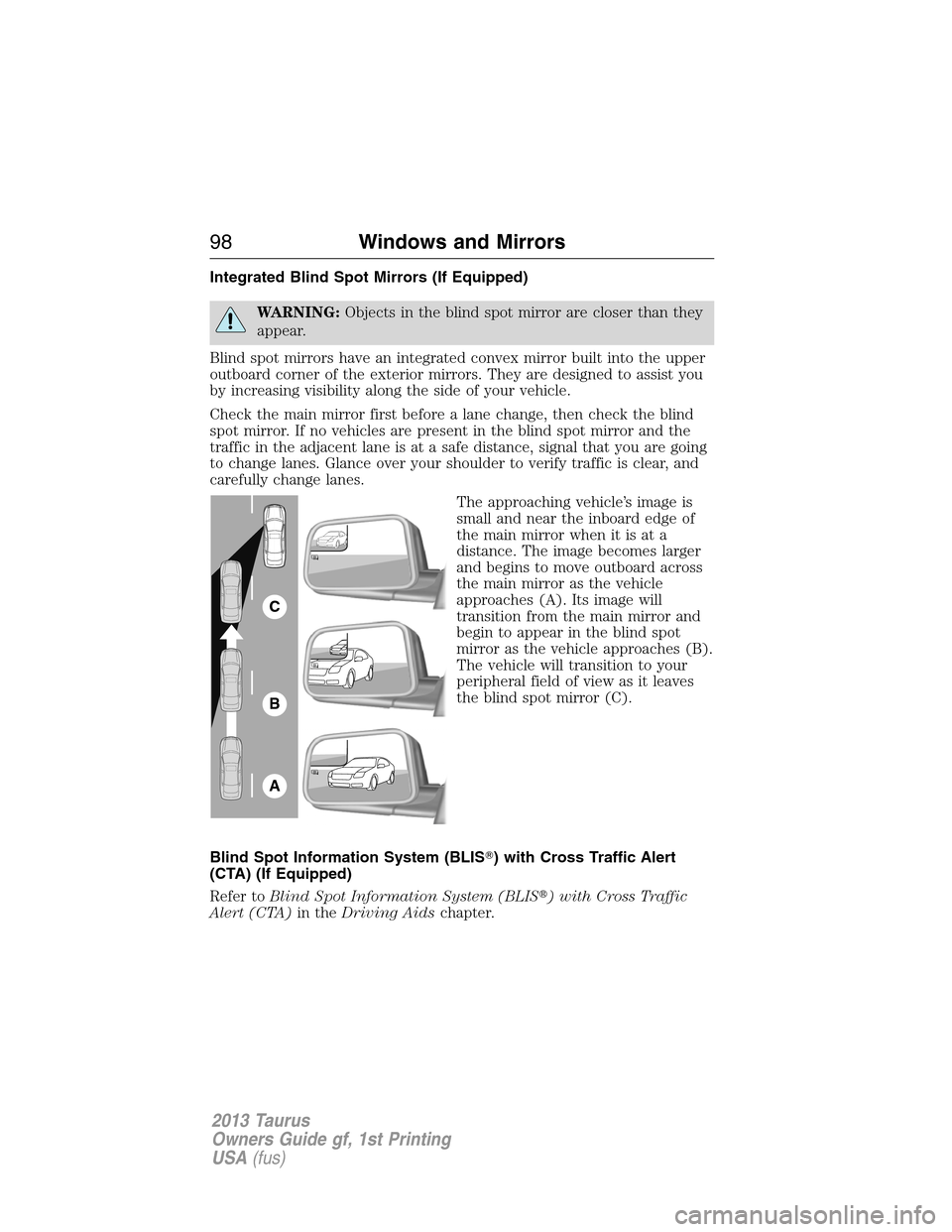
The approaching vehicle’s image is
small and near the inboard edge of
the main mirror when it is at a
distance. The image becomes larger
and begins to move outboard across
the main mirror as the vehicle
approaches (A). Its image will
transition from the main mirror and
begin to appear in the blind spot
mirror as the vehicle approaches (B).
The vehicle will transition to your
peripheral field of view as it leaves
the blind spot mirror (C).
Blind Spot Information System (BLIS�) with Cross Traffic Alert
(CTA) (If Equipped)
Refer toBlind Spot Information System (BLIS�) with Cross Traffic
Alert (CTA)in theDriving Aidschapter.
A
B
C
98Windows and Mirrors
2013 Taurus
Owners Guide gf, 1st Printing
USA(fus)
Page 99 of 541

INTERIOR MIRROR
WARNING:Do not adjust the mirror when your vehicle is
moving.
Note:Do not clean the housing or glass of any mirror with harsh
abrasives, fuel or other petroleum or ammonia based cleaning products.
You can adjust the interior mirror to your preference. Some mirrors also
have a second pivot point. This lets you move the mirror head up or
down and from side to side.
Pull the tab below the mirror toward you to reduce glare at night.
Auto-Dimming Mirror (If Equipped)
Note:Do not block the sensors on the front and back of the mirror.
Mirror performance may be affected. A rear center passenger or raised
rear center head restraint may also block light from reaching the sensor.
The mirror will dim automatically to reduce glare when bright lights are
detected from behind your vehicle. It will automatically return to normal
reflection when you select reverse gear to make sure you have a clear
view when backing up.
SUN VISORS
Slide-On-Rod
Rotate the visor toward the side
window and extend it rearward for
extra sunlight coverage.
Retract the visor before moving it
back toward the windshield and
storing it.
Windows and Mirrors99
2013 Taurus
Owners Guide gf, 1st Printing
USA(fus)
Page 101 of 541
MOONROOF (IF EQUIPPED)
WARNING:Do not let children play with the moonroof or leave
children unattended in the vehicle. They may seriously hurt
themselves.
WARNING:When closing the moonroof, you should verify that it
is free of obstructions and ensure that children and/or pets are
not in the proximity of the moonroof opening.
The sliding shade can be manually opened or closed when the moonroof
is closed. Pull the shade toward the front of the vehicle to close it.
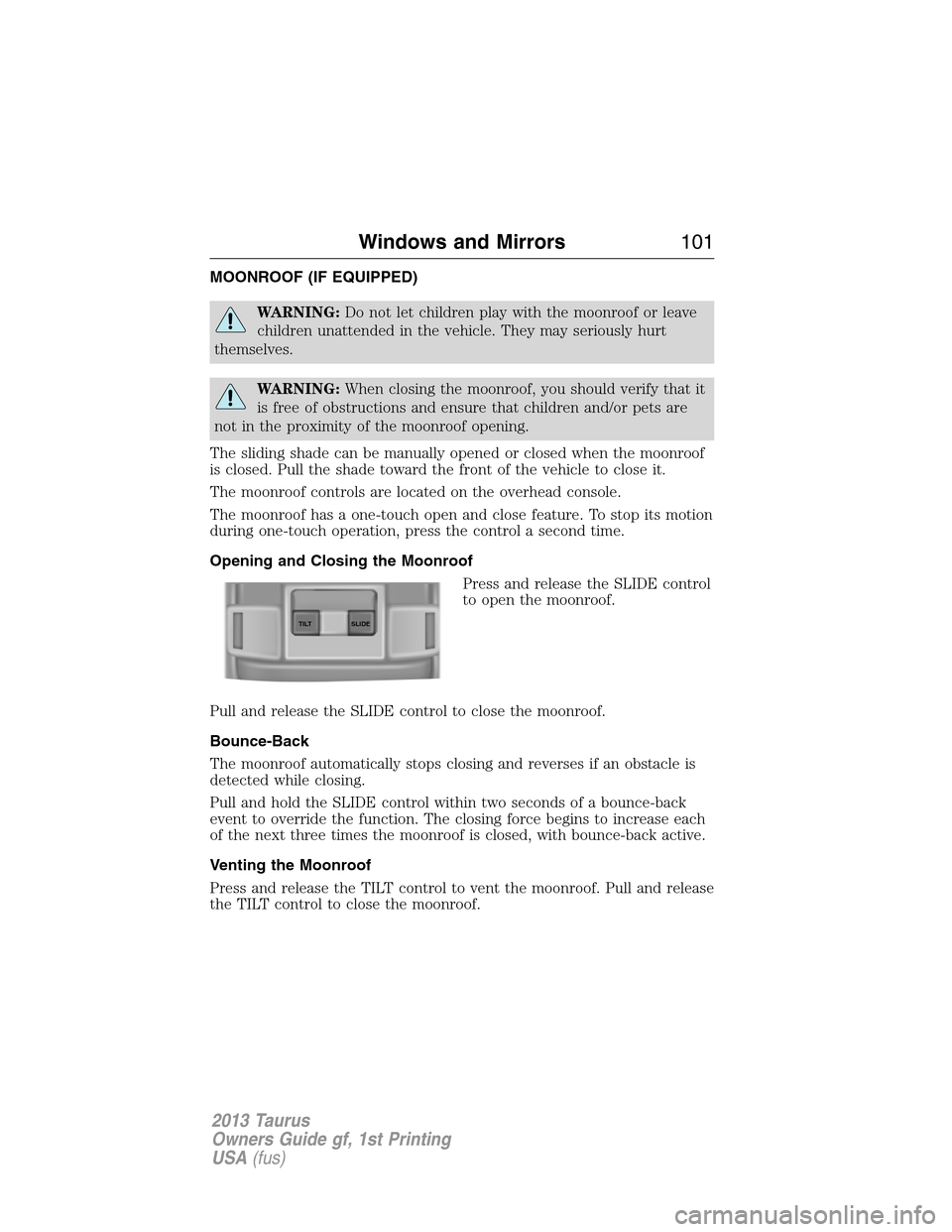
The moonroof controls are located on the overhead console.
The moonroof has a one-touch open and close feature. To stop its motion
during one-touch operation, press the control a second time.
Opening and Closing the Moonroof
Press and release the SLIDE control
to open the moonroof.
Pull and release the SLIDE control to close the moonroof.
Bounce-Back
The moonroof automatically stops closing and reverses if an obstacle is
detected while closing.
Pull and hold the SLIDE control within two seconds of a bounce-back
event to override the function. The closing force begins to increase each
of the next three times the moonroof is closed, with bounce-back active.
Venting the Moonroof
Press and release the TILT control to vent the moonroof. Pull and release
the TILT control to close the moonroof.
SLIDE TILT
Windows and Mirrors101
2013 Taurus
Owners Guide gf, 1st Printing
USA(fus)
Page 103 of 541
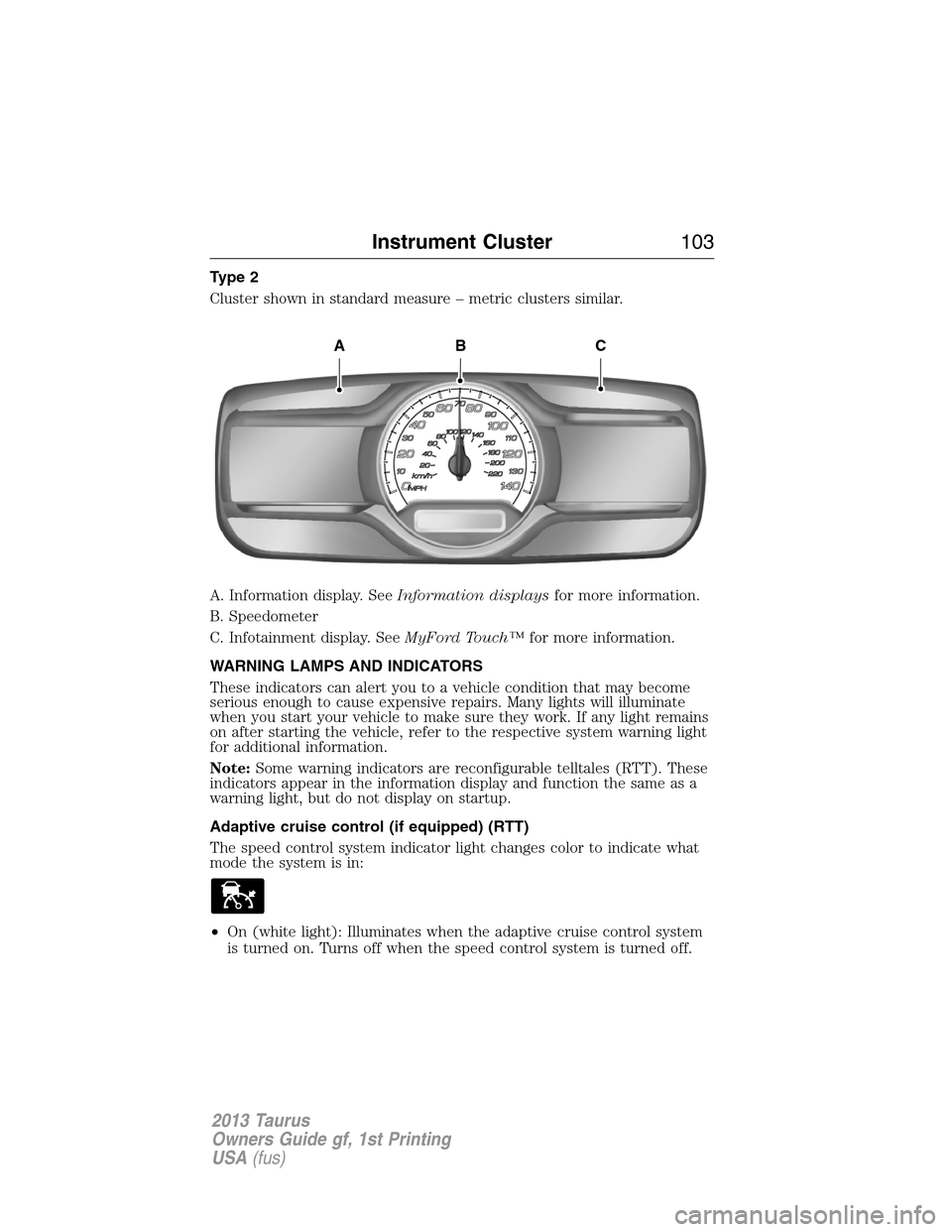
Type 2
Cluster shown in standard measure – metric clusters similar.
A. Information display. SeeInformation displaysfor more information.
B. Speedometer
C. Infotainment display. SeeMyFord Touch™for more information.
WARNING LAMPS AND INDICATORS
These indicators can alert you to a vehicle condition that may become
serious enough to cause expensive repairs. Many lights will illuminate
when you start your vehicle to make sure they work. If any light remains
on after starting the vehicle, refer to the respective system warning light
for additional information.
Note:Some warning indicators are reconfigurable telltales (RTT). These
indicators appear in the information display and function the same as a
warning light, but do not display on startup.
Adaptive cruise control (if equipped) (RTT)
The speed control system indicator light changes color to indicate what
mode the system is in:
•On (white light): Illuminates when the adaptive cruise control system
is turned on. Turns off when the speed control system is turned off.
ABC
Instrument Cluster103
2013 Taurus
Owners Guide gf, 1st Printing
USA(fus)