Page 431 of 541
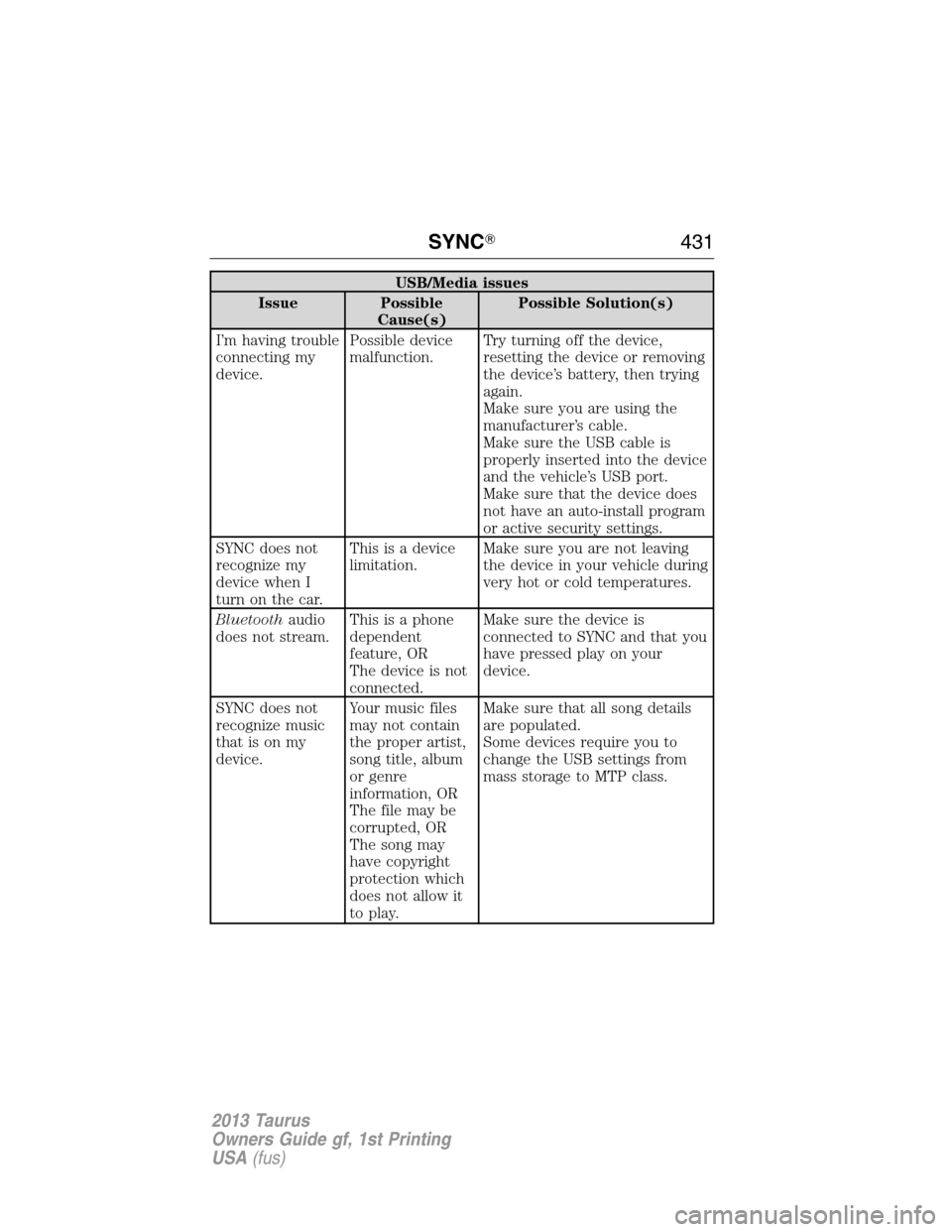
USB/Media issues
Issue Possible
Cause(s)Possible Solution(s)
I’m having trouble
connecting my
device.Possible device
malfunction.Try turning off the device,
resetting the device or removing
the device’s battery, then trying
again.
Make sure you are using the
manufacturer’s cable.
Make sure the USB cable is
properly inserted into the device
and the vehicle’s USB port.
Make sure that the device does
not have an auto-install program
or active security settings.
SYNC does not
recognize my
device when I
turn on the car.This is a device
limitation.Make sure you are not leaving
the device in your vehicle during
very hot or cold temperatures.
Bluetoothaudio
does not stream.This is a phone
dependent
feature, OR
The device is not
connected.Make sure the device is
connected to SYNC and that you
have pressed play on your
device.
SYNC does not
recognize music
that is on my
device.Your music files
may not contain
the proper artist,
song title, album
or genre
information, OR
The file may be
corrupted, OR
The song may
have copyright
protection which
does not allow it
to play.Make sure that all song details
are populated.
Some devices require you to
change the USB settings from
mass storage to MTP class.
SYNC�431
2013 Taurus
Owners Guide gf, 1st Printing
USA(fus)
Page 436 of 541
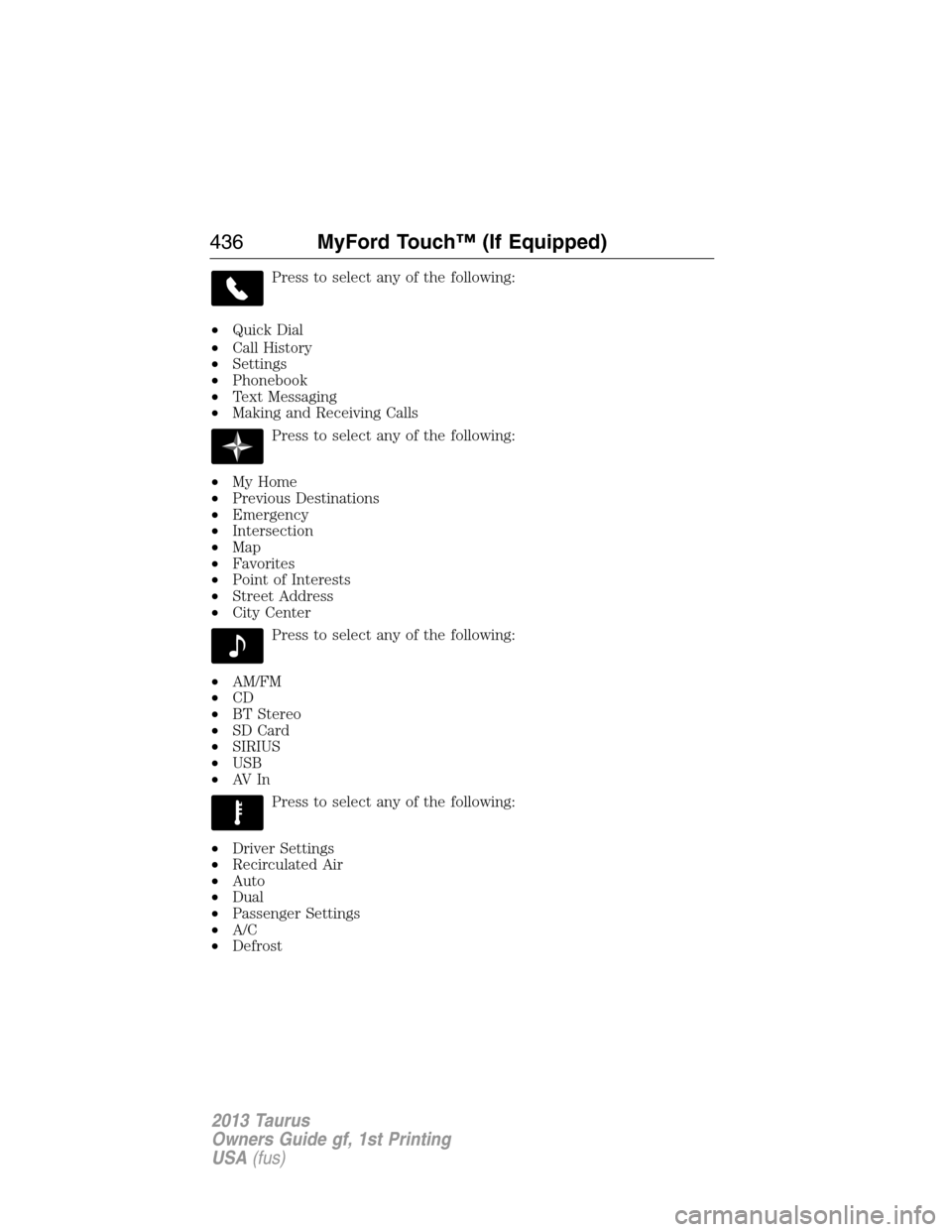
Press to select any of the following:
•Quick Dial
•Call History
•Settings
•Phonebook
•Text Messaging
•Making and Receiving Calls
Press to select any of the following:
•My Home
•Previous Destinations
•Emergency
•Intersection
•Map
•Favorites
•Point of Interests
•Street Address
•City Center
Press to select any of the following:
•AM/FM
•CD
•BT Stereo
•SD Card
•SIRIUS
•USB
•AV I n
Press to select any of the following:
•Driver Settings
•Recirculated Air
•Auto
•Dual
•Passenger Settings
•A/C
•Defrost
436MyFord Touch™ (If Equipped)
2013 Taurus
Owners Guide gf, 1st Printing
USA(fus)
Page 439 of 541

Speed-Restricted Features
Some features of this system may be too difficult to use while the vehicle
is in motion so they’re restricted from being modified unless the vehicle
is not moving. Some examples of these are listed below:
•Screens that are too crowded with information, such as Point of
Interest (POI) reviews and ratings, SIRIUS�Travel Link™ sports
scores, movie times, ski conditions, etc.
•Any action that requires using a keyboard, such as entering a
navigation destination or editing information
•All lists are limited so the user can view fewer entries (e.g. phone
contacts, recent phone call entries)
Listed below are more specific features that can only be modified while
the vehicle is not moving:
Restricted features
Cellular Phone Pairing a Bluetooth phone
Adding phonebook contacts or uploading
phonebook contacts (from a USB)
Lists entries are limited for phone contacts
and recent phone call entries
System Functionality Setting-up or editing shortcut buttons on the
home screen
Editing the keypad code
Enabling Valet Mode
Editing settings while the rear view camera or
Active Park Assist are active
Wi-Fi/Wireless Editing wireless settings
Editing the list of wireless networks
Videos/Photos/Graphics Playing video
Graphic album art carousel
Editing photos
Editing the screen’s wallpaper or adding new
wallpaper
MyFord Touch™ (If Equipped)439
2013 Taurus
Owners Guide gf, 1st Printing
USA(fus)
Page 443 of 541
How to Use Voice Commands with Your System
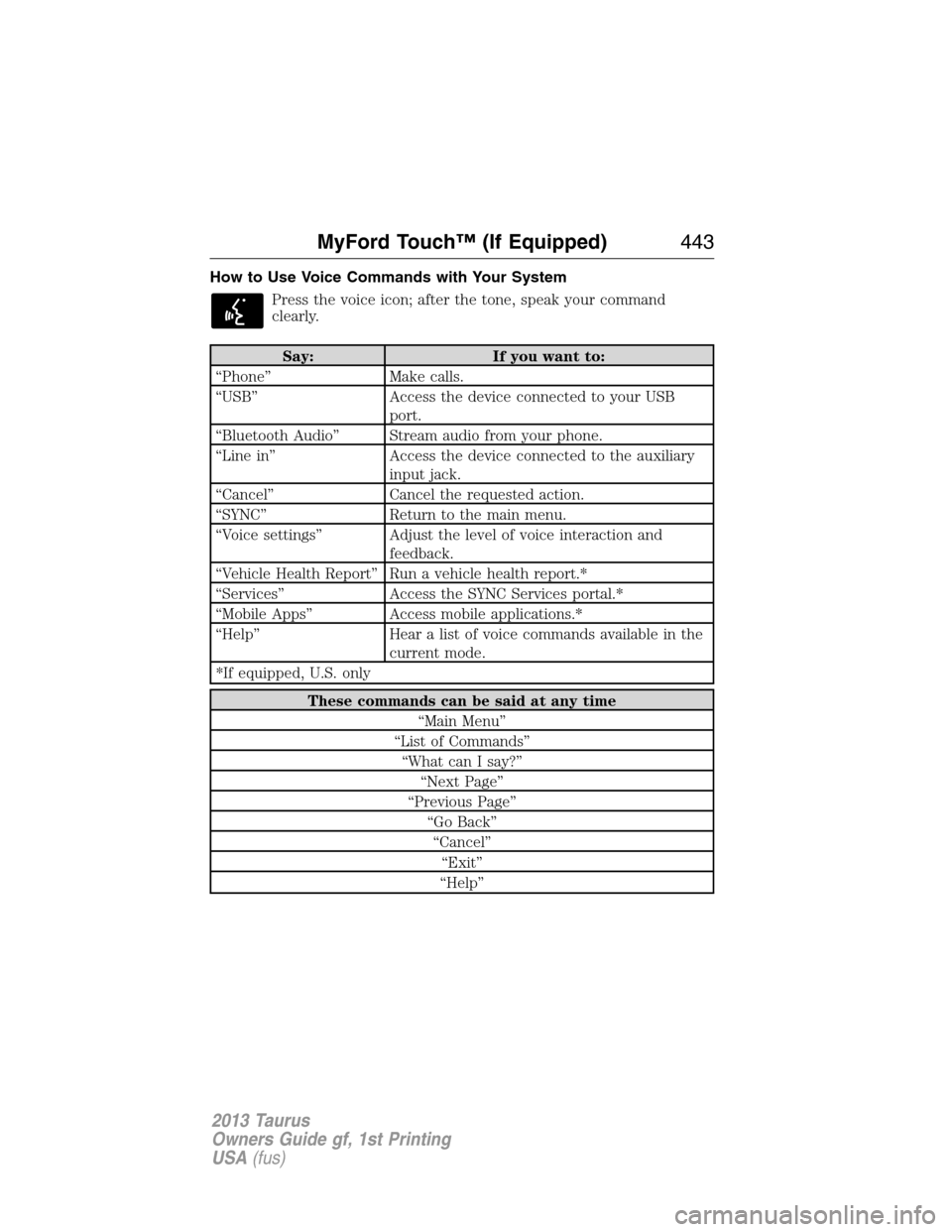
Press the voice icon; after the tone, speak your command
clearly.
Say: If you want to:
“Phone” Make calls.
“USB” Access the device connected to your USB
port.
“Bluetooth Audio” Stream audio from your phone.
“Line in” Access the device connected to the auxiliary
input jack.
“Cancel” Cancel the requested action.
“SYNC” Return to the main menu.
“Voice settings” Adjust the level of voice interaction and
feedback.
“Vehicle Health Report” Run a vehicle health report.*
“Services” Access the SYNC Services portal.*
“Mobile Apps” Access mobile applications.*
“Help” Hear a list of voice commands available in the
current mode.
*If equipped, U.S. only
These commands can be said at any time
“Main Menu”
“List of Commands”
“What can I say?”
“Next Page”
“Previous Page”
“Go Back”
“Cancel”
“Exit”
“Help”
MyFord Touch™ (If Equipped)443
2013 Taurus
Owners Guide gf, 1st Printing
USA(fus)
Page 444 of 541
What Can I Say?
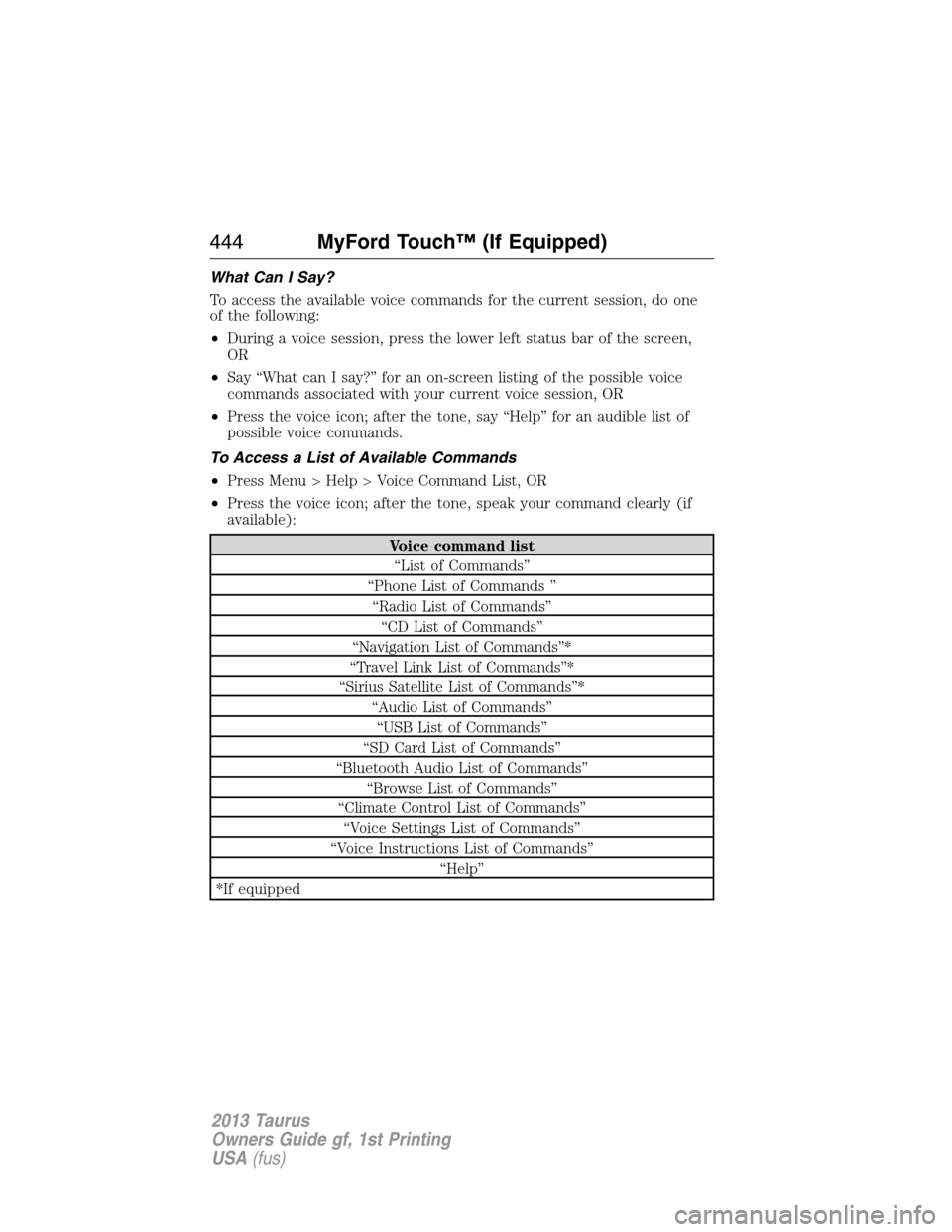
To access the available voice commands for the current session, do one
of the following:
•During a voice session, press the lower left status bar of the screen,
OR
•Say “What can I say?” for an on-screen listing of the possible voice
commands associated with your current voice session, OR
•Press the voice icon; after the tone, say “Help” for an audible list of
possible voice commands.
To Access a List of Available Commands
•Press Menu > Help > Voice Command List, OR
•Press the voice icon; after the tone, speak your command clearly (if
available):
Voice command list
“List of Commands”
“Phone List of Commands ”
“Radio List of Commands”
“CD List of Commands”
“Navigation List of Commands”*
“Travel Link List of Commands”*
“Sirius Satellite List of Commands”*
“Audio List of Commands”
“USB List of Commands”
“SD Card List of Commands”
“Bluetooth Audio List of Commands”
“Browse List of Commands”
“Climate Control List of Commands”
“Voice Settings List of Commands”
“Voice Instructions List of Commands”
“Help”
*If equipped
444MyFord Touch™ (If Equipped)
2013 Taurus
Owners Guide gf, 1st Printing
USA(fus)
Page 449 of 541
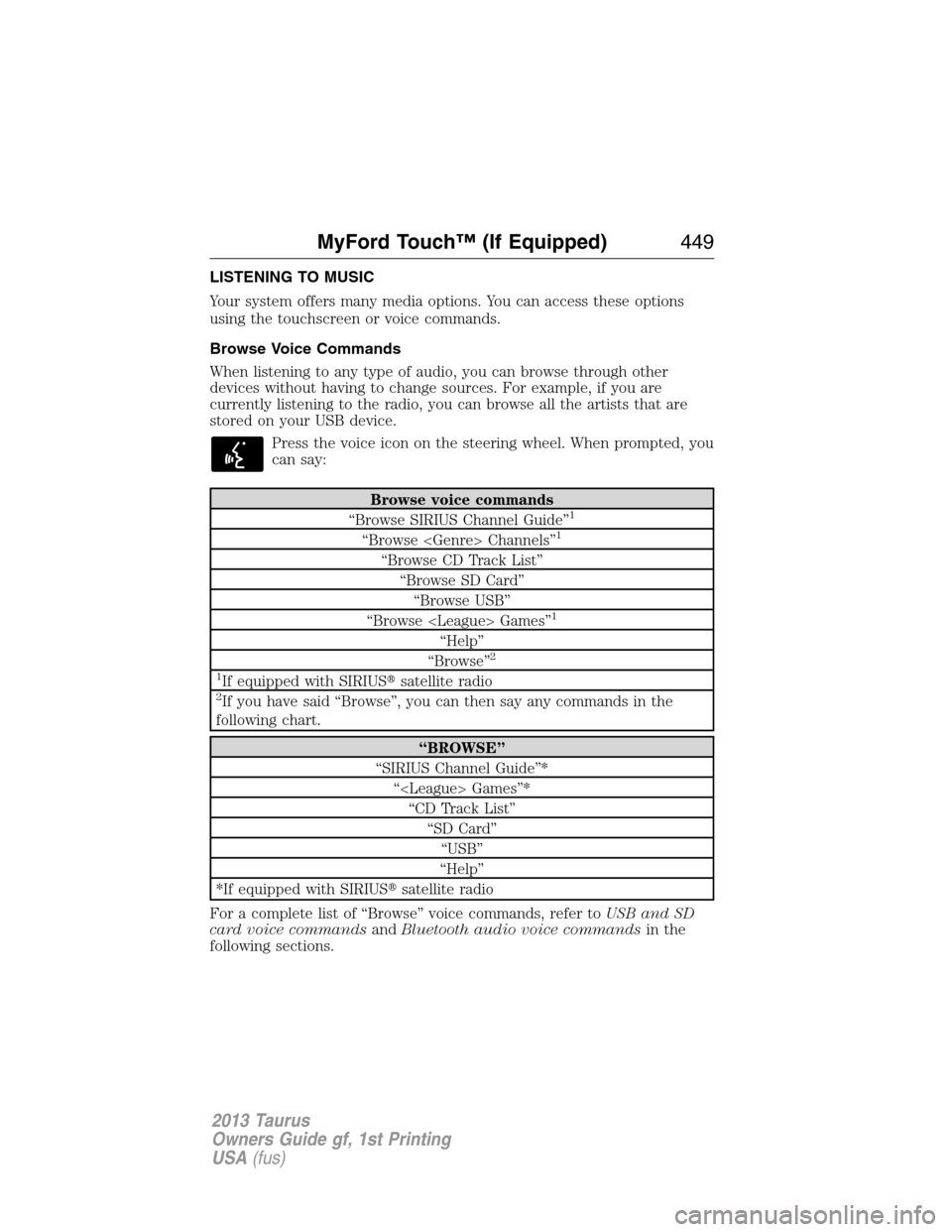
LISTENING TO MUSIC
Your system offers many media options. You can access these options
using the touchscreen or voice commands.
Browse Voice Commands
When listening to any type of audio, you can browse through other
devices without having to change sources. For example, if you are
currently listening to the radio, you can browse all the artists that are
stored on your USB device.
Press the voice icon on the steering wheel. When prompted, you
can say:
Browse voice commands
“Browse SIRIUS Channel Guide”1
“Browse Channels”1
“Browse CD Track List”
“Browse SD Card”
“Browse USB”
“Browse Games”
1
“Help”
“Browse”2
1
If equipped with SIRIUS�satellite radio2If you have said “Browse”, you can then say any commands in the
following chart.
“BROWSE”
“SIRIUS Channel Guide”*
“ Games”*
“CD Track List”
“SD Card”
“USB”
“Help”
*If equipped with SIRIUS�satellite radio
For a complete list of “Browse” voice commands, refer toUSB and SD
card voice commandsandBluetooth audio voice commandsin the
following sections.
MyFord Touch™ (If Equipped)449
2013 Taurus
Owners Guide gf, 1st Printing
USA(fus)
Page 467 of 541
To view song information such as Title, Artist, File, Folder, Album, and
Genre, touch the on-screen album art.
You can also pressWhat’s Playingto hear how the system pronounces
the current band and song. This can be helpful when using voice
commands to make sure the system correctly plays your request.
For a complete listing of available voice commands, refer toVoice
commands for USB and SD cardin the followingUSBsection.
SD logo is a trademark of SD-3C,
LLC.
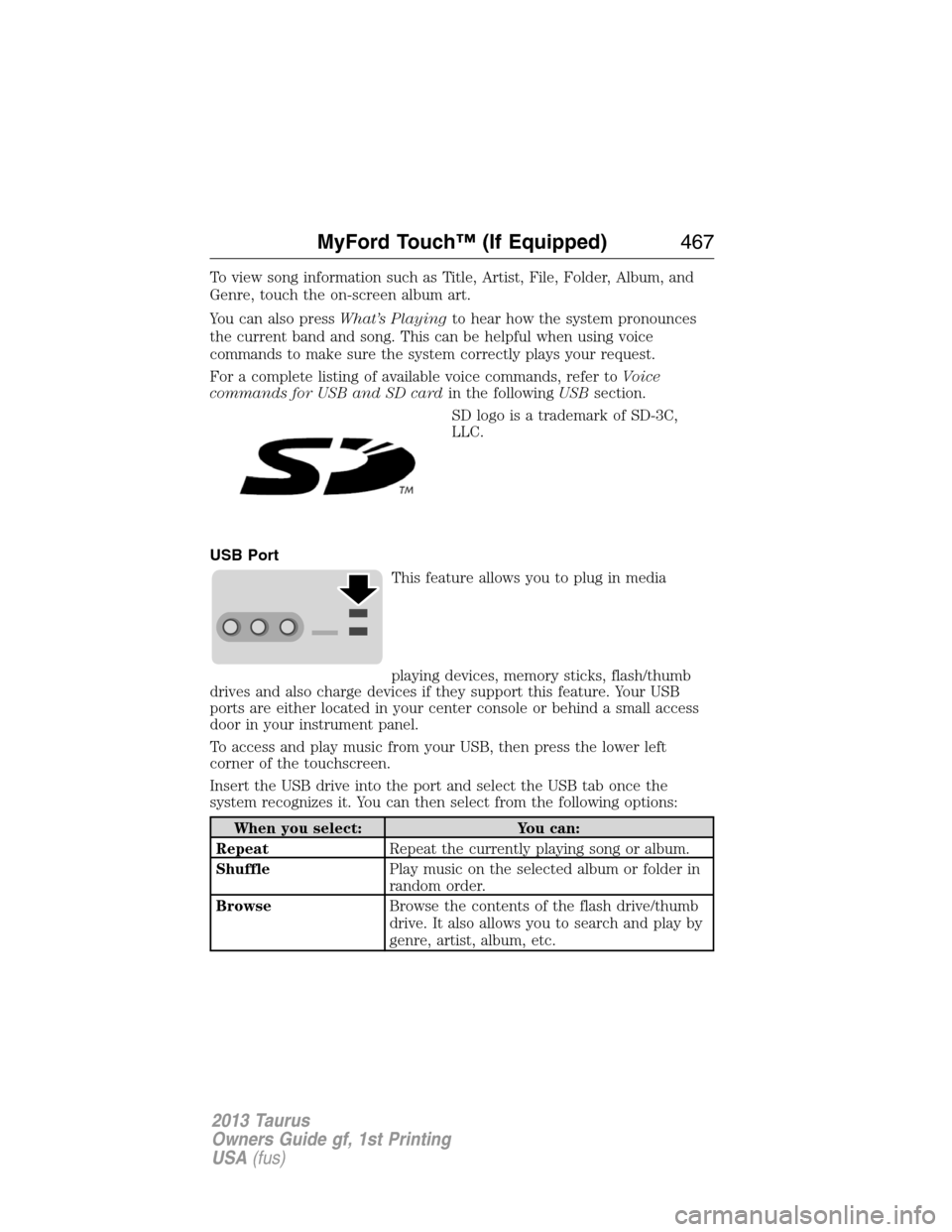
USB Port
This feature allows you to plug in media
playing devices, memory sticks, flash/thumb
drives and also charge devices if they support this feature. Your USB
ports are either located in your center console or behind a small access
door in your instrument panel.
To access and play music from your USB, then press the lower left
corner of the touchscreen.
Insert the USB drive into the port and select the USB tab once the
system recognizes it. You can then select from the following options:
When you select: You can:
RepeatRepeat the currently playing song or album.
ShufflePlay music on the selected album or folder in
random order.
BrowseBrowse the contents of the flash drive/thumb
drive. It also allows you to search and play by
genre, artist, album, etc.
MyFord Touch™ (If Equipped)467
2013 Taurus
Owners Guide gf, 1st Printing
USA(fus)
Page 469 of 541
To view song information such as Title, Artist, File, Folder, Album, and
Genre, touch the on-screen album art.
You can also pressWhat’s Playingto hear how the system pronounces
the current band and song. This can be helpful when using voice
commands to make sure the system correctly plays your request.
In order to playback video from your iPod�/iPhone�(if compatible), you
MUST have a special combination USB/RCA composite video cable
(available for purchase from Apple�). When the cable is connected to
your iPod�/iPhone�, plug the other end into both the RCA jacks and the
USB port.
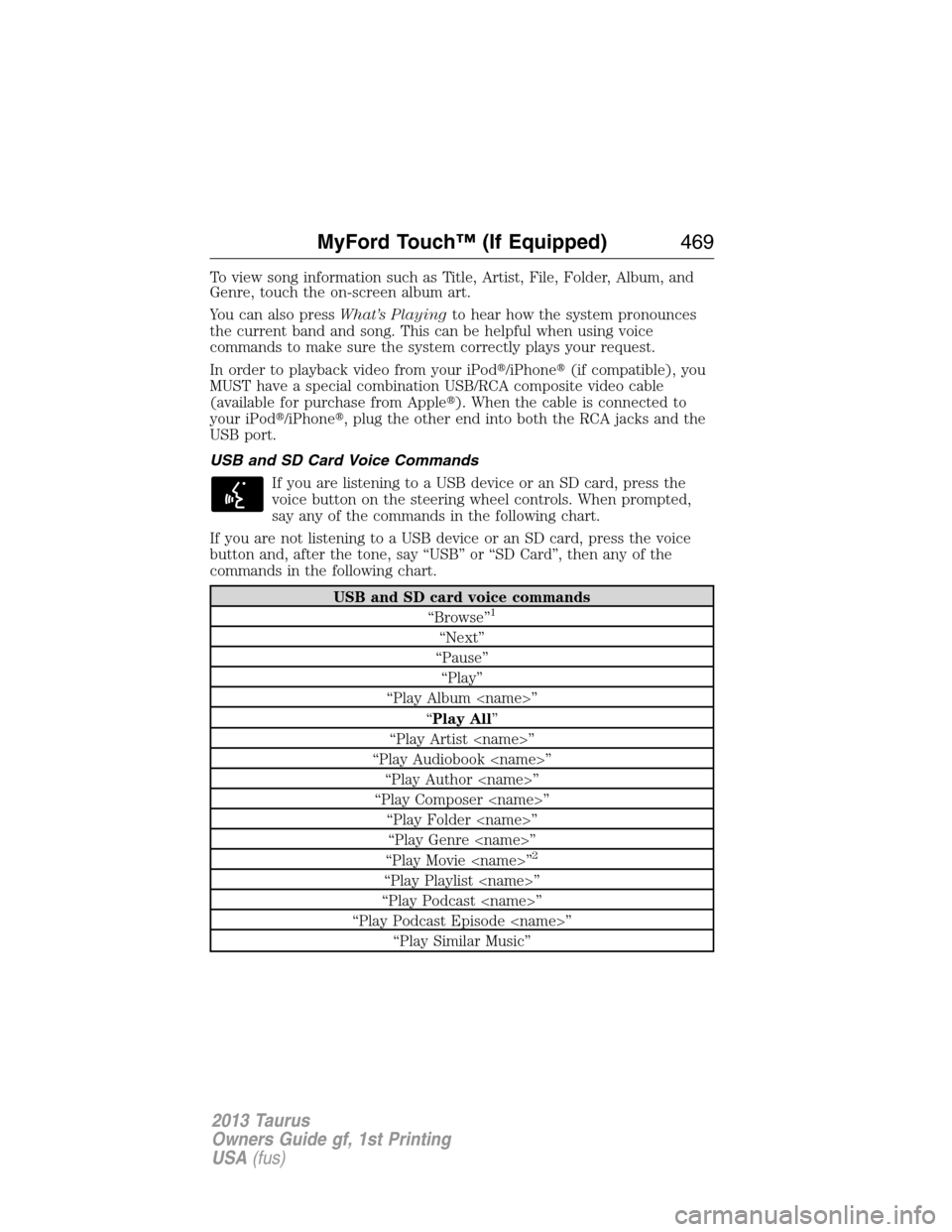
USB and SD Card Voice Commands
If you are listening to a USB device or an SD card, press the
voice button on the steering wheel controls. When prompted,
say any of the commands in the following chart.
If you are not listening to a USB device or an SD card, press the voice
button and, after the tone, say “USB” or “SD Card”, then any of the
commands in the following chart.
USB and SD card voice commands
“Browse”1
“Next”
“Pause”
“Play”
“Play Album ”
“Play All”
“Play Artist ”
“Play Audiobook ”
“Play Author ”
“Play Composer ”
“Play Folder ”
“Play Genre ”
“Play Movie ”
2
“Play Playlist ”
“Play Podcast ”
“Play Podcast Episode ”
“Play Similar Music”
MyFord Touch™ (If Equipped)469
2013 Taurus
Owners Guide gf, 1st Printing
USA(fus)