2013 FORD SUPER DUTY key battery
[x] Cancel search: key batteryPage 62 of 563
REMOTE CONTROL
Integrated Keyhead Transmitters (IKTs) (If Equipped)
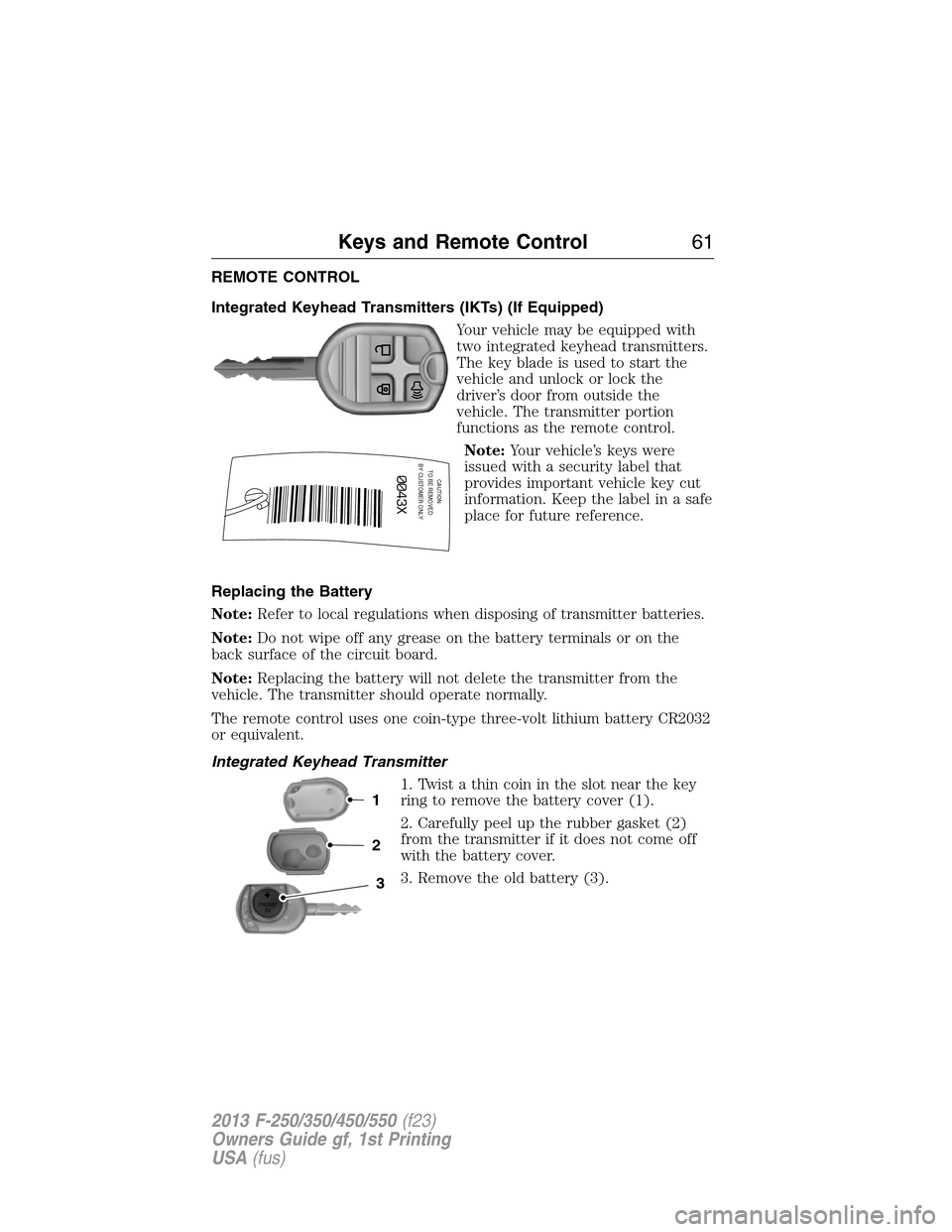
Your vehicle may be equipped with
two integrated keyhead transmitters.
The key blade is used to start the
vehicle and unlock or lock the
driver’s door from outside the
vehicle. The transmitter portion
functions as the remote control.
Note:Your vehicle’s keys were
issued with a security label that
provides important vehicle key cut
information. Keep the label in a safe
place for future reference.
Replacing the Battery
Note:Refer to local regulations when disposing of transmitter batteries.
Note:Do not wipe off any grease on the battery terminals or on the
back surface of the circuit board.
Note:Replacing the battery will not delete the transmitter from the
vehicle. The transmitter should operate normally.
The remote control uses one coin-type three-volt lithium battery CR2032
or equivalent.
Integrated Keyhead Transmitter
1. Twist a thin coin in the slot near the key
ring to remove the battery cover (1).
2. Carefully peel up the rubber gasket (2)
from the transmitter if it does not come off
with the battery cover.
3. Remove the old battery (3).
CAUTIONTO BE REMOVED
BY CUSTOMER ONLY
3
2
1
Keys and Remote Control61
2013 F-250/350/450/550(f23)
Owners Guide gf, 1st Printing
USA(fus)
Page 63 of 563
4. Insert the new battery. Refer to the instructions inside the integrated
keyhead transmitter for the correct orientation of the battery. Press the
battery down to ensure that the battery is fully seated in the battery
housing cavity.
5. Reinstall the rubber gasket.
6. Snap the battery cover back onto the key.
Memory Feature (If Equipped)
The feature allows the remote control to recall the driver seat, power
mirrors, steering column (if equipped) and power adjustable foot pedals
(if equipped) memory positions.
Press the unlock button on the remote control to recall the memory
positions. If the easy entry and exit feature is enabled, the seat will move
to the easy entry position. The seat will move to the driver memory
position when the key is put in the ignition.
Programming Memory to the Transmitter
1. Move the memory features to the desired positions using the
associated controls.
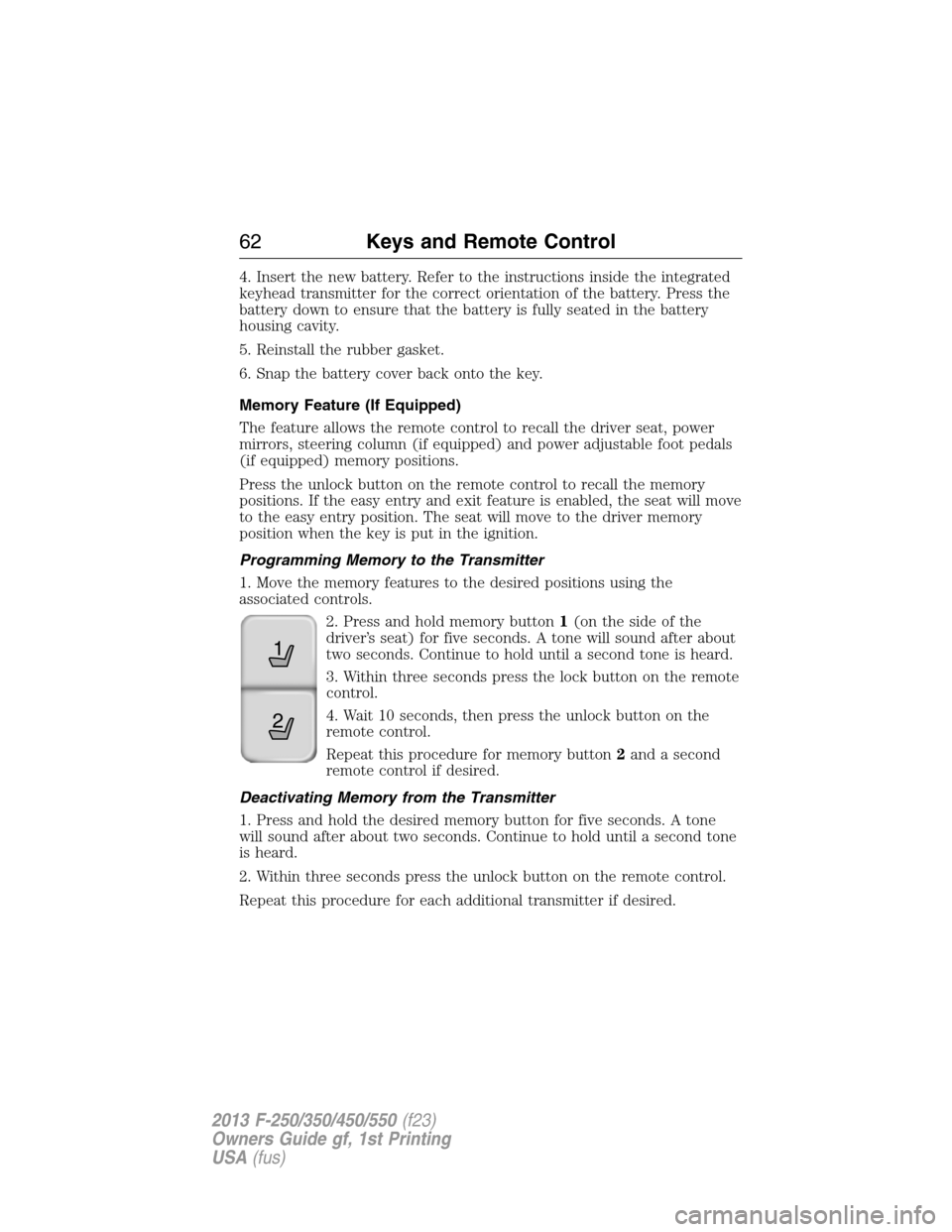
2. Press and hold memory button1(onthesideofthe
driver’s seat) for five seconds. A tone will sound after about
two seconds. Continue to hold until a second tone is heard.
3. Within three seconds press the lock button on the remote
control.
4. Wait 10 seconds, then press the unlock button on the
remote control.
Repeat this procedure for memory button2and a second
remote control if desired.
Deactivating Memory from the Transmitter
1. Press and hold the desired memory button for five seconds. A tone
will sound after about two seconds. Continue to hold until a second tone
is heard.
2. Within three seconds press the unlock button on the remote control.
Repeat this procedure for each additional transmitter if desired.
21
62Keys and Remote Control
2013 F-250/350/450/550(f23)
Owners Guide gf, 1st Printing
USA(fus)
Page 65 of 563

•you have already attempted two remote vehicle starts within the last
hour
•your vehicle is not inP
•your vehicle battery voltage is too low
•the service engine soon light is on.
Remote Starting the Vehicle
Note:You must press each button within three seconds of each other.
Your vehicle will not remote start and the horn will not chirp if you do
not follow this sequence.
The label on your transmitter
details the starting procedure. To
remote start your vehicle:
1. Press the lock button to lock all the doors.
2. Press the remote start button twice. The exterior lamps will flash
twice.
The horn will chirp if the system fails to start.
Note:If you remote start your vehicle with an integrated keyhead
transmitter, you must switch the ignition on before driving your vehicle.
If you remote start your vehicle with an intelligent access transmitter,
you must have a programmed intelligent access key inside your vehicle
and press theSTART/STOPbutton on the instrument panel once while
applying the brake pedal before driving your vehicle.
The power windows will be inhibited during the remote start and the
radio will not turn on automatically.
The parking lamps will remain on and your vehicle will run for 5, 10, or
15 minutes, depending on the setting. See theInformation Displays
chapter to select the duration of the remote start system.
64Keys and Remote Control
2013 F-250/350/450/550(f23)
Owners Guide gf, 1st Printing
USA(fus)
Page 73 of 563

Autolock:Once in programming mode, press the power door unlock
button then the lock button. The horn will chirp once if autolock was
deactivated or twice (one short and one long chirp) if autolock was
activated.
Autounlock:Once in programming mode, press the power door lock
button then the unlock button. The horn will chirp once if autounlock
was deactivated or twice (one short and one long chirp) if autounlock
was activated.
6. Turn the ignition off. The horn will chirp once to confirm the
procedure is complete.
Note:The autounlock feature can be enabled or disabled independently
of the autolock feature.
Illuminated Entry
The interior lamps and parking lamps illuminate when the remote entry
system is used to unlock the door(s).
The system will turn off the lights if:
•the ignition is turned on
•the lock button on the remote control is pressed
•the vehicle is locked using the keyless entry keypad
•after 25 seconds of illumination.
The dome lamp control (if equipped) must not be set to the off position
for the illuminated entry system to operate.
The lights will not turn off if:
•they have been turned on with the dimmer control
•any door is open.
Battery Saver
The battery saver will shut off the interior lamps 30 minutes after the
ignition has been turned off if a door is left open and the dome lamp
switch is left on. It will turn off the interior lamps after 10 minutes if the
dome lamp switch is left off.
72Locks
2013 F-250/350/450/550(f23)
Owners Guide gf, 1st Printing
USA(fus)
Page 104 of 563
Info
Press the INFO button repeatedly to cycle through the following
features:
Note:Some options may appear slightly different or not at all if the
items are optional.
INFO
TRIP A/B
XXX° (if equipped)
MYKEY MILES (km) (if programmed)
XXX MILES (km) TO E
XX.X AVG MPG (L/100km)
MPG (L/km)
TIMER
TBC GAIN (if equipped)
EXHAUST FILTER (diesel only)
•TRIP A/B: Registers the distance of individual journeys. Press and
release the INFO button until TRIP A/B appears in the display (this
represents the trip mode). Press and hold the RESET button to reset.
Refer toUNITSlater in this section to switch the display from metric
to English.
•XXX° (outside air temperature) (if equipped): This displays the
outside temperature.
•MYKEY MILES (km) (if programmed): For more information, refer to
theMyKey®chapter.
•XXX MILES (km) TO E: This displays an estimate of approximately
how far you can drive with the fuel remaining in your tank under
normal driving conditions. Remember to turn the ignition off when
refueling to allow this feature to correctly detect the added fuel.
Distance to empty is calculated using a running average fuel economy,
which is based on your recent driving history of 500 miles (800 km).
This value is not the same as the average fuel economy display. The
running average fuel economy is re-initialized to a factory default
value if the battery is disconnected.
•XX.X AVG MPG (L/100km): Average fuel economy displays your
average fuel economy in miles/gallon or liters/100 km.
Information Displays103
2013 F-250/350/450/550(f23)
Owners Guide gf, 1st Printing
USA(fus)
Page 128 of 563
Engine Messages Action / Description
TRANSPORT MODE
CONTACT DEALERDisplayed when the vehicle is set to transport
mode. The transport mode is used to disable
certain vehicle functions to prevent battery
discharge when the vehicle is in the
transport/inventory phase and is not driven
long enough to maintain the battery’s charge.
This mode can be disabled by doing the
following: Turn the ignition on, without
starting the engine. Press and release the
brake pedal fully five times and press the
hazard button four times (on, off, on, off)
within 10 seconds.
POWER REDUCED
TO LOWER ENGINE
TEMPDisplayed when the engine temperature gauge
needle moves to H. You may notice reduced
engine power. Refer toEngine coolantin the
Maintenancechapter for more information.
Fuel Messages Action / Description
CHECK FUEL CAPDisplayed when the fuel cap may not be
properly closed.
FUEL LEVEL LOWDisplayed as an early reminder of a low fuel
condition.
Key Messages Action / Description
COULD NOT
PROGRAM
INTEGRATED KEYDisplayed when an attempt is made to
program a fifth integrated key. For more
information, refer to theSecuritychapter.
TO DRIVE: TURN
KEY TO ONDisplayed when the factory equipped remote
start is activated.
Maintenance
MessagesAction / Description
ENGINE OIL
CHANGE SOONDisplayed when the engine oil life is nearing
its end.
OIL CHANGE
REQUIREDDisplayed when the oil life left reaches 0%.
Information Displays127
2013 F-250/350/450/550(f23)
Owners Guide gf, 1st Printing
USA(fus)
Page 173 of 563
Note:We recommend that upon the sale or lease termination of your
vehicle, you erase the programmed function buttons for security reasons.
SeeErasing the function button codeslater in this section.
Note:You can program a maximum of three devices. To change or
replace any of the three devices after it has been initially programmed,
you must first erase the current settings. SeeErasing the function
button codeslater in this section.
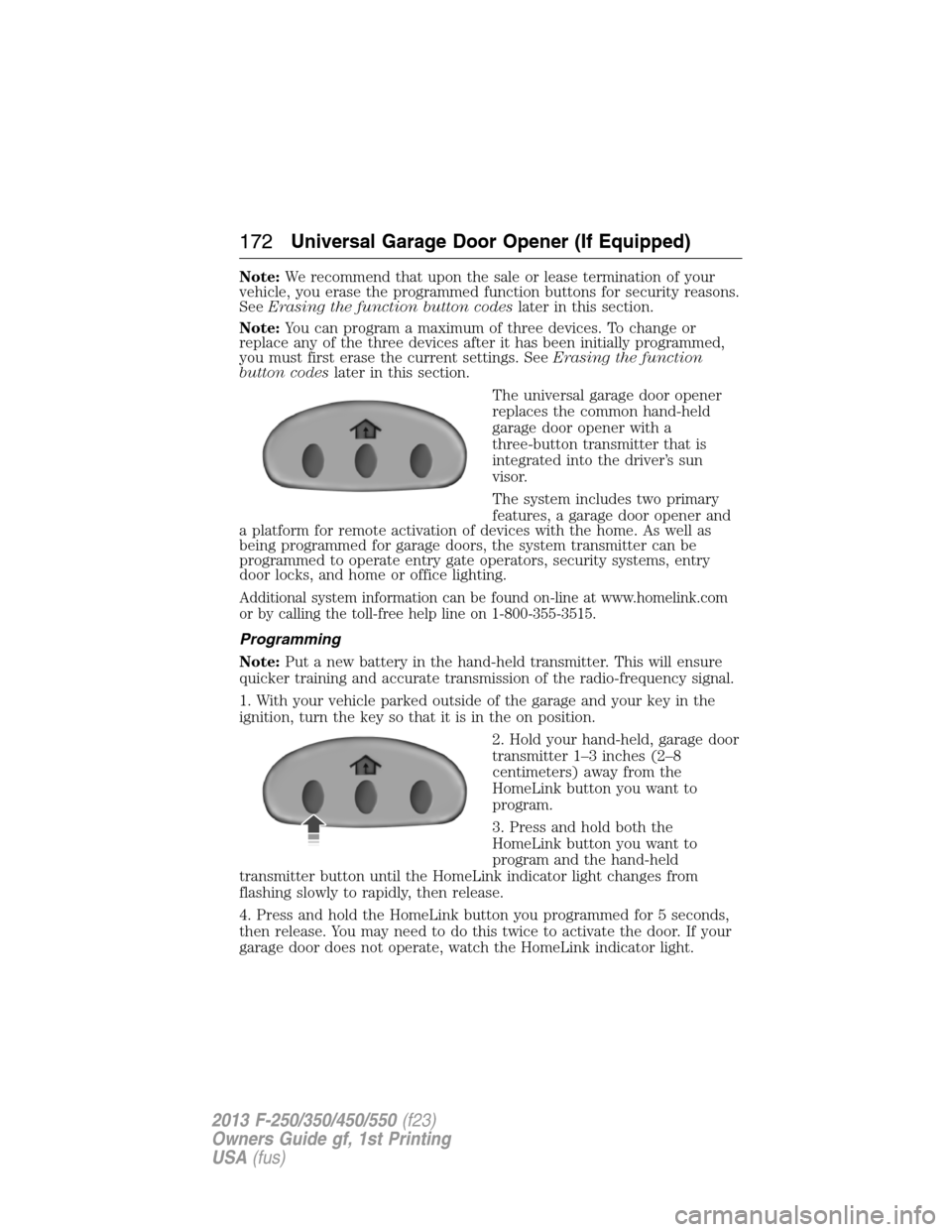
The universal garage door opener
replaces the common hand-held
garage door opener with a
three-button transmitter that is
integrated into the driver’s sun
visor.
The system includes two primary
features, a garage door opener and
a platform for remote activation of devices with the home. As well as
being programmed for garage doors, the system transmitter can be
programmed to operate entry gate operators, security systems, entry
door locks, and home or office lighting.
Additional system information can be found on-line at www.homelink.com
or by calling the toll-free help line on 1-800-355-3515.
Programming
Note:Put a new battery in the hand-held transmitter. This will ensure
quicker training and accurate transmission of the radio-frequency signal.
1. With your vehicle parked outside of the garage and your key in the
ignition, turn the key so that it is in the on position.
2. Hold your hand-held, garage door
transmitter 1–3 inches (2–8
centimeters) away from the
HomeLink button you want to
program.
3. Press and hold both the
HomeLink button you want to
program and the hand-held
transmitter button until the HomeLink indicator light changes from
flashing slowly to rapidly, then release.
4. Press and hold the HomeLink button you programmed for 5 seconds,
then release. You may need to do this twice to activate the door. If your
garage door does not operate, watch the HomeLink indicator light.
172Universal Garage Door Opener (If Equipped)
2013 F-250/350/450/550(f23)
Owners Guide gf, 1st Printing
USA(fus)
Page 184 of 563
IGNITION SWITCH
Note:To switch the engine off when your vehicle is moving, move the
transmission selector lever to positionN.Use the brakes to bring your
vehicle to a safe stop. After your vehicle has stopped, switch the engine
off and move the transmission selector lever to positionP.Turn the key
to the accessory or off position.
Note:Do not store the key in the ignition after the vehicle is turned off
and you have left the vehicle. This could cause a drain on the battery.
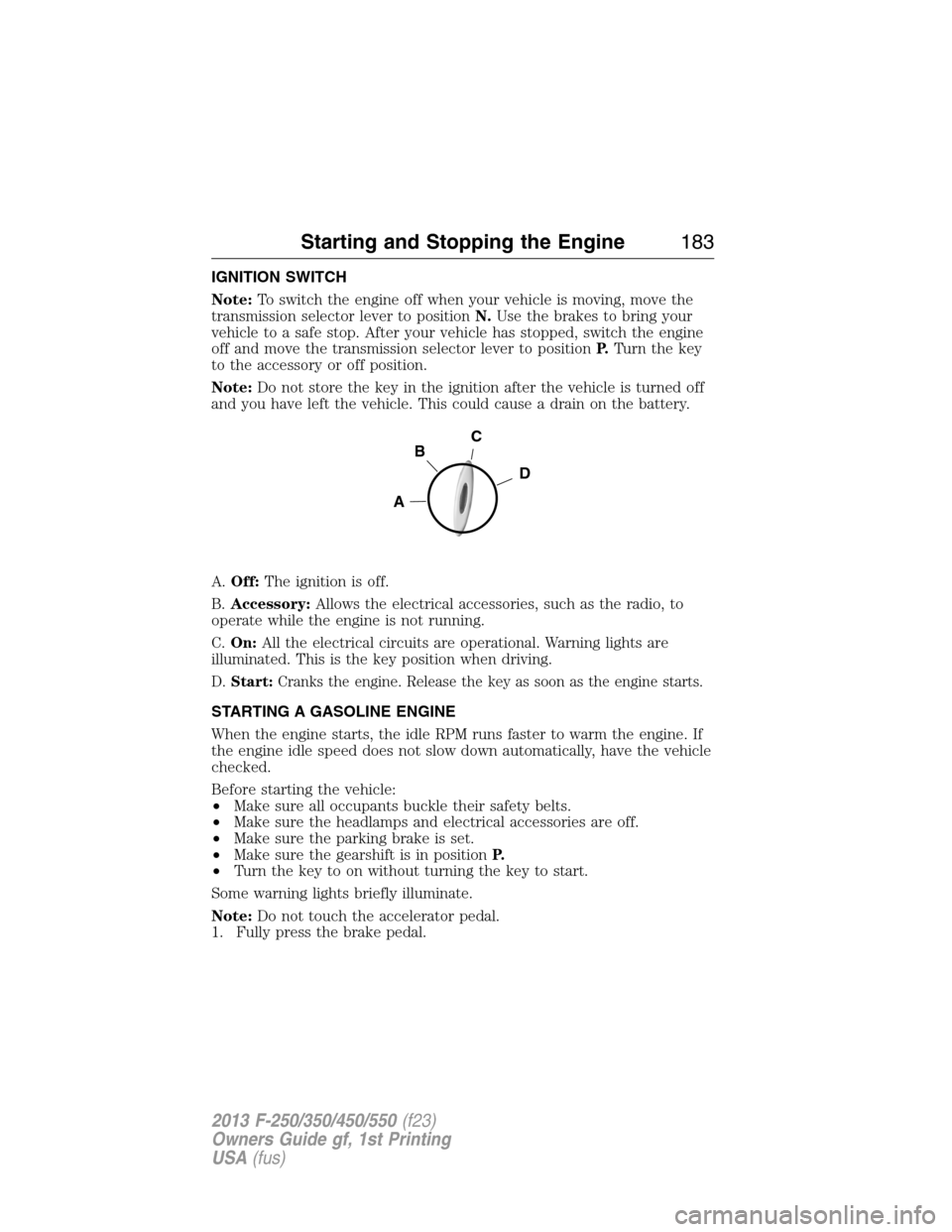
A.Off:The ignition is off.
B.Accessory:Allows the electrical accessories, such as the radio, to
operate while the engine is not running.
C.On:All the electrical circuits are operational. Warning lights are
illuminated. This is the key position when driving.
D.Start:Cranks the engine. Release the key as soon as the engine starts.
STARTING A GASOLINE ENGINE
When the engine starts, the idle RPM runs faster to warm the engine. If
the engine idle speed does not slow down automatically, have the vehicle
checked.
Before starting the vehicle:
•Make sure all occupants buckle their safety belts.
•Make sure the headlamps and electrical accessories are off.
•Make sure the parking brake is set.
•Make sure the gearshift is in positionP.
•Turn the key to on without turning the key to start.
Some warning lights briefly illuminate.
Note:Do not touch the accelerator pedal.
1. Fully press the brake pedal.
C
D
B
A
Starting and Stopping the Engine183
2013 F-250/350/450/550(f23)
Owners Guide gf, 1st Printing
USA(fus)