2013 FORD SUPER DUTY brake
[x] Cancel search: brakePage 5 of 563

Auxiliary Power Points 177
Storage Compartments 180
Overhead console.....................................181
Starting and Stopping the Engine 182
Ignition switch.......................................183
Engine block heater...................................185
Fuel and Refueling 187
Fuel quality.........................................189
Refueling...........................................191
Fuel consumption.....................................193
Transmission 197
Transmission operation.................................197
Hill start assist.......................................206
Four-Wheel Drive (If Equipped) 207
Four wheel drive.....................................207
Brakes 220
Brakes.............................................220
Hints on driving with anti-lock brakes......................221
Parking brake........................................221
Traction Control 222
TractionControl™ ....................................222
Stability Control 224
AdvanceTrac®.......................................225
Terrain Response 227
Hill descent control...................................227
Parking Aids 229
Sensing system.......................................229
Rear-view camera system...............................231
4Table of Contents
2013 F-250/350/450/550(f23)
Owners Guide gf, 1st Printing
USA(fus)
Page 6 of 563

Cruise Control 234
Driving Aids 236
Load Carrying 237
Vehicle loading.......................................237
Tailgate............................................244
Towing 249
Trailertowing........................................249
Trailer brake controller-integrated.........................254
Wrecker towing......................................261
Recreational towing...................................263
Driving Hints 264
Economical driving....................................264
Floormats..........................................266
Roadside Emergencies 271
Getting roadside assistance..............................271
Hazard flasher control..................................273
Fuel cut-off switch....................................273
Jump-starting the vehicle...............................274
Customer Assistance 277
Reporting safety defects (U.S. only).......................284
Reporting safety defects (Canada only).....................284
Fuses 285
Changing a fuse......................................285
Fuse specification chart................................286
Upfitter controls......................................294
Table of Contents5
2013 F-250/350/450/550(f23)
Owners Guide gf, 1st Printing
USA(fus)
Page 7 of 563
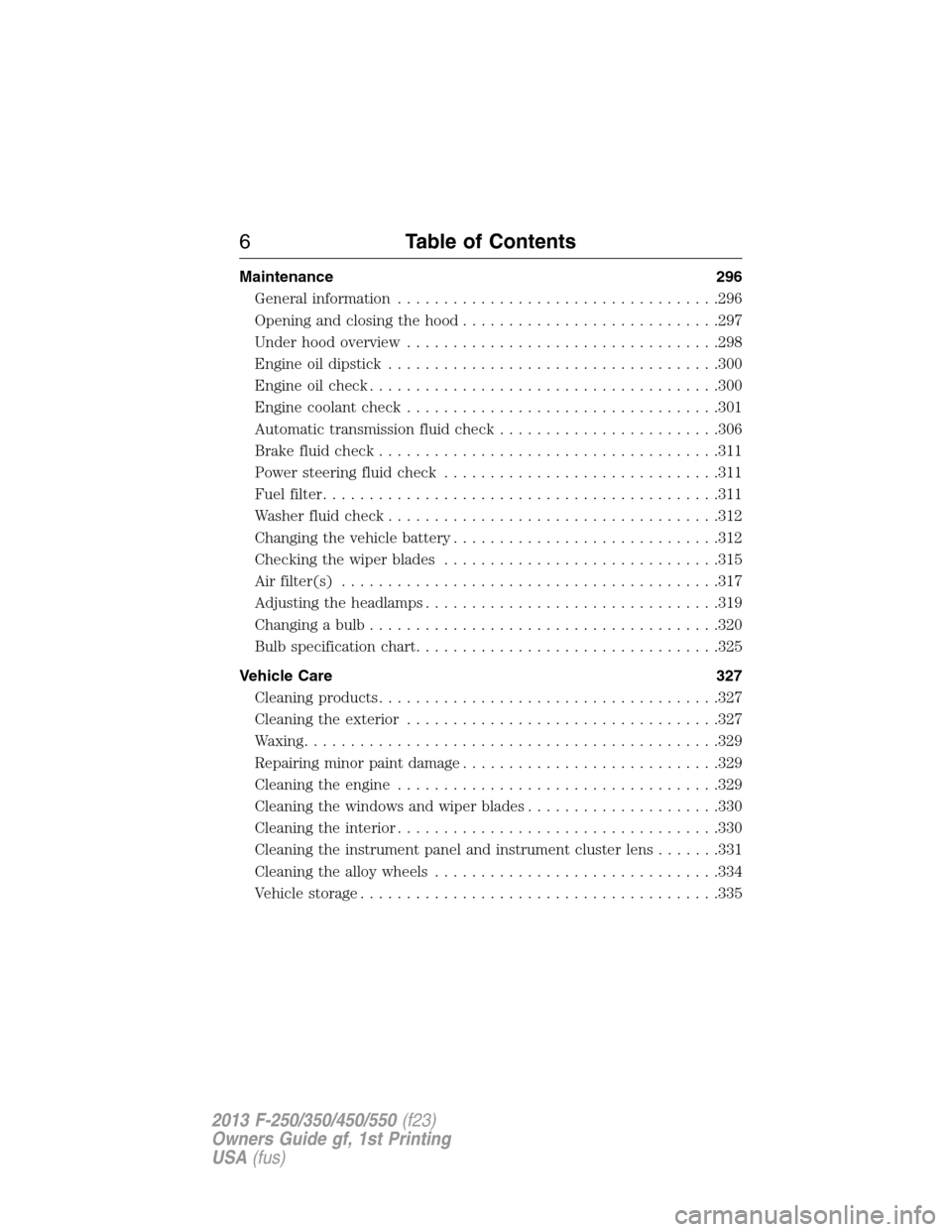
Maintenance 296
General information...................................296
Opening and closing the hood............................297
Under hood overview..................................298
Engine oil dipstick....................................300
Engine oil check......................................300
Engine coolant check..................................301
Automatic transmission fluid check........................306
Brake fluid check.....................................311
Power steering fluid check..............................311
Fuel filter...........................................311
Washer fluid check....................................312
Changing the vehicle battery.............................312
Checking the wiper blades..............................315
Air filter(s).........................................317
Adjusting the headlamps................................319
Changing a bulb......................................320
Bulb specification chart.................................325
Vehicle Care 327
Cleaning products.....................................327
Cleaning the exterior..................................327
Waxing.............................................329
Repairing minor paint damage............................329
Cleaning the engine...................................329
Cleaning the windows and wiper blades.....................330
Cleaning the interior...................................330
Cleaning the instrument panel and instrument cluster lens.......331
Cleaning the alloy wheels...............................334
Vehicle storage.......................................335
6Table of Contents
2013 F-250/350/450/550(f23)
Owners Guide gf, 1st Printing
USA(fus)
Page 11 of 563
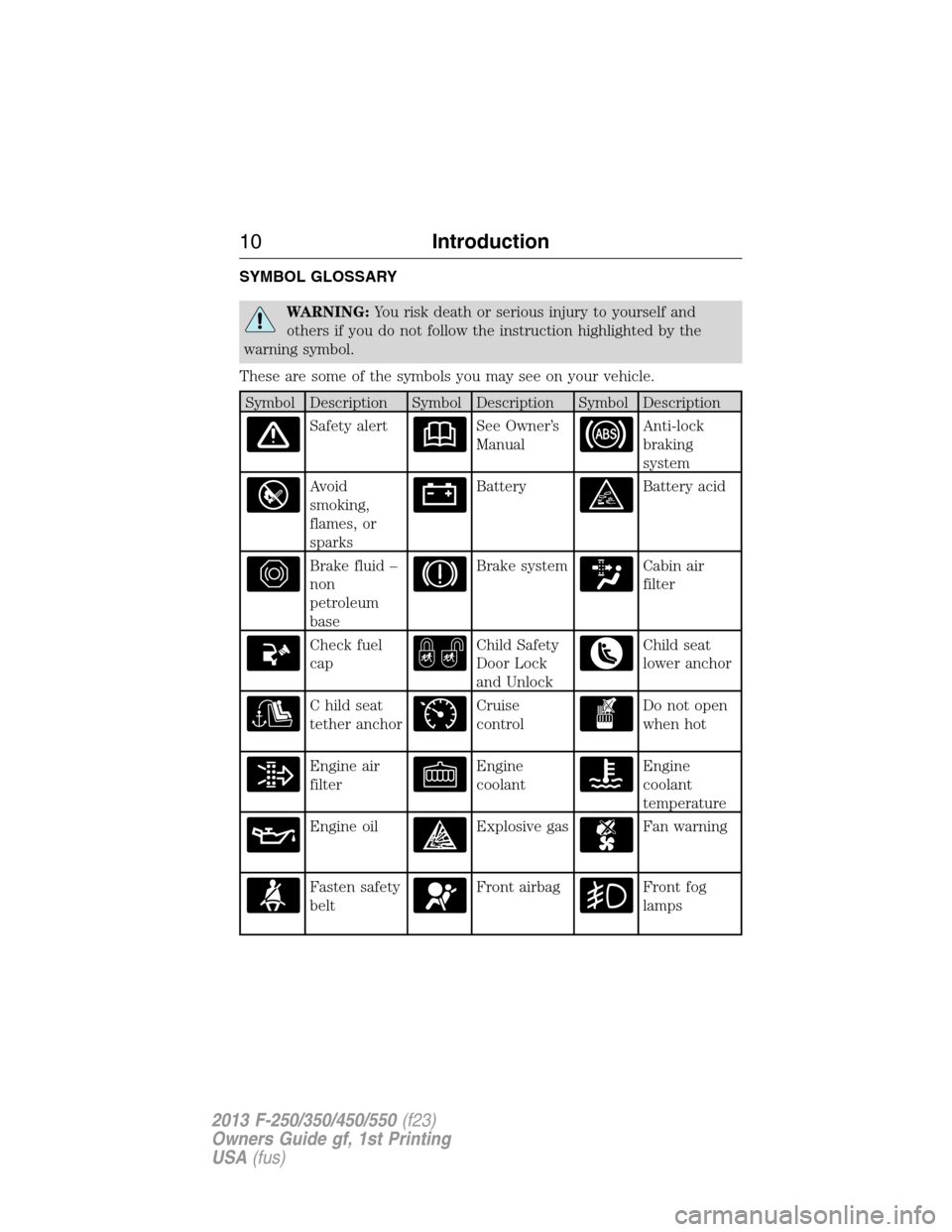
SYMBOL GLOSSARY
WARNING:You risk death or serious injury to yourself and
others if you do not follow the instruction highlighted by the
warning symbol.
These are some of the symbols you may see on your vehicle.
Symbol Description Symbol Description Symbol Description
Safety alertSee Owner’s
ManualAnti-lock
braking
system
Avoid
smoking,
flames, or
sparksBatteryBattery acid
Brake fluid –
non
petroleum
baseBrake systemCabin air
filter
Check fuel
capChild Safety
Door Lock
and UnlockChild seat
lower anchor
C hild seat
tether anchorCruise
controlDo not open
when hot
Engine air
filterEngine
coolantEngine
coolant
temperature
Engine oilExplosive gasFan warning
Fasten safety
beltFront airbagFront fog
lamps
10Introduction
2013 F-250/350/450/550(f23)
Owners Guide gf, 1st Printing
USA(fus)
Page 12 of 563
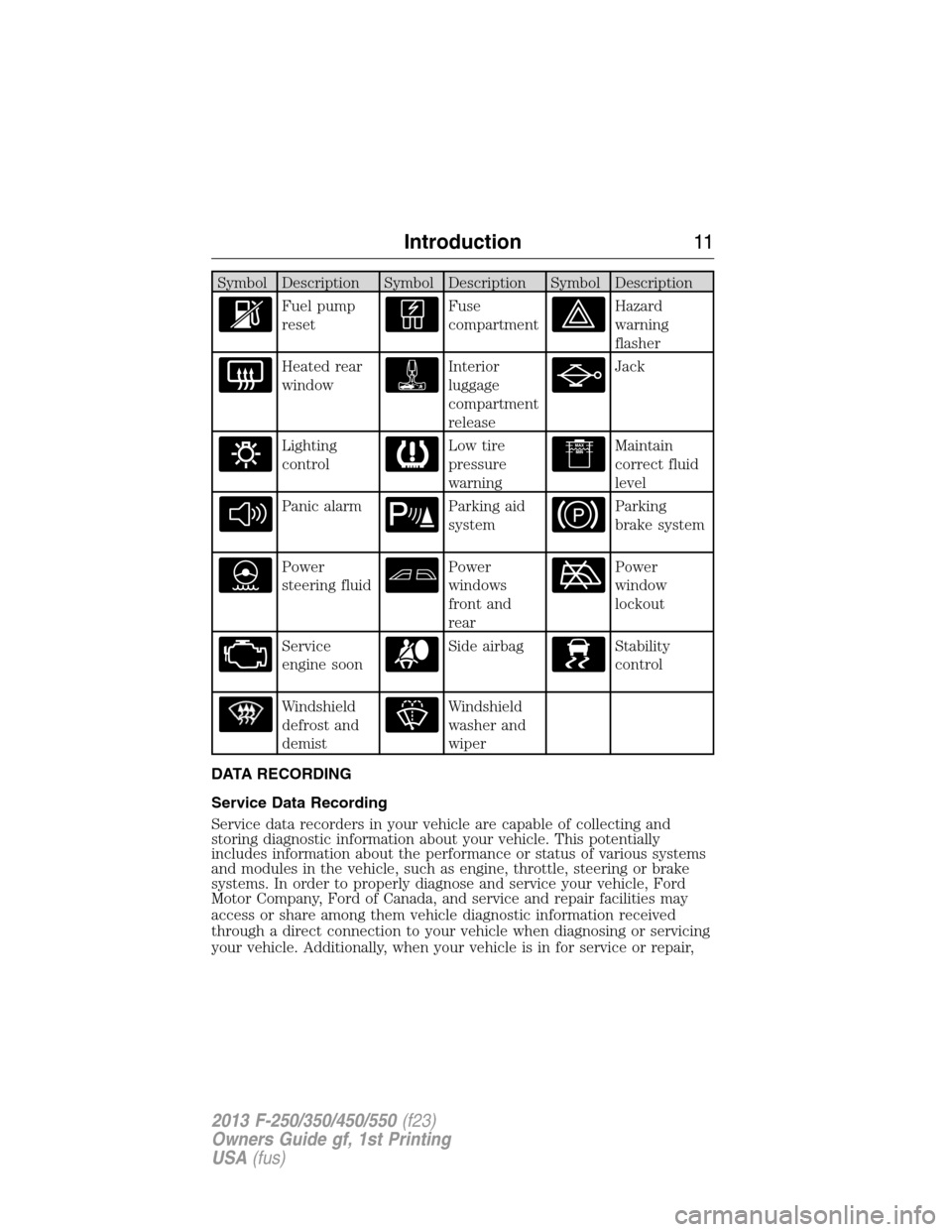
Symbol Description Symbol Description Symbol Description
Fuel pump
resetFuse
compartmentHazard
warning
flasher
Heated rear
windowInterior
luggage
compartment
releaseJack
Lighting
controlLow tire
pressure
warningMaintain
correct fluid
level
Panic alarmParking aid
systemParking
brake system
Power
steering fluidPower
windows
front and
rearPower
window
lockout
Service
engine soonSide airbagStability
control
Windshield
defrost and
demistWindshield
washer and
wiper
DATA RECORDING
Service Data Recording
Service data recorders in your vehicle are capable of collecting and
storing diagnostic information about your vehicle. This potentially
includes information about the performance or status of various systems
and modules in the vehicle, such as engine, throttle, steering or brake
systems. In order to properly diagnose and service your vehicle, Ford
Motor Company, Ford of Canada, and service and repair facilities may
access or share among them vehicle diagnostic information received
through a direct connection to your vehicle when diagnosing or servicing
your vehicle. Additionally, when your vehicle is in for service or repair,
Introduction11
2013 F-250/350/450/550(f23)
Owners Guide gf, 1st Printing
USA(fus)
Page 13 of 563
Ford Motor Company, Ford of Canada, and service and repair facilities
may access or share among them data for vehicle improvement purposes.
For U.S. only (if equipped), if you choose to use the SYNC® Vehicle
Health Report, you consent that certain diagnostic information may also
be accessed electronically by Ford Motor Company and Ford authorized
service facilities, and that the diagnostic information may be used for any
purpose. See theSYNC®chapter for more information.
Event Data Recording
This vehicle is equipped with an event data recorder (EDR). The
main purpose of an EDR is to record, in certain crash or near
crash-like situations, such as an airbag deployment or hitting a
road obstacle; this data will assist in understanding how a
vehicle’s systems performed. The EDR is designed to record data
related to vehicle dynamics and safety systems for a short period
of time, typically 30 seconds or less. The EDR in this vehicle is
designed to record such data as:
•How various systems in your vehicle were operating;
•Whether or not the driver and passenger safety belts were
buckled/fastened;
•How far (if at all) the driver was depressing the accelerator
and/or the brake pedal;
•How fast the vehicle was travelling;
•Where the driver was positioning the steering wheel (if
equipped).
This data can help provide a better understanding of the
circumstances in which crashes and injuries occur.
Note: EDR data is recorded by your vehicle only if a non-trivial
crash situation occurs; no data is recorded by the EDR under
normal driving conditions and no personal data or information
(e.g., name, gender, age, and crash location) is recorded (see
limitations regarding 911 Assist and Traffic, Directions and
Information privacy below). However, parties, such as law
enforcement, could combine the EDR data with the type of
personally identifying data routinely acquired during a crash
investigation.
To read data recorded by an EDR, special equipment is required,
and access to the vehicle or the EDR is needed. In addition to the
vehicle manufacturer, other parties, such as law enforcement,
12Introduction
2013 F-250/350/450/550(f23)
Owners Guide gf, 1st Printing
USA(fus)
Page 40 of 563
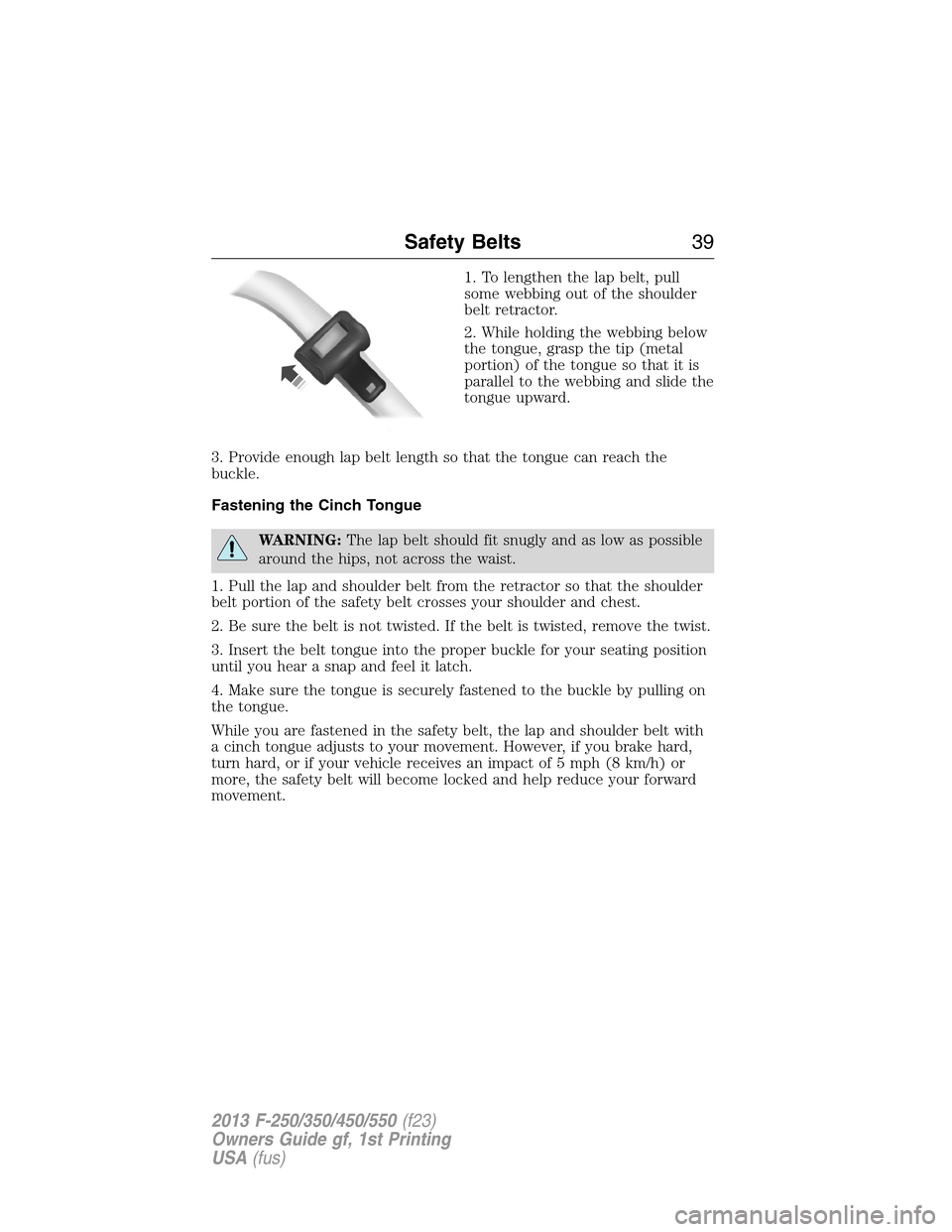
1. To lengthen the lap belt, pull
some webbing out of the shoulder
belt retractor.
2. While holding the webbing below
the tongue, grasp the tip (metal
portion) of the tongue so that it is
parallel to the webbing and slide the
tongue upward.
3. Provide enough lap belt length so that the tongue can reach the
buckle.
Fastening the Cinch Tongue
WARNING:The lap belt should fit snugly and as low as possible
around the hips, not across the waist.
1. Pull the lap and shoulder belt from the retractor so that the shoulder
belt portion of the safety belt crosses your shoulder and chest.
2. Be sure the belt is not twisted. If the belt is twisted, remove the twist.
3. Insert the belt tongue into the proper buckle for your seating position
until you hear a snap and feel it latch.
4. Make sure the tongue is securely fastened to the buckle by pulling on
the tongue.
While you are fastened in the safety belt, the lap and shoulder belt with
a cinch tongue adjusts to your movement. However, if you brake hard,
turn hard, or if your vehicle receives an impact of 5 mph (8 km/h) or
more, the safety belt will become locked and help reduce your forward
movement.
Safety Belts39
2013 F-250/350/450/550(f23)
Owners Guide gf, 1st Printing
USA(fus)
Page 42 of 563
All safety restraints in the vehicle are combination lap and shoulder
belts. The driver safety belt has the first type of locking mode, and the
front outboard passenger and rear seat safety belts have both types of
locking modes described as follows:
Vehicle Sensitive Mode
This is the normal retractor mode, which allows free shoulder belt length
adjustment to your movements and locking in response to vehicle
movement. For example, if the driver brakes suddenly or turns a corner
sharply, or the vehicle receives an impact of approximately 5 mph
(8 km/h) or more, the combination safety belts will lock to help reduce
forward movement of the driver and passengers.
In addition, the retractor is designed to lock if the webbing is pulled out
too quickly. If this occurs, let the belt retract slightly and pull webbing
out again in a slow and controlled manner.
Automatic Locking Mode
In this mode, the shoulder belt is automatically pre-locked. The belt will
still retract to remove any slack in the shoulder belt. The automatic
locking mode is not available on the driver safety belt.
When to Use the Automatic Locking Mode
This mode should be used any time a child safety seat, except a booster,
is installed in passenger front or rear seating positions. Children 12 years
old and under should be properly restrained in a rear seating position
whenever possible. See theChild Safetychapter.
How to Use the Automatic Locking Mode
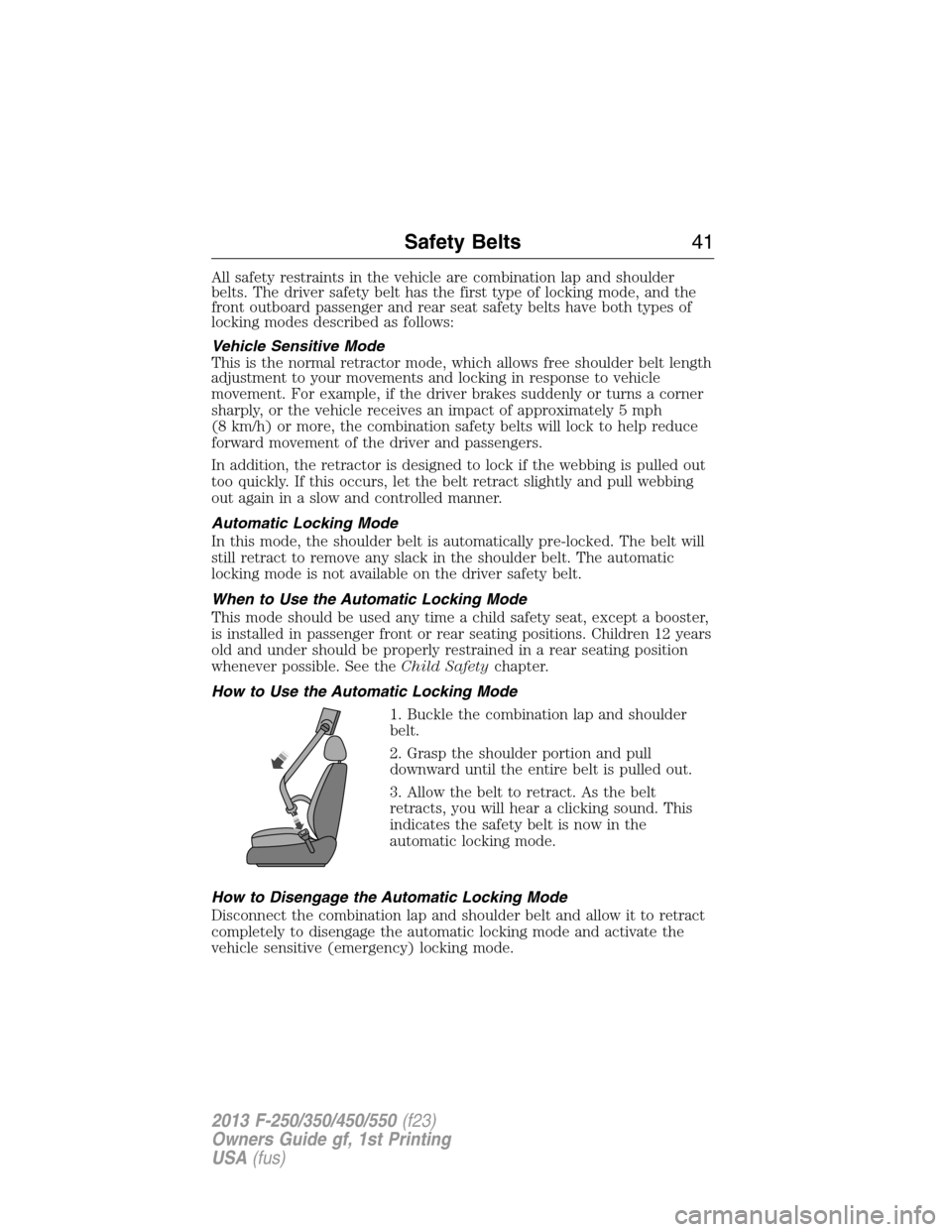
1. Buckle the combination lap and shoulder
belt.
2. Grasp the shoulder portion and pull
downward until the entire belt is pulled out.
3. Allow the belt to retract. As the belt
retracts, you will hear a clicking sound. This
indicates the safety belt is now in the
automatic locking mode.
How to Disengage the Automatic Locking Mode
Disconnect the combination lap and shoulder belt and allow it to retract
completely to disengage the automatic locking mode and activate the
vehicle sensitive (emergency) locking mode.
Safety Belts41
2013 F-250/350/450/550(f23)
Owners Guide gf, 1st Printing
USA(fus)