Auto Zoom
Press the green bar to access map mode, then select the + or - zoom
button to bring up the zoom level and Auto buttons on the touchscreen.
When you pressAuto,Auto Zoom turns on andAutodisplays in the
bottom left corner of the screen. The map zoom level then synchronizes
with vehicle speed. The slower your vehicle is traveling, the farther in
the map zooms; the faster your vehicle is traveling, the farther the map
zooms out. To turn the feature off, just press the + or - button again.
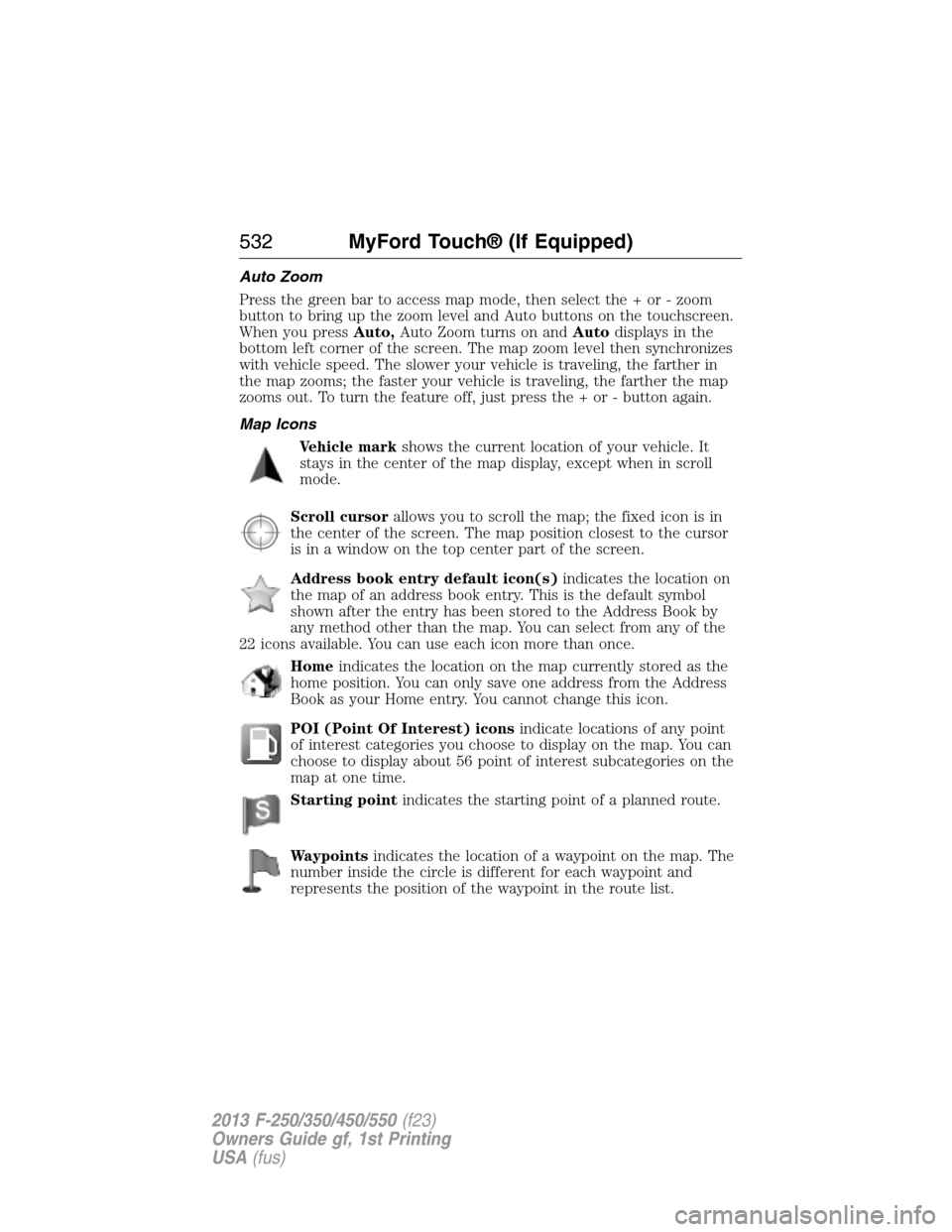
Map Icons
Vehicle markshows the current location of your vehicle. It
stays in the center of the map display, except when in scroll
mode.
Scroll cursorallows you to scroll the map; the fixed icon is in
the center of the screen. The map position closest to the cursor
is in a window on the top center part of the screen.
Address book entry default icon(s)indicates the location on
the map of an address book entry. This is the default symbol
shown after the entry has been stored to the Address Book by
any method other than the map. You can select from any of the
22 icons available. You can use each icon more than once.
Homeindicates the location on the map currently stored as the
home position. You can only save one address from the Address
Book as your Home entry. You cannot change this icon.
POI (Point Of Interest) iconsindicate locations of any point
of interest categories you choose to display on the map. You can
choose to display about 56 point of interest subcategories on the
map at one time.
Starting pointindicates the starting point of a planned route.
Waypointsindicates the location of a waypoint on the map. The
number inside the circle is different for each waypoint and
represents the position of the waypoint in the route list.
532MyFord Touch® (If Equipped)
2013 F-250/350/450/550(f23)
Owners Guide gf, 1st Printing
USA(fus)
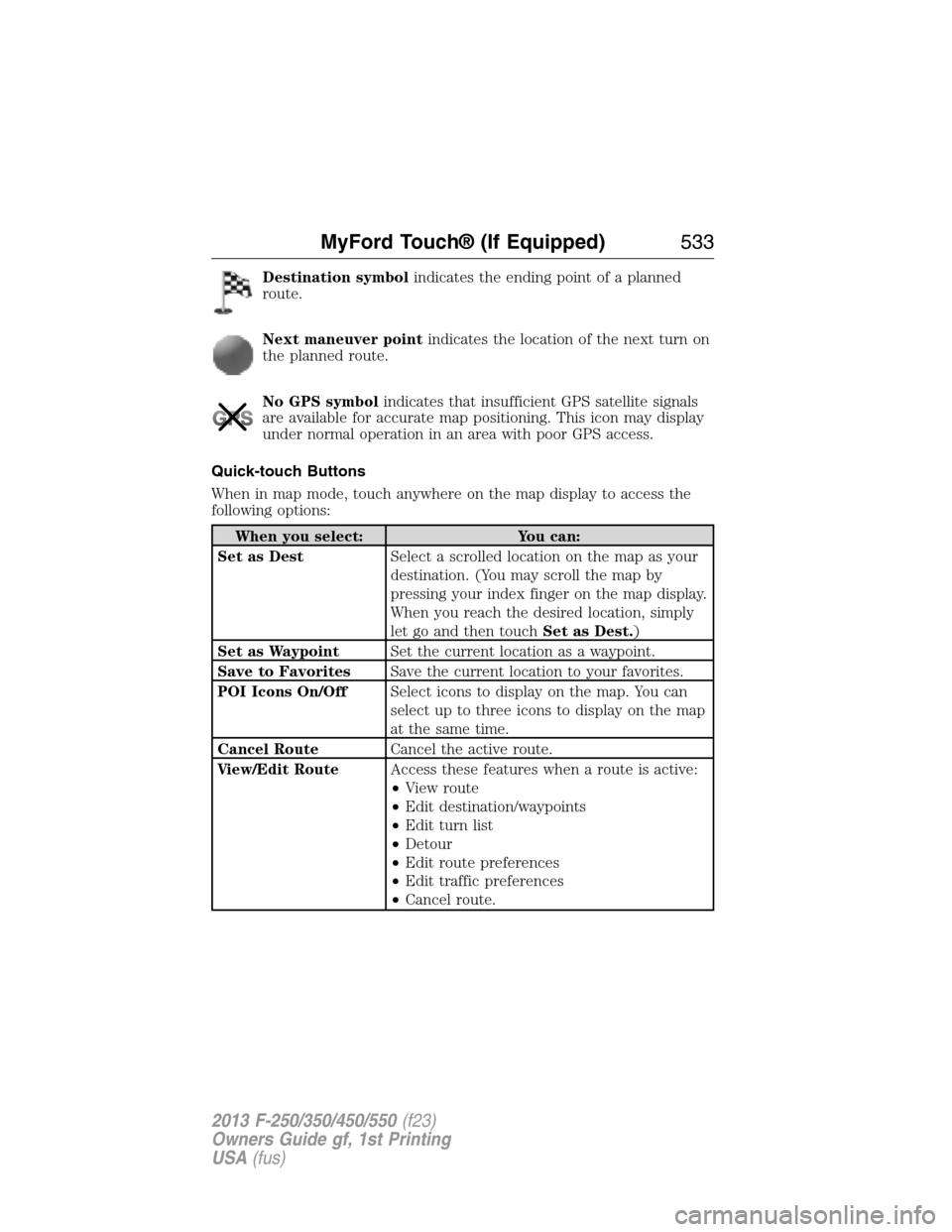
Destination symbolindicates the ending point of a planned
route.
Next maneuver pointindicates the location of the next turn on
the planned route.
No GPS symbolindicates that insufficient GPS satellite signals
are available for accurate map positioning. This icon may display
under normal operation in an area with poor GPS access.
Quick-touch Buttons
When in map mode, touch anywhere on the map display to access the
following options:
When you select: You can:
Set as DestSelect a scrolled location on the map as your
destination. (You may scroll the map by
pressing your index finger on the map display.
When you reach the desired location, simply
let go and then touchSet as Dest.)
Set as WaypointSet the current location as a waypoint.
Save to FavoritesSave the current location to your favorites.
POI Icons On/OffSelect icons to display on the map. You can
select up to three icons to display on the map
at the same time.
Cancel RouteCancel the active route.
View/Edit RouteAccess these features when a route is active:
•View route
•Edit destination/waypoints
•Edit turn list
•Detour
•Edit route preferences
•Edit traffic preferences
•Cancel route.
MyFord Touch® (If Equipped)533
2013 F-250/350/450/550(f23)
Owners Guide gf, 1st Printing
USA(fus)
Power mirrors .............................90
Powerpoint ................................177
Power steering ..........................236
fluid, checking and adding ....311
fluid, refill capacity ................384
Power Windows ...........................88
Privacy information ..........415, 463
Putting a call on/off hold .........422
Q
Quick touch buttons .................533
R
Radio ..........................135–136, 139
AM/FM .....................................470
Single CD ................135–136, 139
Radio reception .........................133
Radio voice commands .............476
Rear heated seats .....................162
Rear view camera
display ................................231, 511
Rear window defroster .....145, 147
Receiving a text
message .............................425, 495
Recommendations for
attaching safety restraints for
children ........................................25
Relays ................................285–286
Remote entry system
illuminated entry ......................72
locking/unlocking doors ...........70
replacing the batteries .............61
Reverse sensing system ...........230
Roadside assistance ..................271
Roll stability control .................225Route preferences ....................529
S
Safety Belt Maintenance ............45
Safety belts
(see Safety restraints) .........38, 42
Safety defects, reporting ..........284
Safety information ............414, 461
Safety restraints ..............38, 40, 42
Belt-Minder® ............................43
extension assembly ..................42
for adults .............................38, 40
for children .........................20, 25
safety belt maintenance ...........45
seat belt maintenance ..............45
warning light and chime ..........43
Safety restraints -
LATCH anchors ...........................31
Safety seats for children ......20, 25
Safety Compliance
Certification Label ....................390
Satellite Radio ...........................477
Scheduled Maintenance Guide
Normal Scheduled
Maintenance and Log .............401
SD card ......................142, 483, 525
Seat belts
(see Safety restraints) ...............38
Seats
child safety seats ................20, 25
cleaning ...................................333
climate control ........................165
filter .........................................165
heated ......................................162
memory seat .....................62, 159
SecuriCode keyless entry
system ..........................................73
560Index
2013 F-250/350/450/550(f23)
Owners Guide gf, 1st Printing
USA(fus)