2013 FORD SUPER DUTY ESP
[x] Cancel search: ESPPage 140 of 563
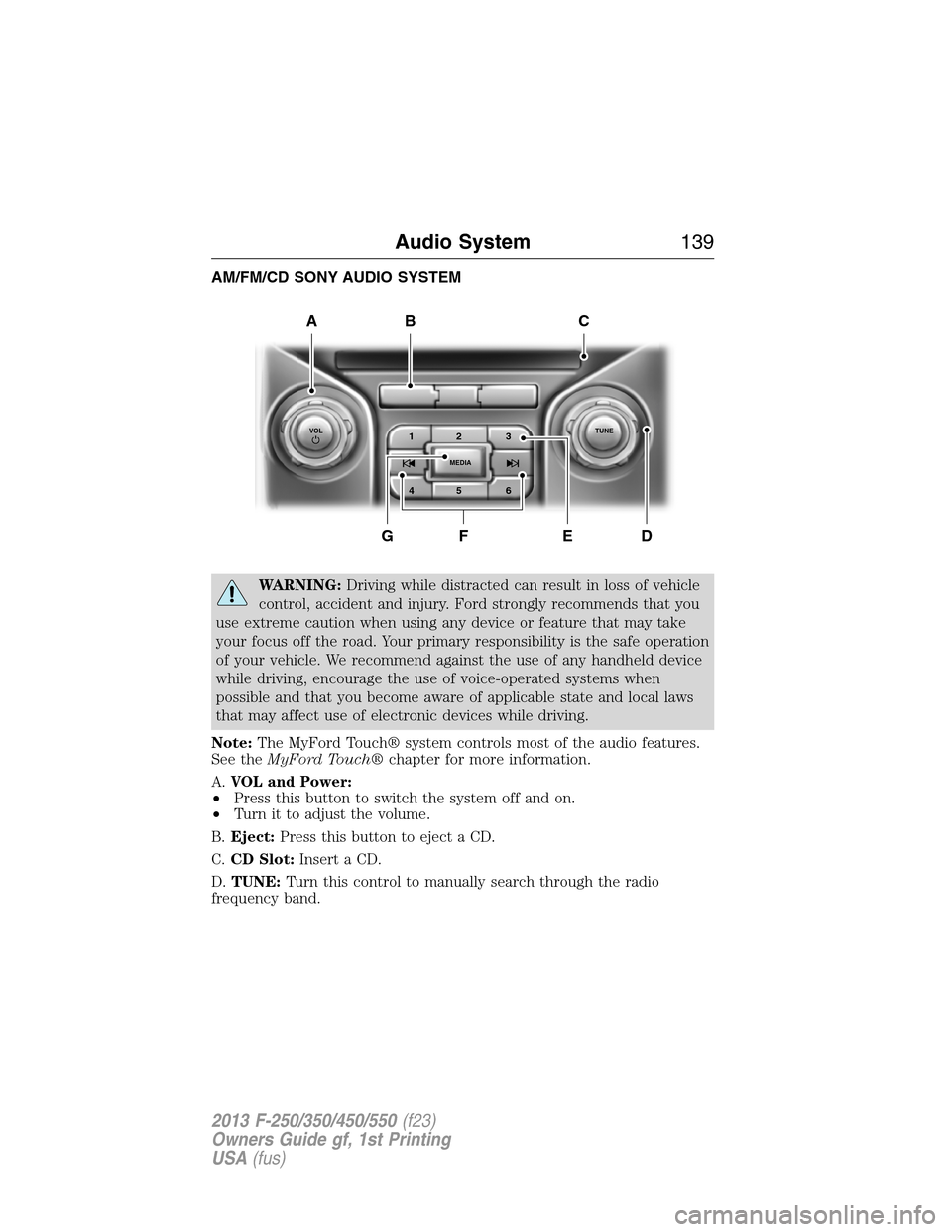
AM/FM/CD SONY AUDIO SYSTEM
WARNING:Driving while distracted can result in loss of vehicle
control, accident and injury. Ford strongly recommends that you
use extreme caution when using any device or feature that may take
your focus off the road. Your primary responsibility is the safe operation
of your vehicle. We recommend against the use of any handheld device
while driving, encourage the use of voice-operated systems when
possible and that you become aware of applicable state and local laws
that may affect use of electronic devices while driving.
Note:The MyFord Touch® system controls most of the audio features.
See theMyFord Touch®chapter for more information.
A.VOL and Power:
•Press this button to switch the system off and on.
•Turn it to adjust the volume.
B.Eject:Press this button to eject a CD.
C.CD Slot:Insert a CD.
D.TUNE:Turn this control to manually search through the radio
frequency band.
A
DFEG
BC
1VOLTUNE
MEDIA23
45 6
Audio System139
2013 F-250/350/450/550(f23)
Owners Guide gf, 1st Printing
USA(fus)
Page 141 of 563
E.Memory presets:Store your favorite radio stations. To store a radio
station, tune to the station, then press and hold a preset button until
sound returns.
F.Seek, Reverse and Fast Forward:
•In radio mode, select a frequency band and press one of these
buttons. The system stops at the first station it finds in that direction.
•In SIRIUS mode, press these buttons to select the previous or next
channel. If a specific category is selected (such as Jazz, Rock or
News), use these buttons to find the previous or next channel in the
selected category.
•In CD mode, press these buttons to select the previous or next track.
G.MEDIA:Press this button to access different audio modes, such as
AM, FM and A/V Input.
AUXILIARY INPUT JACK
WARNING:Driving while distracted can result in loss of vehicle
control, accident and injury. Ford strongly recommends that you
use extreme caution when using any device or feature that may take
your focus off the road. Your primary responsibility is the safe operation
of your vehicle. We recommend against the use of any handheld device
while driving, encourage the use of voice-operated systems when
possible and that you become aware of applicable state and local laws
that may affect use of electronic devices while driving.
WARNING:For safety reasons, do not connect or adjust the
settings on your portable music player while your vehicle is
moving.
WARNING:Store the portable music player in a secure location,
such as the center console or the glove box, when your vehicle is
moving. Hard objects may become projectiles in a collision or sudden
stop, which may increase the risk of serious injury. The audio extension
cable must be long enough to allow the portable music player to be
safely stored while your vehicle is moving.
140Audio System
2013 F-250/350/450/550(f23)
Owners Guide gf, 1st Printing
USA(fus)
Page 142 of 563
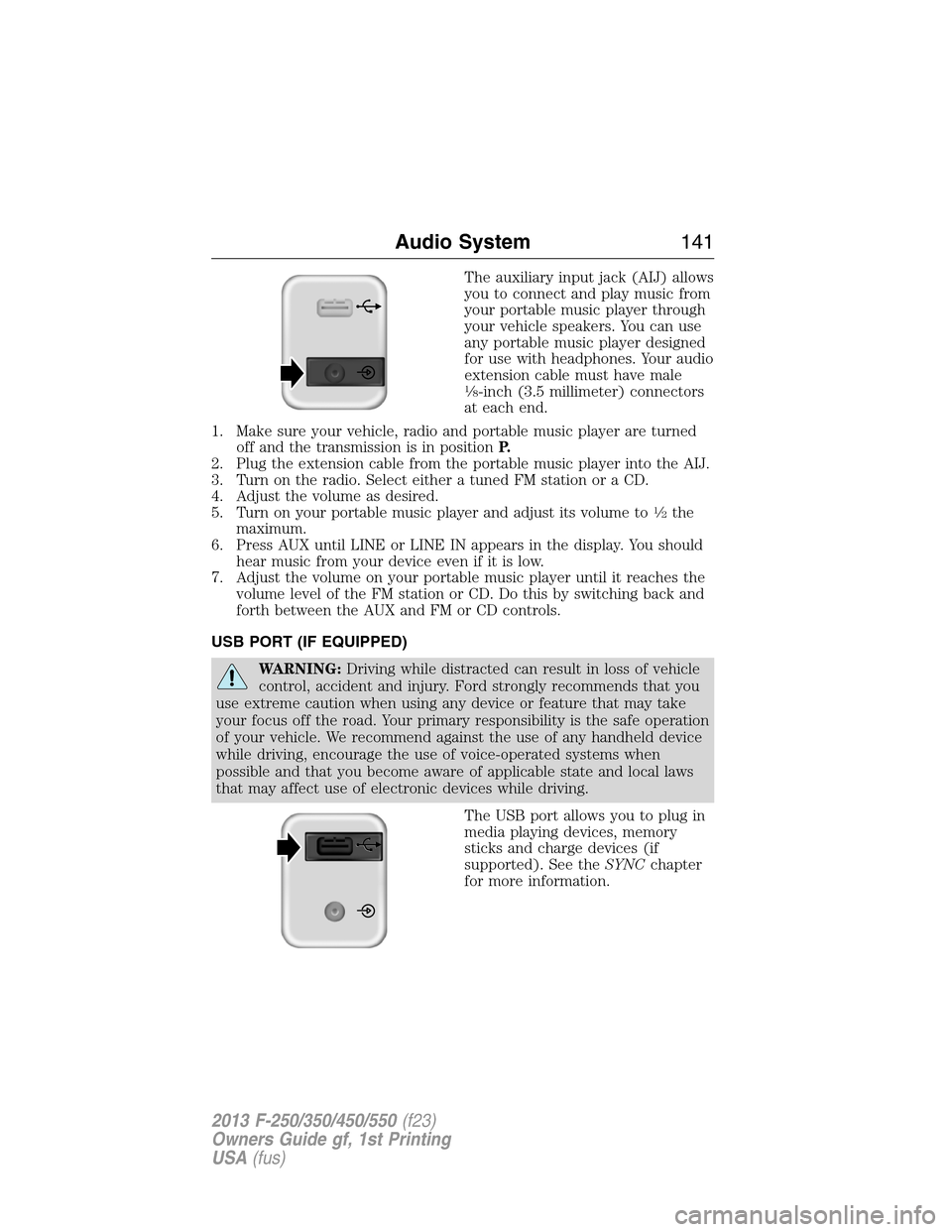
The auxiliary input jack (AIJ) allows
you to connect and play music from
your portable music player through
your vehicle speakers. You can use
any portable music player designed
for use with headphones. Your audio
extension cable must have male
18-inch (3.5 millimeter) connectors
at each end.
1. Make sure your vehicle, radio and portable music player are turned
off and the transmission is in positionP.
2. Plug the extension cable from the portable music player into the AIJ.
3. Turn on the radio. Select either a tuned FM station or a CD.
4. Adjust the volume as desired.
5. Turn on your portable music player and adjust its volume to
12the
maximum.
6. Press AUX until LINE or LINE IN appears in the display. You should
hear music from your device even if it is low.
7. Adjust the volume on your portable music player until it reaches the
volume level of the FM station or CD. Do this by switching back and
forth between the AUX and FM or CD controls.
USB PORT (IF EQUIPPED)
WARNING:Driving while distracted can result in loss of vehicle
control, accident and injury. Ford strongly recommends that you
use extreme caution when using any device or feature that may take
your focus off the road. Your primary responsibility is the safe operation
of your vehicle. We recommend against the use of any handheld device
while driving, encourage the use of voice-operated systems when
possible and that you become aware of applicable state and local laws
that may affect use of electronic devices while driving.
The USB port allows you to plug in
media playing devices, memory
sticks and charge devices (if
supported). See theSYNCchapter
for more information.
Audio System141
2013 F-250/350/450/550(f23)
Owners Guide gf, 1st Printing
USA(fus)
Page 144 of 563
SIRIUS® Satellite Radio Service
Note:SIRIUS® reserves the unrestricted right to change, rearrange, add or
delete programming including canceling, moving or adding particular
channels, and its prices, at any time, with or without notice to you. Ford
Motor Company shall not be responsible for any such programming changes.
SIRIUS® satellite radio is a
subscription-based satellite radio
service that broadcasts a variety of
music, sports, news, weather, traffic
and entertainment programming.
Your factory-installed SIRIUS®
satellite radio system includes
hardware and a limited subscription term which begins on the date of
sale or lease of your vehicle. See your authorized dealer for availability.
For more information on extended subscription terms (a service fee is
required), the online media player and a complete list of SIRIUS® satellite
radio channels, and other features, please visit www.siriusxm.com in the
United States, www.sirius.ca in Canada, or call SIRIUS® at 1–888–539–7474.
Satellite Radio Electronic Serial Number (ESN)
You need your ESN to activate, modify or track your satellite radio
account. When in satellite radio mode, you can view this number by
pressing SIRIUS and memory preset 1 at the same time.
Troubleshooting
SIRIUS® Troubleshooting Tips
Radio Display Condition Possible Action
Acquiring Radio requires more
than two seconds to
produce audio for the
selected channel.No action required.
This message should
disappear shortly.
Sat Fault/SIRIUS®
system failureThere is an internal
module or system
failure present.If this message does
not clear shortly, or
with an ignition key
cycle, your receiver
may have a fault. See
your authorized dealer
for service.
Audio System143
2013 F-250/350/450/550(f23)
Owners Guide gf, 1st Printing
USA(fus)
Page 163 of 563
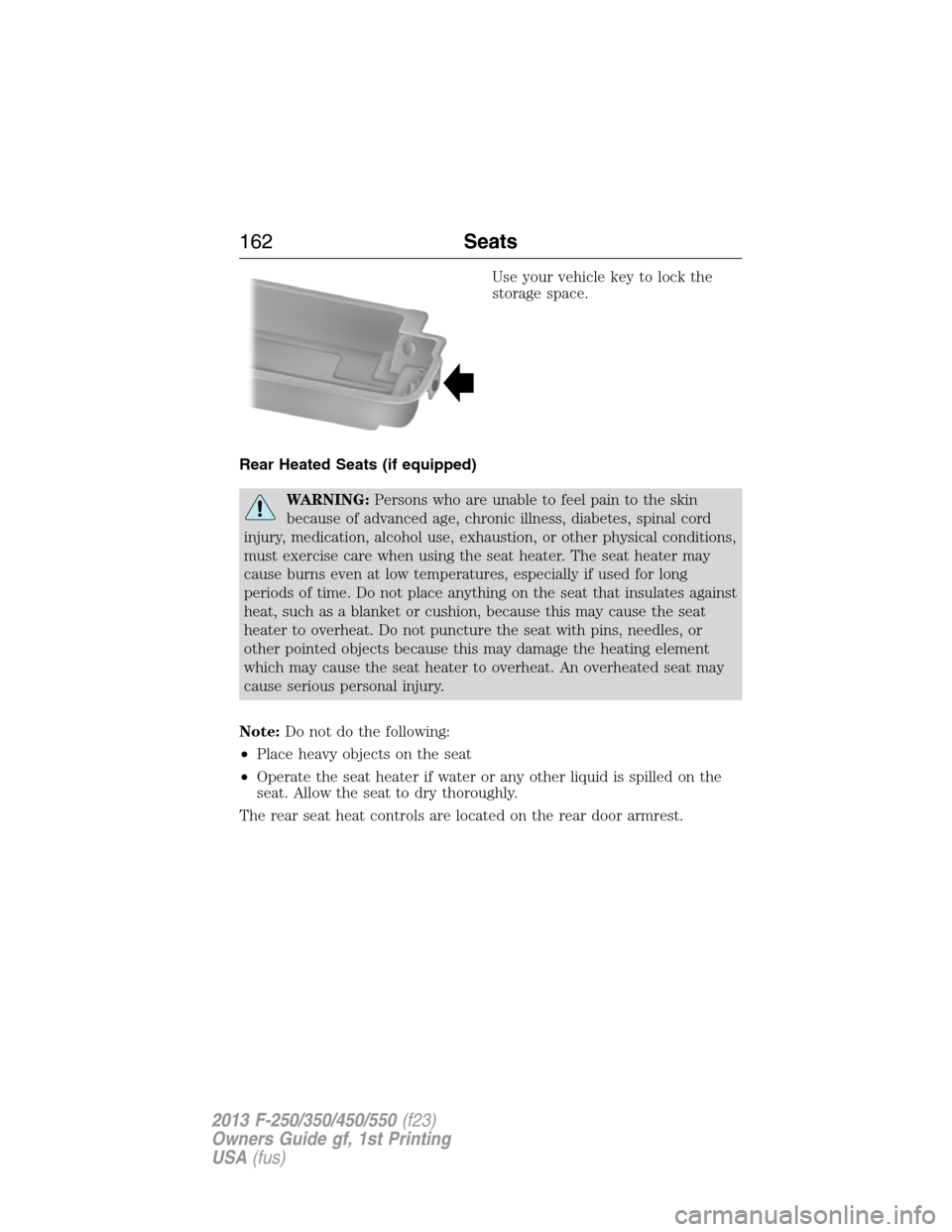
Use your vehicle key to lock the
storage space.
Rear Heated Seats (if equipped)
WARNING:Persons who are unable to feel pain to the skin
because of advanced age, chronic illness, diabetes, spinal cord
injury, medication, alcohol use, exhaustion, or other physical conditions,
must exercise care when using the seat heater. The seat heater may
cause burns even at low temperatures, especially if used for long
periods of time. Do not place anything on the seat that insulates against
heat, such as a blanket or cushion, because this may cause the seat
heater to overheat. Do not puncture the seat with pins, needles, or
other pointed objects because this may damage the heating element
which may cause the seat heater to overheat. An overheated seat may
cause serious personal injury.
Note:Do not do the following:
•Place heavy objects on the seat
•Operate the seat heater if water or any other liquid is spilled on the
seat. Allow the seat to dry thoroughly.
The rear seat heat controls are located on the rear door armrest.
162Seats
2013 F-250/350/450/550(f23)
Owners Guide gf, 1st Printing
USA(fus)
Page 165 of 563
HEATED AND COOLED SEATS (IF EQUIPPED)
Heated Seats
WARNING:Persons who are unable to feel pain to the skin
because of advanced age, chronic illness, diabetes, spinal cord
injury, medication, alcohol use, exhaustion, or other physical conditions,
must exercise care when using the seat heater. The seat heater may
cause burns even at low temperatures, especially if used for long
periods of time. Do not place anything on the seat that insulates against
heat, such as a blanket or cushion, because this may cause the seat
heater to overheat. Do not puncture the seat with pins, needles, or
other pointed objects because this may damage the heating element
which may cause the seat heater to overheat. An overheated seat may
cause serious personal injury.
•Do not place heavy objects on the seat.
•Do not operate the seat heater if water or any other liquid is spilled
on the seat. Allow the seat to dry thoroughly.
The heated seats will only function when the engine is running.
To operate the heated seats:
Press the heated seat button/symbol to cycle through the
various heat settings and off. Warmer settings are indicated
by more indicator lights.
Cooled Seats
The cooled seats will only function when the engine is running.
To operate the cooled seats:
Press the cooled seat button/symbol to cycle through the
various cooling settings and off. Cooler settings are
indicated by more indicator lights.
If the engine falls below 350 rpm while the cooled seats are on, the
feature will turn itself off and will need to be reactivated.
A/C
164Seats
2013 F-250/350/450/550(f23)
Owners Guide gf, 1st Printing
USA(fus)
Page 170 of 563
Rolling Code Programming
Note:If you do not follow the time-sensitive instructions, the device will
time out and you will have to repeat the complete procedure.
Note:It may be helpful to have another person assist you in
programming the transmitter.
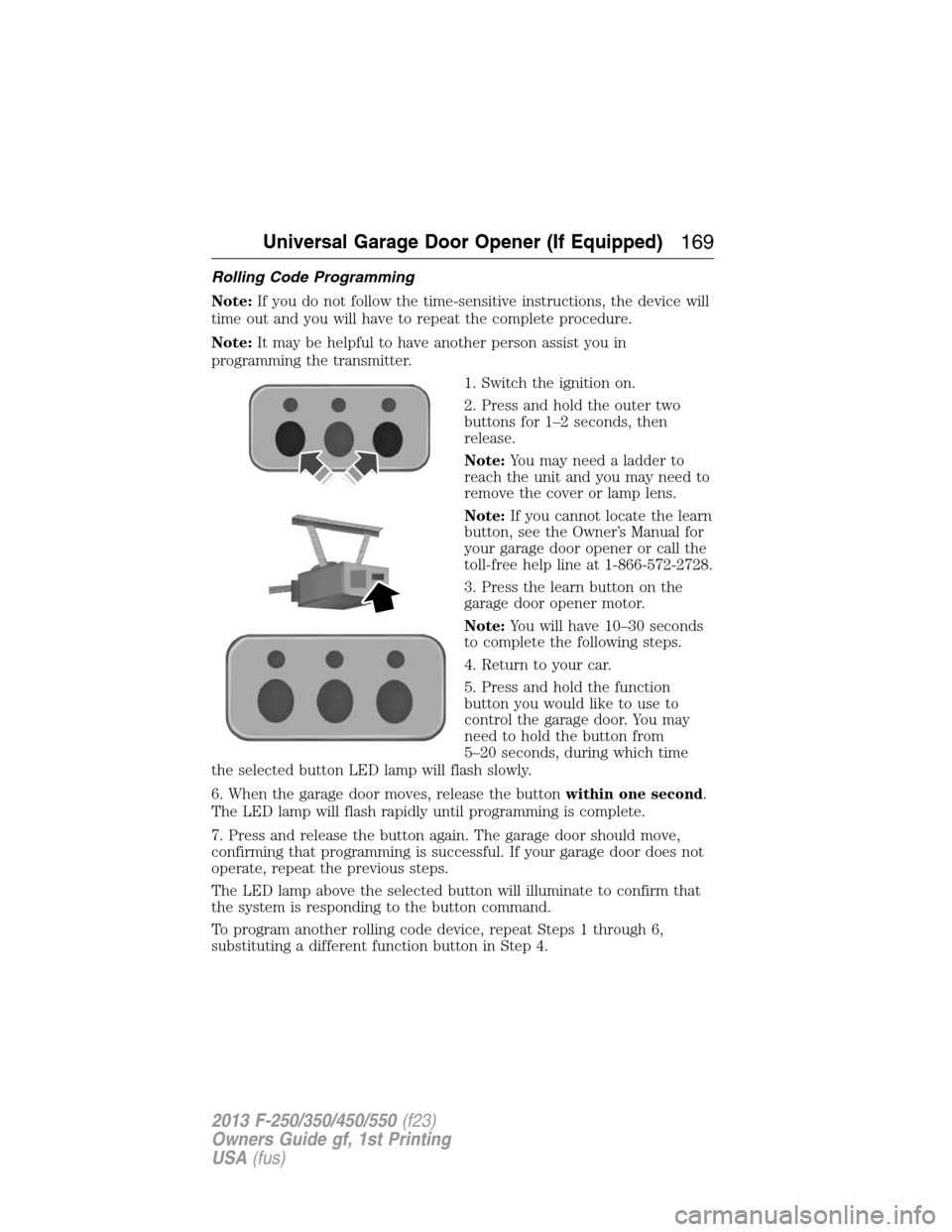
1. Switch the ignition on.
2. Press and hold the outer two
buttons for 1–2 seconds, then
release.
Note:You may need a ladder to
reach the unit and you may need to
remove the cover or lamp lens.
Note:If you cannot locate the learn
button, see the Owner’s Manual for
your garage door opener or call the
toll-free help line at 1-866-572-2728.
3. Press the learn button on the
garage door opener motor.
Note:You will have 10–30 seconds
to complete the following steps.
4. Return to your car.
5. Press and hold the function
button you would like to use to
control the garage door. You may
need to hold the button from
5–20 seconds, during which time
the selected button LED lamp will flash slowly.
6. When the garage door moves, release the buttonwithin one second.
The LED lamp will flash rapidly until programming is complete.
7. Press and release the button again. The garage door should move,
confirming that programming is successful. If your garage door does not
operate, repeat the previous steps.
The LED lamp above the selected button will illuminate to confirm that
the system is responding to the button command.
To program another rolling code device, repeat Steps 1 through 6,
substituting a different function button in Step 4.
Universal Garage Door Opener (If Equipped)169
2013 F-250/350/450/550(f23)
Owners Guide gf, 1st Printing
USA(fus)
Page 171 of 563
Fixed Code Programming
Note:It may be helpful to have another person assist you in
programming the transmitter.
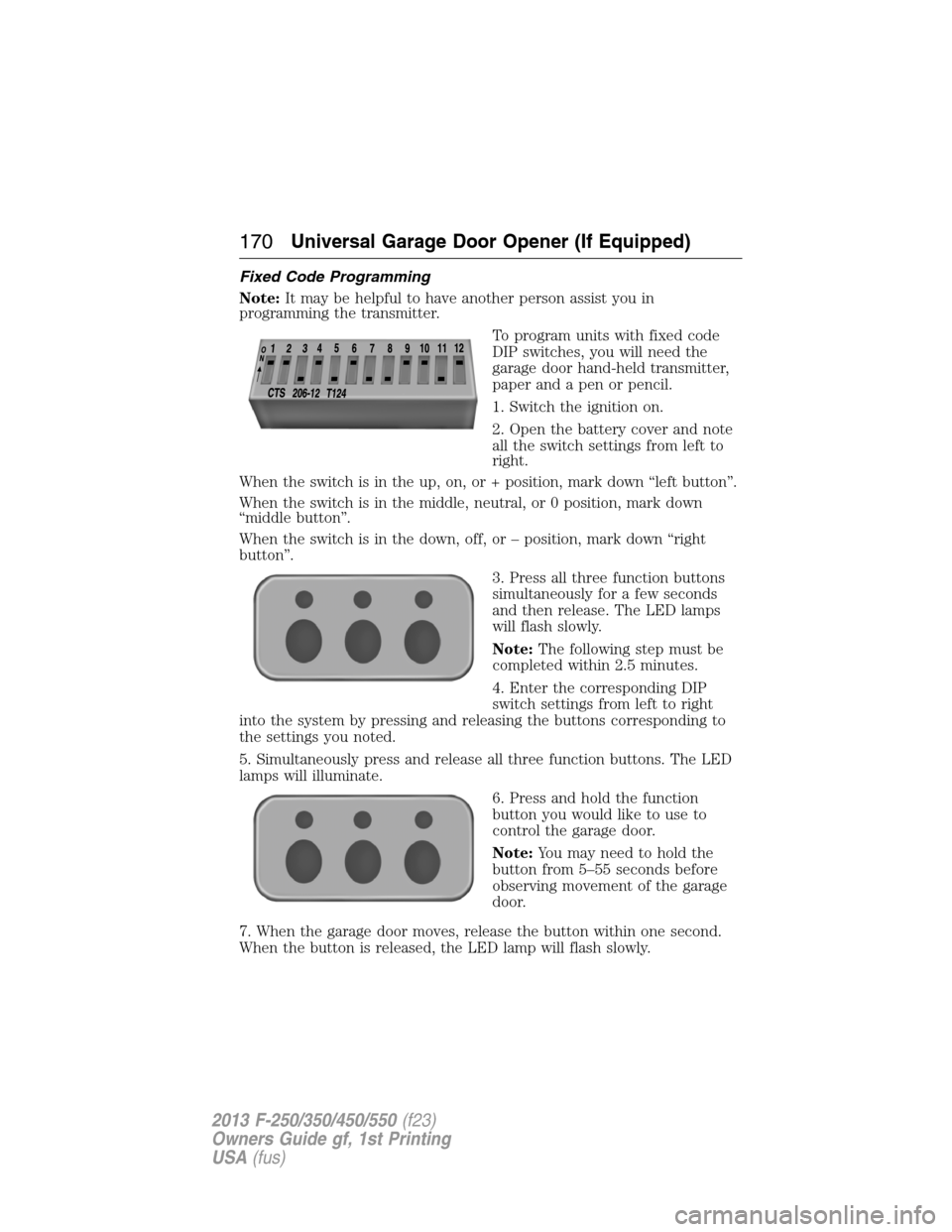
To program units with fixed code
DIP switches, you will need the
garage door hand-held transmitter,
paper and a pen or pencil.
1. Switch the ignition on.
2. Open the battery cover and note
all the switch settings from left to
right.
When the switch is in the up, on, or + position, mark down “left button”.
When the switch is in the middle, neutral, or 0 position, mark down
“middle button”.
When the switch is in the down, off, or – position, mark down “right
button”.
3. Press all three function buttons
simultaneously for a few seconds
and then release. The LED lamps
will flash slowly.
Note:The following step must be
completed within 2.5 minutes.
4. Enter the corresponding DIP
switch settings from left to right
into the system by pressing and releasing the buttons corresponding to
the settings you noted.
5. Simultaneously press and release all three function buttons. The LED
lamps will illuminate.
6. Press and hold the function
button you would like to use to
control the garage door.
Note:You may need to hold the
button from 5–55 seconds before
observing movement of the garage
door.
7. When the garage door moves, release the button within one second.
When the button is released, the LED lamp will flash slowly.
170Universal Garage Door Opener (If Equipped)
2013 F-250/350/450/550(f23)
Owners Guide gf, 1st Printing
USA(fus)